Week 9 - Parametric study on Gate valve.
Aim: Performing a parametric study on the gate valve.
Objective:
- To set up a parametric study of a valve based on the opening as an input parameter and flow rate as the output parameter.
- Evaluate the flow coefficient and flow factor corresponding to the lift of the valve and estimate the effect of the same.
Introduction:
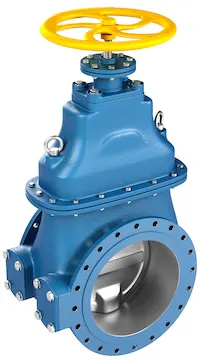
A gate valve (also known as a sluice valve) is used to control the flow of liquids or gases in a pipeline. It consists of a gate or wedge-shaped disk that moves up or down to open or close the valve. The gate valve is designed to provide a tight shut-off when fully closed, and it is typically used in applications where a tight shut-off is required, such as in the control of water or gas flow in pipelines.
 |
A parametric study in Ansys involves varying one or more input parameters in a model and then analyzing the resulting changes in the model's output. This can be useful for understanding how different input parameters affect the performance of a system or product. This can be used to evaluate the optimal input parameters for a given design or to identify possible problem areas in a system. Here, a parametric study is done with the lift of the gate as the input and the flow rate as the output. Based on this, the corresponding flow coefficient and flow factor are determined.
The efficiency of a device in allowing fluid flow is measured by the flow coefficient, which compares the pressure drop across an assembly such as an orifice valve to the flow rate it allows. It is a relative measure that describes the relationship between the pressure drop and flow rate.
Flow-coefficient: Cv=Q⋅(SGΔP)12��=�⋅(��Δ�)12
where,
Q� is the rate of flow (in US gallons per minute)
SG�� is the specific gravity of fluid (here, water, hence 1)
ΔPΔ� is the pressure drop across the valve (in PSI)
Flow factor is the metric system equivalent of the flow coefficient and can be determined by the relation
Flow-Factor: Kv=0.865⋅Cv��=0.865⋅��
Workflow:
- Preparing the geometry
- Generate mesh for the geometry
- Setting up the solver
- Setting up the solution monitors
- Post-processing to observe the results
Ansys Fluent:
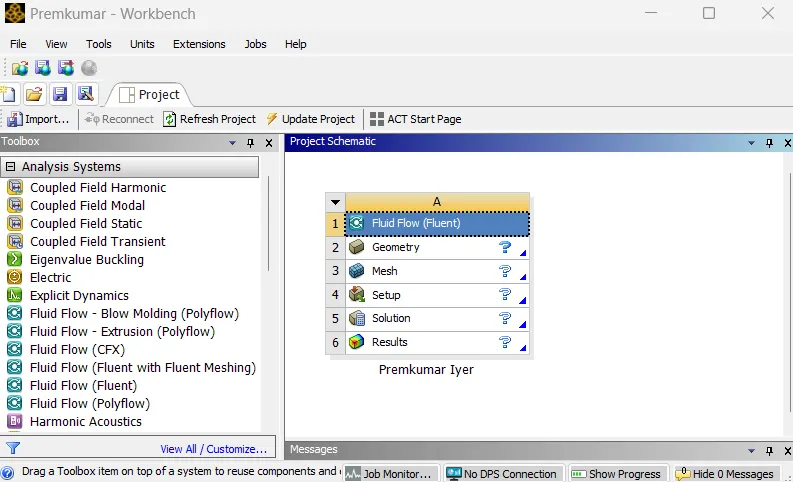 |
In the Ansys workbench project window, Fluid Flow (Fluent) is dropped into the workspace.
Preparing the geometry:
 |
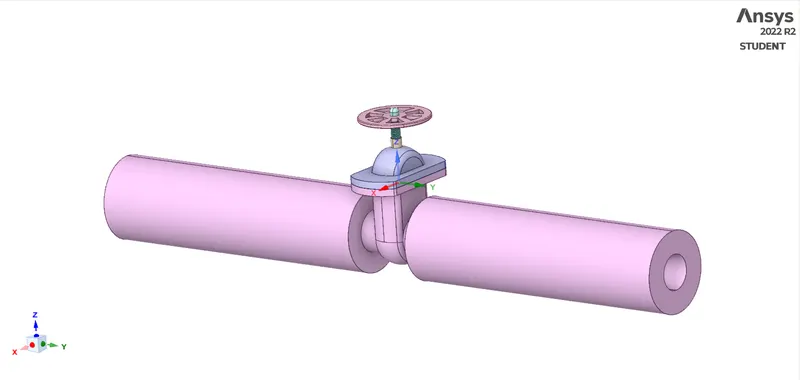 |
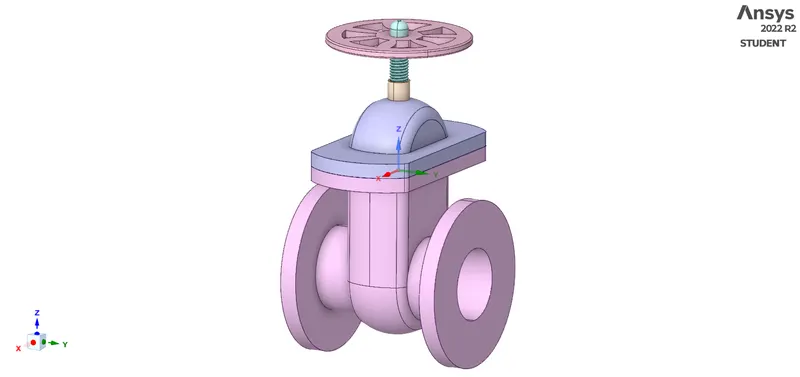
| Gate Valve | After pulling the bottom |
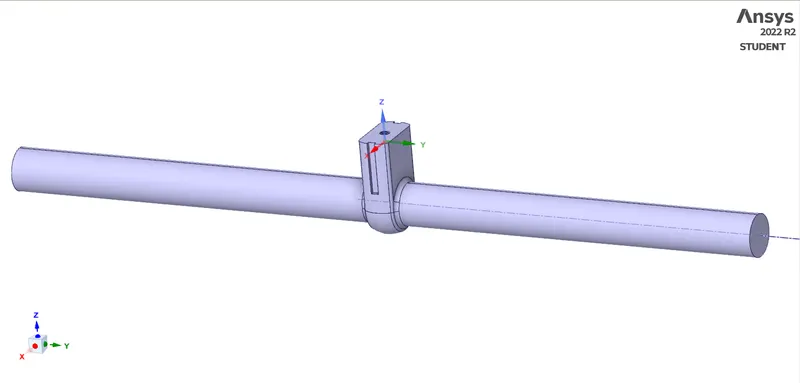
The geometry, as shown (provided as a STEP file) is imported in SpaceClaim. The bottom of the gate valve is extended (to 800mm) by means of the pull command. This is done so that a stable and developed flow is achieved in the valve region. Later, everything except for the gate and spindle is disabled from the view, and these components together are moved for some distance. During this step itself, the parameter is created from the group tab below the component outline. Initially, a lift of 10mm is provided, which is gradually increased to 80mm. The volume extract tool is used to define the fluid region by carefully selecting the edges. The fluid volume is updated based on the context so that the volume adapts itself to the change in lift. Except for the volume extracted, the rest of everything is disabled for physics.
 |
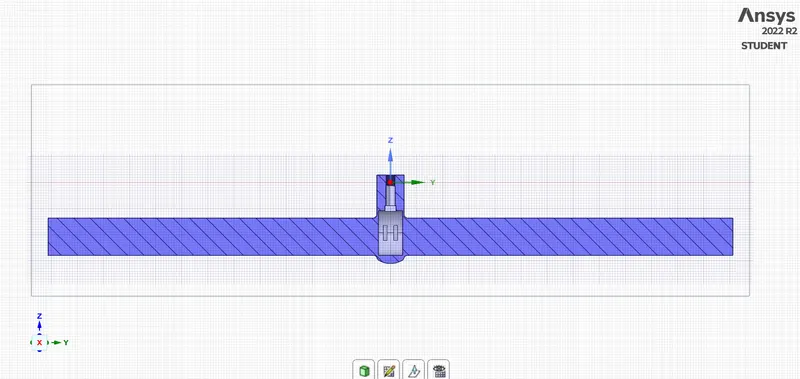 |
| Volume Extract | Cross-Sectional View |
Generating mesh:
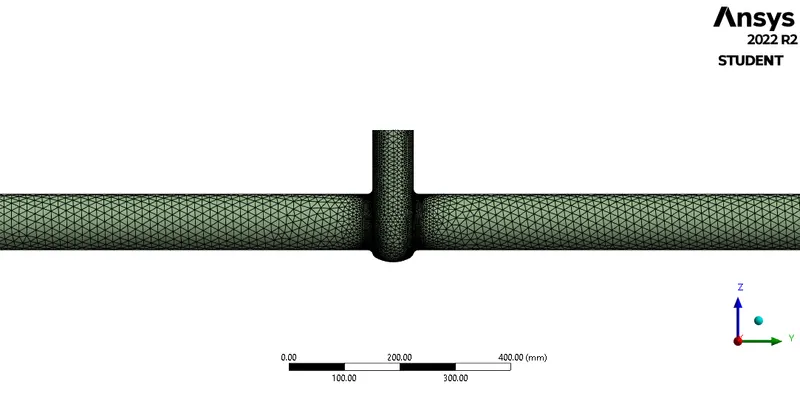
Meshing is the process, wherein the geometry is divided into smaller parts which are known as elements, so that the iterative solver can solve the governing equations across the domain. In the meshing utility, a baseline mesh of the default element size is created. This is further optimised up to 20mm of mesh size with capture curvature turned ON. Thus, we have the following mesh:
 |
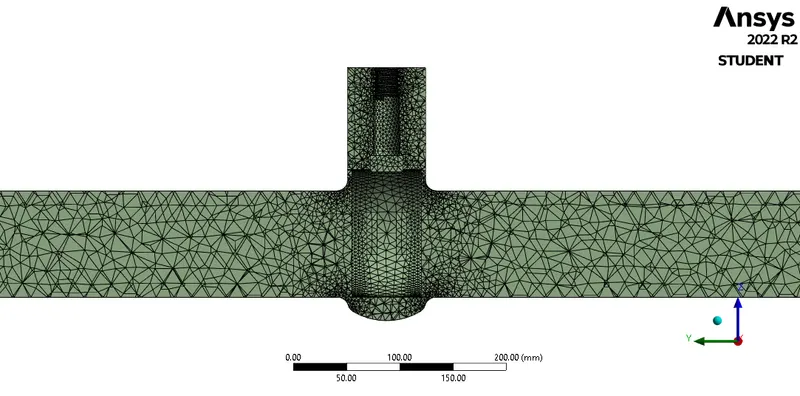 |
| Generated Mesh | Sectional View |
For implementing the boundary conditions, the "boundaries" must be clearly defined. To do so, the mesh utility itself has a tool; named selections. By selecting the respective faces and surfaces, the pressure inlet, the pressure outlet, and the fluid region were defined.
Setting up the solver:
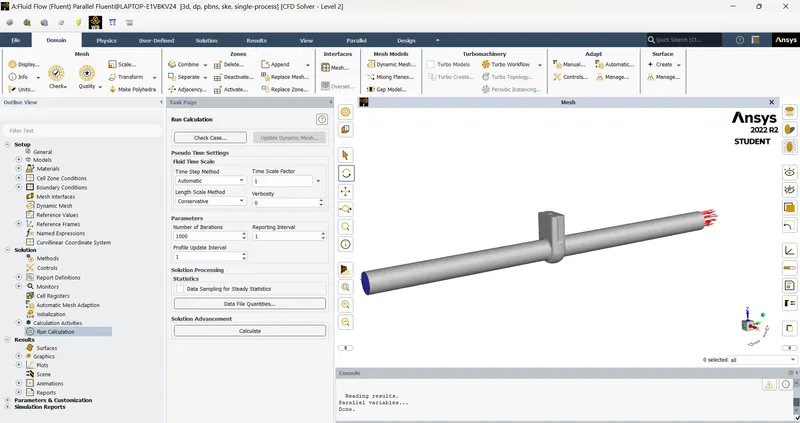 |
An important part of a CFD simulation, the setup for solver is done to obtain the solution. Firstly, the units of important parameters are set to desired units (preferably SI units). In the models tab, in the viscous models, the standard k−ε�-� is chosen. The fluid zone contains water, and the default properties from the Fluent database are utilised. The only boundary condition that we need to provide is the pressure at inlet (which is set as 10Pa (Gauge)), rest everything is left untouched.
The pressure-velocity coupling is set to coupled and the momentum and pressure are set to second-order discretisation. Report definitions are set to capture the mass flow rate across the outlet face. The corresponding plots along with the residual plots are saved. Hybrid initialization is used to initiate the problem, thereafter, 500 iterations are provided for the solver.
Post-processing (Results):
| Lift | Cross-section | Velocity Contour |
| 10mm | 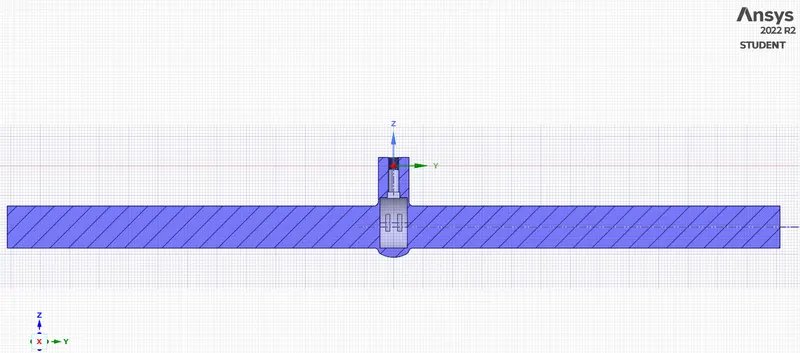 |
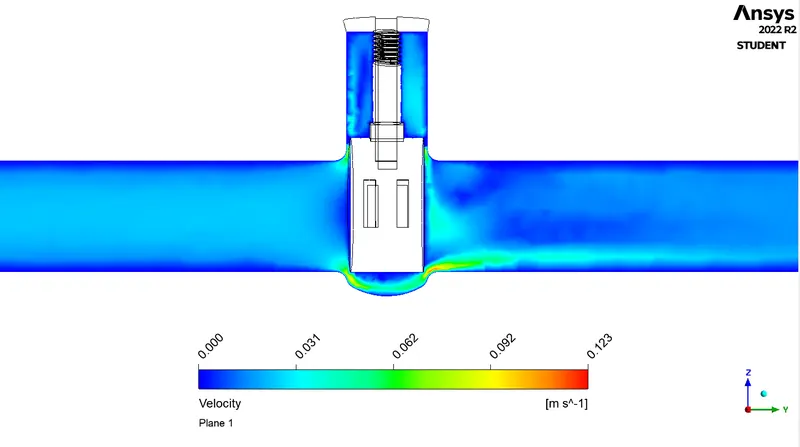 |
| 20mm | 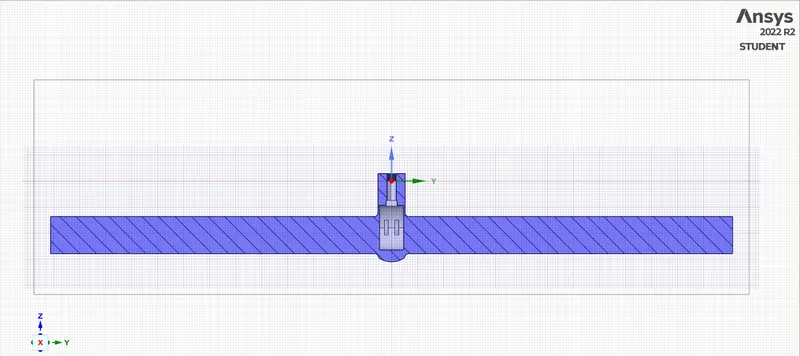 |
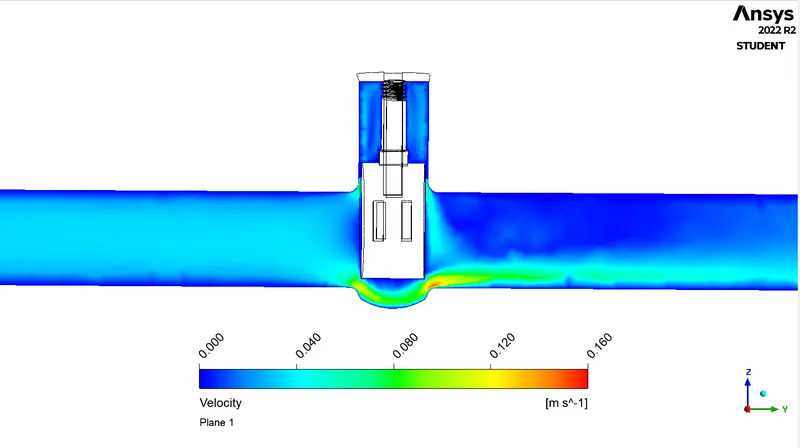 |
| 30mm | 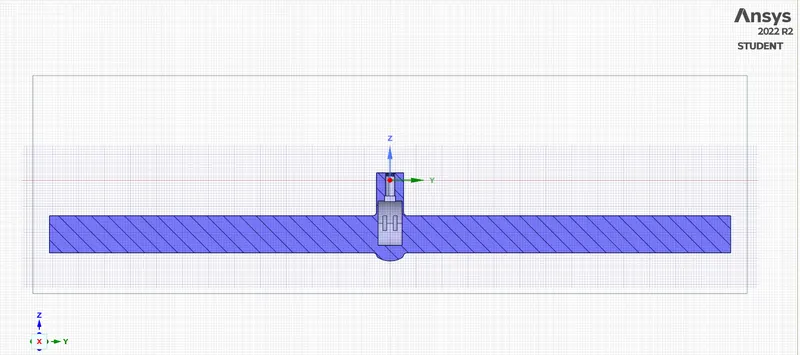 |
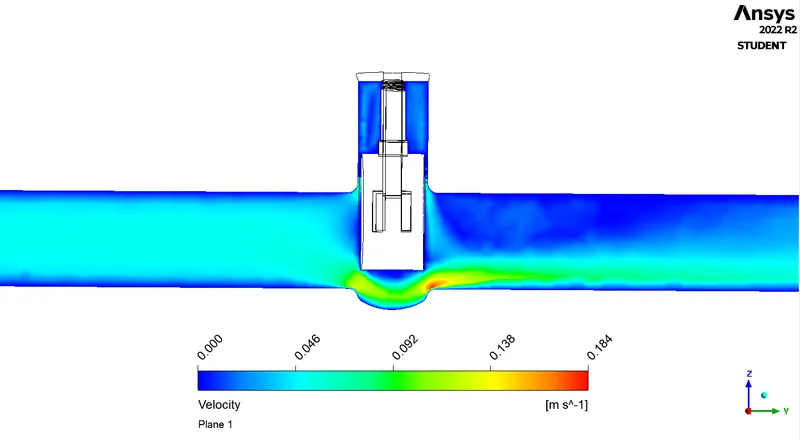 |
| 40mm | 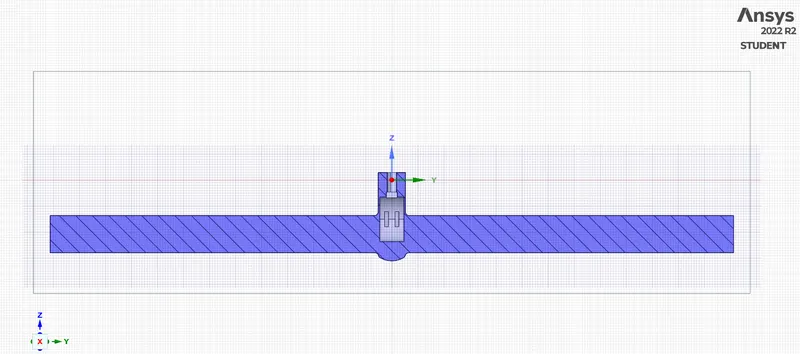 |
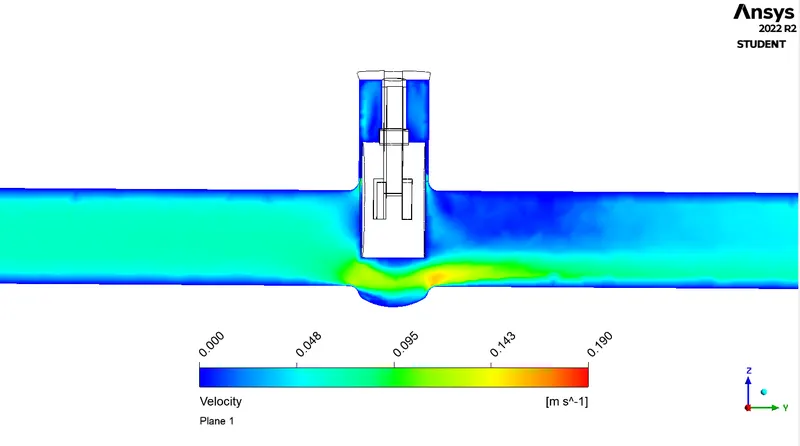 |
| 60mm | 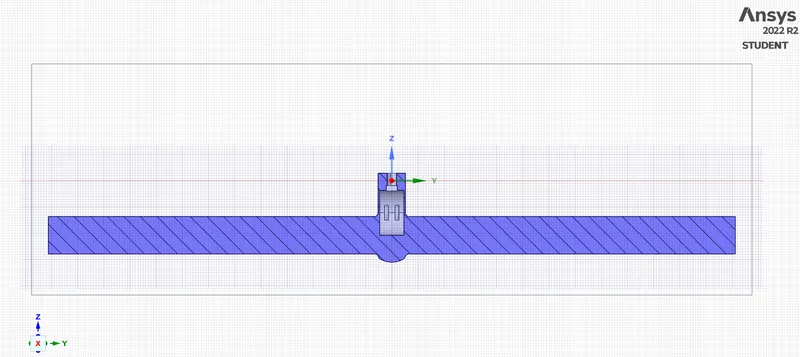 |
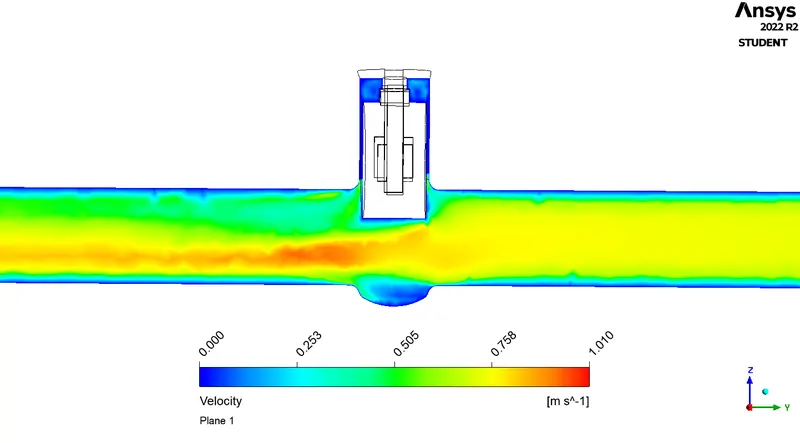 |
| 80mm | 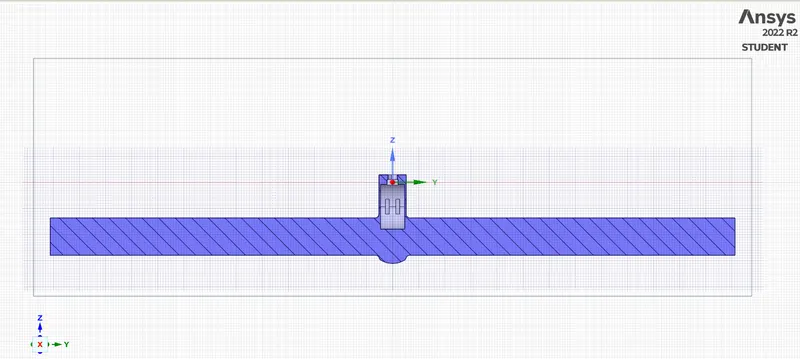 |
|
| Valve Opening (mm) | Mass flow rate (Kg/s) | Volumetric Flow Rate | Pressure Drop | Flow Coefficient | Flow Factor | |
| US gal/min | cu.m/hr | |||||
| 10 | 0.14319 | 2.27642 | 0.51704 | 0.00145 | 59.78170 | 51.71117 |
| 20 | 0.22707 | 3.60993 | 0.81991 | 0.00145 | 94.80153 | 82.00332 |
| 30 | 0.34642 | 5.50735 | 1.25086 | 0.00145 | 144.63005 | 125.10500 |
| 40 | 0.45744 | 7.27233 | 1.65174 | 0.00145 | 190.98081 | 165.19840 |
| 50 | 0.56755 | 9.02285 | 2.04933 | 0.00145 | 236.95164 | 204.96317 |
| 60 | 0.72296 | 11.49354 | 2.61049 | 0.00145 | 301.83518 | 261.08743 |
| 70 | 0.75148 | 11.94695 | 2.71347 | 0.00145 | 313.74226 | 271.38705 |
| 80 | 0.79805 | 12.68731 | 2.88162 | 0.00145 | 333.18519 | 288.20519 |
 |
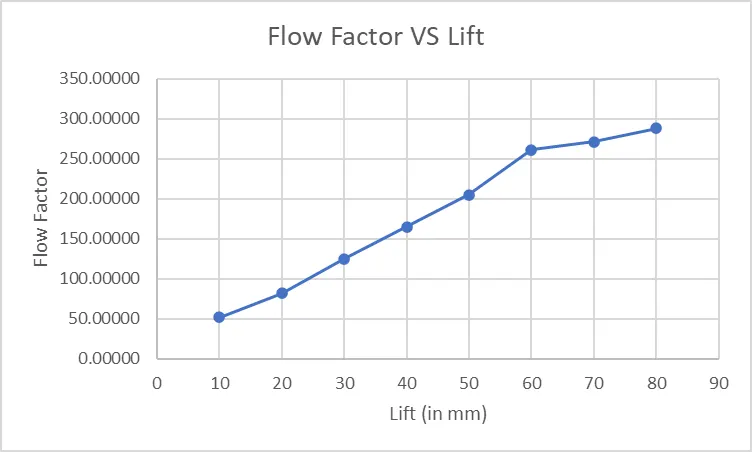 |
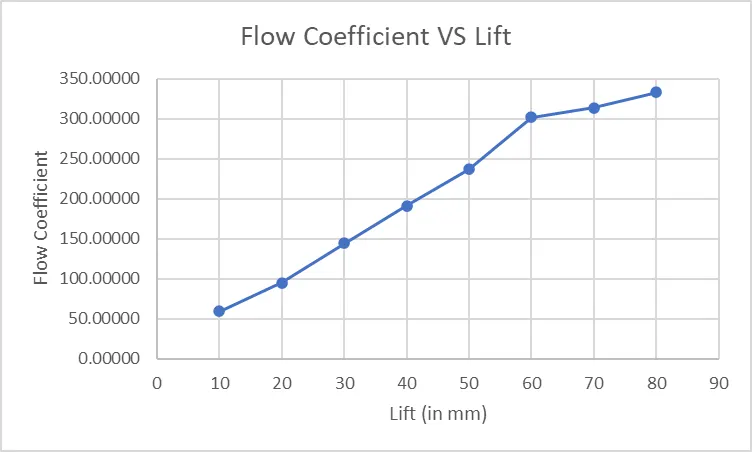
| Flow-Coefficient vs Lift | Flow-Factor vs Lift |
Conclusion(s):
- The simulation of a gate valve was successfully carried out using ANSYS software as part of a parametric study.
- The mass flow rate and flow coefficient were computed for different valve openings. The results indicate that as the valve opens, the mass flow rate increases. Additionally, the velocity contour plots indicate that the flow velocity increases and reaches a steady state of 0.1m/s when the valve is opened more than 40mm.
- The highest velocity at the outlet is seen when the valve opening is 80mm. The flow coefficient and flow factor, calculated from the mass flow rate values, also increase as the flow rate increases.
- From the variation of these two factors with respect to valve opening, it can be inferred that they are directly proportional to the valve opening values.
- Therefore, it can be concluded that at higher values of valve opening, the efficiency of fluid flow is also higher.
References:
- Introduction to GUI based CFD using Ansys Fluent - Course provided by Skill-Lync
- Ansys Inc.
- Supporting Material: Gate Valve - How They Work
- Supporting Material: A-TO-Z GUIDE TO THERMODYNAMICS, HEAT & MASS TRANSFER, AND FLUIDS ENGINEERING
- Supporting Material: Fluid Mechanics - Frank M White
- Supporting Material: Fluid Mechanics: Fundamentals and Applications - Y Cengel and J Cimbala