Week 8- Moving zones approach in Fluent
Moving Zones are used in simulations where there is a moving part/surface, such as an impeller, gearbox simulation, etc.
There are two major approaches used to model rotary motion in a domain, they are:
1. Moving Reference Frame: in this approach, the frame is considered to be moving.
The control volume is constant, and mesh remains constant.
This is used in Steady State problems where the final iteration is studied.
2. Moving Mesh Approach: in this approach, the mesh is considered to be moving
The control volume changes, and mesh changes for every timestep.
This is used in transient problems where the path to the final iteration is studied.
A simple rotary motion will be simulated in ANSYS Fluent, to be introduced to Moving Zones in ANSYS.
The simulation is performed using the 1st approach mentioned earlier, the moving reference frame approach.
Geometry & Mesh
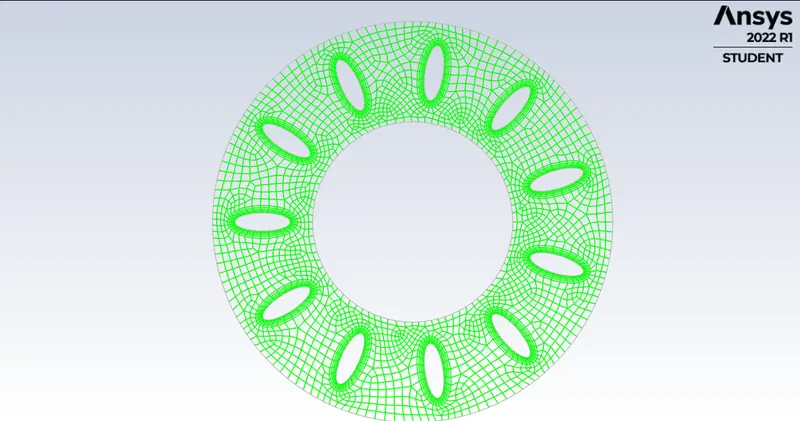
The geometry is a pair of concentric circles with blades in between them, the blades can rotate around a common center at the origin. The geometry was pre-meshed and imported into Fluent. This is the geometry seen in Fluent after importing:
Simulation Setup
General
The solution required a steady state, pressure based and planar solver.
Turbulence Model
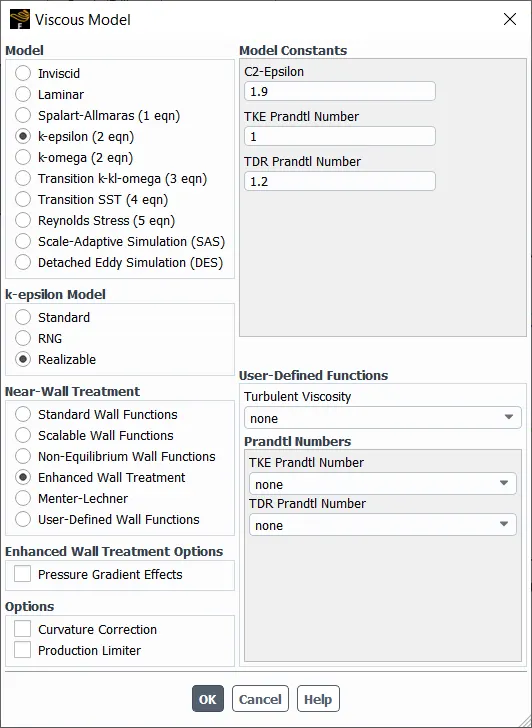
k-epsilon Realizable was used as it is excellent at modelling interior rotary flow.
Cell Zones
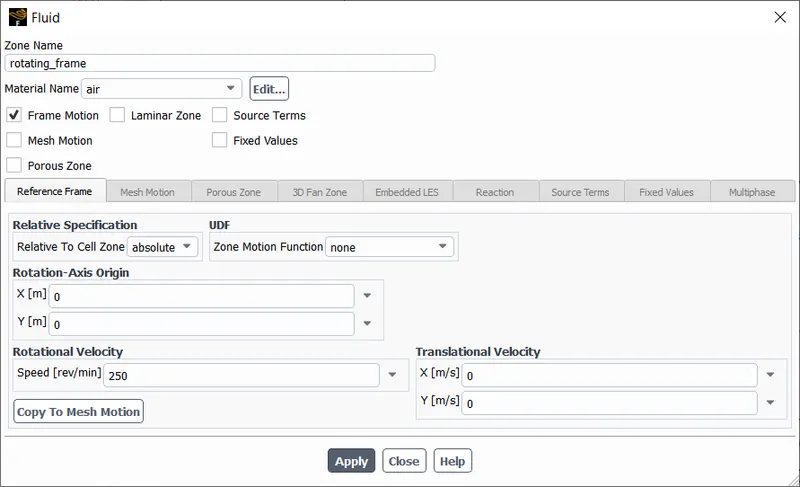
The only zone, was configured to undergo a Frame Motion with a rotational velocity of 250 revolutions per minute.
Boundary Conditions
airfoil - is set as a moving, rotating boundary. The speed is not specified as it was specified earlier.
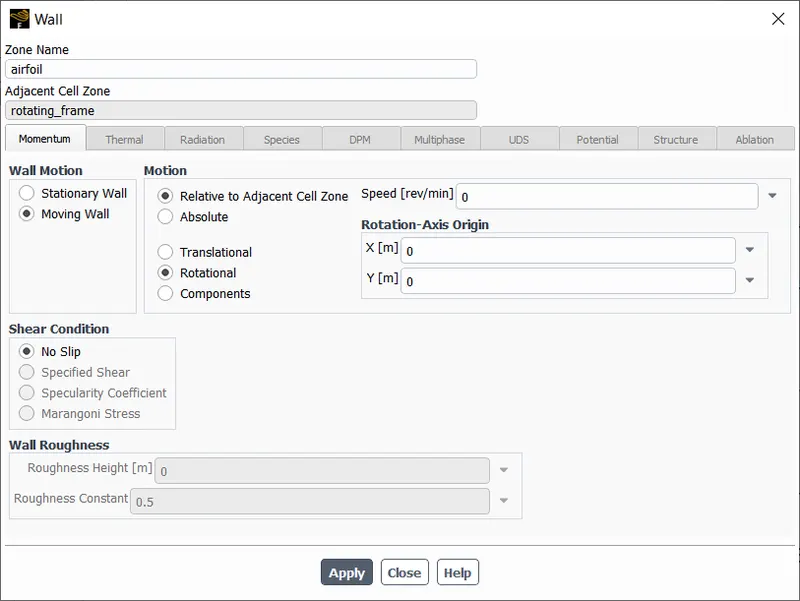
rotating_frame - interior
rotatingdomain_interior, rotatingdomain_exterior - wall (stationary)
Solution Controls
The following solution controls were used, everything being second order if applicable
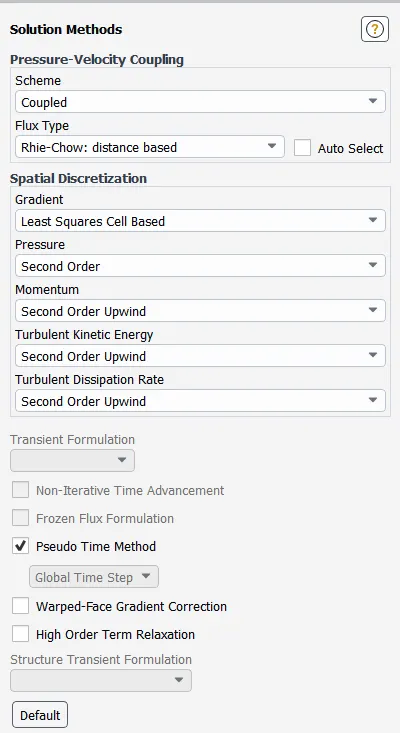
The simulation for the following setup was initialised using the hybrid method.
Results
Residuals
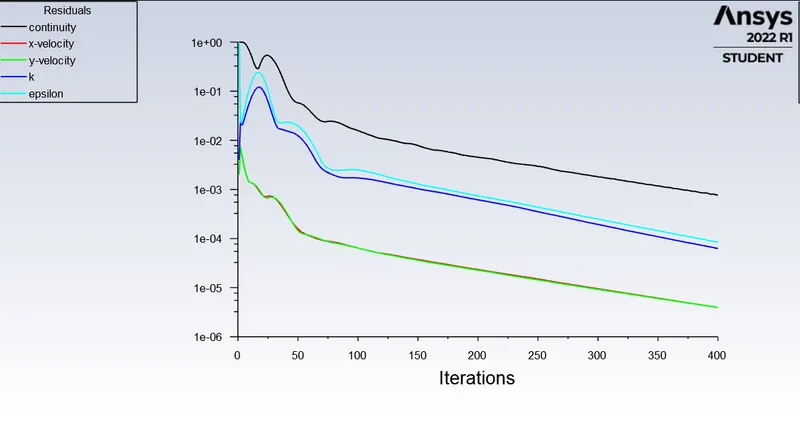
The residuals have dropped below 1e-3, and seem to be dropping further. Hence, the solution can be said to be converged/reached steady state.
Pressure Contour
This was taken in Fluent.
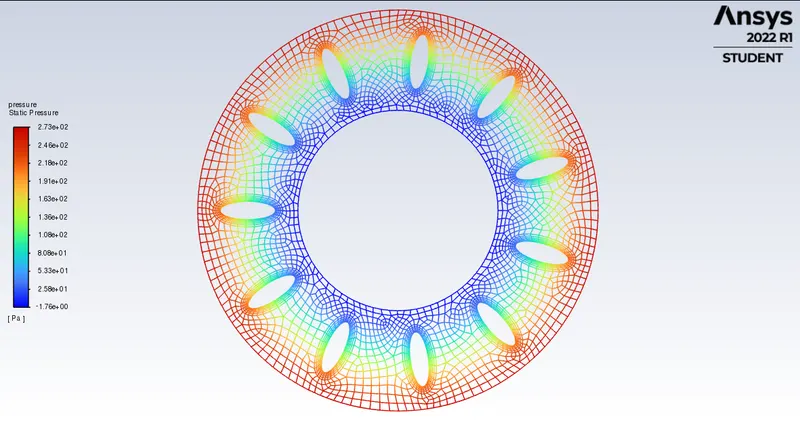
A high pressure region is seen near the outer circle while a low pressure region is seen near the inner circle. This implies a good suction setup can be performed with the current setup.
Velocity Contour
This was taken in Fluent.
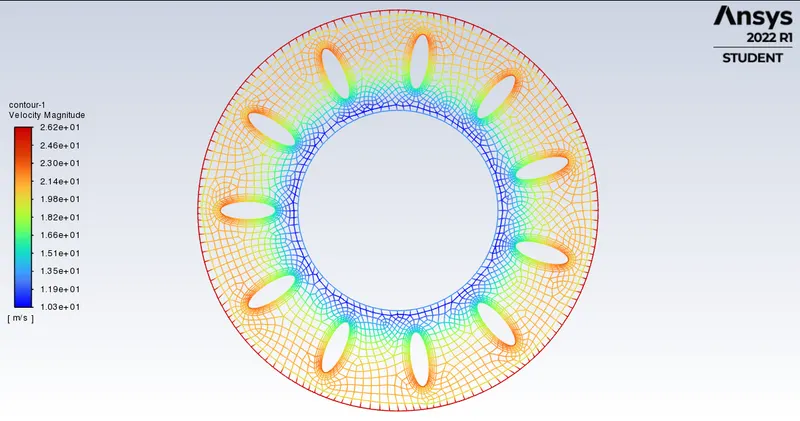
Since velocity is proportional to radial distance, the airfoil moves at a faster speed radially near the outer circle, this causes higher velocity of air as expected.
There is also a slight high velocity region near every airfoil, as flow seperation and flow accumulation occurs in that region.
Velocity Vectors
This was taken in Fluent.
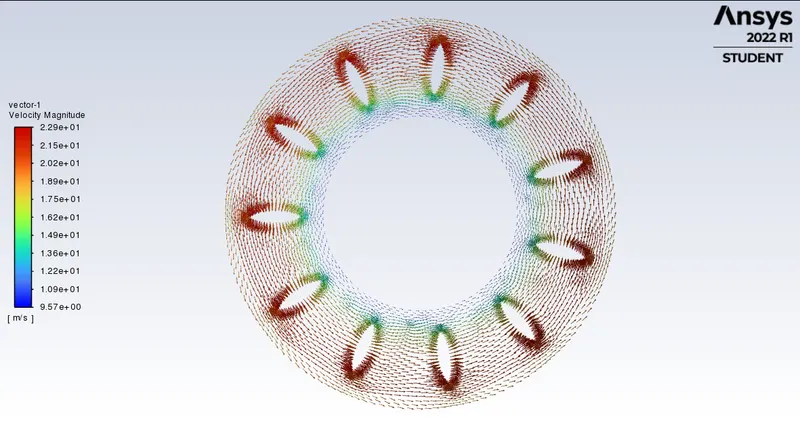
Zooming in,
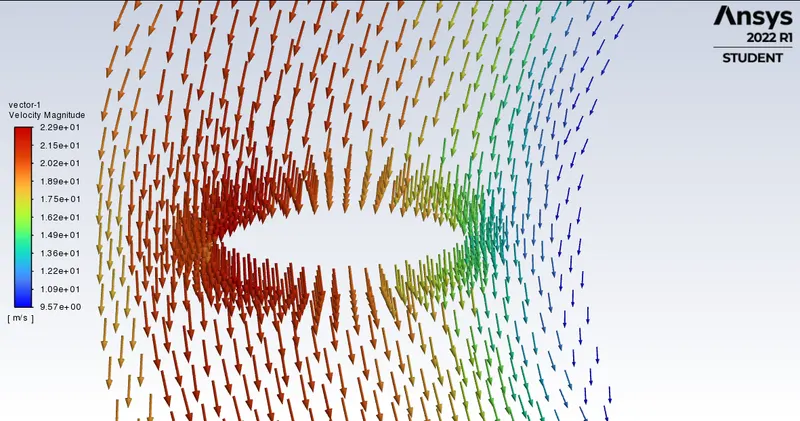
The airfoil has a much higher velocity due to accumulation and collision of oncoming air to the airfoil when it rotates.
Conclusion
A basic simulation showcasing the moving reference approach for steady state was performed in ANSYS fluent and quanlitative results were obtained and explained.