Week 7: Shock tube simulation project
In this project, a trasient simulation of a shock tube will be performed in converge.
A shock tube contains 2 mixtures, one at high pressure and one at low/atmospheric pressure seperated by a thin diaphragm. When this diaphragm is ruptured, violent mixing occurs. A shock tube simulation or experiment is usually used to determine if a rapid expansion of a high pressure fluid into a low pressure fluid can cause ignition if the fluids are flammable.
Geometry Creation
The geometry can either be created manually using converge or it can also be imported from another CAD software, in my case I imported the simple geometry.
The geometry is just a cuboid, with length 0.2m and width and height 0.01m. The length of the geometry is divided into 2, for easier boundary assignment later.
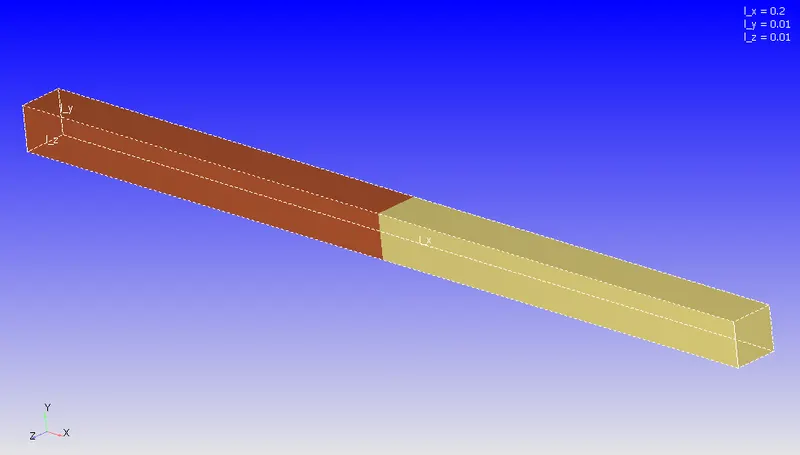
Do note that converge requires all geometry to be in metres, hence transformation may be required if the geometry was exported as millimetres (mm). This is the final geometry seen in converge.
Boundary
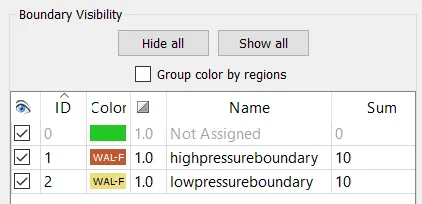
All surfaces on the left side of the cuboid are selected, and this is the high pressure boundary
The rest of the sides are selected, and this is the low pressure boundary
Note: There should be no surface separating the 2 regions
Case Setup
Now, begin the case setup:
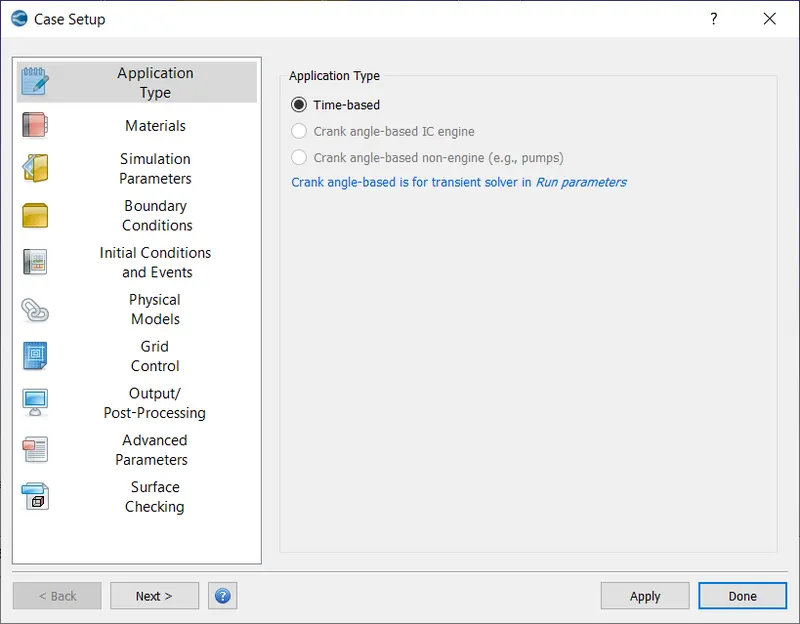
Application Type
Materials: Select Air as predefined mixture.
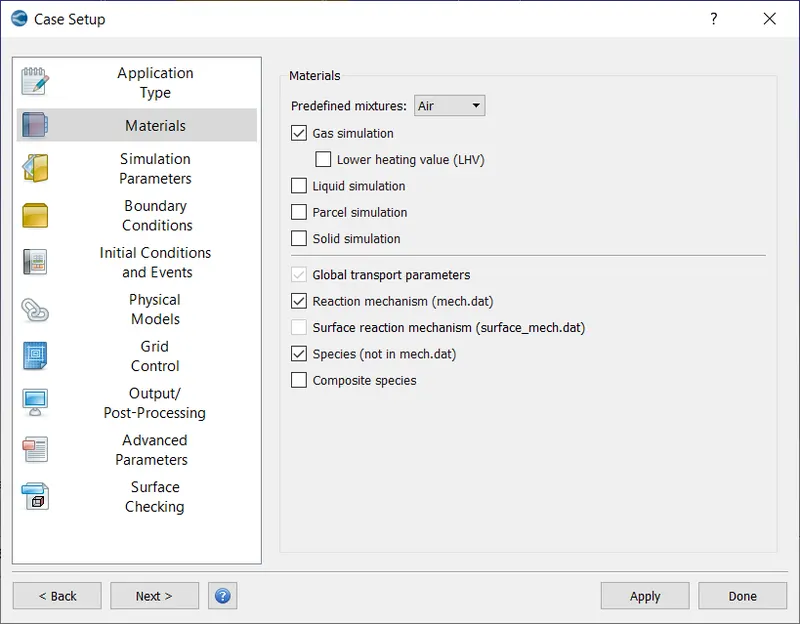
Gas Simulation, Global Transport Parameters and Reaction Mechanisms were set to default.
In species, O2 and N2 were added.
Simulation Parameters
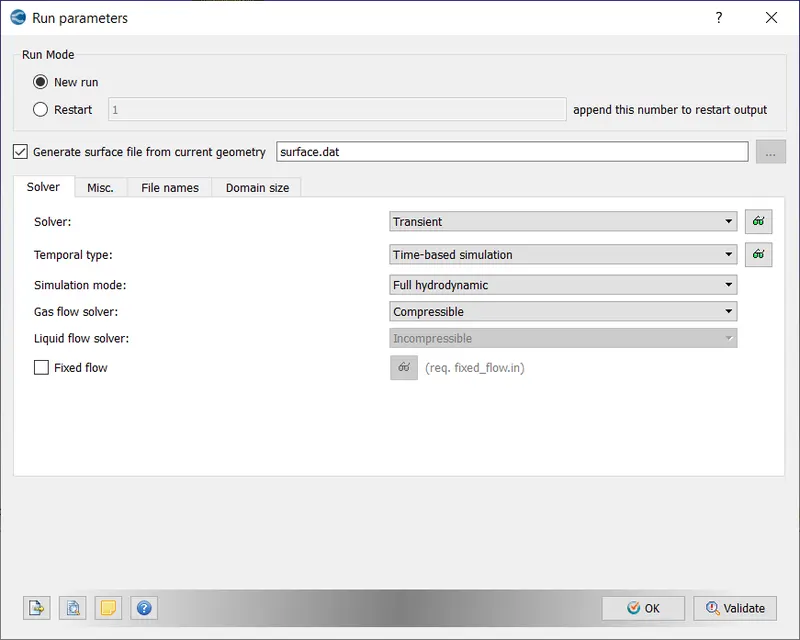
Default values were used for Run Parameters
Simulation Time Parameters
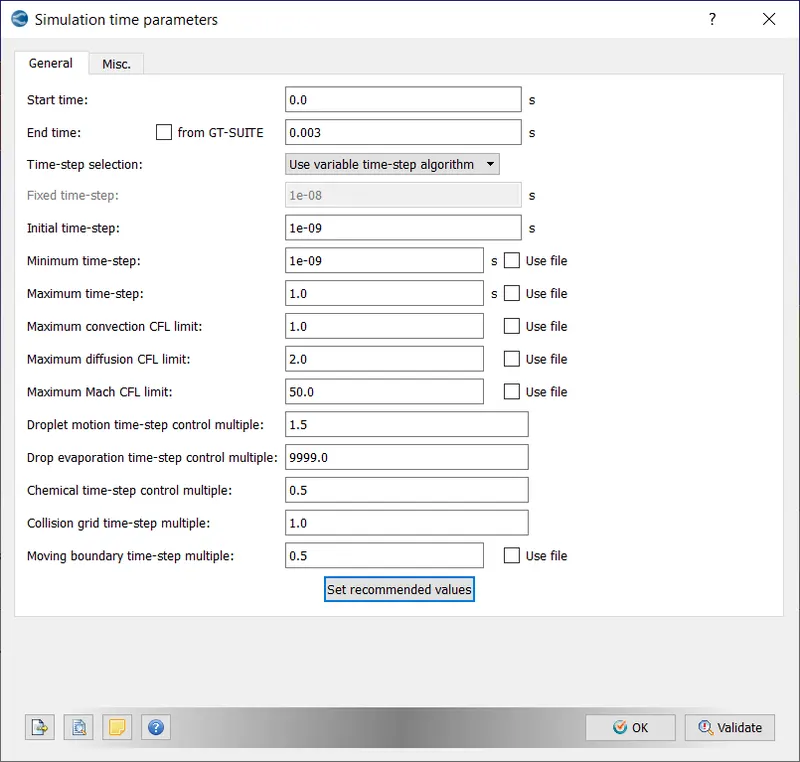
Note: a maximum convection CFL limit of 1 is required else the solution will never converge.
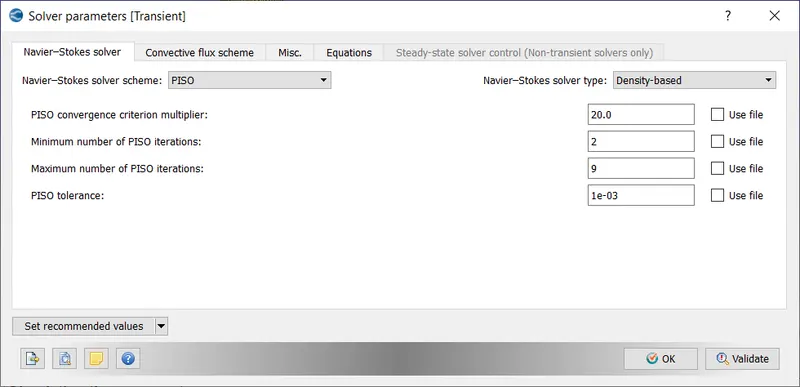
Default values for Solver parameters were used.
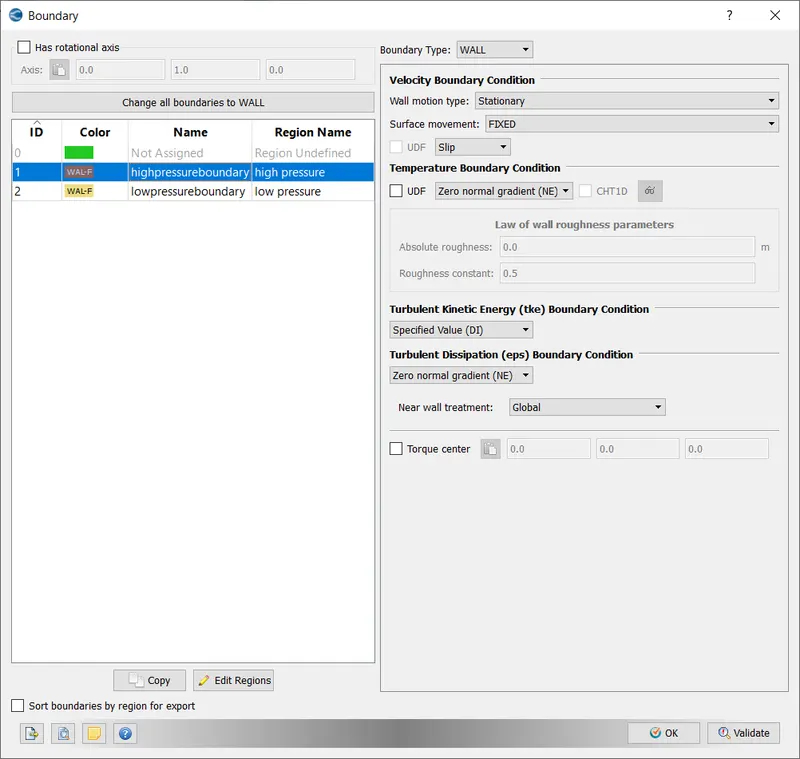
Boundary Conditions
Due to an inherent issue with converge 3.0, all the boundaries were set to type: WALL with Slip Surface. If this wasn't an issue, the boundary should be split into forward and backward walls set to type: TWO_D and the rest set to type: WALL and Slip Surface
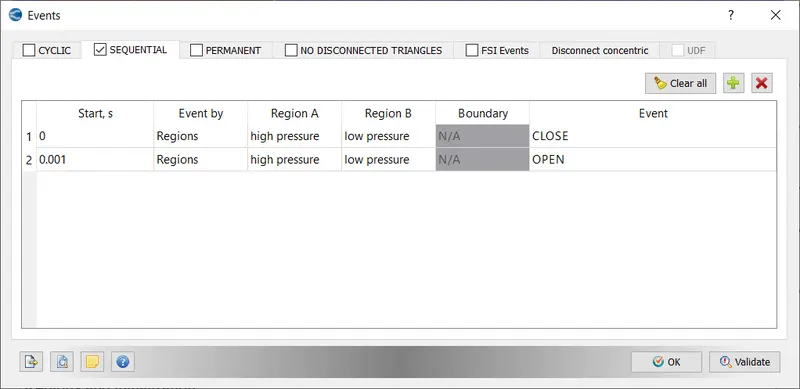
Initial Conditions: Events was enabled as we require it to simulate the diaphragm's rupture.
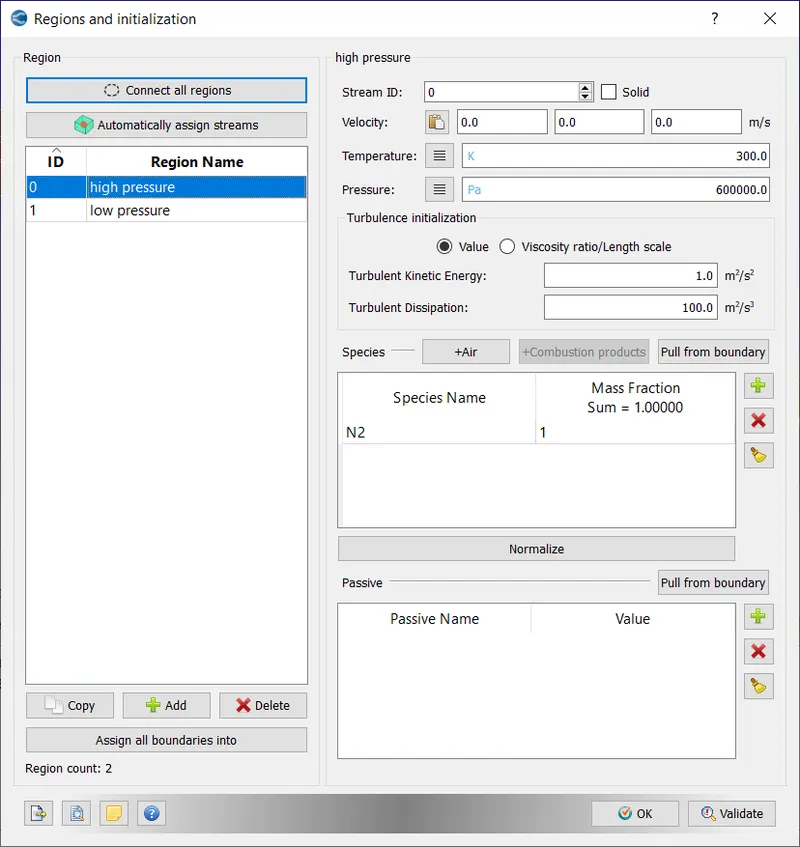
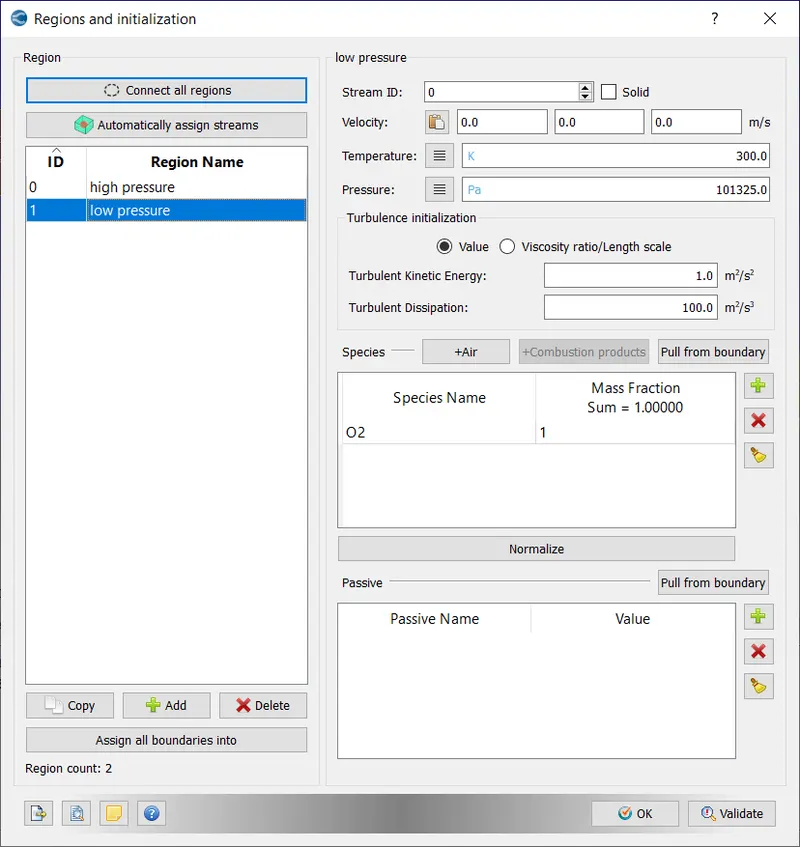
2 regions were created,
region 1: high pressure region had an inital pressure of 6 bar and 300K.
region 2: low pressure region had an inital pressure of 1 atm and 300K.
Events: Sequential events was set, and the diaphragm between the 2 regions was set to be initially closed and open at 1ms.
Physical Models
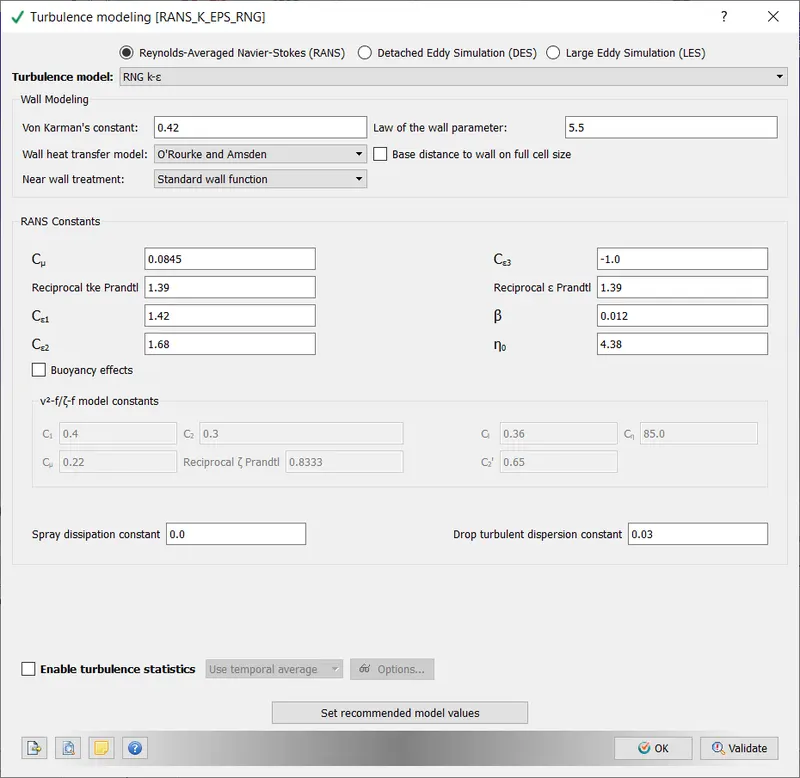
All values are default values
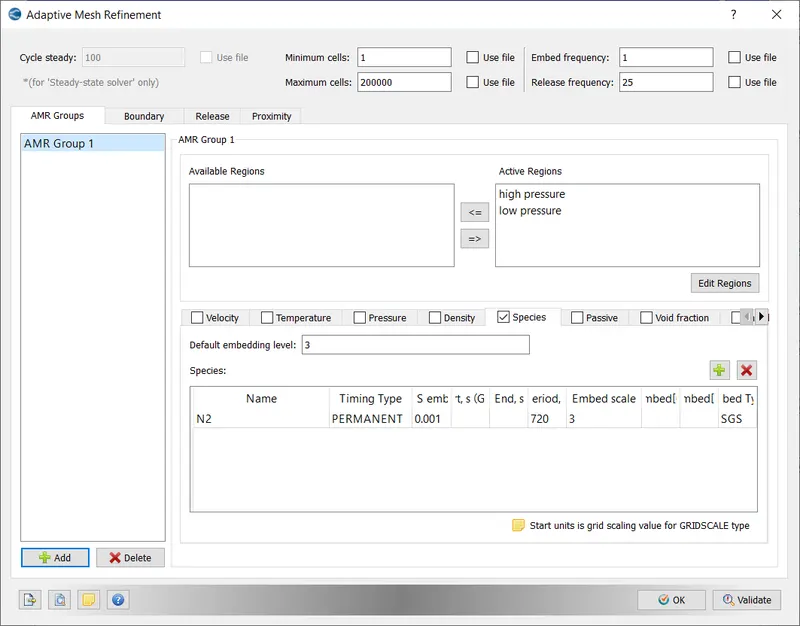
Grid Control: Adaptive Mesh Refinement was enabeld to ensure more cells are used where both gases interact for a more precise simulation
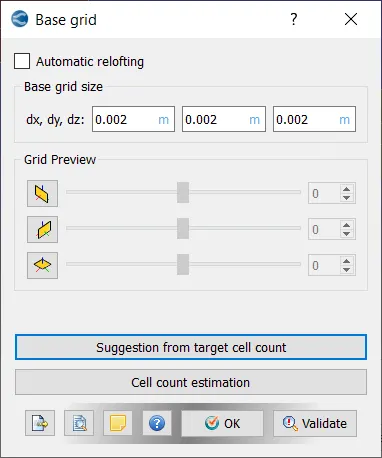
Base Grid: This is the step were sizes of each element is provided.
Mesh Refinement was for Species N2 with the default values
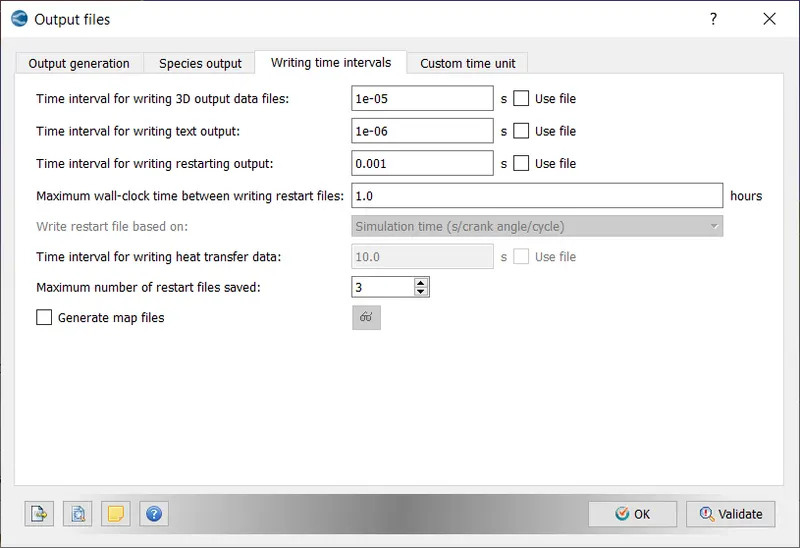
Output/Post Processing
All the default variables were selected for post variable selection
Around 210 timesteps were required to ensure the post processed result is smooth enough for a good animation, hence the time interval was chosen accordingly.
Now, our case setup is complete. The files will be exported into a folder using the Files Export tool (File -> Export->Export input files)
In total 13 files were exported, these are:
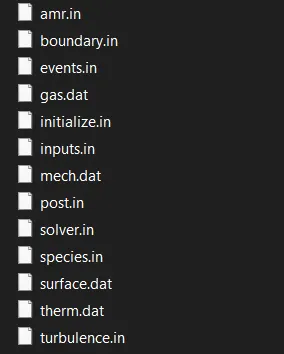
These files contain all the necessary information for the simulation.
Running the Simulation
1. Open cygwin
2. Navigate to directory where case files were exported
3. Run the following command
mpiexec.exe -n 4 "C:\Program Files\Convergent_Science\CONVERGE\3.0.16\bin\intelmpi\converge.exe" restricted </dev/null> logfile.txt &This will take a while, you can view the progress in task manager or by opening the logfile. CPU usage is usually maxed out.
Once CPU usage drops from 100%, the output files are generated. This simulation took around 45 minutes. To view them in paraview, we must export them to a format which is supported by paraview.
Go to 3D-post processing in converge,
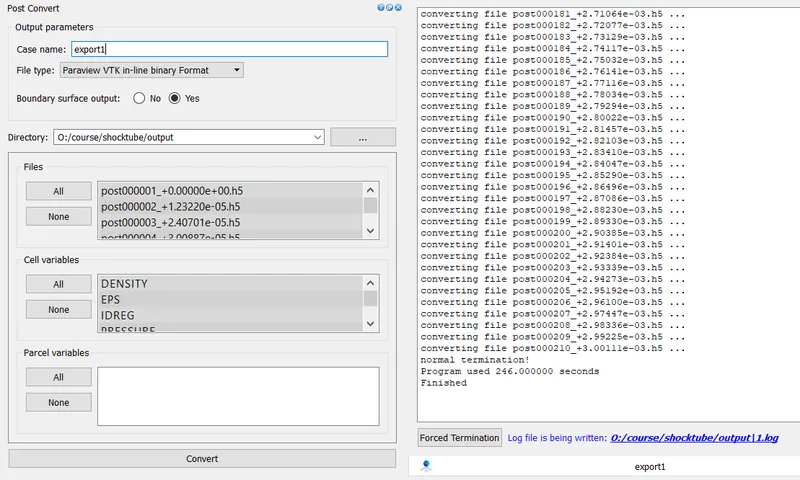
Post-Processing
In Paraview
Import these files into paraview
The required plots/animation are generated
In converge
Go to Line plotting, select the case folder and plots can be viewed
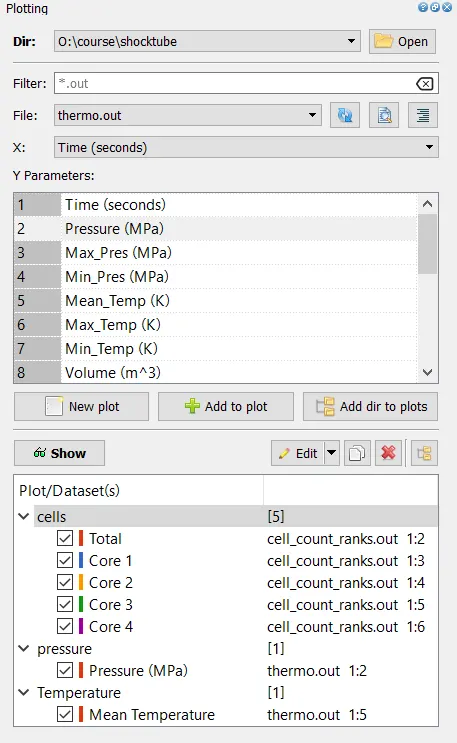
Outputs and Plots with explanations
1. Mesh
This was taken in paraview.
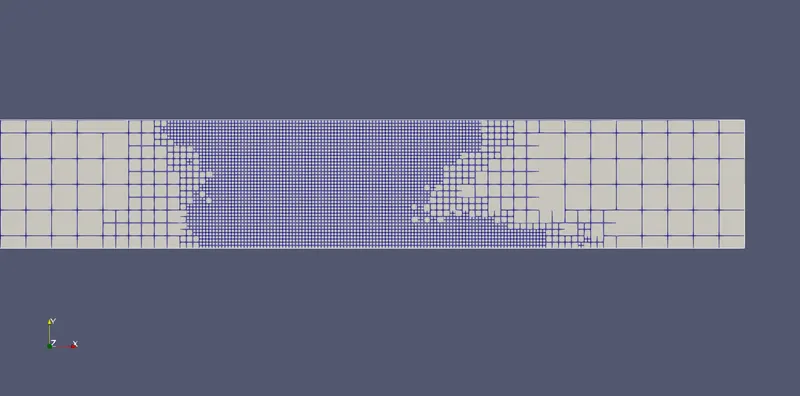
The mesh is finer around a specific region because of adaptive mesh refining, also we can notice how the embedding level of adaptive mesh refining works. The largest element's side is 2^3 (=8) times the side of the smallest mesh element. The mesh is made more fine at these regions for more precise solutions and it is due to change in concentration of N2.
Mesh animation with velocity magnitude can be seen here: https://youtu.be/K0PBK42EdQk
2. Pressure and Cell Count Plots
This was taken in converge -> Line plotting
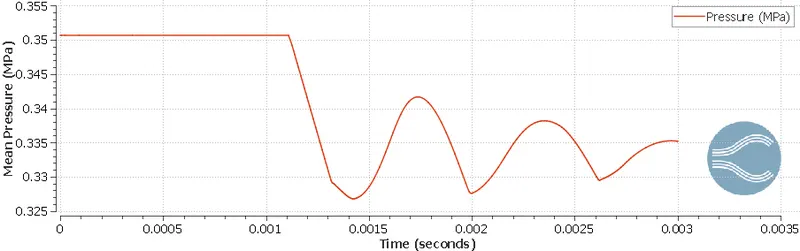
Pressure stays constant till about 0.001s because that is when the diaphragm ruptures/event occurs, pressure suddenly drops as volume increases. After reaching the trough, the reflected wave from the other end increases the pressure again. This process continues until equilibrium is obtained (not seen).
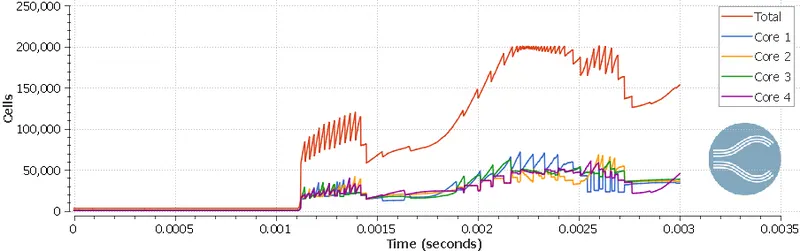
Cellcount, does not remain constant because of adaptive mesh refining. It is constant till about 0.001s or until the diaphragm ruptures, after that there are multiple peaks and troughs for Total Cell Count. Do note the maximum cell count does not exceed 200000. The number of cells for each core is roughly 1/4th the total cell count at all times.
3. Animation
Initially velocity is zero across the domain, but when the diaphragm ruptures/event occurs, there is a sudden increase in velocity across the entire domain. The velocity wave hits the left and right walls and due to the reflected wave, the velocity drops suddenly to near-zero values, the reflected wave then hits the left and right walls to cause a double reflected wave, which causes the velocity to drop to sub-zero levels. This cycle continues till equilibrium is obtained.