Week 6: Conjugate Heat Transfer Simulation
In this project, I will be simulating a conjugate heat transfer (CHT) in converge cfd. This project will include supercycles, a y+ output. I will be taking a look at the effects of the variation of supercycle stage interval from 0.01, 0.02 and 0.03, and conduct a grid dependence test.
Geometry Creation
The geometry can either be created manually using converge or it can also be imported from another CAD software, in my case I created 2 cylinders, deleted some faces and patched some faces.
The length of the pipe is 0.2m, inner diameter is 0.03m and outer diameter is 0.04m.
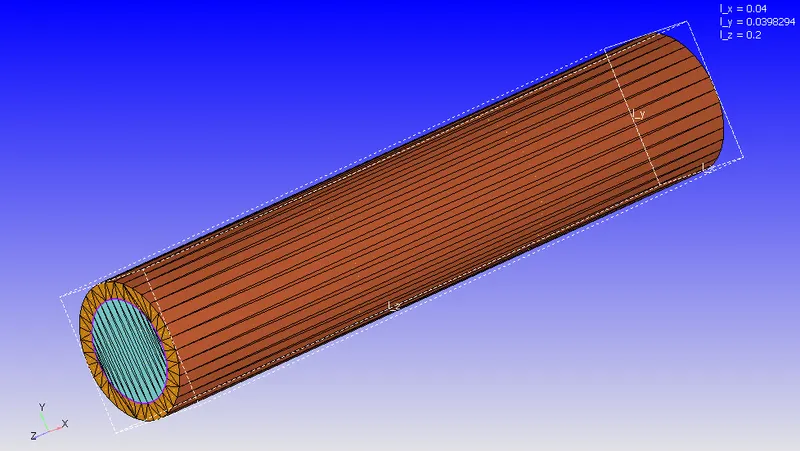
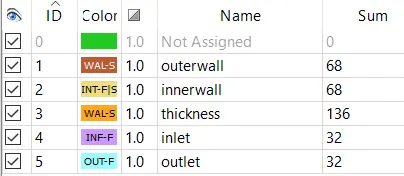
Boundary
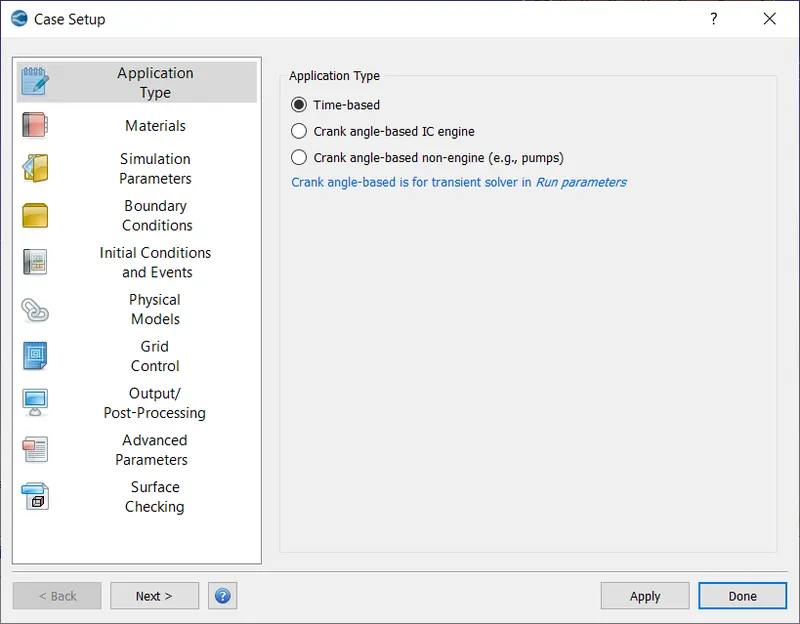
Case Setup
Now, on to the case setup tab:
Application Type
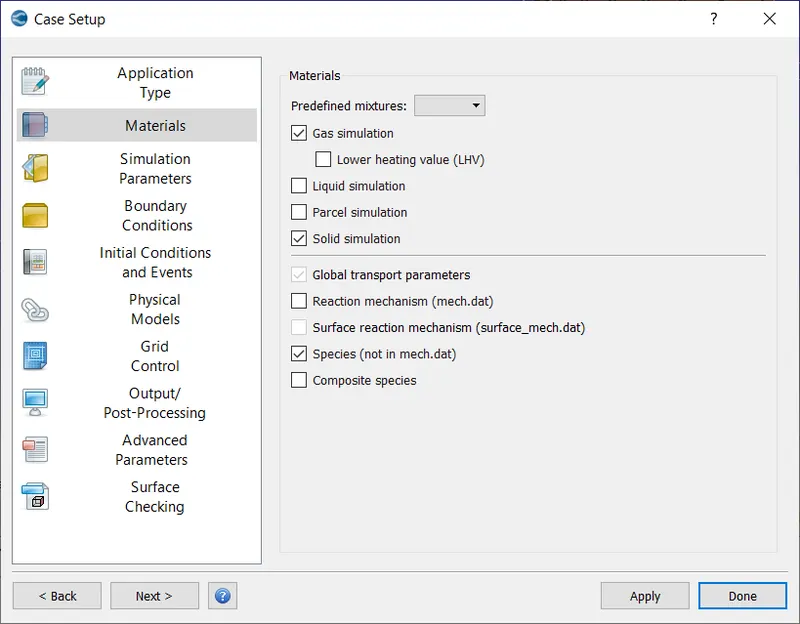
Materials: Reaction Mechanism was unchecked, Solid Simulation was checked (as the pipe is a solid). Gas Simulation and Global Transport Parameters were set to default. In species, O2 and N2 were added.
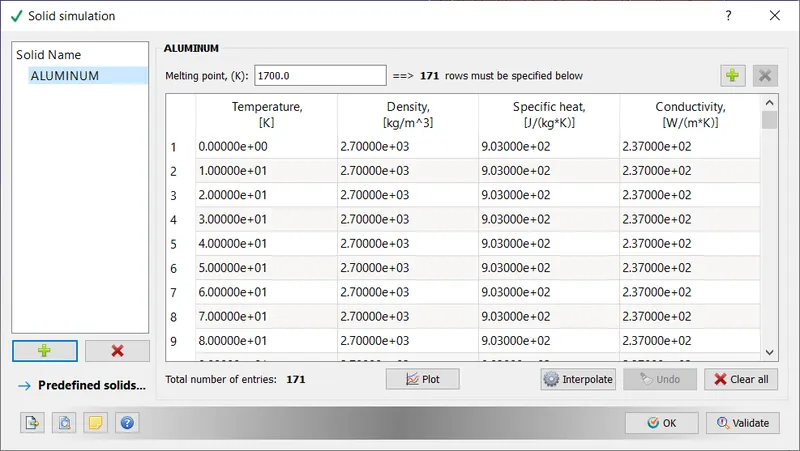
Aluminium was added as a solid in Solid Simulation.
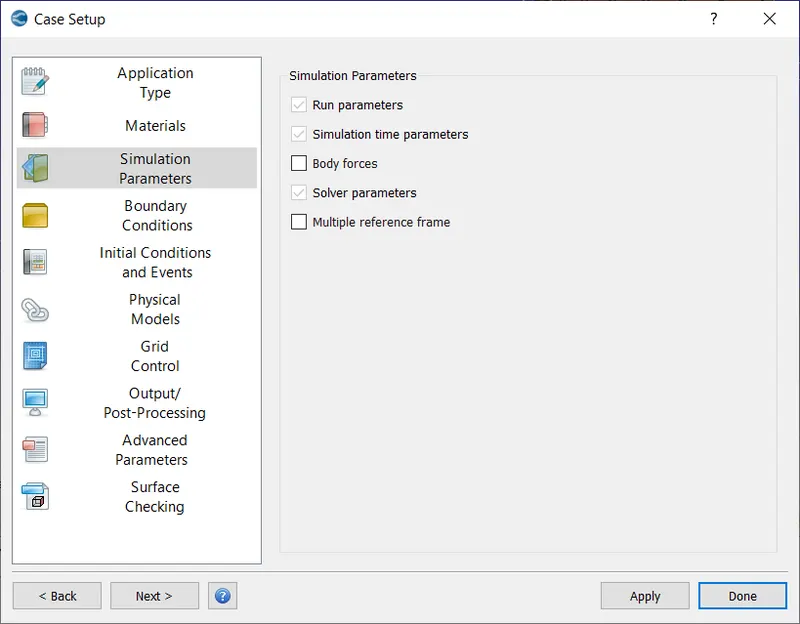
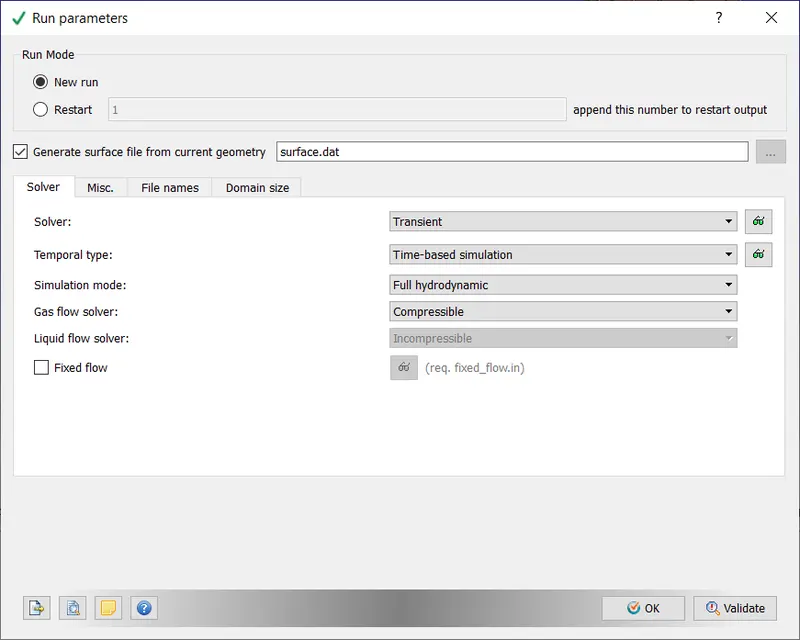
Simulation Parameters
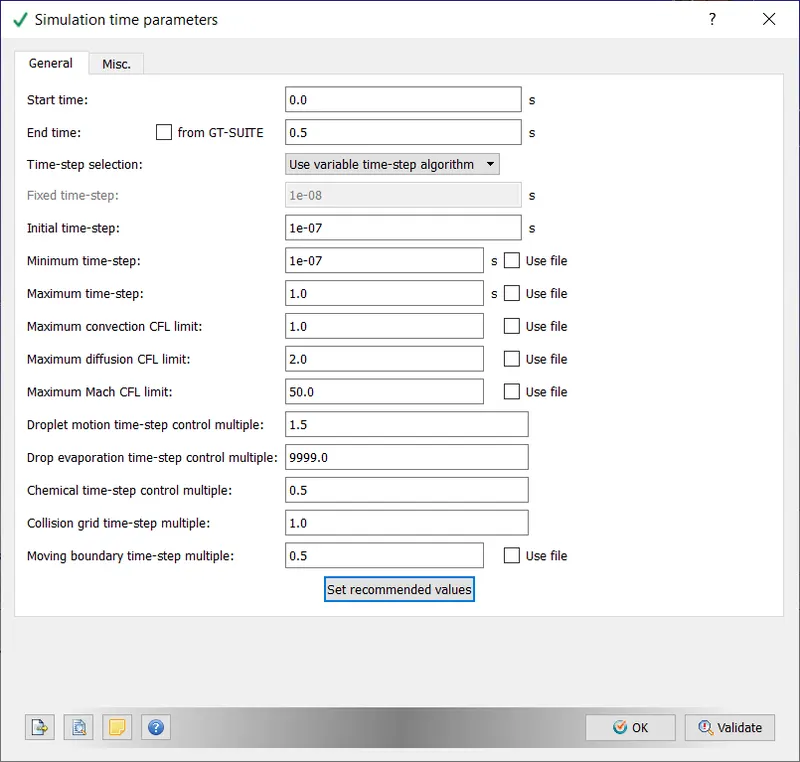
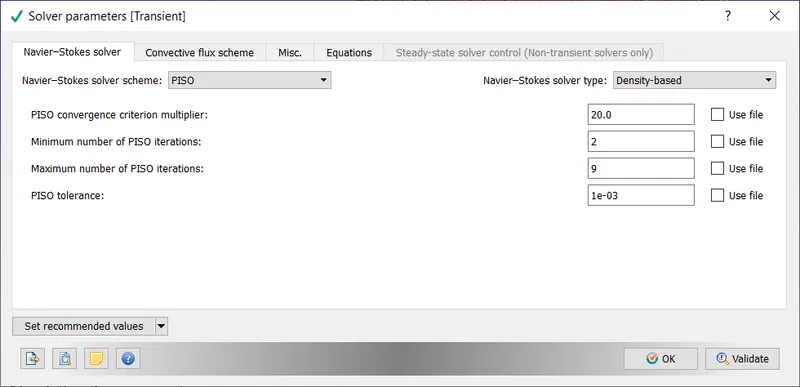
Note: a maximum convection CFL limit is required else the solution will never converge.
Boundary Conditions
Inlet: Reynold's number of 7000
`Re = (rho*V*D)/(mu) => V = (Re * mu) / (rho * D)`
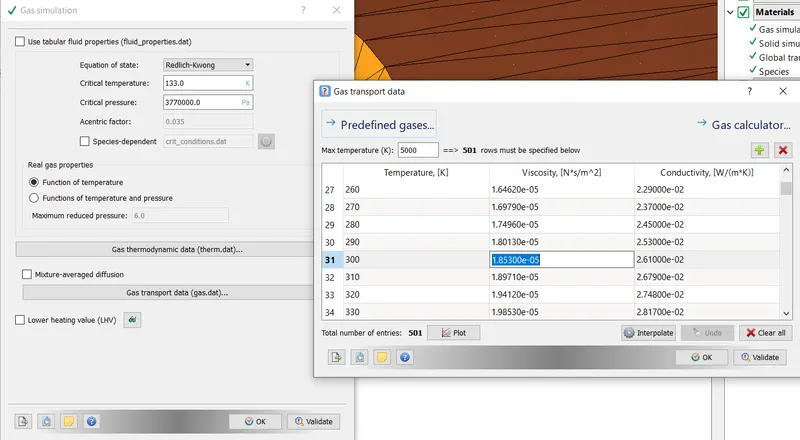
`rho = 1.177 kg//m^3, D = 0.03m, Re = 7000, mu = 1.85300 * 10^-5 N.s//m^2`
`V = 3.673463608043048 m//s`
The viscosity used in converge can be found under Gas Simulation -> Gas transport data
Outlet: type outlet with zero neumann condition
outerwall: type wall with stationary movement with slip surface
innerwall:
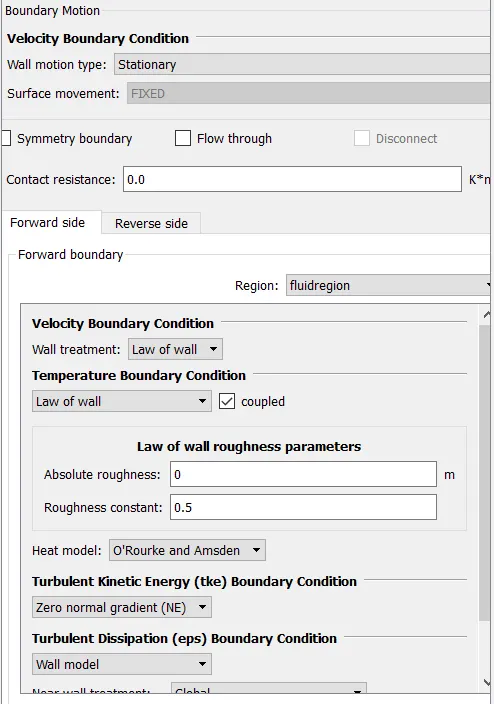
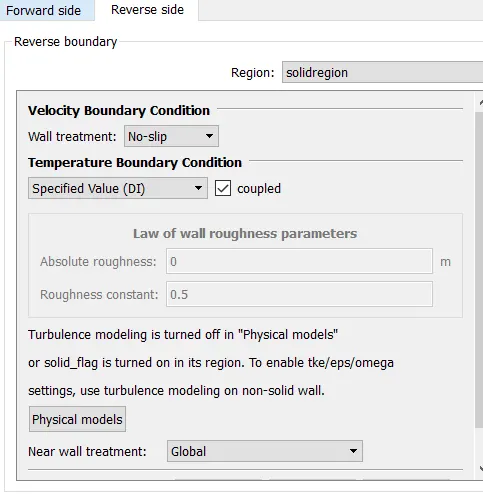
thickness: type: wall, stationary with slip surface
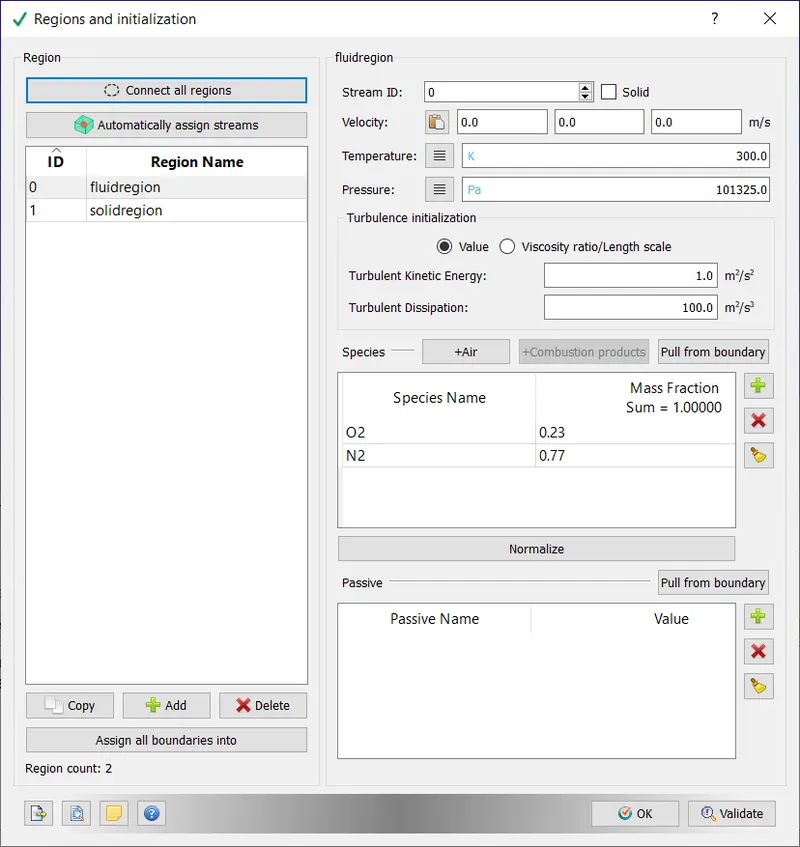
Initial Conditions
Physical Models
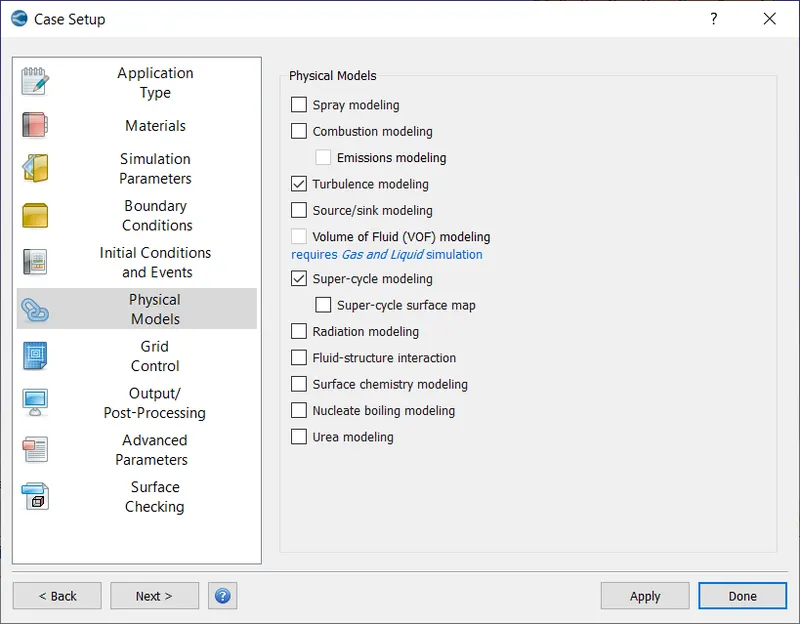
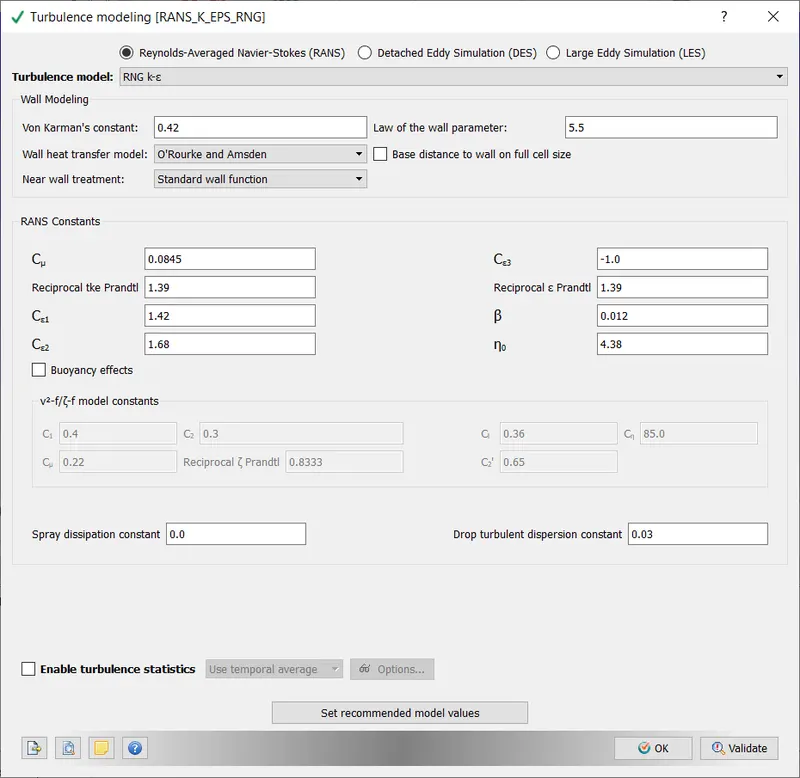
Turbulence and Super-Cycle Modelling were checked
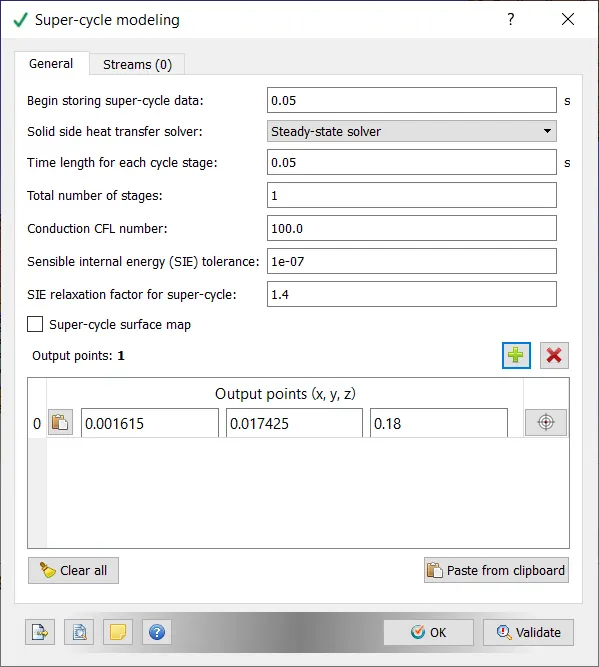
The time length for each stage was varied later and its effect on simulation time was studied
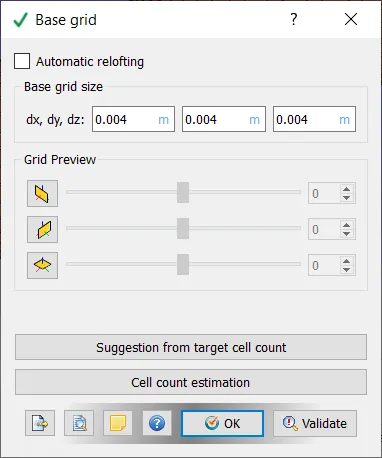
Grid Control
This is the step were sizes of each element is provided.
Output/Post Processing
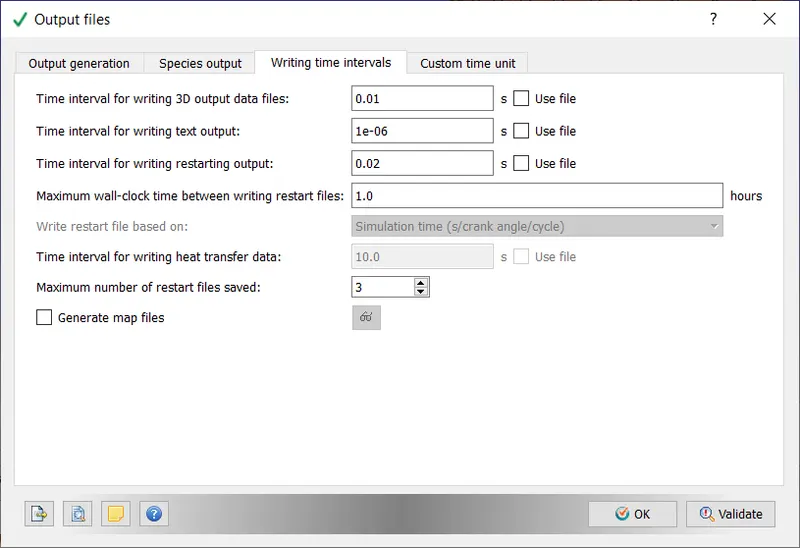
The total time for the simulation is 0.5s to complete and I need around 50 post files, so time interval was chosen as 1e-6.
Now, our case setup is complete. The files will be exported into a folder using the Files Export tool (File -> Export->Export input files)
In total 12 files were exported, these are:
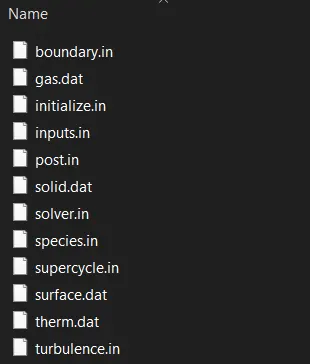
These files contain all the necessary information for the simulation.
Running the Simulation
1. Open cygwin
2. Navigate to directory where case files were exported
3. Run the following command
mpiexec.exe -n 4 "C:Program FilesConvergent_ScienceCONVERGE3.0.16binintelmpiconverge.exe" restricted </dev/null> logfile.txt &This will take a while, you can view the progress in task manager. CPU usage is usually maxed out.
Once CPU usage drops from 100%, the output files are generated. To view them in paraview, we must export them to a format which is supported by paraview.
Go to 3D-post processing in converge,
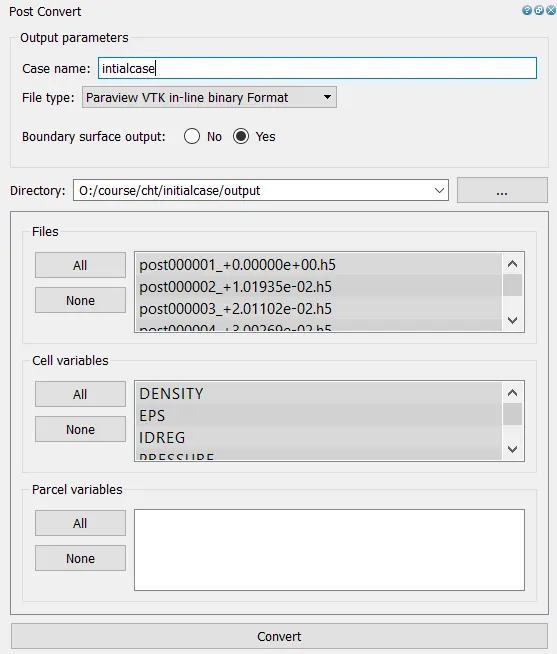
Post-Processing
In Paraview
Import these files into paraview
The required plots/animation are generated
In converge
Go to Line plotting, select the case folder and plots can be viewed
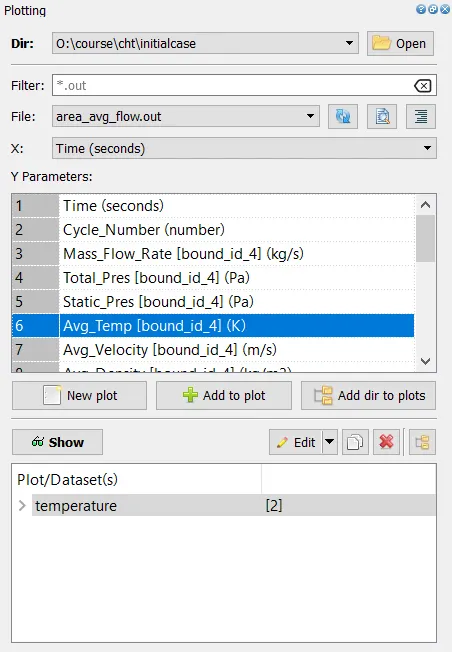
Outputs and Plots with explanations
1. Temperature and Velocity Contours
These were taken in paraview.
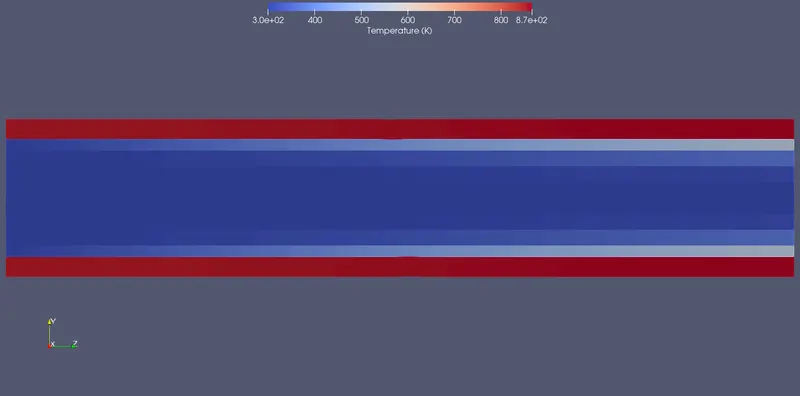
We can notice very high temperatures in the pipe, and relatively low temperatures in the fluid region, this shows that not a lot of heat is transfered between the pipe and fluid.
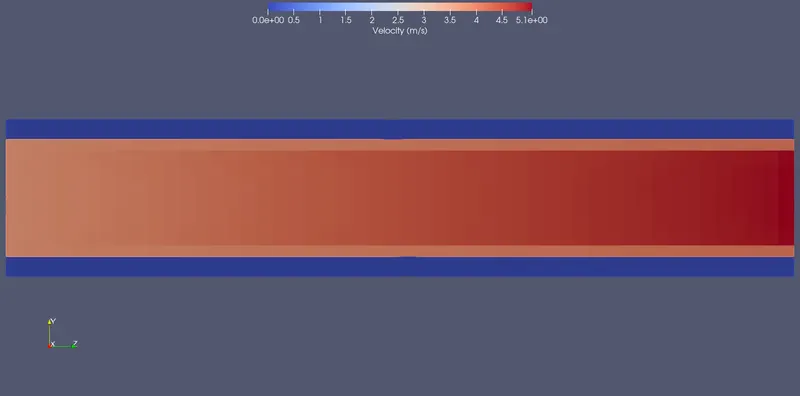
The flow initially is uniform and eventually tries to form into a fully developed pseudo laminar flow.
2. Mesh
This was taken in paraview.
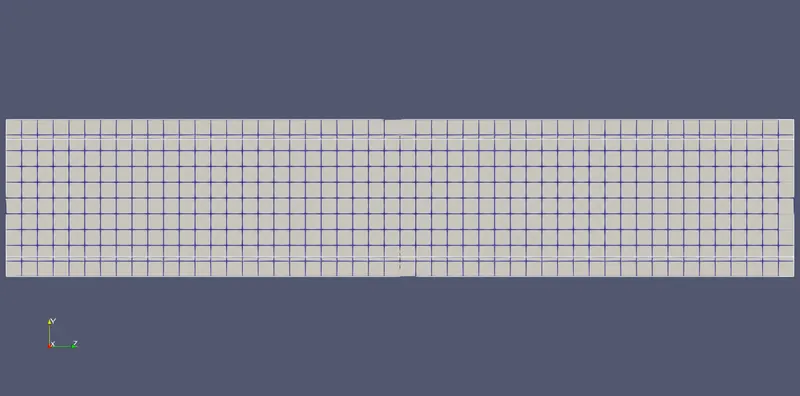
The mesh is the same size for both solid and fluid region, if adaptive mesh refining is used it should be used in the fluid region near the solid wall.
3. Temperature and Cell Count Plots
This was taken in converge -> Line plotting
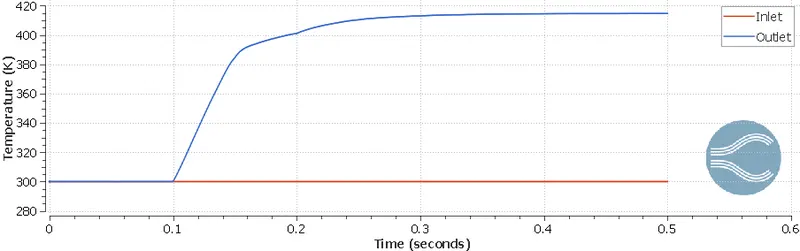
Outlet temperature is initially constant till 0.1s, that is when heated fluid from inlet reaches the outlet. Inlet Temperature is constant due to the boundary condition.
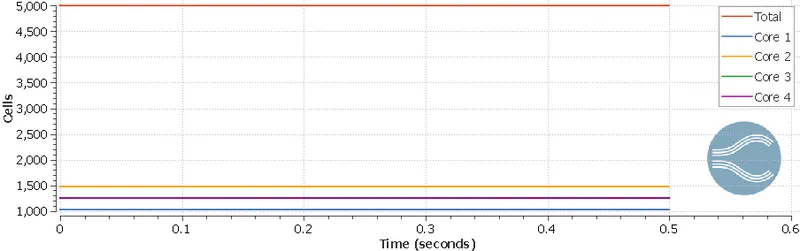
Cellcount remains constant as expected, the number of cells for each core is roughly 1/4th of the total cell count.
4. Temperature at Outlet
This was taken in paraview
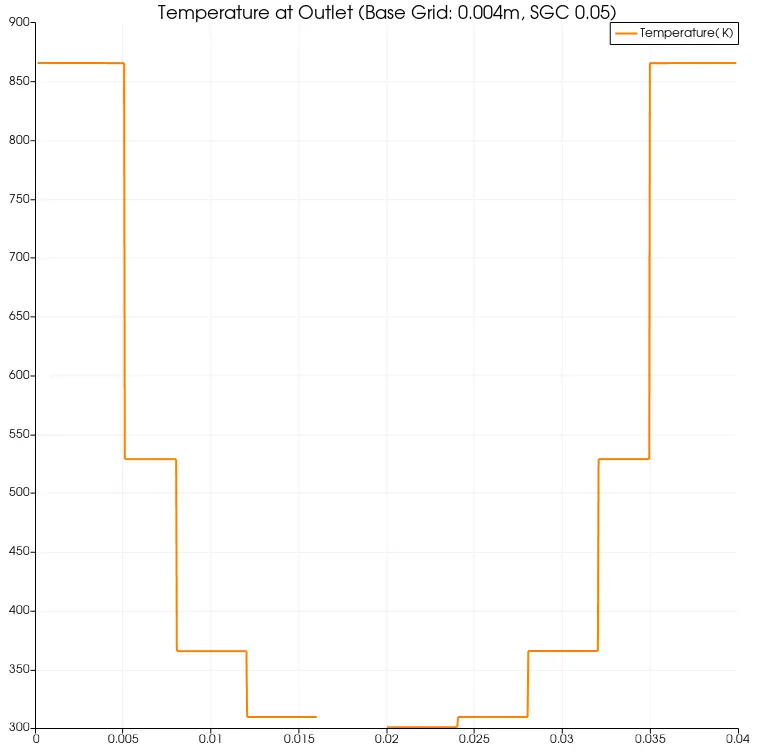
Higher temperature near the walls is observed due to convection from the wall, the graph is extremely block-y because of the high mesh size.
5. Animation
Flow is initially underdeveloped but eventually becomes fully developed pseudo laminar flow.
Grid Independence Test
The base grid was varied from 0.004m to 0.002m, 0.006m and 0.008m.
The results are seen below, these were taken in paraview
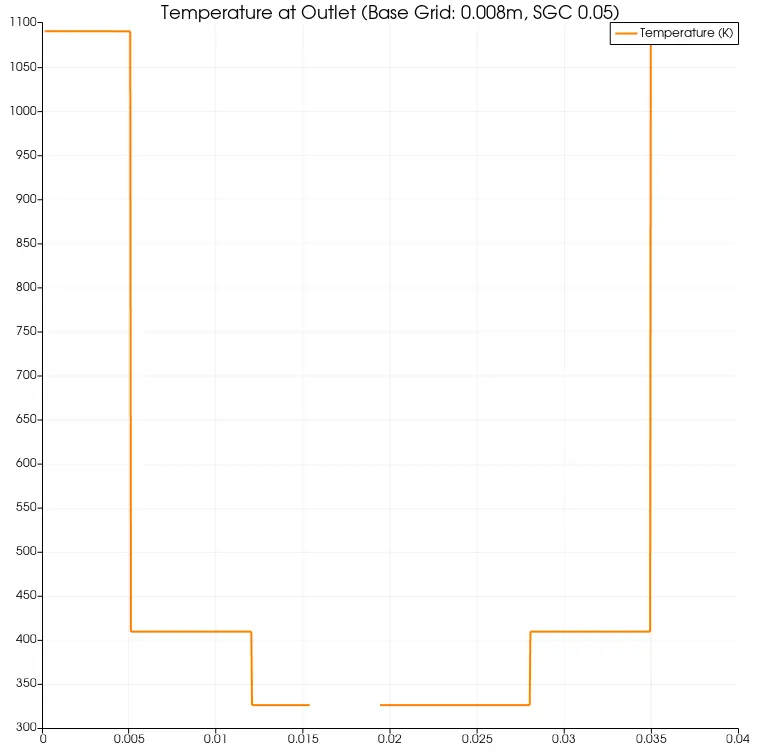
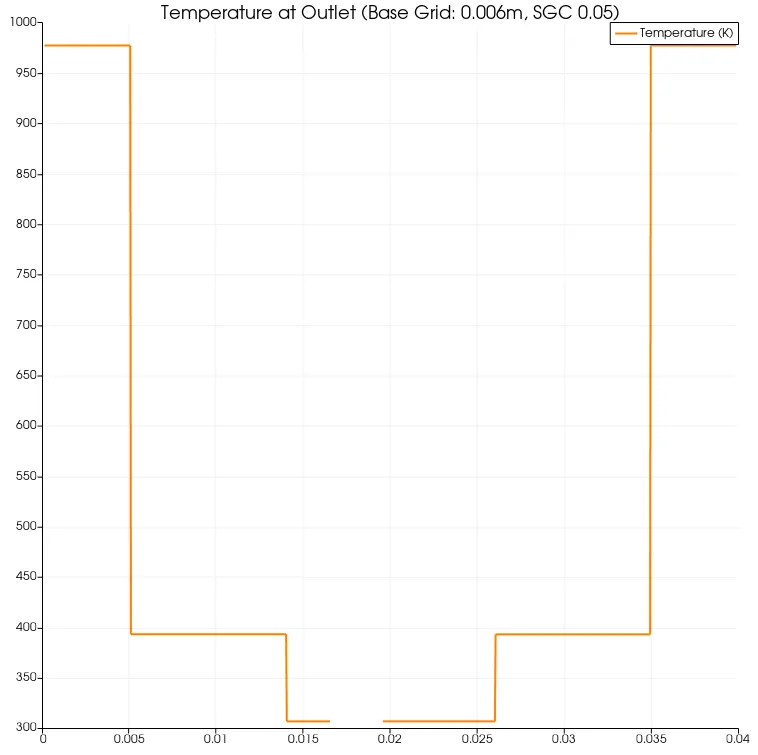
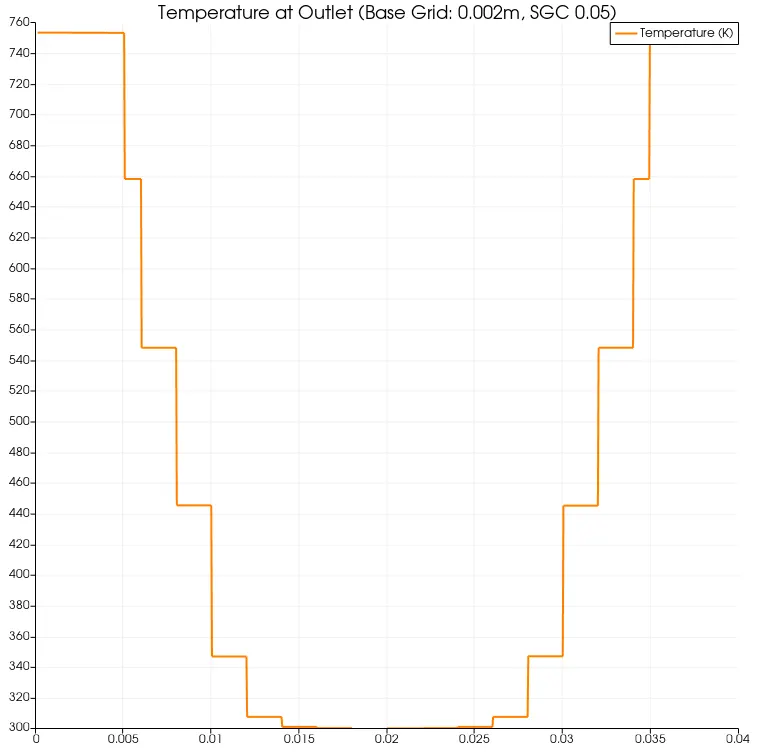
The graph becomes more smooth as grid size decreases, the value of temperature near the walls also decrease, this apparenty decrease is because of the way the converge calculates temperature, it calculates temperature at the center of the cells and assumes the value of temperature across the entire cell is same. This graph does not show the averaged values.
To get the average temperature values across the outlet, we have to go to converge -> line plotting tool
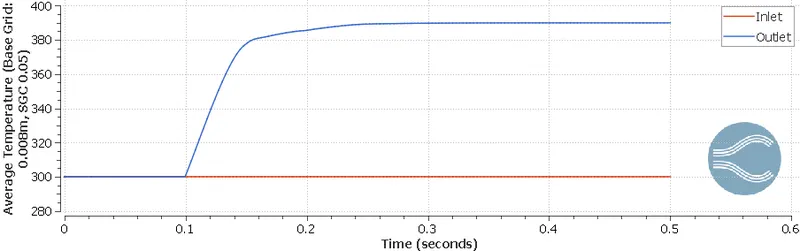
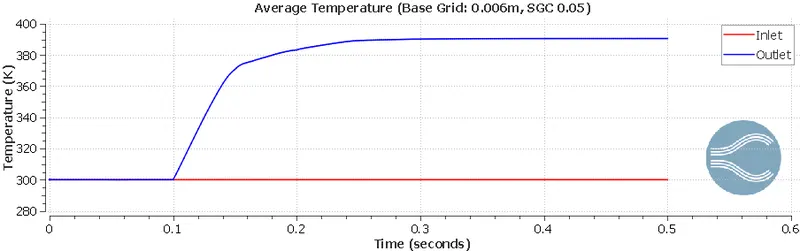
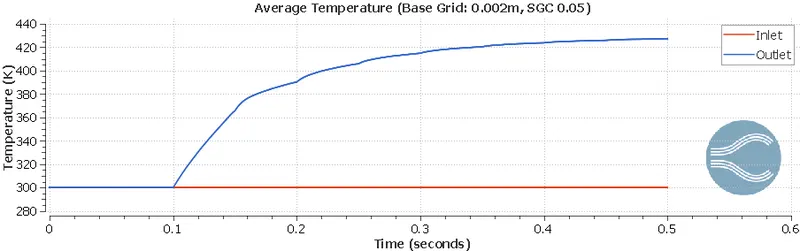
The final temperature is around 390K, 390K, 415K and 430K for base grid sizes of 0.002m, 0.004, 0.006m and 0.008m. This indicates that the grid dependence test has failed, the mesh has to be smaller than 0.002m. This will result in increased computational time, (2mm took 50 minutes), I tried to conduct a simulation for 1mm, the estimated time was around 13 hours.
Effect on Simulation Time on variation of SGI
In this section, I will finding the change in total simulation time when supercyle stage interval (SGI) is changed from 0.05 to 0.01, 0.02 and 0.03.
| Supercyle Stage Interval | 0.01 | 0.02 | 0.03 | 0.05 (baseline) |
| Simulation Time (s) | 249.042259 | 265.546715 | 290.014212 | 224.986203 |
We can notice from the above observations that there is no significant pattern observed, we can conclude that variation of SGI does not illicit a significant change in simualtion time. The decreased time for the baseline configuration could be attributed to less CPU load by other applications.