Week 4-1D Element Creation Challenge
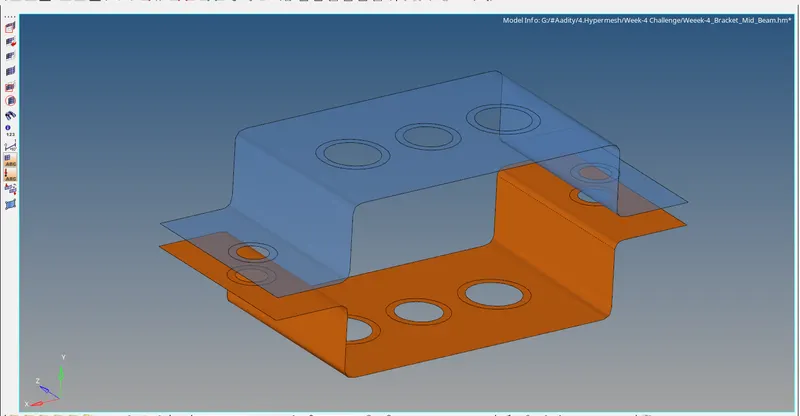
- Aim: Mesh the Given component with the Size of 5mm. Create 1D elements on the following component with given cross-section and DOF.
- Objectives:
- Meshing the given component as per the given requirements.
- Creating 1D elements and formation of rod, bar and beam as per the requirement.
- Method:
- In order to generate the proper surface, all the geometrical errors have to be removed.
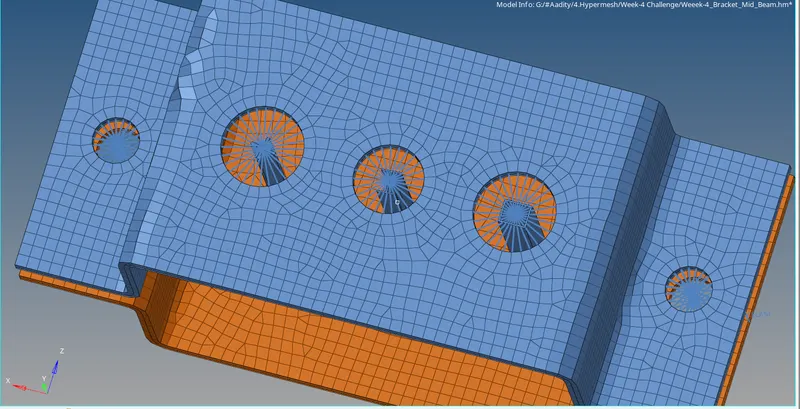
- To capture the holes more properly washer has been implemented.
- Rod element:- Translational DOF should be Constrained with RBE2 link.
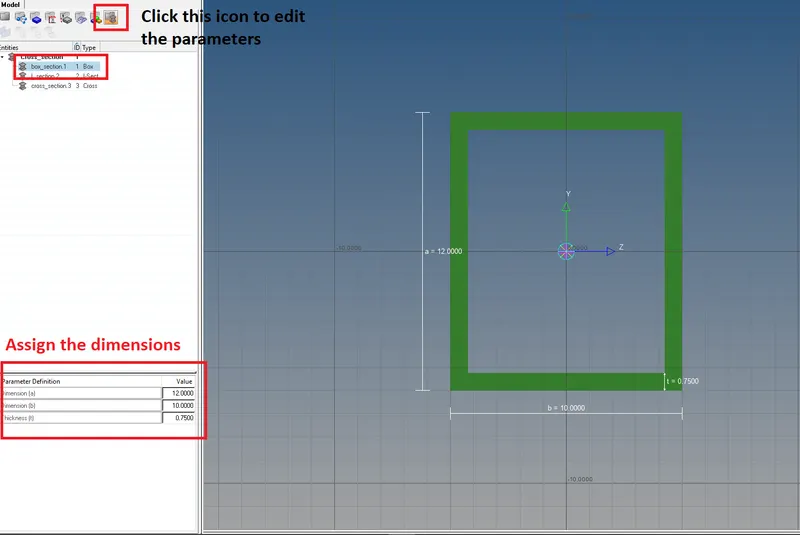
Cross-Section: BOX- Dimension a= 12 mm
dimension b=10 mm
Thickness t= 0.75 mm
- Beam element:- All DOF should be constrained with RBE3 link.
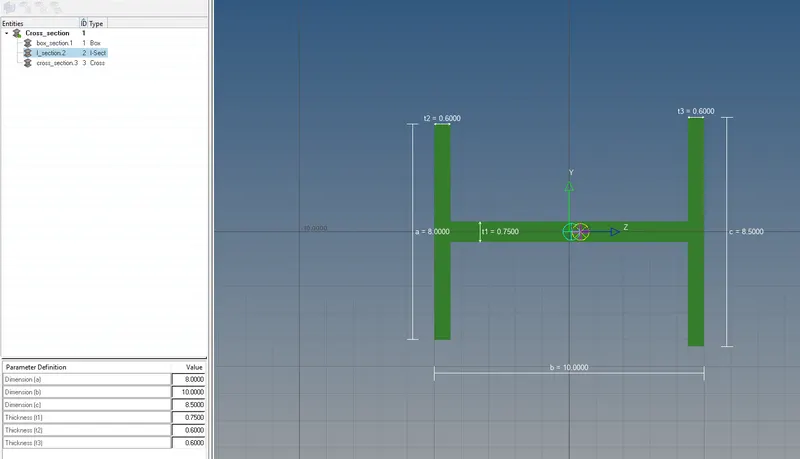
Cross-Section: I Section- Dimension a= 8 mm
Dimension b= 10 mm
Dimension c= 8.5 mm
Thickness t1= 0.75 mm
Thickness t2= .6 mm
Thickness t3= .6 mm
- Bar element:- Constrain only x and y DOFs With RBE3 link.
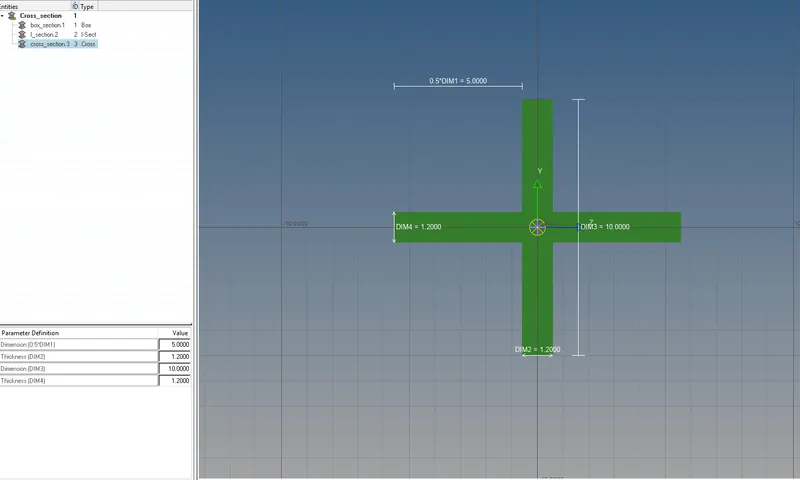
Cross-section: X section- Dimension DIM1= 5 mm
Thickness DIM2= 1.2 mm
Dimension DIM3= 10 mm
Thickness DIM4= 1.2mm
 |
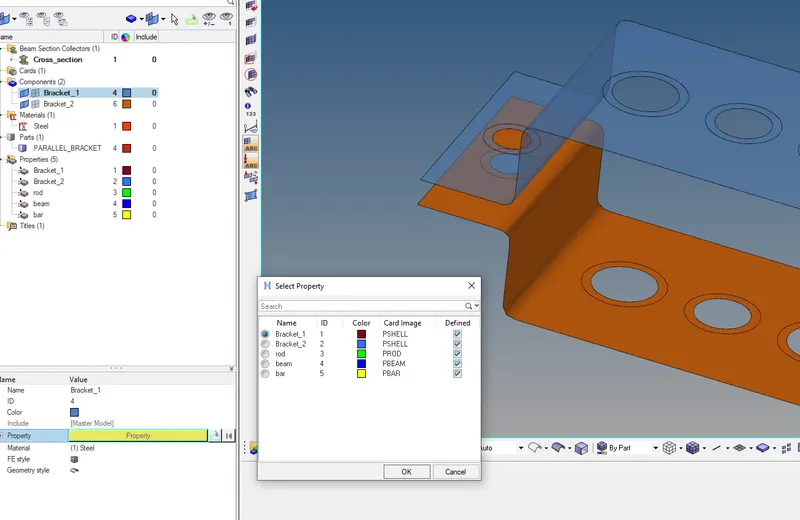
Property has to be assigned to the given components and proper naming has to be done. |
|
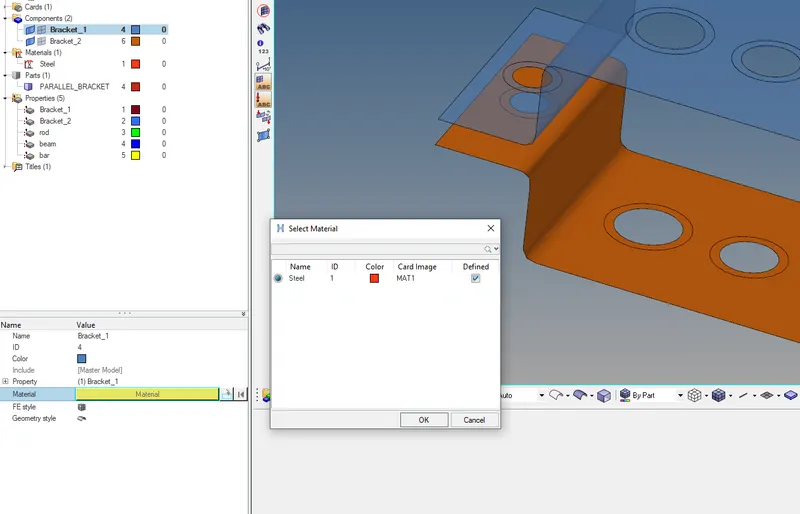
A material assignment has to be done. |
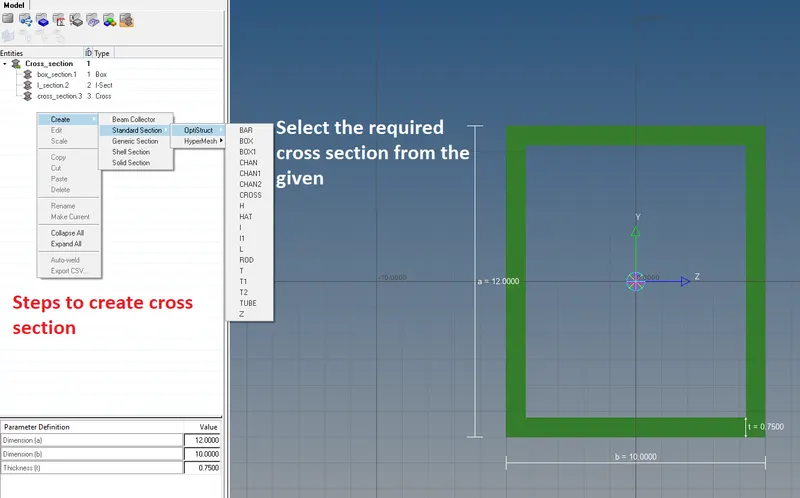
Steps to create the new cross-section. Hyperbeam is used to generate these cross-sections. |
|
All the dimension are given as per the requirement. |
Rectangular section has been formed as per the requirement. |
|
I section is formed along with the dimensions. |
Proper representation of the Beam, Rod and Bar is given which can be seen above. Once the view representation is changed proper section can be seen. |
- Learning outcome:
- Taking mid surface, meshing as per the given parameters.
- Assigning property and material.
- Forming the RBE2 & RBE3 connections.
- Formation of a cross-section in the Hyperbeam work environment and assigning the dimensions as per requirement.