Week-3 Challenge: ADVISOR Tool
Problem 1:
Aim : By using the Advisor tool we build the ouput for EV_defaults_in file, if cargo mass is 500 kg with all other default conditions, the vehicle travel for 45 km with FTP drive cycle
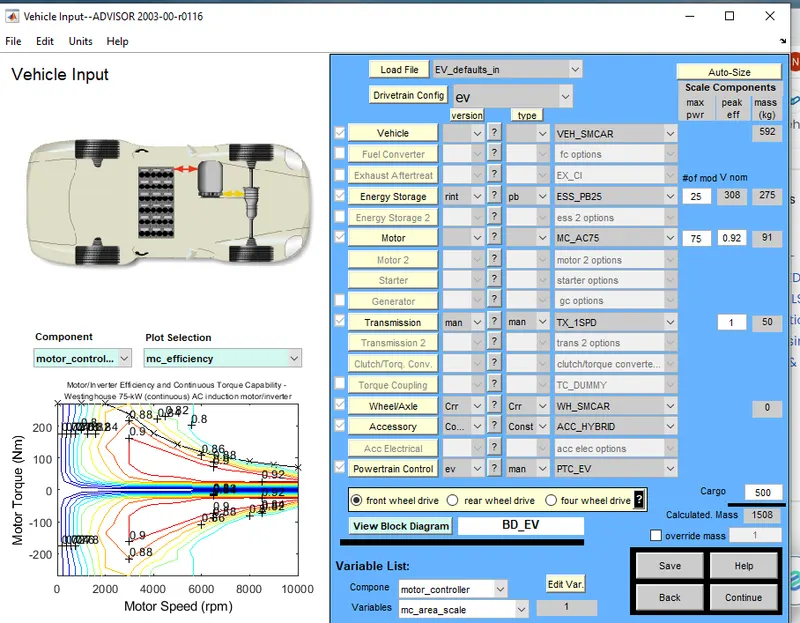
Steps to follow
1.First open the Advisor tool.
2.Select the 'EV_DEFAULT_in' in the load file.
3.When we open the simulation by using the ev_default_in the parameters of velhicle,Energy storage,Motor,Transmission,wheel/axle,Accessory ,Power train control.
4.When we click continue to open the simulation parameters,the simulation parameter consists of different drive cycle and to create a individual own drive cycle by different data to the simulink parameter like accelaeration test,Gradeability test,Parametric study...etc
5.By Changing the cargo mass parameter to 500kg.
6.Select 'CYC_FTP' in drive cycle list.
7.Now will Run the velhicle input to change the number of cycles to get the required distance of the velhicle.
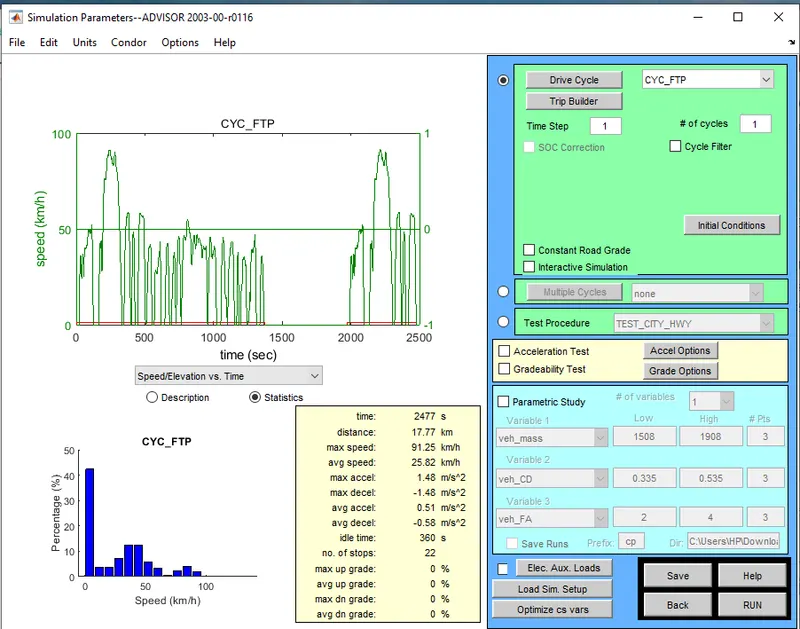
fig :The below table is for the 1 cycle of distance travelled is 17.8km.
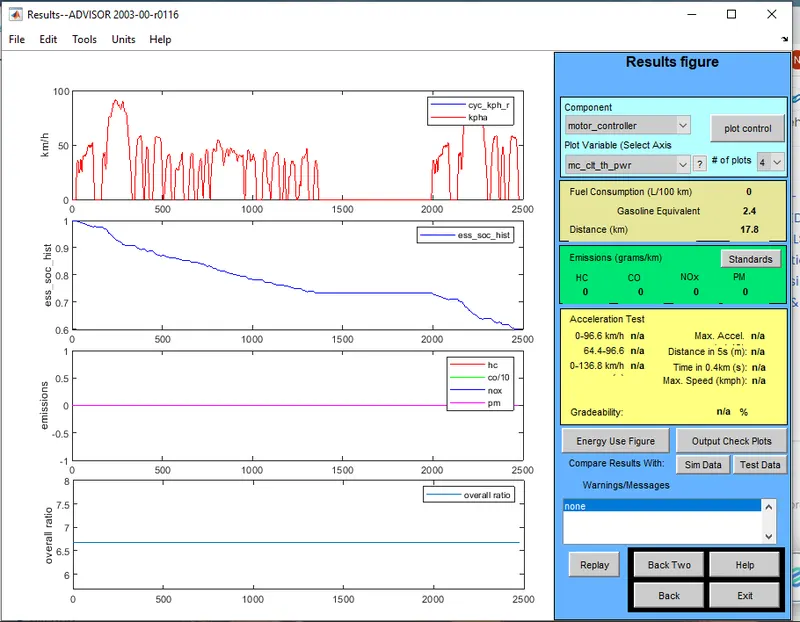
fig: The below table is the cycle of distance travelled is 17.8km
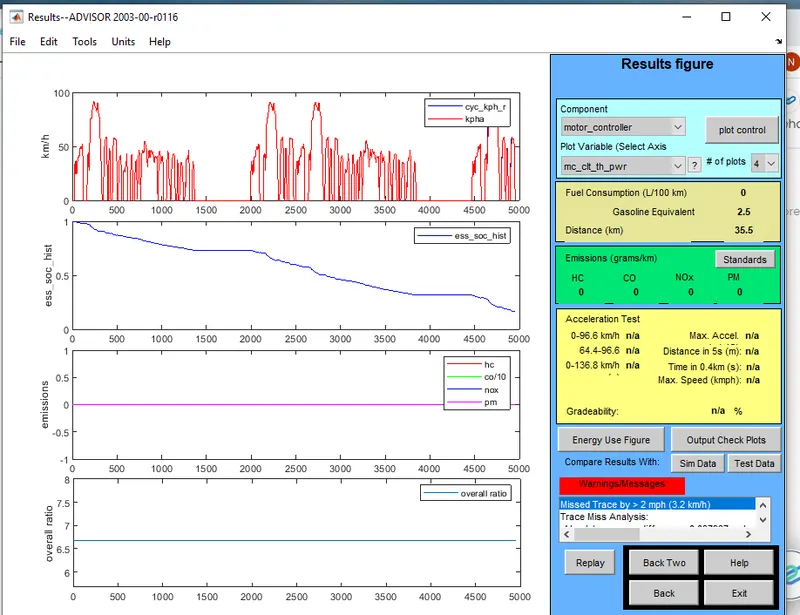
fig: The below table is for the 3 cycle of distance travelled is 41.4km
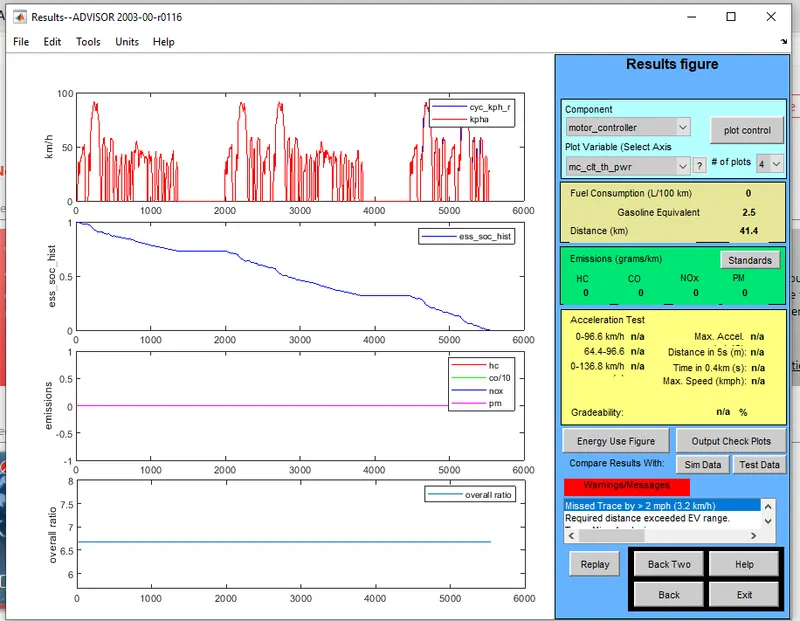
fig: The below table is for the 4 cycle of distance travelled is 41.4km
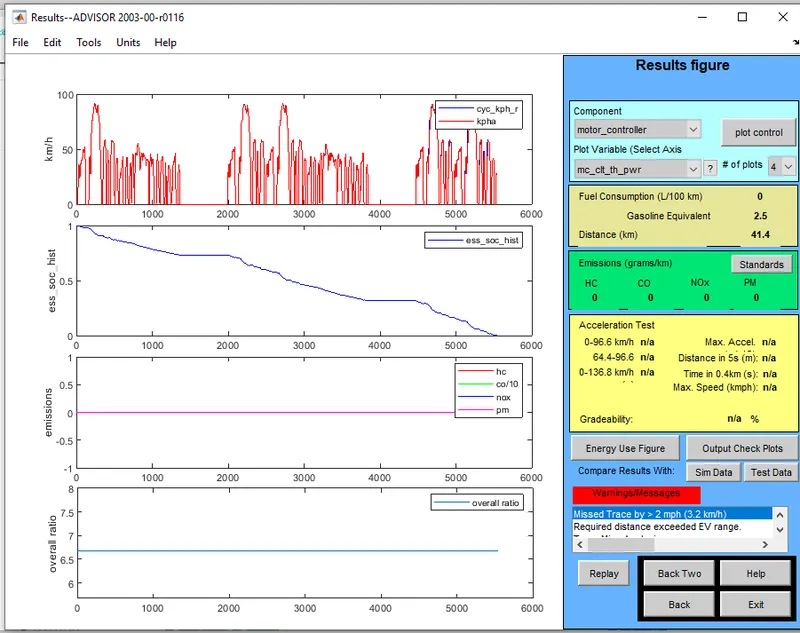
fig: The below table is for the 5 cycle of distance travelled is 41.4km
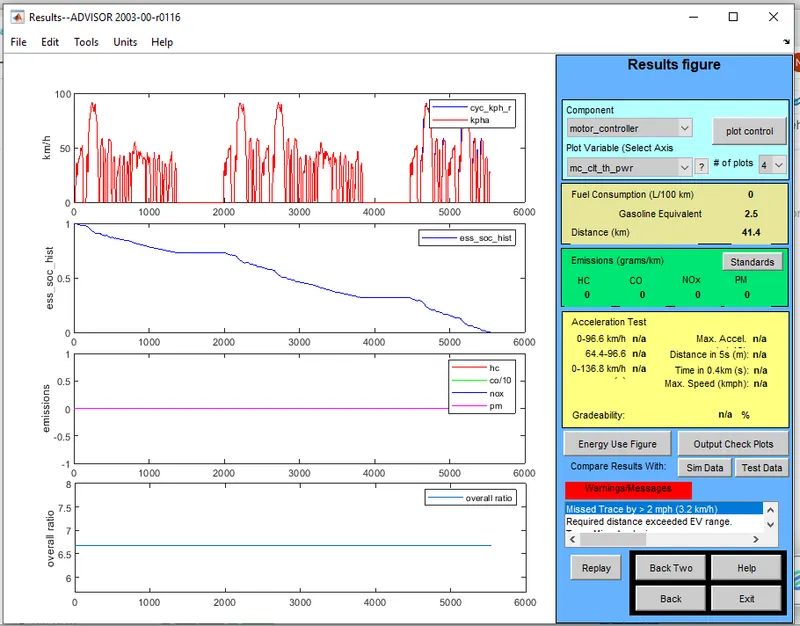
Therefore ,here we can observe that the velhicle cannot travelled upto 45km with FTP drive cycle because the cargo mass is 500kg so here by increasing the weight it leads to power loss in the system.As if the original default condition is present with cargo mass at 136 kg ,the velhicle can travel upto 48.2km.
Problem 2:
Aim : In the velhicle input ,by changing the battery storage capacity to get an output simulation.
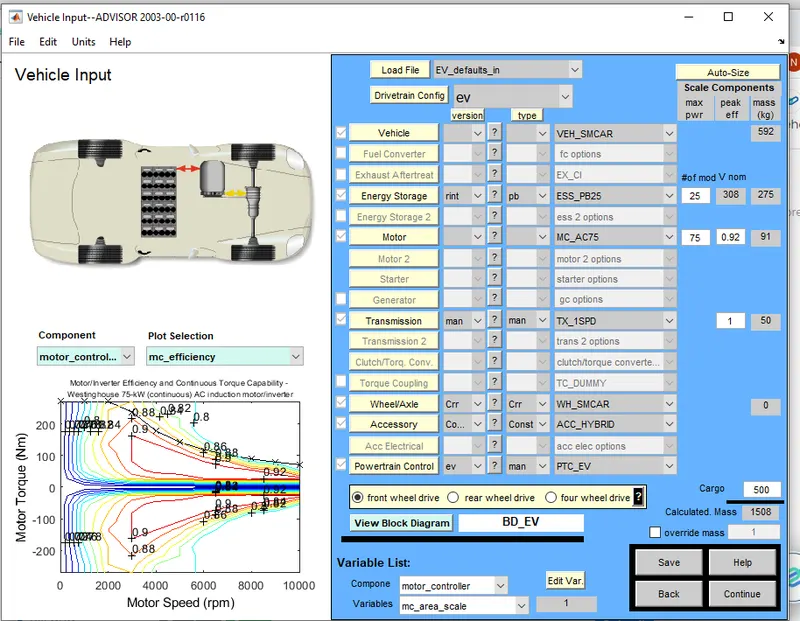
1.Select the Advisor tool to run the velhicle input .
2.When we open the simulation by using the ev_default_in the parameters of velhicle,Energy storage,Motor,Transmission,wheel/axle,Accessory ,Power train control.
3.By Changing the cargo mass parameter to 500kg.
4.When we click continue to open the simulation parameters,the simulation parameter consists of different drive cycle and to create a individual own drive cycle by different data to the simulink parameter to see the battery storage capacity by changing the modules for the distance travelled.
5.Select 'CYC_FTP' in drive cycle list.
6.Now will Run the velhicle input to change the number of cycles to get the required distance of the velhicle.
10 modules(1 cycle)
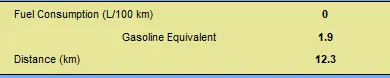
for 2 (cycle)

for 3(cycle)

25 modules (1 cycle)

for 2 cycle

for 3 cycle

for 4 cycle

30 modules(1 cycle)

for 2 cycle

for 3 cycle
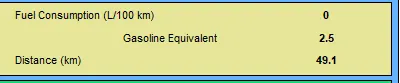
for 4 cycle
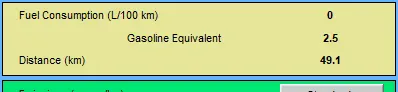
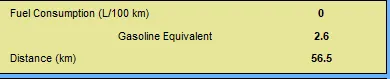
35 modules 1 cycle
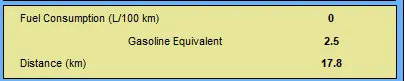
for 2 cycle

for 3 cycle

for 4 cycle

for 5 cycle
Problem 3 :
Aim : We will find out the gradeability by its distance.
gradeability test with PRIUS_Jpn_defaults_in file
Steps
1.The velhicle input we will get the load file as PRIUS_Jpn_defaults_in.
2.When we open the simulation by using the ev_default_in the parameters of velhicle,Energy storage,Motor,Transmission,wheel/axle,Accessory ,Power train control,fuel converter,Exhaust after treat,generator.
3.By Changing the cargo mass parameter to 500kg.
4.When we click continue to open the simulation parameters,the simulation parameter consists of different drive cycle and to create a individual own drive cycle by different data to the simulink parameter to see the gradeability by changing the speed for the distance travelled.
5.Select 'CYC_FTP' in drive cycle list.
6.Now will Run the velhicle input to change the number of cycles to get the required distance of the velhicle.
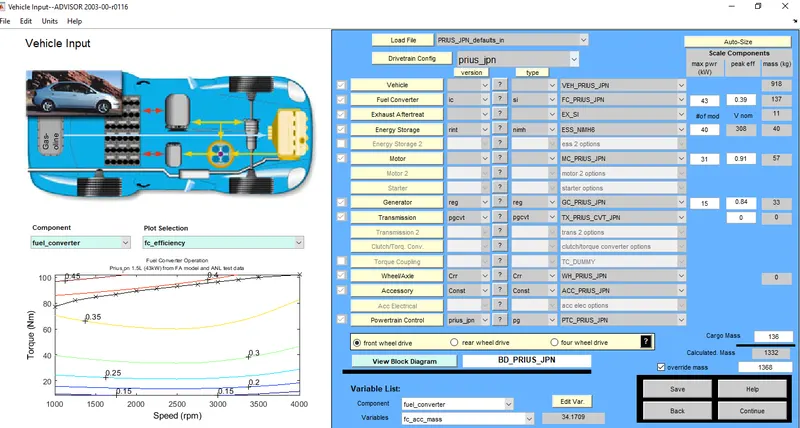
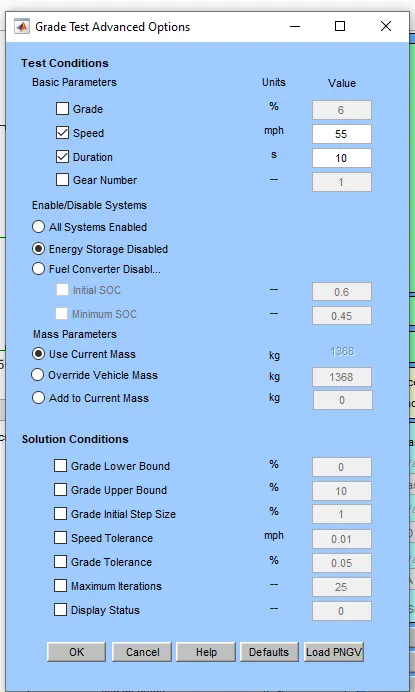
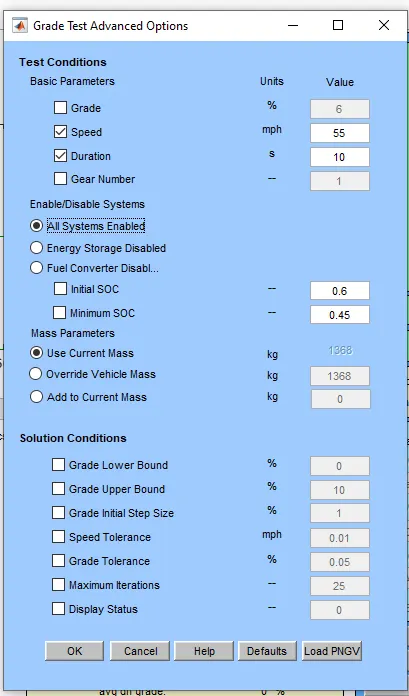
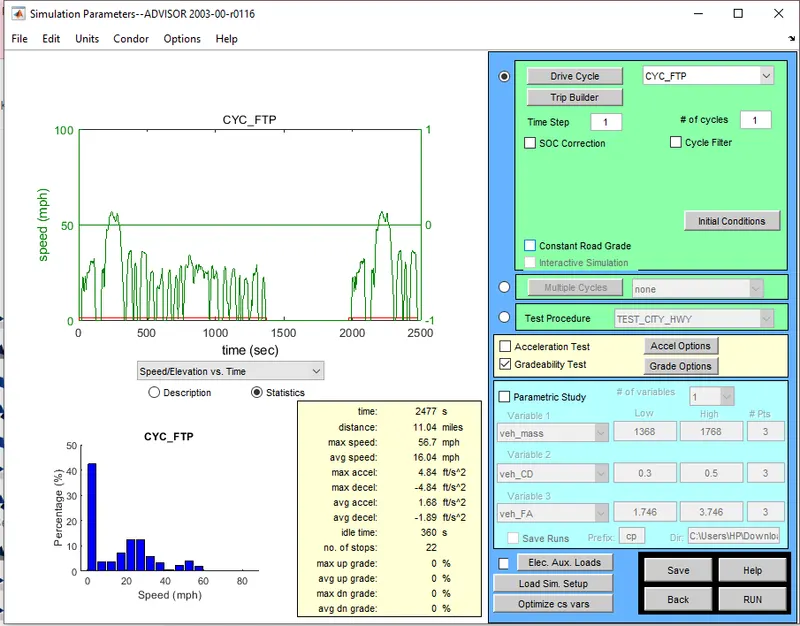
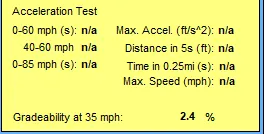
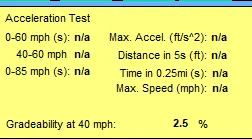
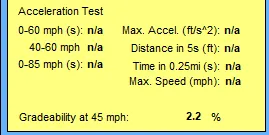
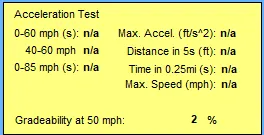
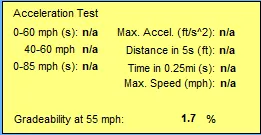
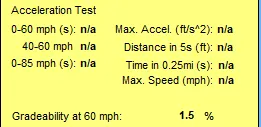
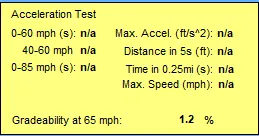
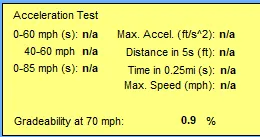
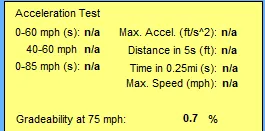
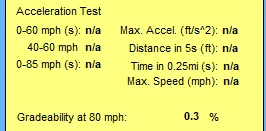
We can see that when the speed is less the gradeability percentage is more,if speed is more the gradeability is less.So the spped and gradeability are inversely proportional to each other .