Week-3 Challenge: ADVISOR Tool
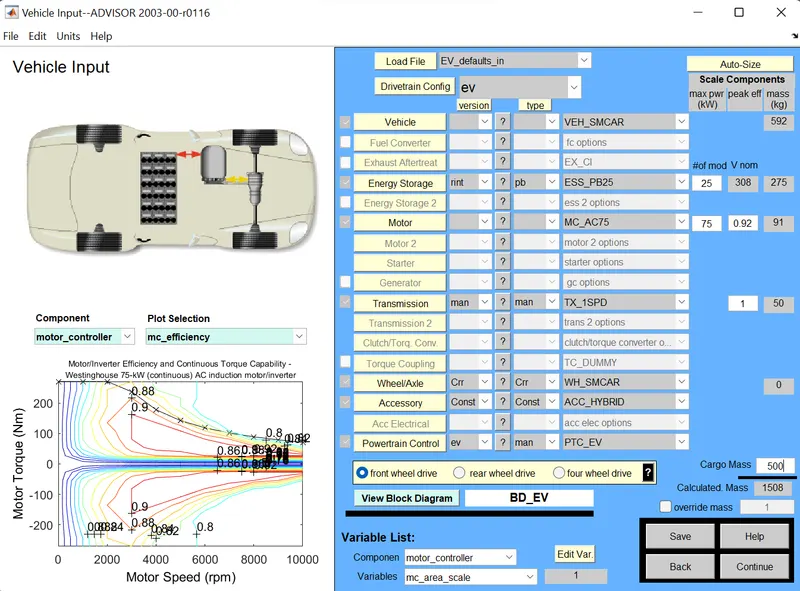
1. For EV_defaults_in file, if cargo mass is 500 kg with all other default conditions, can the vehicle travel for 45 km with FTP drive cycle? Conclude your observations.
Answer:
ADVISOR (Advanced Vehicle simulator) tool was developed by NREL in 1994. It is a set of model, data and script files for use with MATLAB and Simulink. It allows users to simulate and analyze the performance of conventional, electric and hybrid vehicles.
Benefits of Advisor tool:
- Estimate the fuel economy of the vehicles, that are not yet built.
- Compare relative tailpipe emissions produced on a number of cycles.
- Evaluate an energy management strategy for your hybrid vehicle's fuel converter.
- Learn about how comventional, electric or hybrid vehicles use and lose energy throughout their drivetrains.
- Optimize the gear ratios in your transmission to minimize fuel use or maximize performance, etc.
Advisor tool have 3 windows:
1. Vehicle input window.
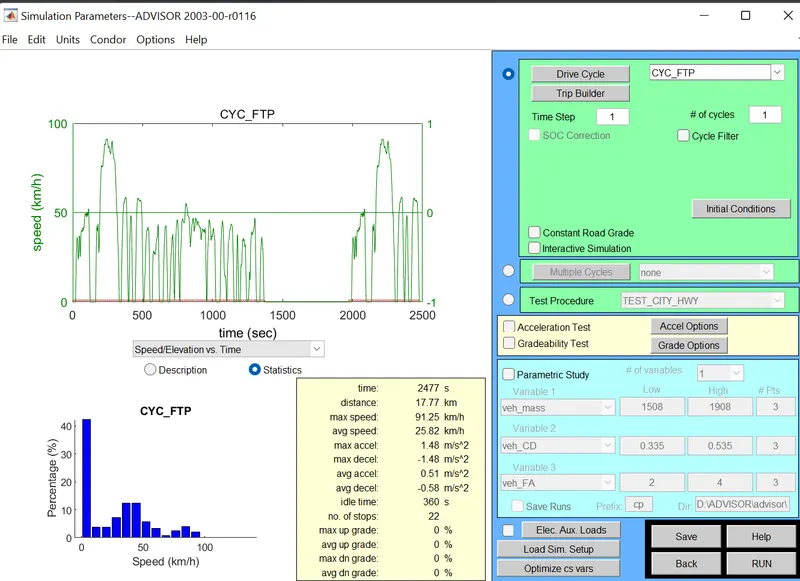
2. Simulation parameter window.
3. Results window.
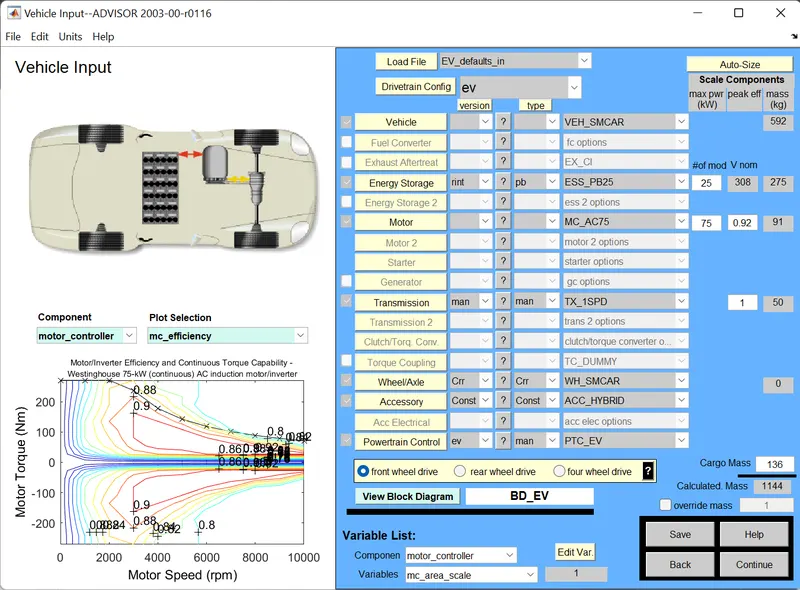
We need to load the EV_defaults_in file.
Vehicle input window:
Now we need to change the cargo mass to 500kg:
Simulation parameters window:
Results window:
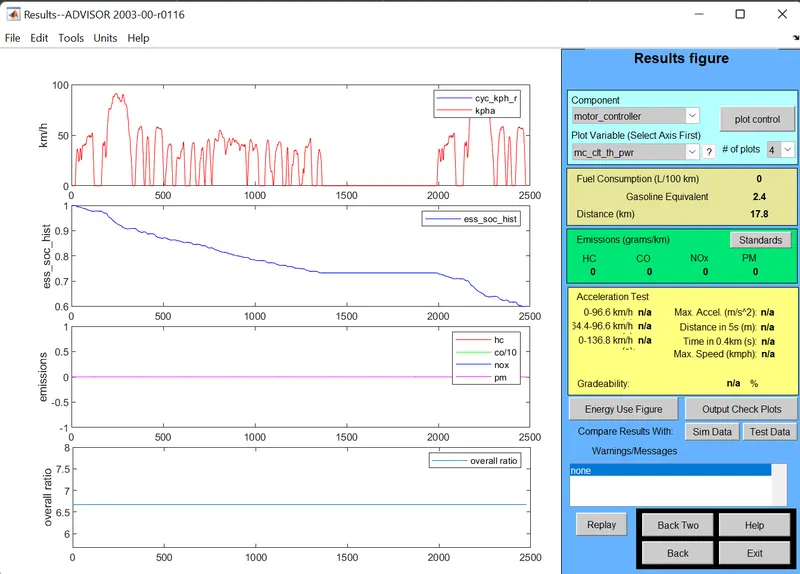
This is the result for 1 drive cycle, and it shows that the vehicle can travel only 17.8kms.
If the number of drive cycles is 2, result window:
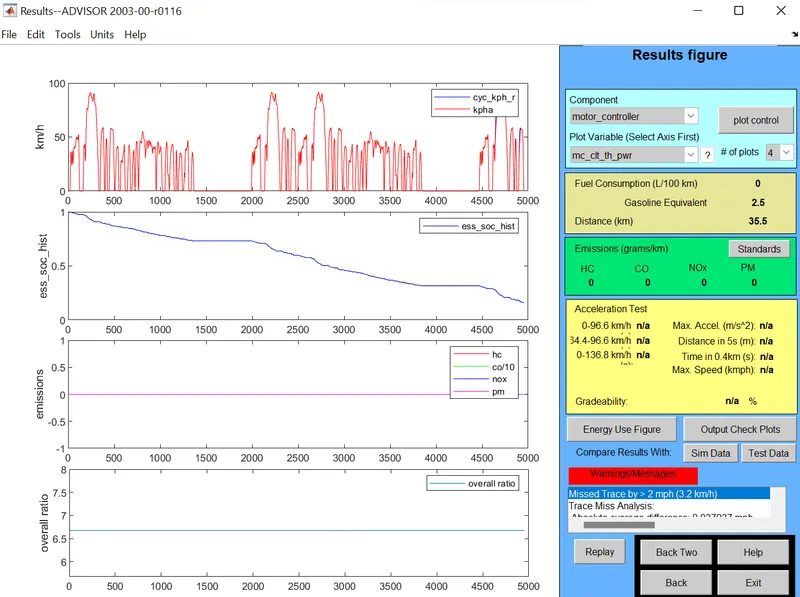
The result shows that the vehicle can cover 35.5 kms, for 2 drive cycles.
If the number of drive cycles is 3, result window:
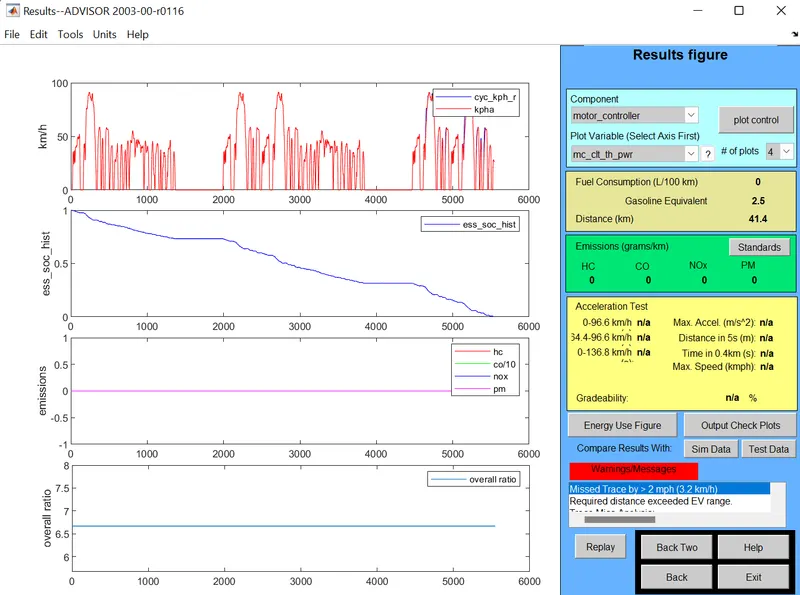
The result shows that the vehicle can cover 41.4 kms, for 3 drive cycles.
| Number of cycles | Distance covered |
| 1 | 17.8 |
| 2 | 35.5 |
| 3 | 41.4 |
The maximum distance covered by the vehicle is 41.4 kms, consuming 100% of SOC.
2. In the above case, try changing the battery capacity and repeat the simulation.
Answer:
Here we are changing the battery capacity from 25 to 45V.
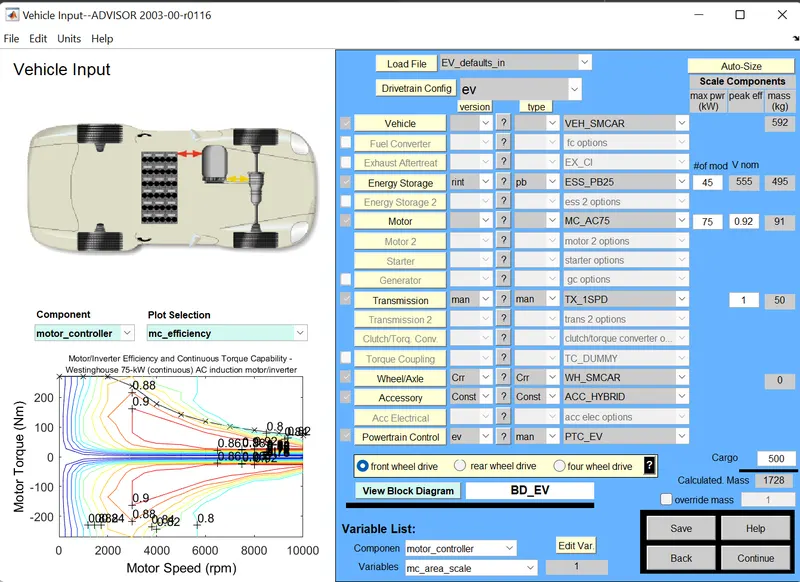
Results window:
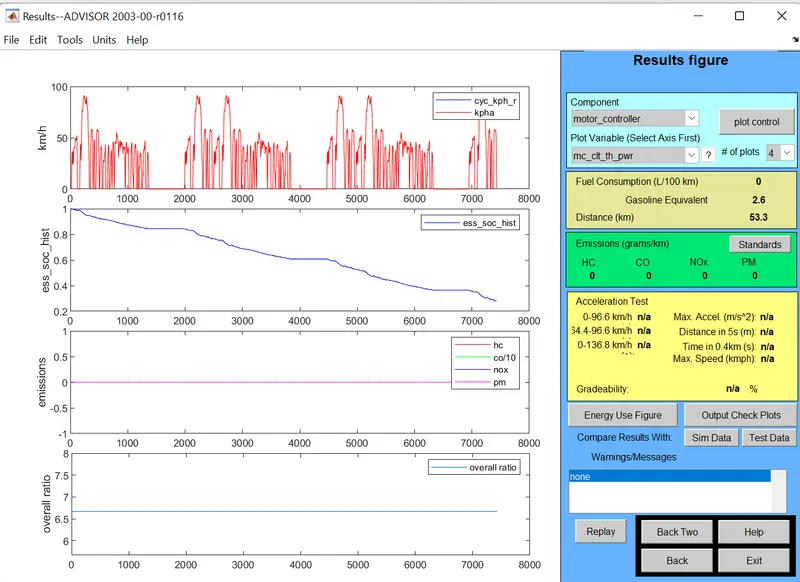
The distance covered for 3 drive cycles, with battery capacity 45V, is 53.3 km. So, if the battery capacity is increased, the vehicle can cover more distance, and vice versa.
3. Perform gradeability test with PRIUS_Jpn_defaults_in file. Compare your results in table and conclude.
Answer:
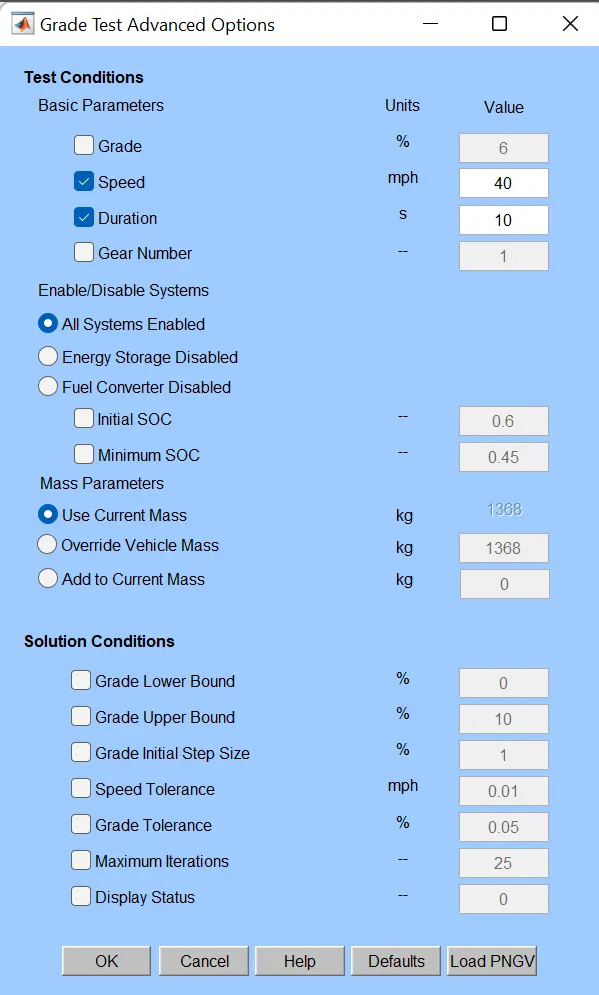
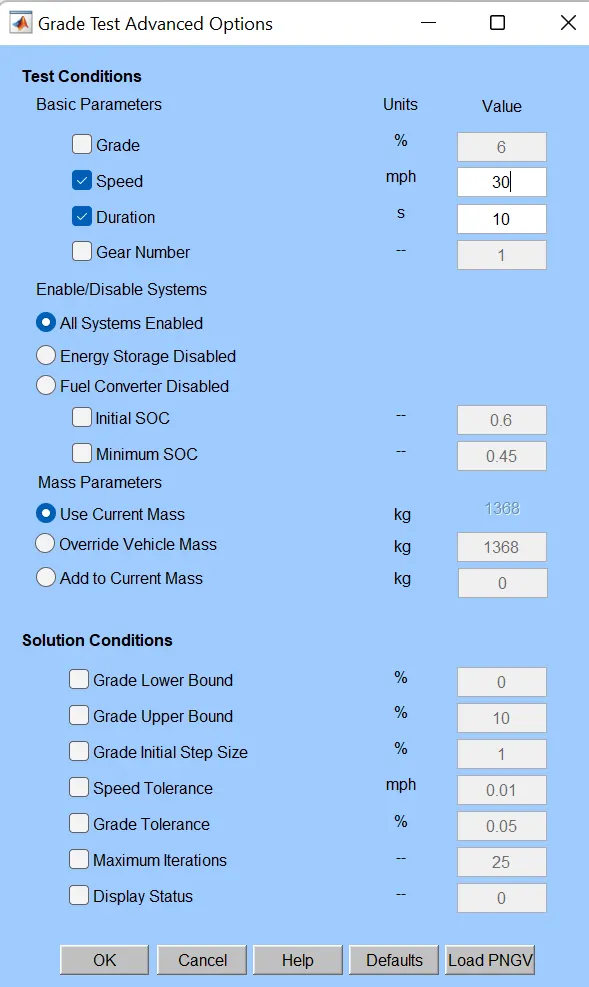
Undergoing gradeability test with duration of 10 sec and different speed (with 3 drive cycles and constant Road Grade):
At 40kmph (64.4 kmph):
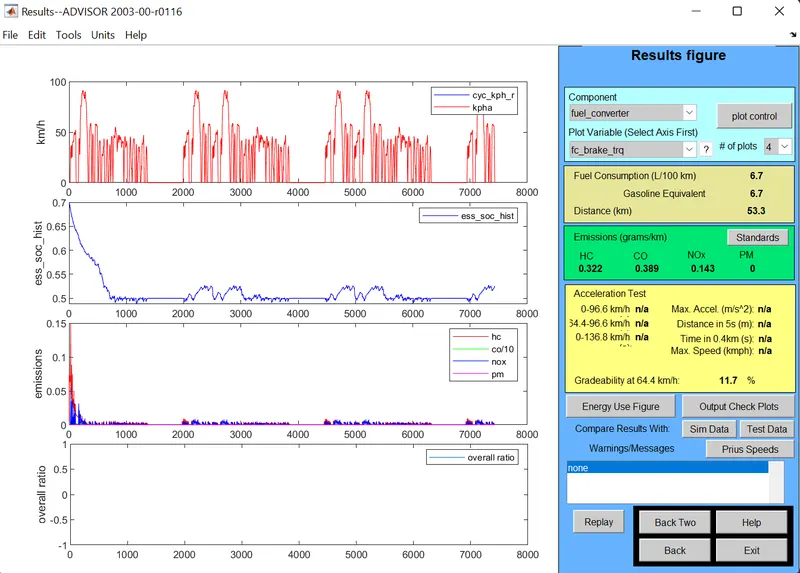
Result:
The gradeability at 40mph is 11.7%.
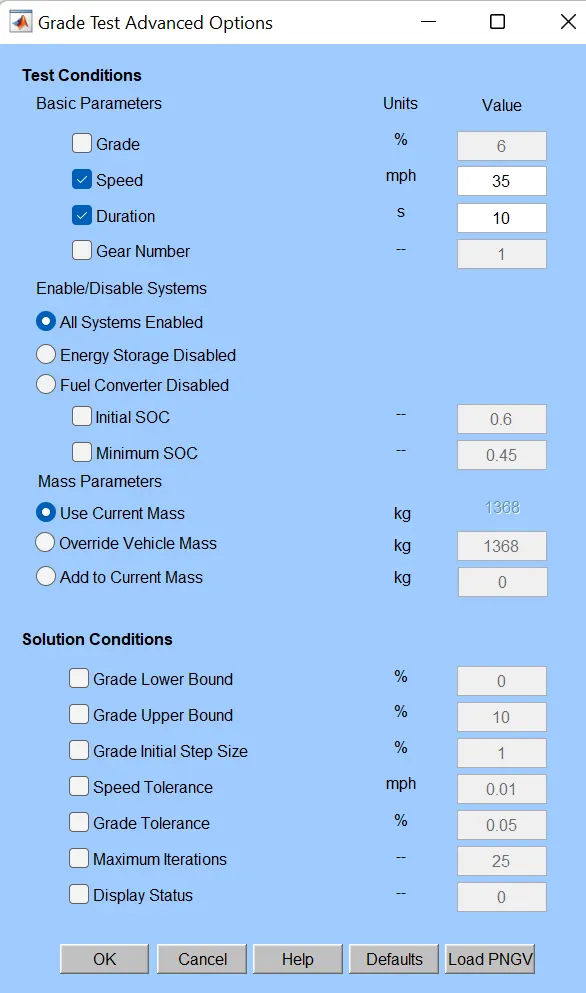
At 35 mph (56.3kmph):
Result:
The gradeability at 35mph is 13%.
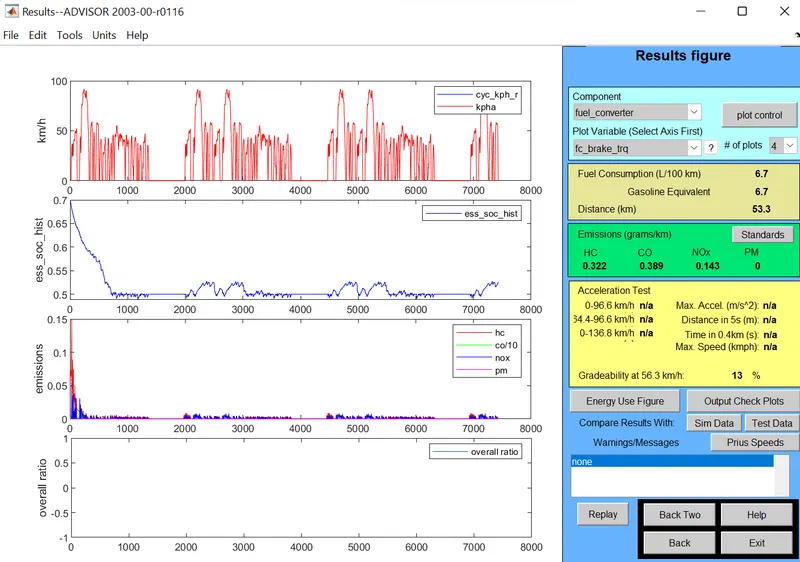
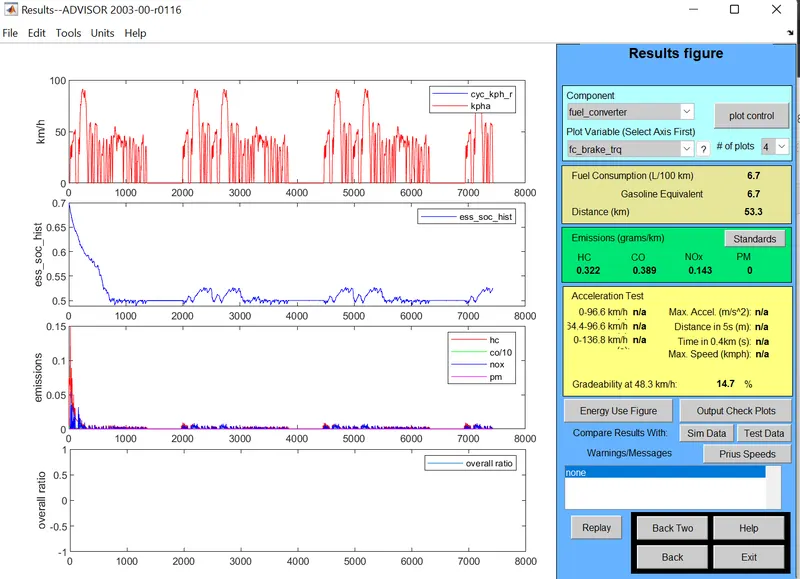
At 30 mph (48.3kmph):
Result:
The Gradeability at 30mph is 14.7%.
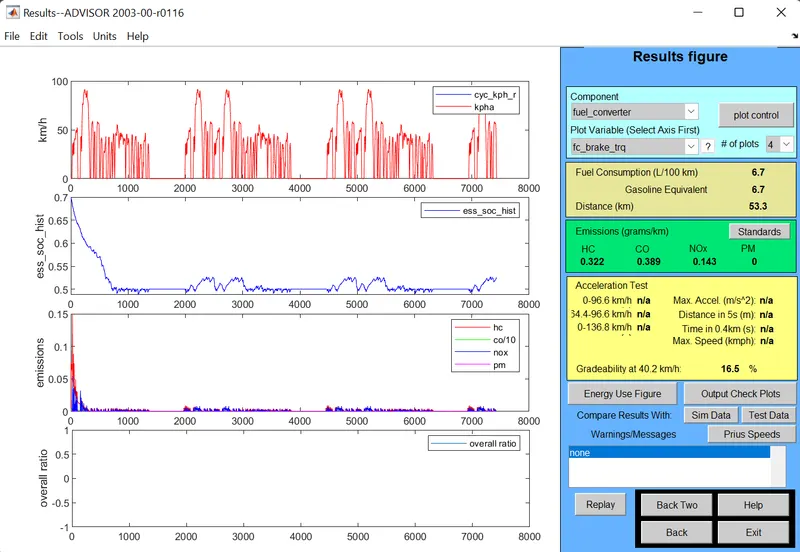
At 25 mph (40.2kmph):
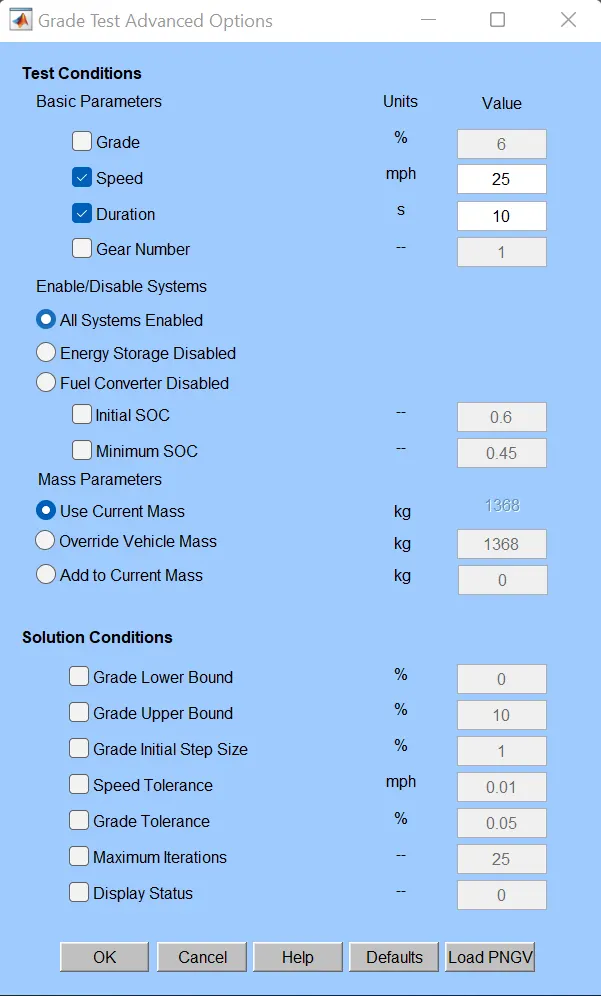
Result:
The Gradeability at 25 mph is 16.5%.
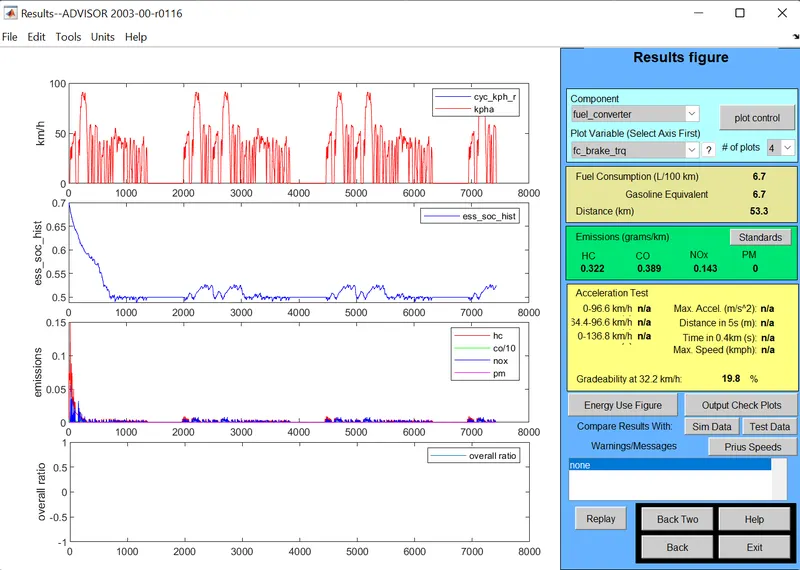
At 20 mph (32.2 kmph):
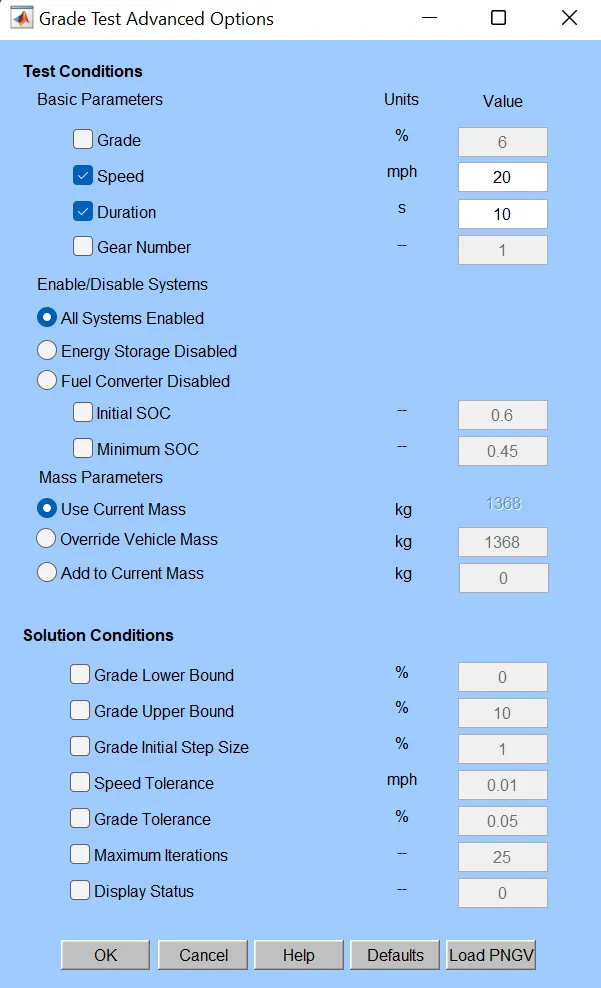
Result:
The gradeability at 20 mph is 19.8%.
| S No. | Duration (sec) | Speed(mph) | Gradeability (%) |
| 1 | 10 | 40 | 11.7% |
| 2 | 10 | 35 | 13% |
| 3 | 10 | 30 | 14.7% |
| 4 | 10 | 25 | 16.5% |
| 5 | 10 | 20 | 19.8% |
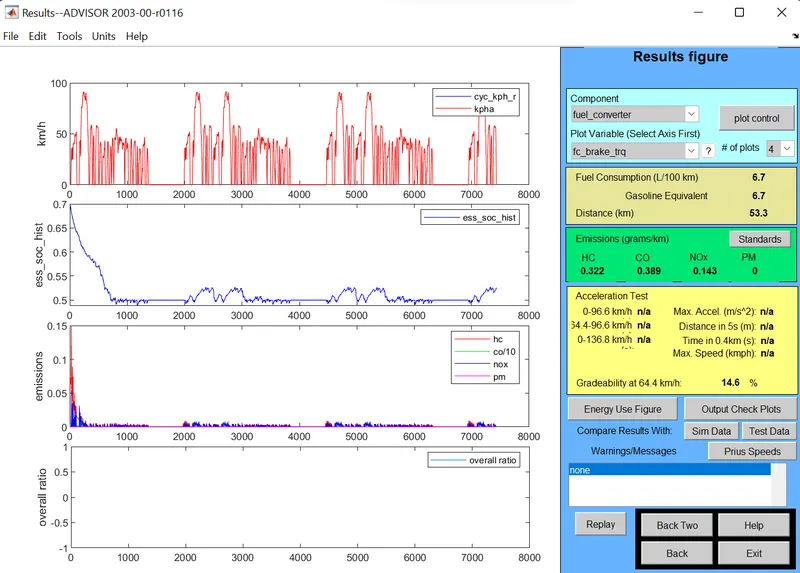
Undergoing gradeability test with duration of 20 sec and different speed (with 3 drive cycles and constant Road Grade):
At 40kmph (64.4 kmph):
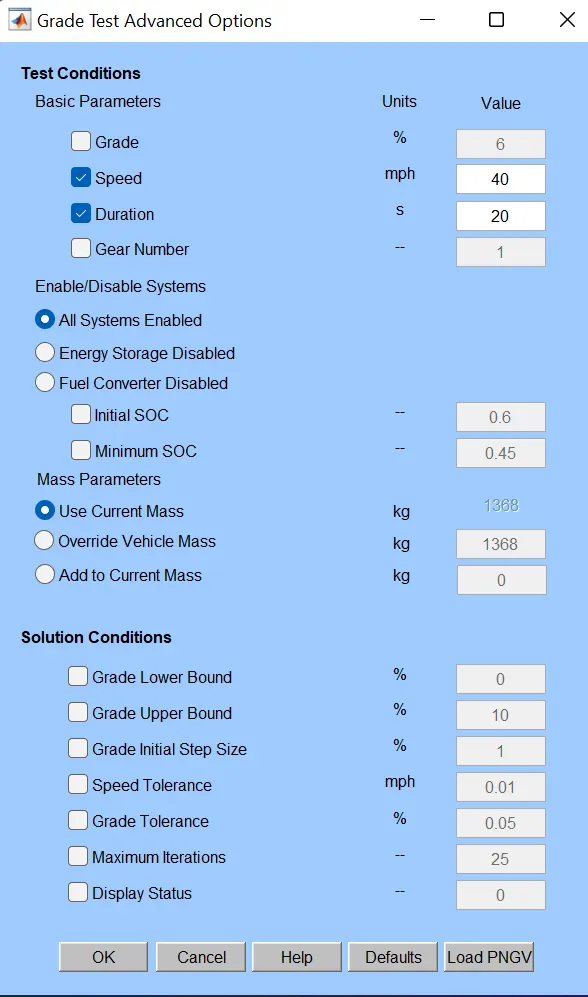
Result:
The Gradeability at 40 mph is 14.6%.
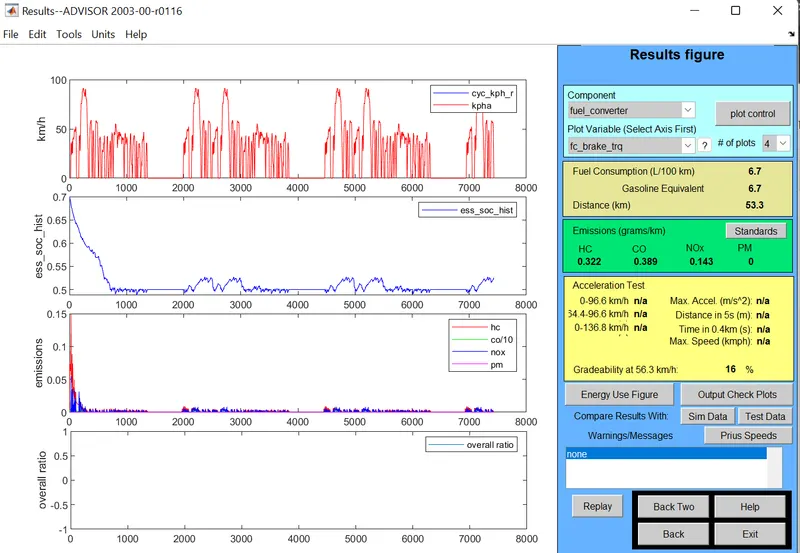
At 35 mph (56.3kmph):
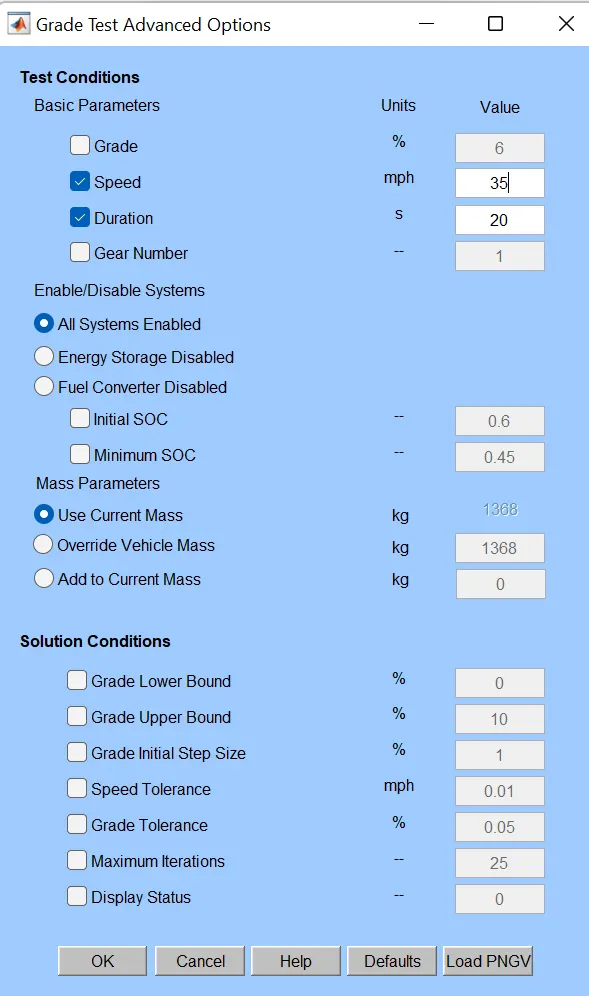
Result:
The Gradeabilty at 35 mph is 16%.
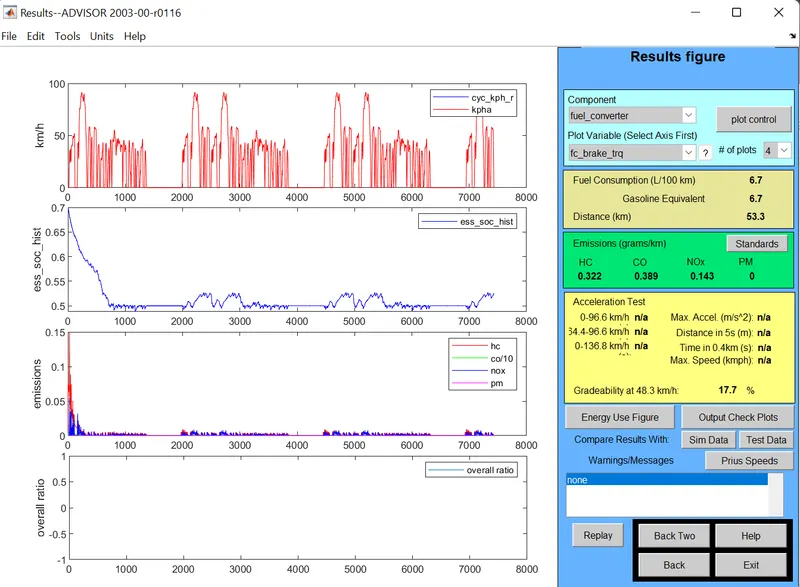
At 30 mph (48.3kmph):
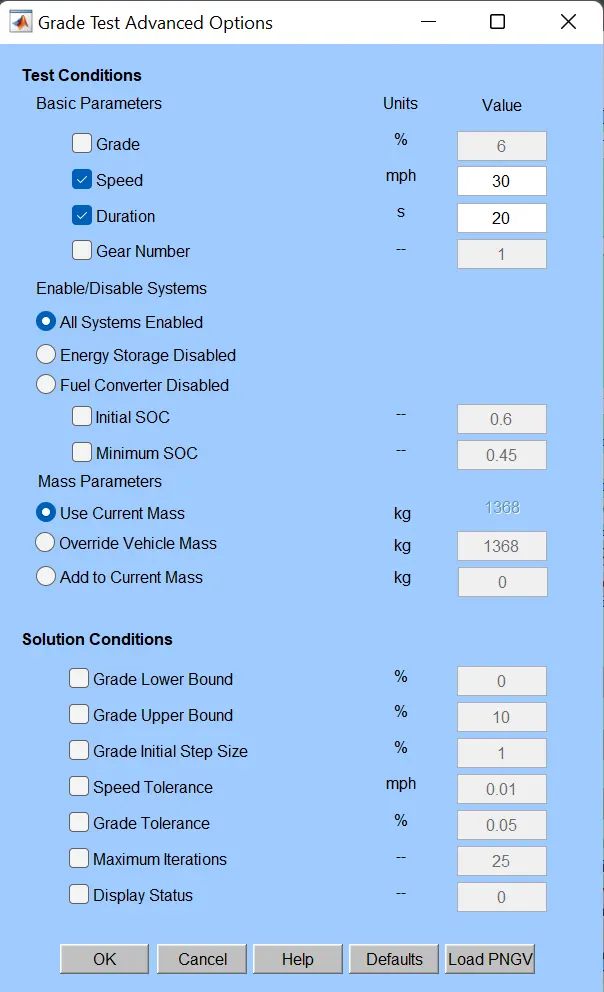
Result:
The Gradeabilty at 30 mph is 17.7%.
At 25 mph (40.2kmph):
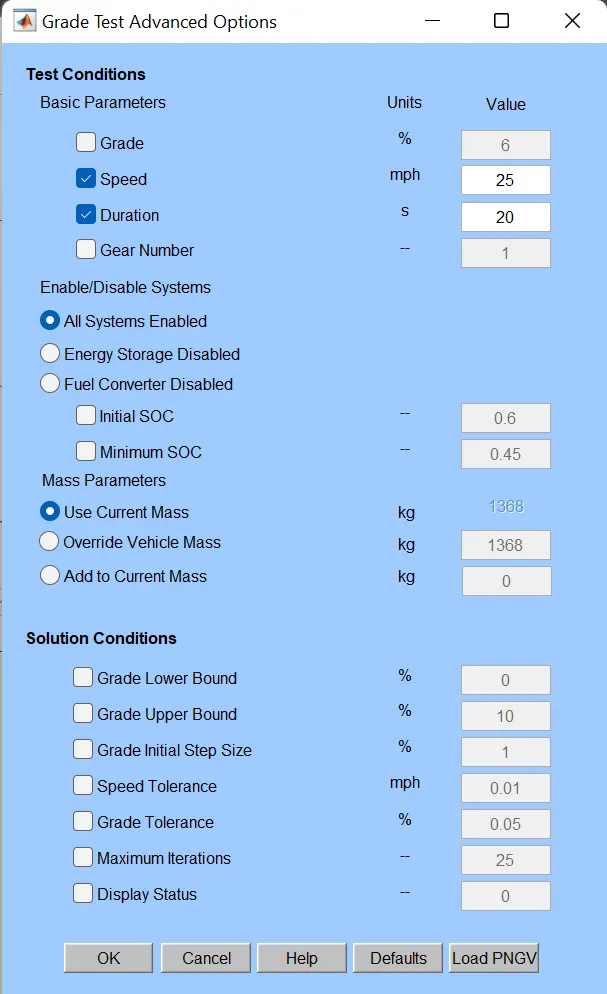
Result:
The Gradeabilty at 25 mph is 19.7%.
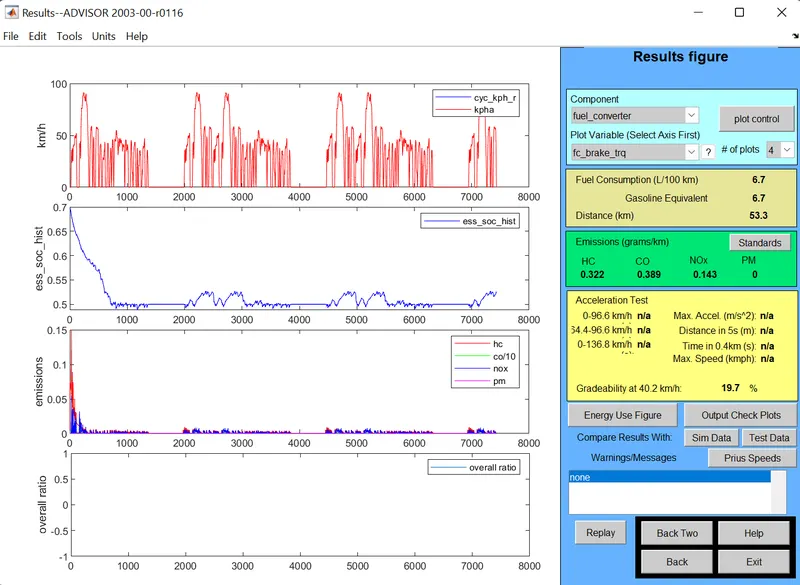
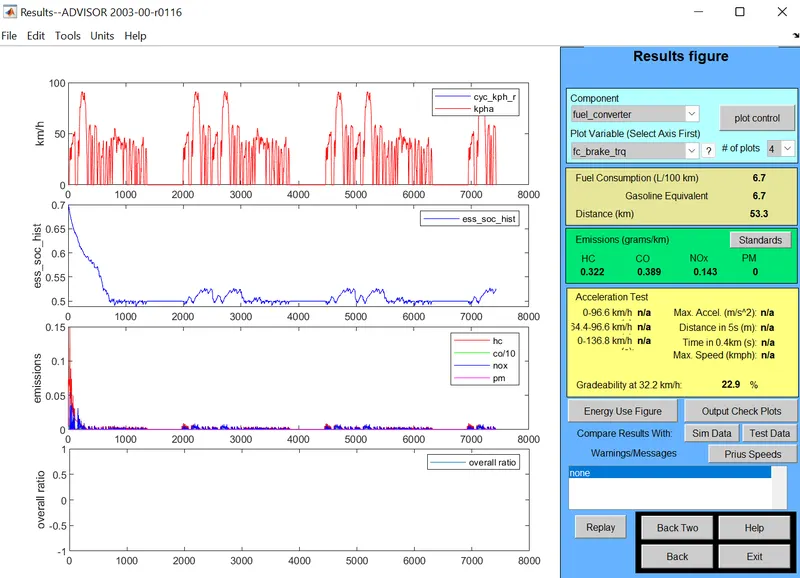
At 20 mph (32.2 kmph):
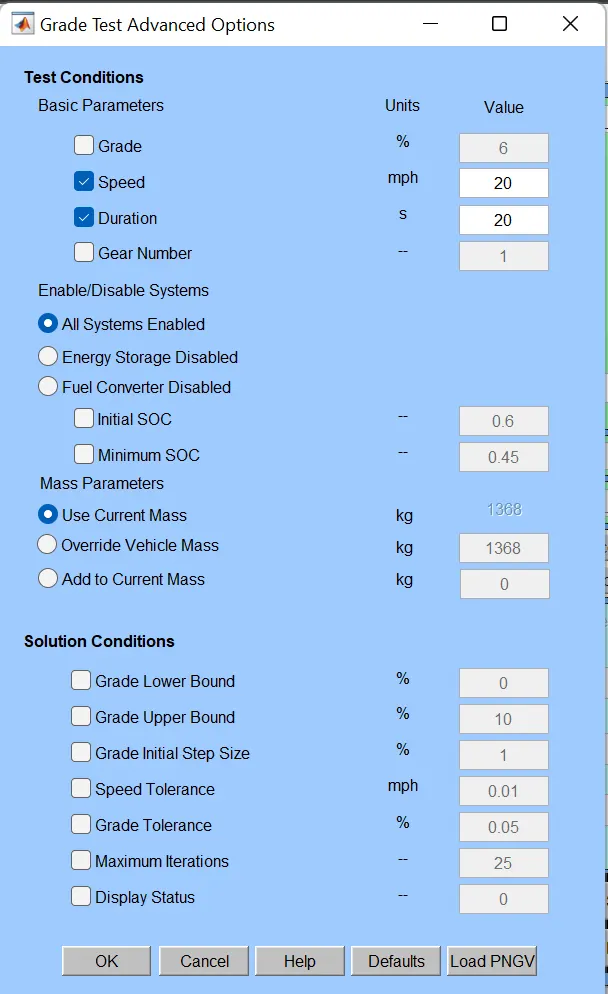
Result:
The Gradeabilty at 20 mph is 22.9%.
| S. No. | Duration (sec) | Speed (mph) | Gradeability % |
| 1 | 20 | 40 | 14.6% |
| 2 | 20 | 35 | 16% |
| 3 | 20 | 30 | 17.7% |
| 4 | 20 | 25 | 19.7% |
| 5 | 20 | 20 | 22.9% |
From the tables, it is observed that, when the speed is decreased there is an increase in gradeability for both durations of 10 sec and 20 sec. So, if the speed is increased, there will be a reduction in gradeabilty.