Week 3 - 2D meshing for sheet metal
AIM
To extract the midsurface and mesh the given hood component under the given quality criteria.
PROCEDURE
- The given component is import in ANSA.
- Change the DRAW MODE to ENT.
- Seperate the HOOD component by using store lock in look panel.
- And take one component and start the process.
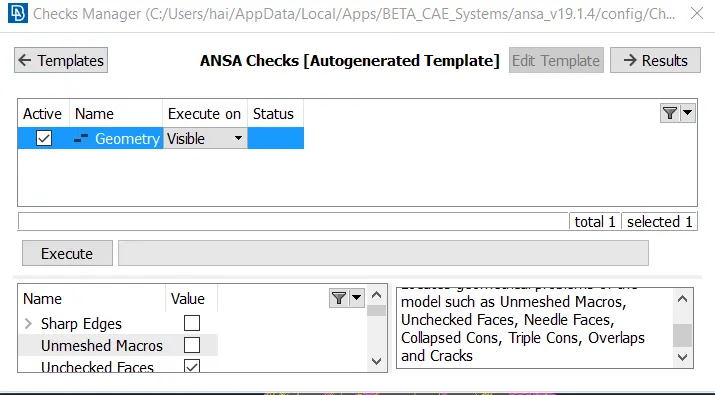
- First geomentry clenanup is done for the component for that go to CHECKS-Geomentry and execute the process. If there is any openeing or free edges are present in the component are shown then to give fix option it will fix it automatically.
- By using Fine option change the resolution of 3D curves or cons.
- Measure the thickness of the component in utilities panel before extracting Midsurface.
- Extract the midsurface by using offset option faces and use feature area to select one side of the component.Then click the midle mouse button and give the offset distance(T/2).And click no for deleting parent component option and then the midsurface is extracted.
- After extrating midsurface use fine option to change the resolution of 3D curves.
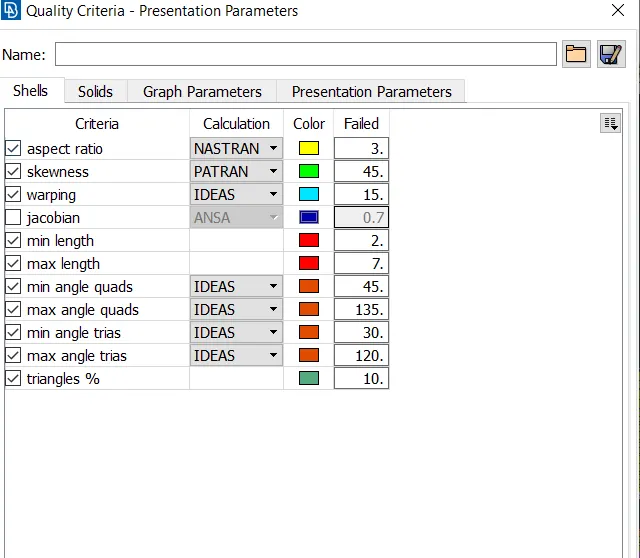
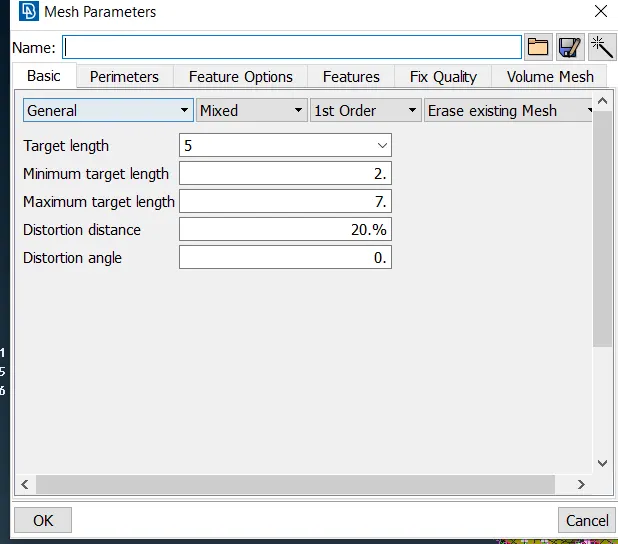
- Then change TOPO to MESH MODE and change the perimeter length 5mm for whole component by length option in perimeter panel.
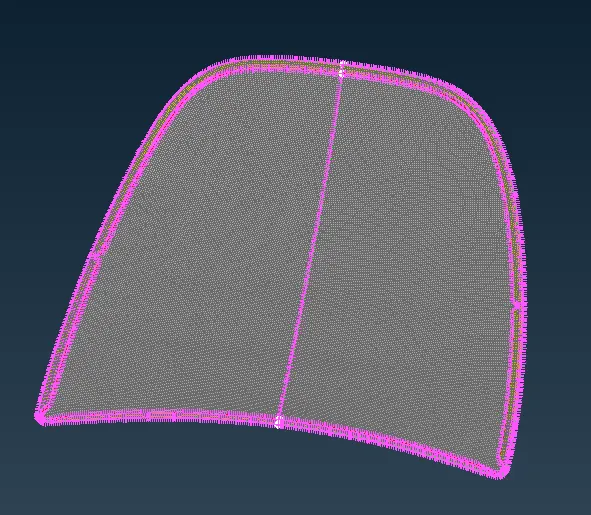
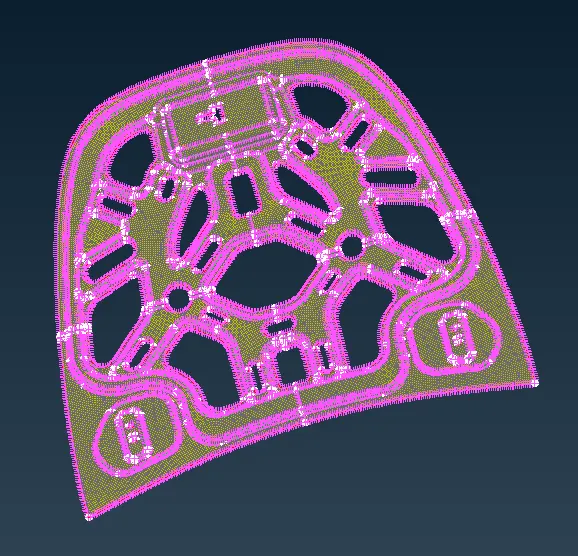
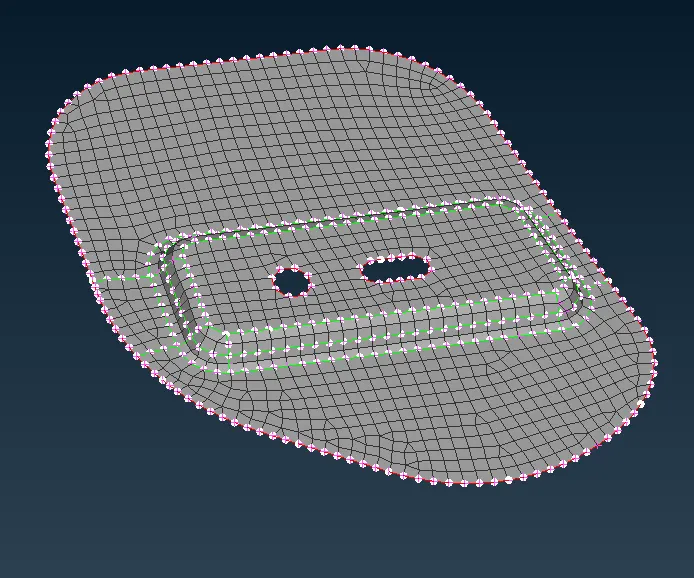
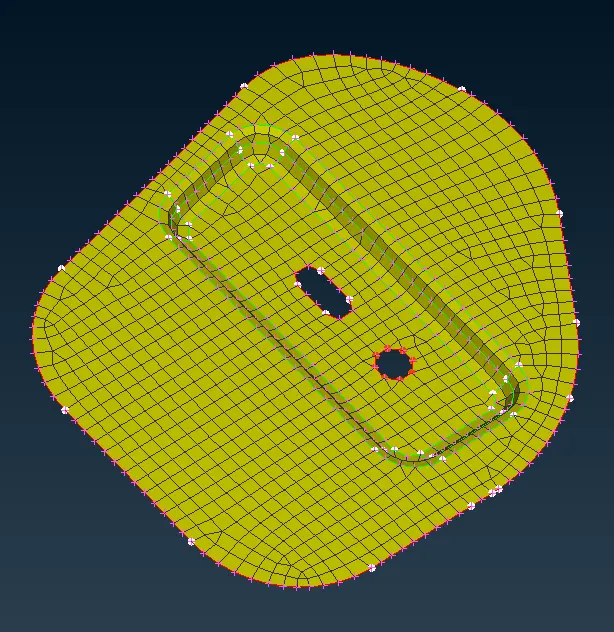
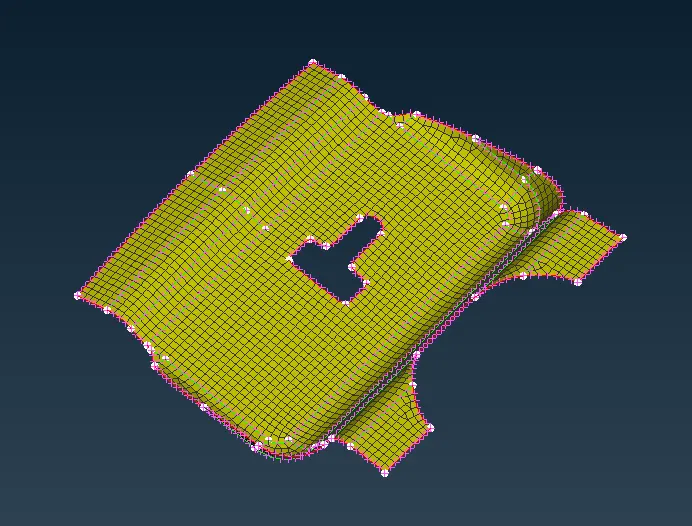
- Check all the surface by measure option if any surface is below 2mm use the JOIN or CUT option for defeture it.
- By using the align option change the nodes parallel to near nodes.
- And go to criteria file and change the vaue by given quality criteria.
- Then give the value for mesh parameter in utilities panel.
- Now generate the mesh for the given component by select the BEST option to mesh generation.
- Change the SHADOW to HIDDEN mode for view the failed elements.
- By using the Reconstruct option and change the meshflow for properly.
- If there is any opposite tria or tria formed towards to perimeter must be changed by using swap, split,reconstruct option to change it.
- And use the smooth option to smooth the mesh flow.
- This process is done for all other components.
- For inner and outer component is in symmetric component and above method is done for one side of the component only.
- After meshing the one side of the component other side surface has to be deleted.
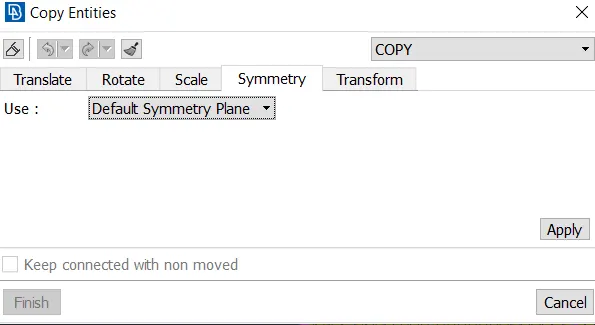
- And go to transform option and copy the component and mesh by using entities option then click ok.
- And deafult symmetry option is given the symmetry surface has been genetrated.
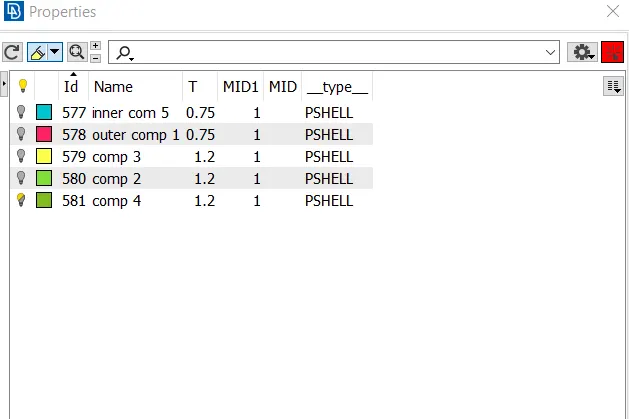
- Then assign the property for the component in data base panel.
- Give the proper thickness to all component and assign it.
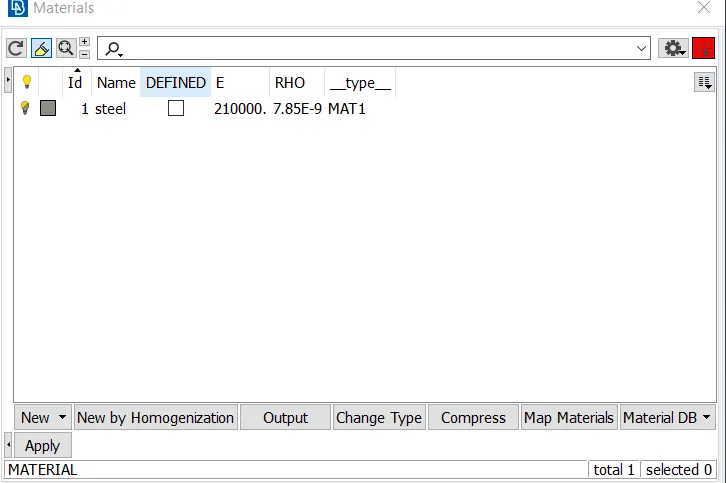
- Then assign the material STEEL for all component in materials in database panel.
CONCLUTION
Thus the given hood component is extracted midsurface and meshed under the given quality criteria.