Week 2- 2R Robotic Arm Challenge
Aim:
Write a program in Matlab to simulate the forward kinematics of a 2R Robotic Arm, as shown in the video.
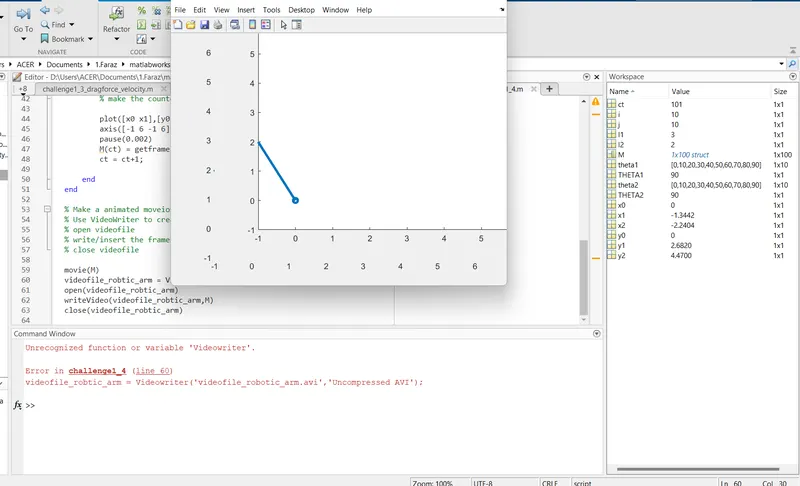
- Create an animation file of the plot.
What is forward kinematics ?
Forward kinematics refers to the use of the kinematic equations of a robot to compute the position of the end-effector from specified values for the joint parameters.
The kinematics equations of the robot are used in robotics, computer games and animation. The reverse process that computes the joint parameters that achieve a specified position of the end-effector is known as inverse kinematics.
Here we have to create a program to simulate the forward kinematics of a 2R Robotic Arm, where 2R refers to 2 rotating links.
Theory:
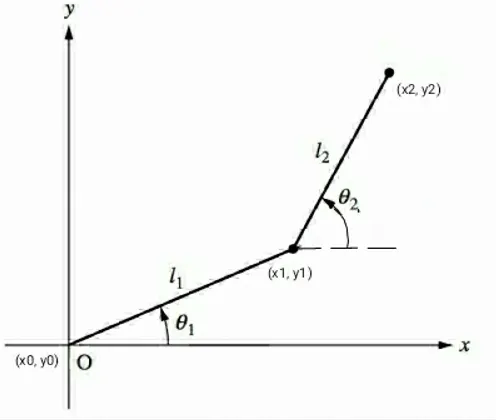
Here a schematic representation of robotic arm with 2 links of length l1 and l2 is given
And the angles of both links l1 and l2 are known theta1 and theta 2 respectively
There two steps to find the position of links
Step 1
Two end points
- one at the base ==> (x0,y0)
- one joining the link2 ==> (x1,y1)
Coordinates
- (x0,y0) = (0,0)
- (x1,y1) = (l1*cos(theta1), l1*sin(theta1))
Step 2
Two end points
- one joining the link2 ==> (x1,y1)
- one joining the manipulator ==> (x2,y2)
Coordinates
- (x1,y1) = (l1*cos(theta1), l1*sin(theta1))
- (x2,y2) = (x1+l2*cos(theta2), y1+l2*sin(theta2))
Now we have all 3 Co-ordinates
(x0,y0) (x1,y1) (x2,y2)
## Code for simulating the Forward Kinematics of a 2R Robotic Arm ##
clear all
close all
clc
l1 =3;
l2 =2;
theta1 = linspace(0,90,10);
theta2 = linspace(0,90,10);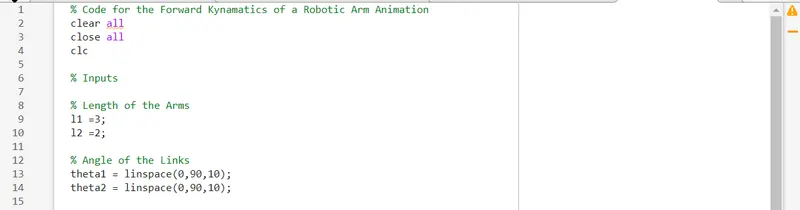
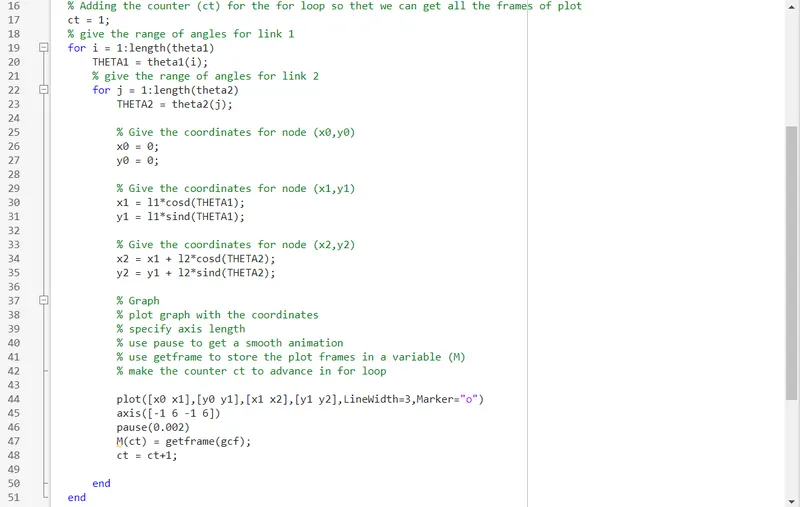
ct = 1;for i = 1:length(theta1)
THETA1 = theta1(i);
for j = 1:length(theta2)
THETA2 = theta2(j);x0 = 0;
y0 = 0;
x1 = l1*cosd(THETA1);
y1 = l1*sind(THETA1);
x2 = x1 + l2*cosd(THETA2);
y2 = y1 + l2*sind(THETA2);plot([x0 x1],[y0 y1],[x1 x2],[y1 y2],LineWidth=3,Marker="o")
axis([-1 6 -1 6])
pause(0.002)
M(ct) = getframe(gcf);
ct = ct+1;end
end
movie(M)
videofile_robtic_arm = VideoWriter('videofile_robotic_arm.avi','Uncompressed AVI');
open(videofile_robtic_arm)
writeVideo(videofile_robtic_arm,M)
close(videofile_robtic_arm)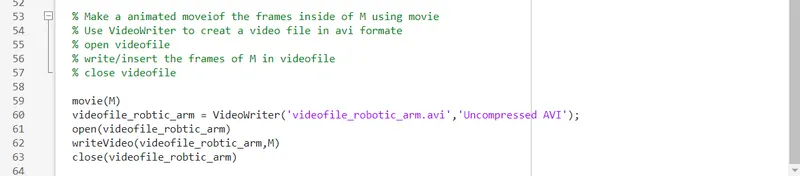
- Shaik FarazWow great!! Very good job Self ME