Creating Mid-Surface and Meshing Hood Component in ANSA
AIM :
To Check for the geometrical errors and mesh with the given element Quality Criteria for the given Component and to write detailed report about mid-surface and meshing Process.
PROCEDURE :
IMPORTING CAD MODEL AND GEOMETRY CLEANUP :
1. Import the given Hood Model in ANSA by using File-->Open
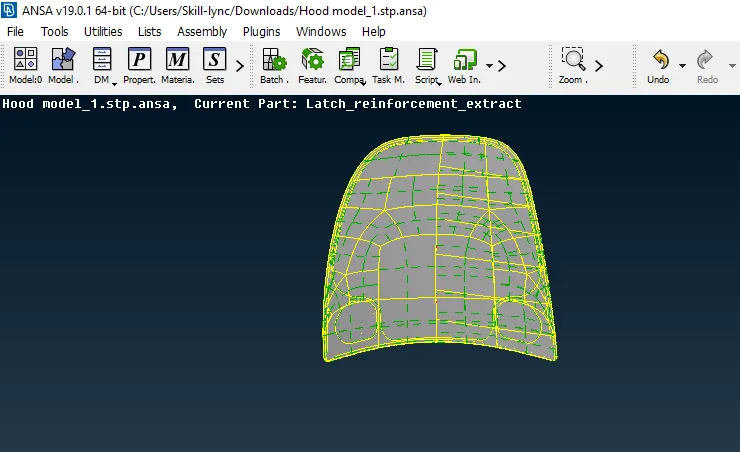
Fig : Hood Model
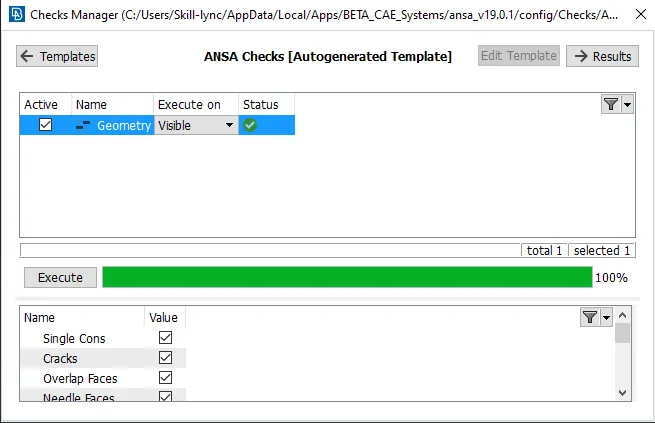
2. After Importing the Hood Model in ANSA, Go to Tool-->Checks-->Geometry for Goemetry Clean up.
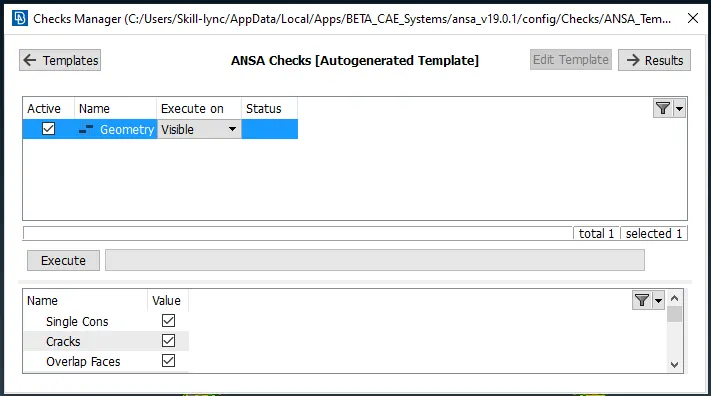
Fig : Checks Manager Window
3. In the above Checks Manager window click Execute to check any error occurred in Hood Model and fix the Error and Cleanup the Geometry.
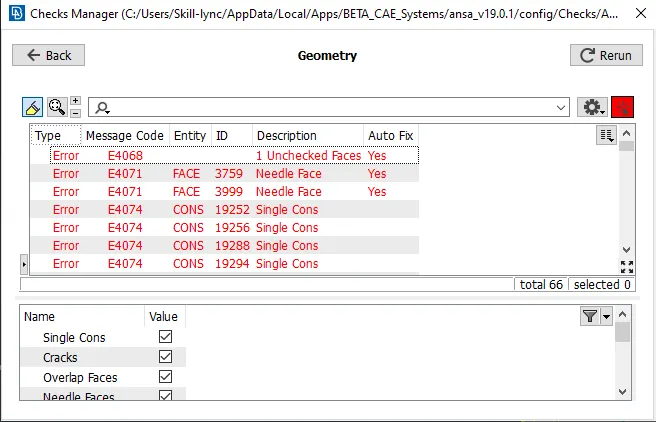
Fig : Error in Hood Model
4. In The above window, error has been occurred in the given Goemetry model. Check the error showing in the Model and fix the issue and cleanup the Geometry.
5. While resolving the error, Right Click on the error which is going to resolve and click Show only option.
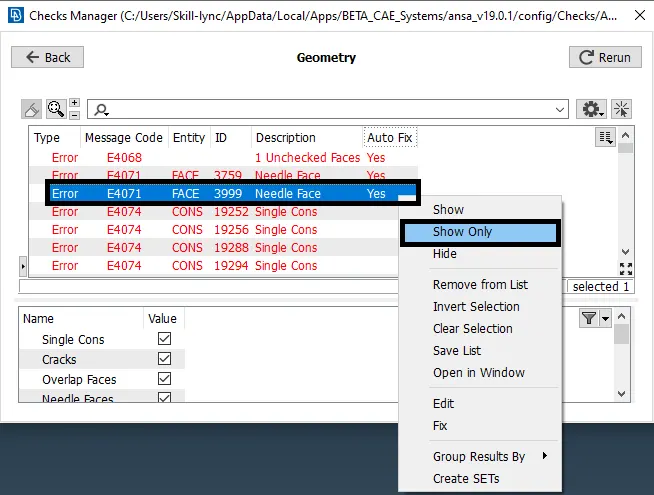
6.It will show only that Needle Face. Using Face-->Delete Option to delete the Unwanted Needle Face.
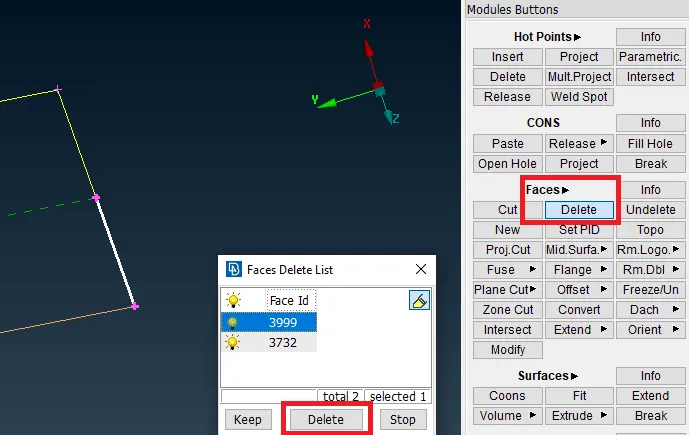
7. After deleting the Needle Face, that error has been resolved. Similarly all errors has to be fixed and again Click Execute in the Checks Manager and 100% Geometry Cleanup is to be verified.
CREATING MID-SURFACE :
1. After geometry Cleanup and Mid-surface has to be created seperately for Hood inner extract, outer extract, Hinge and Latch.
2. Before Creating a Mid-Surface, Go to Utilities-->Measure Option to Measure thickness of the Component for Creating Mid-Surface.
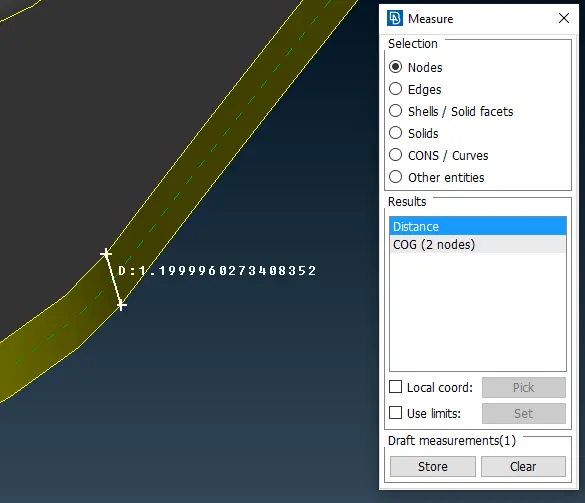
3. In the above the window, Click two nodes to measure the thickness of the Component and Store the Measurement.
4. After Measuring the Thickness, Go to Faces-->Offset-->Faces Option.
5. Select the Face and enter the Offset Value to create a Mid-Surface for the Component .
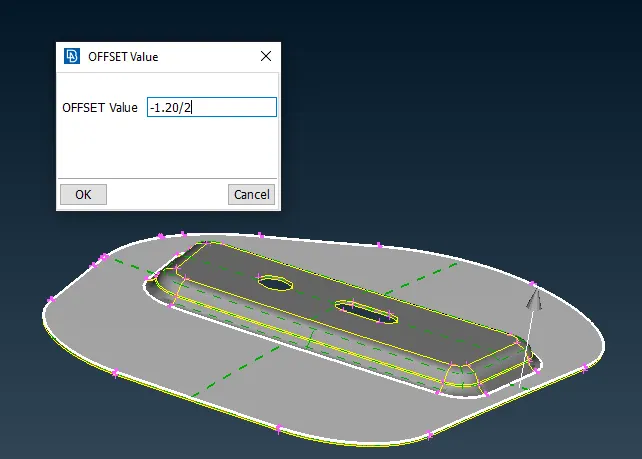
6. After entering the Offset Value and click Ok and Mid-surface will be created.
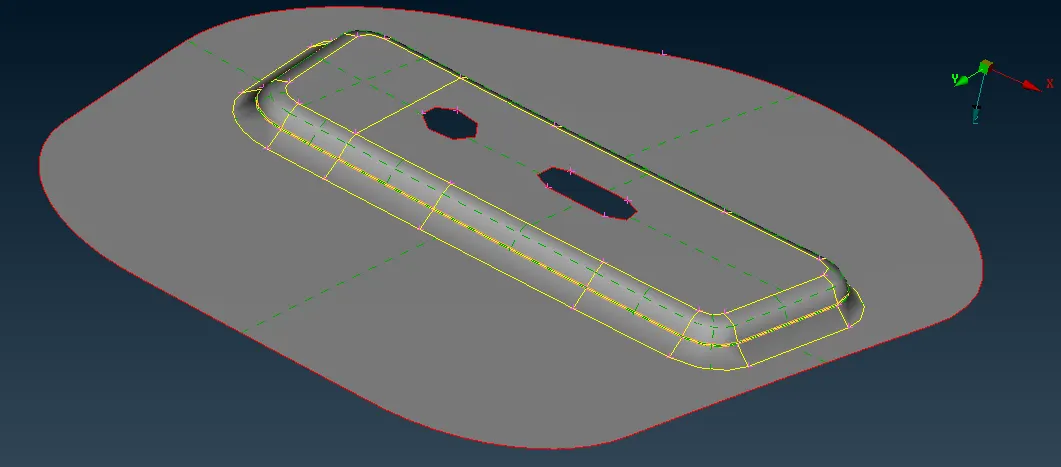 Fig : Hinge Mid-Surface
6. After creating a Mid-Surface, Click Faces--> Set PID option and create New PID for Hinge Mid-surface in the properties.
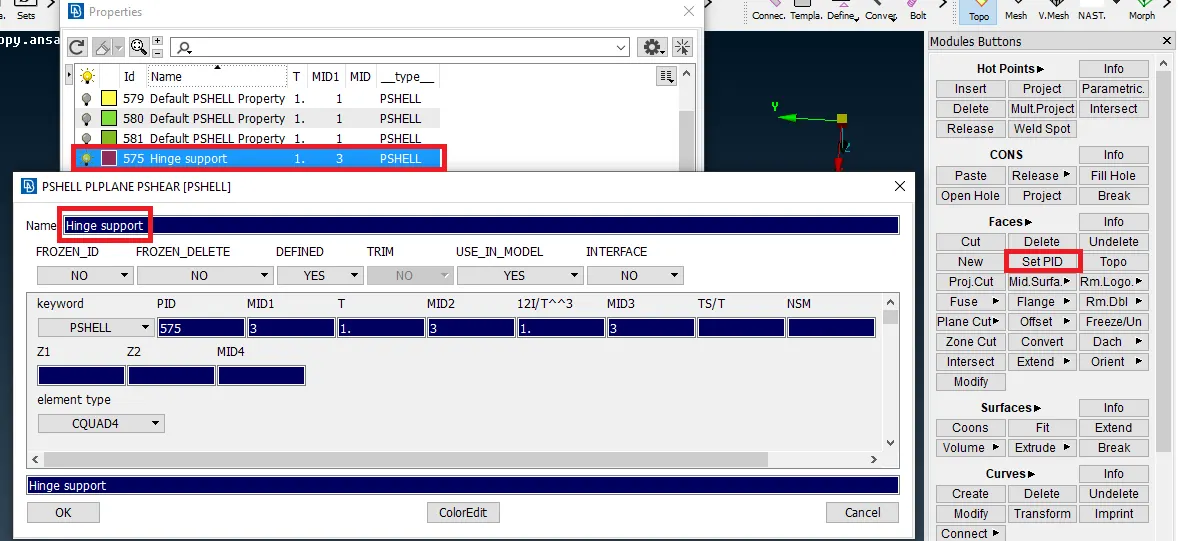
7.Similarly Mid-surface has to be created for Hood inner extract,outer extract and Latch and Set PID for each part.
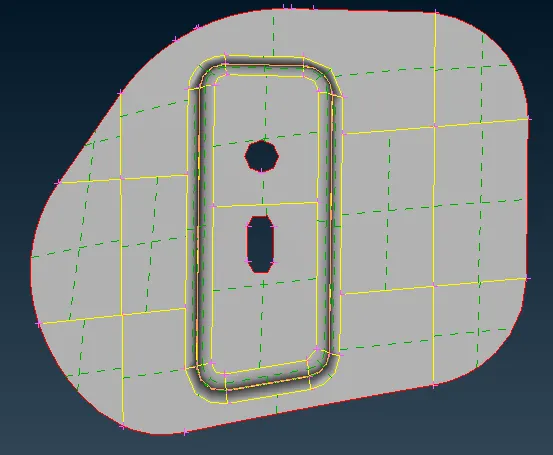
Fig : Hinge Support2 Mid-Surface
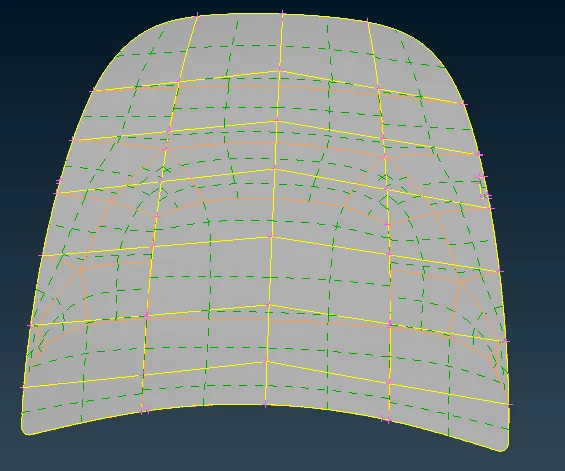
Fig : Hood Outer Extract Mid-Surface
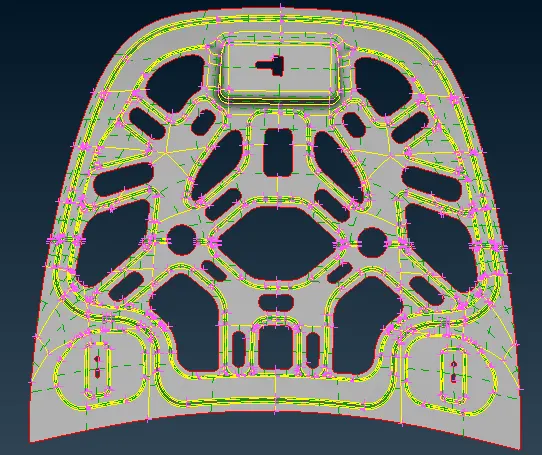
Fig : Inner Extract Mid-Surface
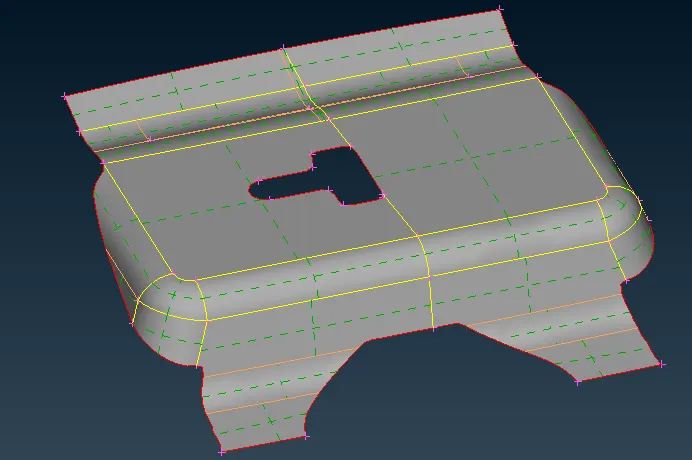
Fig : Latch Mid-Surface 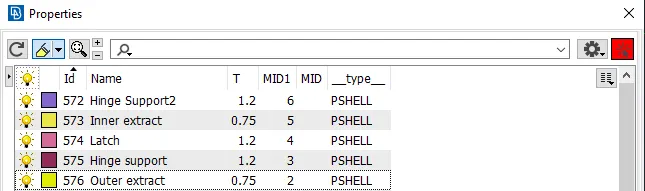
Fig : PID for above Mid-Surface Components
MESHING :
1. After Creating a Mid-Surface, set the given Quality Criteria for the Component.
2. Go Utilities-->Quality Criteria Option and assign the given Quality Criteria Values.
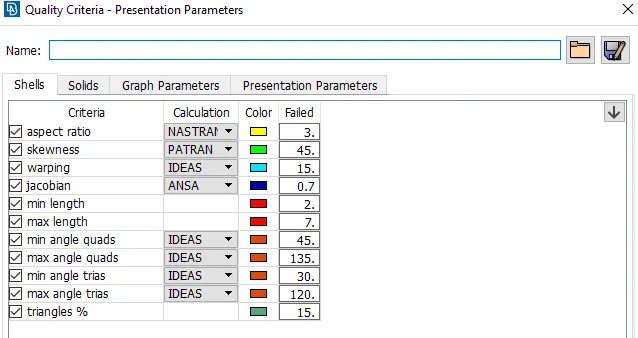
Fig : Quality Criteria
3. After assigning the Quality Criteria for the Component, Go to Utilities-->Mesh Parameters and assign the Average Value, Minimum and Maximum Value for Meshing.
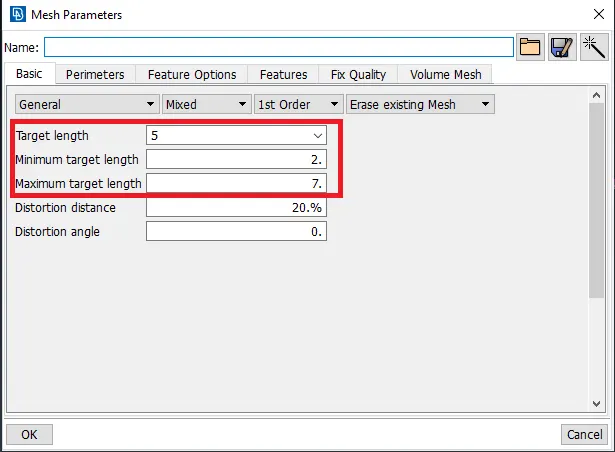
Fig : Mesh Parameters
4. Go to Mesh-->Perimeters--> Length Option and Select the Component to Mesh and enter the Value of Perimeter Length and Macro Length for Meshing.
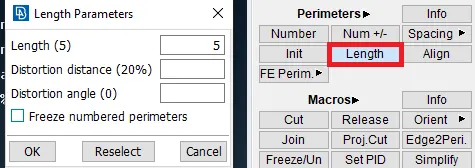
Fig : Perimeter and Macro Length
5. Before Meshing, Delete the Half of the faces for the any symmetrical Component and do Meshing.
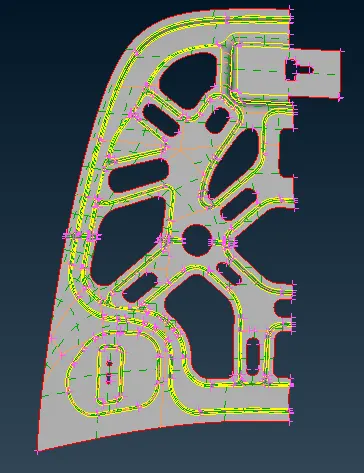
Fig : Inner Extract - Half Face
6. Go to Mesh-->Mesh Generation Option and Select the Mesh type to mesh the component.
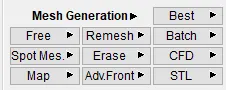
Fig : Mesh Generation Types
7. Select the Mesh type in the Mesh generation and Select the Faces to mesh and Mesh will be generated.
8. Use Shell Mesh-->Reconstruct option to rearrange the Mesh and Use Shell Mesh-->Smooth Option to arrange Mesh lines equally within the Selected Surface and solving the Quality criteria issues.
9. Use Grids-->Paste or Elements-->Split / Swap / Joint Option to eliminate or reduce the trias and get better mesh flow.
10. Parent Surface thickness Value is to be Provide for the Mesh Component. Go to Lists-->Properties option and Assign the Thickness Value.
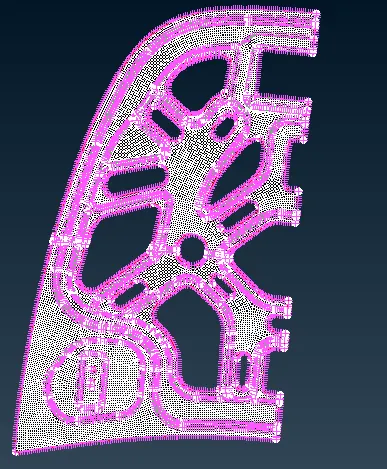
Fig : Inner Extract Mesh - Half Surface
10. After Meshing, Go to Utilities-->Transform-->Copy Option and the Select the Component to Copy.
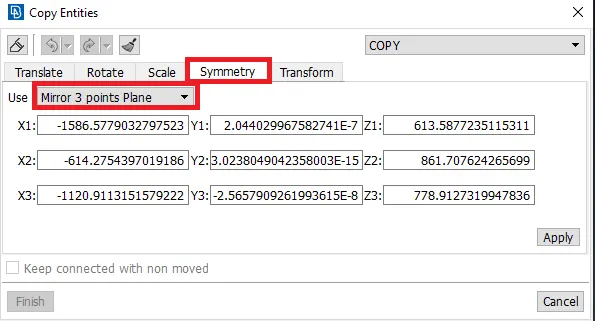
Fig : Copy Entities
11. In the above Copy Entities, select Symmetry and use Mirror 3 points plane and Select the 3 points (Top, Middle, Bottom) to Copy the entity on other side and Opposite Surface will be generated.
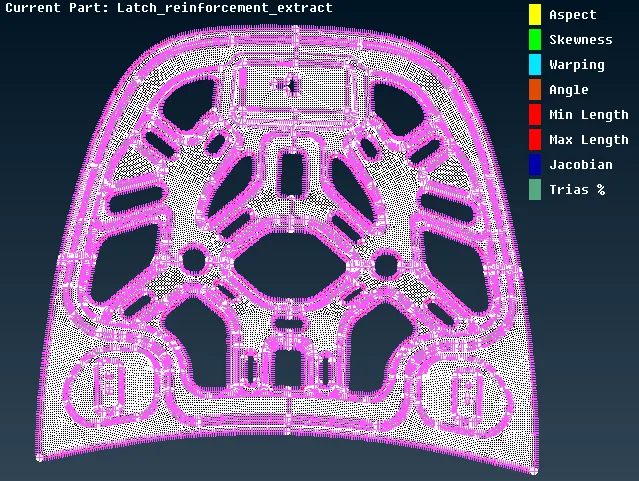
Fig : Inner Extract Mesh
RESULT :
The above Inner Extract Meshing Steps to be followed for Hood Outer Extract, Hinge and Latch Meshing.
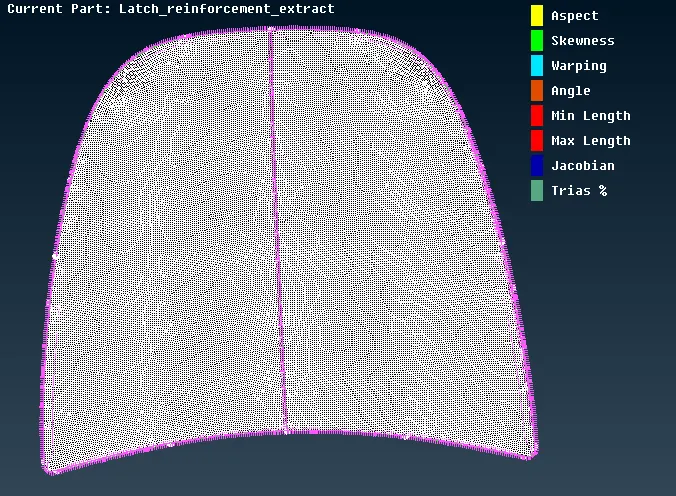
Fig : Outer Extract Mesh
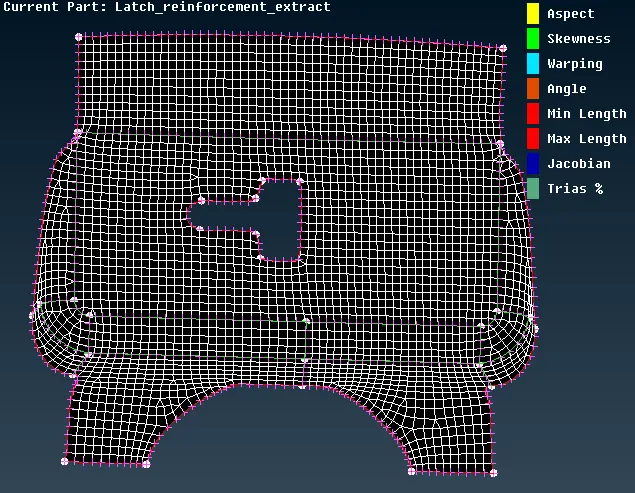
Fig : Latch Mesh
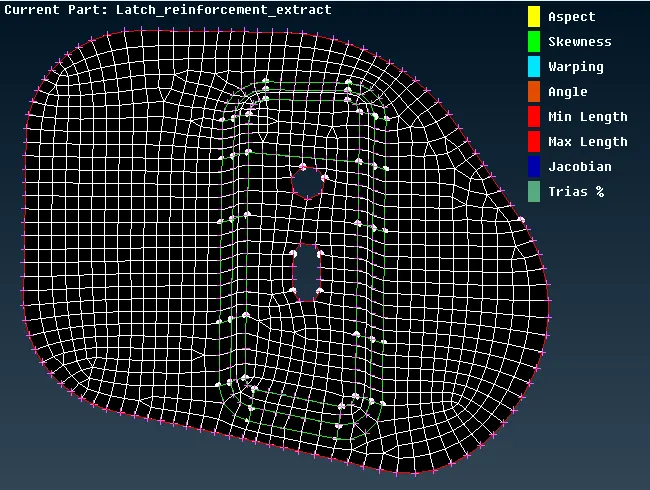
Fig : Hinge Support-1 Mesh
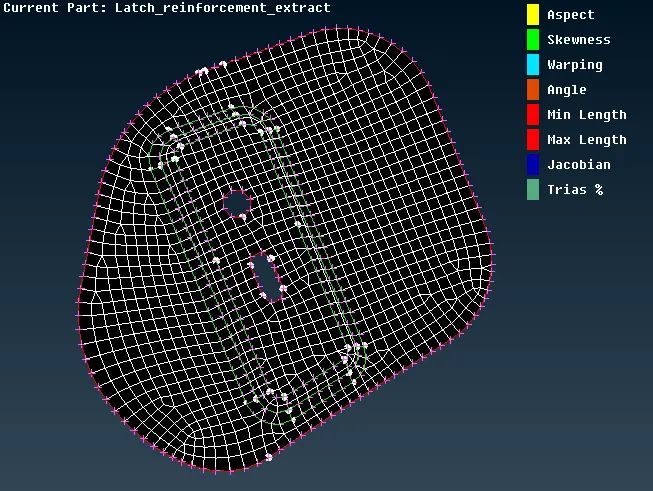
Fig : Hinge Support-2 Mesh