Conjugate Heat Transfer Analysis on a graphics card using Ansys Fluent
Abstract:
Graphics card are used for enhancing the computational performance and improve processing speed. It is important to keep the processor at an optimum temperature. So, in this study a conjugate heat transfer analysis is performed. Different material is assigned at different solid zones. For turbulent modelling k-epsilon is chosen. Finally, temperature and heat transfer coefficient values are computed to check the performance of processor.
Problem statement:
Perform a steady-state conjugate heat transfer analysis on a model of a graphics card. You can use appropriate materials of your choice for the simulation. Make sure to properly define the correct solid and fluid zones. Refer the video for further clarification and the model is provided below the video.
Run the simulation for best possible mesh with combination of coarse and refined mesh in different regions. Explain the reason for choosing the particular mesh settings.
Objective:
- Run the simulation by varying the velocity from 1m/sec to 5m/sec for at least 3 velocities and discuss the results.
- Find out the maximum temperature and heat transfer coefficient attained by the processor.
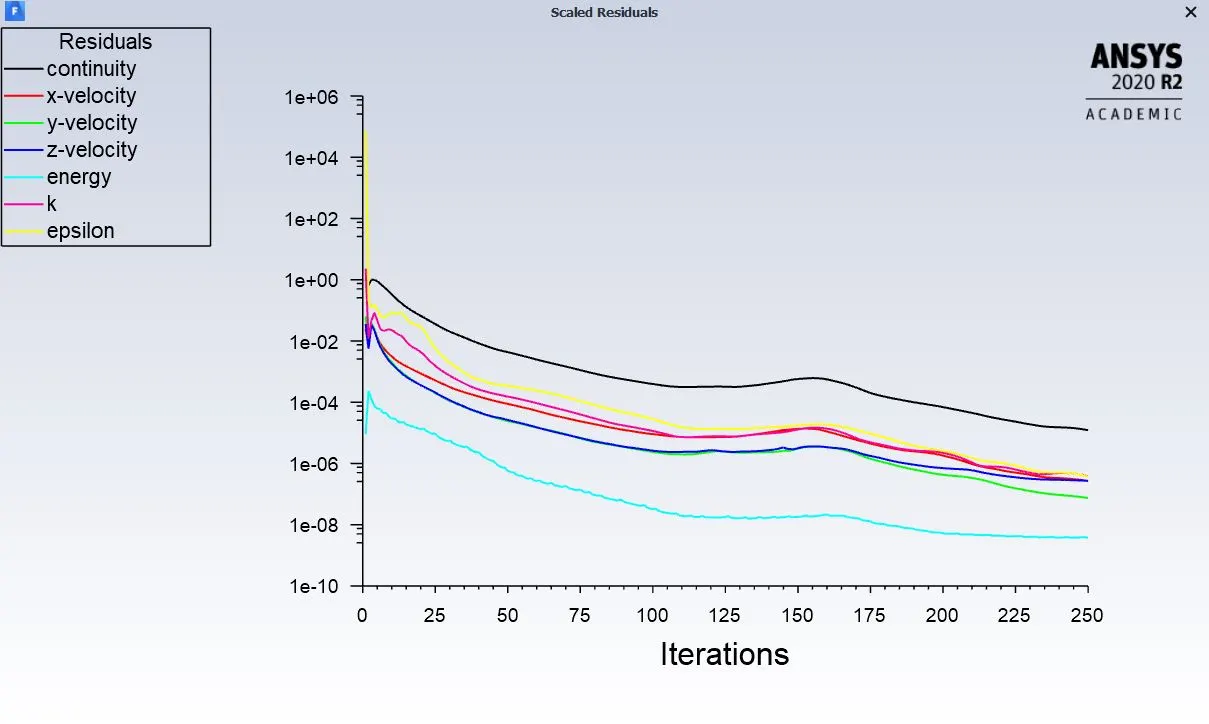
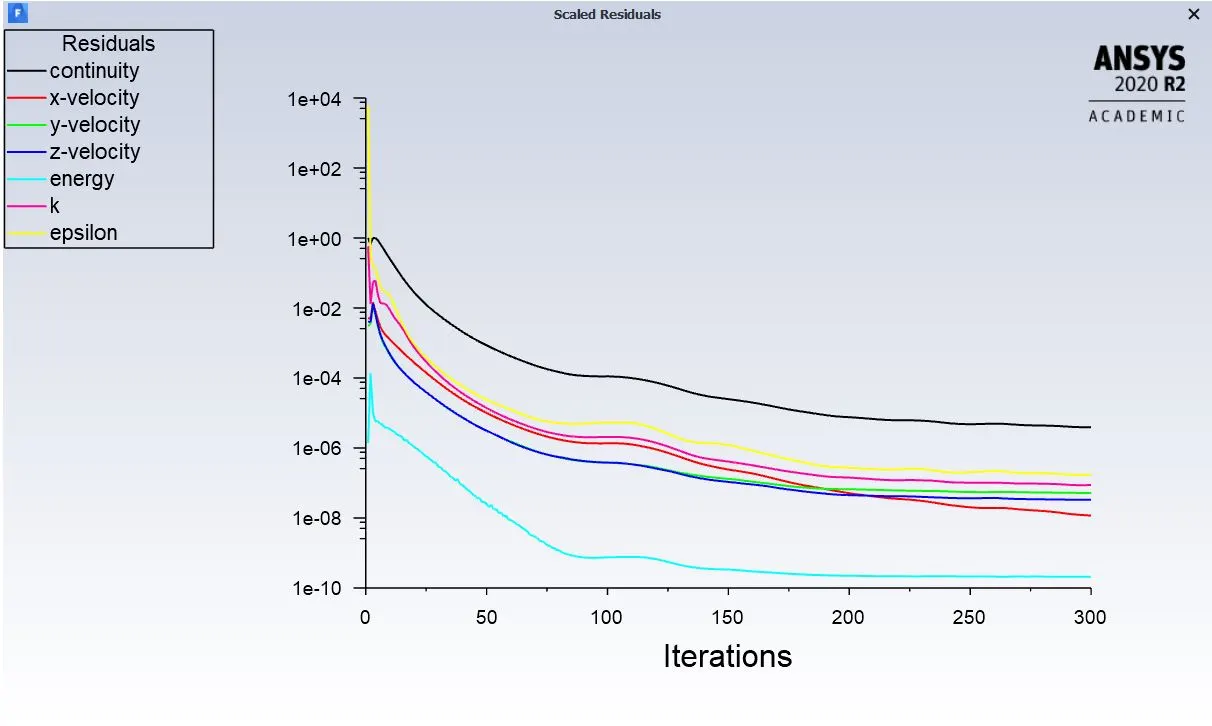
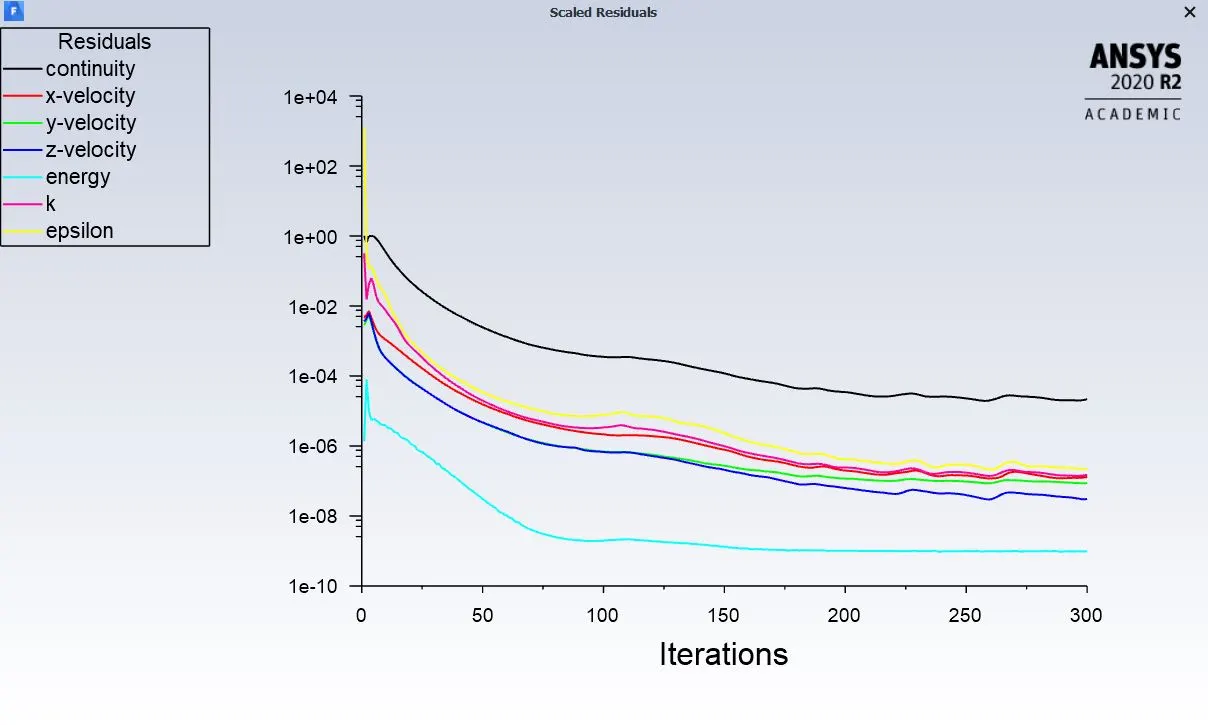
- Prove that the simulation has achieved convergence with appropriate images and plots.
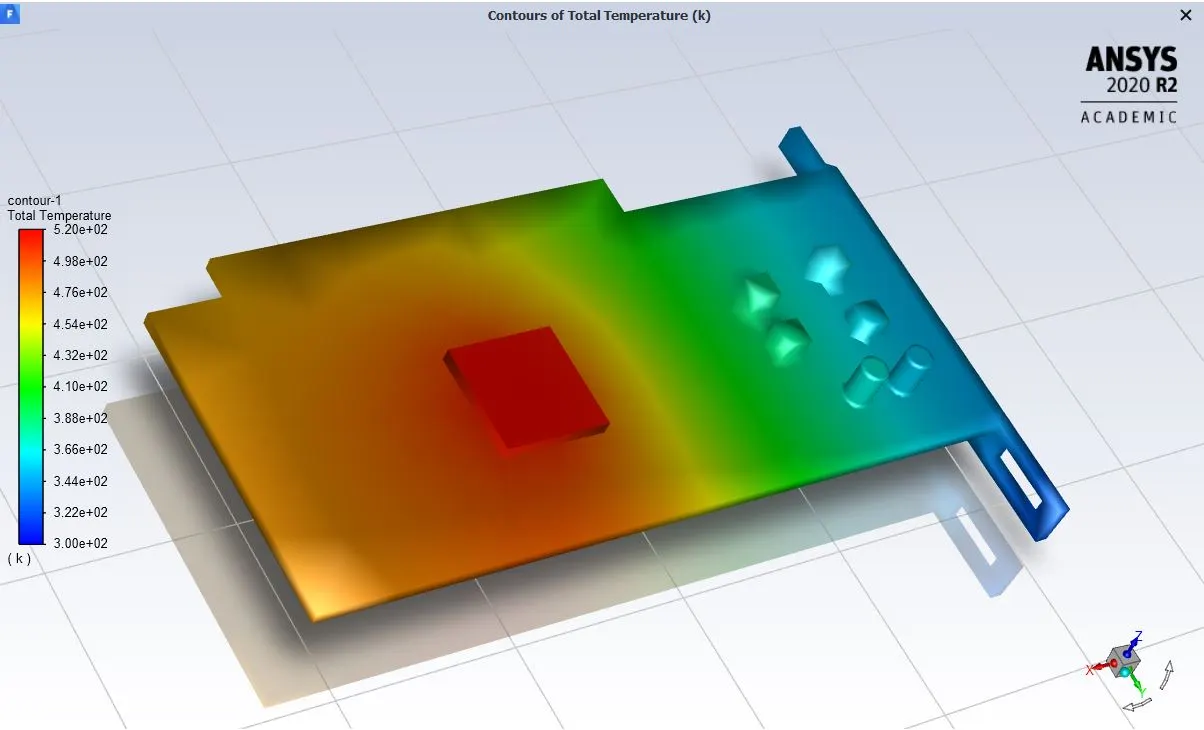
- Identify potential hotspots on the model.
Theory:
PCB heat sinks are generally used for dissipating heat from the processor. The graphic processor which performs the computational task gets heated up very fast. This can lead to thermal damage to the PCB board and other electronic components. Most modern graphics cards need a proper thermal solution. This can be the liquid solution or heatsinks with an additional connected heat pipe usually made of copper for the best thermal transfer. The correct case; either Mid-tower or Full-tower or some other derivative, has to be properly configured for thermal management. This can be ample space with a proper push-pull or opposite configuration as well as liquid with a radiator either in lieu or with a fan setup.
In conjugate heat transfer analysis, heat flow through solid is governed by fouriers law given by
`q=knablaT`
and in case of fluid flow it becomes difficult to predict and sometimes even conductive flow dominates over convective flows.
The figure below describes the component present in a graphics card
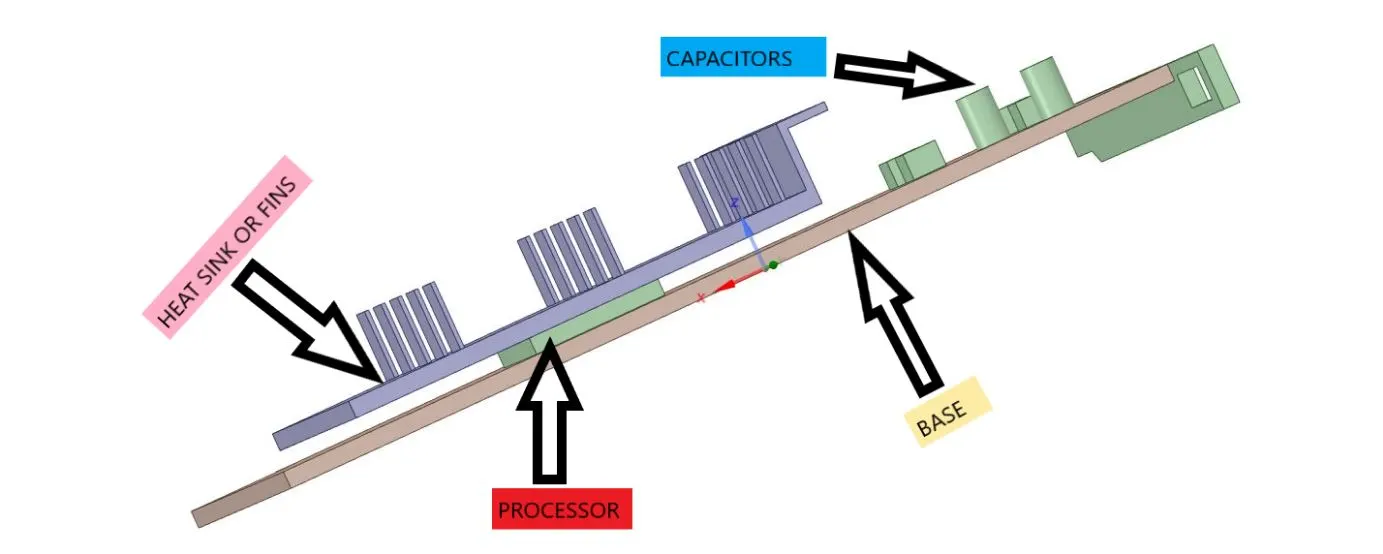
So in this study conjugate heat transfer analysis is performed to remove the heat from the hot spot zones. The modelling approach is done by k-epsilon turbulent model. This model is used to better capture the flow physics domain over the fins and processor. A satisfactory simulation can be run with various velocity of air, to progressively spot out the optimal thermal performances.
Materials:
In this study conjugate heat transfer analysis is performed, so different materials are assigned to solid and fluid domain, which are given below in table.
|
Components |
Materials |
Density |
Specific heat |
Thermal conductivity |
|
Base / PCB |
ABS |
1050 |
1390 |
0.25 |
|
Heat sink/fins |
Aluminum |
2719 |
871 |
202.4 |
|
Processor |
Silicon |
2330 |
705 |
148 |
|
Enclosure |
Air |
1.22 |
1.00 |
0.0242 |
Volumetric heat source computation:
In generic the internal heat generation source is present and can be computed.
Considering standard CPU which consumes around 65-85 watt, while for quad core processor it is around 95 to140 watt.
So as per the TDP of processor, we can take the consumption or heat rate as 10 watt. The volume of the processor is
V= (8x8x1) 10-9 m3
So now the volumetric heat source term can be
source term= heat generation/volume.
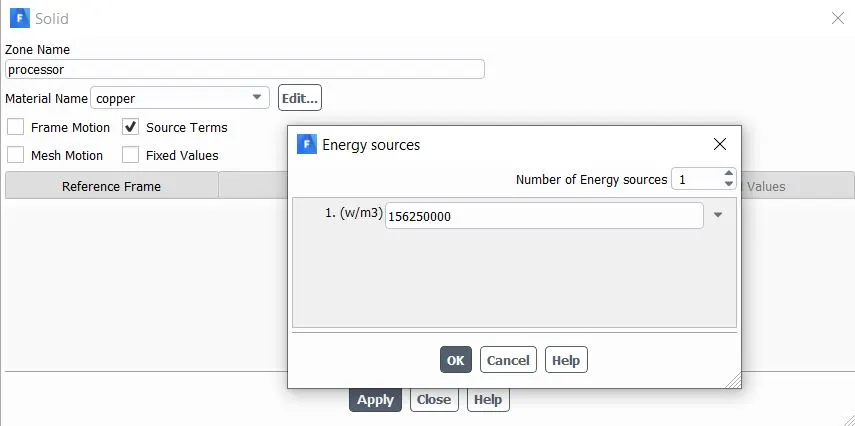
Source term= 10/(64x10-9) = 156250000 W/m3.
Modelling and problem solving approach:
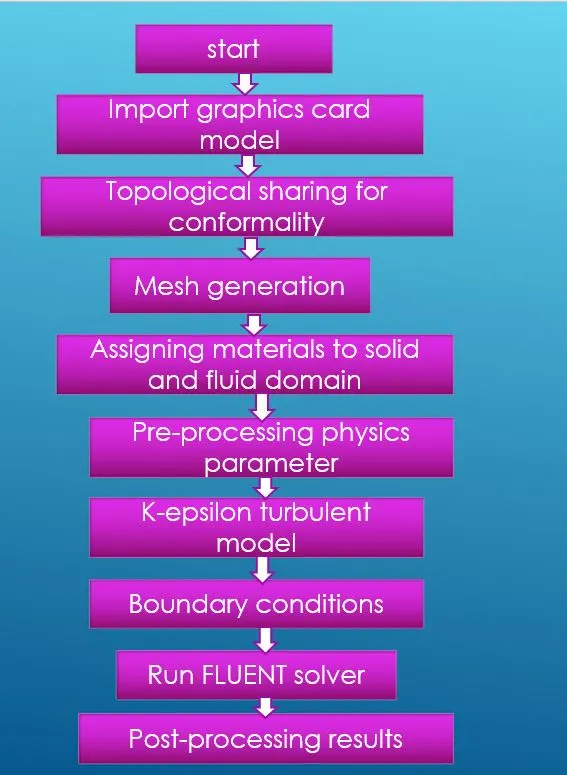
Geometry creation:
- The graphics card model is designed in solidworks and is imported to ansys space claim as step file format.
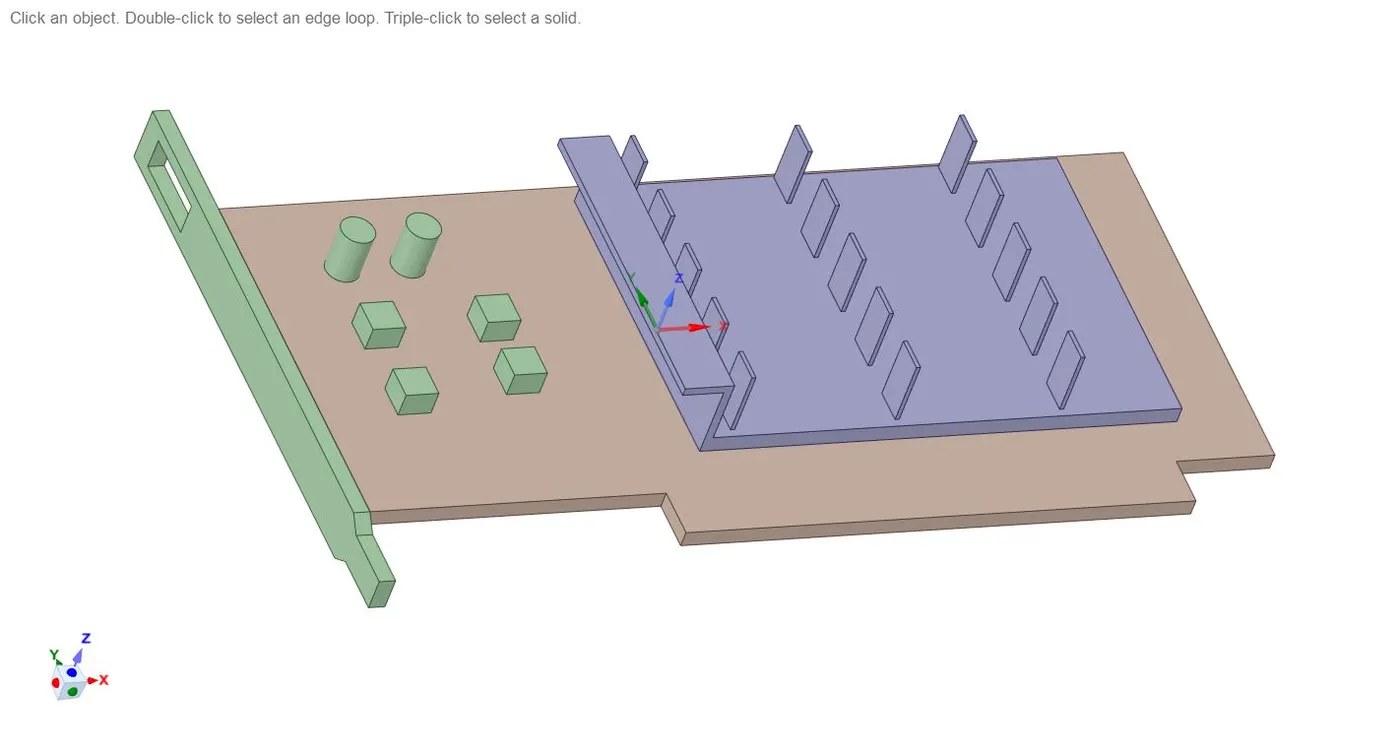
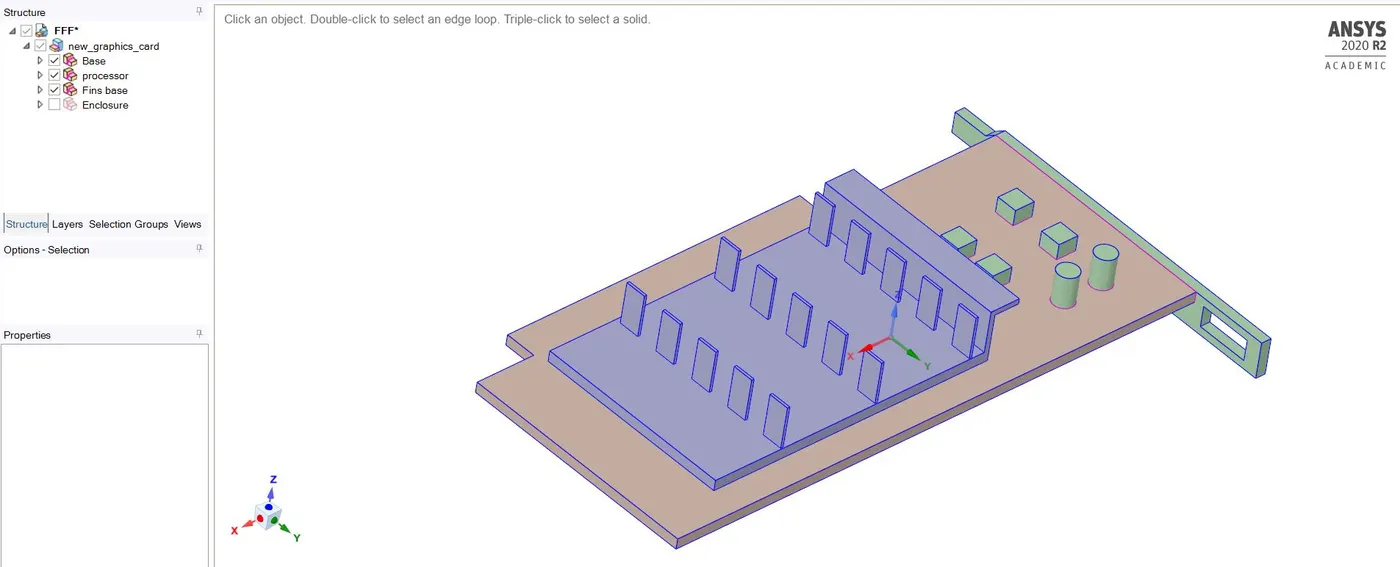
- Separate component name has been created for the different parts of the graphics card as base, processor, fins and enclosure.
- The enclosure represents the fluid domain over which the flow of air is given as intake with specific velocity.
- Now create shared topology, to avoid overlapping of mesh pattern at different regions of domain.
- Click on workbench>> select share tool and activate it.
- After sharing the topology, the geometrical preparation is complete.
Meshing :
- Open the mesh console.
- Now select the mesh option>> generate mesh.
- A baseline mesh is created.
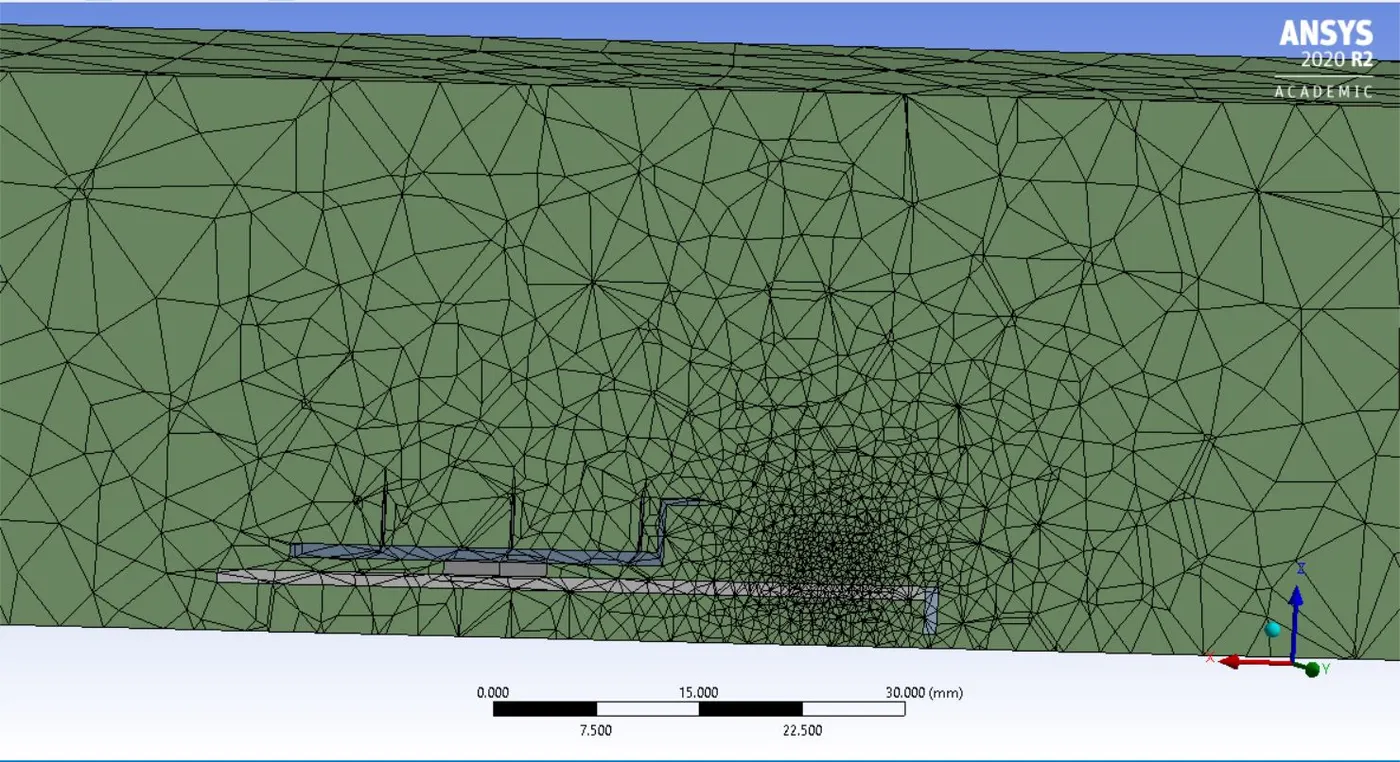
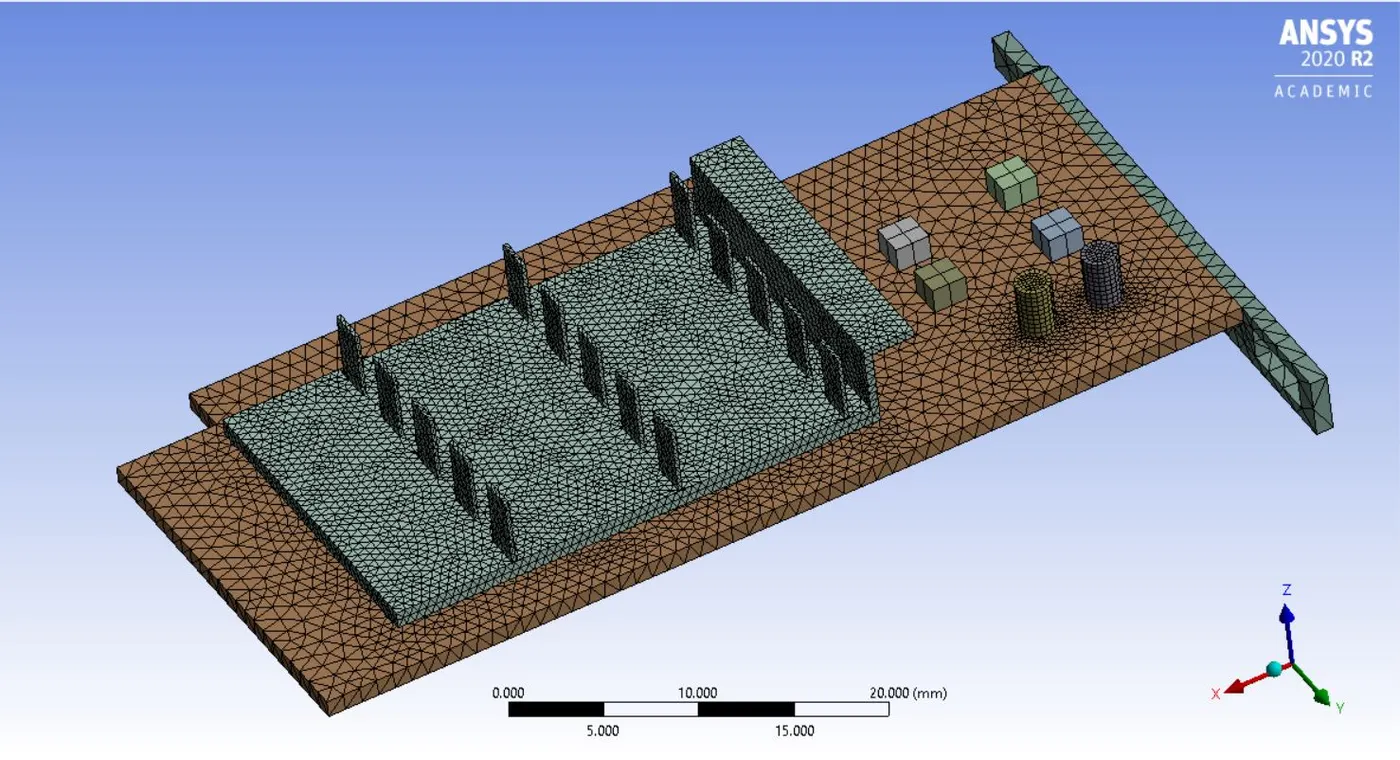
- Now to refine the mesh, we will create some named selection to some features of geometrical parts.
- Hide the enclosure to get the complete view of graphics card.
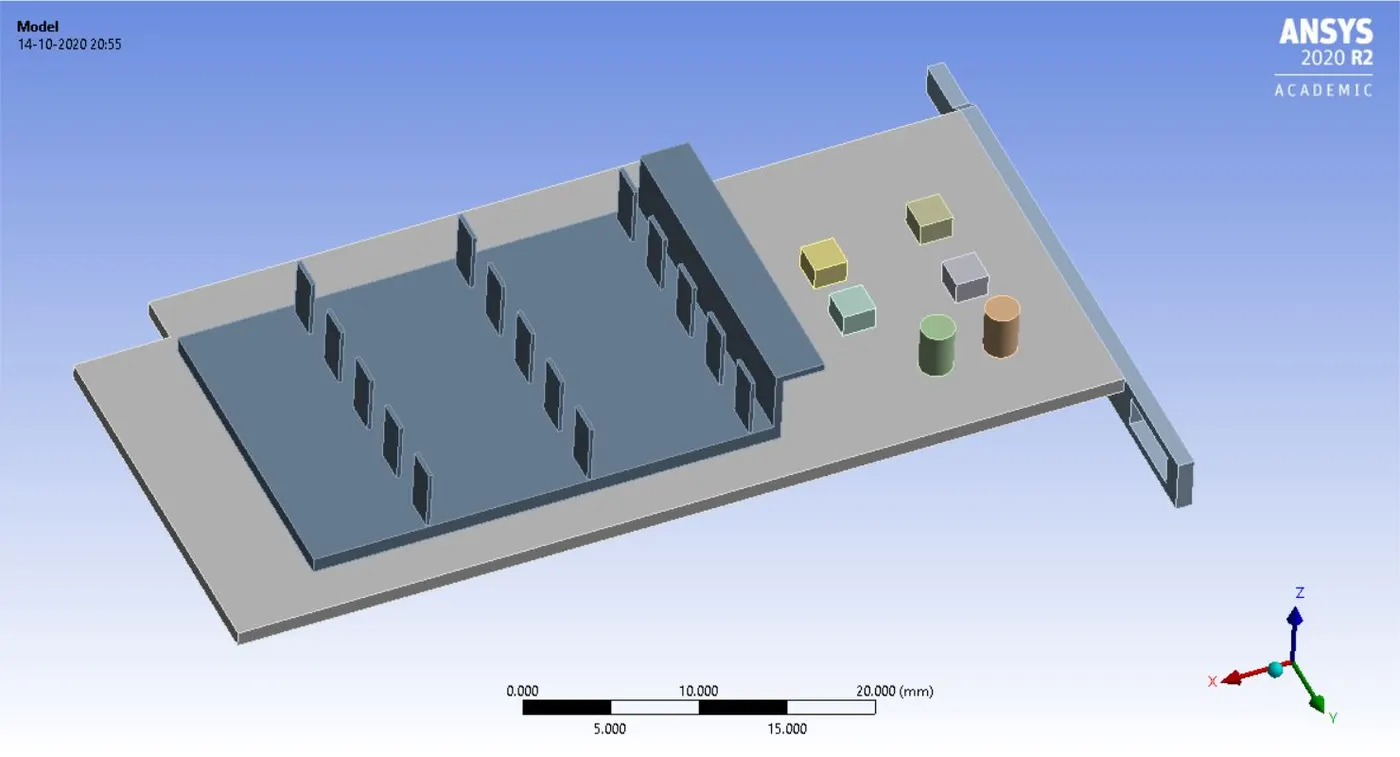
- Now give name selection as inlet, outlet, symmetry, wall, base, fins and processor.
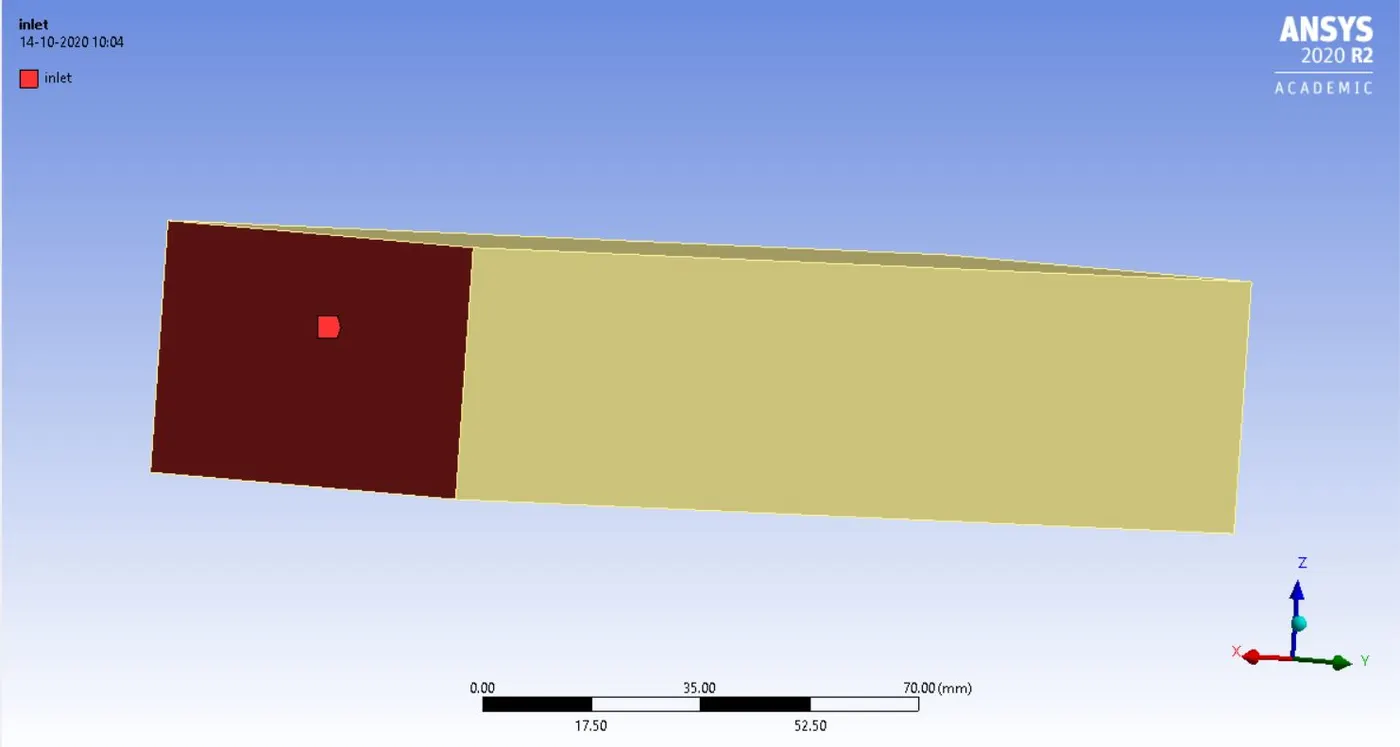
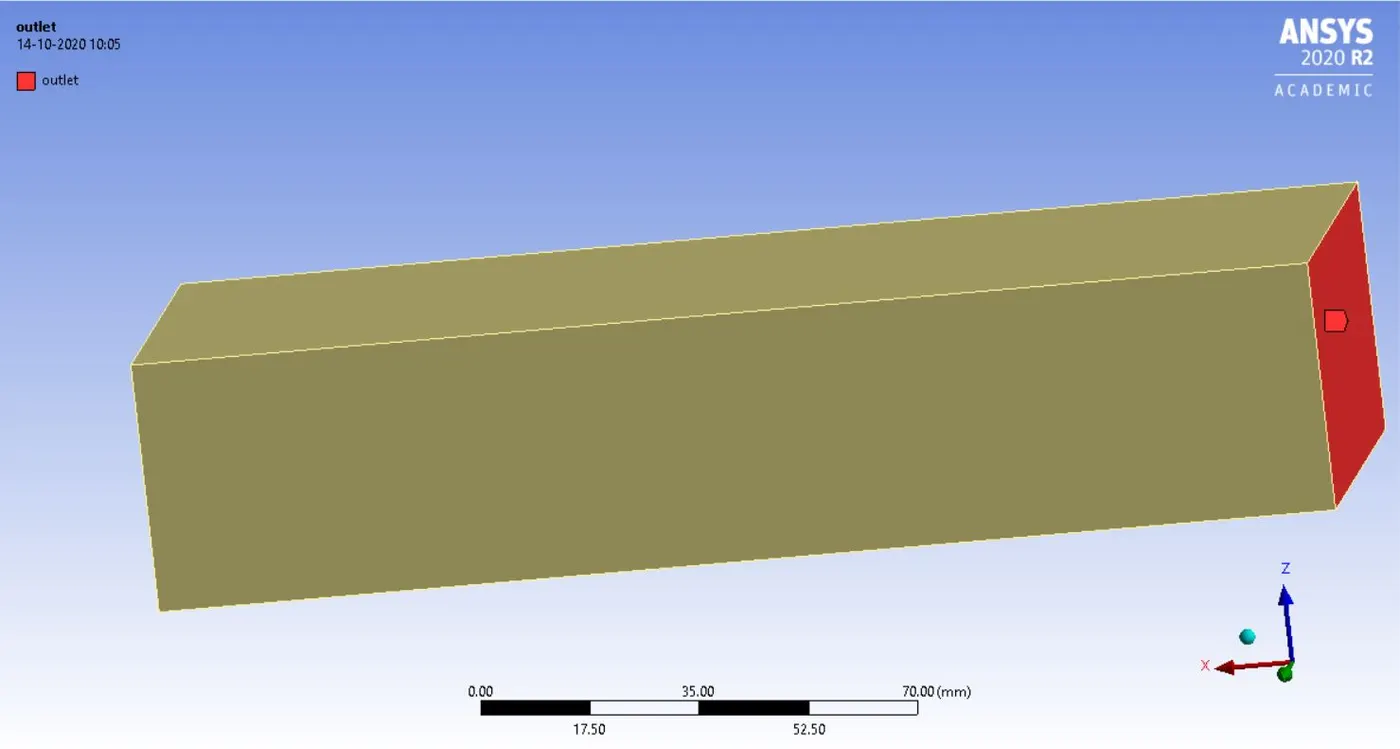
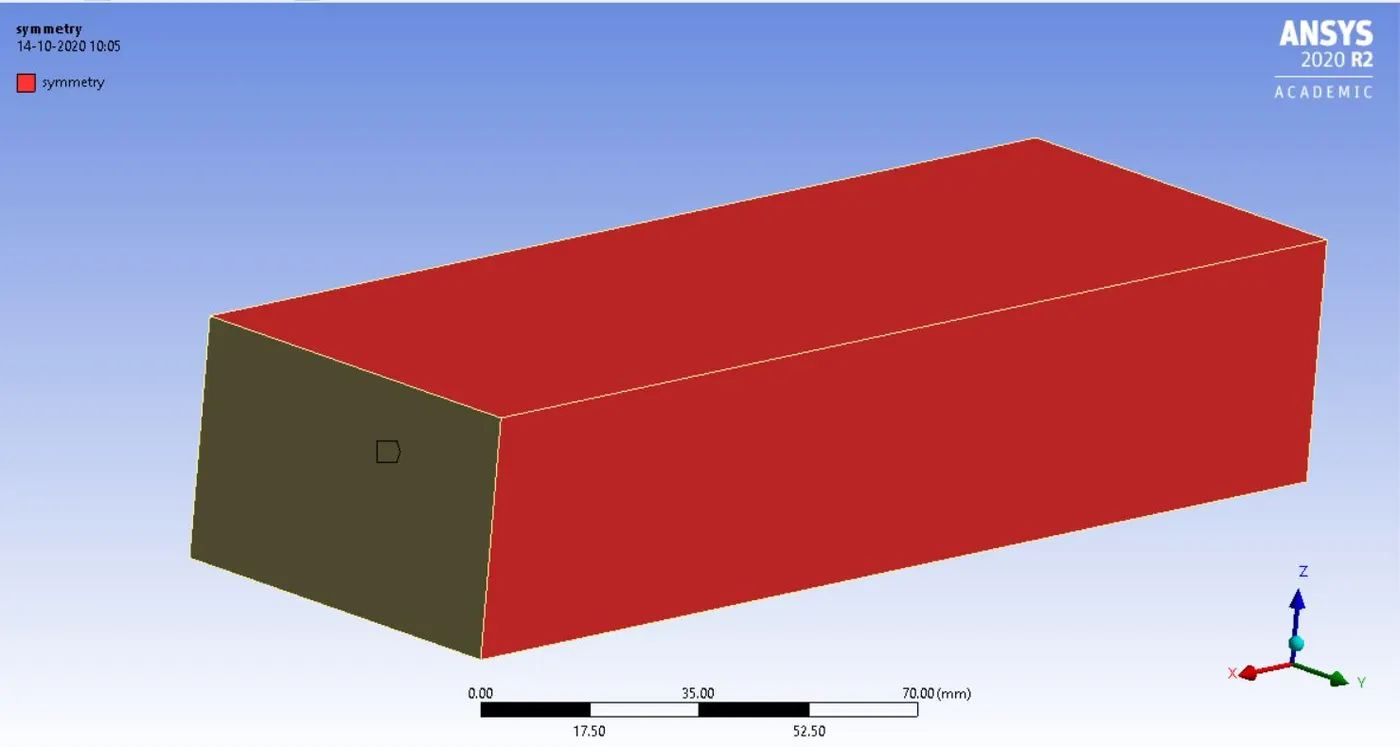
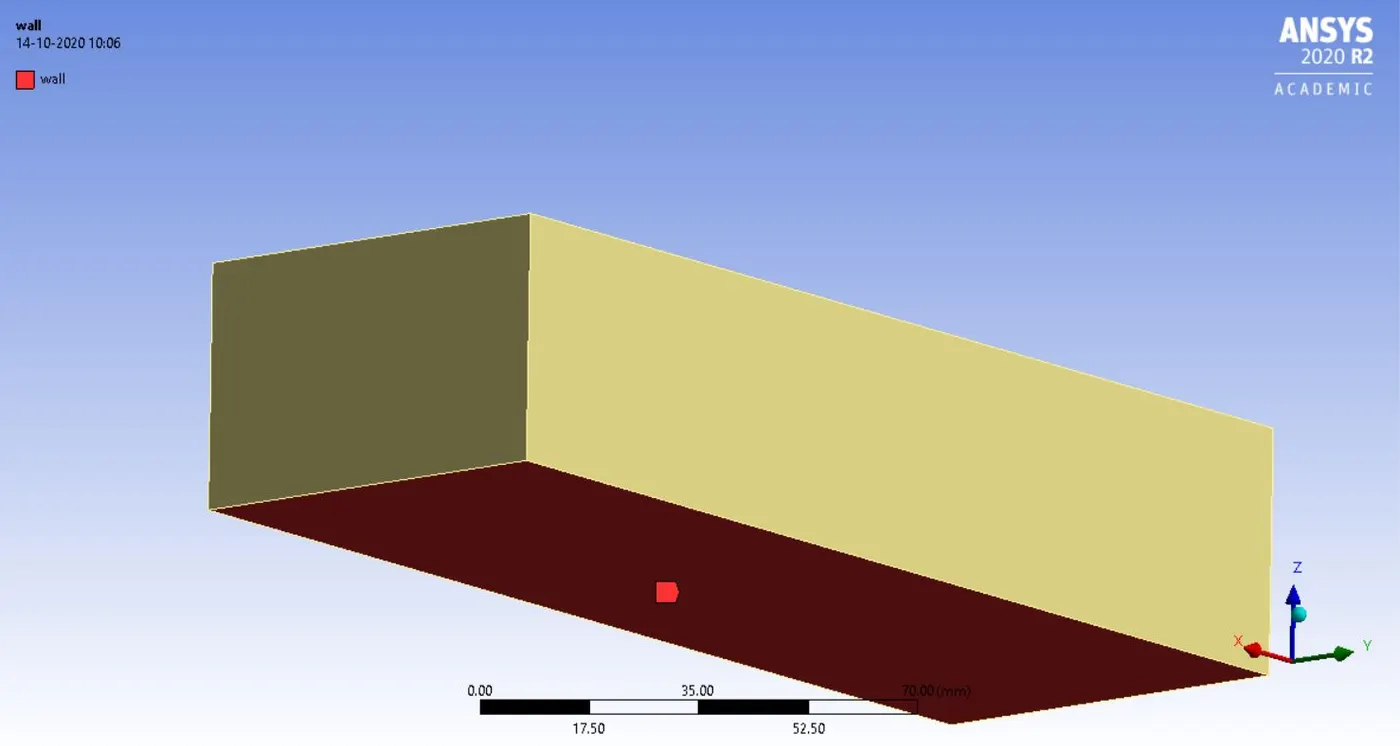
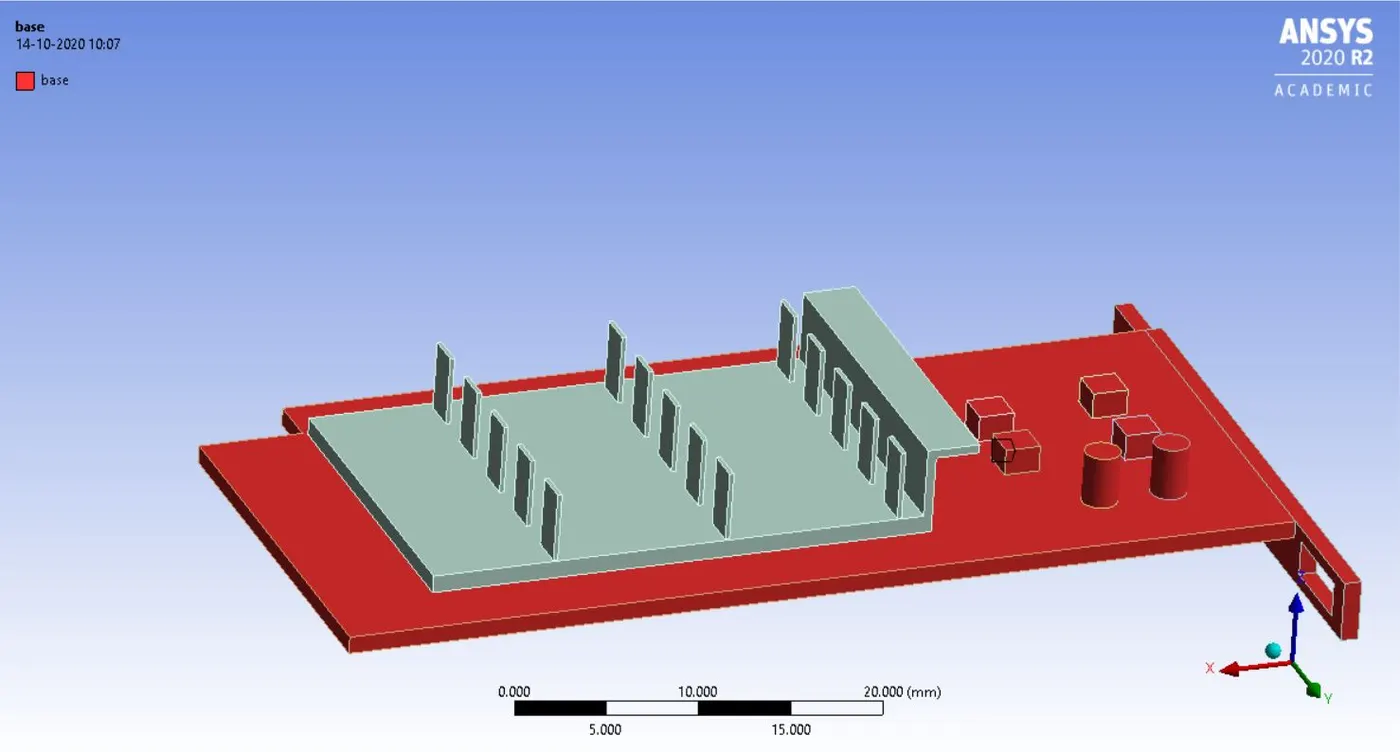
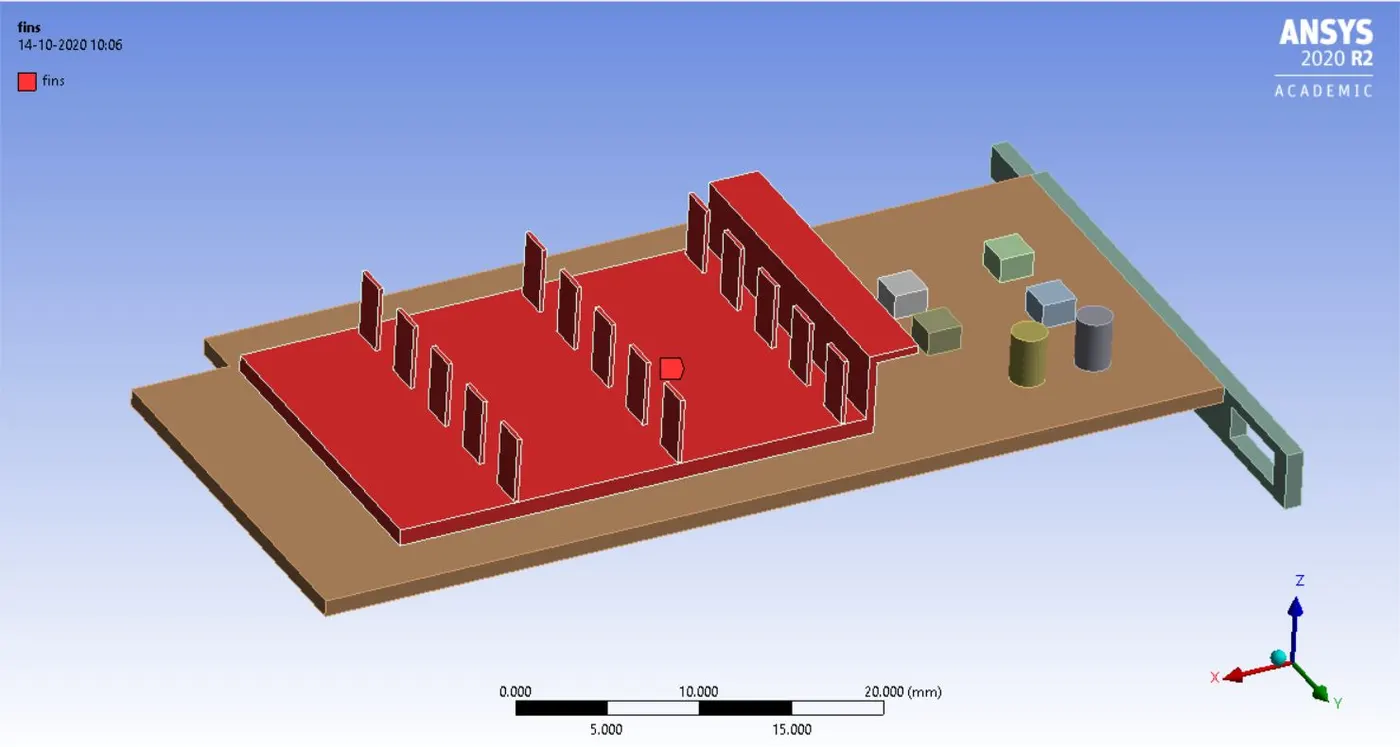
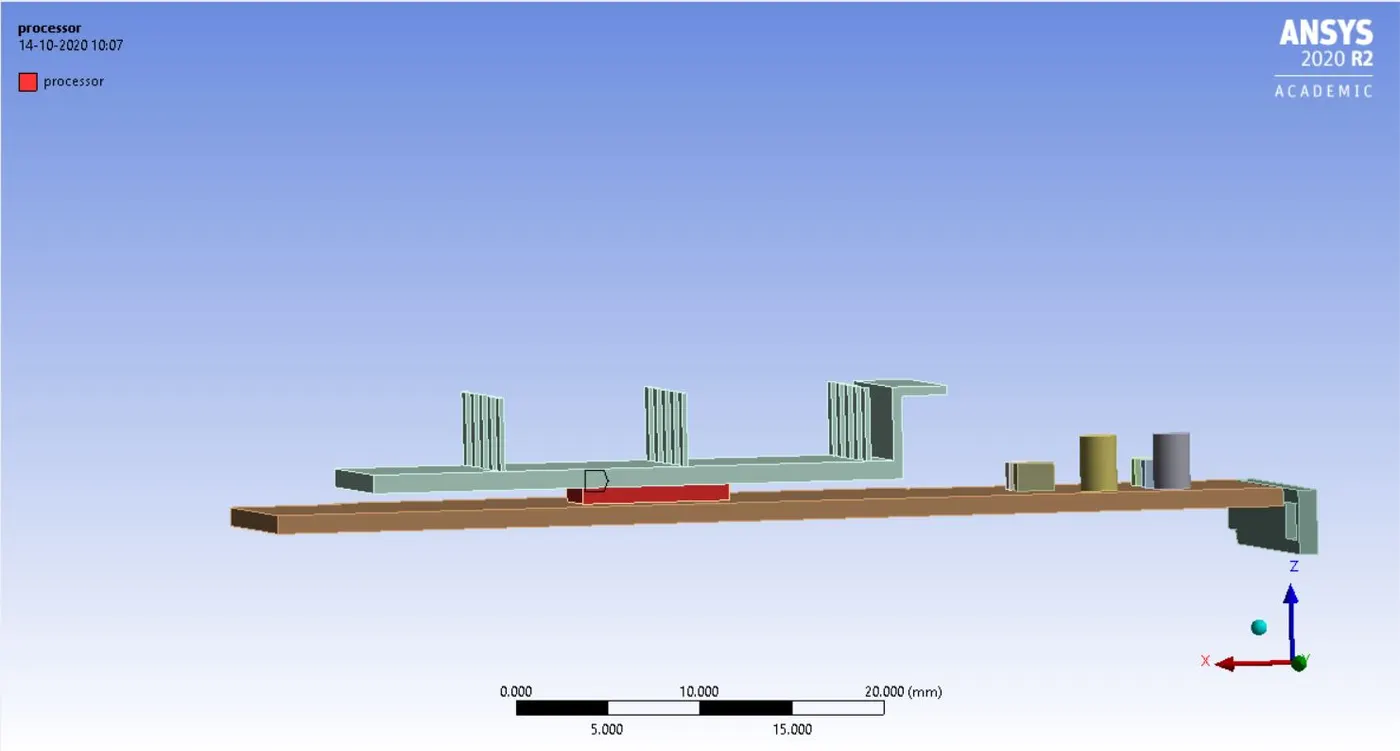
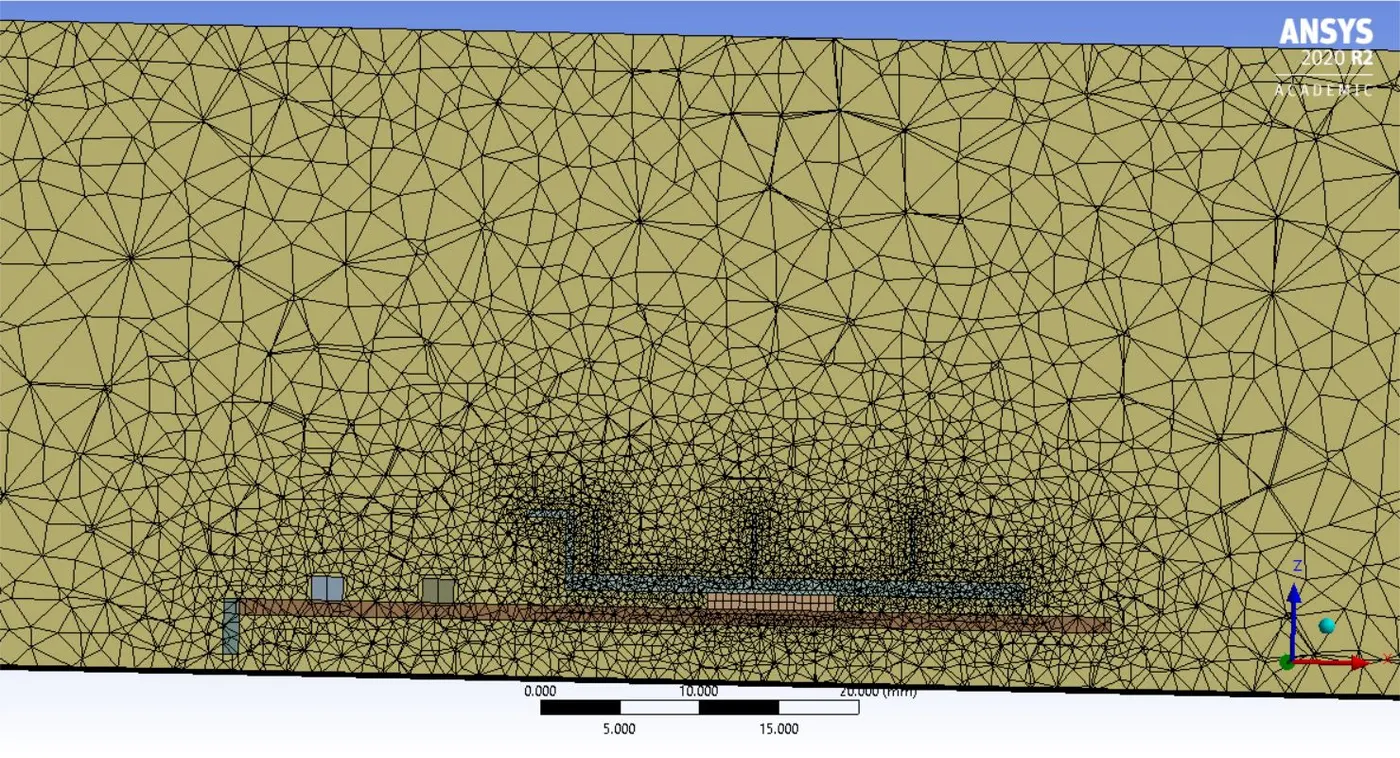
- To refine right click on mesh>> body sizing>>select base and provide a sizing of 3mm.
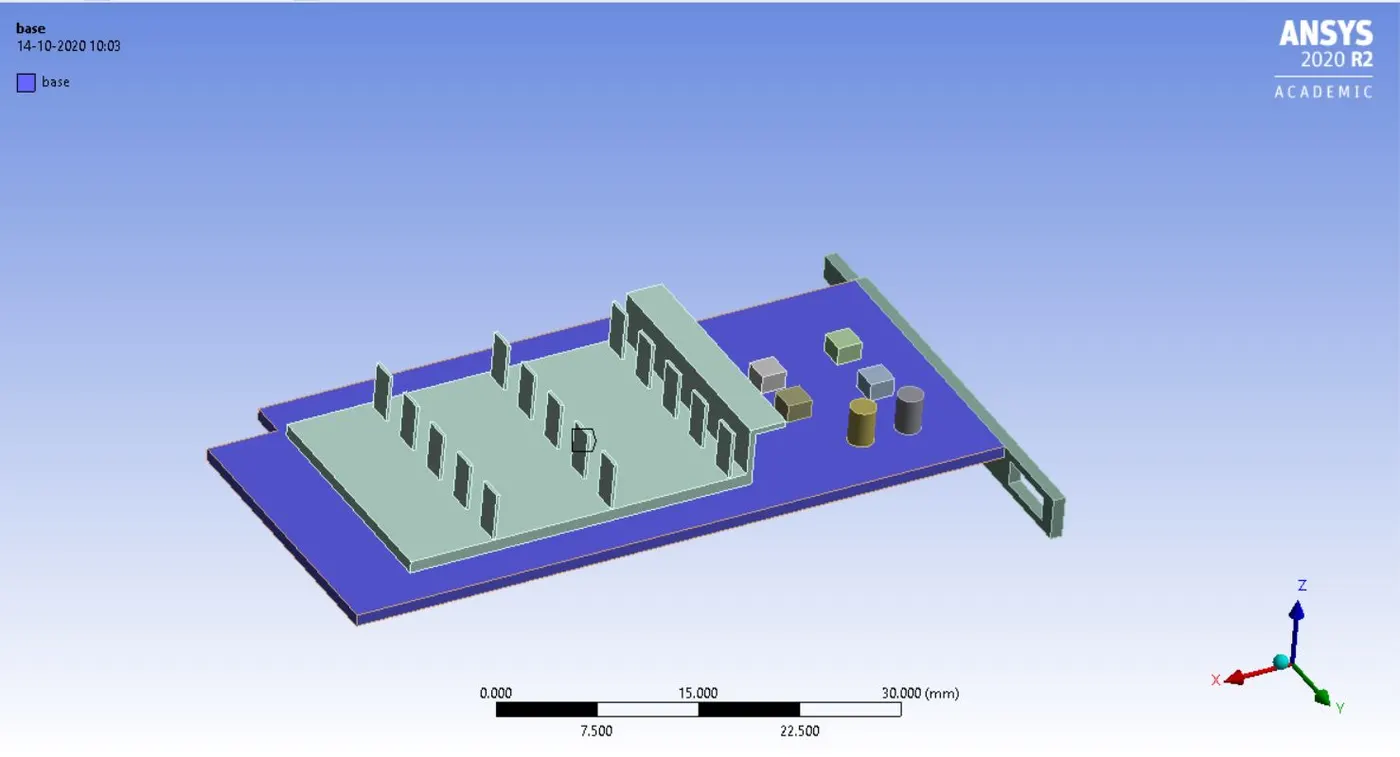
- Similarly provide body sizing on processor and fins as 0.5mm.
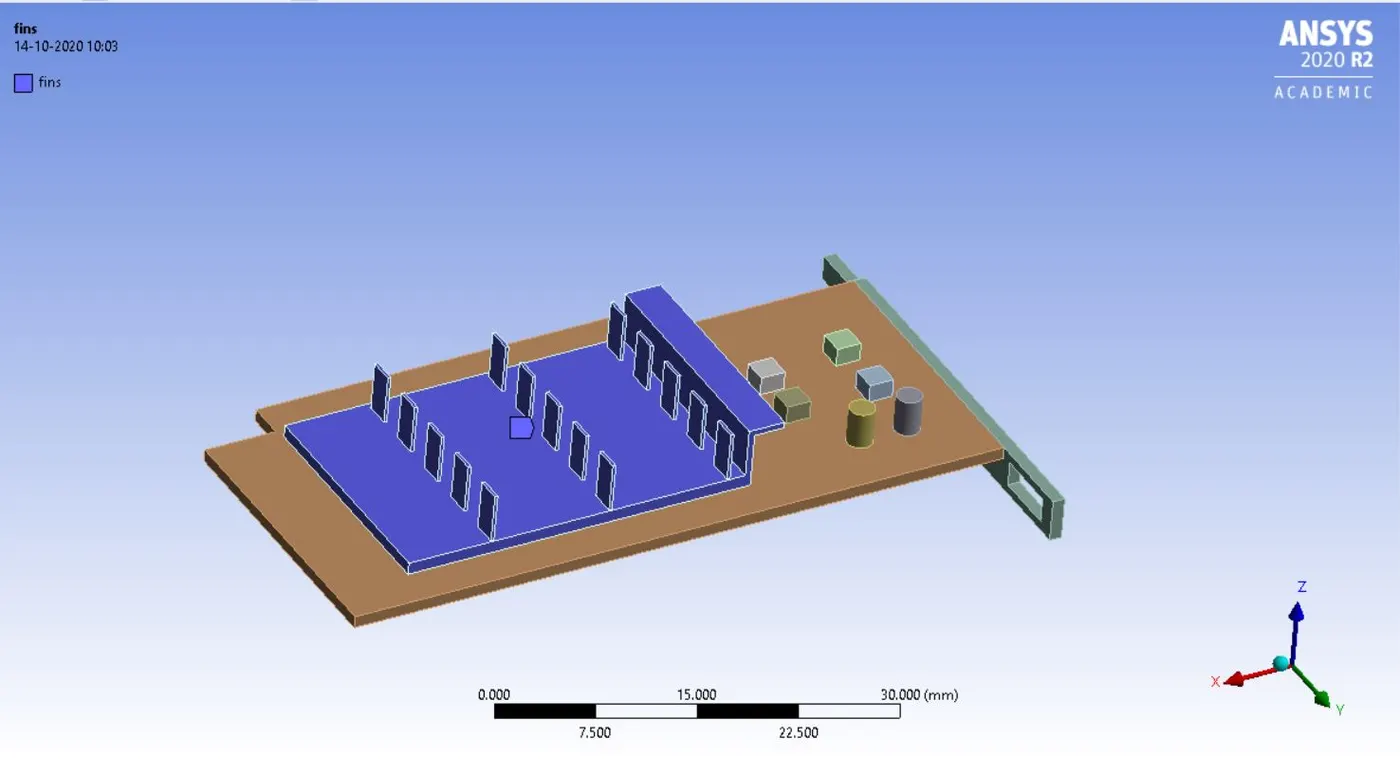
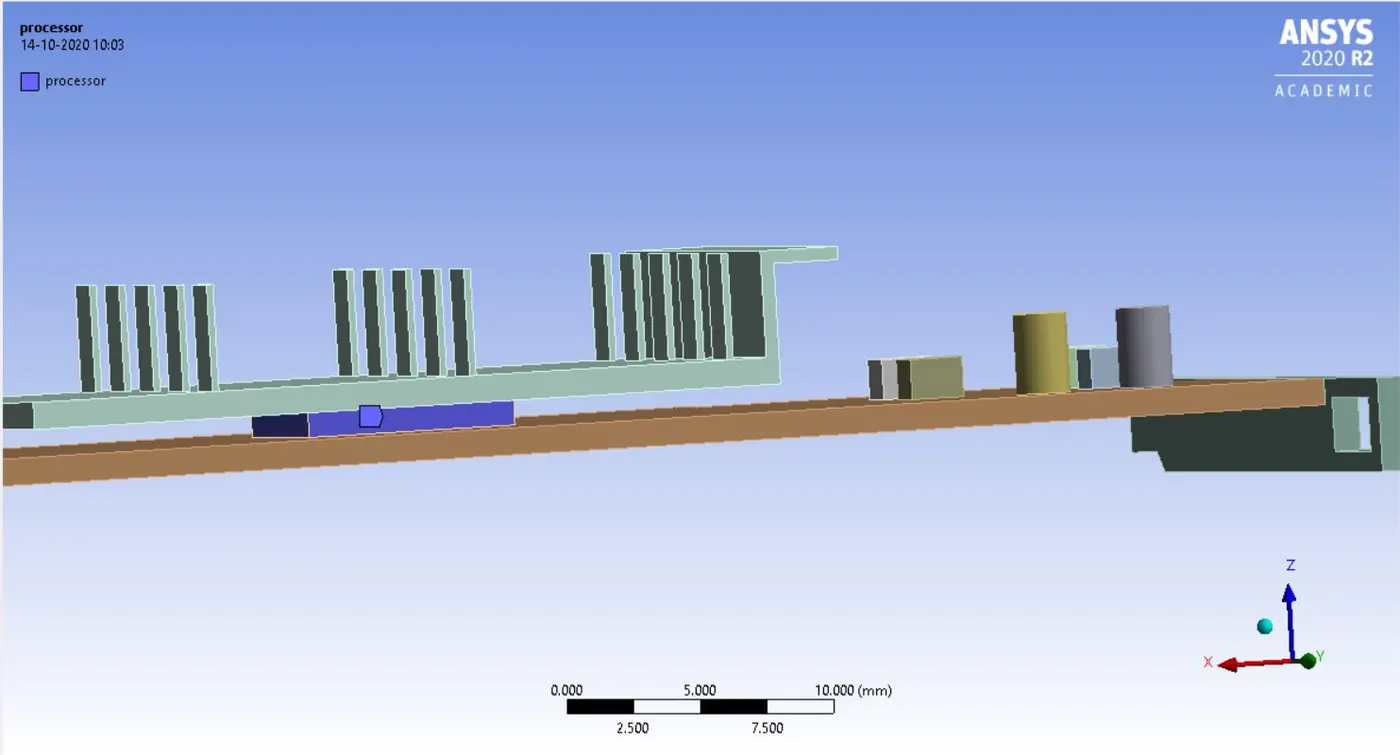
- Generate the mesh, the refinement is complete and next update the mesh pattern.
Pre-processing set up physics:
- Open the fluent console.
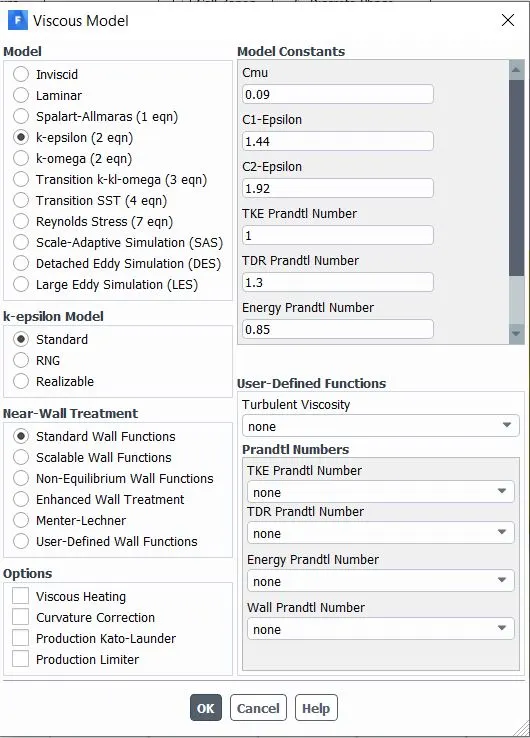
- Select the energy tab to activate it>> select the viscous model as k-epsilon.
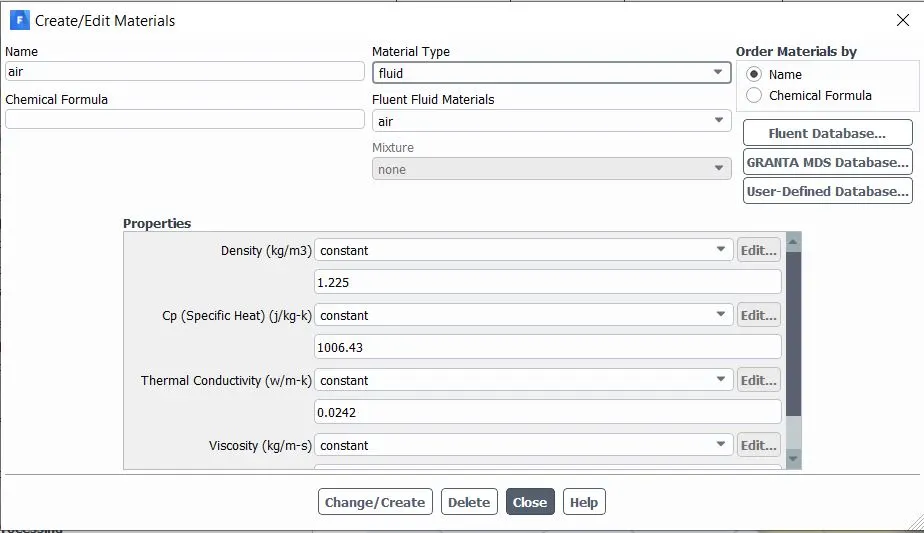
- Now since it is conjugate heat transfer, so different materials are assigned at different zones.
- Go to materials>>select fluent data base>>choose solid. From these select ABS material for base, silicon for processor and aluminum for heat sink.
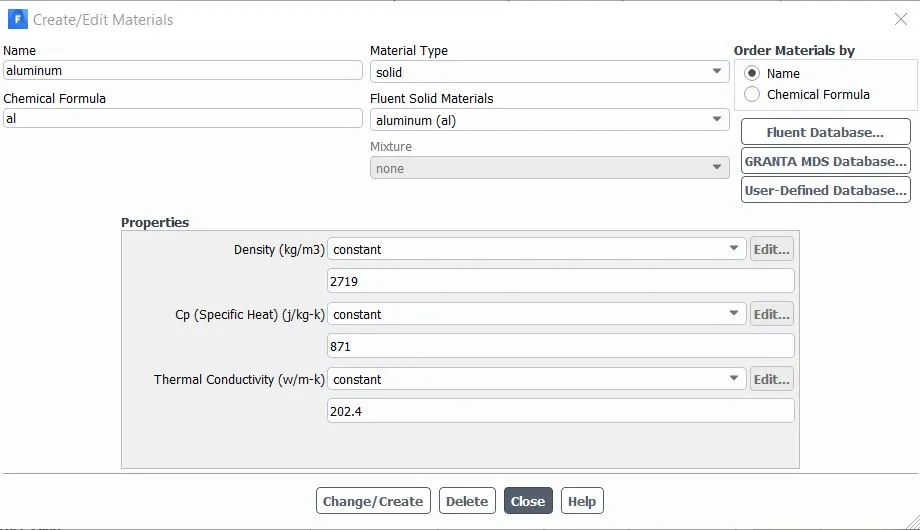
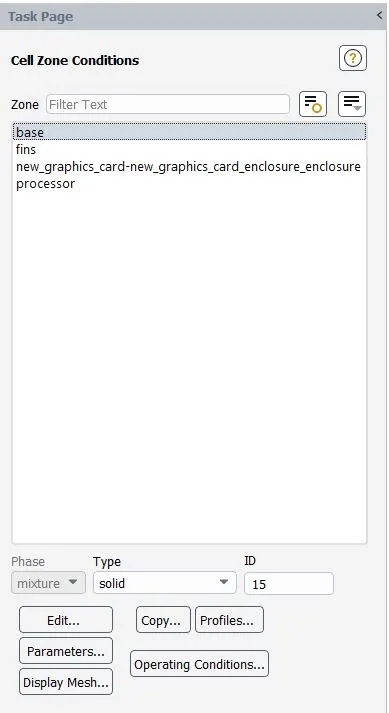
- Define the boundary conditions>> select cell zone>> give proper assignment to fluid and solid zones respectively>> choose base, processor and fins as solid and enclosure as fluid.
- Now since the heat is generated inside the processor, so a source term is added with volumetric heat source.
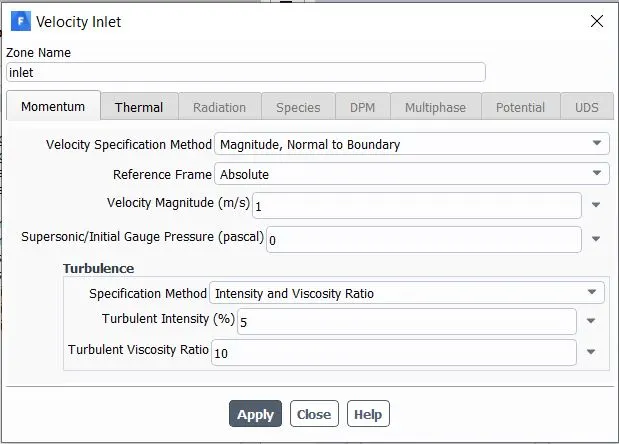
- Next boundary condition is to provide input physics parameter.>> go to boundaries>>select inlet and specify the inlet air velocity as per required.
- Set the wall to adiabatic condition and symmetry walls to symmetry.
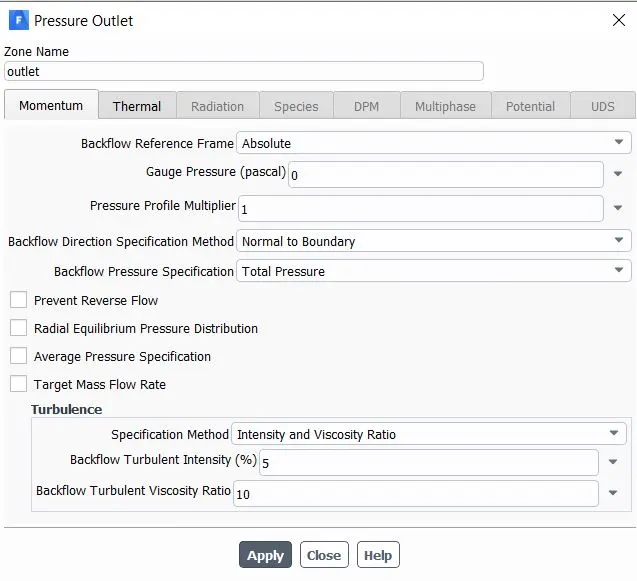
- keep the other boundary conditions of interior wall to coupled phase, as there is fluid and solid interaction
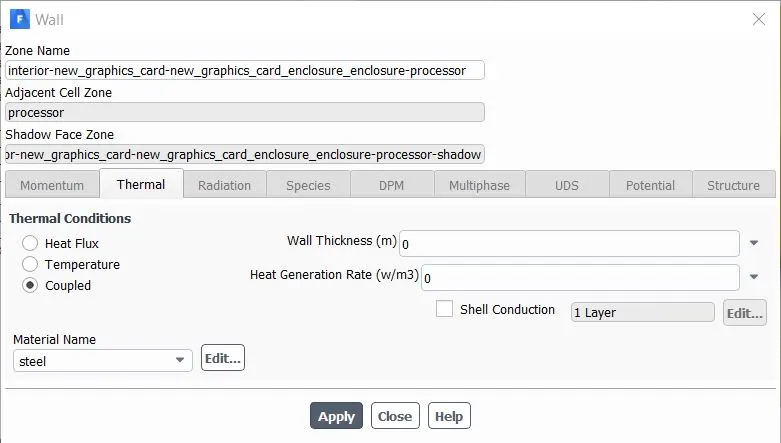
- Uncheck the residuals convergence criteria.
- For initialization select hybrid method.
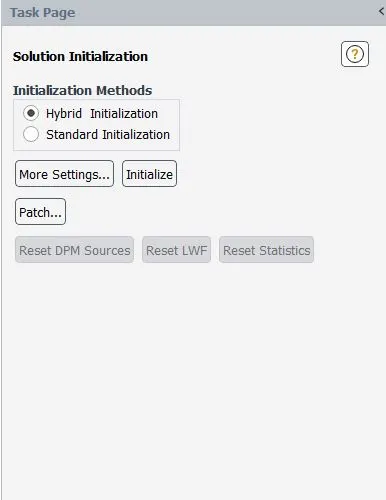
- Now create contour regions at the graphics card domain.
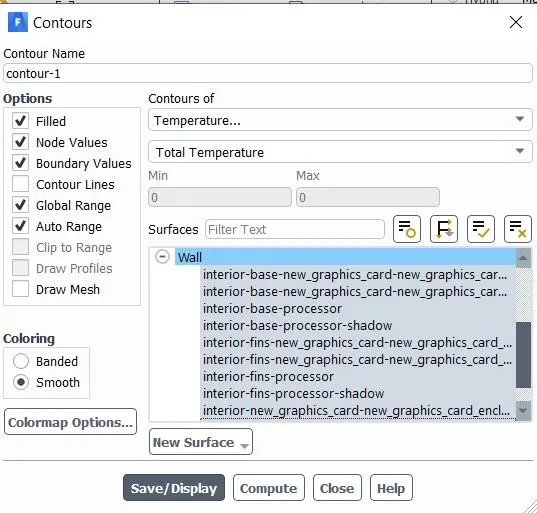
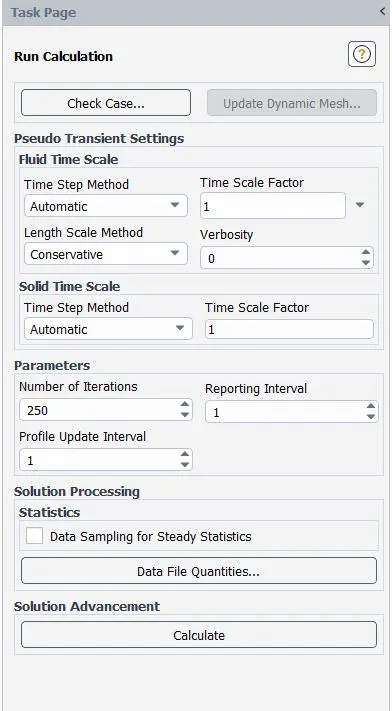
- Set the iteration numbers and run the fluent solver.
Base mesh setting:
Nodes: 15838
Elements:84490
Velocity of air: 2m/s
Iteration convergence
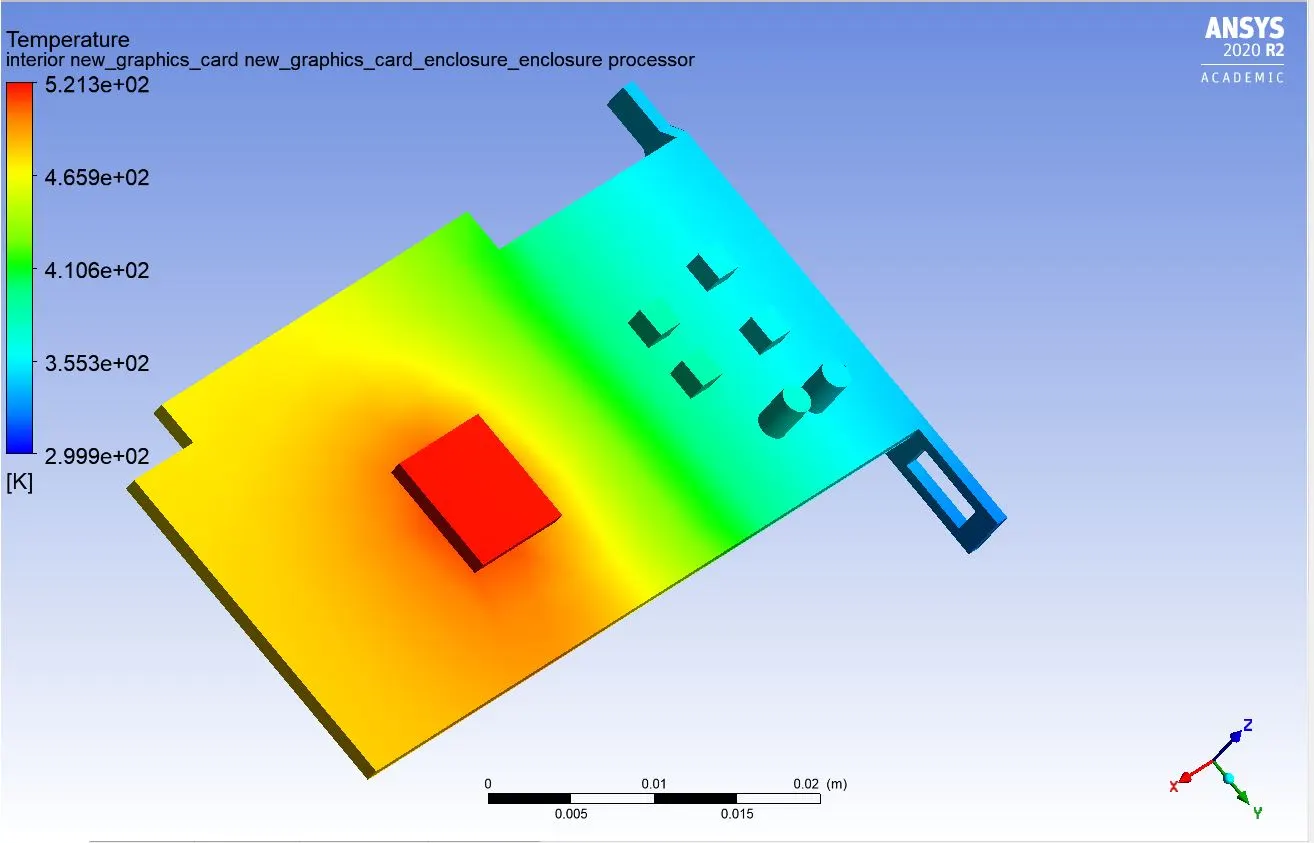
Thermal contour
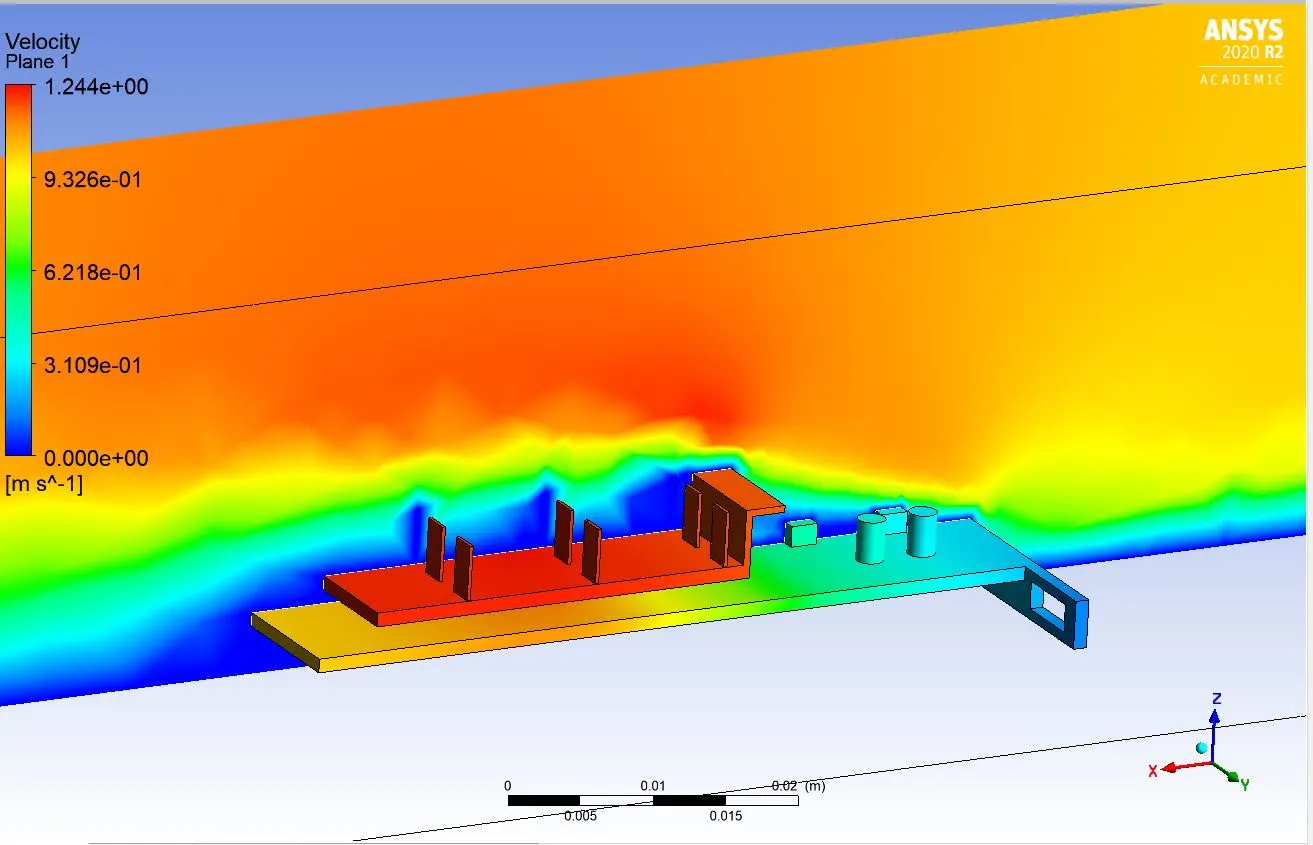
Velocity vector
Thermal processor temperature
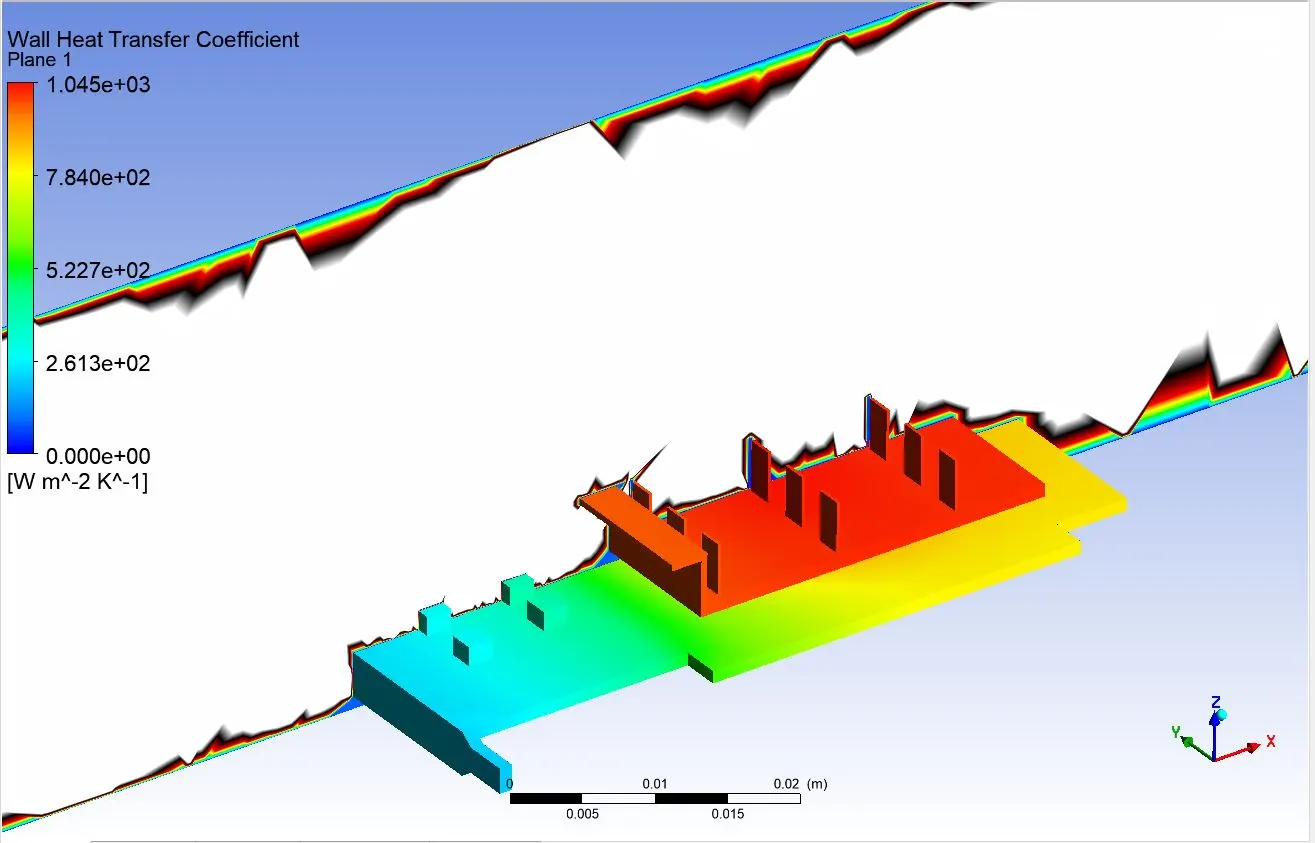
Thermal heat transfer coefficient
Refined mesh setting:
Nodes: 81967
Elements:461008
case 1:
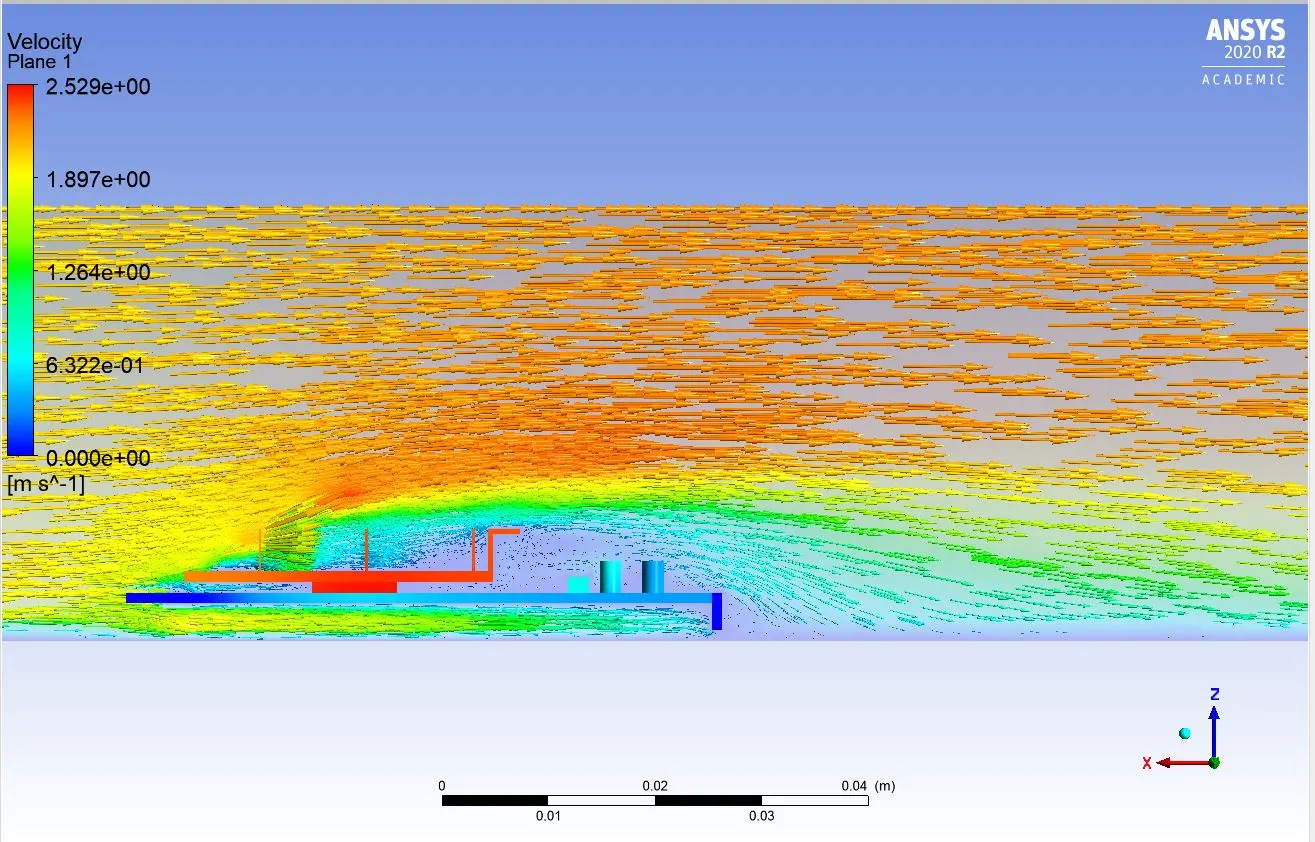
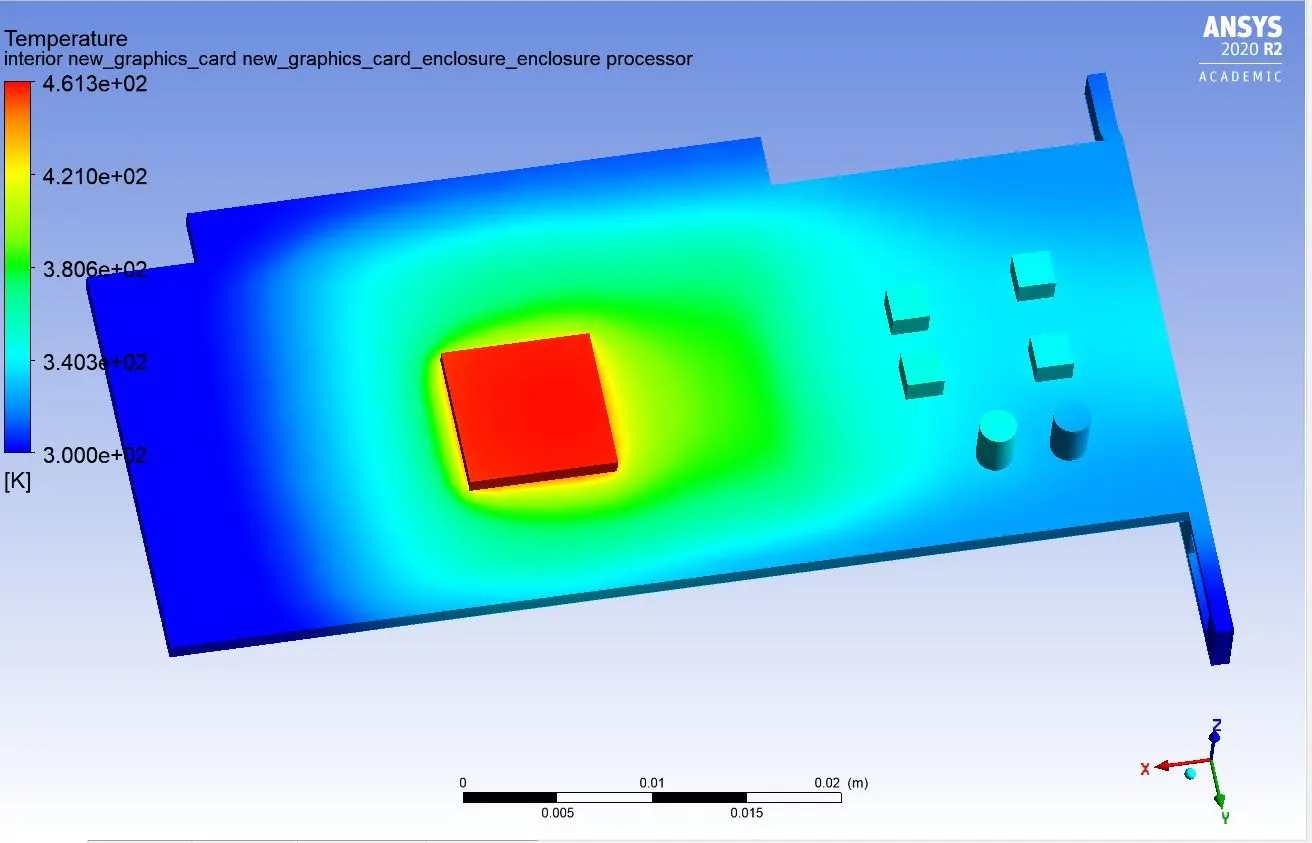
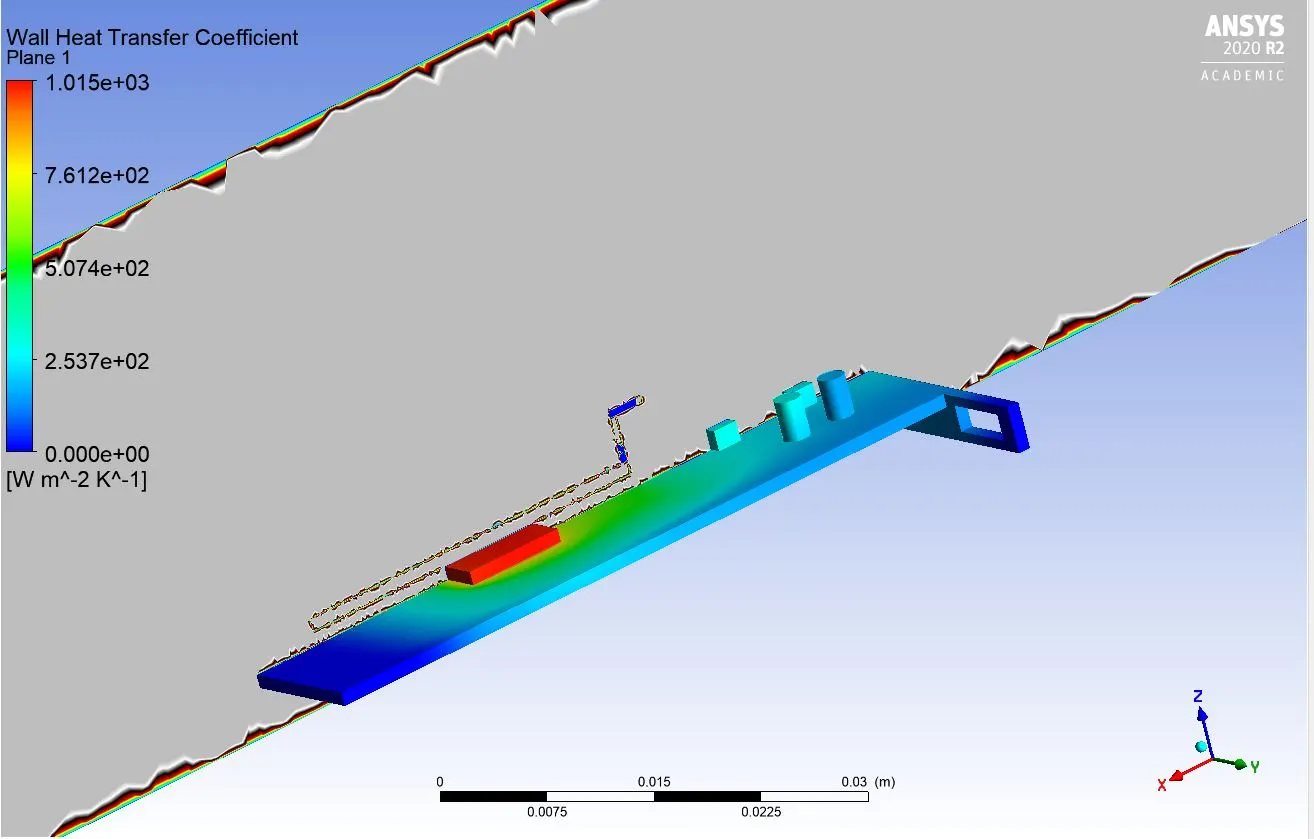
Velocity of air: 2m/s
Iteration convergence
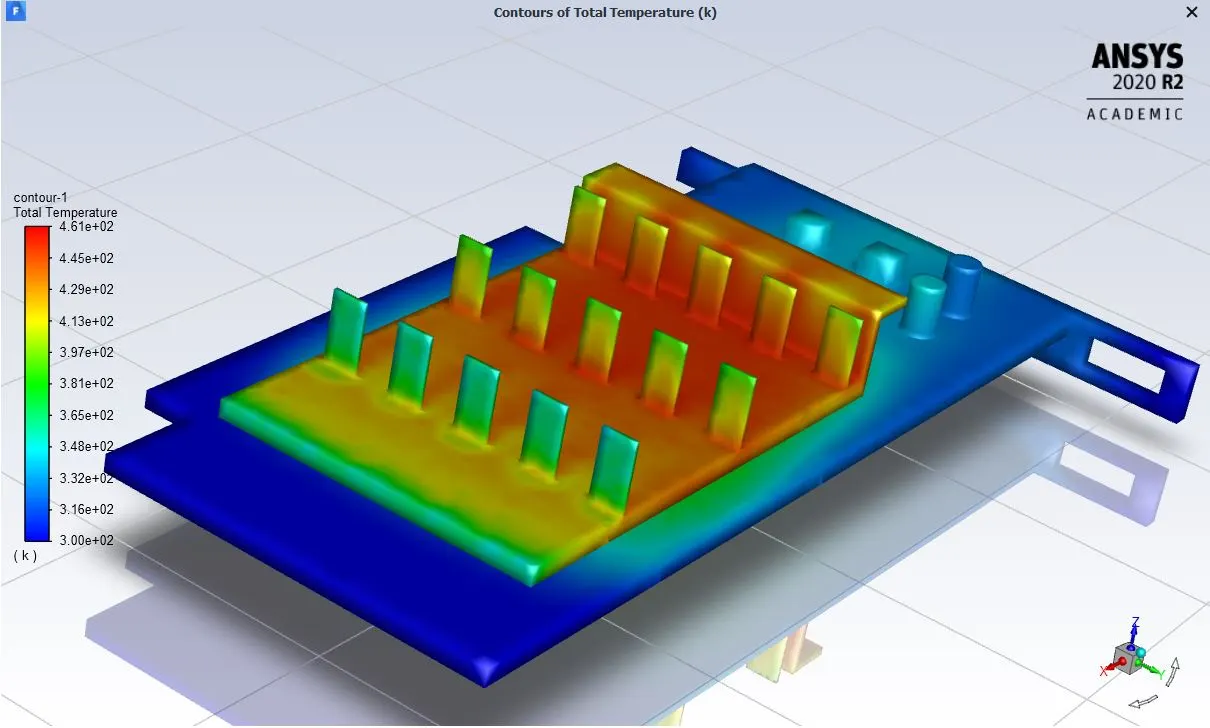
Thermal contour
Velocity vector
Thermal processor temperature
Thermal heat transfer coefficient
case 2:
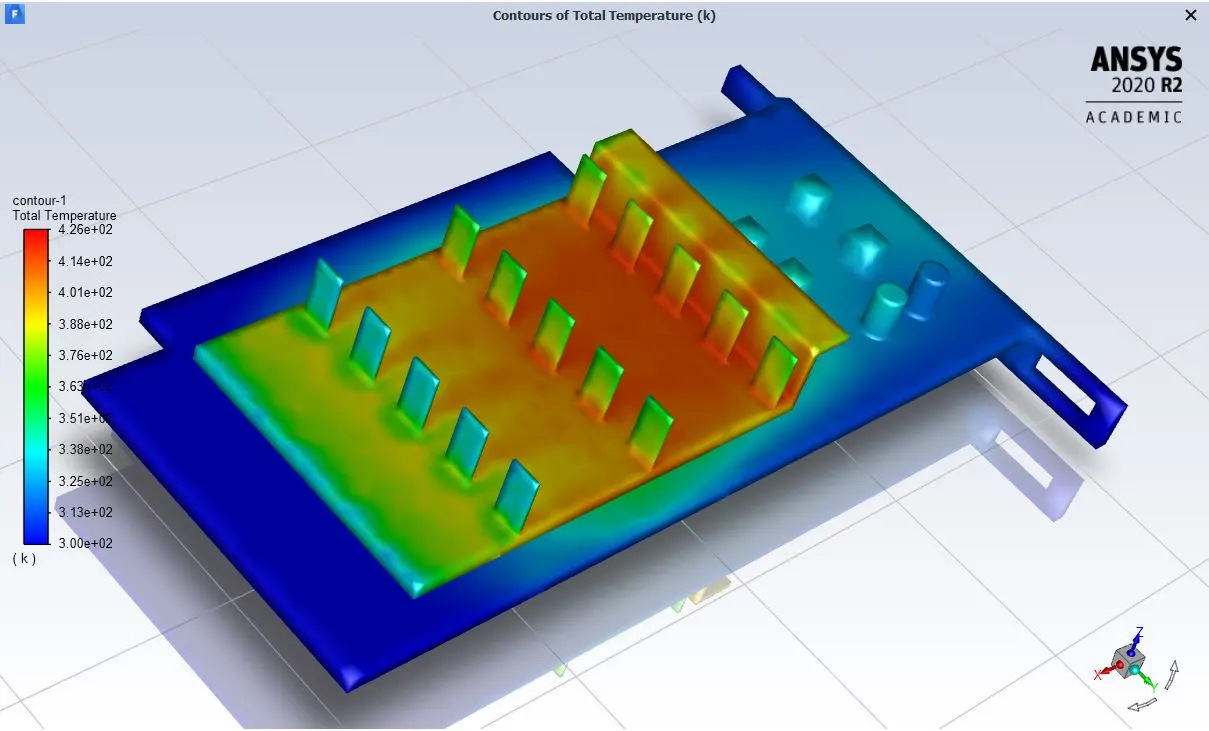
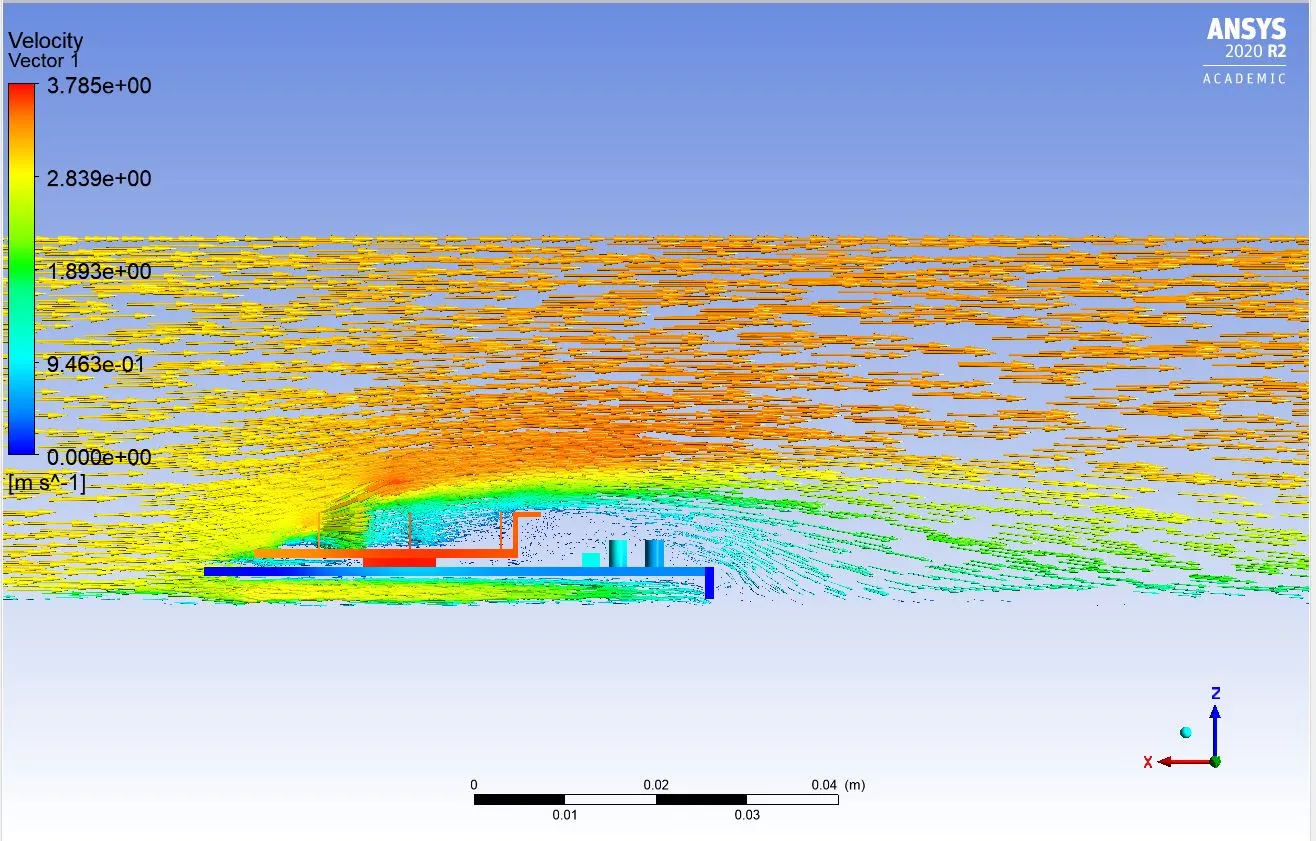
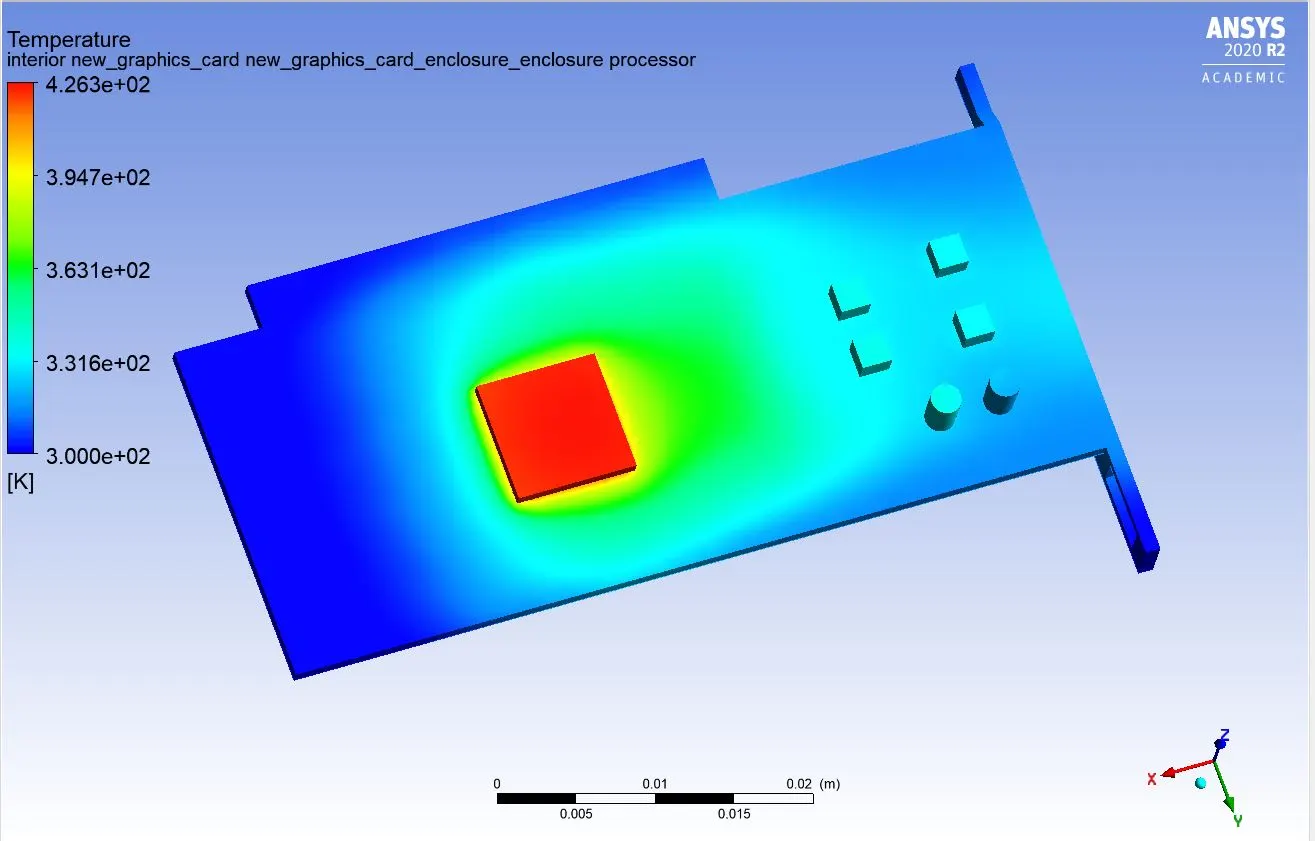
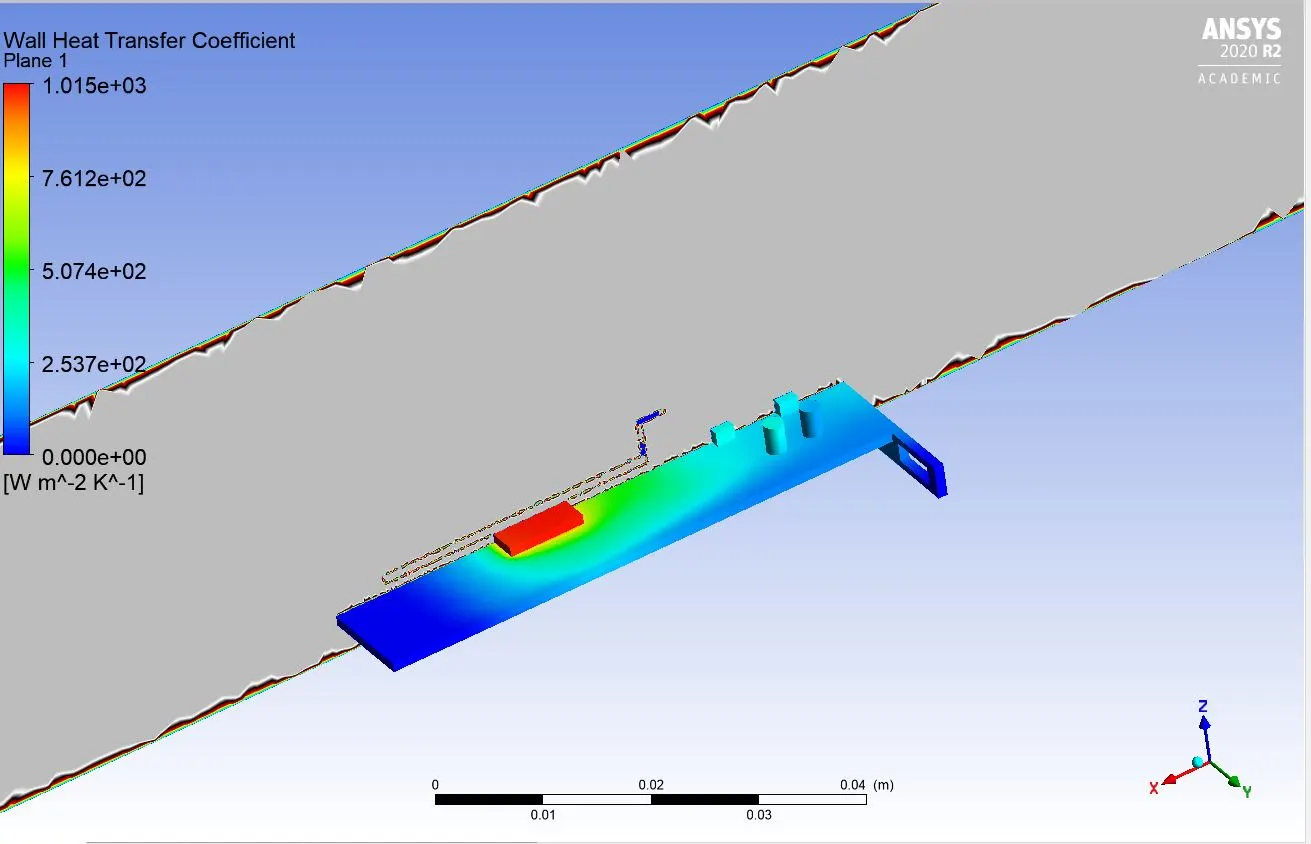
Velocity of air: 3m/s
Iteration convergence
Thermal contour
Velocity vector
Thermal processor temperature
Thermal heat transfer coefficient
case 3:
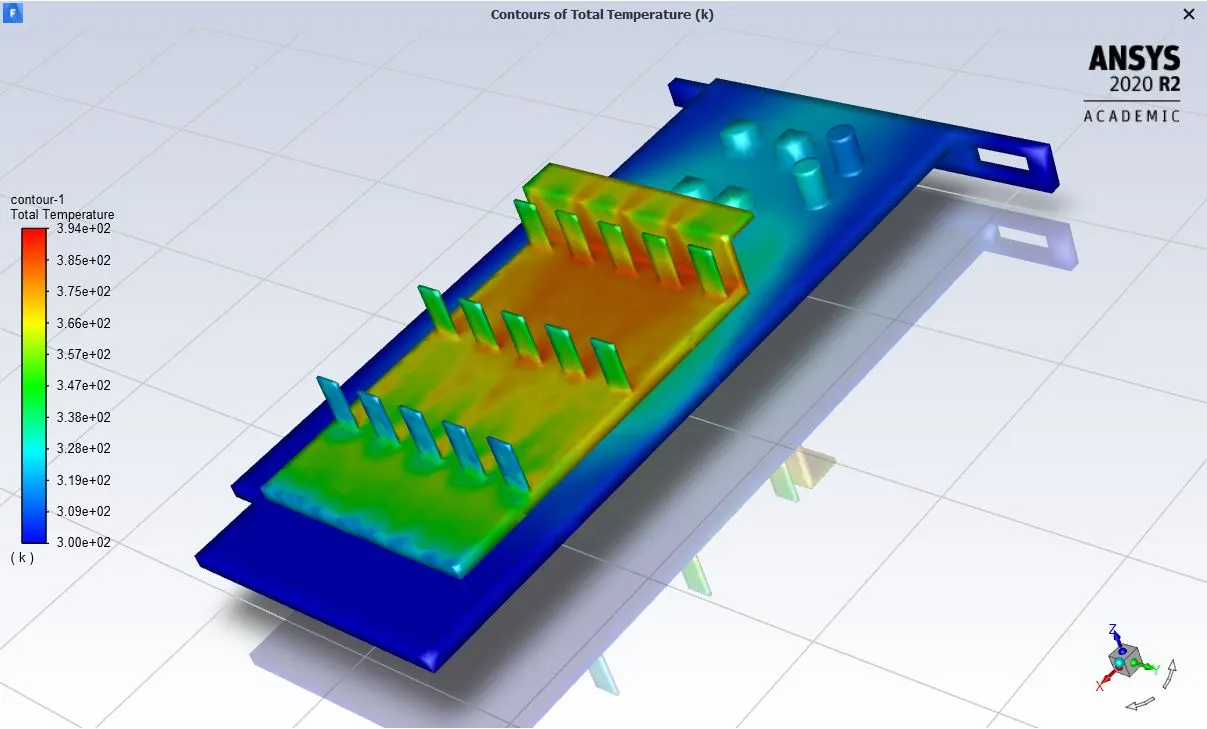
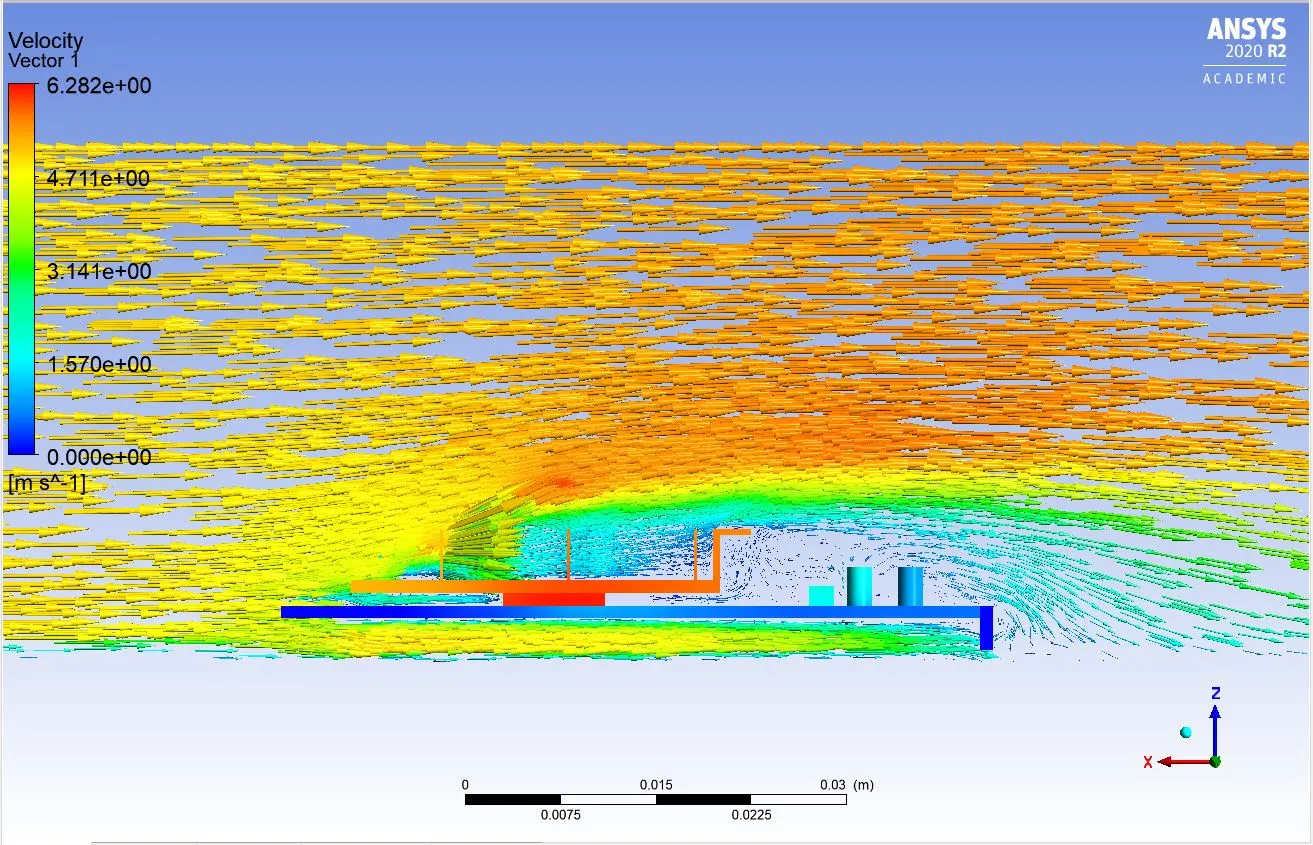
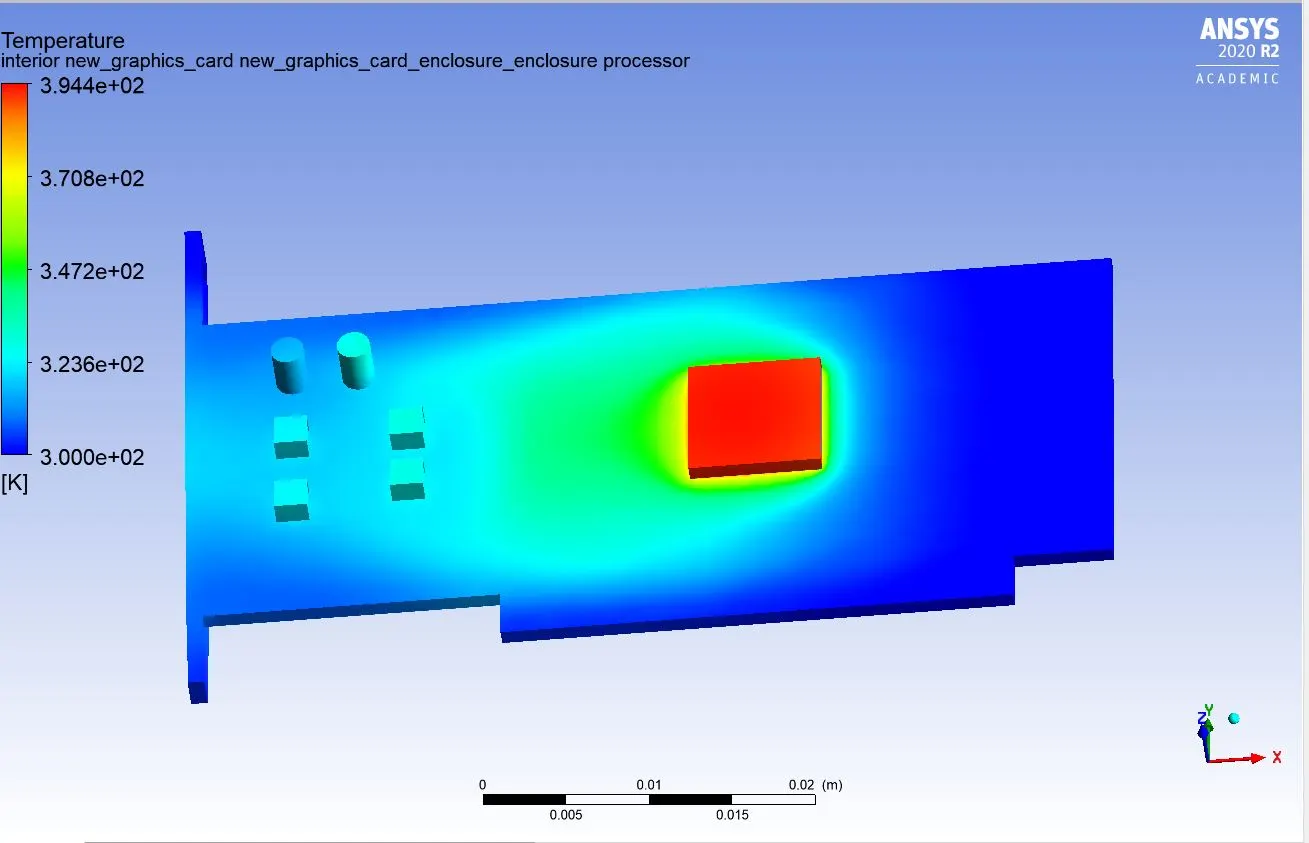
Velocity of air: 5m/s
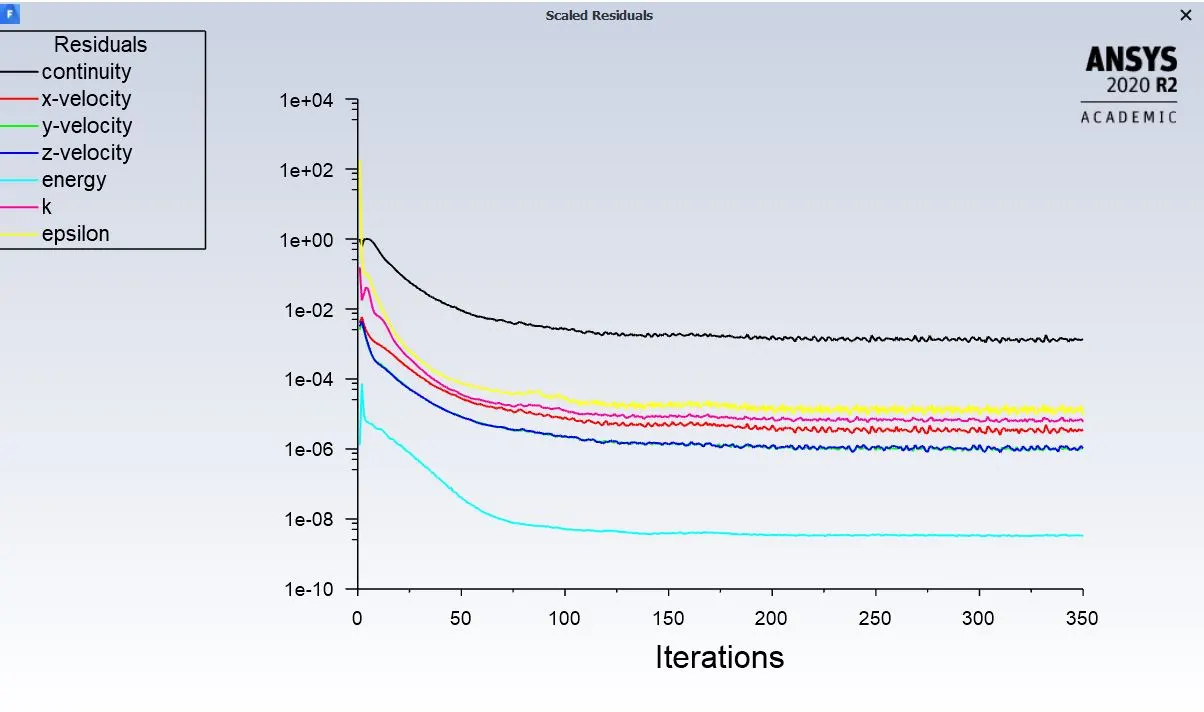
Iteration convergence
Thermal contour
Velocity vector
Thermal processor temperature
Thermal heat transfer coefficient
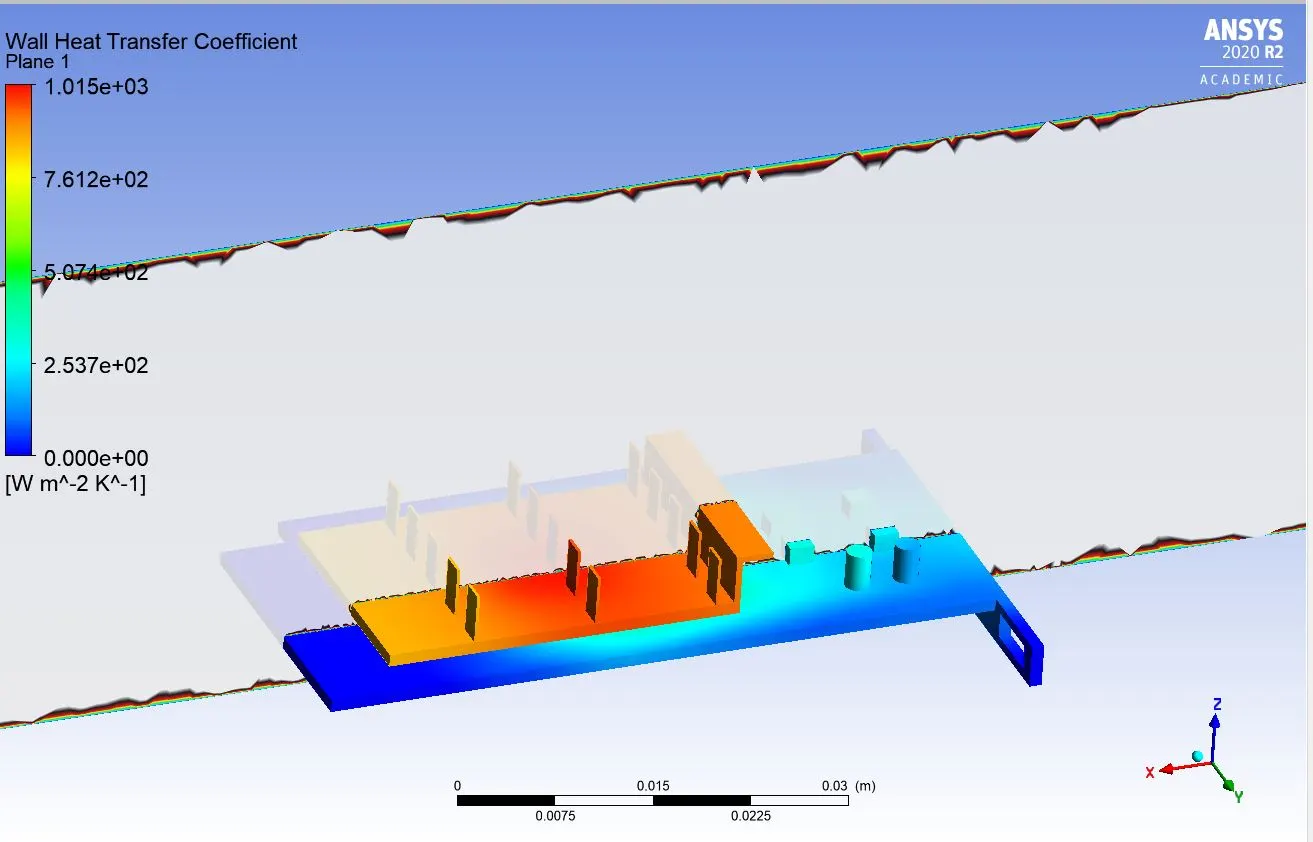
From the baseline mesh we can see that the heat transfer coefficient value is 1045 W/m2K. This simulation is dry run to check the thermal performance of the graphics card processor. The cooling of the processor takes place slowly as compared to the refined meshing case. Some notable observation can be seen in refined case with different velocity settings to achieve the best and optimal thermal conditions and max velocity to dissipate the heat. From case 1 to case 4 of refined mesh we can see that the thermal pressure keeps on decreasing.The convergence rate for both refined and baseline mesh it can be seen that it converges around 100 to 120 iterations rate.The table below shows the thermal performance achieved in this simulation.
|
Inlet velocity (m/s) |
Temperature of processor(k) |
Heat transfer coefficient |
Maximum predicted velocity(m/s) |
|
1(baseline) |
521.3 |
1054 |
1.224 |
|
2 |
461.3 |
1015 |
2.529 |
|
3 |
426.3 |
1015 |
3.785 |
|
5 |
394.4 |
1015 |
6.282 |
It can be inferred that with increasing the inlet velocity the temperature of processor drops down and a better cooling can be achieved to increase the efficiency of processor speed.
Conclusions"
- The thermal performance is seen to get improved increasing velocity of air and refining the mesh more.
- The maximum temperature of the processor is seen to decrease with the increase in velocity of air, seen in case 4 for the refined mesh set up.
- The convergence criteria are satisfactorily achieved for baseline and refined mesh setup.
- The hot spot zones are clearly mentioned, which shows the area prone to thermal damage.