Assignment 2-RADIOSS Engine File Editing & 3D Meshing Challenge
- 1. Check the material properties of the rail component and calculate the speed of sound in steel rail=_______
- 2. The length of the rail is about 1000 mm.calculate the time takes for a shock wave to travel from one end of the rail to the other.
3.Time for sound to travel length of rail=______
4.Edit the engine file so that the stress wave can be monitored, moving from one end of the rail to the other during impact -this will require a termination time equal to the time it takes for the sound to travel the length of the rail(set on/RUN card)
5.Set the frequency of animation output to a time that will give 20 animation steps(/ANIM/DT)
6.Change /print -10.
ANS:
Data from the FIRST_RUN_0000.rad File
C= Speed of Sound
C=`√E/rho`
C= `√210000/0.0078`
C=5188.74 mm/s
Time step=l/C
∆t=1000/5188.74 = 0.192 seconds = 192 ms
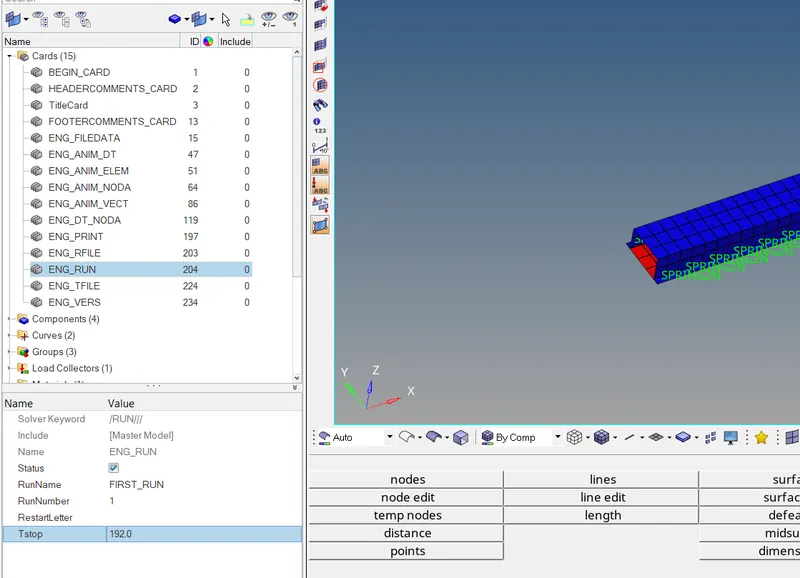
- The time stop is set to 192 ms as the time is in milliseconds.
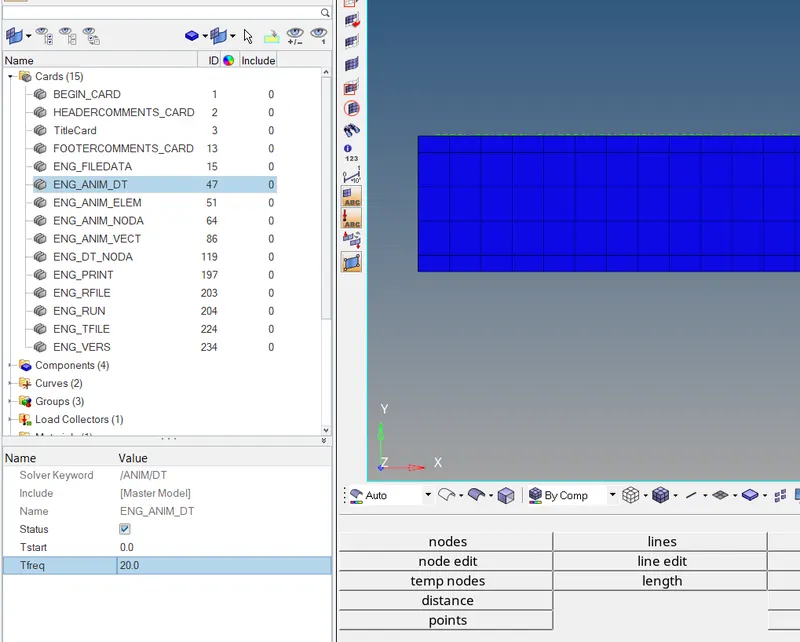
- The animation frequency is set to 20
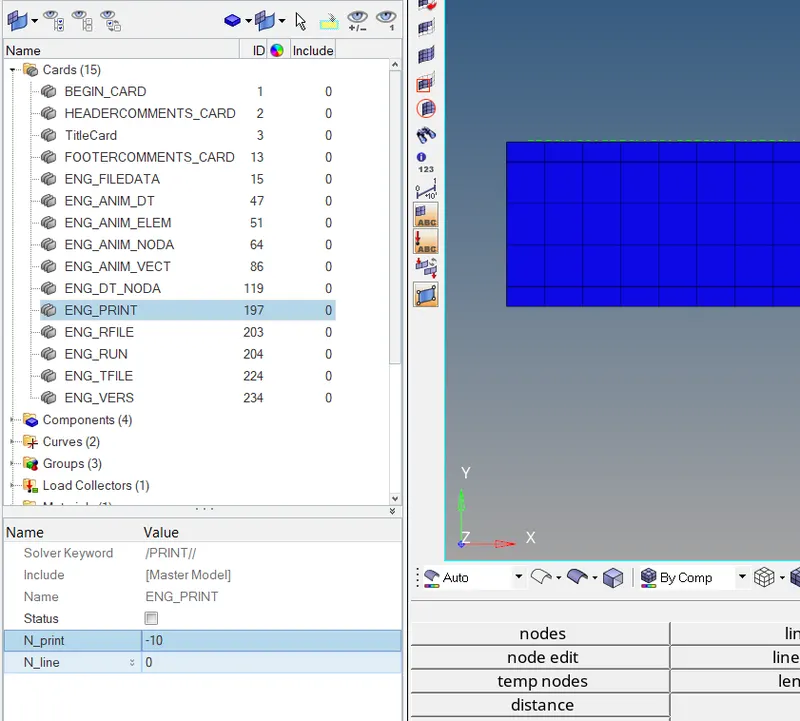
- .Change /print -10 is set
RUN file:
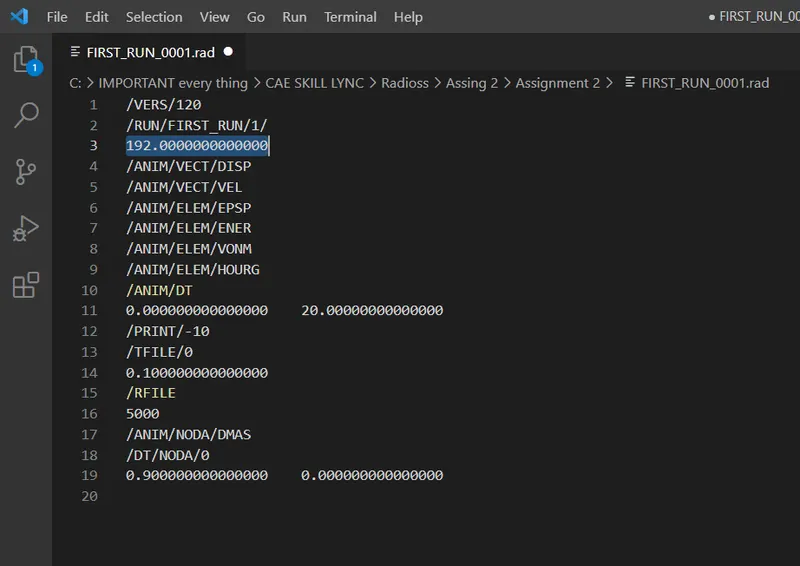
- Run time is set.
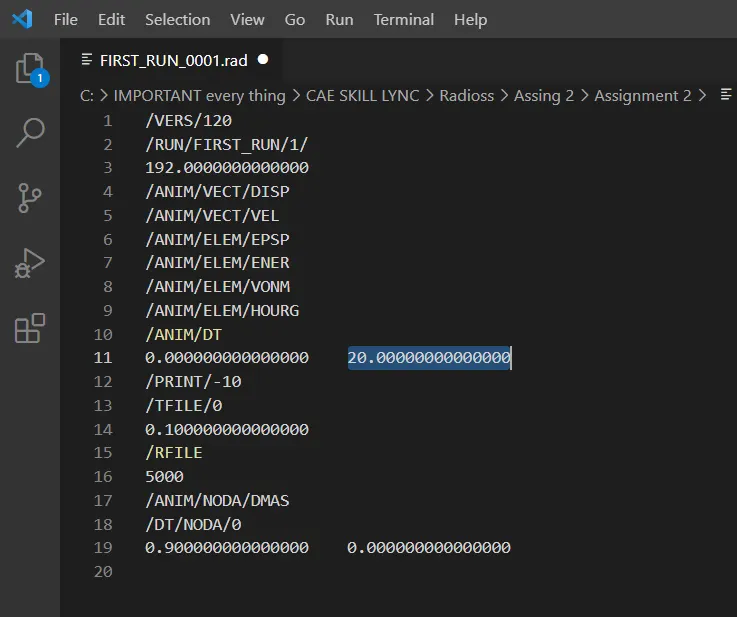
- Animation frequency is set.
3d meshing tetra mesh and hex mesh
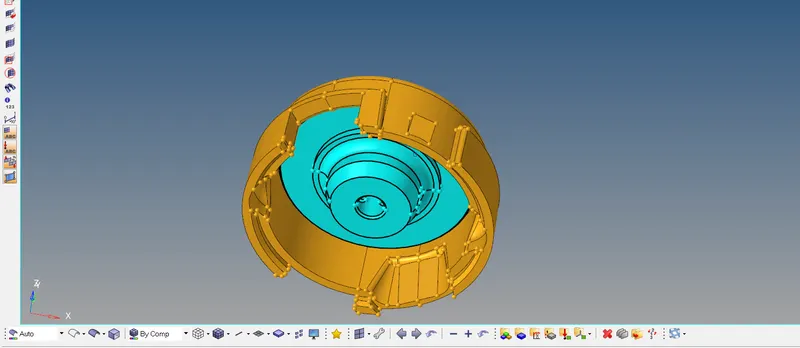
Housing Model:
3D Meshing:
Elements sizes: Min- 2mm, Target- 5mm, Max- 7mm
Tet collapse: 0.15
- Create Teramesh for Housing
Importing the model.
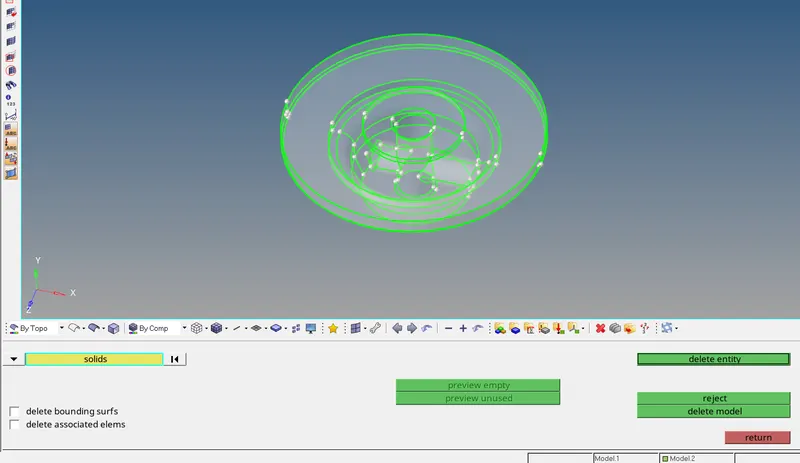
- Delete the solids if any exists.
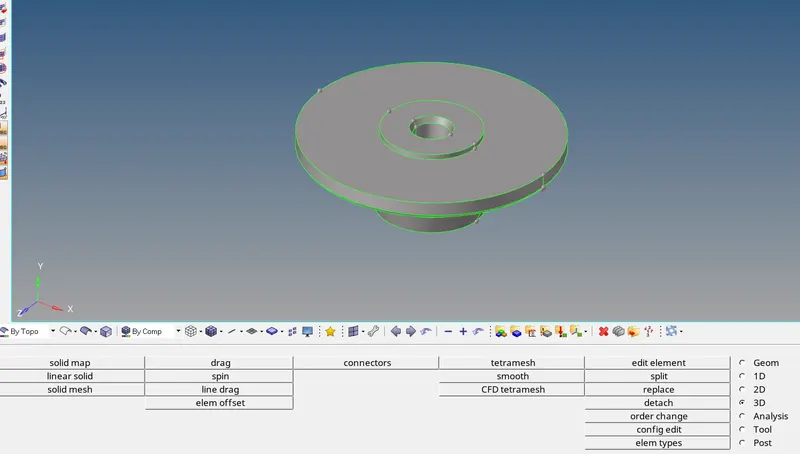
- Surface cleanup is done before 2D meshing.
Creation of Mesh: 2D -- > automesh

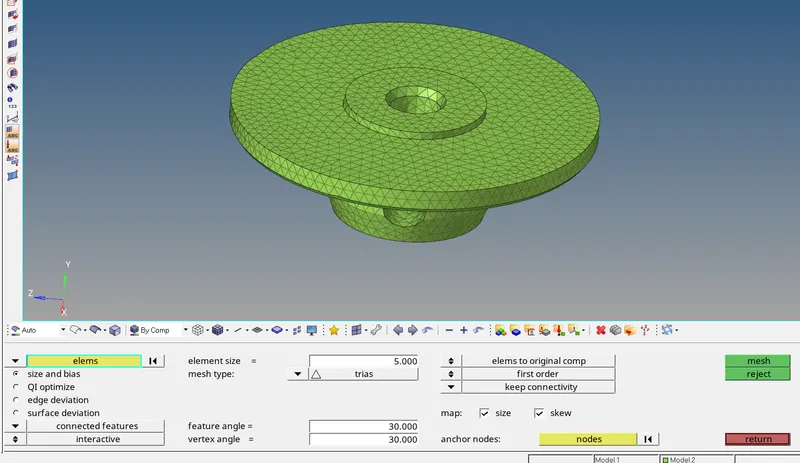
- 2D mesh model is created with only trias with the target element size of 5mm, in order to create tetramesh.
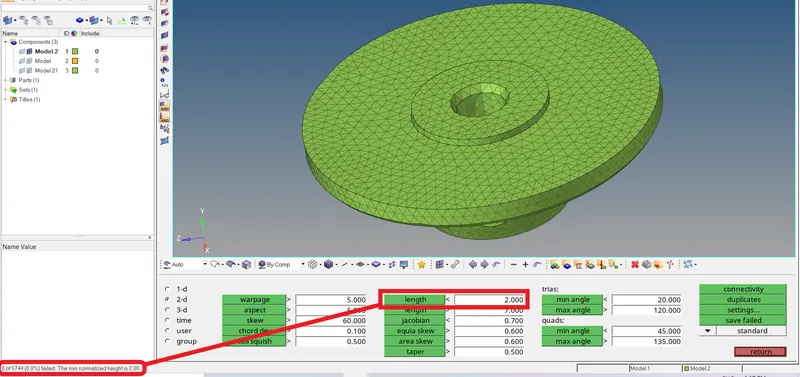
- All the min element size are correct and elements with min size less than 2mm are brought to zero.
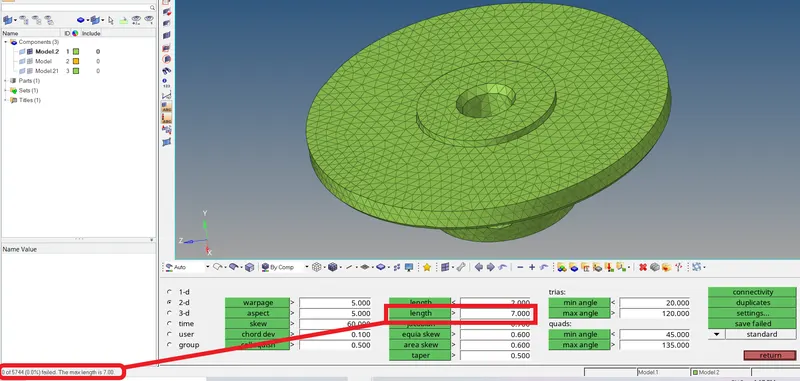
- All the max element size are correct and elements with max size more than 7mm are brought to zero.
Creation of 3DMesh: 3D -- > tetramesh
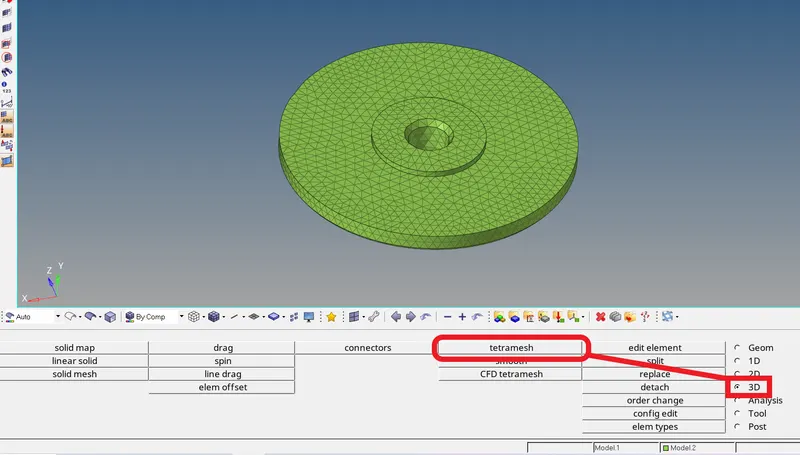
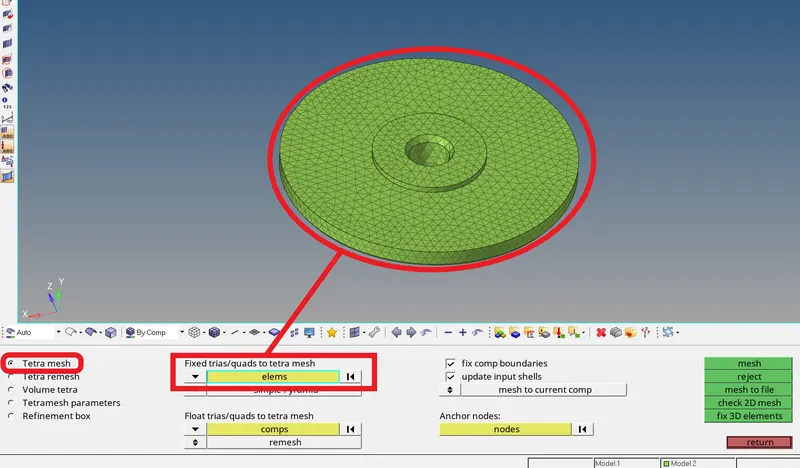
- Select the Tetra mesh option.
- Select all the 2D elements to create the tetramesh.
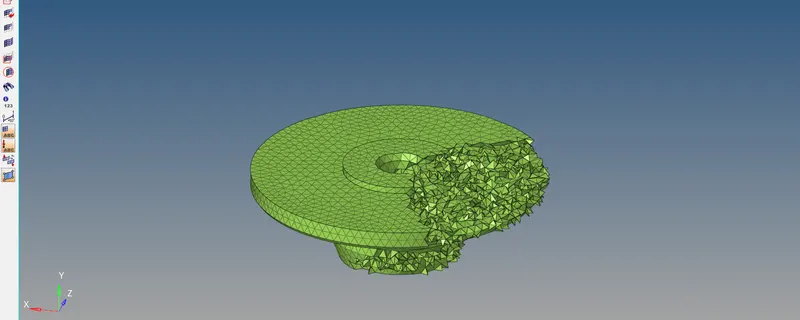
- 3D tetramesh is created.
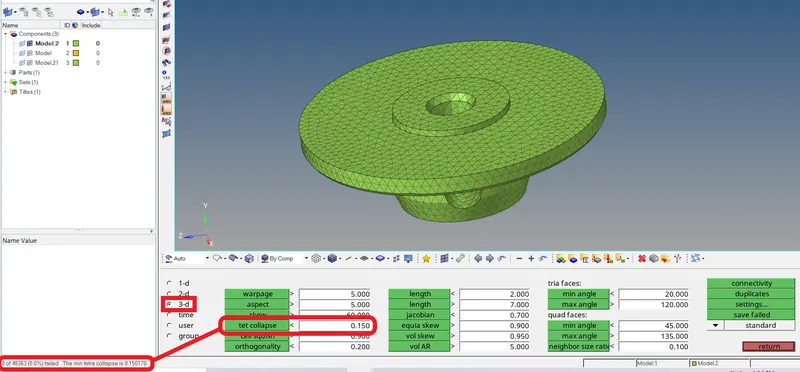
- Check all the 3D elements for tet collapse of 0.15 (required criteria).
- If any elements fail, they need to be corrected.
Similarly:-
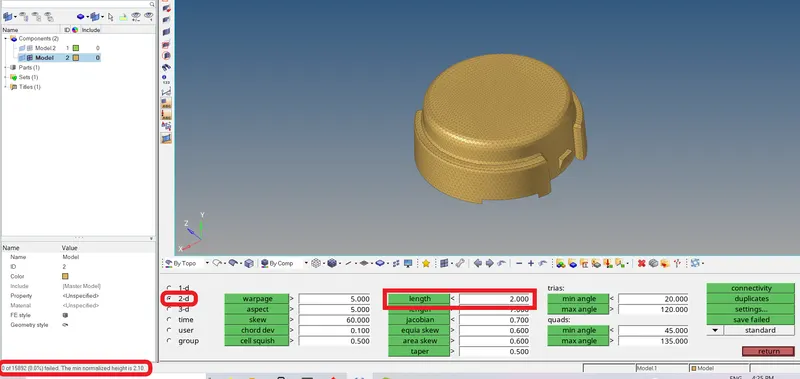
- Manual cleanup is done and component is ready for 2d mesh.
- 2D mesh model is created with only trias with the target element size of 5mm, in order to create tetramesh.
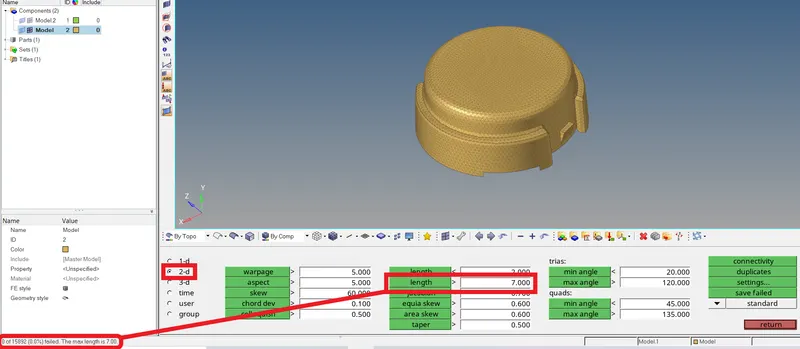
- All the max element size are correct and elements with max size more than 7mm are brought to zero.
Creation of 3DMesh: 3D -- > tetramesh
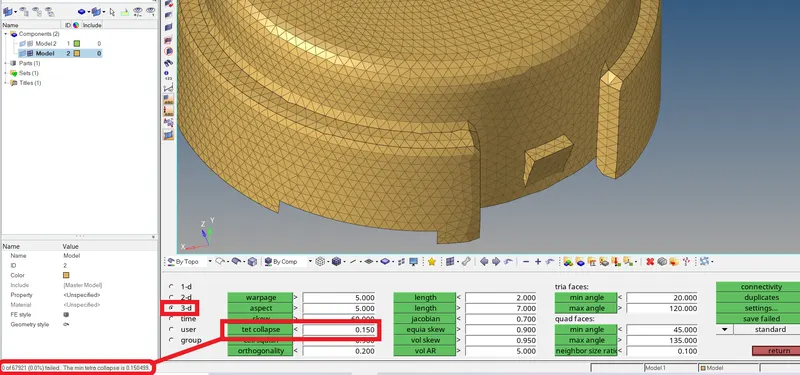
- 3D tetramesh is created.
- Check all the 3D elements for tet collapse of 0.15 (required criteria).
If any elements fail, they need to be corrected.
Hex mesh:
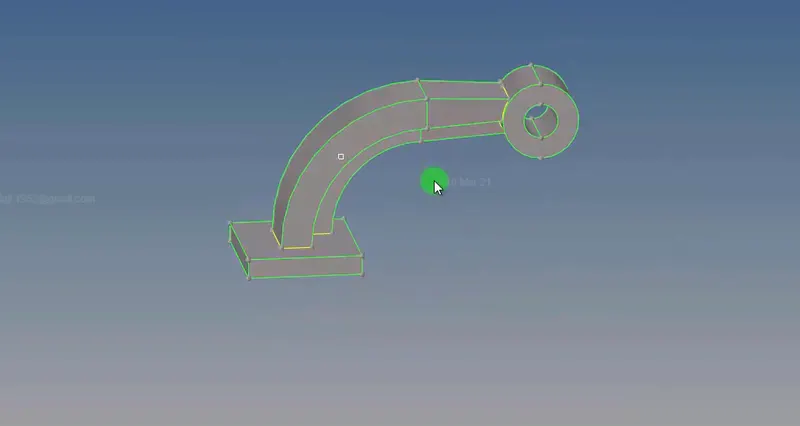
- Model is imported.
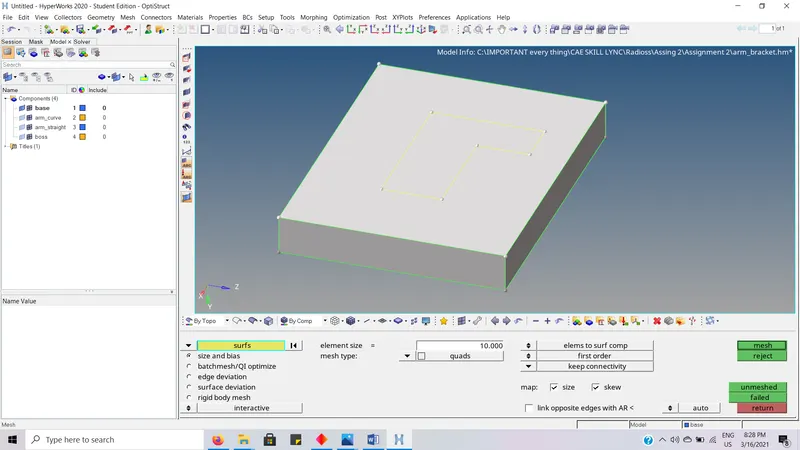
- 2D mesh is first created with target element size of 10mm.
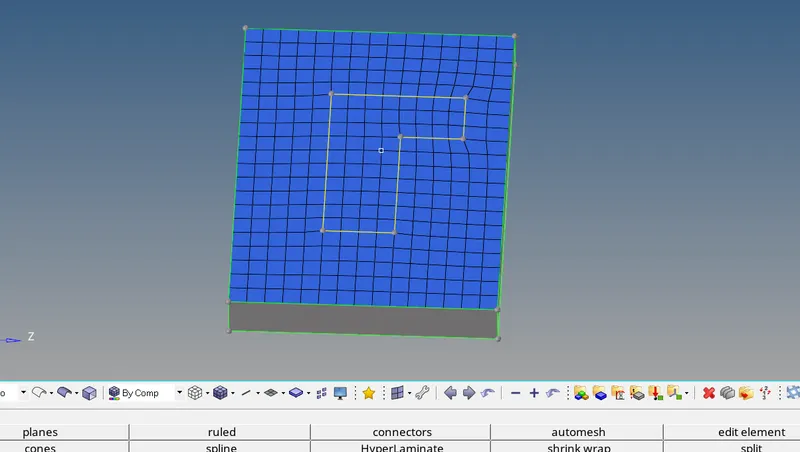
- 2D mesh is created.
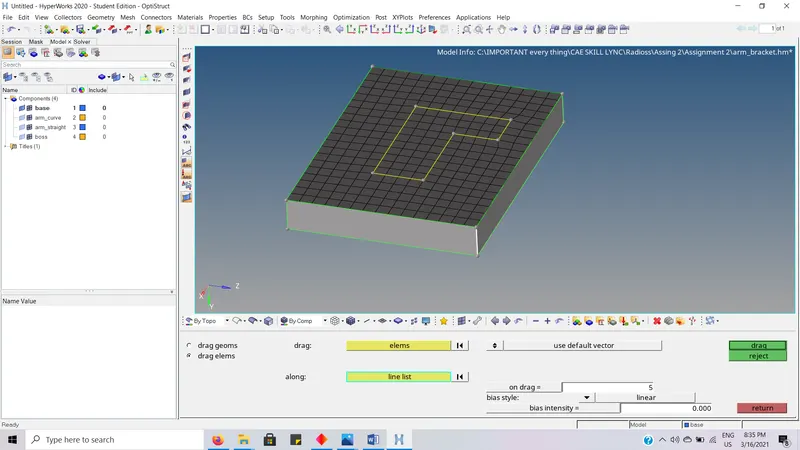
- Go to 3D -- > line drag.
- Select the elements and line along the elements are to be dragged.
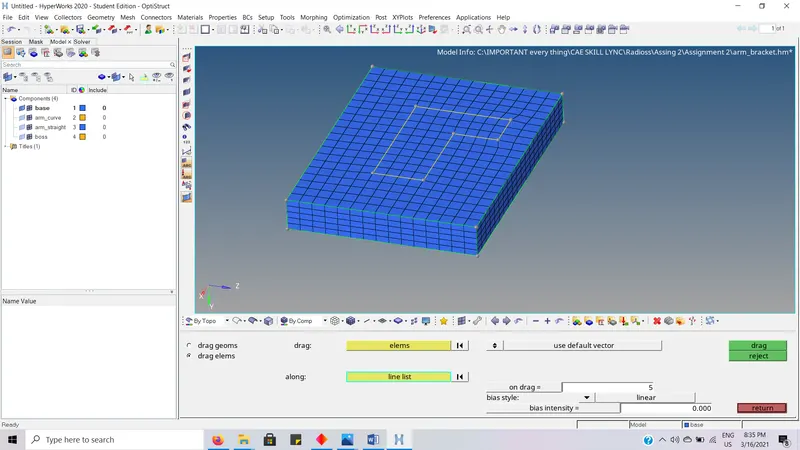
- 3D hexa elements are created.
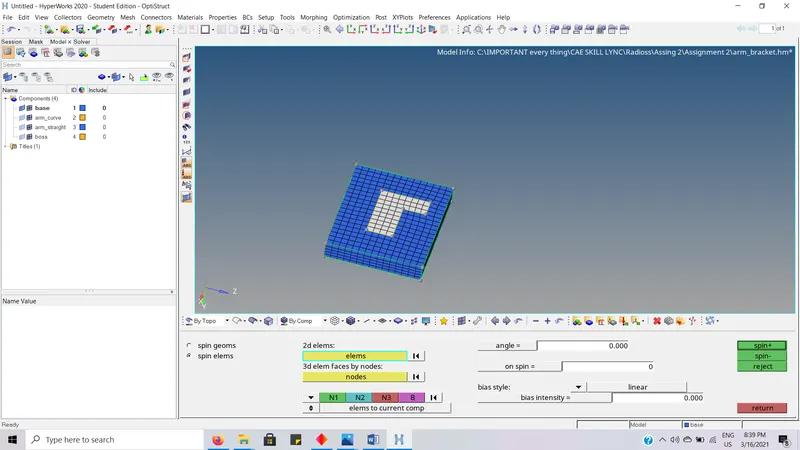
- Go to 3D -- > spin
- Select the element which are to be spined.
- And enter the other required data.
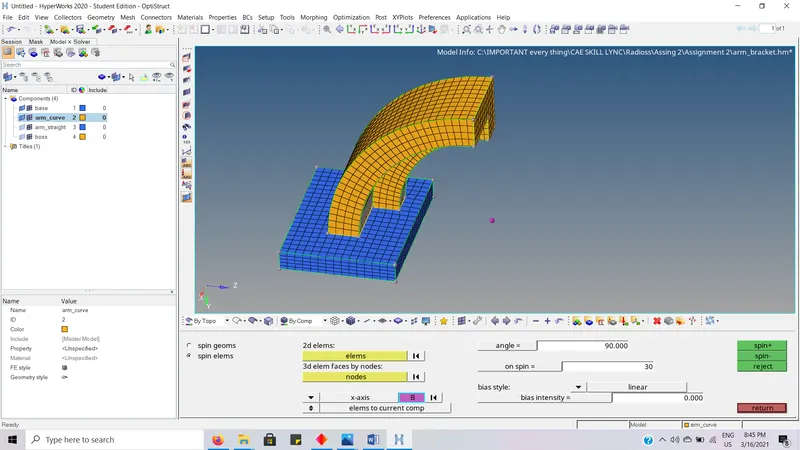
- Spin elements are created.
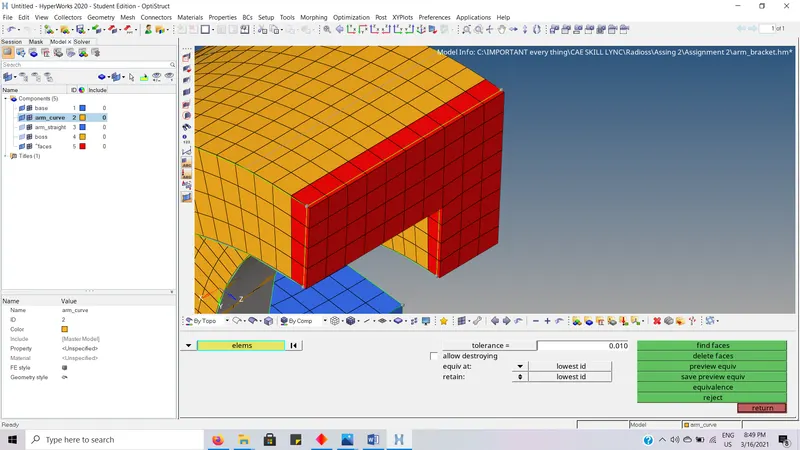
- Go to TOOL -- > find faces
- Select the elements whose faces are to be created and click find faces to create them.
- Required Faces are created.
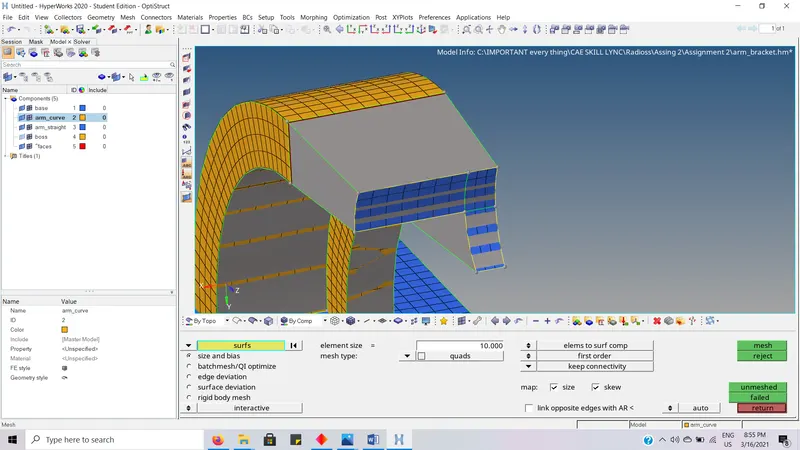
- Create the same equal number of elements on the other surface.
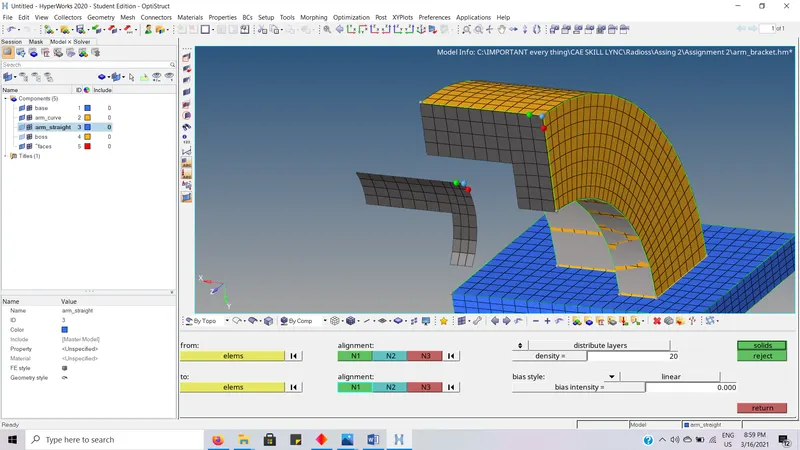
- Go to 3D -- > linear solid
- Select the from and to elements and enter other required data and click solids to create the hexa mesh.
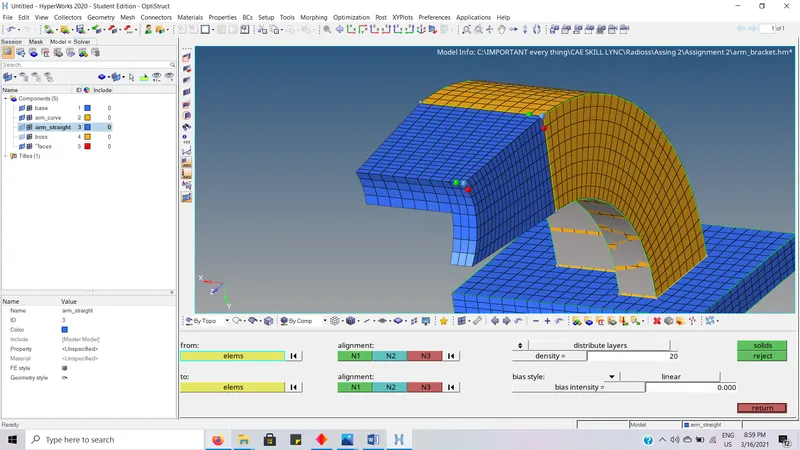
- Hexa mesh is created
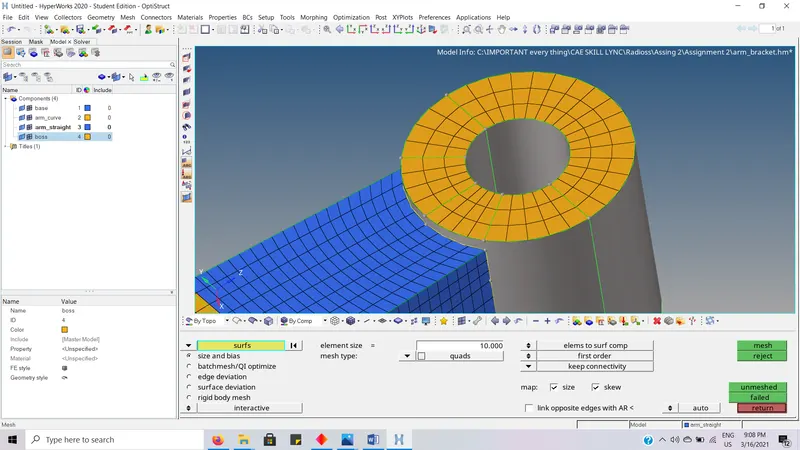
- Go to auto mesh and create 2d mesh with corresponding flowing mesh.
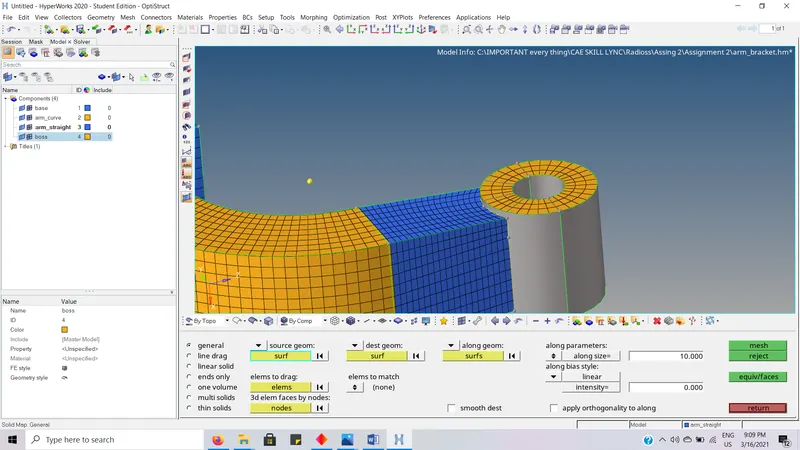
- Go to 3D -- > solid map.
- Select the source geom and destination geometry
- Select the along part nodes
- And select the element to drag and click mesh to create the hexa mesh.
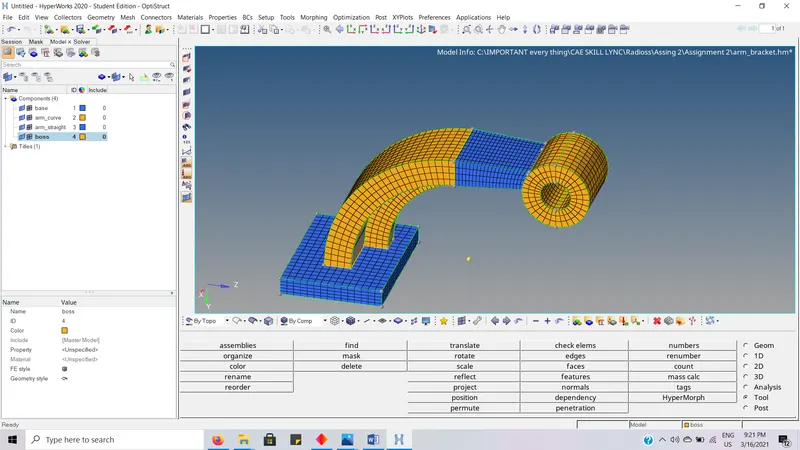
- The final model of hexa mesh.