Week 8-Challenge
3D Meshing:
Elements sizes: Min- 2mm, Target- 5mm, Max- 7mm
Tet collapse: 0.15
- Create Teramesh for Housing
Importing the model.
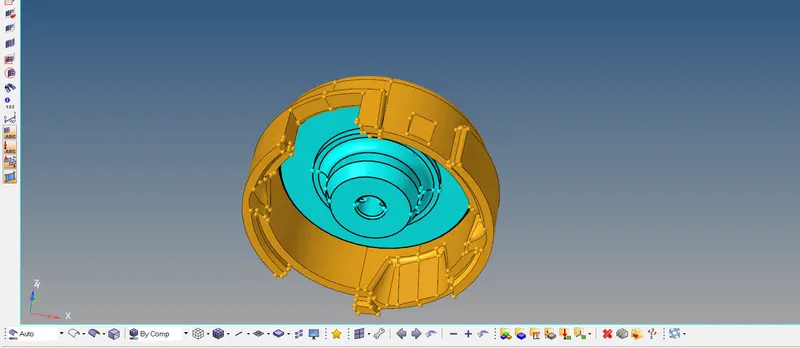
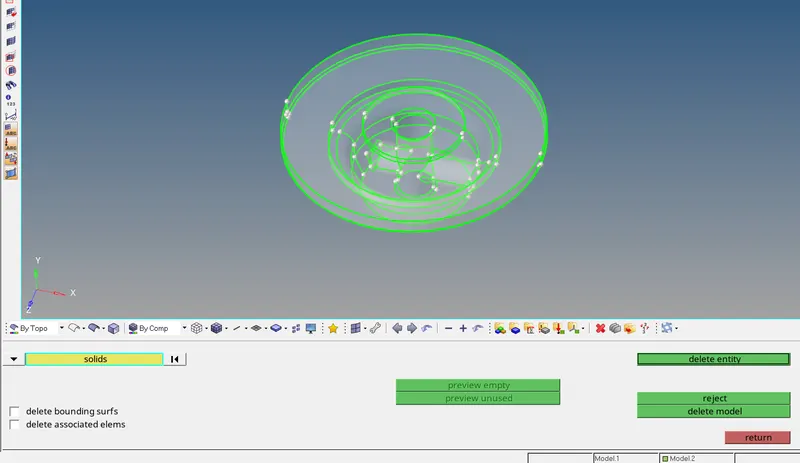
- Delete the solids if any exists.
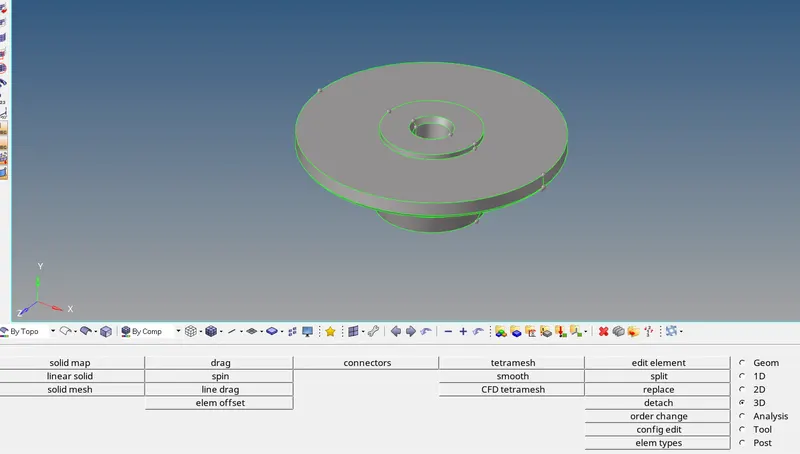
- Surface cleanup is done before 2D meshing.
Creation of Mesh: 2D -- > automesh

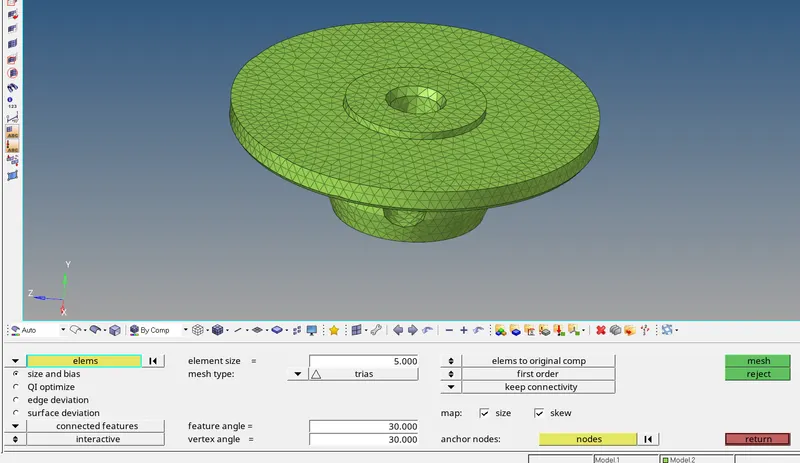
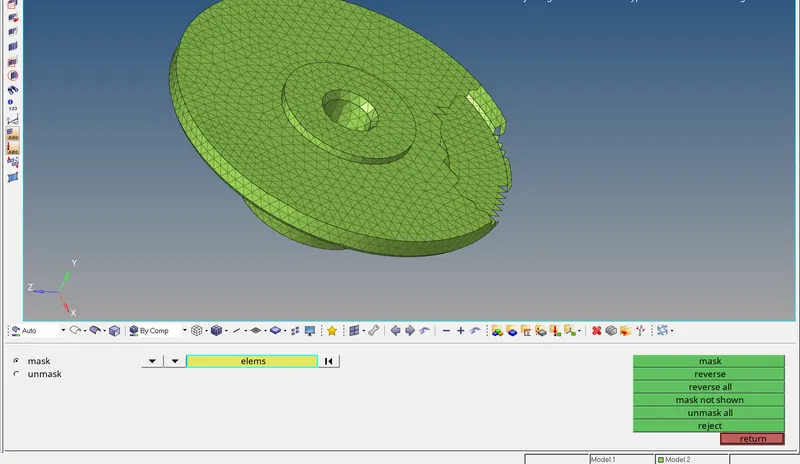
- 2D mesh model is created with only trias with the target element size of 5mm, in order to create tetramesh.
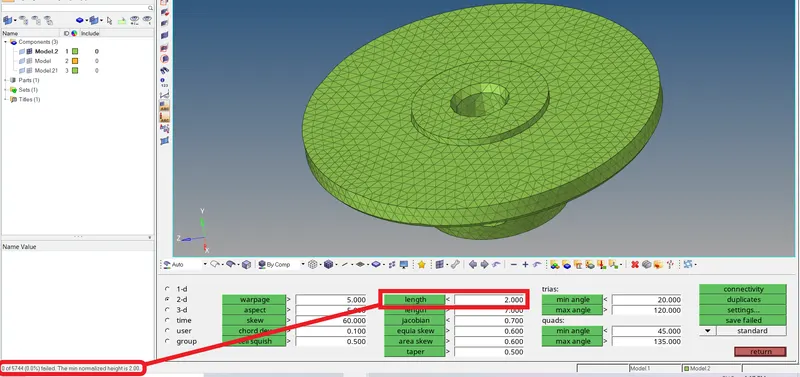
- All the min element size are correct and elements with min size less than 2mm are brought to zero.
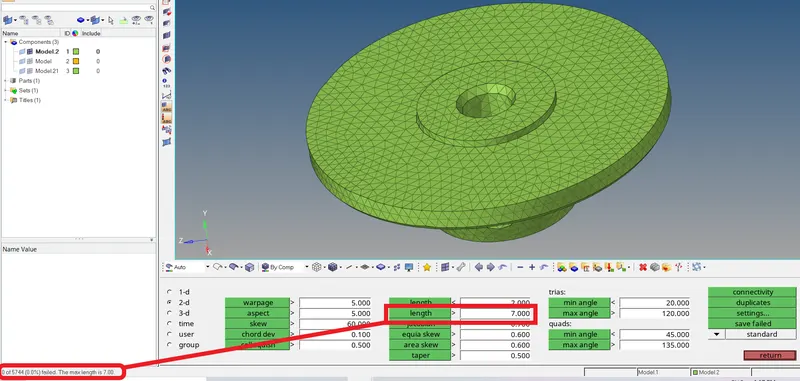
- All the max element size are correct and elements with max size more than 7mm are brought to zero.
Creation of 3DMesh: 3D -- > tetramesh
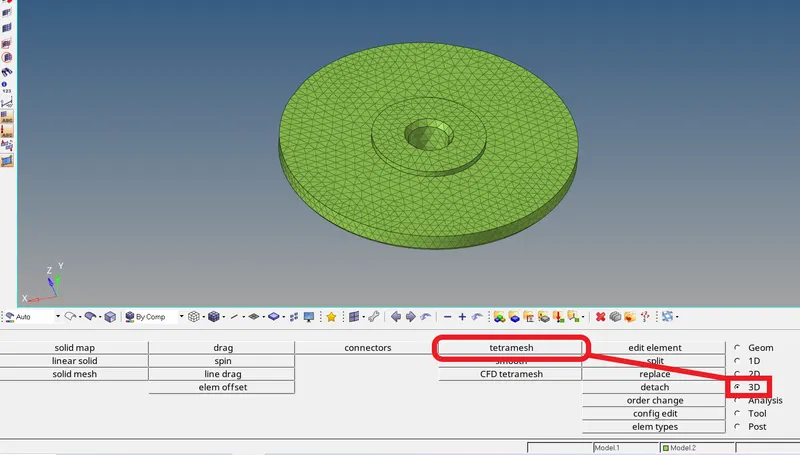
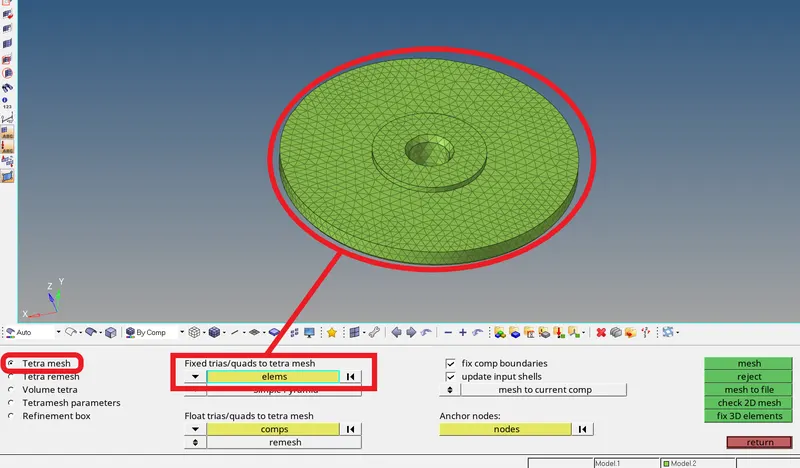
- Select the Tetra mesh option.
- Select all the 2D elements to create the tetramesh.
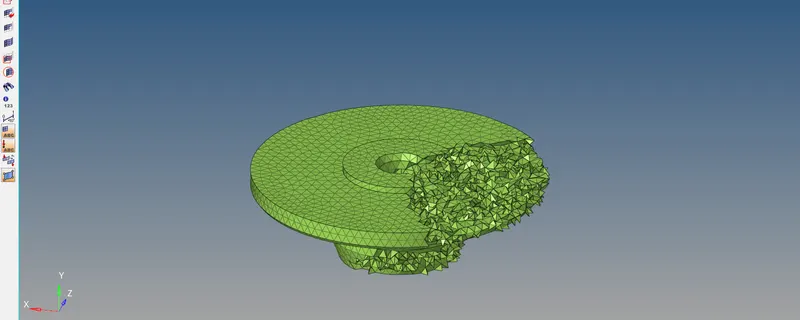
- 3D tetramesh is created.
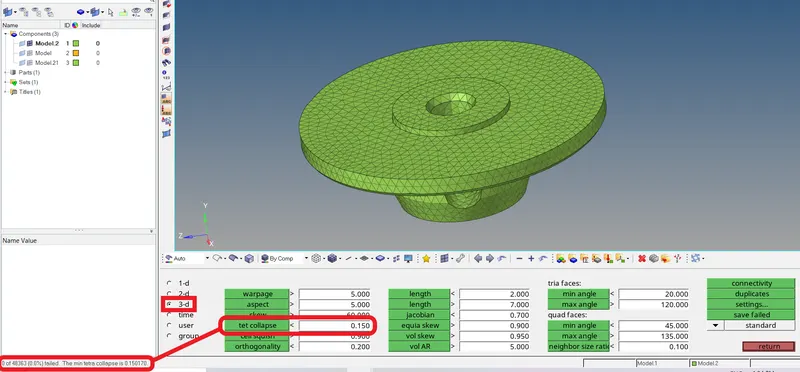
- Check all the 3D elements for tet collapse of 0.15 (required criteria).
- If any elements fail, they need to be corrected.
Similarly :-
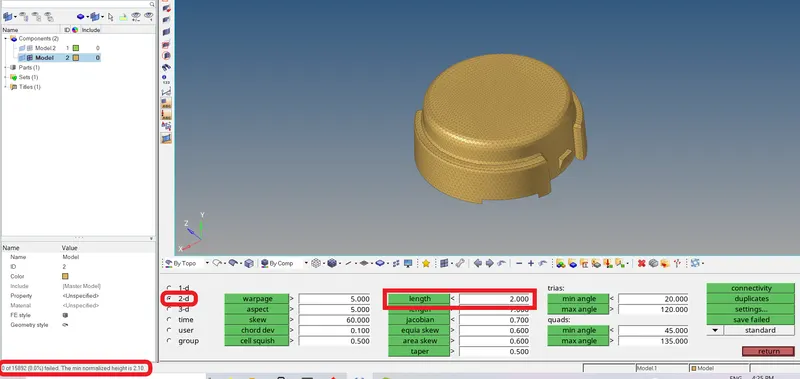
- Manual cleanup is done and component is ready for 2d mesh.
- 2D mesh model is created with only trias with the target element size of 5mm, in order to create tetramesh.
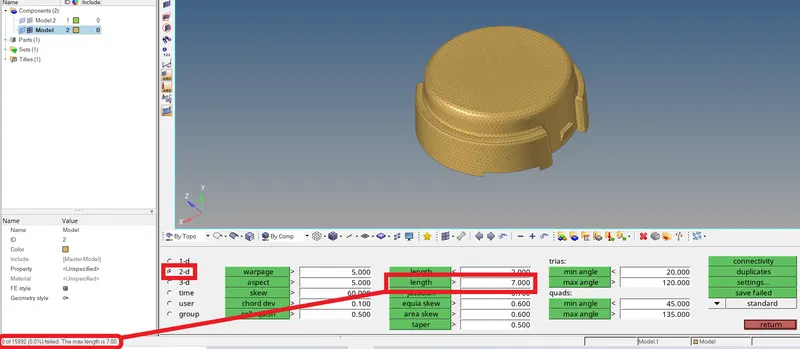
- All the max element size are correct and elements with max size more than 7mm are brought to zero.
Creation of 3DMesh: 3D -- > tetramesh
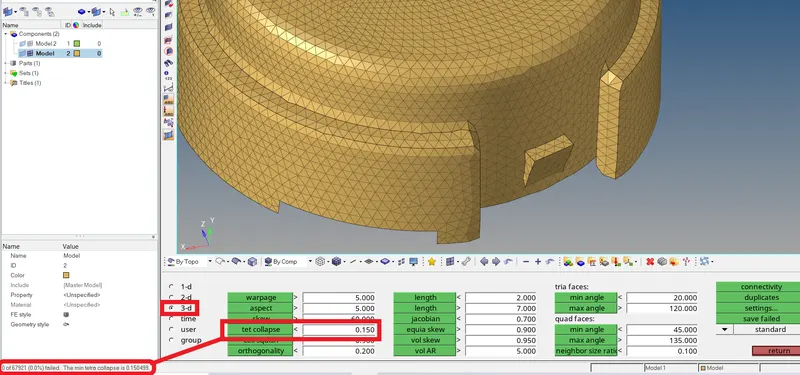
- 3D tetramesh is created.
- Check all the 3D elements for tet collapse of 0.15 (required criteria).
- If any elements fail, they need to be corrected.
- For the given models, Create 3D tetramesh with 6mm element size.
Model 2-Crank Housing.
Importing the model.
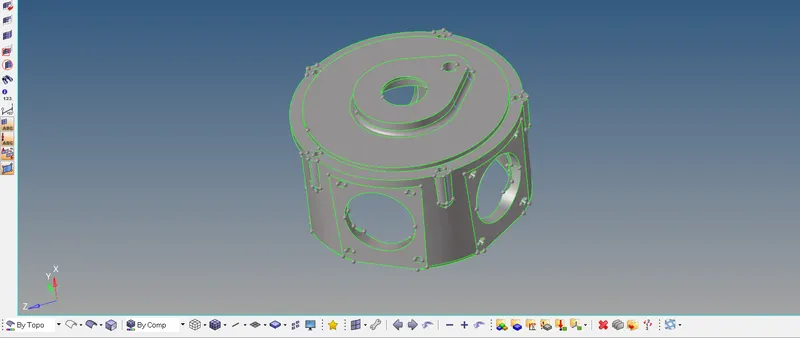
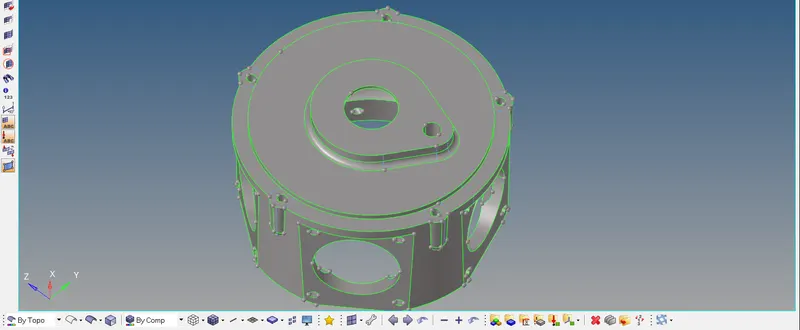
- Model cleanup is done and made ready for 2D mesh.
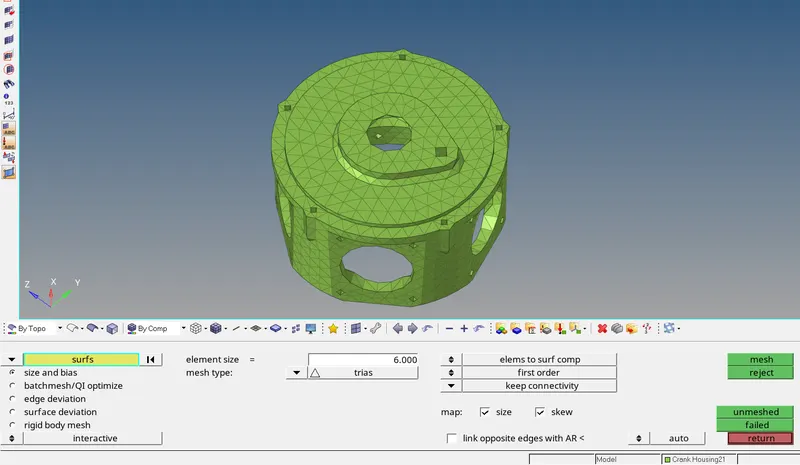
- 2D mesh model is created with the target element size of 6mm.
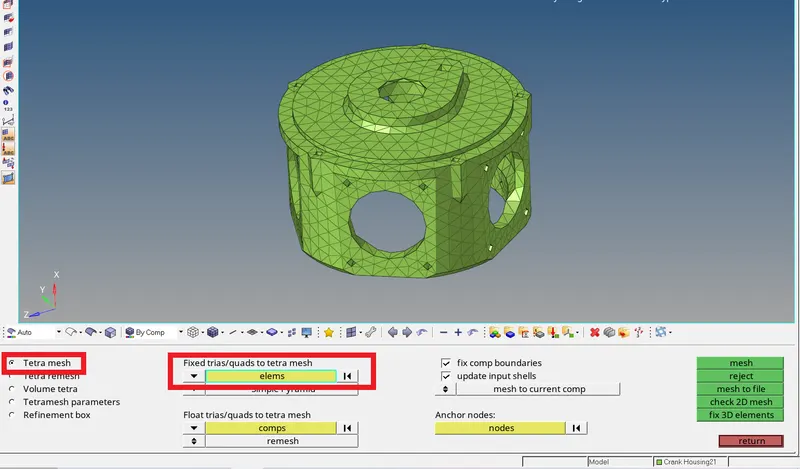
- Tetra mesh is created from the 2D mesh.
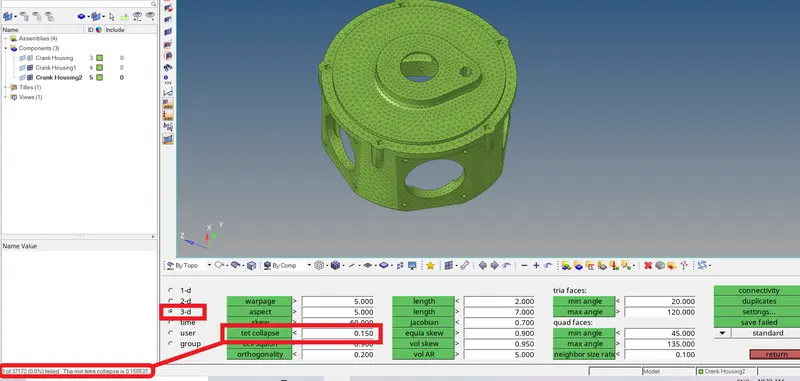
- Check all the 3D elements for tet collapse of 0.15 (required criteria).
- If any elements fail, they need to be corrected.
Model 3--
Importing the model.
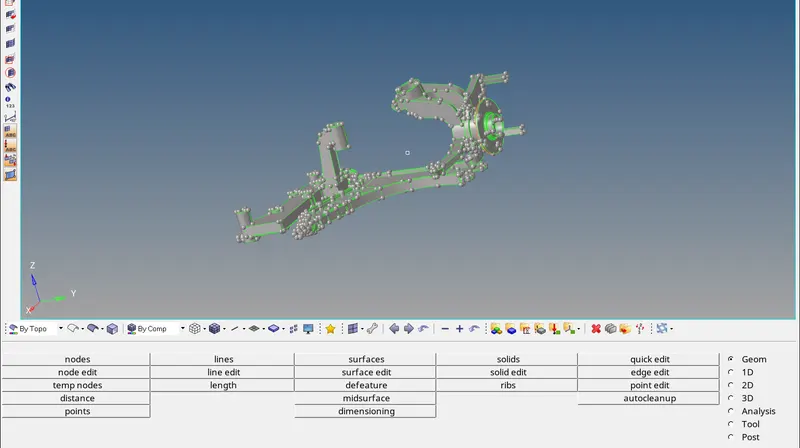
- Taking one component as the current component.
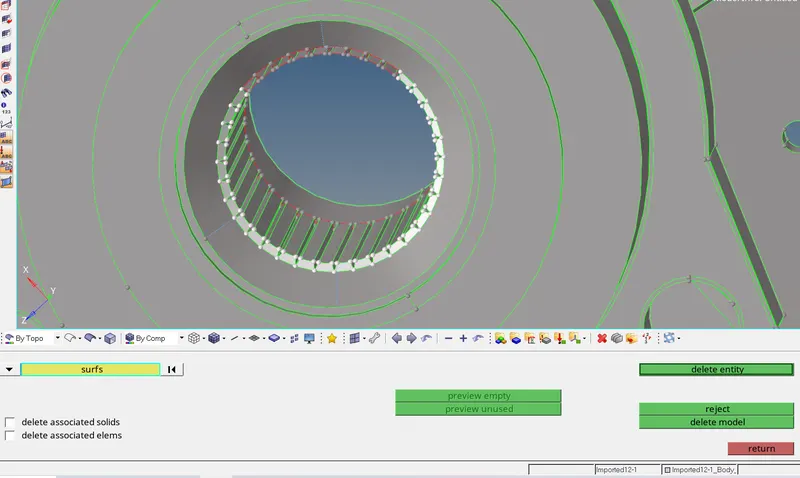
- Deleting the surfaces which are failing for min element length.
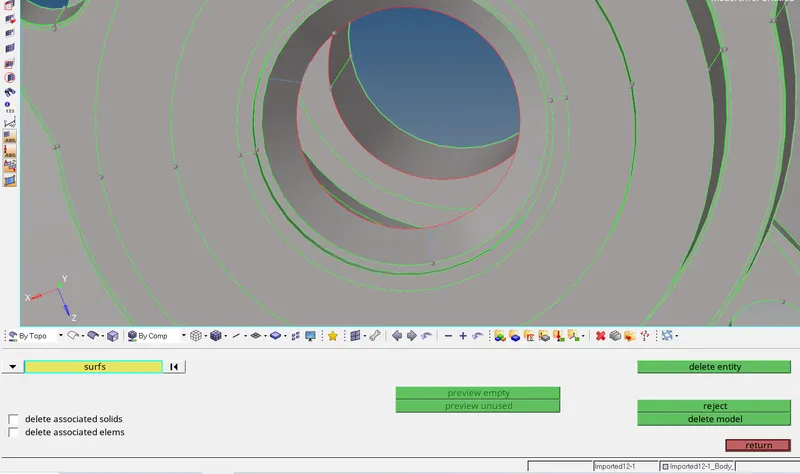
- As the deleted surfaces leave free edges, the free edges are to be connected manually.
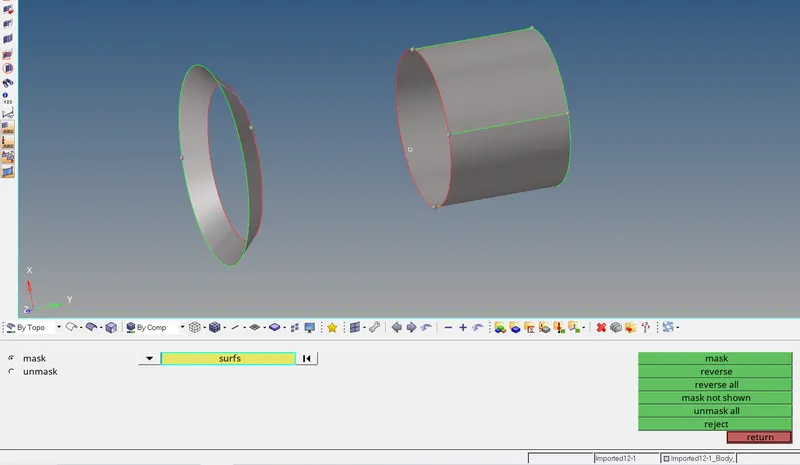
- Masked and reversed the surfaces to be corrected.
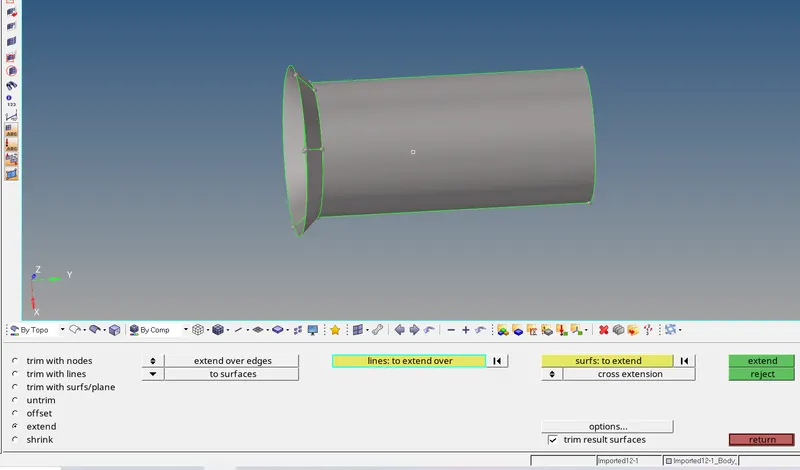
- Joined the surfaces with extend surfaces option.
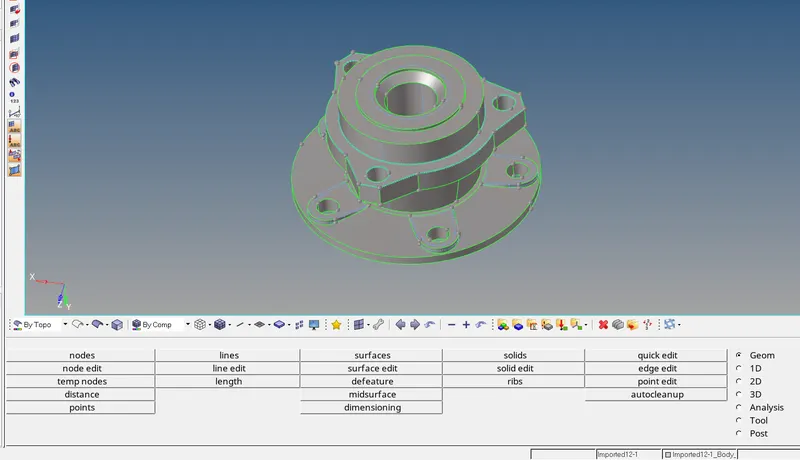
- Complete manual cleanup is done and the component is made ready for the mesh creation.
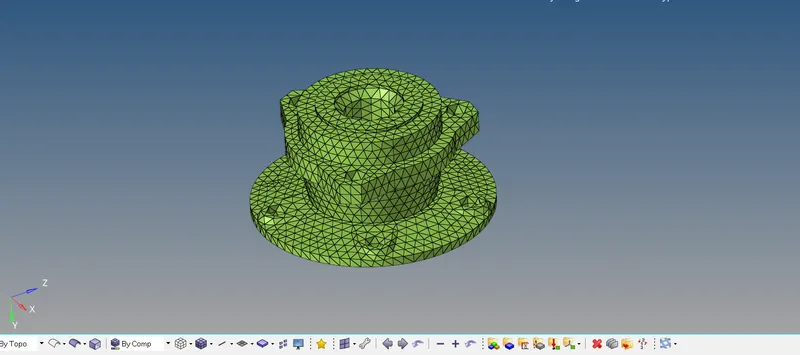
- 2D mesh model is created with the target element size of 6mm.
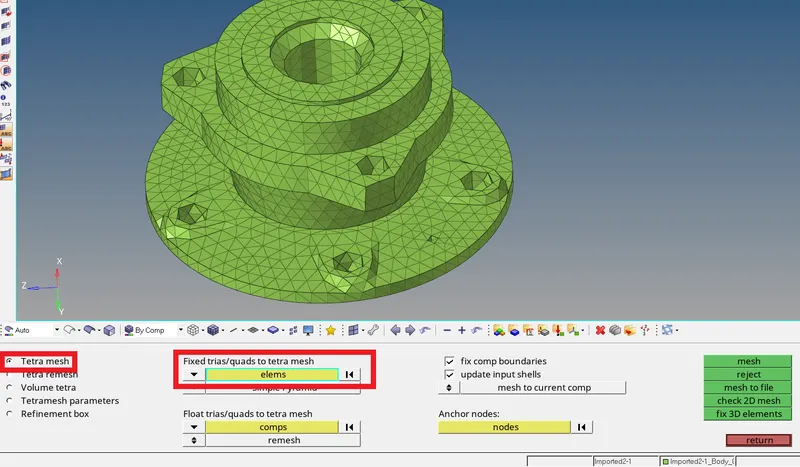
- Tetra mesh is created from the 2D mesh.
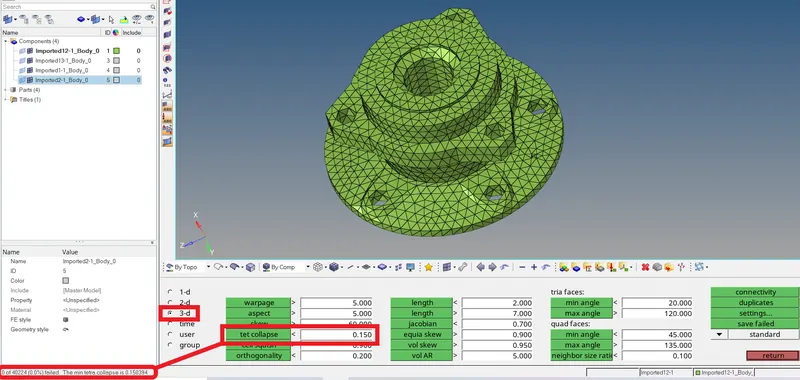
- Check all the 3D elements for tet collapse of 0.15 (required criteria).
- If any elements fail, they need to be corrected.
Similarly the rest of the components:
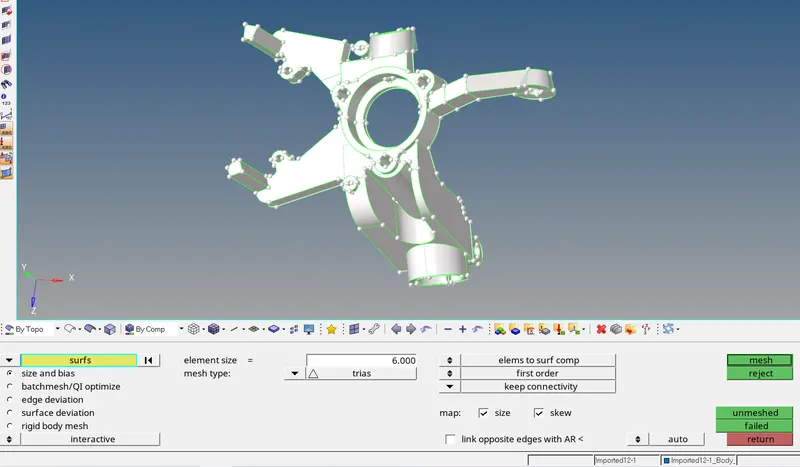
- Complete manual cleanup is done and the component is made ready for the mesh creation.
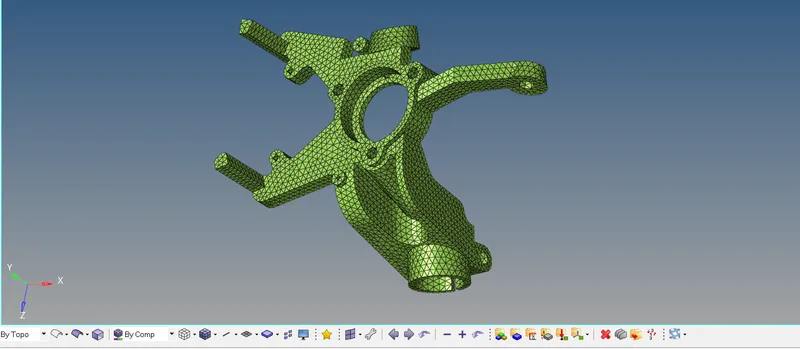
- 2D mesh model is created with the target element size of 6mm.
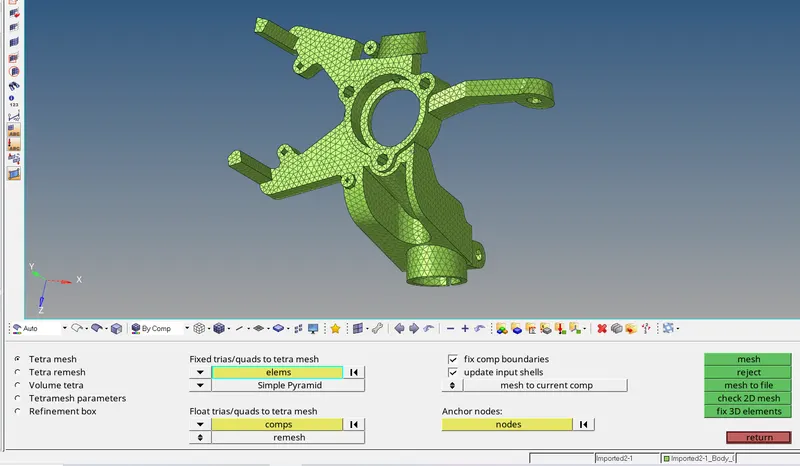
- Tetra mesh is created from the 2D mesh.
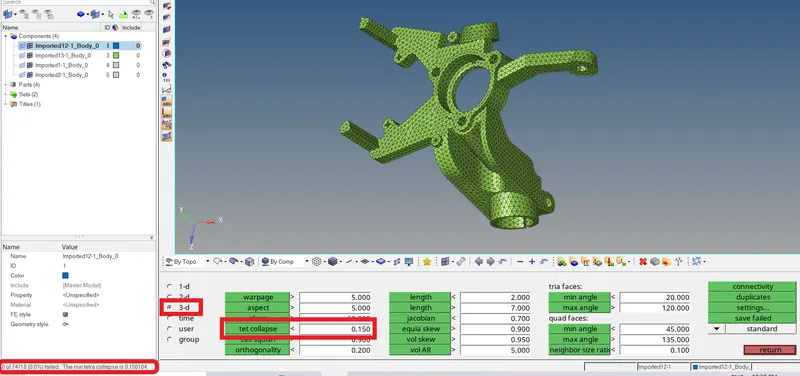
- Check all the 3D elements for tet collapse of 0.15 (required criteria).
- If any elements fail, they need to be corrected.
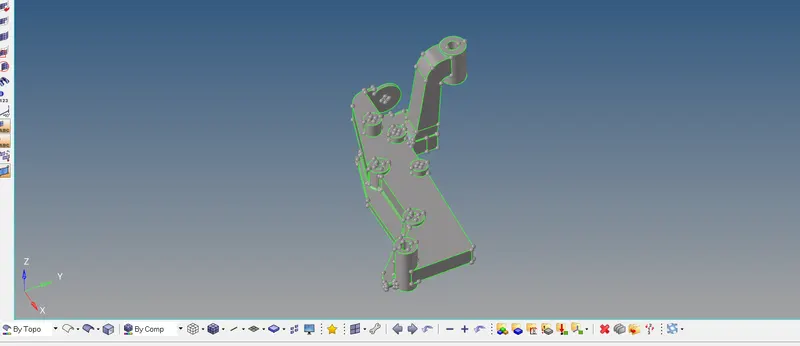
- Complete manual cleanup is done and the component is made ready for the mesh creation.
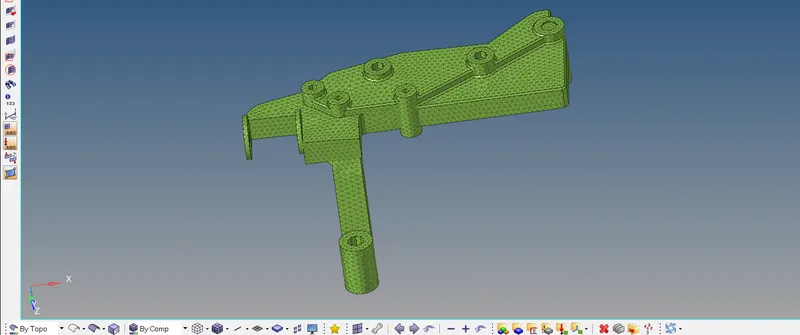
- 2D mesh model is created with the target element size of 6mm.
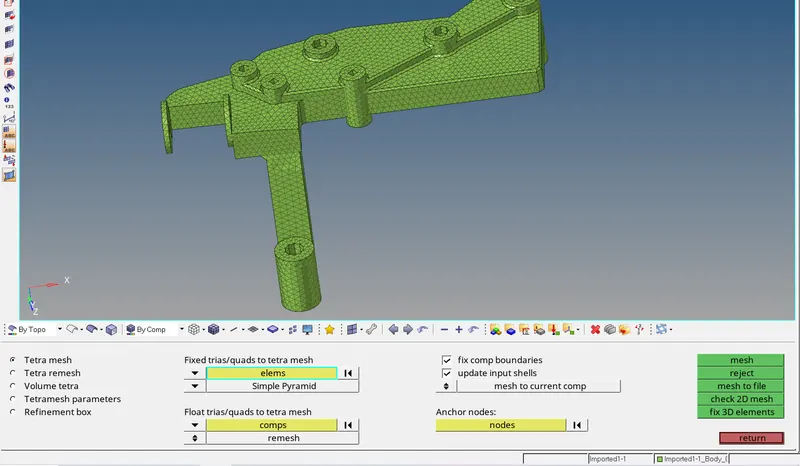
- Tetra mesh is created from the 2D mesh.
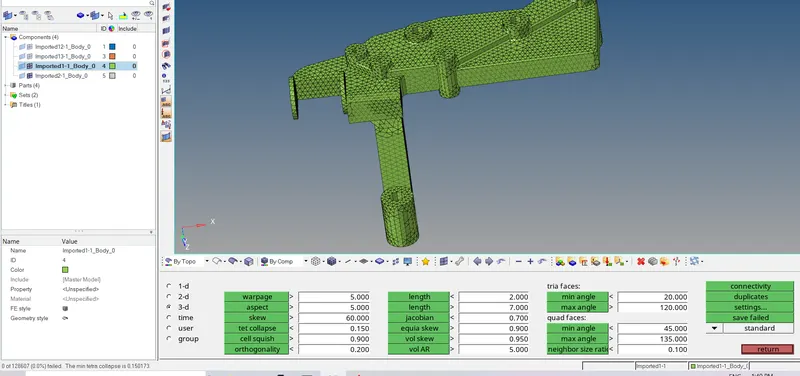
- Check all the 3D elements for tet collapse of 0.15 (required criteria).
- If any elements fail, they need to be corrected.
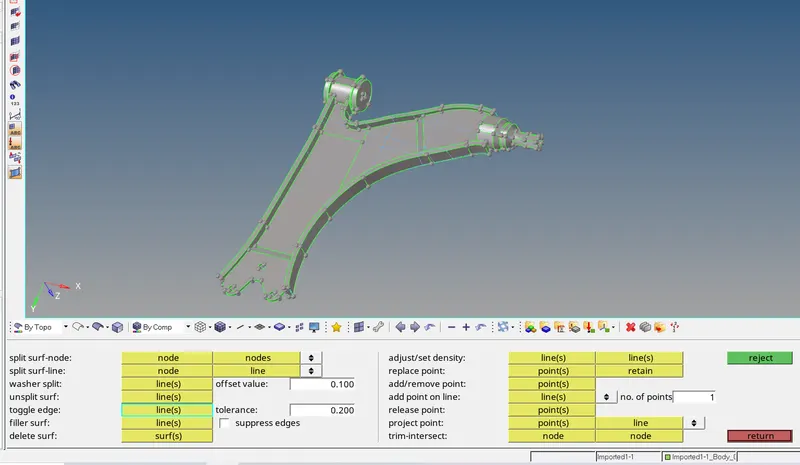
- Complete manual cleanup is done and the component is made ready for the mesh creation.
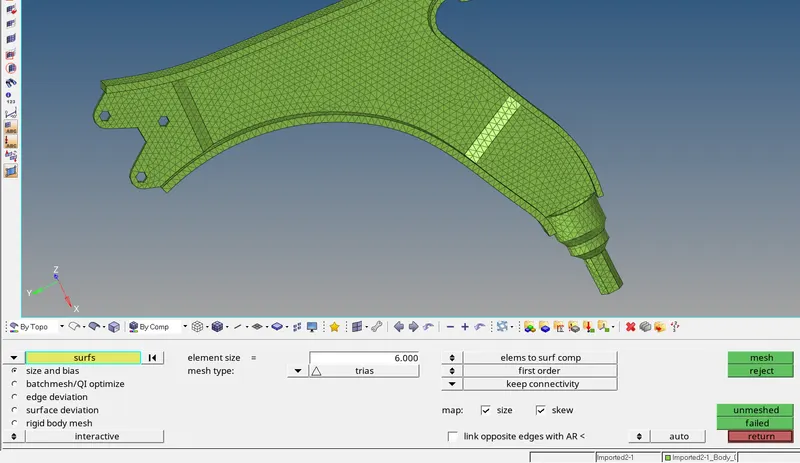
- 2D mesh model is created with the target element size of 6mm.
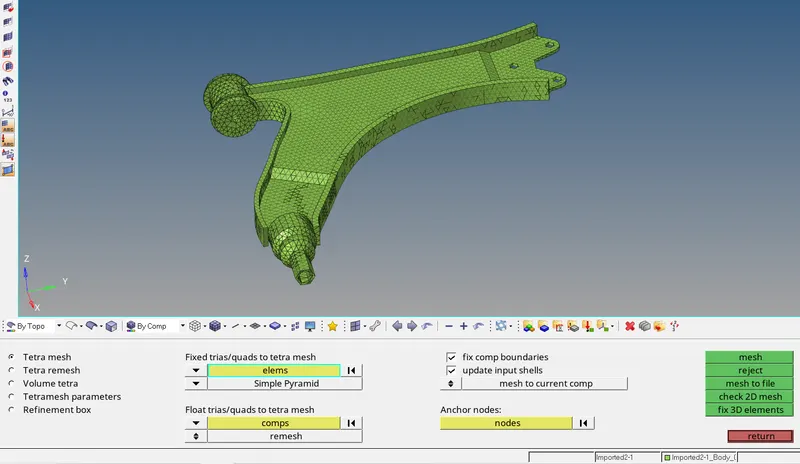
- Tetra mesh is created from the 2D mesh.
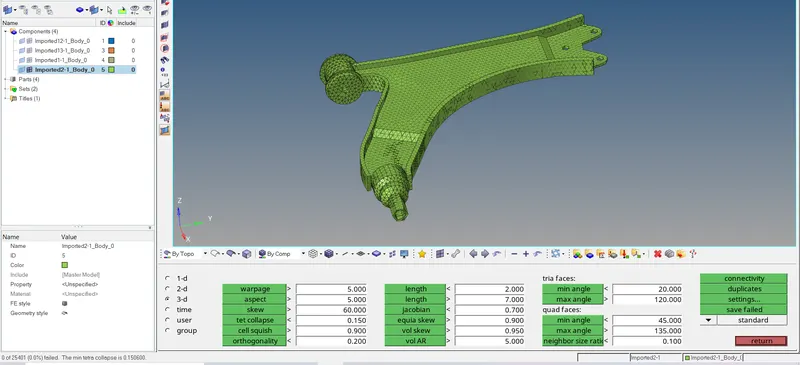
- Check all the 3D elements for tet collapse of 0.15 (required criteria).
- If any elements fail, they need to be corrected.
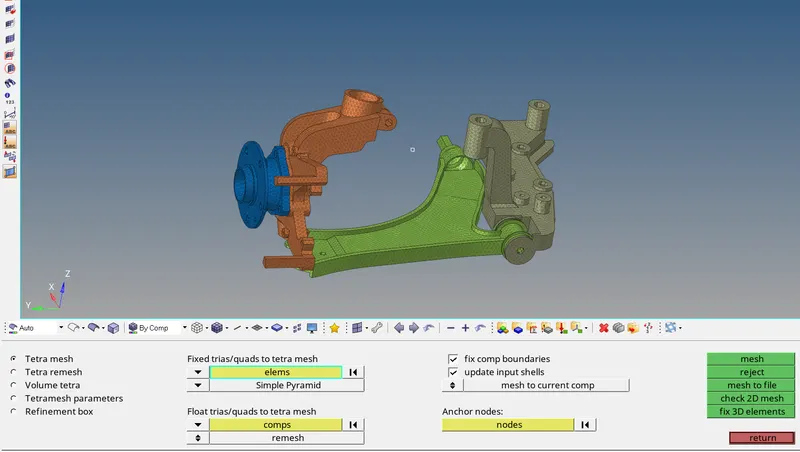
- Model 3 completely tetra meshed image.