Advanced Sheet Metal Design Using NX Cad Challenge_1_Casing Design
Aim Of Projcet:
Advanced Sheet Metal Design Using NX Cad Challenge-1Casing Design.
Objective :
To design a Sheet Metal Design Using NX Cad sheet metal application.
Introduction :
Unigraphics NX (also known as Siemens nx) is an advanced High-end CAD/CAM/CAE software package originally developed by UGS Corporation, But since 2007 it is owned by Siemens
PLM Software. It is used, among other tasks, for Design ,Engineering analysis ,Manufacturing finished design by using included machining modules.
NX Sheet Metal provides a set of tools within the NX design environment that allows for simple and fast design of sheet metal parts, dependent on their material and manufacturing
process, the most common of which is straight brake sheet metal forming.
Design Approach
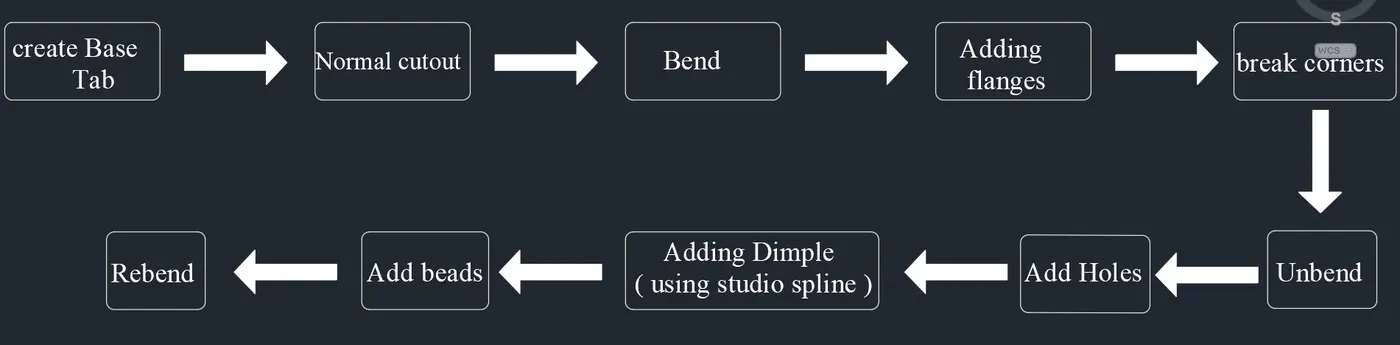
figure 1 above shows the flow chart of the method used to achive the final design of the casing
Description :
Sketch :Sketch software tool revolutionizes sketching in CAD, which is an essential part of the design process. By changing the underlying technology,
users are now able to sketch without pre-defining parameters, design intent and relationships.
Tab : As you select your existing tab face for selection, the sketching environment will open. Here you will sketch the material to be added.
The material will be united so don’t be too concerned about any overlap.Click finish sketch. If the target body has been selected correctly as default, select OK.
Bend : Bends sheet metal model through a line.
Flange :Ads flange on an edge and create a bend between two walls. The flange can only be made on a straight edge.To activate command.
Click on command on (When sheet metal application activated.) “ Home => Bend Group => Flange”Activate command from “Menu => Insert => Bend => Flange”
Break corners: It breaks the sharp edges of the corner and make smooth like fillets or chamfer. It prevent the fracture breaking from the sharp corners.
Unbend : It allows all the bend to unbend sheet.It is necessary to choose the bend, it can also to box select all the bend at once.
Hole : Hole feature is just like the same as the put a hole in the sheet eith respective measurements of sktch.
Dimple: Dimple in the sheet metal which will make more rigidity and stregth to that flat sheet component.
Beads: Beads are the features added in the sheet metal to increase the stffness of the component.
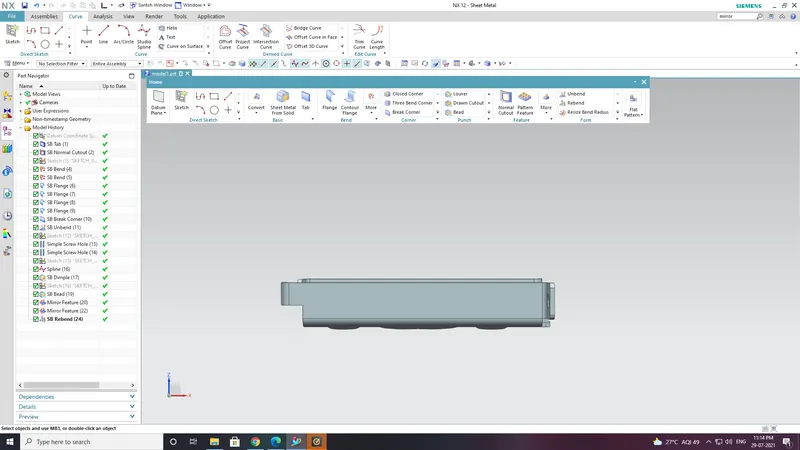
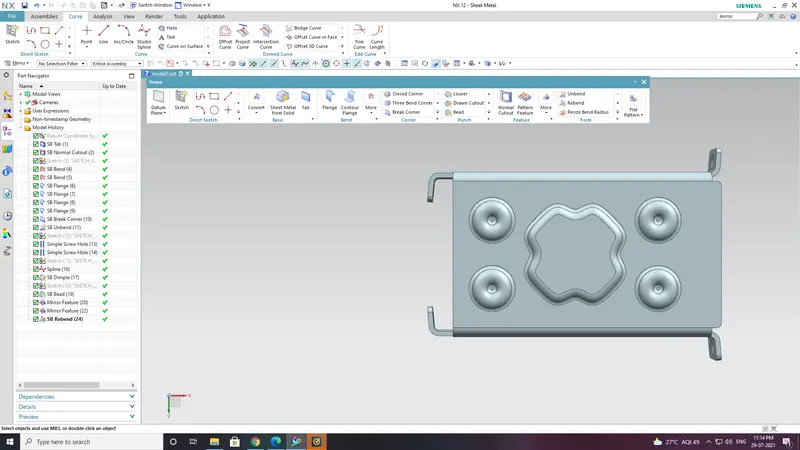
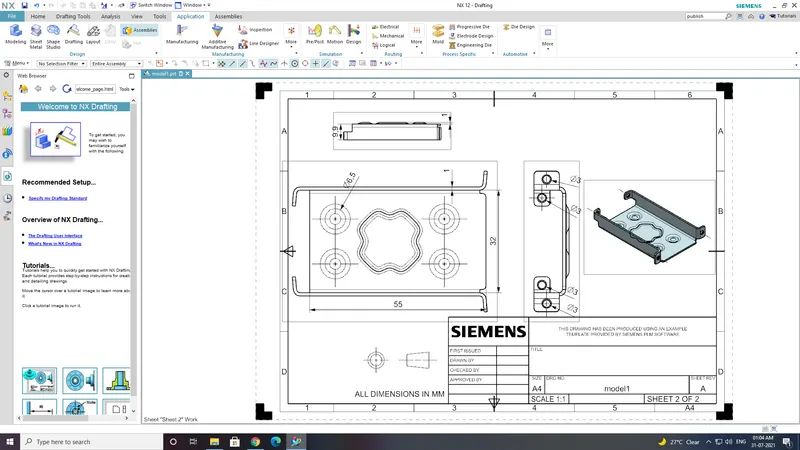
Design in NX-CAD:
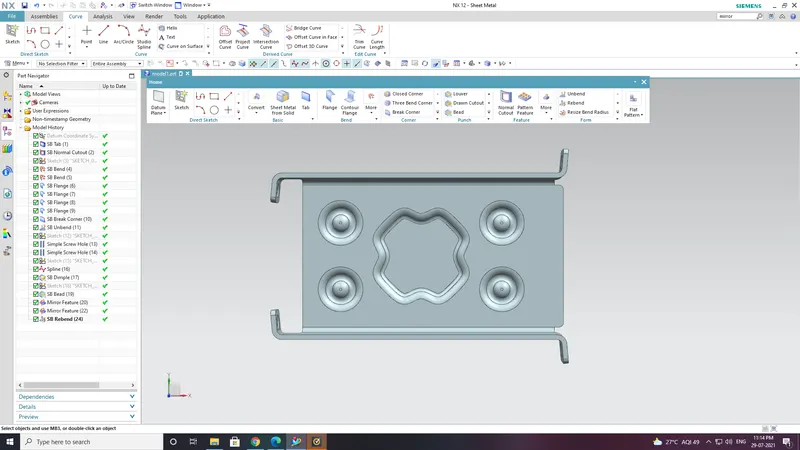
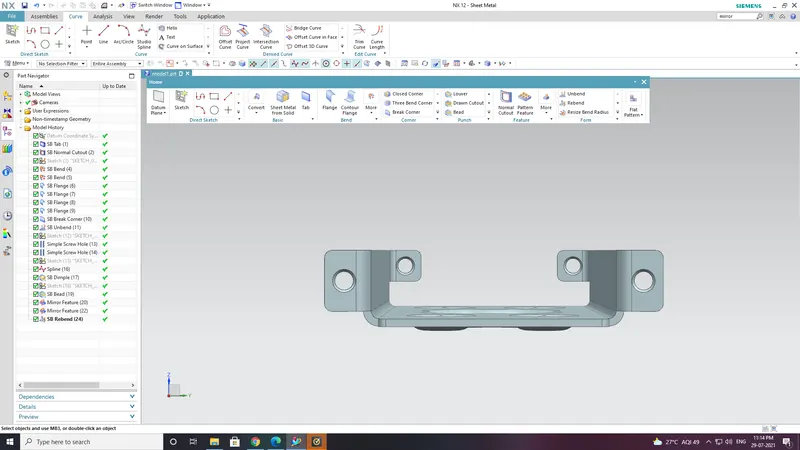
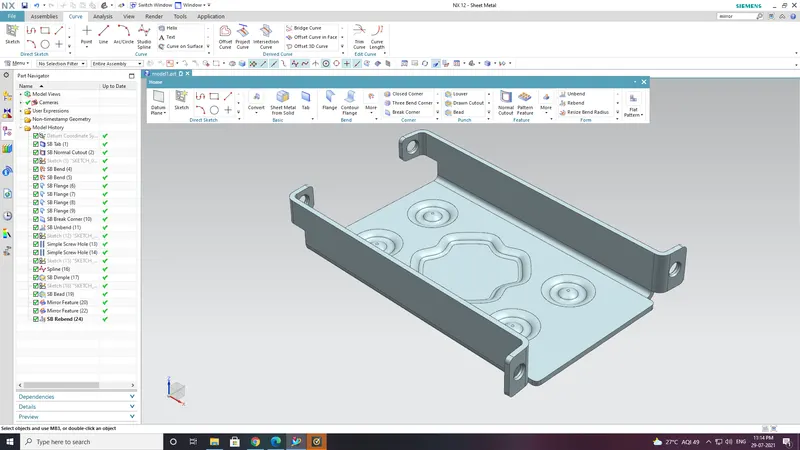
Conclusion:
In this challenge i know about the application of various commands and using given inputs finally achieve the product.