Menu

IIT Certification Programs

Workshops

Projects

Blogs

Careers

Student Reviews


More

Academic Training

Informative Articles

Find Jobs

We are Hiring!


All Courses

Choose a category

Loading...

All Courses

All Courses

logo

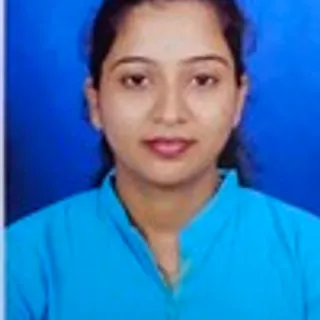
Prakash B

Structural engineer(Design)

Skills Acquired at Skill-Lync :

  • ETABS
  • Steel Structures

Introduction

Completed Civil Engineering in 2022. And currently doing my MTech in structural Engineering.

24 Projects

Project on Concrete Mix Design for various grades of Concrete

Objective:

AIM: To Calculate the Concrete Mix Design for M35 grade concrete with fly ash & M50 grade concrete without Fly ash   INTRODUCTION: Concrete mix design is the method of finding the precise proportion of cement, sand and aggregates for concrete to achieve the target strength in structures, therefore concrete…

calendar

17 Dec 2022 09:56 AM IST

    Read more

    Sketch a G+1 residential plan according to Vaastu Shastra and Calculation of Loads as per IS code

    Objective:

    Aim: Sketch a G+1 floor residential plan, according to Vastu shastra. List down the names of the structural drawings required to be provided to the site for construction. Assume the sizes of the structural elements (Column, Beam, Slab, etc.,) and accordingly calculate the individual corresponding loads from the members…

    calendar

    26 Dec 2022 03:48 PM IST

      Read more

      Project 1 _Creating an Architectural plan for the provided plot size and develop relevant basic structural drawings

      Objective:

      NAME: B.PRAKASH PROJECT: Design and Draft a layout of a residential building The following details: a. Plot Size: 60’x20’(18.3m x6m)  b. Orientation- Facing East    c. Develop the following: 1. Architectural Drawing (Floor Plan, Elevations, and Sections)          …

      calendar

      02 Feb 2023 04:42 PM IST

      • AUTOCAD
      • DESIGN
      Read more

      Creating Bar Bending schedule, Different Door types, and Creation of standard drawing templates using AutoCad

      Objective:

      1. Create the templates as shown in Figures. Take the size of the title block as per industry standards oryou can assume it as per the size of the paper. Use text and attributes wherever required. After creatingthe title block you need to save it as a block with names: Custom1_titleblock and Custom2_titleblock,respectively.…

      calendar

      04 Feb 2023 03:34 PM IST

        Read more

        Creating Kitchen layout, Hatching of Architectural elements and sectional view of an Industrial Building in AutoCad

        Objective:

        1) Create the layouts of the Kitchen and provide hatches pattern as shown. Also, use blocks whereverrequired. Provide appropriate dimensions in the plan. Assume the size of doors, appliances and othersas per the standards. Aim: To Create the Kitchen Layout and to  Also, use proper dimension techniques to dimension…

        calendar

        04 Feb 2023 05:13 PM IST

          Read more

          Creation of Multiple viewports, Scaling the drawing and setting in Template in AutoCad

          Objective:

          AIM: To create layout of plan and section, creating viewports, editing attributes and taking a plot. To create a kitchen layout in A4 sheet and take a plot To create Multiview ports for industrial section drawing, scaling it and taking a plot. COMMANDS USED: View Layout. Multiple View. Model Space. Paper Space. Scale.…

          calendar

          07 Feb 2023 11:25 AM IST

            Read more

            Creating various 3D Models like Furniture, Footing, Girder, Column drop with panel and Gable Wall in AutoCad

            Objective:

            AIM: To create 3D model and view of: Furniture element Isolated footing AASTHO type girder Drop column with panel A wall Commands used: Extrude. Offset. UCS. Box. Union. Subtract. Move. 3d orbit. Loft. Sweep. Cone. Region. Boundary. PROCEDURE:  Open the AutoCAD, click on workspace switching and change it to 3d…

            calendar

            11 Feb 2023 03:26 PM IST

              Read more

              Creating 3D Isometric view of various structural elements in AutoCAD

              Objective:

              HALLENGE:-1 Q] Create a 3D Isometric View of the building with plan and elevation given.        AIM:- To create a 3D isometric view of the given building with plan and elevation.    INTRODUCTION:-  An isometric drawing is a 3D representation of an object,…

              calendar

              18 Feb 2023 09:23 AM IST

                Read more

                Project 2_Creating a 3D rendered model for a Residential Building in AutoCad

                Objective:

                NAME: PRAKASH.B PROJECT 2 AutoCADD Essential Task 1: AIM: To create a 3 dimensional model of the residential building  To create a rendered view of the developed model. To use materials and light setting. Procedure: Here in the project we are going to create a 3d model of a residential building. This is…

                calendar

                21 Feb 2023 11:04 AM IST

                  Read more

                  3D Creation of Ceiling, Roof, Architectural plan, Structural plan, Sectional view, Elevation view and Camera specific view for a house plan using REVIT

                  Objective:

                  1) Based on the project saved from Week 3, proceed from the First Floor Level. Model a Ceiling from the architecture tab above the walls at the first-floor level AIM:  To model a Ceiling from the architecture tab above the walls at the first-floor level. INTRODUCTION: The creation of Ceilings within Revit is a very…

                  calendar

                  11 Mar 2023 02:29 PM IST

                    Read more

                    Creating Architectural and Structural model with 3D rendering using REVIT

                    Objective:

                    1)Select the type of structure you want to build from one of the three below        a. Multi Unit Residential Apartment        b. Office Buildings        c. School ANSWER:  My model represents a sea face residential building .    2) Assume reasonable…

                    calendar

                    23 Mar 2023 02:24 PM IST

                    Read more

                    Week 1 Challenge

                    Objective:

                    1. 1. Write the steps involved to upload a .std file through web mail?Ans: Steps involved to upload a .std file through web mails are as follows; Open the STAAD pro software and locate the share option available on the introduction screen. After clicking on the share button, select send mail option. Then, browse for the.…

                    calendar

                    30 Apr 2023 07:06 AM IST

                      Read more

                      Week 2 Challenge

                      Objective:

                      Q1.1. How will you assign Circular section to column? ANS : Go to properties in that select define property select circle and give the radius for the member and assign the defined circle to the member created Q1.2. How will you assign Unit system to a .std model file? ANS : While creating a model go to unit system…

                      calendar

                      23 May 2023 05:26 AM IST

                        Read more

                        Week 3 Challenge

                        Objective:

                        1. 1. State the primary load cases to be considered for design.    2. What is One – Way slab?    3. What is the value of unit weight of structural steel and soil?    4. Name few sections that can be defined using Properties tab in STAAD Pro.    5. Define Primary Beams. 1.1.…

                        calendar

                        04 Jun 2023 07:40 AM IST

                          Read more

                          Project 1

                          Objective:

                          1. Design a multi-storey Residential Building located in Bangalore using STAAD Pro Connect Edition. The specification must be as follows:      Building floors G + 6 + R Plan dimension B = 25m ,  L = 16m Storey Height h = 3.5m Soil  Hard soil Use Residential Purpose Safe Bearing Capacity 180 kN/m2 Maximum slab thickness…

                          calendar

                          03 Oct 2024 04:31 AM IST

                            Read more

                            Creating Conceptual mass in REVIT and Creation of Sinusoidal curve and a Parametric stadium using Dynamo

                            Objective:

                            1. Creating Sinusoidal Points, Curve, and SurfaceSteps:Generate Sinusoidal Points:Use the Code Block node to define the range and sinusoidal function.Example: x = 0..10..#100; y = Math.Sin(x);Create points using the Point.ByCoordinates node.Create a Curve:Use the Curve.ByPoints node to create a curve from the generated…

                            calendar

                            27 Jun 2024 12:04 PM IST

                              Read more

                              Usage of Navigation tool , Timeliner and Clash Detection test using Naviswork

                              Objective:

                              ### Task 1: Export Revit Models to Navisworks Cache File**Aim**: To export the architectural and structural models developed in Revit to Navisworks Cache files (.nwc) using the specified export settings.**Tools**:1. Autodesk Revit2. Export settings as discussed in class**Procedure**:1. Open Autodesk Revit.2. Load…

                              calendar

                              30 Jun 2024 10:37 AM IST

                                Read more

                                Project 2

                                Objective:

                                1. Design a Warehouse Building located in Chennai using STAAD Pro Connect Edition. The specification must be as follows:    Width 30mLength50mEave Height9mBay spacing6mSoil typeMediumSafe Bearing Capacity200 kN/m2Roof slope1 in 12Assume suitable sections for structural elements. Follow IS800:2007,…

                                calendar

                                19 Dec 2024 03:57 PM IST

                                  Read more

                                  Identification of Cracks

                                  Objective:

                                  Identification of Cracks:Question 1:a)OBSERVATION:- We can clearly seen in the above image that the damage is done with beam but the column is perfectly fine.-  The damage is more caused to the beam than the column.- In this above image we can clearly see that the layer of concrete is completely crushed and reinforcement…

                                  calendar

                                  23 Dec 2024 03:09 PM IST

                                    Read more

                                    Structural dynamics

                                    Objective:

                                    1. Differentiate Static analysis and Dynamic analysis with proper representing picturesStatic AnalysisDefinition: Static analysis is the process of examining code without executing it. It involves analyzing the source code or compiled code to identify potential errors, security vulnerabilities, and coding standards violations.Purpose:…

                                    calendar

                                    23 Dec 2024 03:24 PM IST

                                      Read more

                                      Concept on positioning of Columns

                                      Objective:

                                      Question 1:Comment on the layout of the framing plan concerning earthquake resistance in the two horizontal directions X or Y (dots are columns, lines depict beams). Look into aspects of symmetry, redundancy and bi-directional stiffness and ductility.Ans:To assess the framing plan for earthquake resistance in the X and…

                                      calendar

                                      10 Mar 2025 05:41 AM IST

                                        Read more

                                        Conceptual design of a building with columns and shear walls

                                        Objective:

                                        Question 1:The building shown, 20 × 35 m in plan, has columns on a 5 × 5 m grid and shear walls (with dimensions shown in m, 250 mm in thickness) in three alternative arrangements, (a), (b), (c), all with the same total cross-sectional area of the shear walls. Compare the three alternatives, taking into account the restraint…

                                        calendar

                                        10 Mar 2025 02:39 PM IST

                                          Read more

                                          Modelling of 25 storey building with the specified properties using ETABS

                                          Objective:

                                          Model a 25 storey building on ETABS with structural properties as specified below. Ground floor or plinth floor level can be taken at a height of 1.5 metres from the base. Each of the successive 25 storeys has a storey height of 3 metres.:1. Model Creation Define grid spacing and storey levels (Plinth at 1.5m, 25 storeys…

                                          calendar

                                          14 Mar 2025 09:39 AM IST

                                          Read more

                                          Project 1_Comparative study of different storey buildings for Seismic forces

                                          Objective:

                                          Comparative study of different storey buildings for Seismic forces:Factors Influencing the Dynamic Characteristics of a Building: Mass Distribution – Heavier buildings generally have longer natural periods. Stiffness Distribution – Stiffer buildings have shorter natural periods and higher frequencies. Building Height &…

                                          calendar

                                          02 Apr 2025 05:03 PM IST

                                          Read more
                                          Showing 1 of 24 projects

                                          4 Course Certificates

                                          certificate

                                          Civil Engineering Fundamentals Module

                                          CertificateIcon
                                          Certificate UID: qa4035iznrujexfw
                                          View Certificate
                                          certificate

                                          AutoCAD Essentials for Civil Engineers

                                          CertificateIcon
                                          Certificate UID: ri69f40oqds5vbxg
                                          View Certificate
                                          certificate

                                          Drafting and Design Using Revit

                                          CertificateIcon
                                          Certificate UID: j6onyvwp4dgt3m7r
                                          View Certificate
                                          certificate

                                          Analysis and Design of Buildings using STAAD.Pro - A Professional Approach

                                          CertificateIcon
                                          Certificate UID: jbcnpm9lfy261di4
                                          View Certificate
                                          Showing 1 of 4 certificates

                                          Academic Qualification

                                          B.E

                                          Vels Institute of Science, Technology & Advanced Studies

                                          22 Jun 2019 - 13 Jul 2022

                                          10th

                                          Chettinad Raja Muthiah Higher Secondary School

                                          03 Dec 2014 - 02 Dec 2015

                                          Schedule a counselling session

                                          Please enter your name
                                          Please enter a valid email
                                          Please enter a valid number

                                          Here are the courses that I have enrolled

                                          coursecard
                                          4.8

                                          11 Hours of Content

                                          coursecard
                                          Recently launched

                                          18 Hours of Content

                                          coursecard
                                          Recently launched

                                          21 Hours of Content

                                          coursecard
                                          Recently launched

                                          10 Hours of Content

                                          coursecard
                                          4.8

                                          31 Hours of Content

                                          coursecard
                                          5

                                          24 Hours of Content

                                          coursecard
                                          Recently launched

                                          21 Hours of Content

                                          Similar Profiles

                                          Apoorv Ranjan
                                          Apoorv Ranjan

                                          Ladder of success cannot be climbed with hands in pocket.

                                          Pruthvi Jagadeesh GK
                                          Pruthvi Jagadeesh GK

                                          The Future in Motion

                                          Krantiveer .
                                          Krantiveer .

                                          Give more than what you get you will get more than what you gave