DussehraFestive scholarship on Skill-Lync courses, this week onlyFestive scholarship is openOffer ends Wed, 21 Oct, 11:59 pm IST.

Dussehra 2026

Start your next chapter this Dussehra

Tell us where you want to work. A counsellor will match you to the right course and confirm the festive scholarship you qualify for.

  • Festive scholarship on course fees, confirmed on your call
  • Free 20-minute call to map the right course to your goal
  • Real industry projects and placement support with every course

Offer ends Wed, 21 Oct, 11:59 pm IST

3,905 engineers placed since 2019 · 1,277 hiring companies

By submitting you agree to our Terms and Privacy Policy.

You're on the list

Browse courses
Civil · Course

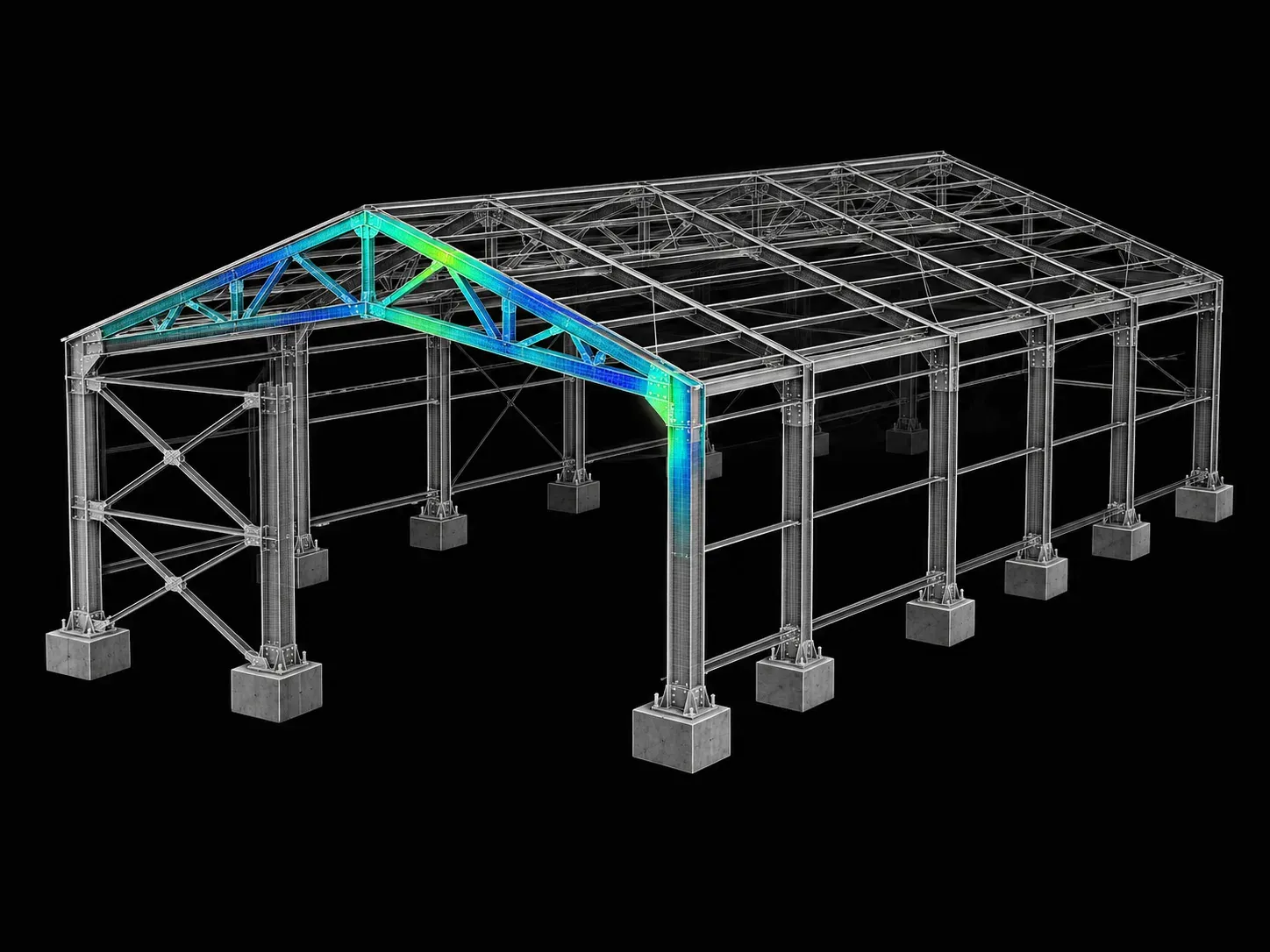
Analysis and Design of RCC & Steel Structures using Tekla Structural Designer

Build award-winning steel structures by learning how to use Tekla Structural Designer from industry experts. Our unique pedagogy will make you proficient in performing analysis and design of steel structures. Skill-Lync's experienced mentors will train you with structural design software and make you competent in the job market.

Duration
12 weeks
Content
19 hours
Projects
2
Mode
Online
Overview

What you'll
be able to do.

Any building, be it big or small, is fundamentally composed of steel and concrete. The preliminary visualization of these structures involves designing, modeling and analysis. Tekla Structural Designer (TSD) is an efficient tool that is capable of performing all three processes. This software enables the user to visualize in 3D, and work through all stages involved in the creation of a steel or Reinforced Cement Concrete (RCC) structure from conceptualisation to fabrication. To give learners a fundamental understanding of Tekla Structural Designer as used in the industry, Skill-Lync offers the Design and Analysis of RCC and Steel Structures using Tekla Structural Designer.

By taking this course, learners will…

  • Understand the process of designing, modeling and analysis of RCC and Steel structures using Tekla Structural Designer.
  • Get a grasp on input drawings, planning structural arrangement, calculation of loading and modeling of structures using Tekla Structural Designer.
  • Be exposed to the Indian Standard (IS) codes for design and analysis of RCC and steel structures.
  • Complete challenges that require the design and modeling of structures using Tekla Structural Designer.

Who can enroll in this course?

Students and working professionals with a background in structural engineering can take this course.

Tools you'll use
Tekla Structural Designer
Curriculum

12 modules,
built with industry.

Get the full syllabus ↓
  1. 01Analysis and Design of RCC & Steel Structures using Tekla Structural Designer12 modules
    1. Planning Structural Layout and Introduction to Tekla Structural DesignerW01

      This week will cover

      • Program interface and commands required to run the program
      • Development of structural layout plans for industrial steel structures
      • Basics of grids and construction levels
    2. Modeling Industrial Steel Structures (Part 1)W02

      This week will cover

      • Modelling of steel columns
      • Modelling of steel beams on the ground floor
      • Managing properties using TSD
      • Validation of the model

      You will start developing a model using relevant software tools.

    3. Modeling Industrial Steel Structures (Part 2)W03

      This week will cover

      • Modelling of beams for floor with reference to the structural plan
      • Modelling of longitudinal and plan bracings
      • Modelling of slabs

      This week, you will also run validations on the model. You will find ways to solve the errors you encounter during the process.

    4. Loading Industrial Steel Structures (Part 1)W04

      This week will cover

      • Load applications
      • Gravity loads and their application on the model according to IS codes
      • Calculation and application of dead loads
      • Calculation and application of live loads
      • Calculation and application of crane loads
    5. Loading Industrial Steel Structures (Part 2)W05

      This week will cover

      • Calculating lateral loads based on IS codes and applying them to the steel structure model
      • Calculation and application of manual wind load
      • Application of wind load using Wind Wizard in the software
      • Calculation and applicatiton of seismic load in the model
    6. Analysis and Design of Steel StructuresW06

      This week will cover

      • Check and review analysis settings
      • Analysis of the model
      • Interpretation of analysis to understand the behavior of the structure
      • Design of substructure and superstructure elements
    7. Modeling RC Residential StructuresW07

      This week will cover

      • Modeling and designing an RC residential building
      • Structural layout plan for an RC structure based on architectural drawings
      • Generating a new model
      • Grid modeling
      • Unique floor models in TSD
      • Modelling of RC Columns
      • Modelling of RC Beams
      • Modelling of Shear Walls
    8. Loading for RC Residential StructureW08

      This week will cover

      • Calculation of gravity loads and lateral loads and applying the loads to the model according to inputs and IS codes
      • Calculation and application of dead loads
      • Calculation and application of live loads
      • Calculation and application of wind loads
    9. Loading and Analysis of RC Residential StructuresW09

      This week will cover

      • Lateral loadings based on inputs and IS Code - running analysis on the same
      • Calculation and application of seismic load
      • Check and review analysis settings
      • Analysis of the model
      • Interpretation of analysis results to understand the behavior of the structure
    10. Design of RC Residential StructureW10

      This week will cover

      • Designing structural elements
      • Grouping members
      • Check and design of column size and reinforcement
      • Check and design of beam size and reinforcement
      • Group members based on detailing
    11. Design of RC Residential StructuresW11

      This week will cover

      • Design of floor slabs
      • Design foundation for the building
      • Report generation for structures
    12. Generating Reports and Drawings for Industrial Steel Structures and RC StructuresW12

      This week will cover

      • How to generate reports and drawings used for submission while working on a live project
      • Generating reports for members using the steel and RC model
      • Managing the drawing layers in the software
      • Generating arrangement and detail drawings from the Steel and RC Model
Industry projects

2 projects
you'll ship.

Our projects are designed by experts in the industry to reflect industry standards. By working through our projects, Learners will gain a practical understanding of what they will take on at a larger-scale in the industry. In total, there are 2 Projects that are available in this program.

Modeling, Analysis and Design of an Industrial Steel Building Supporting 10 Ton Crane Capacity as per IS Code using Tekla Structural Designer

Modeling, Analysis and Design of an Industrial Steel Building Supporting 10 Ton Crane Capacity as per IS Code using Tekla Structural Designer

This project requires learners to design and analyze a steel building using Tekla Structural Designer. The objective is to ensure that the building is designed with the help of bra…
Modeling, Analysis and Design of a RCC Office Building as per IS code using Tekla Structural Designer

Modeling, Analysis and Design of a RCC Office Building as per IS code using Tekla Structural Designer

This project is focused on modeling and analyzing an RCC office building using the Tekla Structural Designer tool. The objective is to design the office building according to the I…

Fee

One fee.
Everything included.

Become job ready with our comprehensive industry focused curriculum for freshers & early career professionals

Premium
₹40,000
Inclusive of all charges
  • 1 Year Access
  • Personalized Page
  • Live Individual & Group Sessions
  • Personalized & Hands-On
  • Job-Oriented Industry Relevant Curriculum
Check eligibility →
FAQ

Questions,
answered.

What is the minimum time required to complete this course?

You will need 3 months to complete this course.

Do I need to have prior knowledge of anything to understand this course?

Having a basic knowledge of structural engineering will help you with this course.

What is included in this course?

This course includes modelling, analysis, and design of RC and Steel structures using Tekla Structural Designer.

What software skills shall I gain by completing this course?

You will acquire the skills of using TEKLA Structural Designer software after enrolling in this course.

Do I have to attend offline classes?

This is a fully online course. You will not have to attend any offline classes.

What is the real-world application of the tools and techniques taught in this course?

The tools and techniques taught in this course are used in varied real-life projects, such as oil and gas projects, industrial and infrastructure projects, etc.

What is the ratio of theory to hands-on practical content?

The ratio of theory to hands-on practical content is around 30-70.

Is this course project-based?

Yes, this TEKLA course is project-based.

Next step

Not sure it's
the right fit?

A counsellor will walk you through the syllabus, projects and fee options — and tell you honestly if another course suits you better.

Get the syllabus + a call back

We'll email the full syllabus and call within one working day.

By submitting you agree to our Terms and Privacy Policy.

Call usEnquire

Talk to a career counsellor

Free 20-minute call. We'll map the right course to where you want to work.

By submitting you agree to our Terms and Privacy Policy.