Wiring harness design in CATIA V5 - 3D modeling Week 7 Challenge
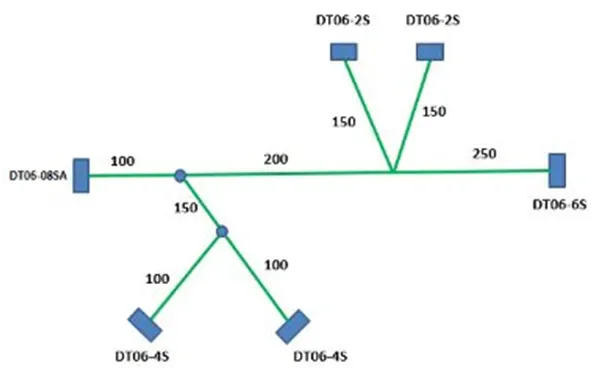
Q1. Flatten the harness assembly completed in “week 4 challenge”. Place the flattened view on drawing sheet. Ensure bundles with protective coverings has different visuals on drawing view.
Ans:
To make a flattened view of any wiring harness we should be working on the Electrical Harness Flattening workbench of CATIA V5. We should make sure that the flattening file should be in the same folder where you have all the parts of the harness assembly.
CONTENT-
The following steps are to be done to complete this project.
The harness assembly and routing is done as per given reference.
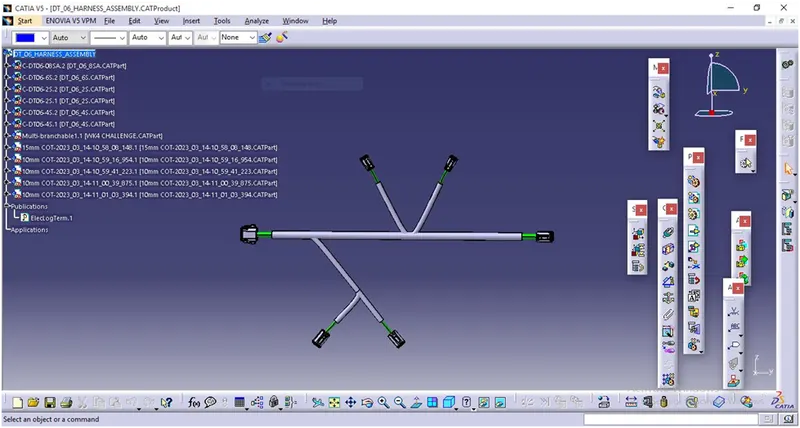
HARNESS FLATTENING:
- We go to the harness flattening workbench and define the flattening parameters.
- We use the extract command to bring the harness assembly to the flattening
- Workbench here.
- Choosing a suitable plane we flatten the harness assembly.
- Bundle segments are rotated at the required angles. The harness assembly is then drafted.
- Flattening parameters are defined in order to make the bundle and the corrugated
- Tubes visible in the 3D drawings.
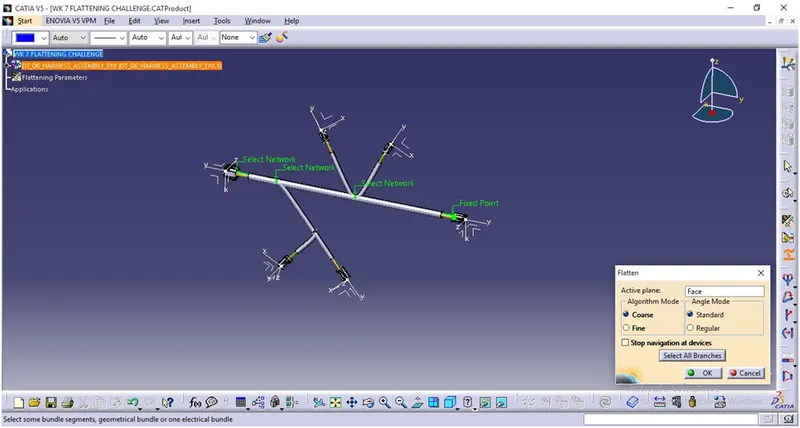
FLATTENED VIEW:
The Harness assembly is Flattened by selecting the reference plane and selecting all branches.
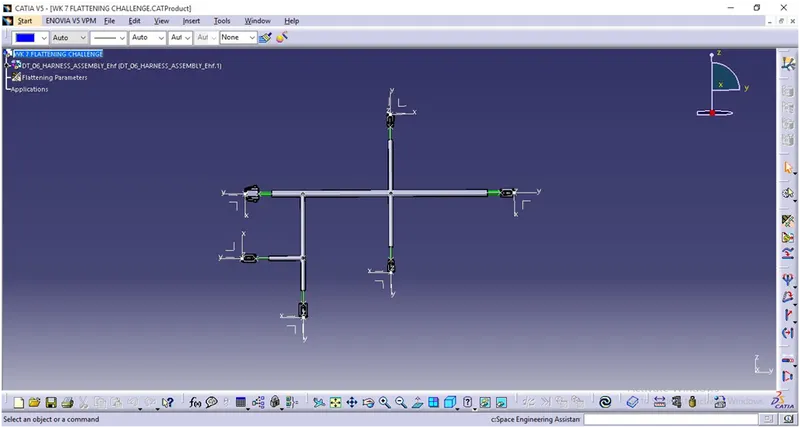
CONVERSION TO 2D DRAFTING :
The flattened harness is converted to 2D drafting file by adding required annotations and saved as .CATDrawing file.
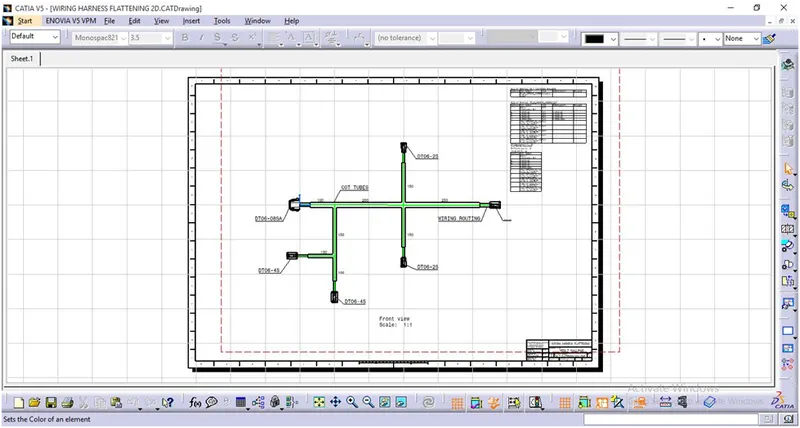
CONCLUSION: The Week 4 Challenge harness assembly have been flattened as per given guidelines.