Wiring harness design in CATIA V5 - 3D modeling Week 7 Challenge
Aim: To create the flattened geometry of the wiring harness bundle as per given drawing and create a drawing sheet for the flattened harness.
Theory: The given wiring harness drawing is shown below. It is the same drawing which was used to create the wiring harness in the earlier project.
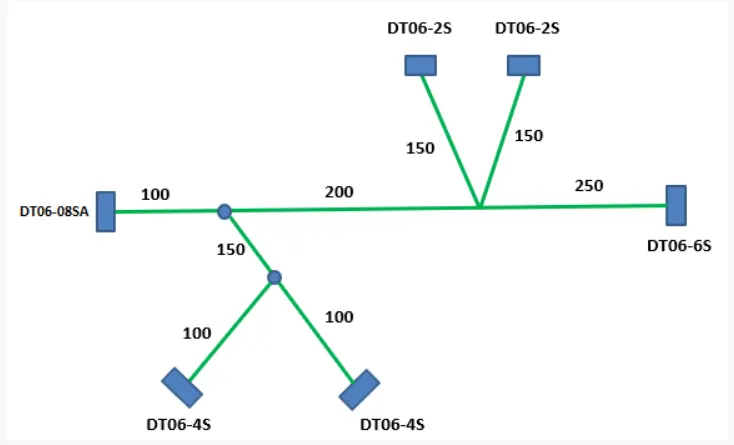
Fig. 1: Given drawing of wire harness.
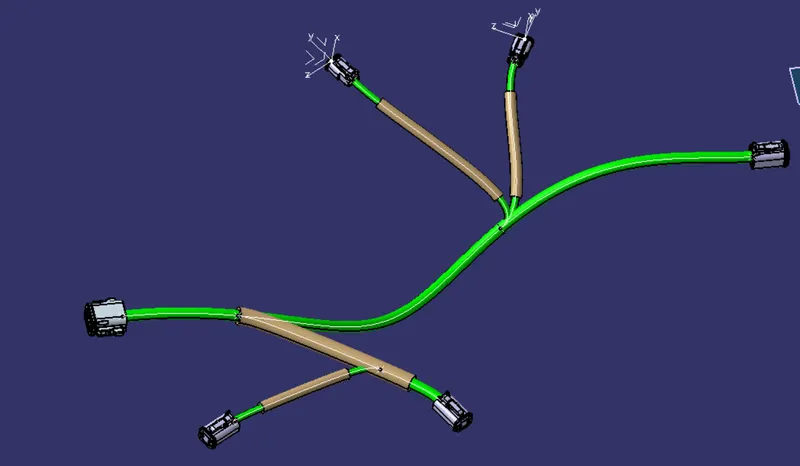
Fig. 2: Isometric view of wiring harness
Flattening the wiring harness:
- Open a new ‘Product’ file in CATIA and go to the ‘Electrical Harness Flattening’ workbench.
- Set the ‘Harness Flattening Parameters’ as shown below.
- Use ‘Extract’ command to import the wiring harness. Click on ‘Extract’ and switch windows to the wiring harness assembly window and click on the main product file. The wire harness will be imported into the flattening workbench.
- Use ‘Flatten’ command and select the plane on which the harness needs to be flattened. Select all branches to be flattened.
- Use ‘Rotate’ command at appropriate branch points to rotate the branches and place them as per the given drawing.
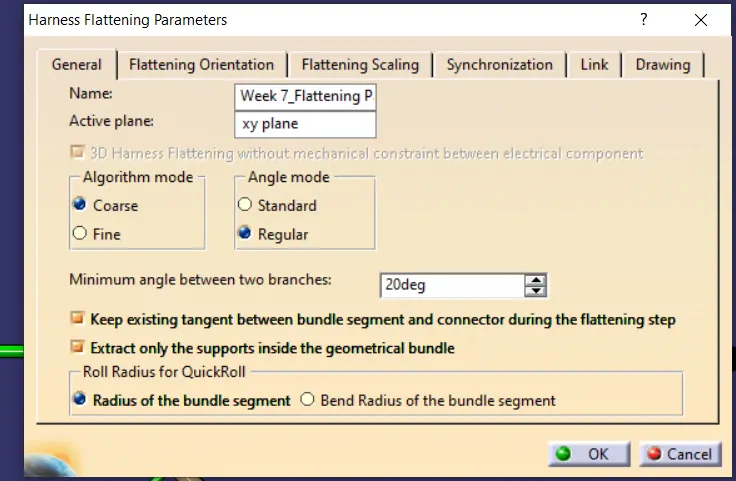
Fig. 3: Setting the Harness Flattening Parameters
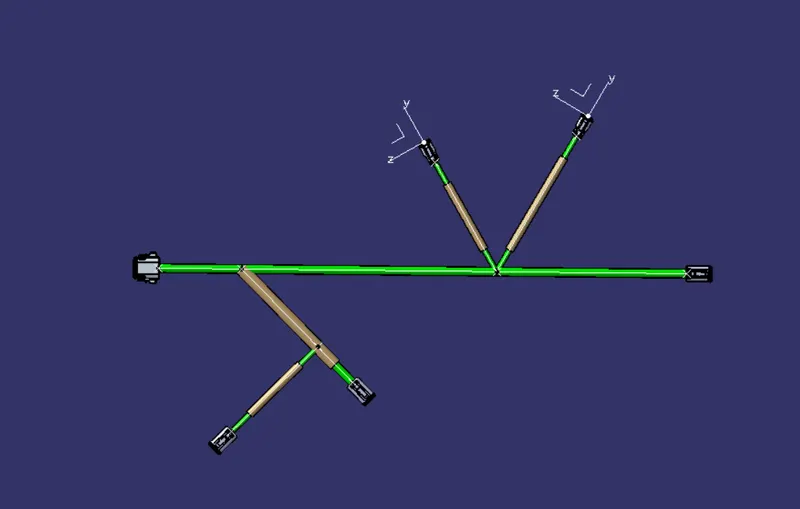
Fig. 4: Wire Harness flattened on the XY-Plane.
Creating the drawing sheet for the flattened harness:
- Open the ‘Drafting’ workbench in CATIA V5, and select ISO A0 sheet size to be used for harness drawing.
- In the drawing view, go to ‘Edit’ on the tool bar and select ‘Background Views’ to edit the sheet background.
- Insert the Title block and edit the info as per requirement. Switch back to the ‘Working Views’.
- Insert ‘Front View’ and click on the XY plane in the flattened harness window to import the view into the drawing sheet.
- Edit the view properties as shown below.
- Dimension the wire harness appropriately.
- Insert the Bill of Material.
- Edit the Bill of Material.
- Use ‘Balloon Generation’ command to name the components of the assembly as per the BOM.
- Save it.
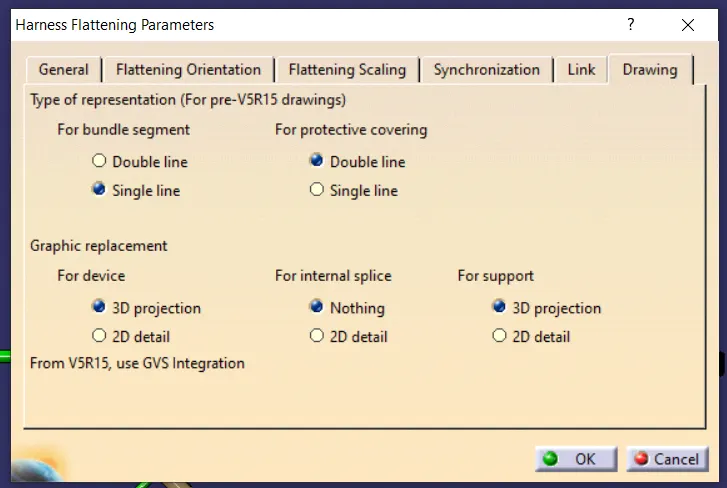
Fig. 5: Setting Drawing Parameters for Harness Flattening.
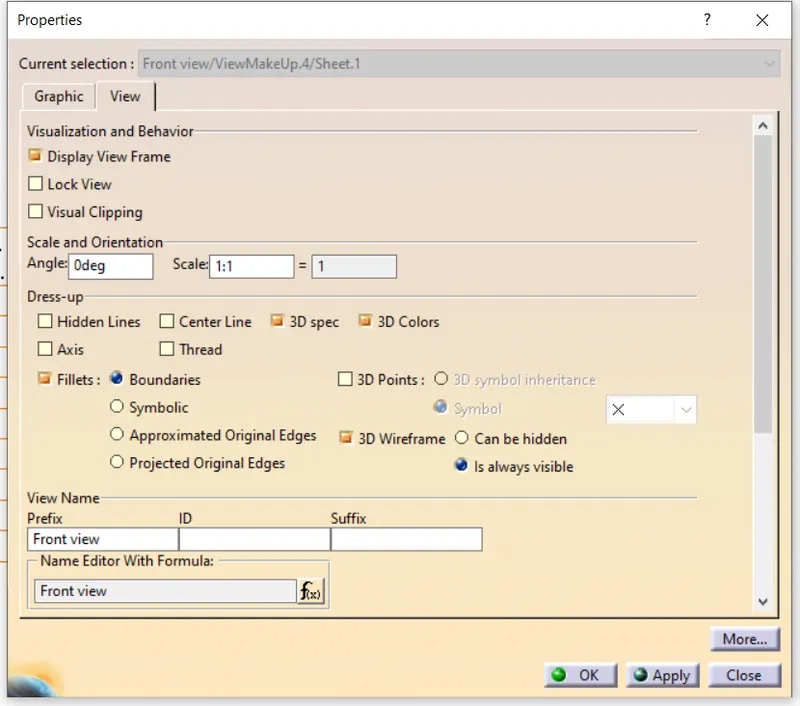
Fig. 6: Setting the view properties
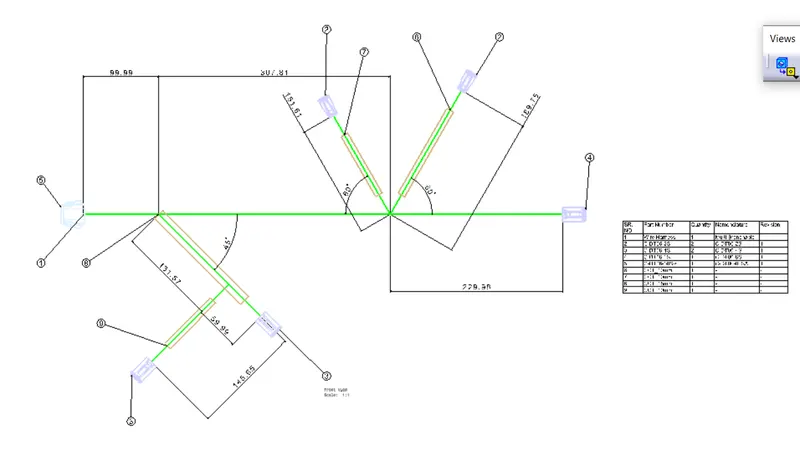
Fig. 7: The drawing of the flattened wire harness.
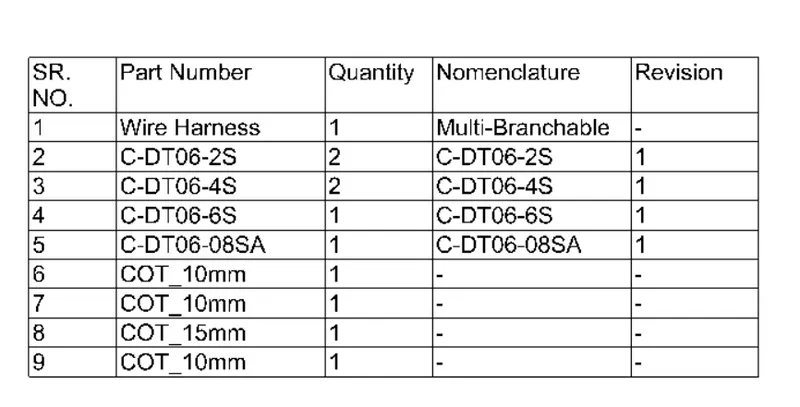
Fig. 8: The Bill of Materials.
Conclusion: The 3D wiring harness was successfully flattened and drafted to create the drawing view of the wiring harness.