Week - 4 - Crash Box Simulation
Aim:
To perform a crash box simulation using LS-dyna.
Procedure:
Step 1:
Import the given .K file in LS dyna
Step 2:
The section is created with the shell thickness. Then the material is created as steel. After which the part id is created, the section ID and the mat id is assigned to the part.
Step 3:
Initial velocity is given as 50kmph to the crash box.
Step 4:
Rigid wall is created in front of the crash box.
Step 5:
The( #control termination) card is used to determine the start and the end time.
Step 6:
The ASCI and the binary output file is specified.
Step 7:
The model is checked for errors.
Step 8 :
The model is set to run for calculating the results.
Results:
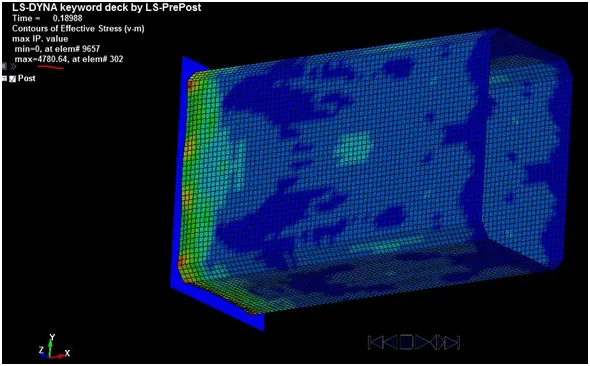
The results below were calculated for a thickness of 1.2mm on the crash box.
Von misses stress:
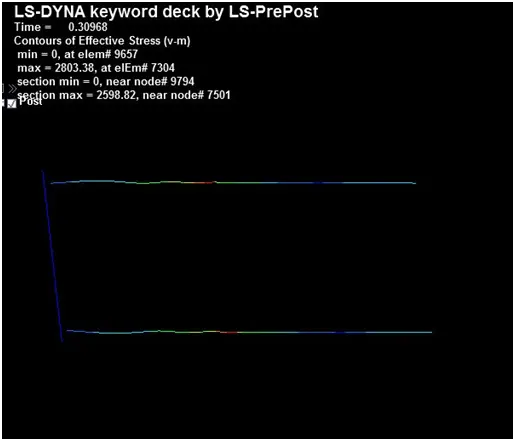
Cross-sectional forces along its length for 1.2mm thickness:
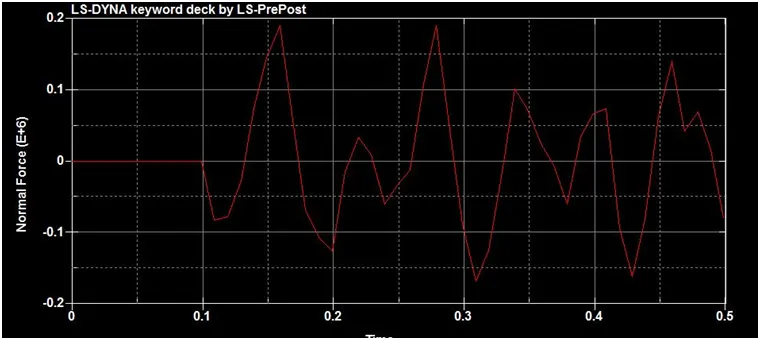
Cross-sectional forces plot along its length for 1.2mm thickness
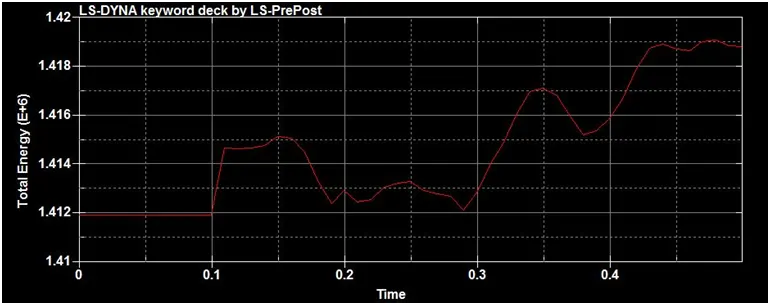
Total energy plot:
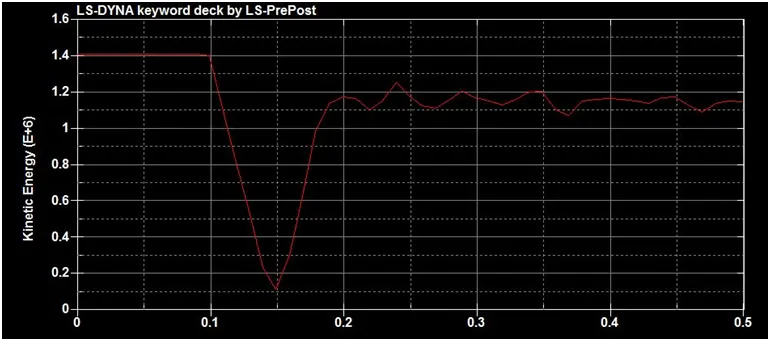
Kinetic energy plot:
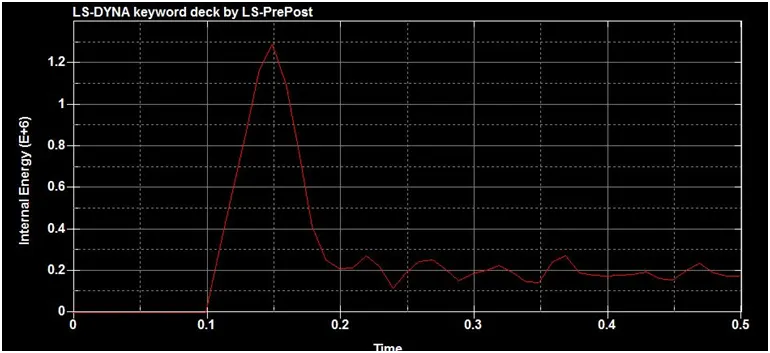
Internal energy plot:
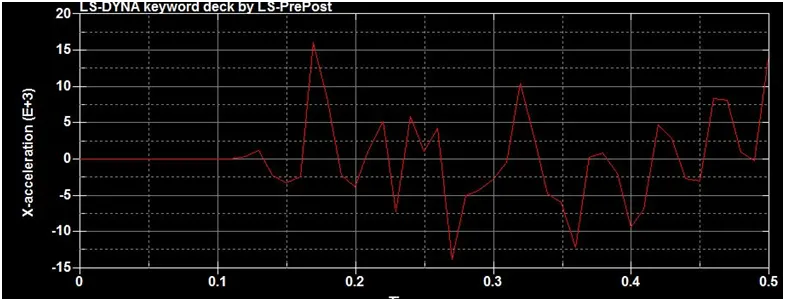
Acceleration plot :
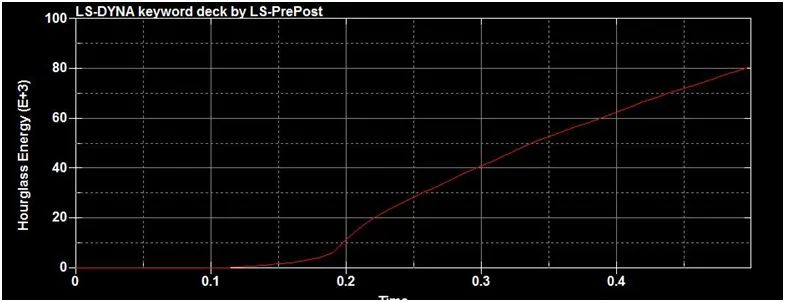
Hourglass energy plot:
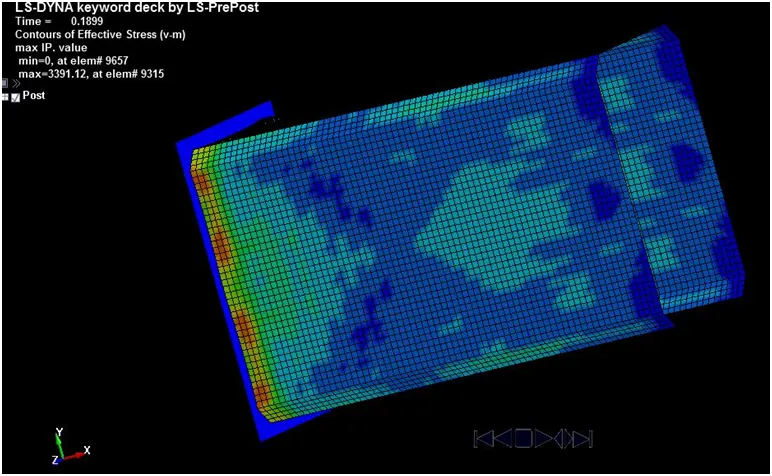
The results below were calculated for a thickness of 1.50mm on the crash box.
Von misses stesss:
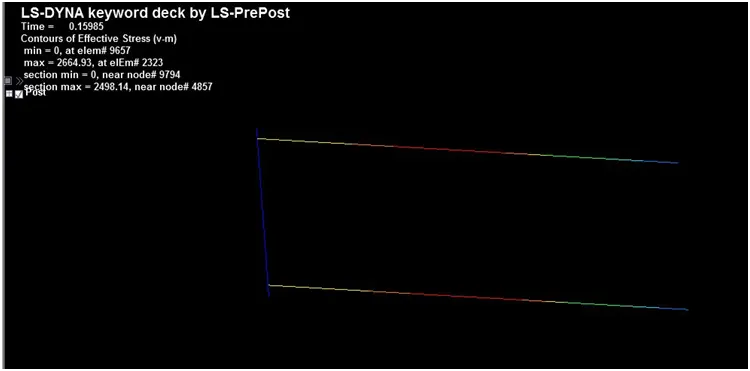
Cross-sectional forces along its length for 1.5mm thickness:
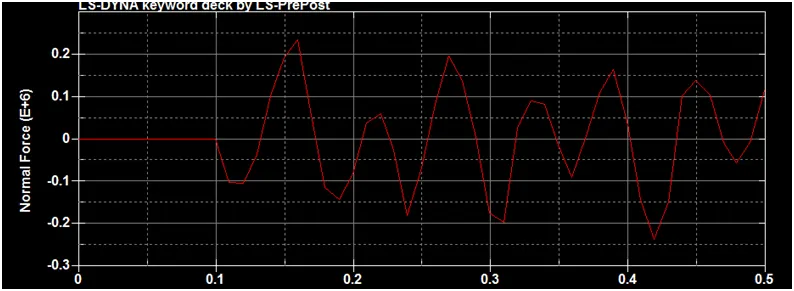
Cross-sectional forces plot along its length:
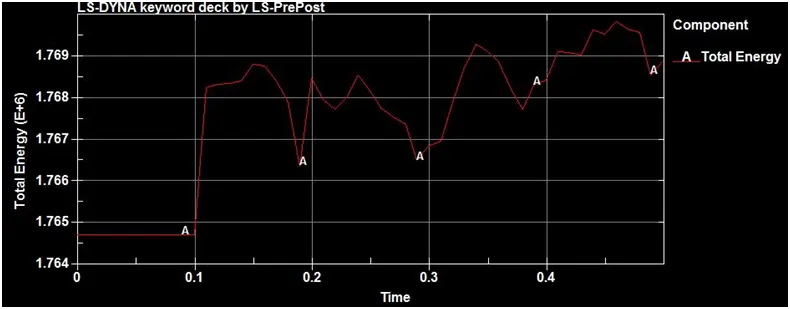
Total energy:
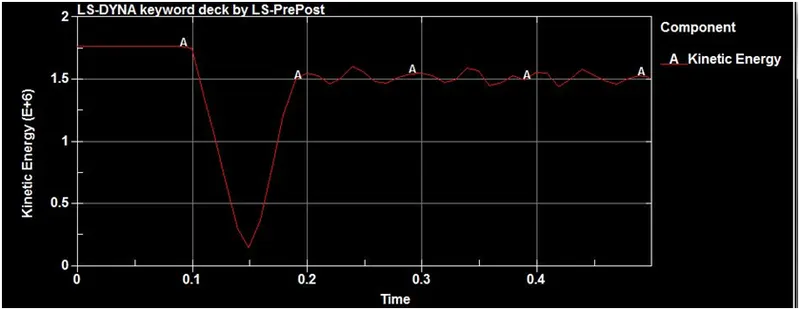
Kinetic energy:
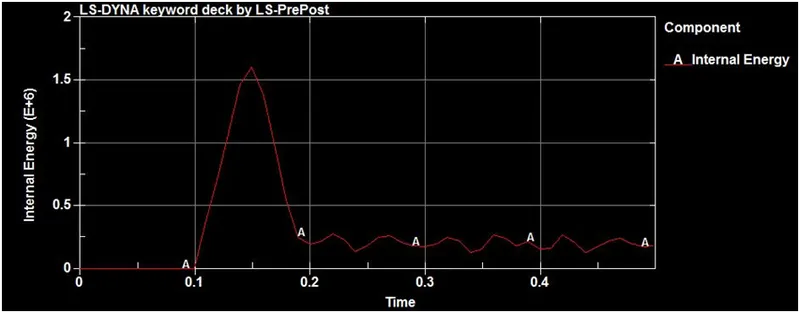
Internal energy:
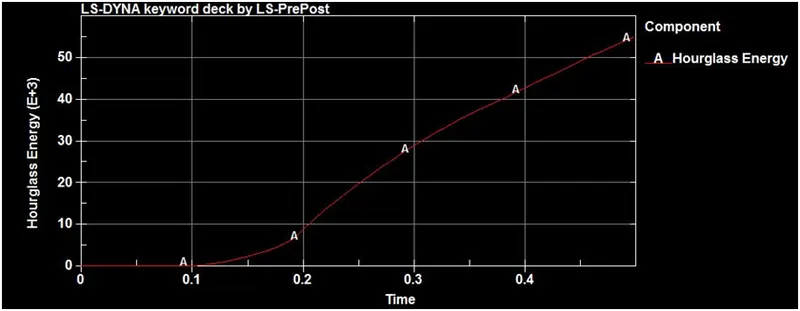
Hourglass energy plot:
Acceleration plot:
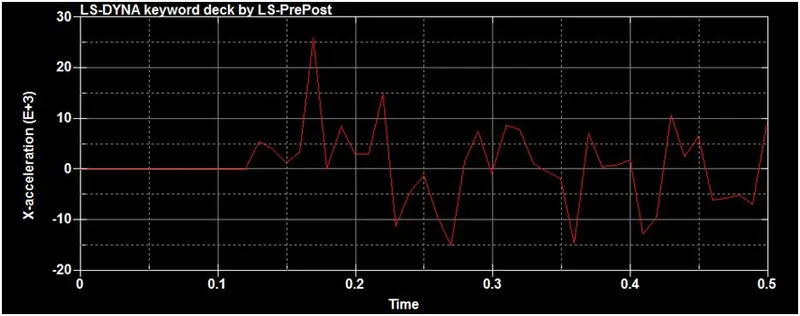
Table Of Comparision:
| Calculations | 1.20mm | 1.50mm |
| Von Misses stress | 4780.64 | 3391.12 |
| cross- sectional force | 2598.82 | 2498.14 |
| Total energy | 1.42e6 | 1.77e6 |
| Kinetic energy | 1.4e6 | 1.75e6 |
| Internal Energy | 1.1e6 | 1.6e6 |
| Hourglass Energy | 80e3 | 60e3 |
| Acceleration | 16 | 25 |
Learning outcomes:
I learnt to simulate using the crash box analysis on a rigid wall.
Conclusion:
The simulation of the crash box analysis on a rigid wall was executed and the results are compared for a thickness of 1.20mm and 1.50mm.
On comparision the box with 1.50mm has higher acceleration (25kmph) and the 1.20mm has 16kmph.