Week-3 Challenge: ADVISOR Tool
Adisor Tool: Advanced Vehicle Simulator
Procedure To open Advisor Tool in matlab is given below:
- Download Advisor Tool From matlab website
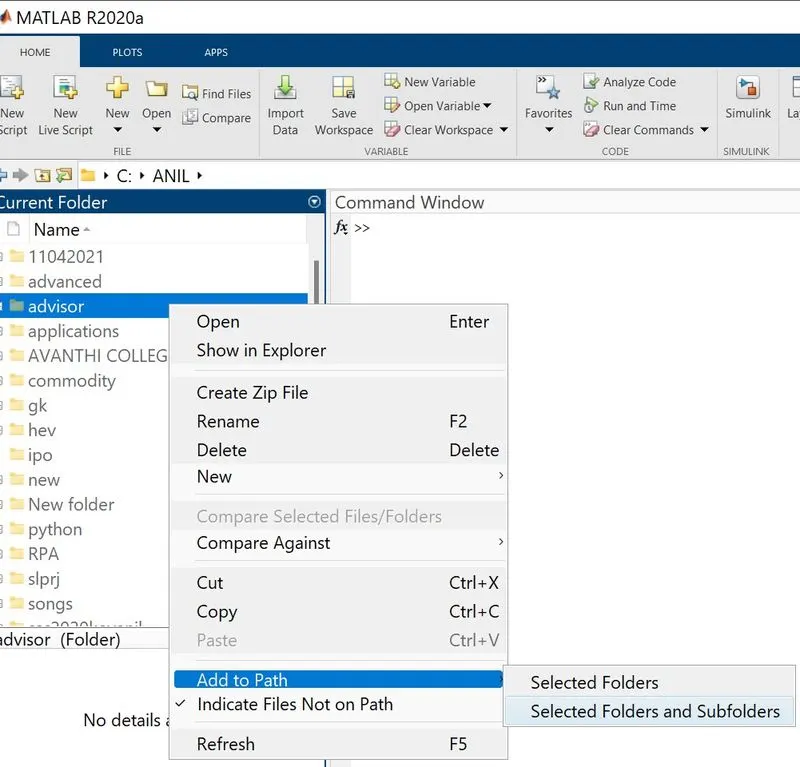
- Add Advisor Tool To matlab by adding all its folders and sub folders as shown below.
Step-3: Execute the command 'advisor' in command window of matlab. The GUI will appear as below.
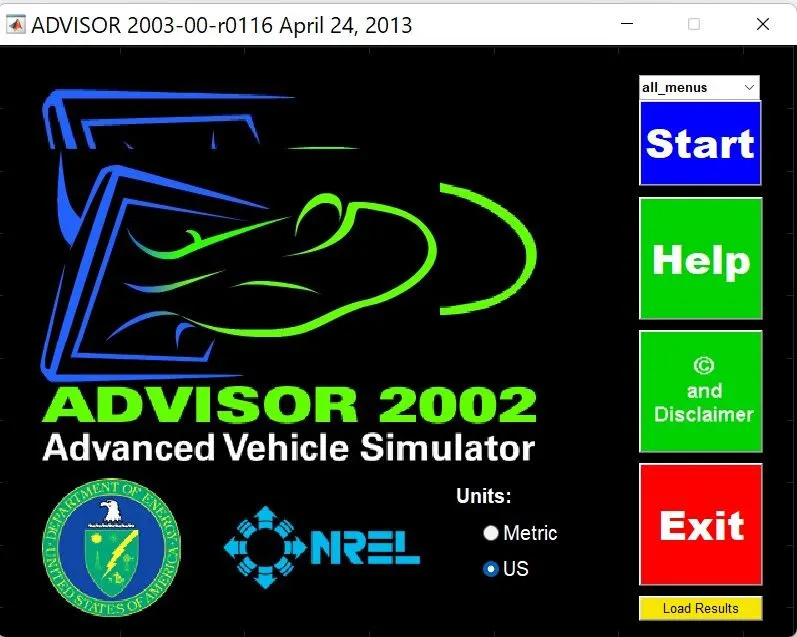
Step 4: In the above GUI Click on start.
The following window will appear.
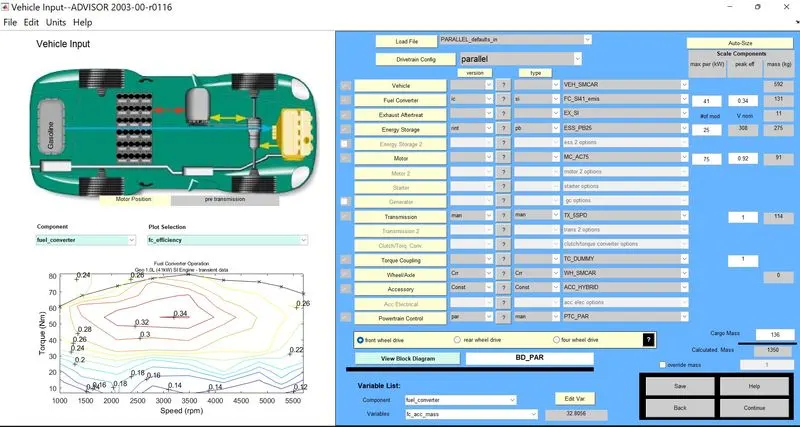
It is the Default model file where different parameters of 'PARALLEL MODEL' are shown.
Question 1:For EV_defaults_in file, if cargo mass is 500 kg with all other default conditions, can the vehicle travel for 45 km with FTP drive cycle? Conclude your observations.
Solution:
Step 1: Open 'Ev_defaults_in' from load file section of the below figure.
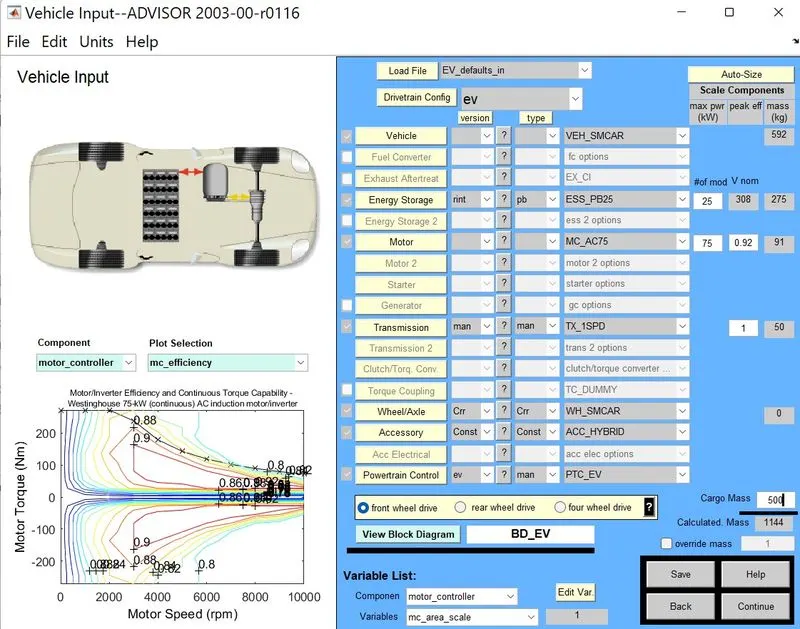
Step 2: Change the Cargo mass to 500 Kg and click on continue.
The following window will appear.
change the Drive Cycle to CYC_FTP.
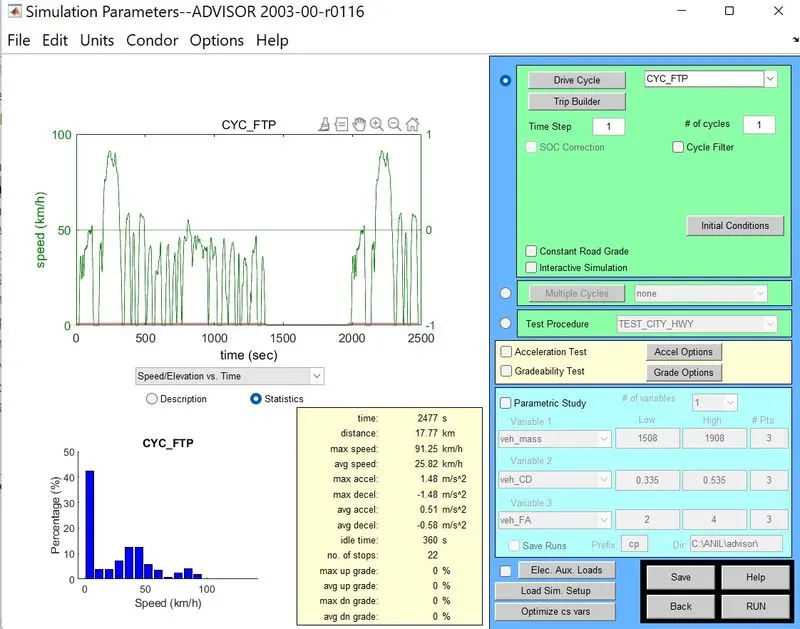
Step 3 : with # number of cycles is 1. click 'RUN'
The program will run and the result is shown below.
RESULT:
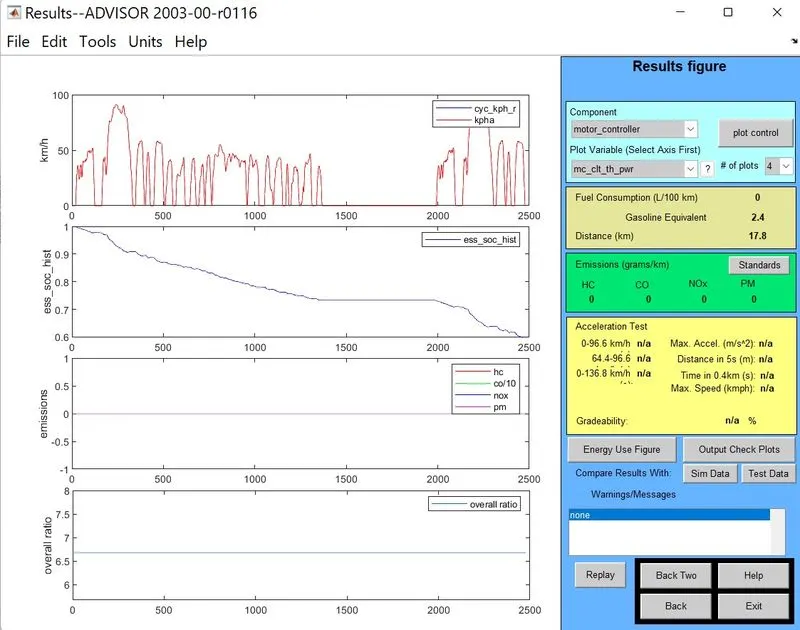
OBSERVATION FROM RESULT:
- Distance covered is 17.8 Km.
- ess_soc-hist : SOC- state of charge : The battery charging is reduced to 0.6(60%) after one drive cycle.
Step 4: RUN the program with Drive Cycle = 2.
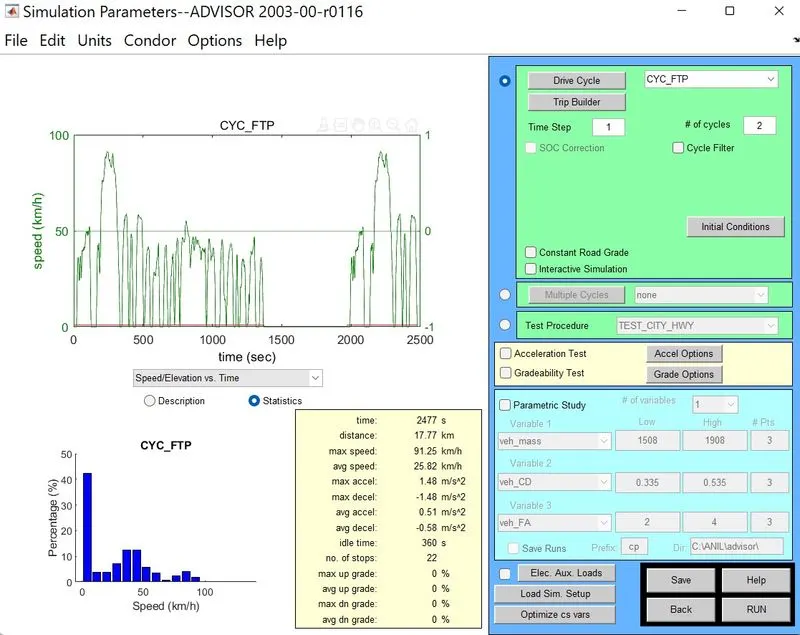
Result:
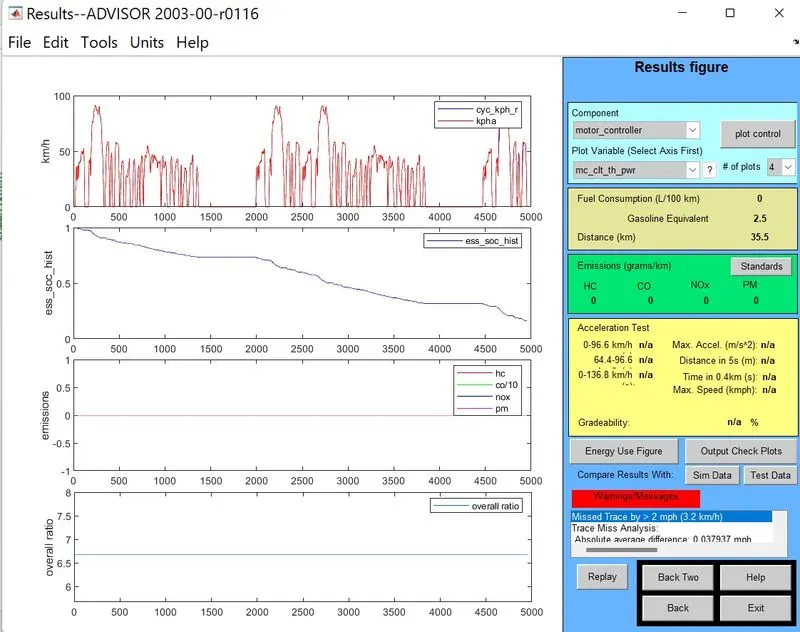
Observations:1. Distance covered is 35.5 km
2. Battery is discharged and charging level is reduced to 30%(approx).
With drive cycle 3 the result is shown below:
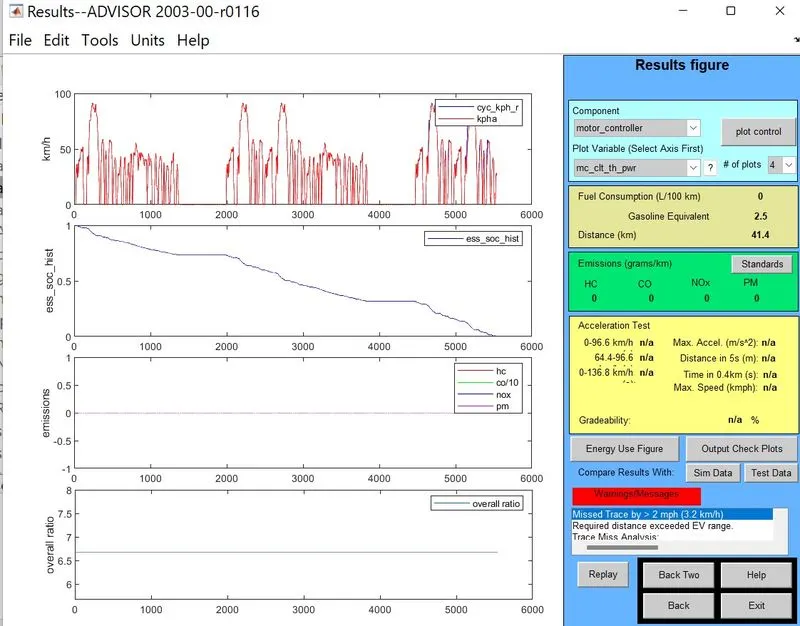
Observations: 1. Distance covered is 41.4 Km
2. Battery is fully discharged.
The minimum and maximum distance covered by the EV vehicle is 17.8 Km and 41.4 Km respectively.
Conclusion: Therefore EV_default vehicle cannot travel 45 km distance.
2. In the above case, try changing the battery capacity and repeat the simulation.
Solution:
We can change the capacity of battery by changing the number of modules.
In the above answer I used 25 modules 308 V and 275 Kg mass.
Here we need to change this number of modules and repeat the above simulation process.
Case 1: Take number of modules as 27.
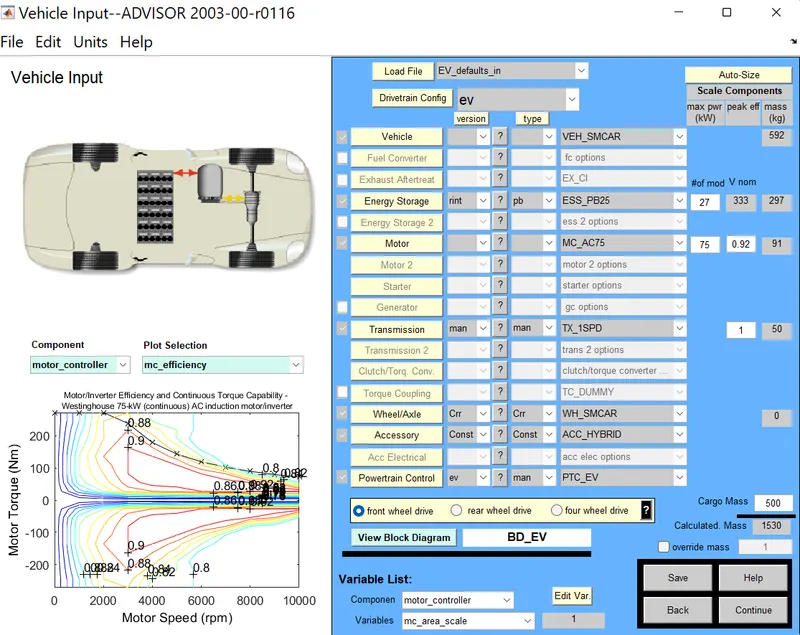
Here number of modules is 27, 333 V and 297Kg mass and press on continue.
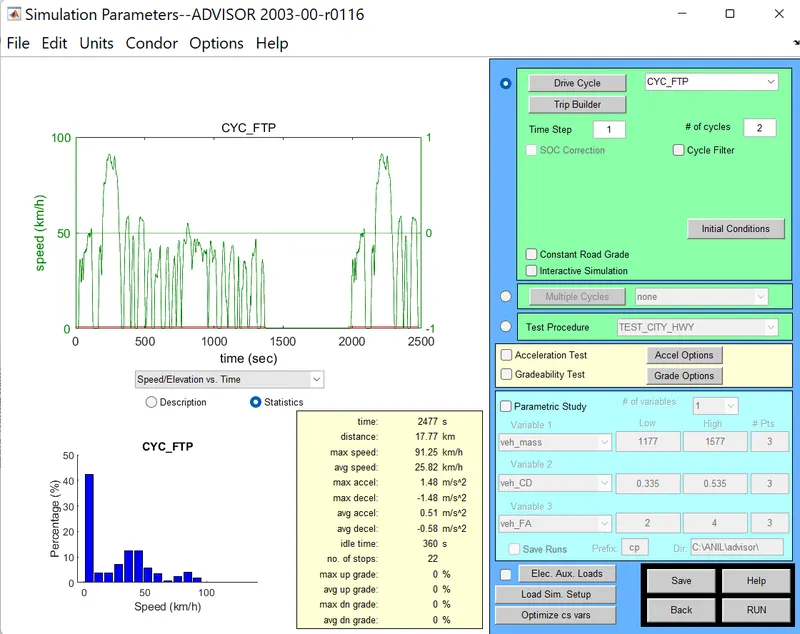
# number of cycles is 2 and then click on 'RUN'
Result:
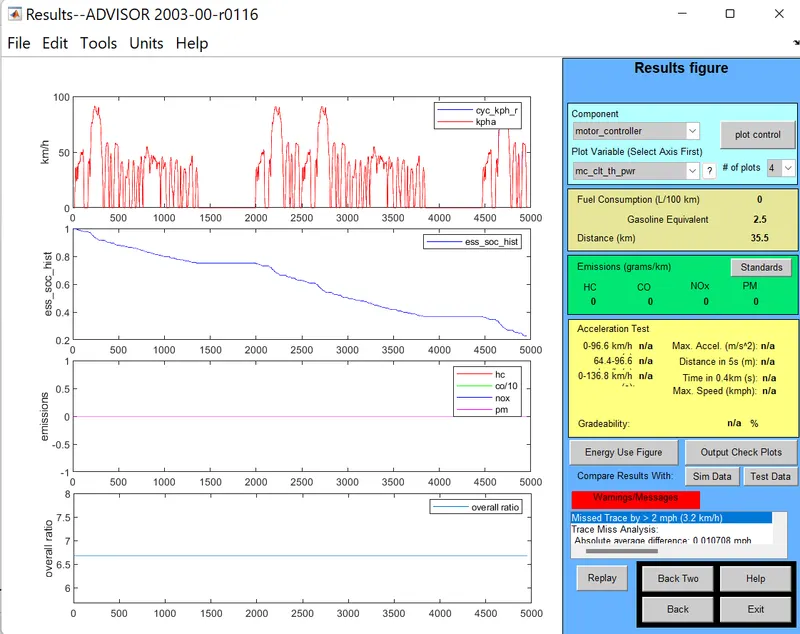
Observation: Distance covered is 35.5 Km.
Case 2:
Take number of modules as 27 and drive cycle 3 and repeat the above process.
Result for the above input is shown below.
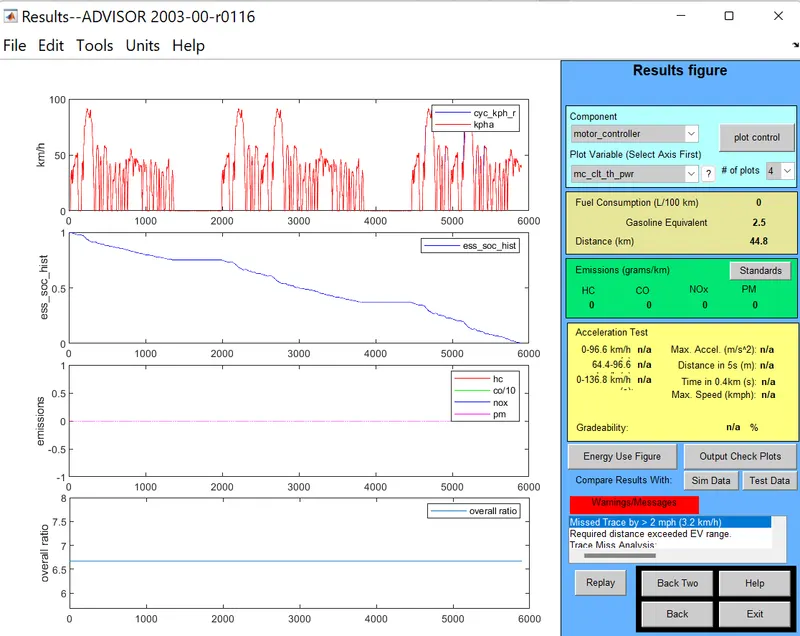
Obsevation: The Distance covered is 44.8 Km.
in this case 100% charging of the battery is discharged.
Case 3:
Take number of modules as 28 and drive cycles = 2 and run the simulation
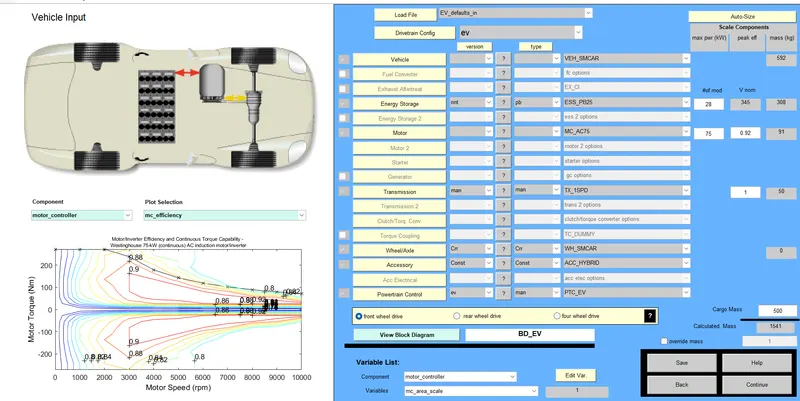
The result is shown below:
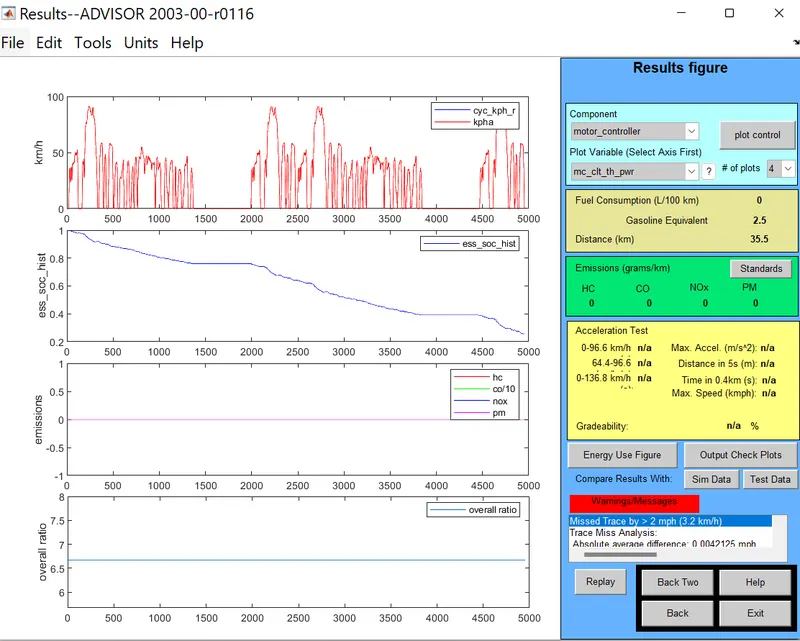
Observations:
- distance covered is 35.5 Km and battery level is reduced to 23%.
Case 4: Take number of modules as 29 and drive cycles = 2 and run the simulation
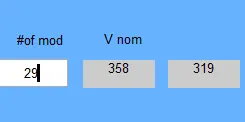
Result is shown below:
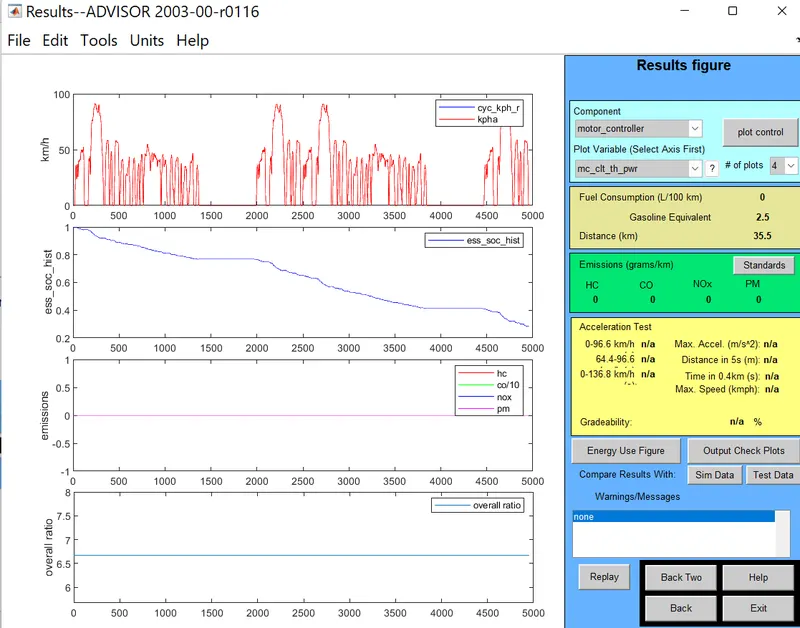
Distance travelled is 35.5 Km and battery level is reduced to 25%.
Case 5:
Here number of modules is 30 , 370 V and 330 Kg mass
Take number of modules as 30 and drive cycles = 3 and run the simulation
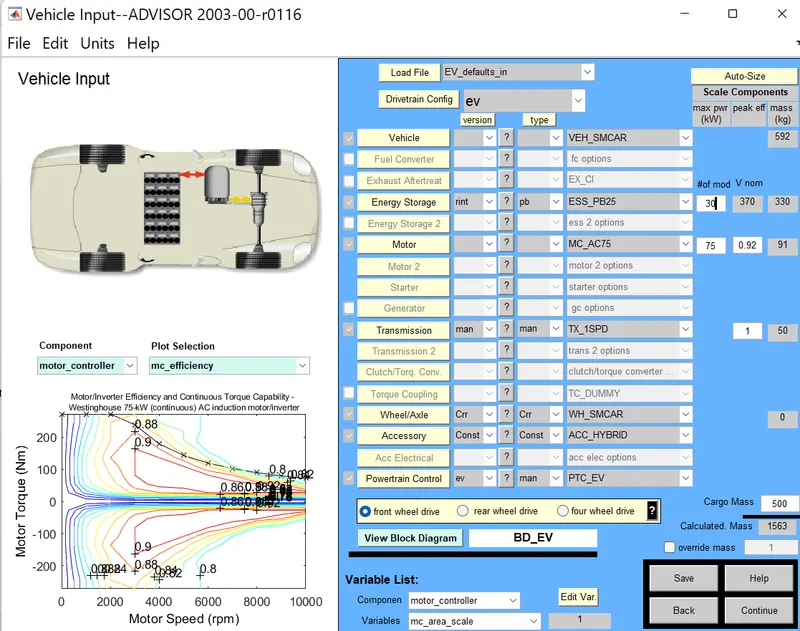
Result:
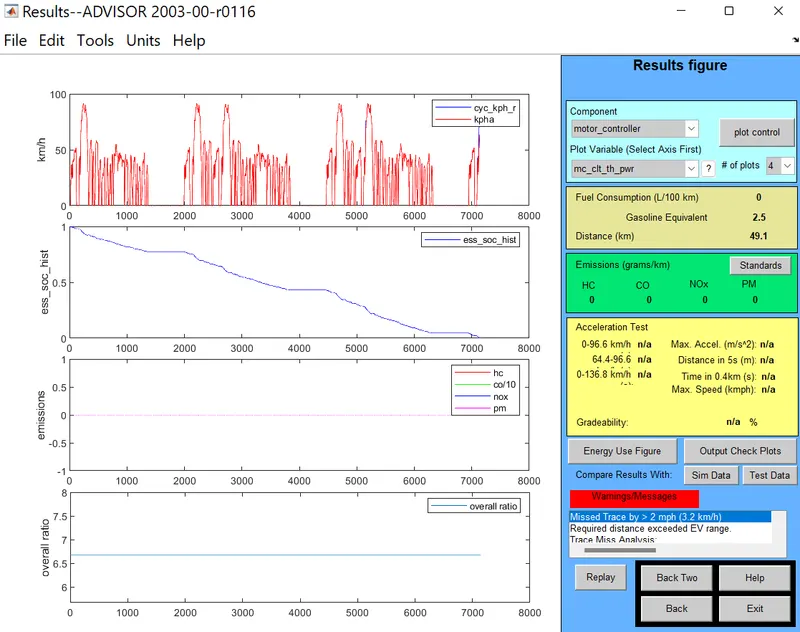
Observation: Here distance travelled is 49.1 Km which is greater than 45 Km.
- Noticed that by changing number of modules in drive cycle 2 we get constant distance travel.
- Changing the number of battery modules in drive cycle 3, we get changes in distance traveled by vehicle.
- To travel 45 Km we need 28 module 345 V battery set up.
- Or
- 30 module drive cycle 3 covers 49 Km which is greater than 45 Km.
3.
Perform gradeability test with PRIUS_Jpn_defaults_in file
Compare your results in table and conclude.
Solution:
The term gradeability refers when the driver should be relaxed while the vehicle moves on slop or inclination. ... It is known as the grade angle that the electric vehicle can move with a constant speed..
Procedure:
- Select 'PRIUS_Jpn_defaults_in' model in fisrt window of ADVISOR TOOL
- The foowing model will open and we can see other default parameters in below image.
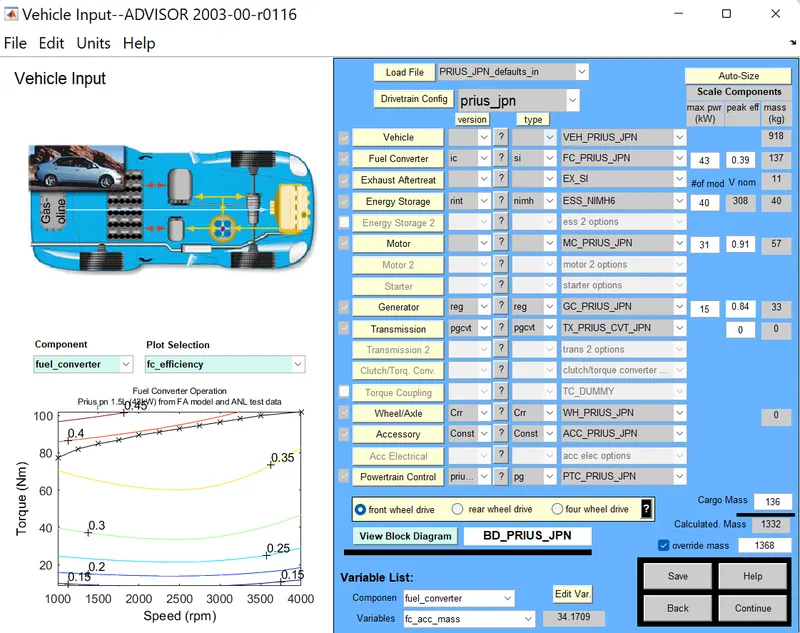
- Click on continue
- The following image will appear.
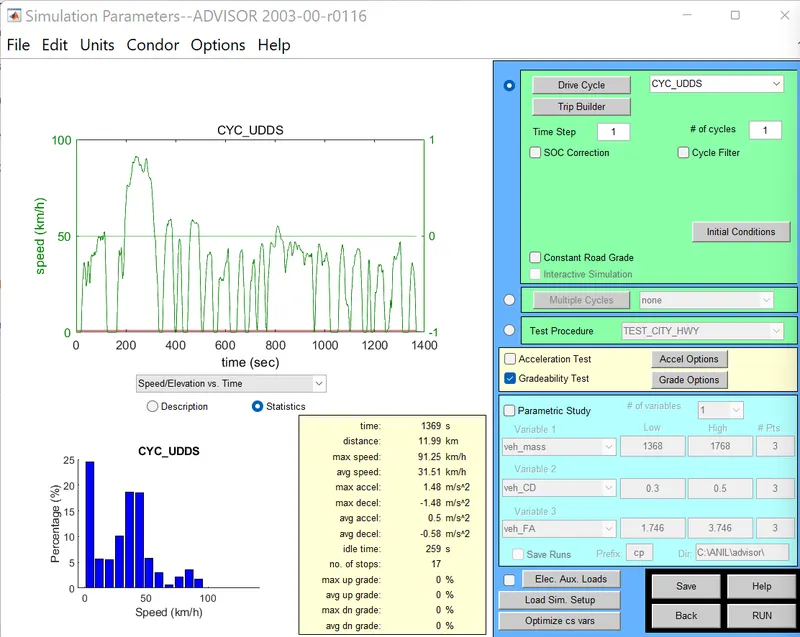
- and then click on greadabilty test as shown in below image
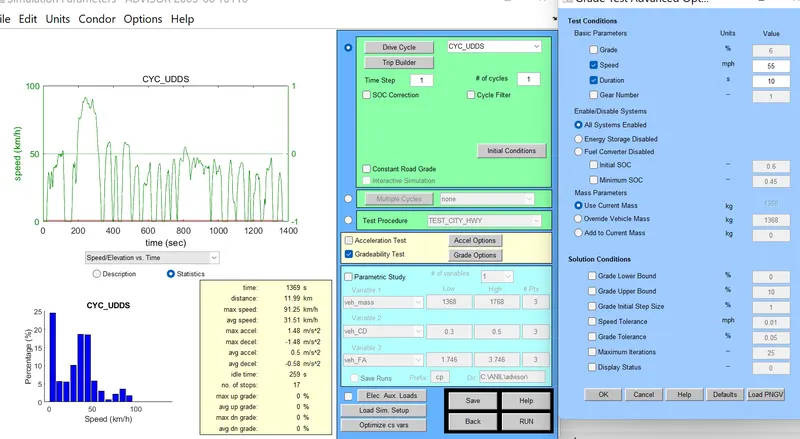
- In the above image select 'All Systems Enabled' For combined operation of EV and engine driven vehicle.
- Result:
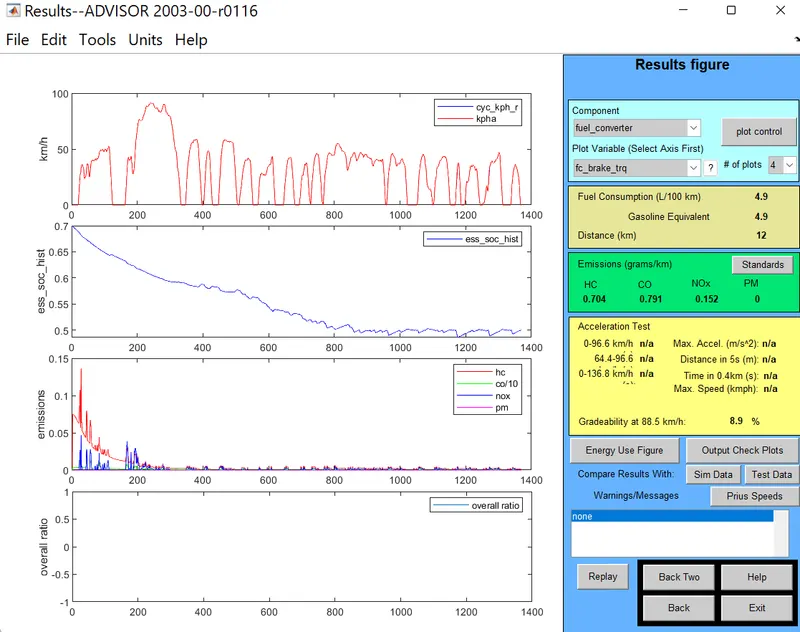
- Observation: From the above image we notice that the gradeability at 88.5 Km/h is 8.9%
- The above simulation is repeated for different values of vehicle speed keeping duration as constant(10sec) and Gradeability is tabulated as below.
Duration= 10sec
| s no | Vehicle speed(mph) | Speed (Kmph) | Gradeability |
| 1 | 5 | 8 | 32.8% |
| 2 | 10 | 16.1 | 30.3% |
| 3 | 20 | 32.2 | 19.8% |
| 4 | 30 | 48.3 | 14.7% |
| 5 | 40 | 64.4 | 11.7% |
| 6 | 45 | 72.4 | 10.7% |
| 7 | 50 | 80.5 | 9.7% |
| 8 | 55 | 88.5 | 8.9% |
Diration= 20sec
| S.No | Vehicle Speed(mph) | Speed (Kmph) | Gradeability |
| 1 | 10 | 16.1 | 33.7% |
| 2 | 20 | 32.2 | 22.9% |
| 3 | 30 | 48.3 | 17.7% |
| 4 | 40 | 64.4 | 14.6% |
| 5 | 50 | 80.5 | 12.4% |
Conclusion: I noticed that when the vehilce speed increases there is a decrease in gradeability.