Week-3 Challenge: ADVISOR Tool
Advisor tool is a tool develpoed by National Renewable Energy Laboratary (NREL). It is simulated by changing the values of parameters , also change different variety of motor, battery cell, auxillary source etc. So finally efficiency and emision of the vehicle at given parameter is found. Also we can change the drive cycle and also control the number of drive cycle. So it is used to design IC engine vehicle, Electric vehicle and Hybrid Electric Vehicle.
1. Download the zipped advisor tool and then unzipped it. Followed by add to the directory path in matlab. Now type 'ADVISOR' in the command window and press ENTER. Now a GUI gets opened there we have to choose metric option in it and click start.
Choose Load file as EV_defaults_in and drive train configuration as EV. Only change Cargo mass to 500kg and keep the remaining parameters unchanged as shown below.
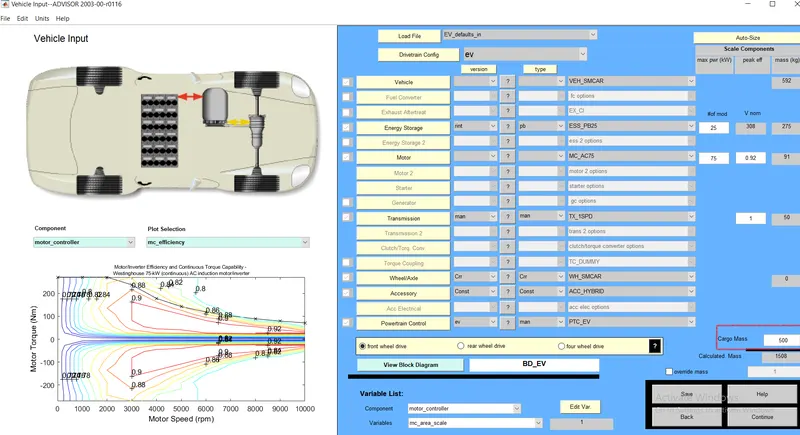
Now click continue in the bottom and a new GUI is opened. In this there is a option to change the driving cycle so here there are more different types of drive cycle. Now choose CYC_FTP.
FTP Cycle is shown below. Also I have chosen number of drive cycle as 1.
1. Download the zipped advisor tool and then unzipped it. Followed by add to the directory path in matlab. Now type 'ADVISOR' in the command window and press ENTER. Now a GUI gets opened there we have to choose metric option in it and click start.
Choose Load file as EV_defaults_in and drive train configuration as EV. Only change Cargo mass to 500kg and keep the remaining parameters unchanged as shown below.
Now click continue in the bottom and a new GUI is opened. In this there is a option to change the driving cycle so here there are more different types of drive cycle. Now choose CYC_FTP.
FTP Cycle is shown below. Also I have chosen number of drive cycle as 1.
1. Download the zipped advisor tool and then unzipped it. Followed by add to the directory path in matlab. Now type 'ADVISOR' in the command window and press ENTER. Now a GUI gets opened there we have to choose metric option in it and click start.
Choose Load file as EV_defaults_in and drive train configuration as EV. Only change Cargo mass to 500kg and keep the remaining parameters unchanged as shown below.
Now click continue in the bottom and a new GUI is opened. In this there is a option to change the driving cycle so here there are more different types of drive cycle. Now choose CYC_FTP.
FTP Cycle is shown below. Also I have chosen number of drive cycle as 1.
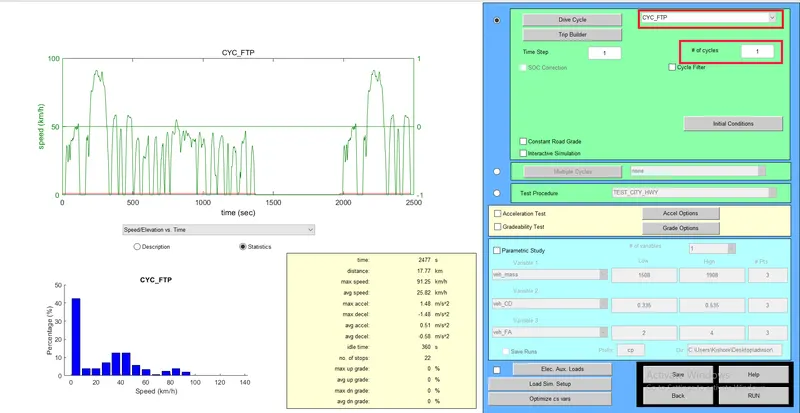
Now Click RUN.
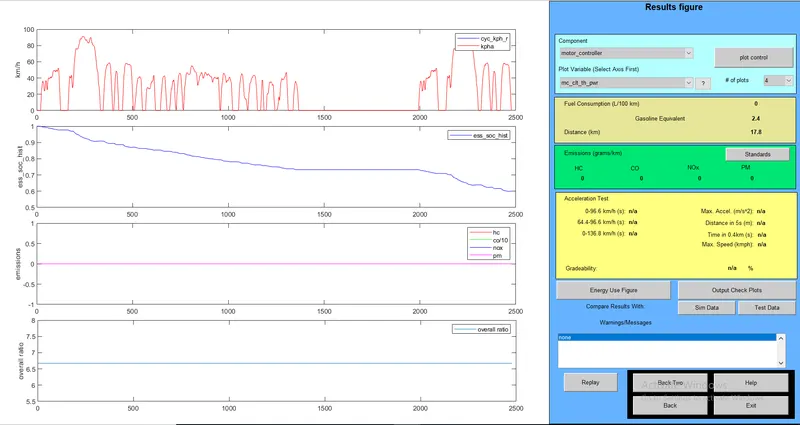
OBSERVATIONS:
Maximun distance travelled by an EV Vehicle for 1 drive cycle is 17.8km. State of charge of battery is reduced from 1 to 0.6 at end of 1 drive cycle. If I increase to 3 drive cycle the SOC become zero. So as a maximum EV can travel upto 53.4km. As well as we can find the waveform for diffferent components like torque output, power loss, temperature.
2. Here we have to change the number of battery modules (#of mod) . So that voltage and the weight of the battery gets varied. Therefore the distance travelled gets varied with respect to change in the number of drive cycle as 2 (or) 3.
a) Energy Storage with 27 modules and 3 drives cycle:

Result:
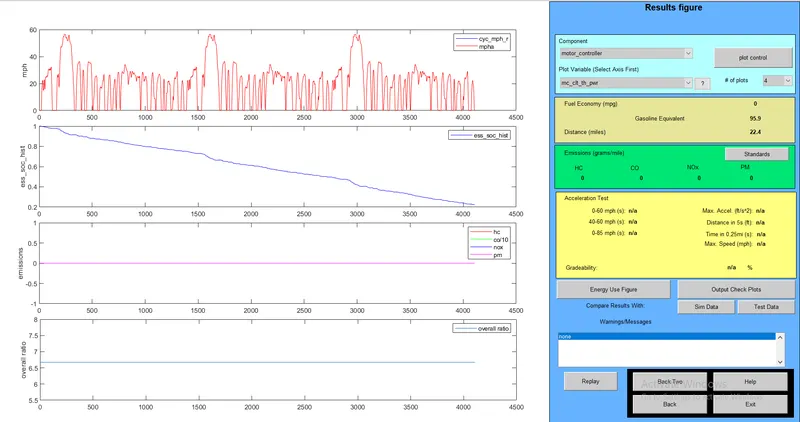
b) Energy Storage with 20 modules and 3 drives cycle:

result:
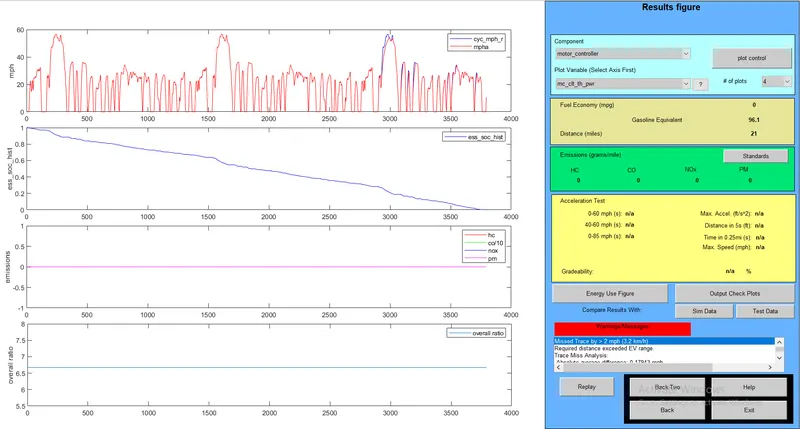
c) Energy Storage with 27 modules and 1 drives cycle:

Result:
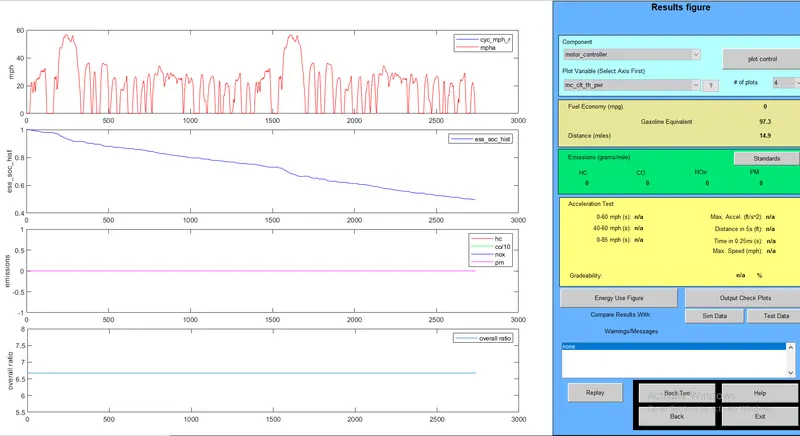
d) Energy Storage with 20 modules and 1 drives cycle:

Result:
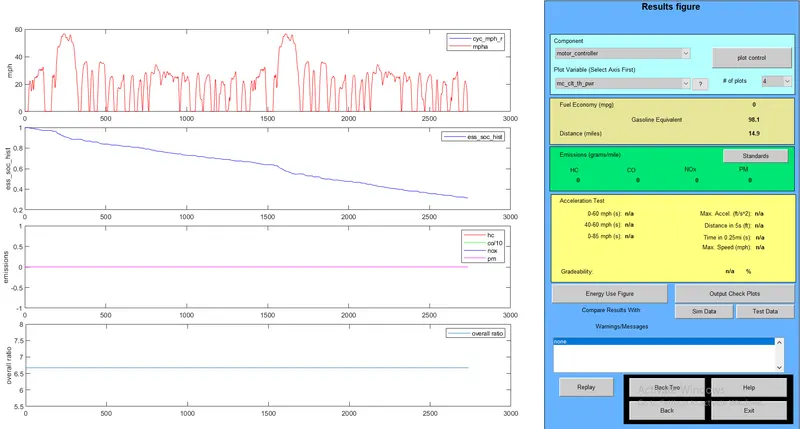
Observation:
The total distance travelled remain same even if we increase the number of battery modules with drive cycle as 1. But if I change the number of drive cycle to 3 with battery modules as 20 and 27. The distance travelled gets changed in this case.
3.Download the zipped advisor tool and then unzipped it. Followed by add to the directory path in matlab. Now type 'ADVISOR' in the command window and press ENTER. Now a GUI gets opened there we have to choose metric option in it and click start.
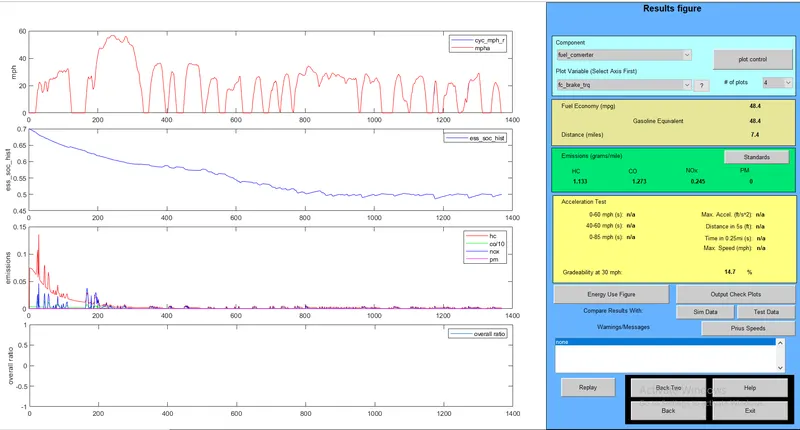
Choose Load file as PRIUS_JPN_defaults_in and drive train configuration as Prius_JPN. Some of the parameter will be shown just click CONTINUE. In the next GUI click GRADEABILITY TEST and choose grade option. In grade option, change speed and time contiuously. Then click RUN so that we will get the gradeablity at each case.
a)30mps and 10s:
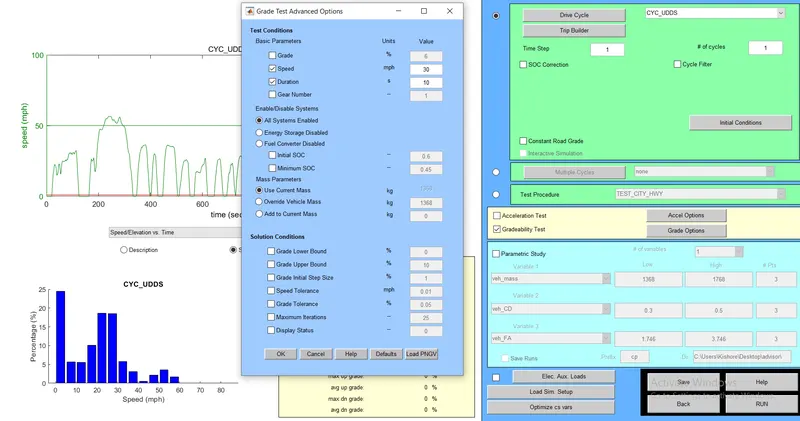
grade:
b)40mps and 10s:
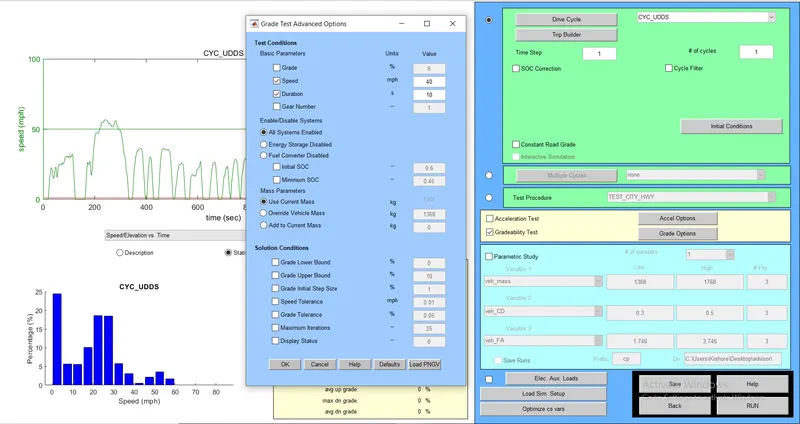
Grade:
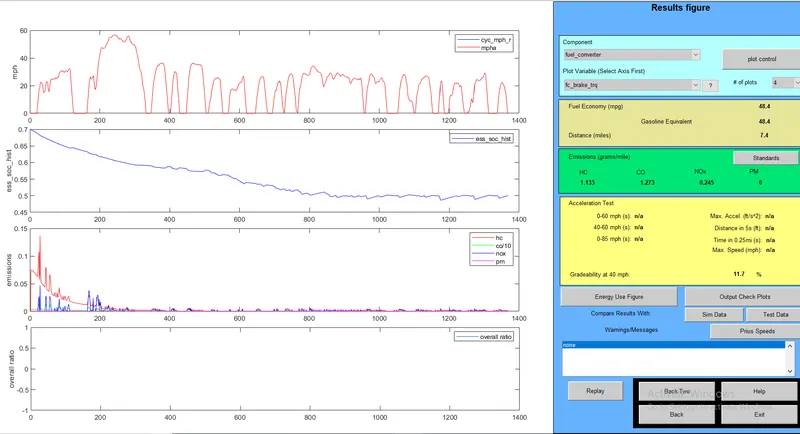
c)40mps and 20s:
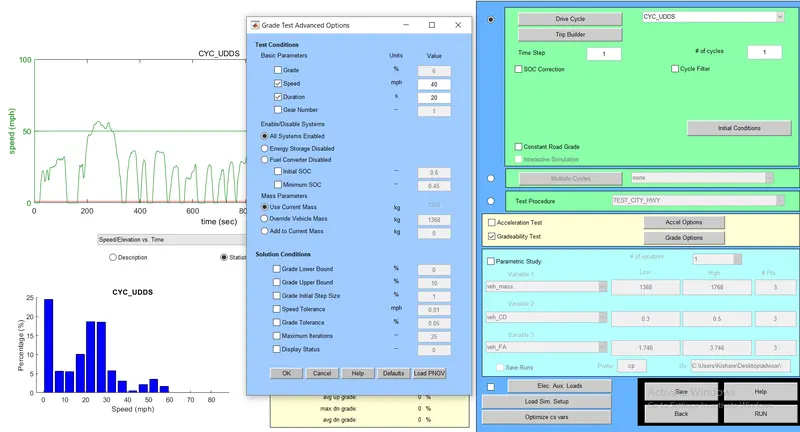
Grade:
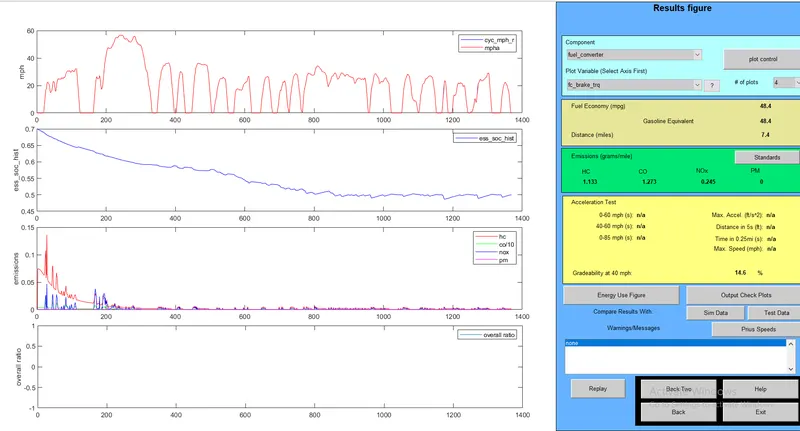
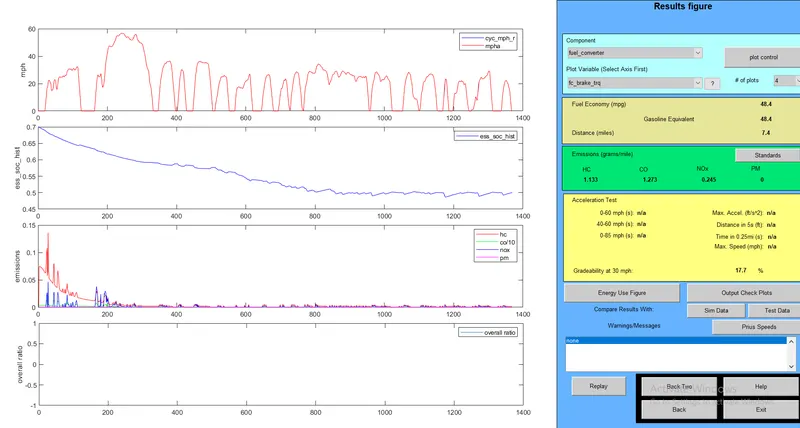
d)30mps and 20s:
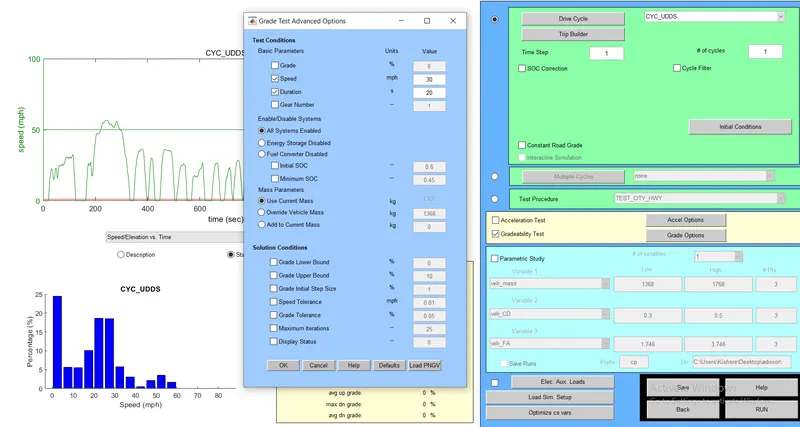
Grade:
Observation:
As speed increases the gradeability decreases in both th case of 10s and 20s.