Week 3.2 - 2R Robotic Arm Challenge
Aim
To simulate the forward kinematics of a 2R Robotic Arm in matlab
Introductiion
Robots are progammable machine like some human capabilities.They are used in many industeries. These elemens can be arranged in different ways and can vary in different size. Thus robots are available in a wide variety of types in their mechanical cofiguration
code
clear all
close all
clc

%inputs
L1=1;  %length of 'Arm link 1' in m
L2=0.5; %length of 'Arm link 2' in m

theta1 = linspace(0,90,10); %angle of bottom surface and arm link 1
theta2 = linspace(0,90,10); %angle of arm link 1 & arm link 2

ct=1;  %counter variable

for i =1:length(theta1)
    THETA1 = theta1(i);
    for j=1:length(theta2)
        THETA2 = theta2(j);
        % three coordinates points
        x0=0;
        y0=0;

        x1 = L1*cosd(THETA1);
        y1 = L1*sind(THETA1);

        x2 = x1+L2*cosd(THETA2);
        y2 = y1+L2*sind(THETA2);

        %plotting
        plot([x0 x1],[y0 y1],[x1 x2],[y1 y2],'linewidth',3); %plotting in graph
        axis([-0.1 1.5 0 1.5])
        grid on
        pause(0.03) % pause command
        M(ct) = getframe(gcf); % store movie frame
        ct=ct+1; %increment
    end
end

% movie stored in file (.avi)
movie(M)
videofile = VideoWriter('forward_kinematic.avi','Uncompressed AVI');  %write in '.avi format'
open(videofile); %write the file
writeVideo(videofile,M); %write the file
close(videofile)%close file
Step-Wise explanation
- Assume L1 as length ao arm link 1 and L2 as a length of arm link 2
- Thete1 and Theta 2 as a degrees in joints
- Nested for loops are used
- there are three coordinates are taken
- plotting in graph
- getframe command are used and saved in array M
- Movie(m) is used generate movie in matlab and AVI file is created for video
- Animation video is uploded in youtube for the link
Youtube link for animation
Conclusion
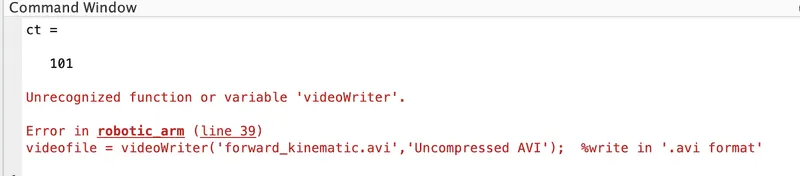
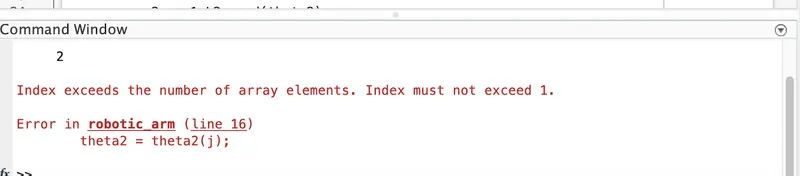
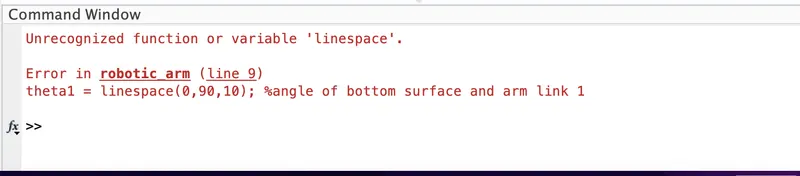
1. Rectify the error in above images
2. Use the correct dimensions for 'accurate results'