Week 11 Car Crash simulation
OBJECTIVE:
Perform parametric study using 3 dfferent values of car body thickness.
Case 1 : 0.3 mm
Case 2 : 0.4 mm
Case 3 : 0.5 mm
CASE SETUP AND EXECUTION :
1. In ansys workbench drop explict dynamics.
2. Import Geometry.
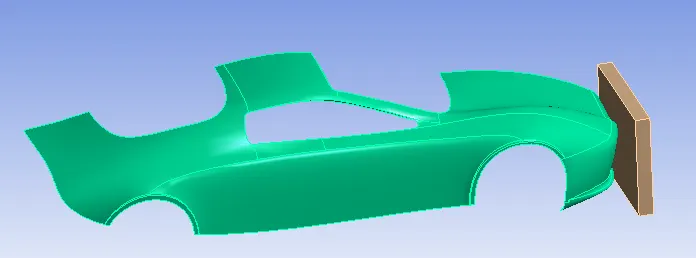
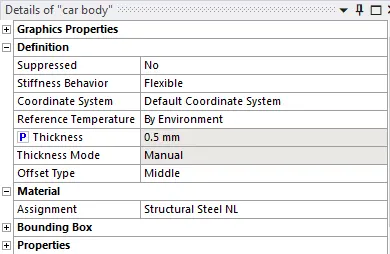
3. Assign Car body thickness and Parametrise the thickness and assign material as structural steel NL.
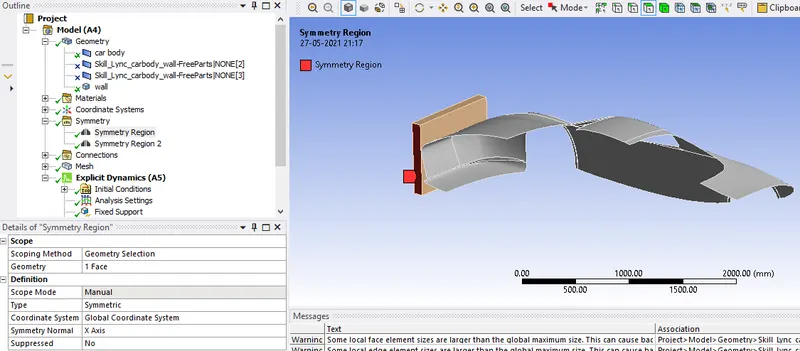
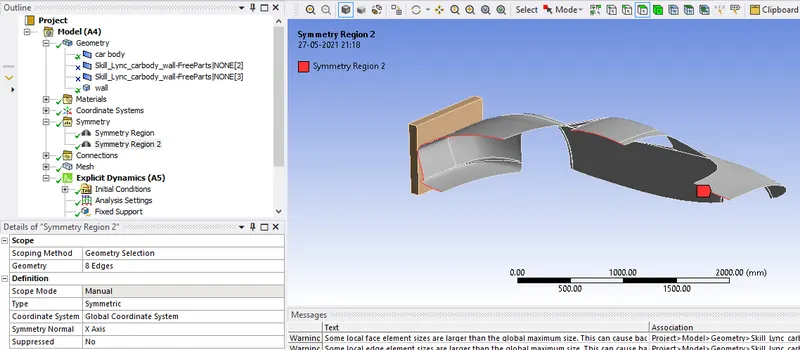
4. Create symmetry for carbody and wall as shown below.
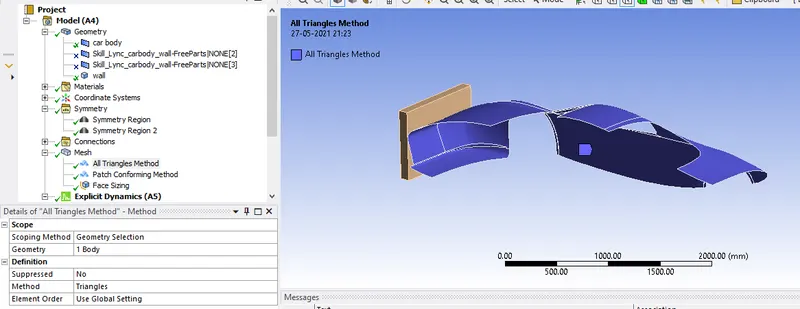
5. For car body set triangular element.
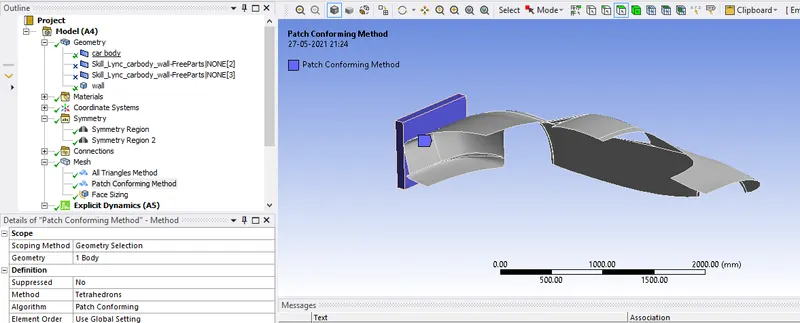
6. For wall set element type as tetrahedron.
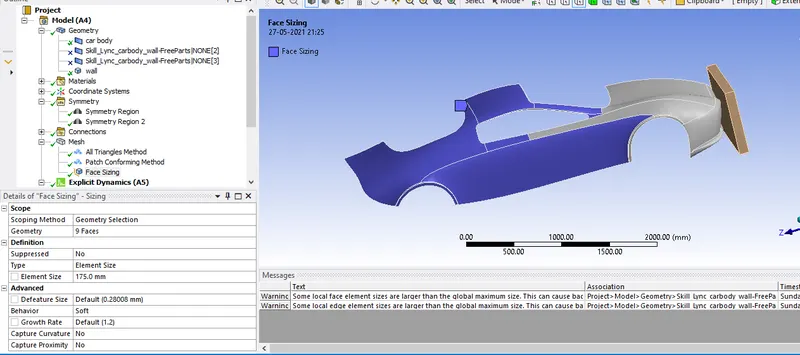
7. portion of car which is not making any contact with wall can have higher size elements. as below.
8. Generate mesh.
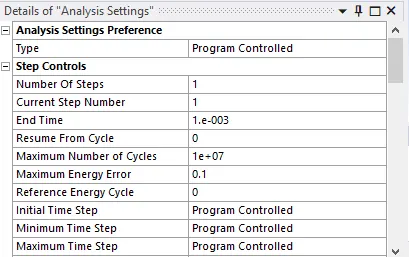
9. In analysis setting set ent time as 0.001 S
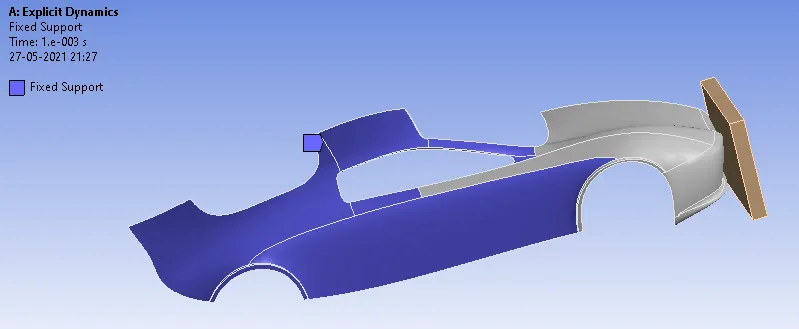
10. Insert Fixed support for car
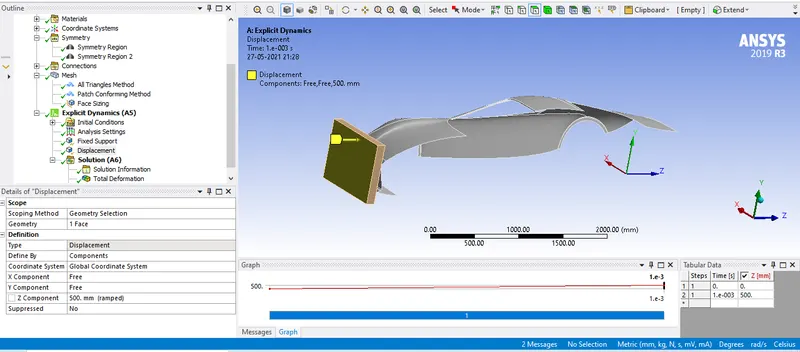
11. Insert displacement for wall
12. Solve.
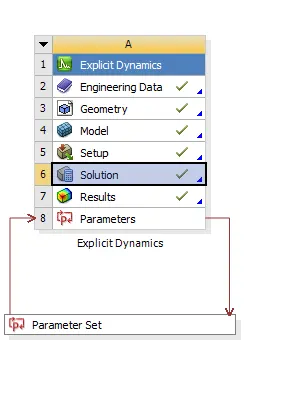
13. Open parameter set. Enter design point(different thickness) and update all design points.
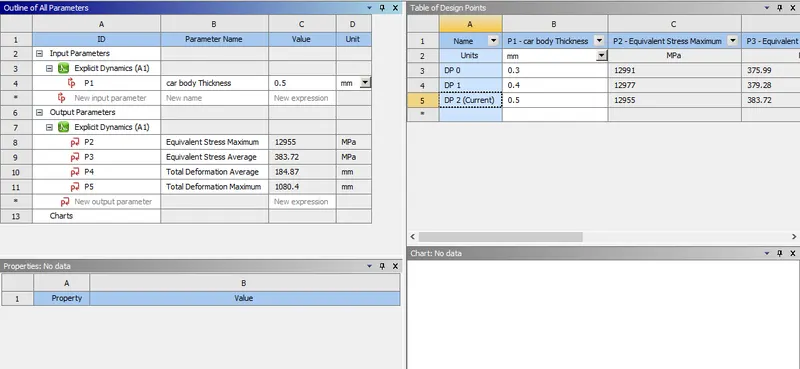
14. To view result for different design point, set as current and vew in solution.
RESULT AND CONCLUSION:
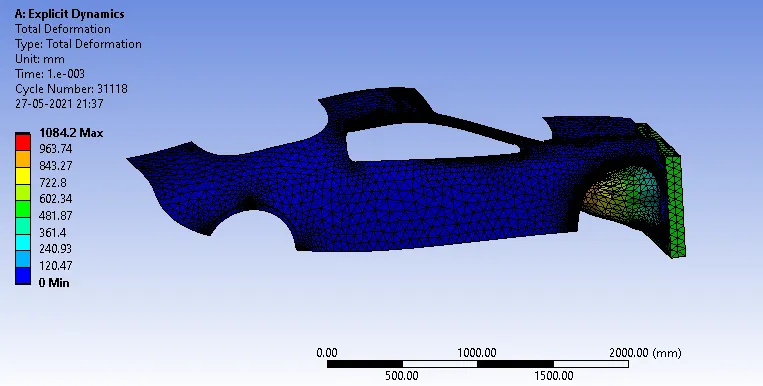
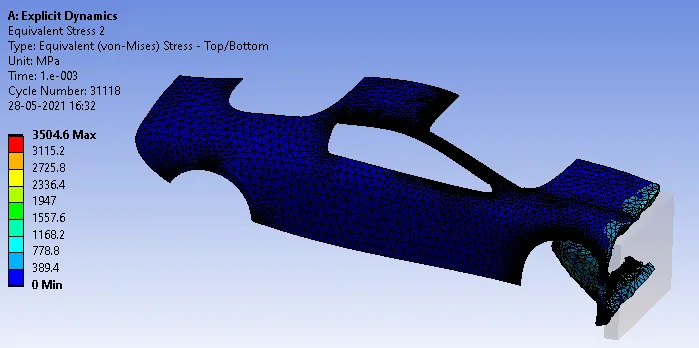
1. CASE 1:
Total Deformation
Equivalent stress:
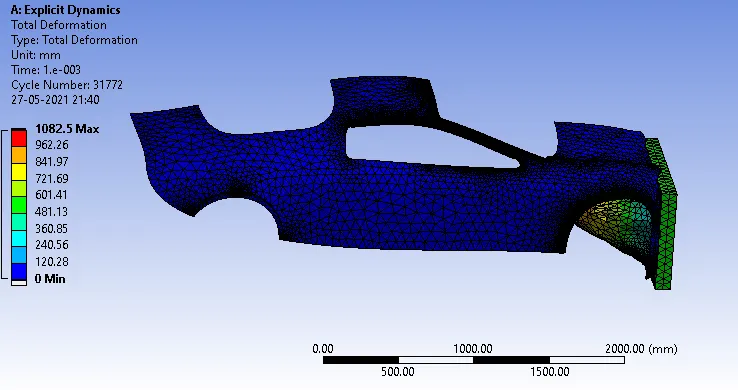
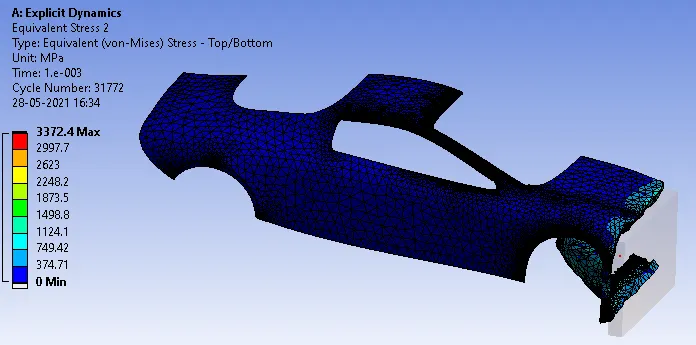
CASE 2:
Total Deformation
Equivalent Stress :
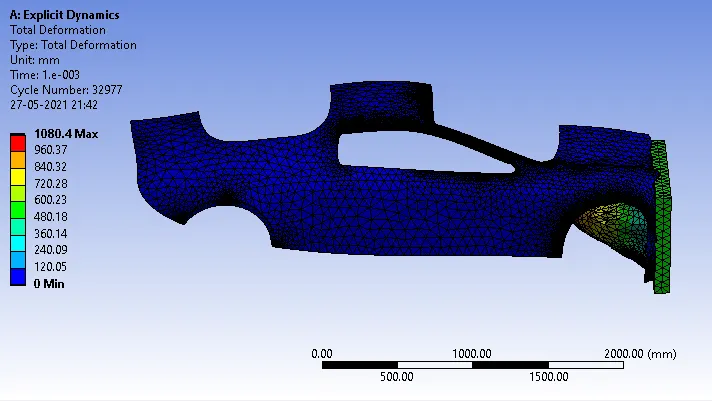
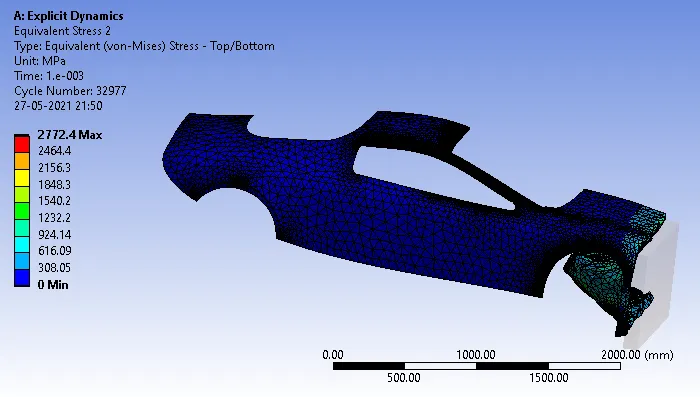
Case 3 :
Total Deformation
Equivalent stress:
| Car Body thickness | 0.3 | 0.4 | 0.5 |
|
Max deformation mm |
1084.2 | 1082.5 | 1080.5 |
| Max Equivalent stress MPa | 3504.6 | 3372.4 | 2772.4 |
Link:
https://drive.google.com/file/d/1Ch2BTluGhOO6GED3Y1U97T-ryMBnDm_u/view?usp=sharing