Week 1 Challenge
Q.1. 1. Write the steps involved to upload a .std file through web mail?
Ans= First create (.std) file then save it to ur prefered location
Next open the staad software again then go to the share option from the front interface
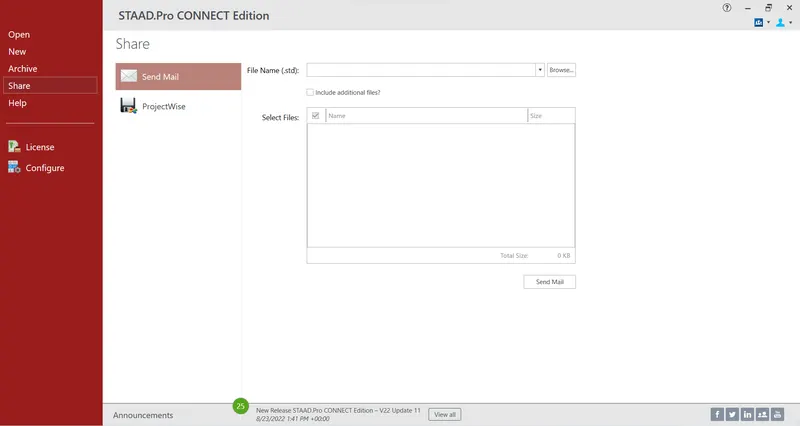
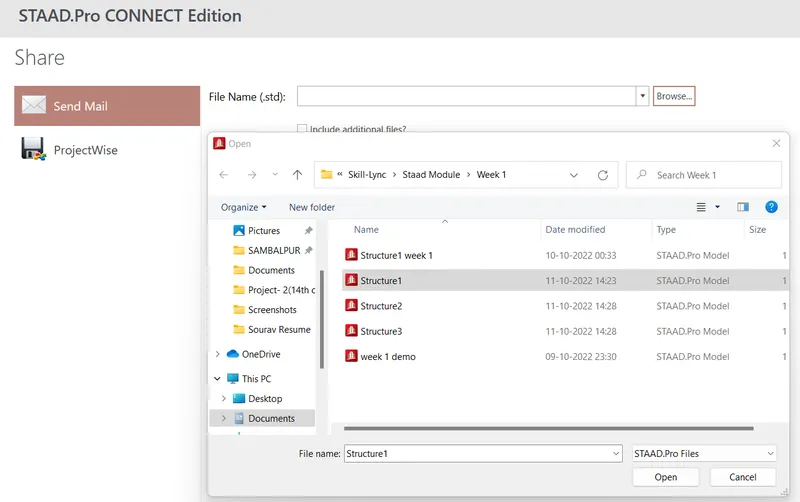
After that select the file which u creted previously.
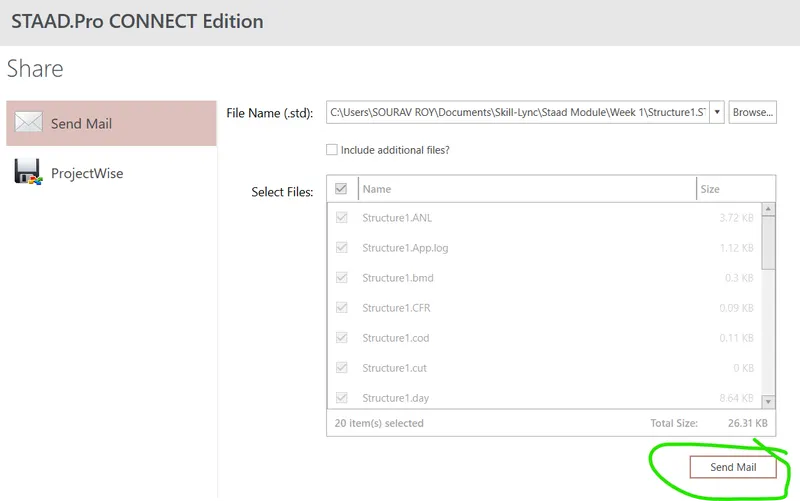
Finally click to send mail option
Q.1.2. Name the different materials that can be designed using STAAD Pro.
Ans= There are four types of material which can be designed using staad.pro these are Steel, concrete, aluminium and timber.
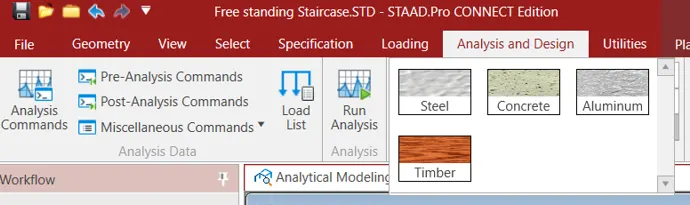
Q.1.3. Is it possible to capture images in STAAD Pro? If yes how?
Ans= Yes it is possible to capture images in Staad pro by and the steps are shown in following screenshort
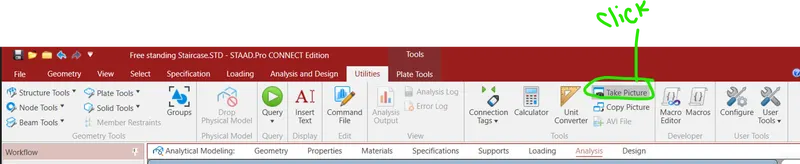

Then paste it in suitable places.
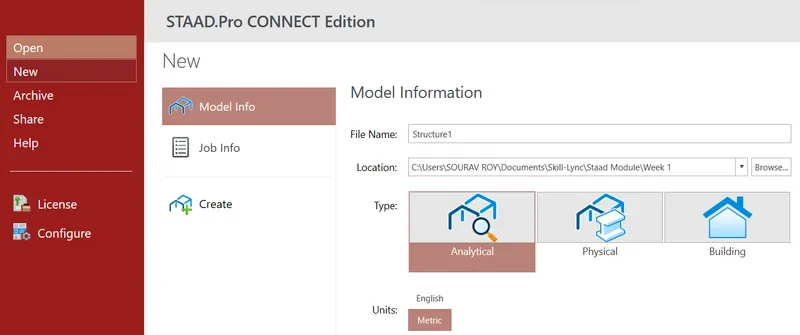
Q.1.4. Name the three ways by which you can create a model.
Ans=
Basically we can create a model by Analytical, Physical and Building.
Q.1.5. Write the steps followed to assign properties in a model.
Ans=
First create a model then go to property tab
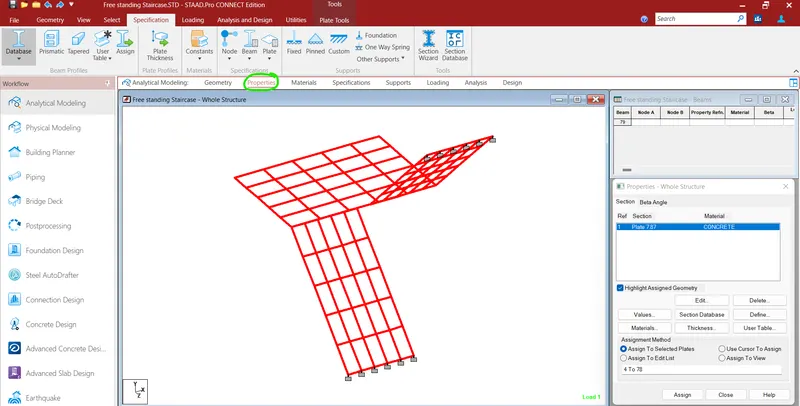
In this case I crete a slab that's why I will click to thickness tab for the property of slab as a plate element.
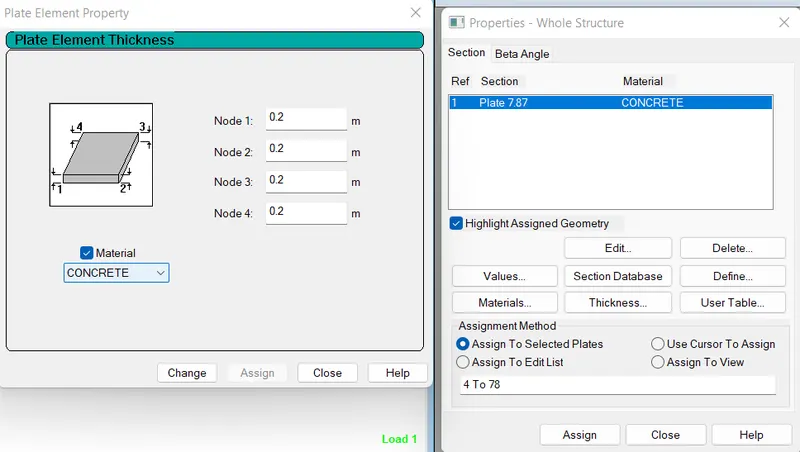
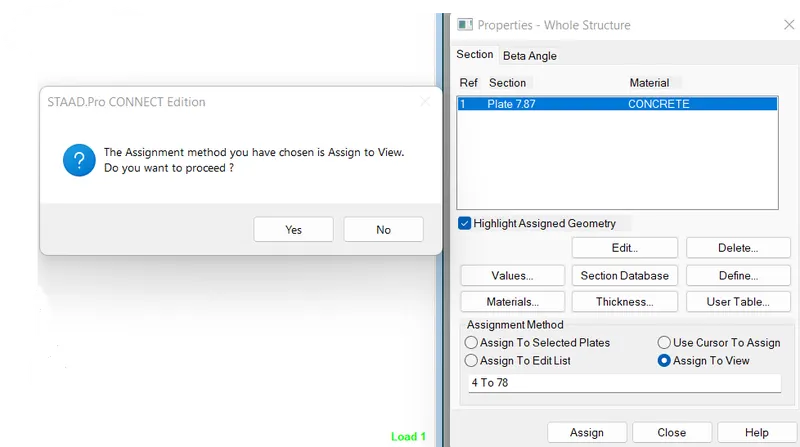
After that I will click assign to view and click to yes
Q.2.1. Name any six design parameter involved in RCC design.
Ans=
Name of six design parameter included in reinforced cement concrete design are-
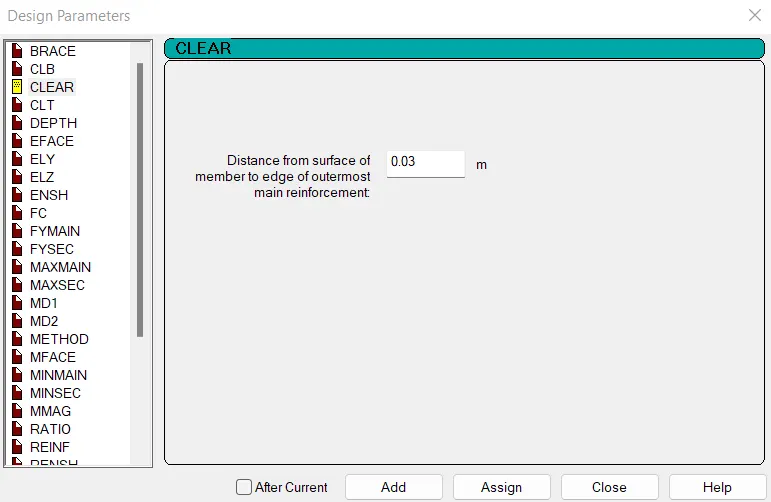
1. Clear cover
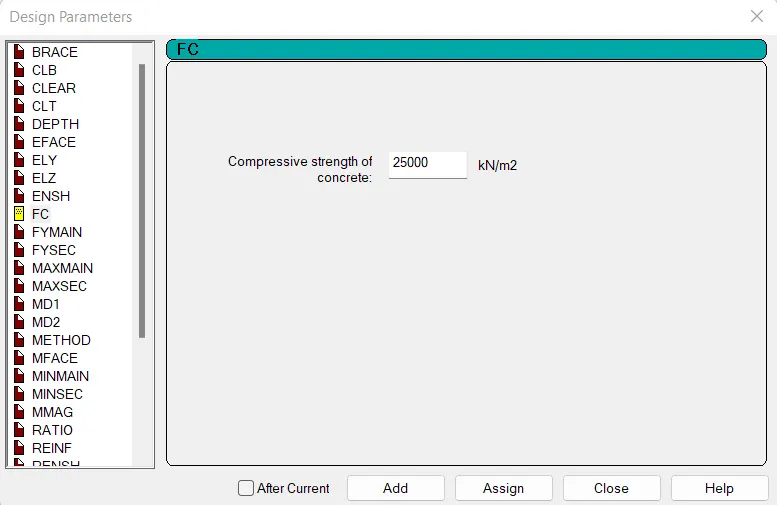
2. Characteristic compressive strength of concrete
3. Yield Strength of main rebar.
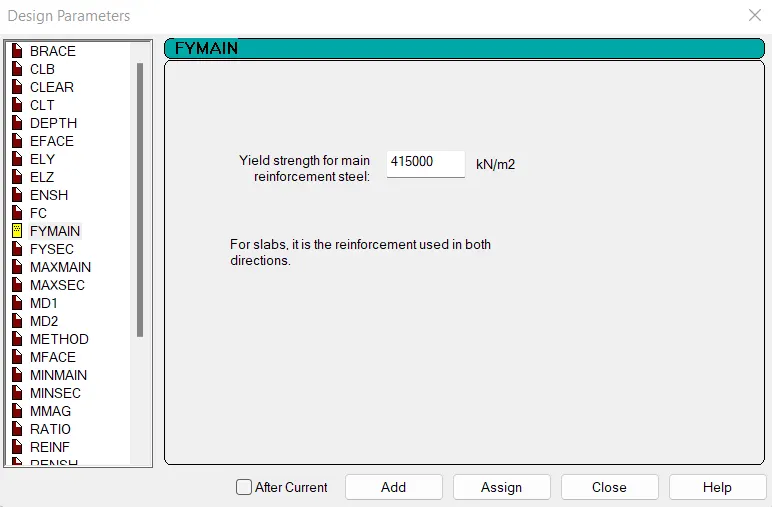
4. Yield strength of secondary rebar
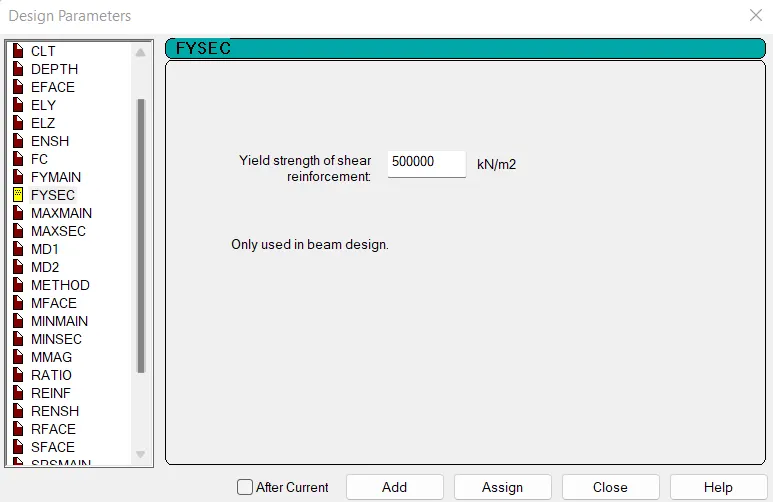
5. Maximum main rebar dia
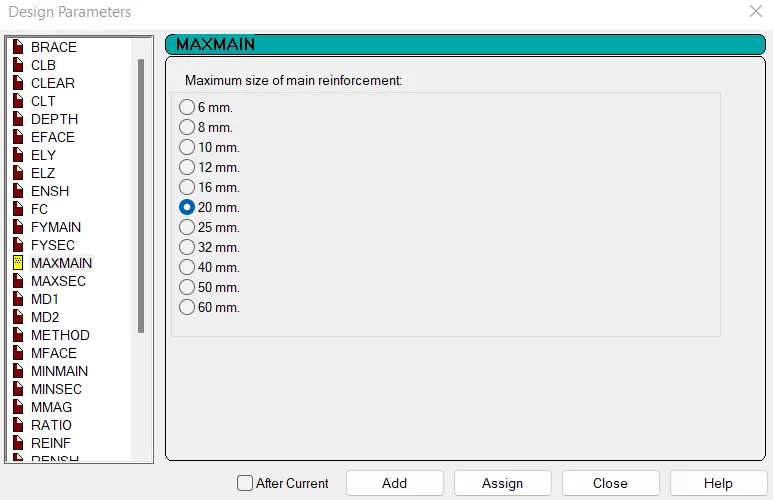
6. Minimum main rebar dia.
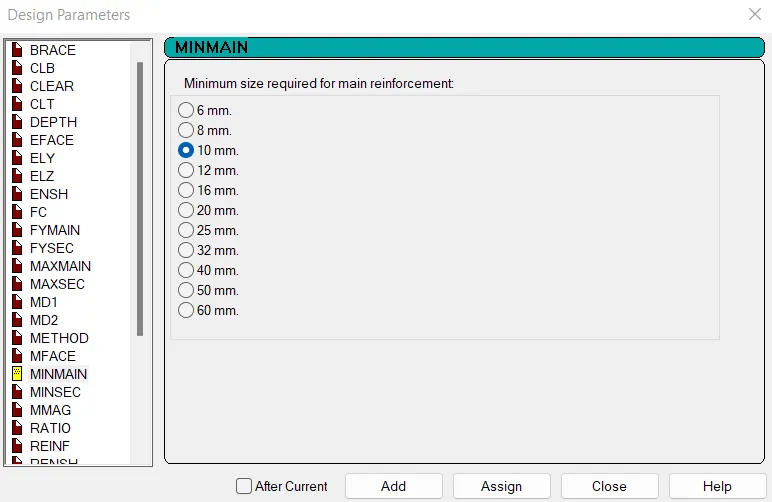
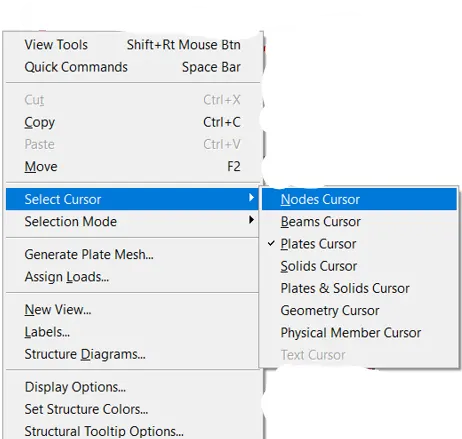
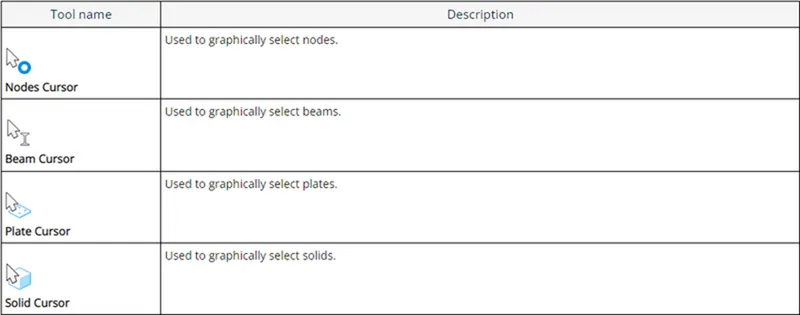
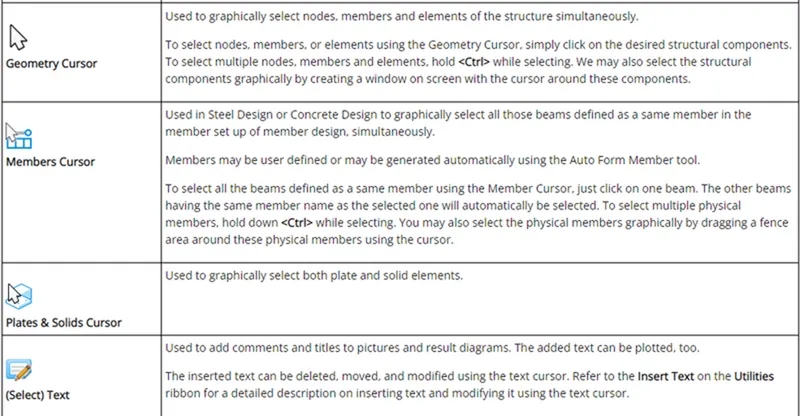
Q.2.2. What are the different cursor types available in STAAD Pro?
Ans= There are basically seven types of cursor available in Staad Pro
- Nodes Cursor.
- Beams Cursor.
- Plate Cursor.
- Solids Cursor.
- Geometry Cursor.
- Physical member Cursor.
- Text Cursor.
Q.2.3. How will you generate different views for a model? State the steps involved.
Ans=
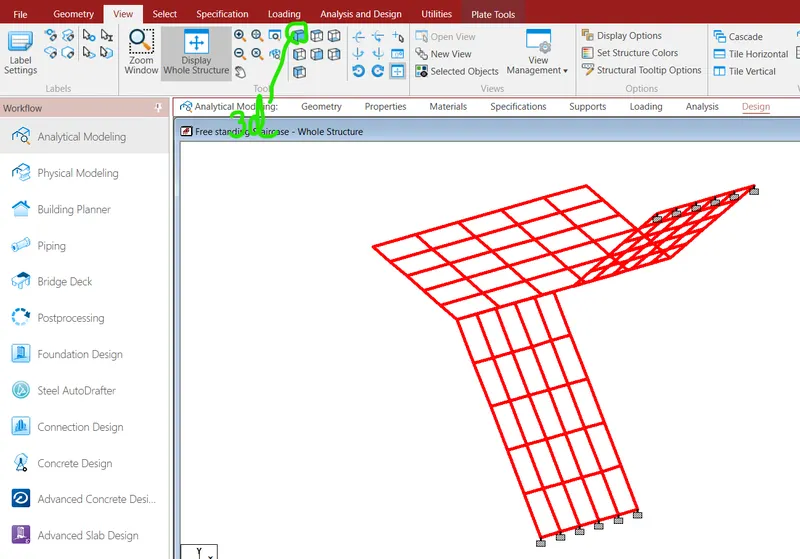
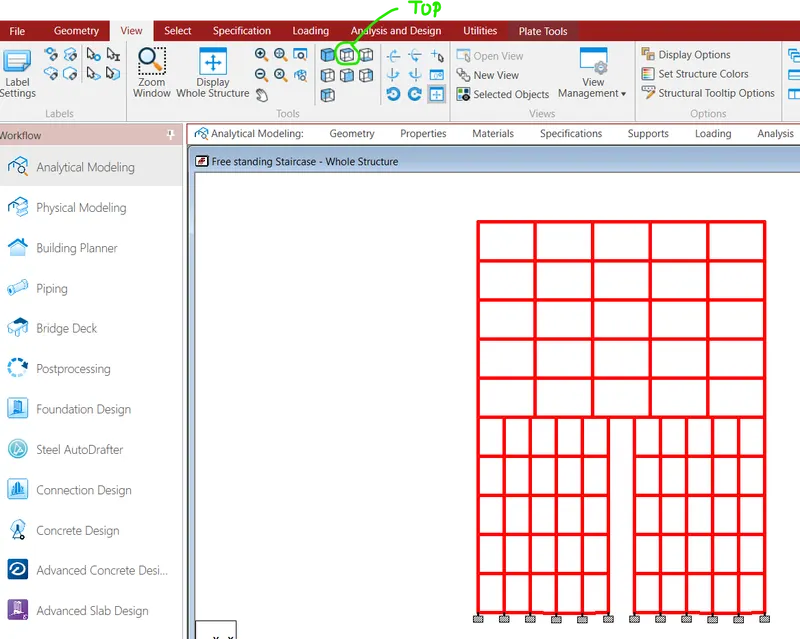
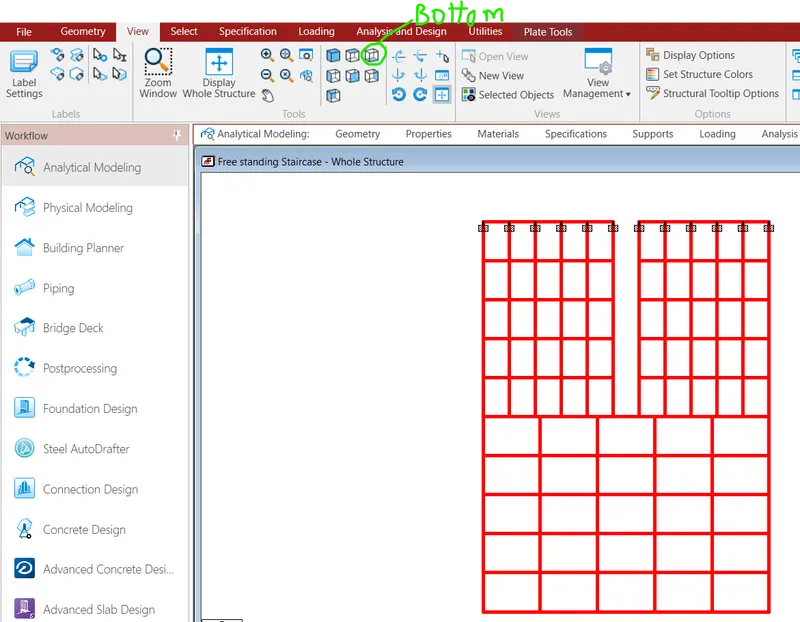
Go to view tab and then click to different views from that tab-
3d view
Top view
Bottom view
Q.2.4. Explain the procedure to define a “Simply Supported” condition in STAAD Pro.
Ans=
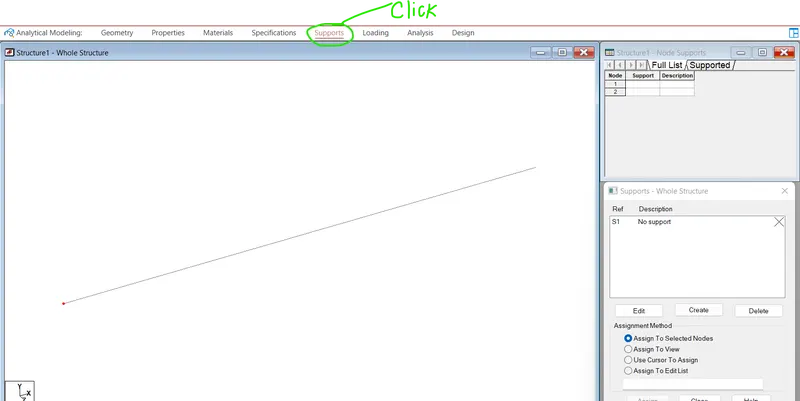
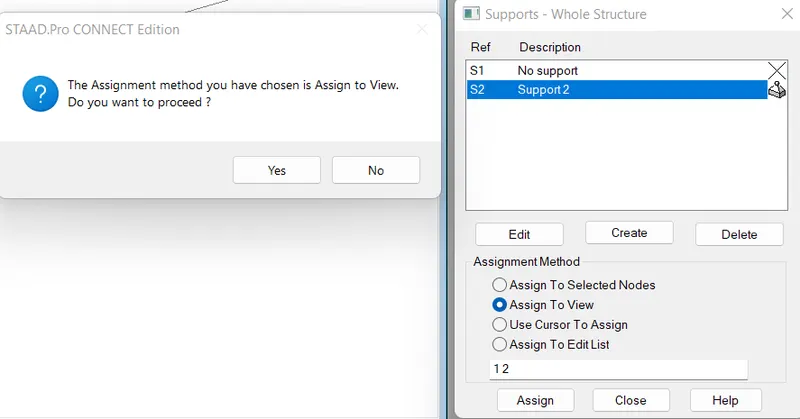
Go to support tab in staad.pro file
Then click to crete icon and go to pinned support condition and click add.
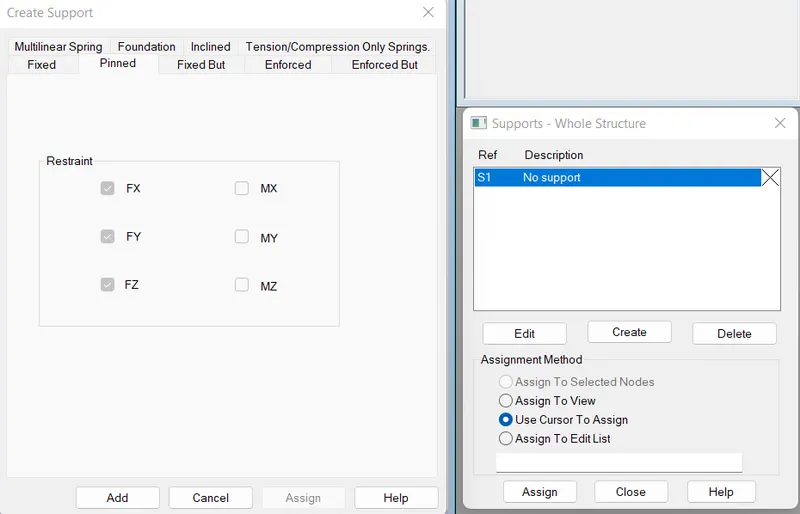
Then click assign to view and click to yes
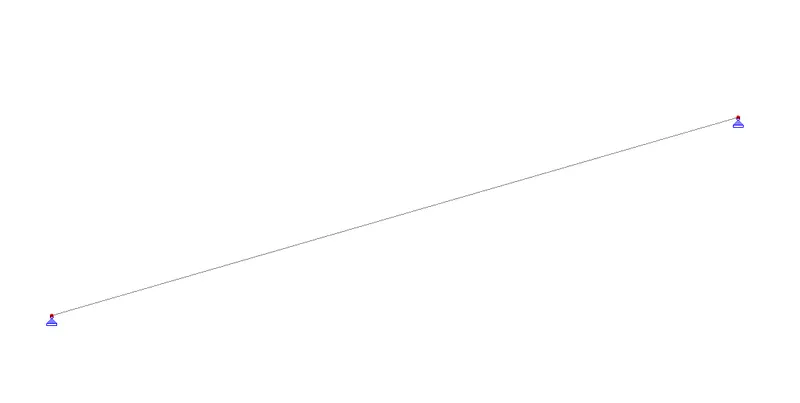
Final result of simply supported beam
Q.2.5. Name any five topics that you will include while creating DBR.
Ans=
Here are the five topics which should be include in the Design basis report-
1) Introduction- Which covers scope and structure of this note
2) Structural Layout- It covers brief description about structural framing system adopted for project showing plan and section of building
3) Loads and Loads Combination- It covers brief description about loads and loads combination considered in design
4) Analysis and Design methodology- It describes the approach for structural analysis and design
5) Quality Annexure plan- It covers the quality control aspects followed in design and preparation of drawings.
Q.2.6. Describe the term “Multi material design” of STAAD Pro.
Ans=
i) After Analysis structure has to be designed to carry loads acting on it considering a certain Factor of safety
ii) In India structures are designed by using various Indian codes for both concrete and steel structures .
iii) The design in staad pro supports over 70 international codes and over 20U.S codes in 7 languages
iv) After designing the structure it is again analyzed and results of analysis for each beam and column is shown in
output file.
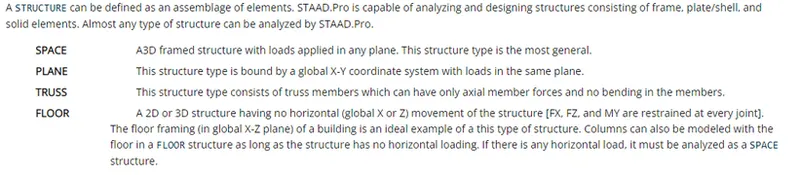
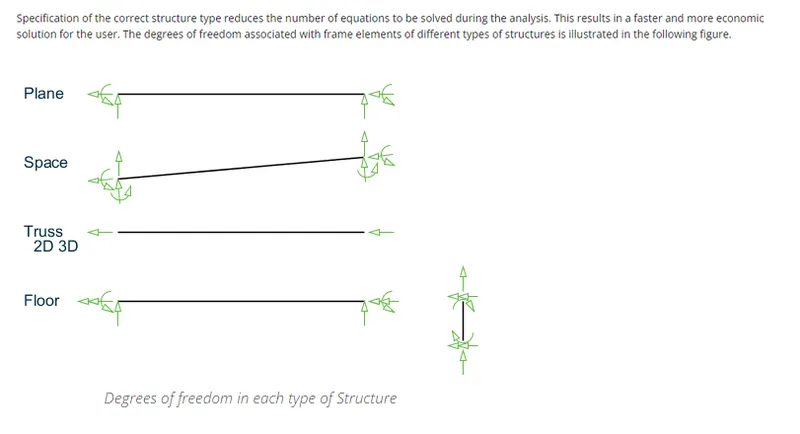
Q.3.1. Name the structure systems in STAAD Pro? Explain each system?
Ans=
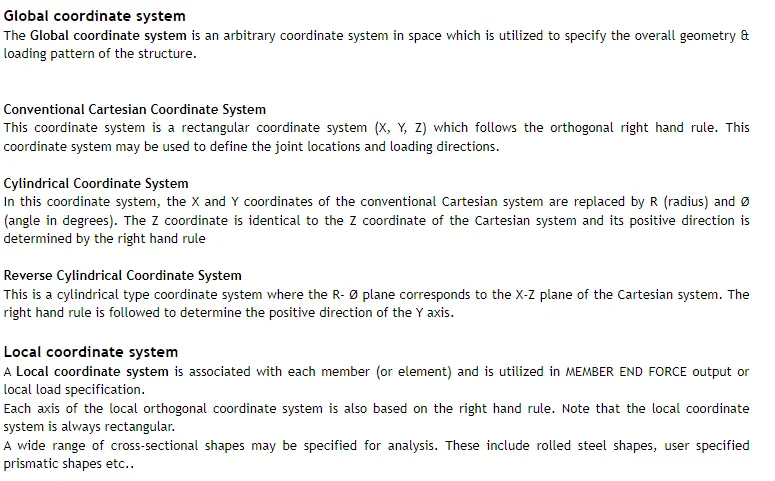
Q.3.2. Explain the coordinate system adopted in STAAD Pro software.
Ans=
A) Global Coordinate System -

B) Local Coordinate System -
Q.3.3. Elaborate DBR and its uses.
Ans=
There are few points noted which will describe the DBR properly
i) DBR is nothing but Design Basis Report.
ii) To specify and compile data required for analysis and design of structural elements regarding the project.
iii) It clearly depicts the assumptions and specification that are being used to develop the construction documents for a project.
iv) It will also avoid the scop creep that can derail the project schedule and lead to budget overruns.
v) It basically transform the WHAT into HOW.
vi) When a particular employee joins the new company in midway of project this DBR will help him in understanding the
project current situation.
vii) All the specification and poperties, material etc all the information is akready mentioned in DBR.
viii) So he need not to go to highr authority everytime.
ix) DBR will help him in that situation.
Q.3.4. Explain the different types of analysis options in STAAD pro.
Ans=
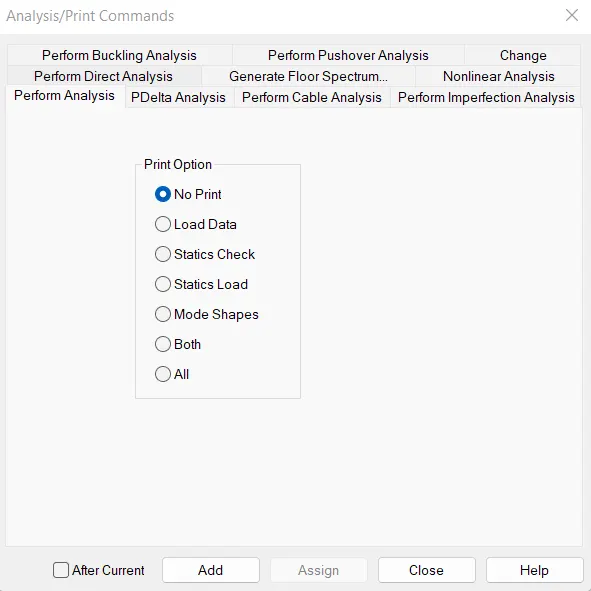
1) Perform Analysis -
i) This is a Linear static 1st Order differential analysis
ii) This type of analysis is used for Building of primary loads cases
iii) Perform analysis is used to design every single elements .
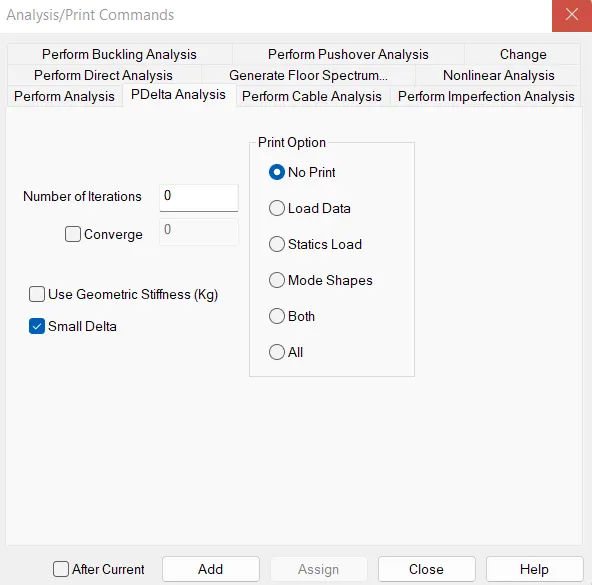
2) P - Delta Analysis -
i) This is 2nd Order analysis
ii) In which it governs secondary load cases such as Seismic Analysis
iii) As name suggests it calculate the moment with respect to apply load and calculate deformation under apply loads
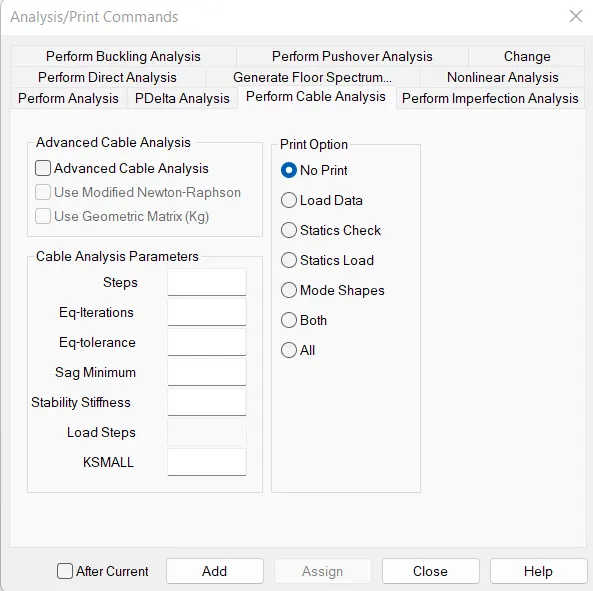
3) Perform Cable Analysis -
i) This analysis is used whenever we have cable element in our model
ii) Cable analysis is generally used for Crane loading or incase of Lifting Analysis
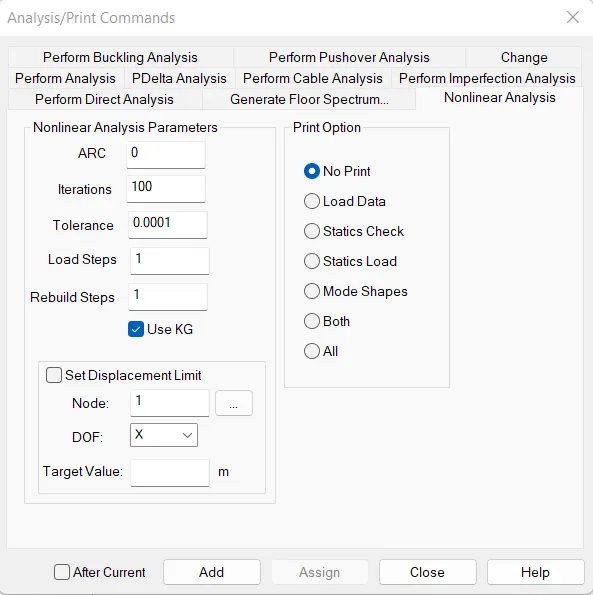
4) Non Liner Analysis -
i) This is an type of Static Non linera analysis
ii) This type of ananlysis is not applicable for Solid structures
iii) Non Linera Ananlysis does not considered plastic hing moment developed in structure .
5) Perform Pushover Analysis -
i) This type of analysis is used to study the seismic analysis
ii) Under this Analysis Deformation of structure is also studied .
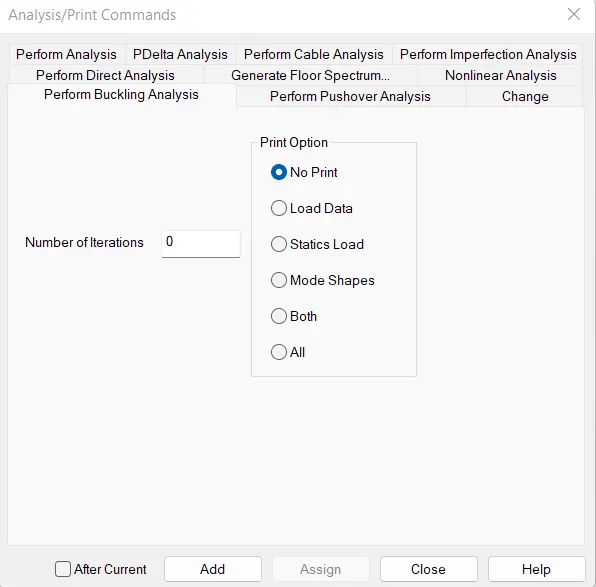
6) Perform Buckling Analysis -
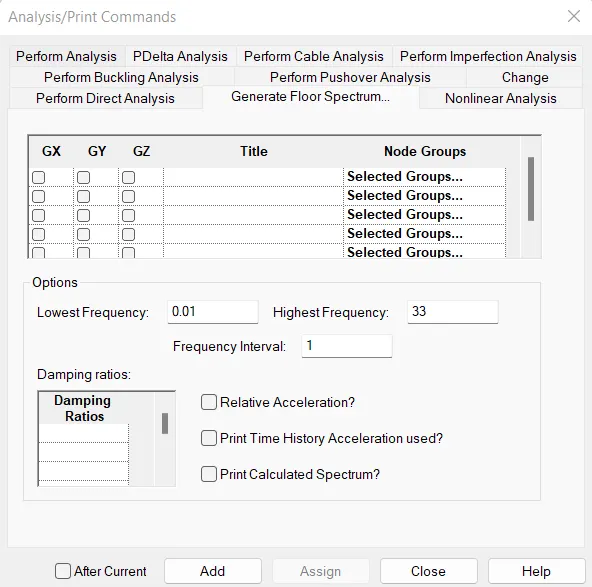
7) General floor spectrum Analysis -
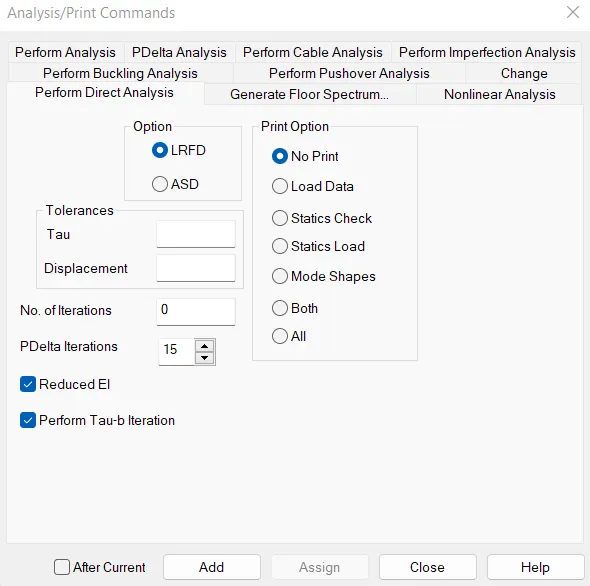
8) Perform direct Analysis -
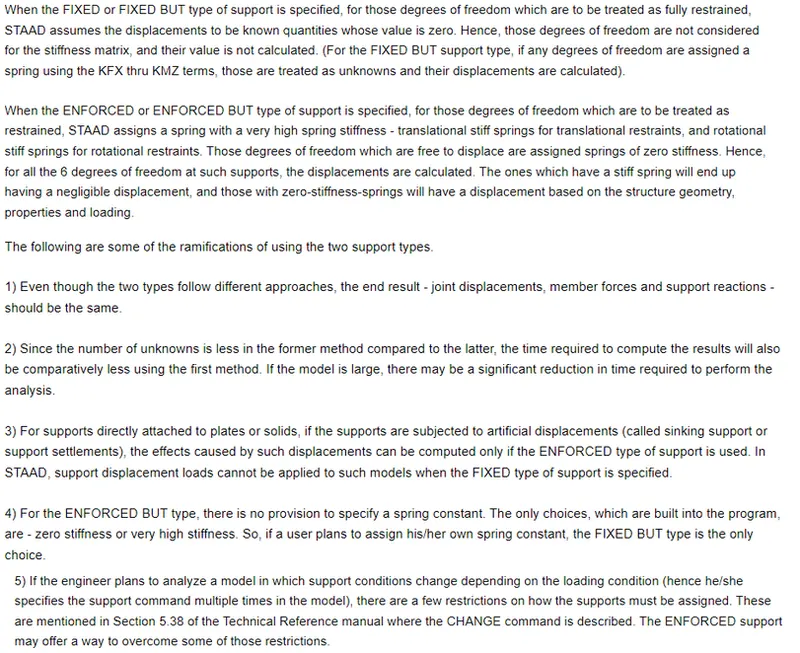
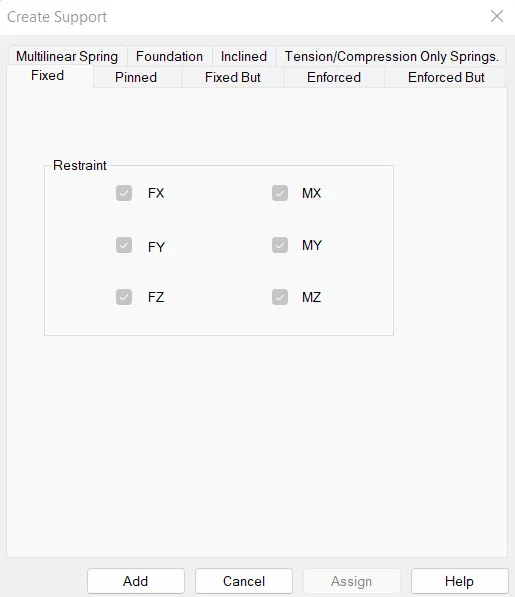
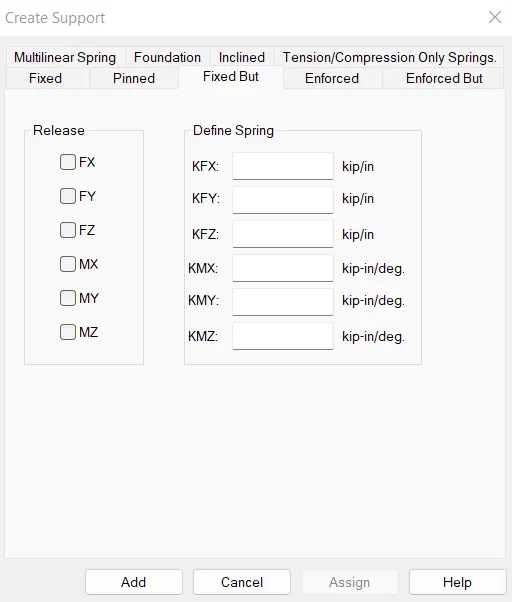
Q.3.5. Explain the difference between Fixed and Fixed But condition.
Ans=
- Difference between Fixed and Fixed but condition
PRACTICAL QUESTION-
1. Create a STAAD Model with the following Specification
a. A beam of span 16m
b. Support : Fixed on one end and Roller support(Horizontal) on the other end
c. A point load of 50 kN at the mid-point
d. Draw SFD and BMD using software
Ans=
AIM:- To create a staad model of a 16m beam which has a 50KN point load at mid span fixed on one side and roller supported on other side. Finally, I will attach the shear force and bending moment diagram by using staad.pro software.
INTRODUCTION:-
I have draw a RCC beam of 300mmX250mm and there is a 50KN load at the center point of that beam. Then analysed the beam.
PROCEDURE:-
STEP-1:-
First open the staad.pro software and fill all the project details and select unit system as Metric. Then select the model as analytical.
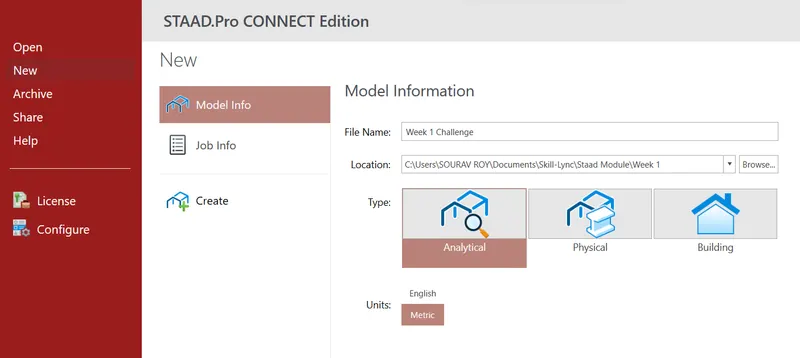
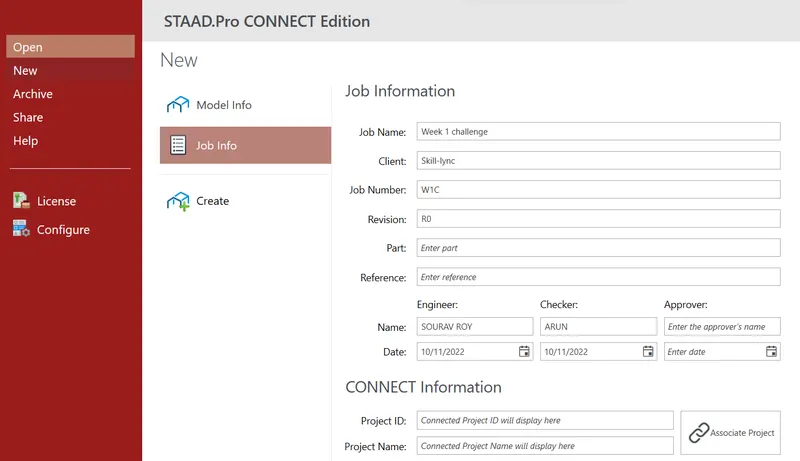
Then click to create.
STEP-2:-
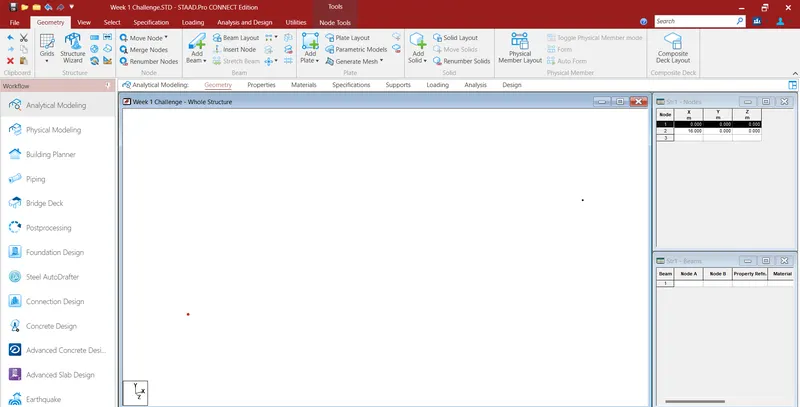
Go to geometry add node then go to node cursor, copy and paste it to 16m in x direction
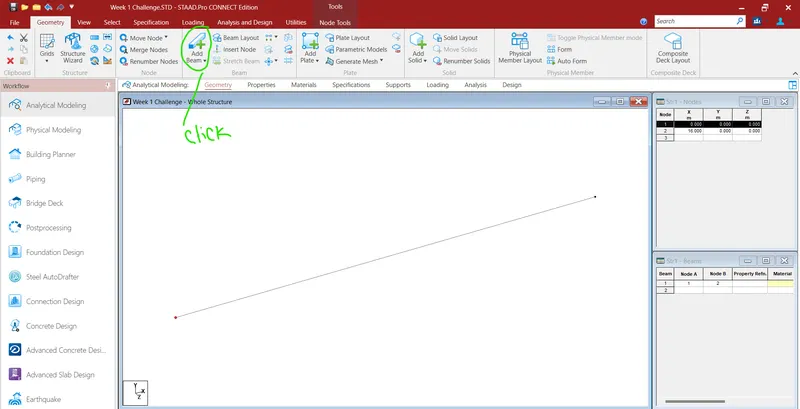
Click to add beam and join those node
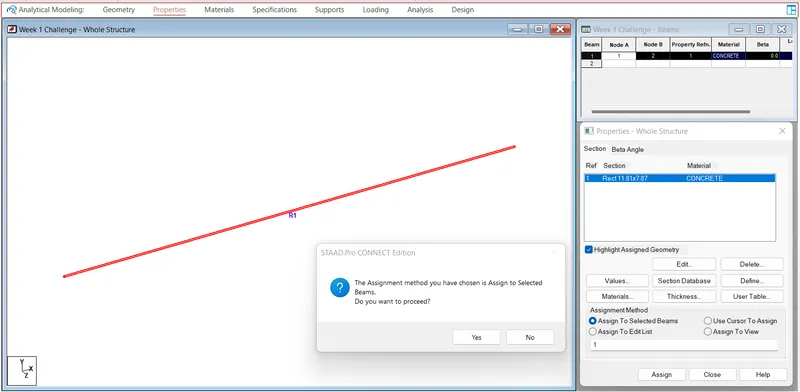
Go to property tab and define concrete beam
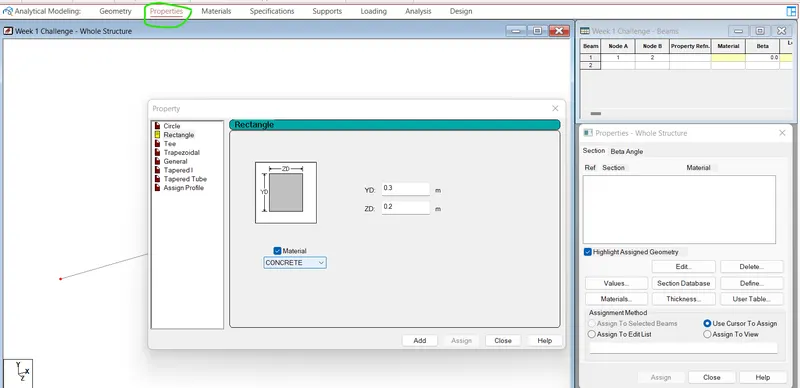
Then click assign to view and click yes
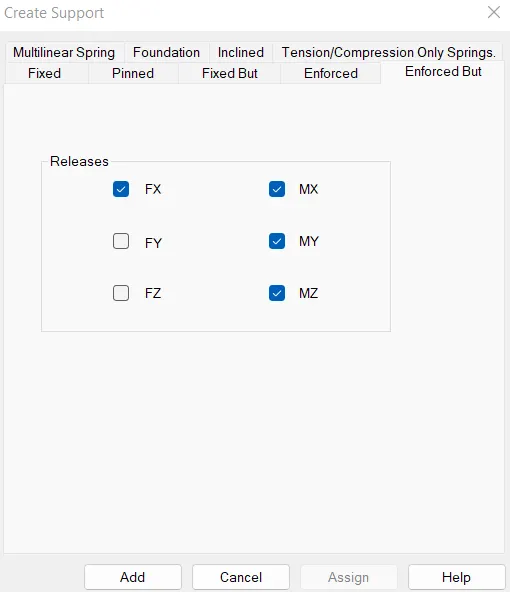
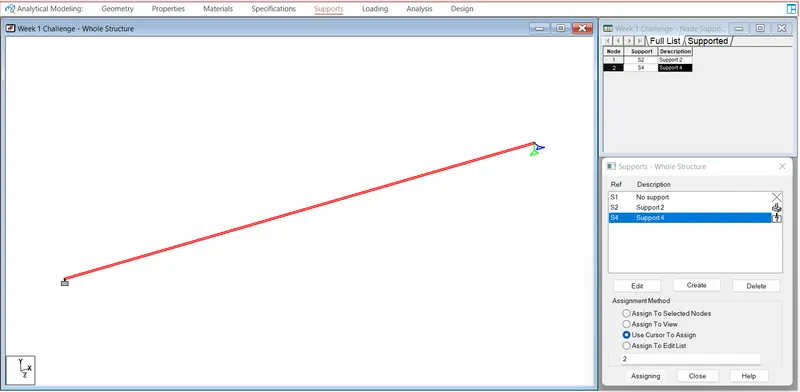
Go to Support tab and create fixed support and roller support(It is Enforced but support where fx and all the moments are released) then assign them to the drawing.
Roller Support-
Then go to loading tab and click to add and then create dead load and live load case. After that create a load combination.
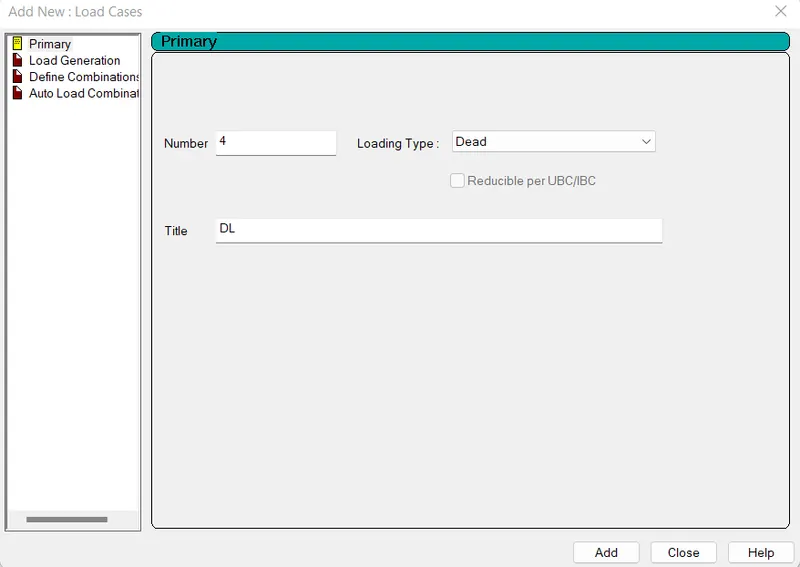
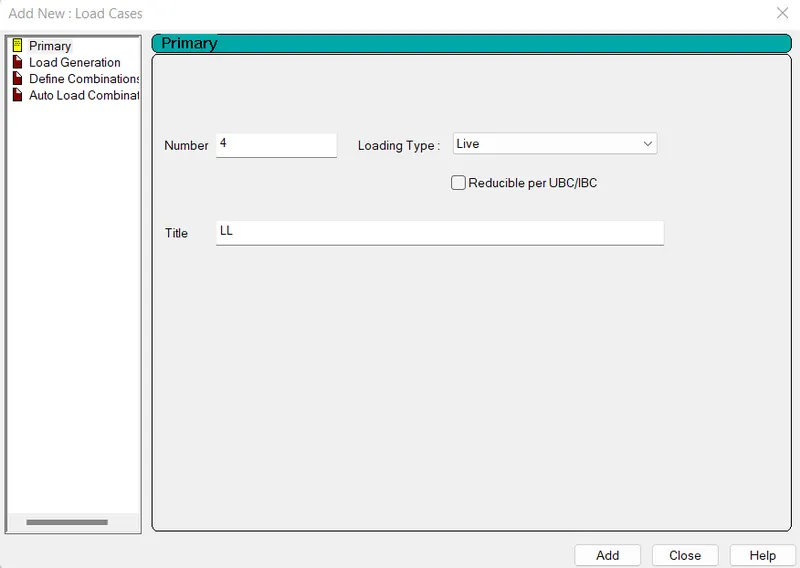
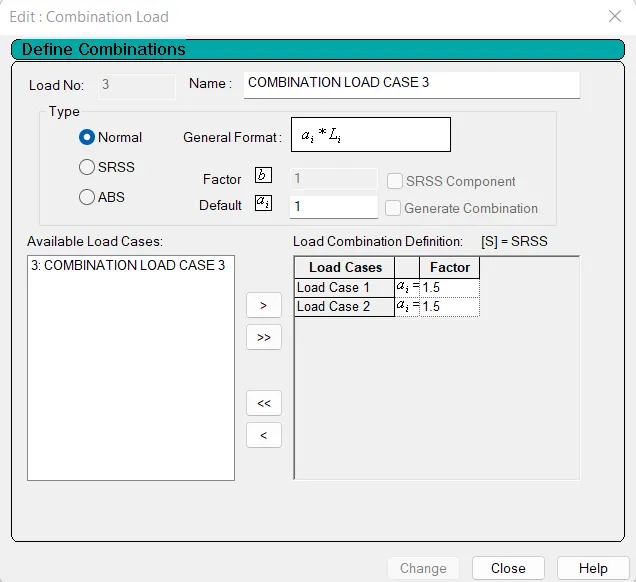
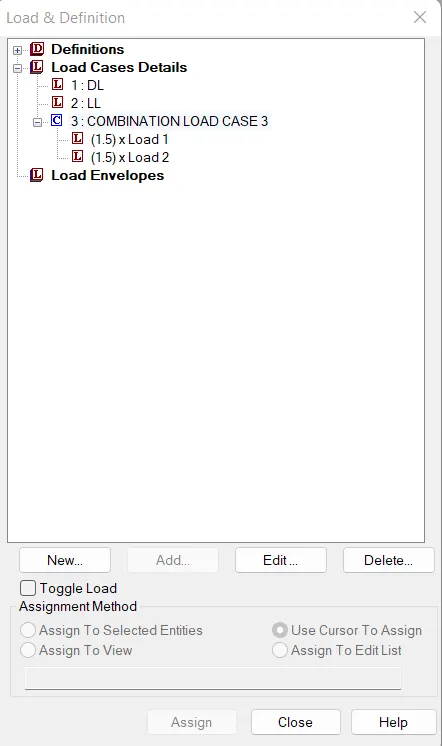
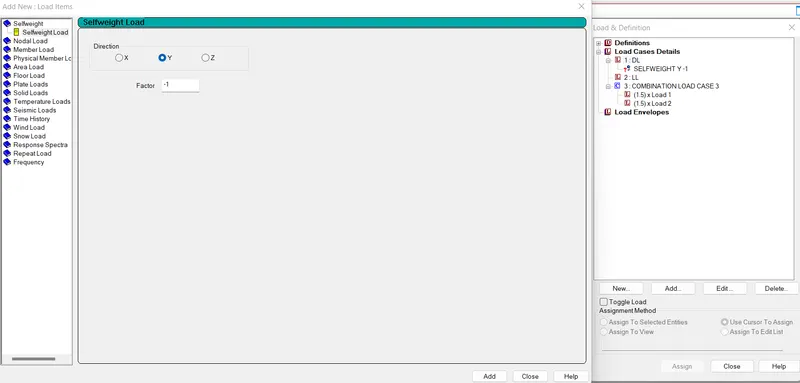
Under Dead load case click to add then add selfweight
Then click to Live load case and click to add. Then go to member load > Concentrated force and input the data as -50KN under Y axis, also give d1=8m and d2=0.1m, click add
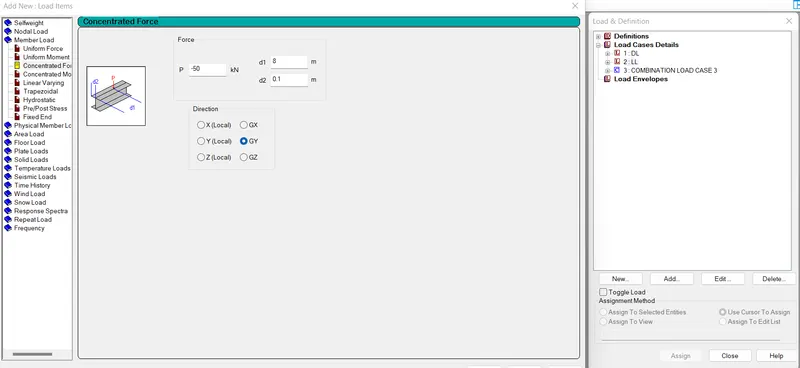
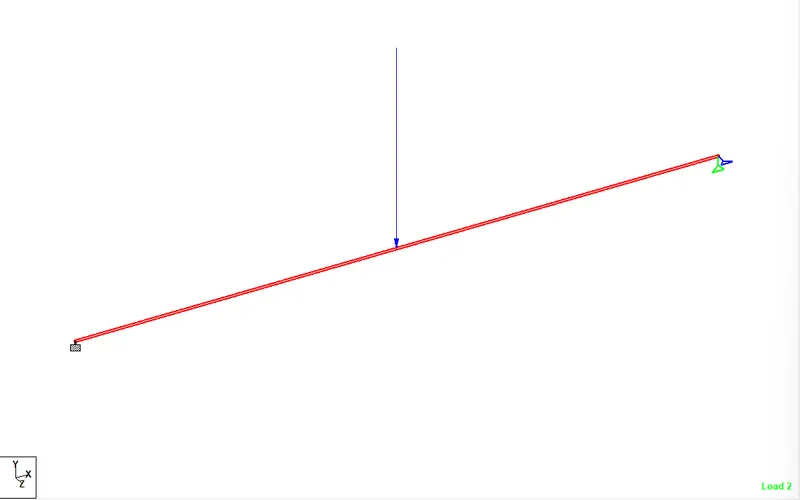
Now assign dead and live loads to the structure
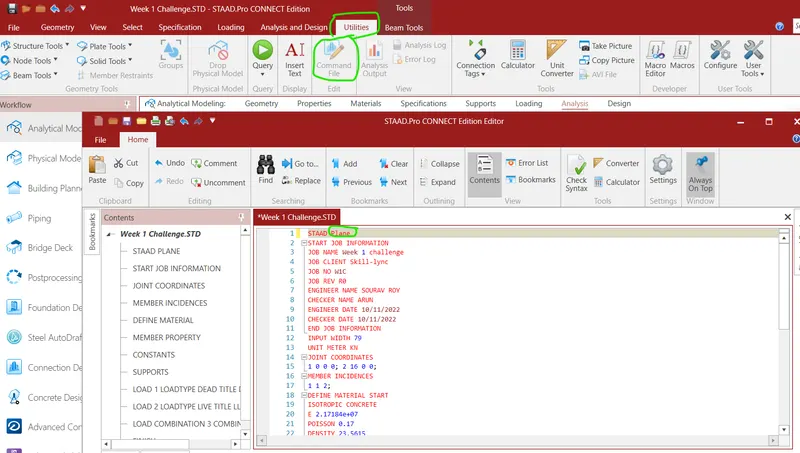
Then go to utility tab and click to command file and change the file from space to plane and save it.
Go to analysis tab and click to analysis and select perform analysis.
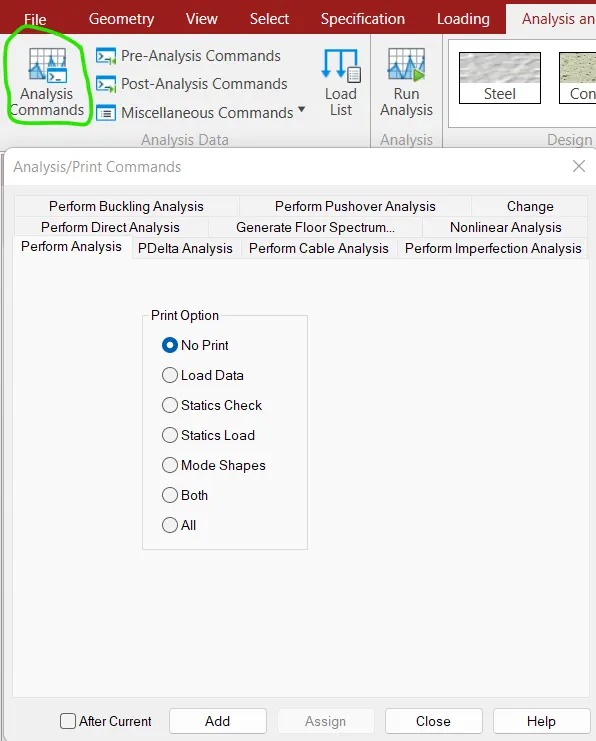
Then click to run analysis
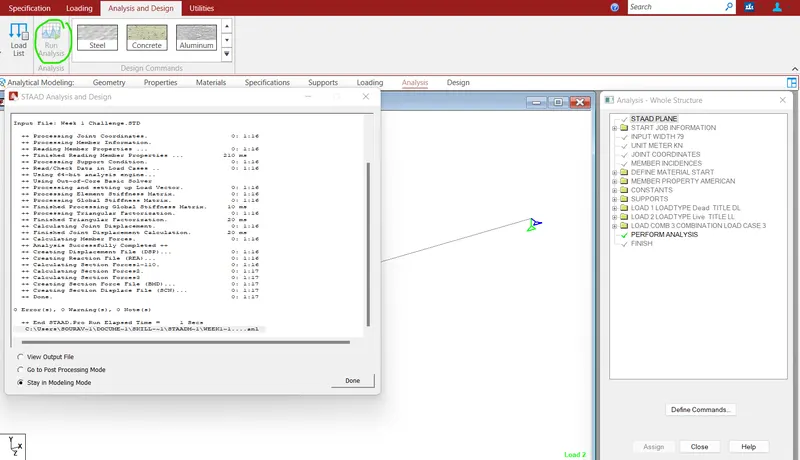
Go to Post processing mode and select combined load case
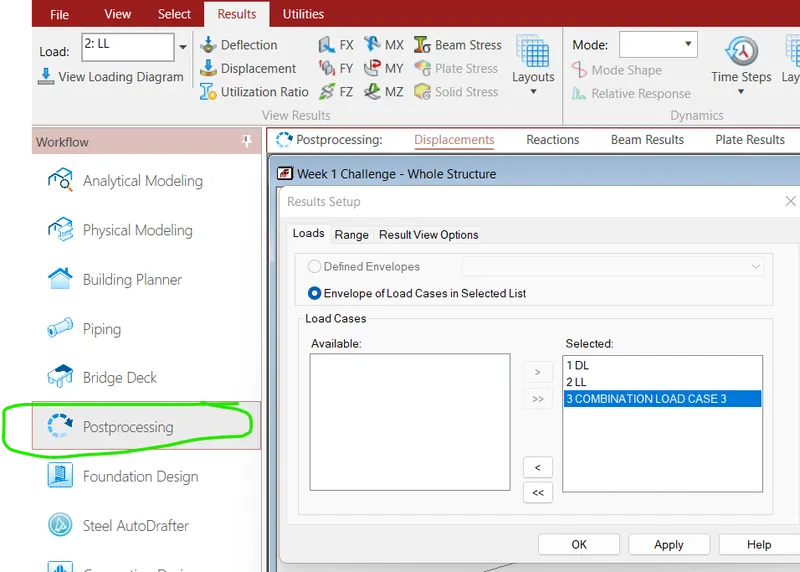
Then go to beam result tab and select shear force
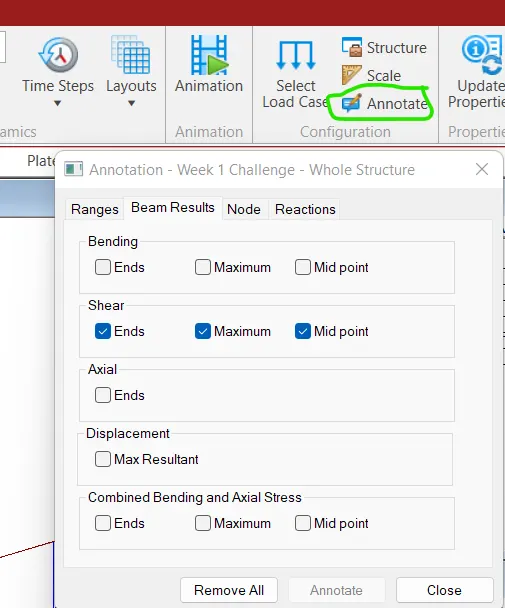
Then go to annotate and select values to be displayed
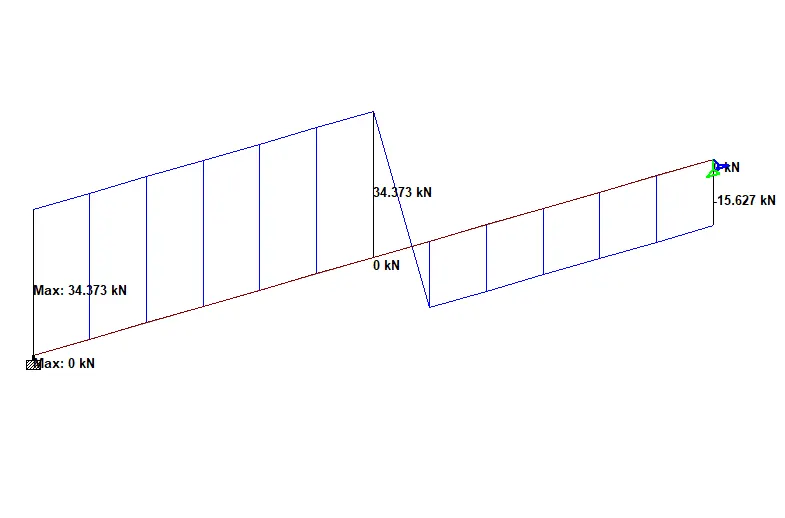
RESULT:-
Shear Force diagram-
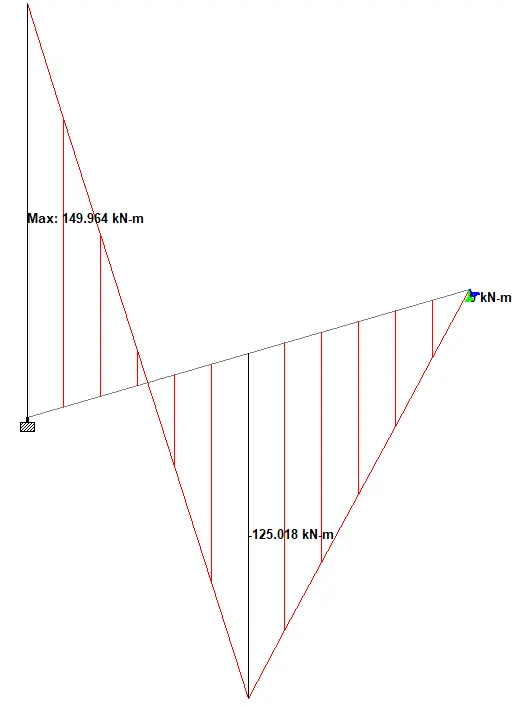
Bending Moment diagram-