Design of backdoor
Car Back Door Design
Car Back Door and Components:
The back door is a hinged door/tailgate at the rear of the vehicle. It may be used for loading and unloading cargo, or to get passengers in and out, in case there are seats present at the rear. The back door comprises certain components which form the back door assembly together.
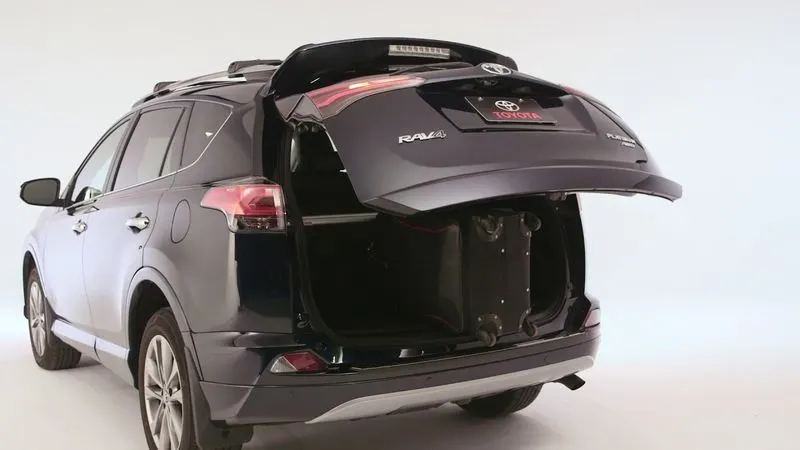
Fig.1 Typical Car Back Door
The components of the back door are as follows,
- Inner Panel
The inner panel, as the name suggests, is the inner part of the door. It is where most of the reinforcements and components are mounted. It is manufactured either by casting (aluminum) or sheet metal stamping (steel). The thickness of the inner panel is 0.75 mm.
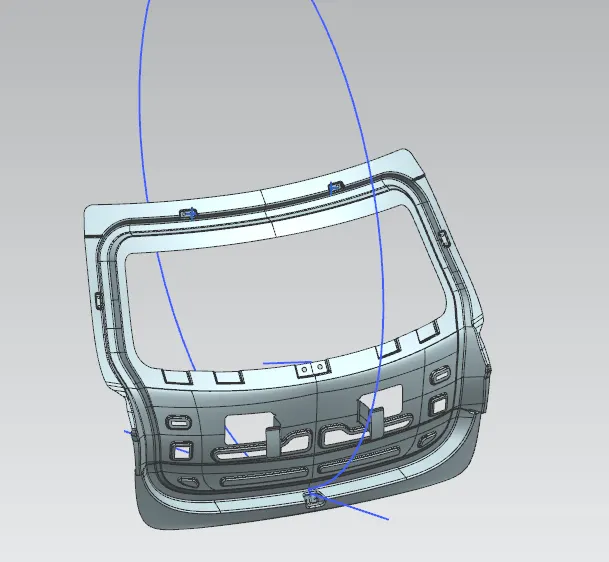
Fig.2 Inner Panel
- Outer Panel
As the name suggests, it is the outer part of the rear door and is mostly responsible for the aesthetics of the vehicle. Outer and inner panels are connected by mastic sealants in the center and by a hemming process at the edges. The outer door handles and in some cases, the number plate may also be installed on the outer panel of the back door. We have considered a 2-part outer panel for our design, outer upper panel and outer lower panel prospectively. The outer panel is manufactured by stamping sheet metal. The thickness of the outer panel is 0.75 mm.
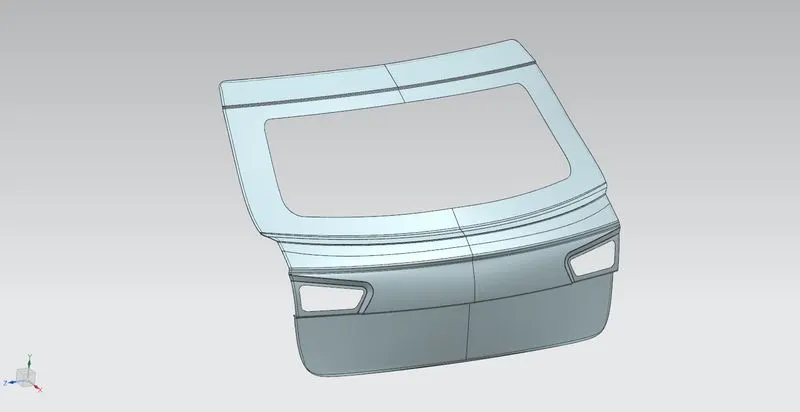
Fig.3 Outer Panel
- Reinforcements
Reinforcements are provided to provide support and add extra material to the sheet metal part to increase its strength near component installation regions and minimize the impact of collisions. We have considered the following reinforcements during our design. The reinforcements may be manufactured by stamping. The thickness of all reinforcements is 1.5 mm.
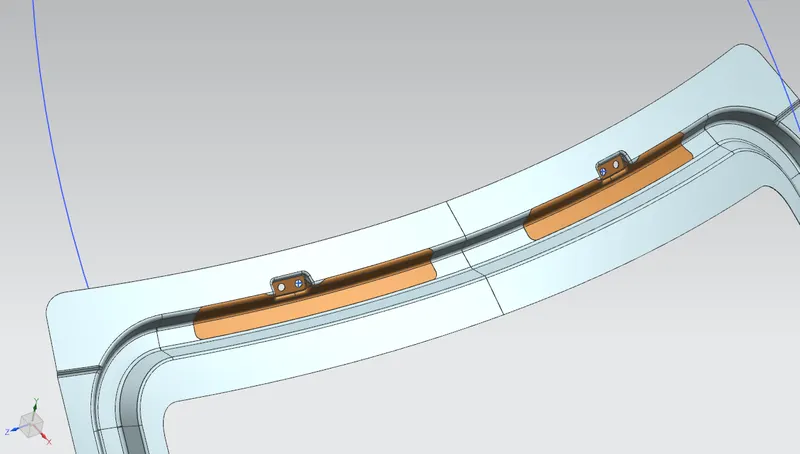
Fig.4 LH and RH Hinge Reinforcements
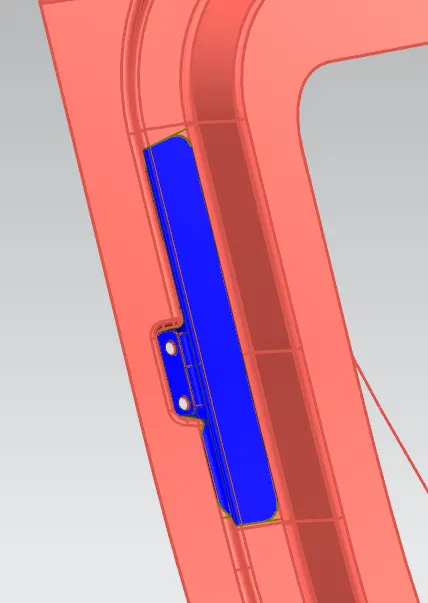
Fig.5 LH Gas Stay Mounting Reinforcement
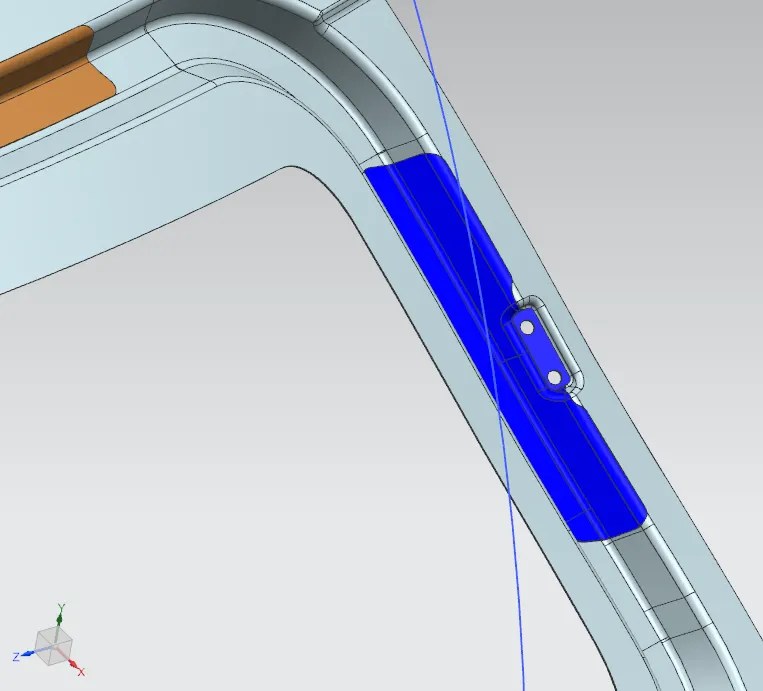
Fig.6 RH Gast Stay Mounting Reinforcement
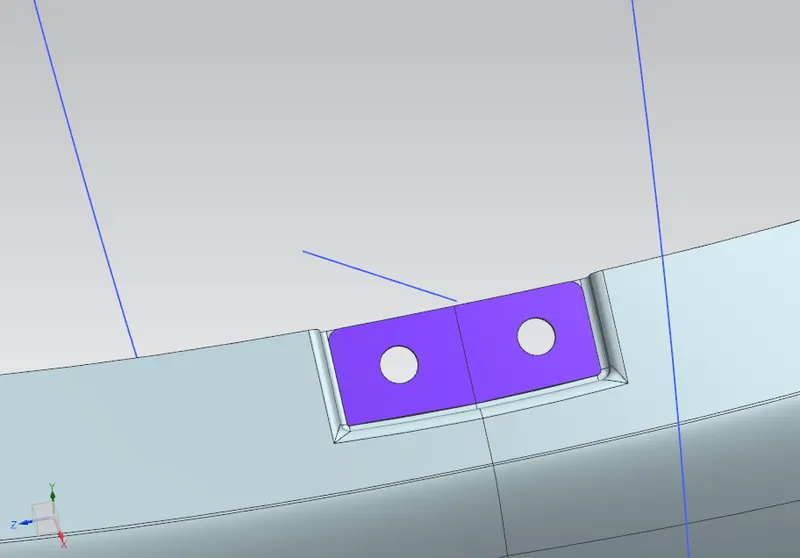
Fig.7 Wiper Motor Mounting Reinforcement
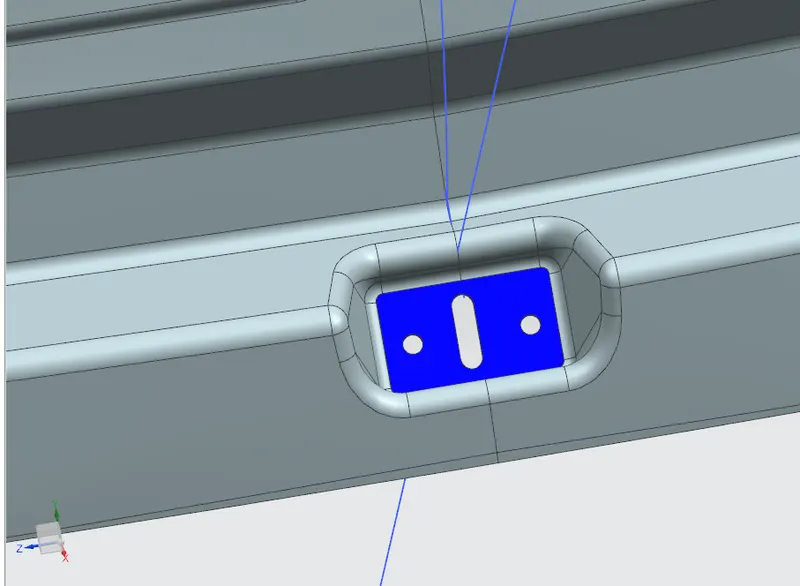
Fig.8 Latch Striker Reinforcement
- Gas Stay
Gas stay is basically a gas spring that relies on the elastic deformation of a compressed gas that is enclosed in a cylinder. It is used to reduce the required effort while opening the back door. Although all the cars don’t come with gas stays, it may be required in case of a heavy back door.
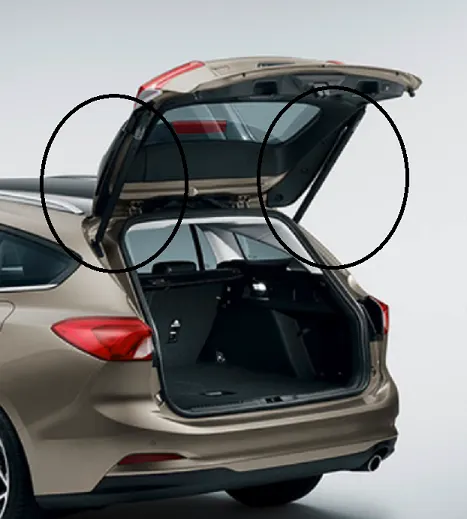
Fig.9 Typical Car Back Door Gas Stays (Highlighted)
- Wiper and wiper motor mounting
As the name suggests, the wiper is used to wipe off the dust and water from the rear windscreen of the vehicle.
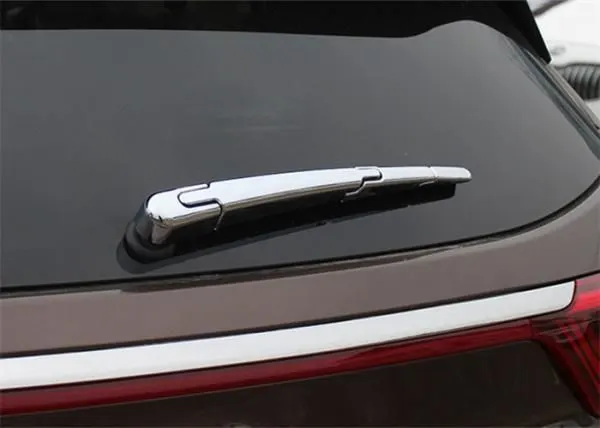
Fig.10 Car Back Door Wiper
- Hinges
Hinges connect the door with the vehicle body and allow the door to rotate around a fixed axis for opening and closing movement. Generally, hinges are a 2-part assembly, where one part is bolted to the door and the other is bolted to the vehicle body.
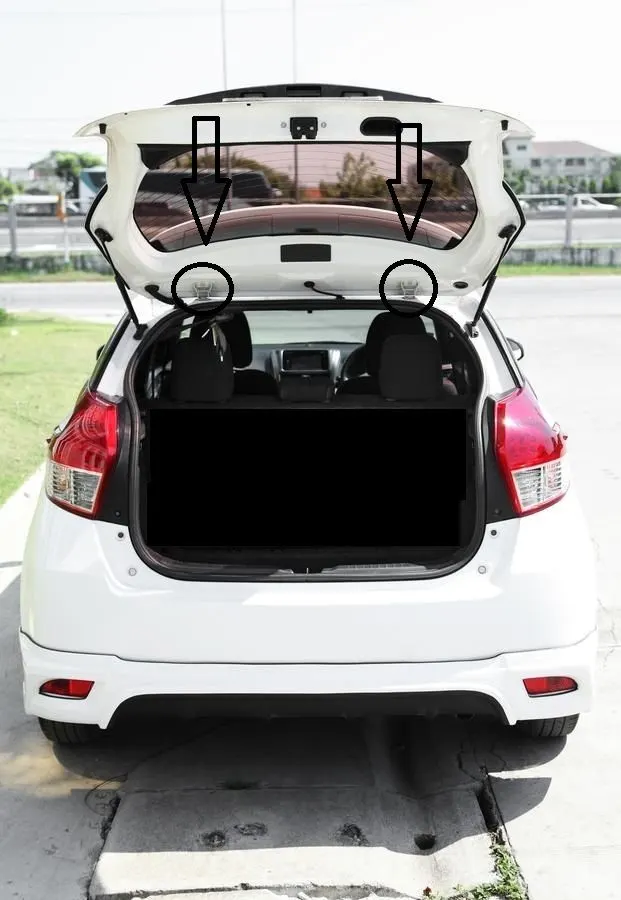
Fig.11 Car Back Door Hinges (Highlighted)
Design Methodology:
We start with the styling surface that is provided to us and consider a top-down approach for this assembly modeling. First, we create the assembly and then create the components in the assembly file itself. The inner and outer panels are the largest parts and all other parts depend on them so we start with them. Also, the given styling surface is part of the outer panel so we create it first. Using various commands and features we design the outer panel from the styling surface. We have 2 parts for the outer panel, which are separated by a flange, hence we create an outer panel upper and lower respectively. They will be spot welded with each other. It is necessary to make sure that all the surfaces are properly joint to their adjacent surface and that there are no disjoints at their intersection edges to avoid further errors. Also, the Inner and outer panels are connected by the hemming process so we can come back to the outer panel and do that after the completion of the inner panel.
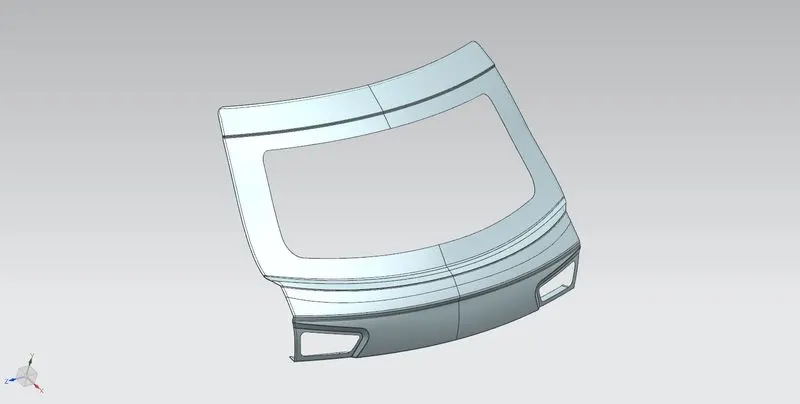
Fig.12 Outer Panel Upper Part
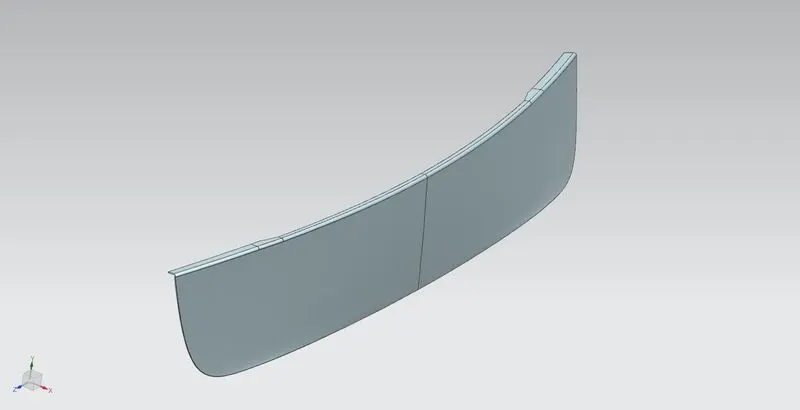
Fig.13 Outer Panel Lower Part
Now, as we know the inner panel is at a particular distance from the outer panel, we offset the outer panel surface and design the inner panel on the same. The inner panel is important as most of the mountings will be done on it. Before starting the inner panel design, we need to define the tooling direction as a reference for the manufacturing team. Then we design the inner panel.
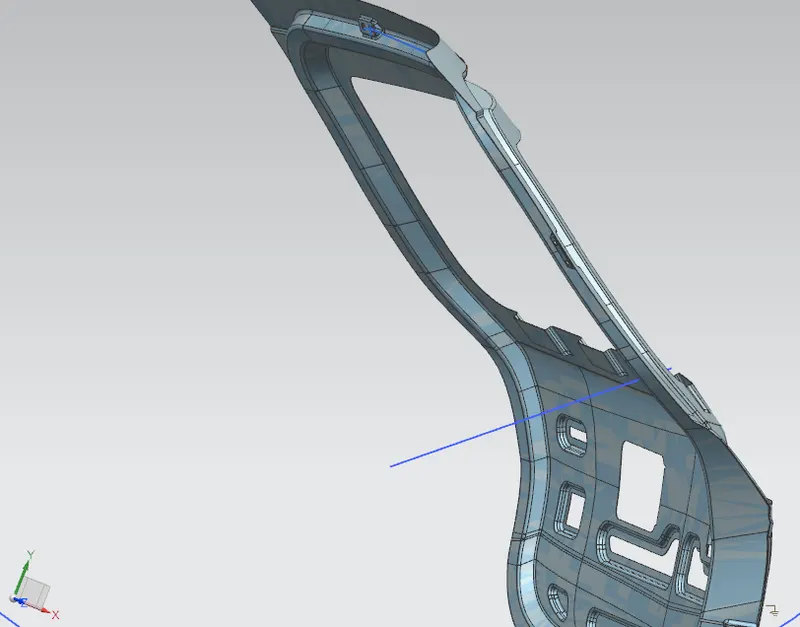
Fig.14 Tooling Direction
While designing the inner panel we need to consider various factors like the mounting point positions, mastic sealant application positions, and the cutouts in the sheet to make access to tail light assembly easier. As the bottom center part of the inner panel is not connected to the outer panel, we need to create a surface that comes out and connects to the outer panel as shown in the image. This part will be connected to the outer panel using mastic sealant. Also, the hinge embosses must be taken by considering proper directions. The emboss surface must be parallel to the z-axis to get proper geometry for the latch striker path curve. Then we draw a line connecting the hinges, such that it forms the hinge axis (the axis around which the door rotates while opening or closing). Then we can draw a circle with a center at the hinge axis and a circumference passing somewhere around the emboss endcap. So that when we get the emboss for latch striker mounting, we can take the end cap by creating a plane normal to the path (using On Curve) in the direction normal to the path of the striker. Thus, after some trial and error, we can adjust the emboss and the circle dimensions properly.
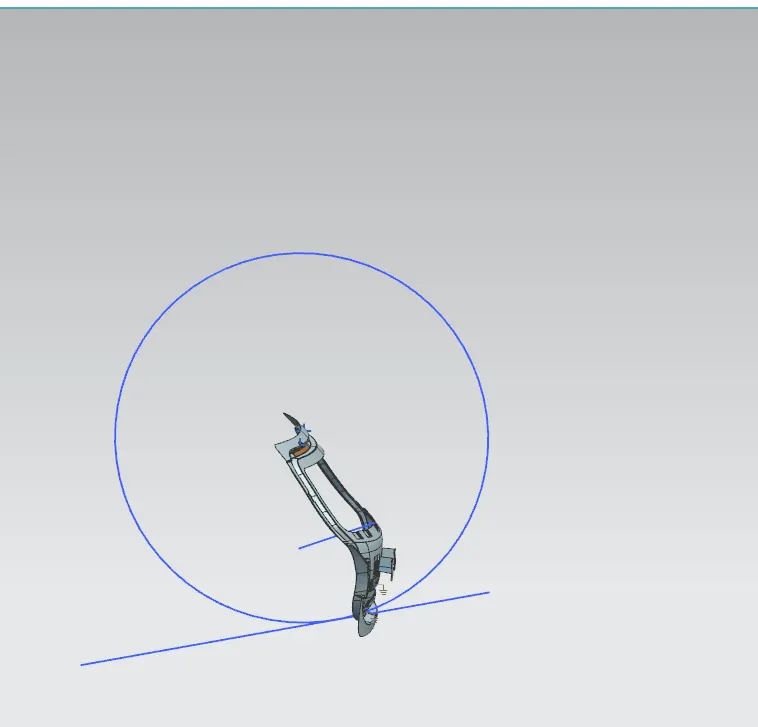
Fig.15 Latch Striker Path
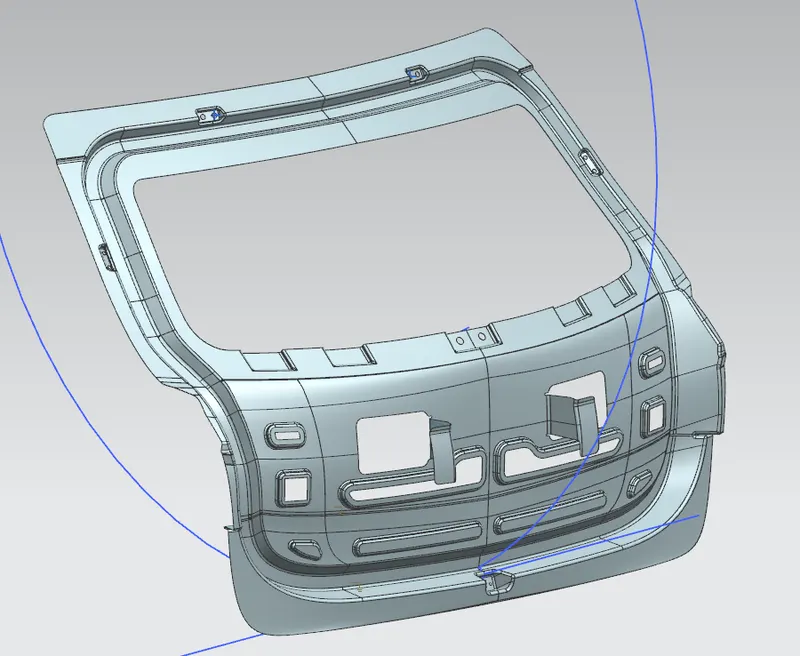
Fig. 16 Inner Panel
As the inner and outer panels are connected by the hemming process, we can complete the hemming after the completion of the inner panel. Now, as major parts are designed, we can move to reinforcements. It is fairly easy to design reinforcements as shown in the image below and the detailed images above as we can use the inner panel surfaces using Wave Geometry Linker into the corresponding reinforcement parts.
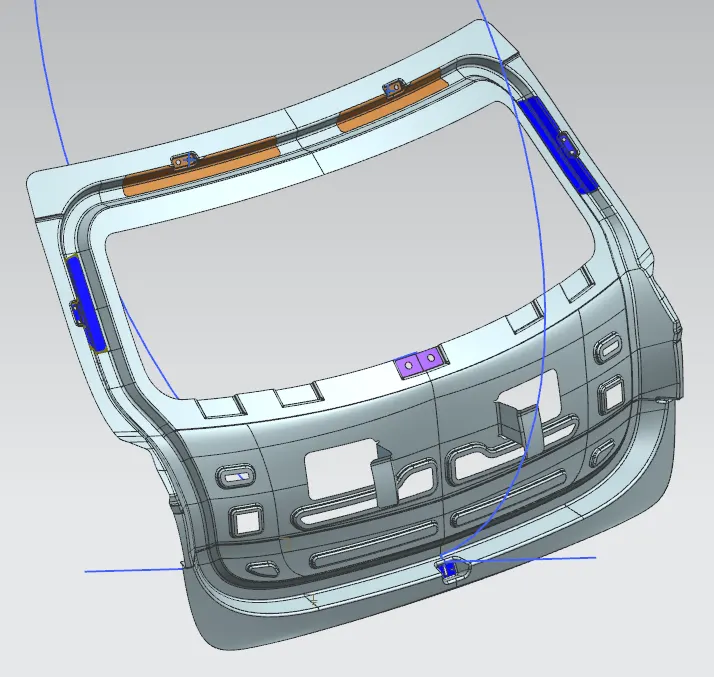
Fig.17 Reinforcements.
Important features used while designing:
- Wave Geometry Linker – With this, you can create, associative or linked copies of any entity of a part into other parts. It may be a surface, edge, curve, body, sketch etc. The changes made to the original entity will be reflected in the copy of that entity.
- Extract Body – It is used to create an associative body by extracting faces, entire bodies, or regions of faces.
- Bridge Curve – It helps to create a tangent blend curve between two objects. The objects may be edges or sketch curves.
- Sew – It combines sheet bodies together by sewing their common edges. There shouldn’t be any gaps larger than the specified tolerance.
- Unsew – This command is used to separate the existing sheet body or solid body into multiple bodies.
- Projected Curve – It is used to project an existing curve/curves on a selected plane or surface by selecting a direction for projection.
- Trim Body – It is used to trim one or more bodies using a face or plane. You can also specify the bodies to retain and the bodies to discard.
- Offset Surface – It allows you to offset one or more existing surfaces.
- Offset Curve in Face – This command will allow you to offset particular edges or curves on selected faces.
- Trim Sheet – It is used to trim off a portion of a sheet body using curves, faces, edges, or planes.
- Through Curves – It will allow you to create a body Through multiple sections, where its shape changes to pass through each section.
- Law Extension – This command extends a curve or edge to create a sheet body at desired angle length by changing the rules under angle law and length law.
- Trim and Extend – It helps you to trim and extend intersecting surfaces and make corners at their intersection.
- Face Blend – It creates fillets between faces.
- Edge Blend – It creates fillets on the edges.
- Extend Sheet – It will allow you to extend an existing surface to the required distance.
- Emboss – Emboss command creates an embossing by modifying a body with faces created by projecting a curve/section along a direction. You can modify the emboss using options like endcap location and draft angle.
- Mirror Geometry – As the name suggests, it allows you to mirror geometries about a selected plane or surface.
- Thicken – It is used to convert a surface to a solid body by providing thickness.
- Extrude – It helps you to create a feature from a sketch. You are also able to create a thin feature using a sketch or curve under this command.
In order to make sure the drawing of the inner panel body is proper; we do a draft analysis. We need to define the drawing direction and select the inner panel body. We take the limit angle as 5 degrees. The result of the draft analysis is as follows,
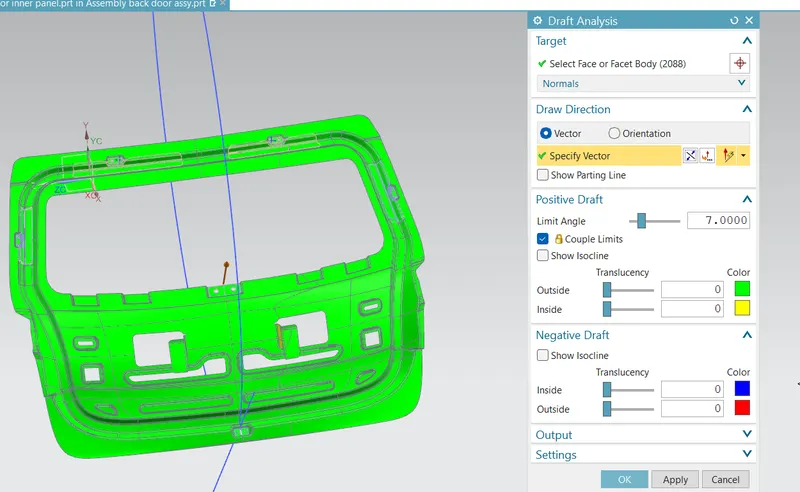
Fig.18 Draft Analysis Result
Portions that require different manufacturing methods, or are not in the direction of drawing may not be considered in draft analysis results.
Conclusion: The car's back door was designed using the given styling surface and under provided design regulations.