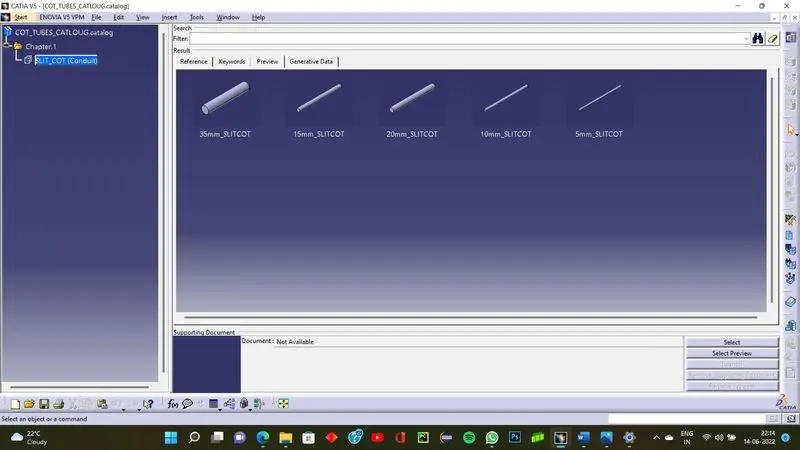
Wiring harness routing & packaging Rules Week 3 Challenge
Support in wiring harness
These components are used for holding and routing the wires through the available space.
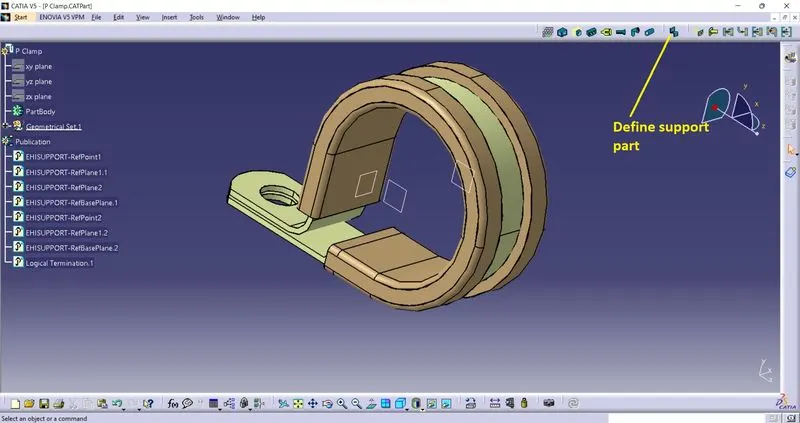
Defining a support in CATIA electical harness environment
To define a component as support in electrical workbench
step 1 - open the file in mechanical part design workbench
step 2 - define some points and planes on the body to mark the inlet,outlet and support point .
step 3 - go to electrical workbench define it as a support part choose the entry and exit of bundle and select the fixing point.
note- define entry and exit from both sides for more flexebility while assembling .
Steps to create corrugated tubes
step 1- create a blank electrical part file
step 2 - select define protection part option
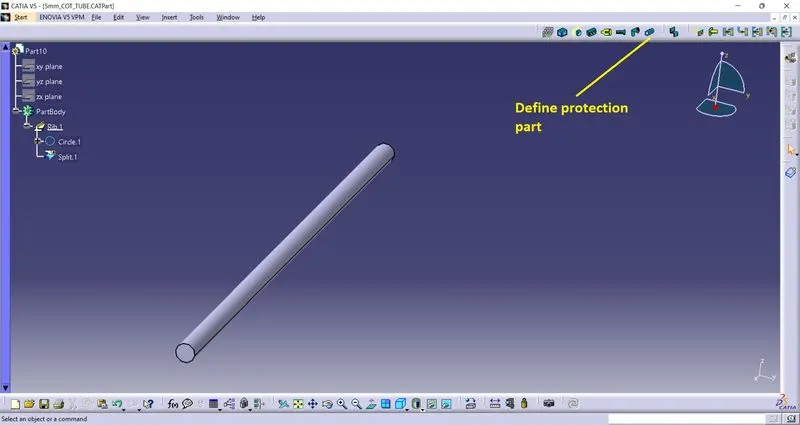
step 3 - enter the inner radius, thickness of wall and bend radius , press ok.
note- bend radius is approx. 1.5x outer wall thickness , outer radius of cot-tube is generally selected in steps of 5mm (5,10,15......)
Steps to create a catloug document
step 1 - click file-new- select catloug document
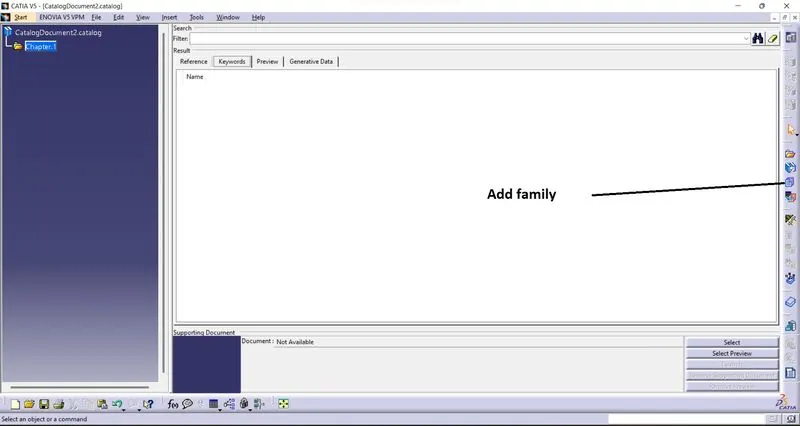
step 2 - select add family member
step 3 - select a name for the family and select the type
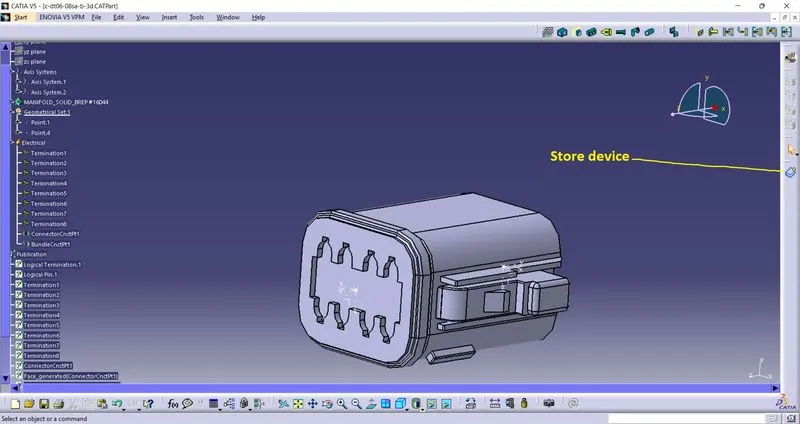
step 4 - open the part file you want to add click on store device button , select the cataloug from directory and select the family . click ok.