Wiring harness design in CATIA V5 - 3D modeling Week 7 Challenge
Objective- To create a flattened-view of a harness assembly and create 2D drawing on a drawing sheet.
Harness assembly for which flattened-view must be created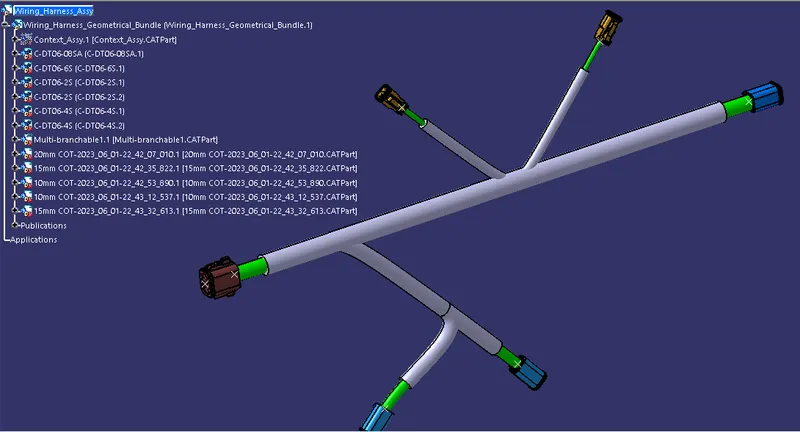
- To generate a flattened view of wiring harness, we should work in the Electrical Harness Flattening workbench of CATIA V5.
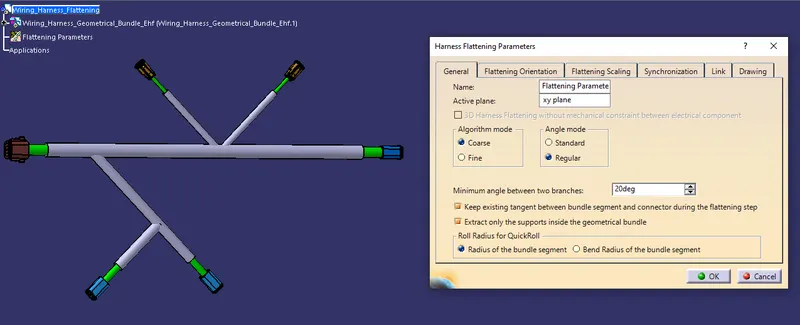
Defining Harness Flattening parameters
- A new Product file is created inside the Electrical Harness Flattening workbench.
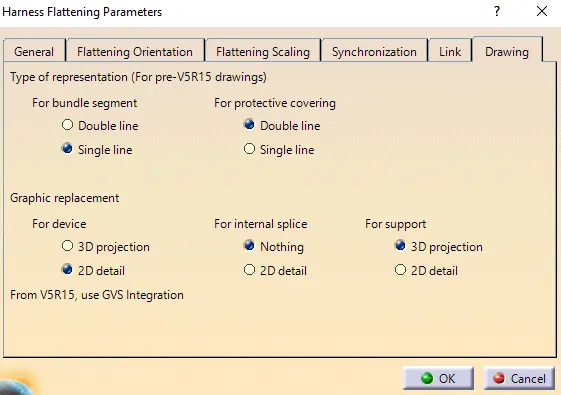
- Next, we should define the harness flattening parameters by clicking on its respective icon as shown above. The preferable settings are chosen as shown in the image below.
- It is recommended to have single line representation for bundle segment and double line representation for protective coverings, for easy differentiating.
Importing Harness assembly to new product file
- Open a new product file and name it Electrical_harness_flattening_assembly.
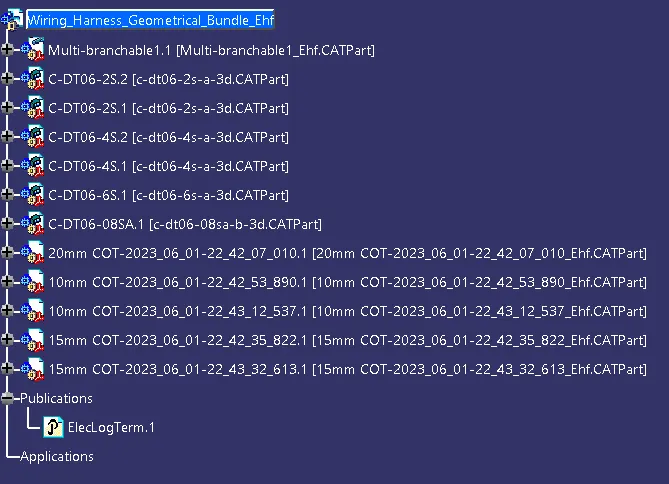
- Next it is recommended to tile the harness assembly file and flattening file window vertically, and by using Extract command available in Electrical flattening workbench, the Assembly file is imported as a Flattening file.
- Once the Harness Assembly file is extracted onto the product file, the file will have an Ehf suffix, reflecting the product file is an electrical harness flattening assembly.
Flattening of the harness
- To flatten the harness, the flattening plane must be selected by selecting a reference face from any connector and all the harness branches present in the assembly.
- Once it is flattened, by using rotate command, the bundle segments can be rotated as per the harness assembly layout.
Flattened View
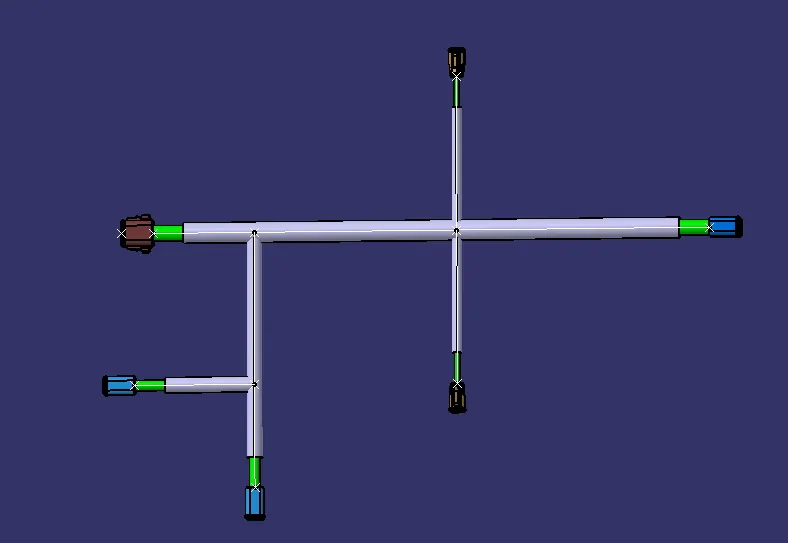
Creating a new drawing
- Create a new drawing file and define the drawing parameters as shown below.
- We should insert the front view of the wiring harness into the drawing file as shown below.
- In the view tab of properties pop up window of the front view, 3D wireframe should be always "visible". If this setting is not selected the bundle segments will not be visible in the drawing view.
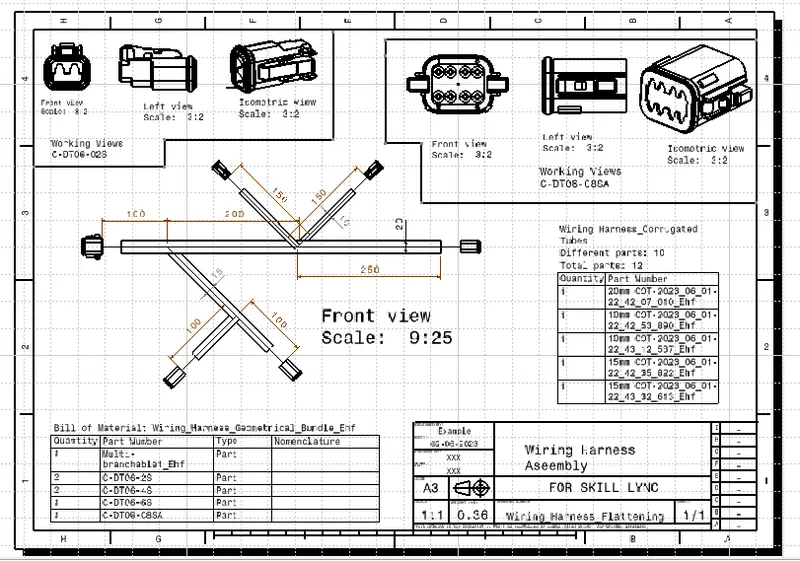
Drawing Sheet Features
A typical/simple Wiring Harness Flattening drawing must have
- Front view of the Wiring Harness Assembly
- Various working views of various connectors on the top
- Bill of Material table in the bottom
- Frame and Title block
- Corrugated and Wiring harness connection data tables
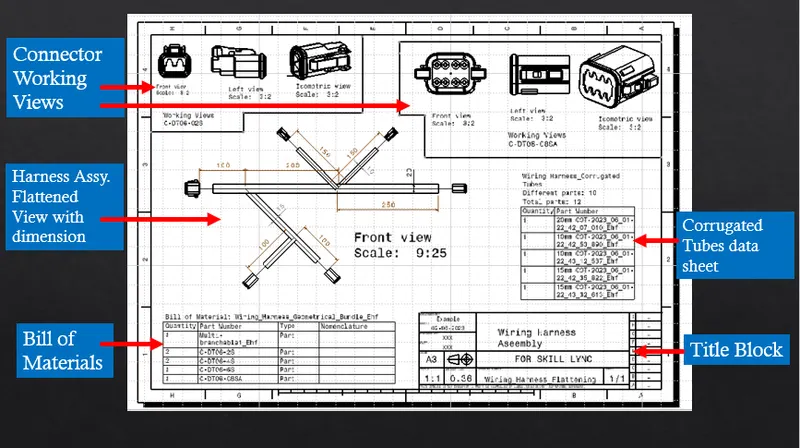
Conclusion - The final flattened drawing has been created for the wiring harness.