Wiring harness design in CATIA V5 - 3D modeling Week 5 & 6 Challenge
Q1. Route the following harness layout in Electrical workbench. Make assumption for harness bundle diameters. Use the connectors provided. After completion of routing,
Check the bundle Continuity. Add snap of result in submission
Add annotation to all connectors. Make an assumptions for annotations like connect 1 , 2 etc
Check for the bundle warning. Add snap.
Generate CAT.part of harness assembly and convert is in. igs format.
STEPS INVOLVED IN DEFINING CONNECTORS:
- Defining electrical properties to the normal connector.
- Creating two points at the first mating face on both side of the connector,one is connector connection point and the other is bundle connection point.
- Create axis system at the connector connection point for defining the connector.
- Defining the connector bundle connection point.the same procedure is repeated for all the remaining connectors
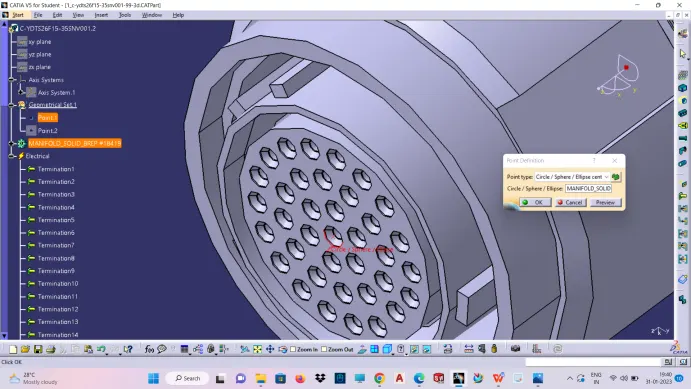
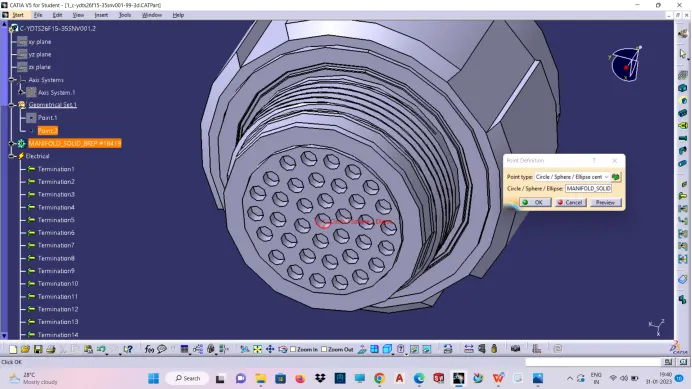
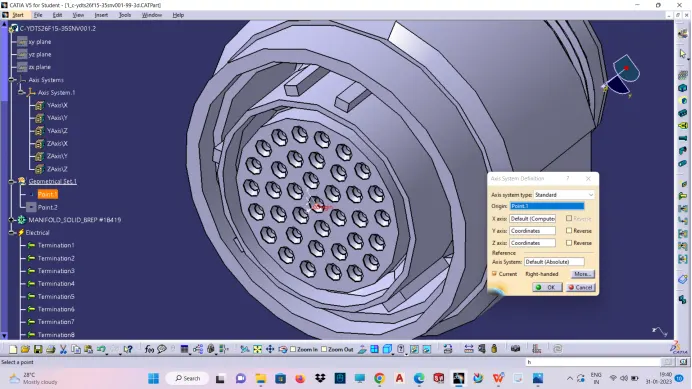
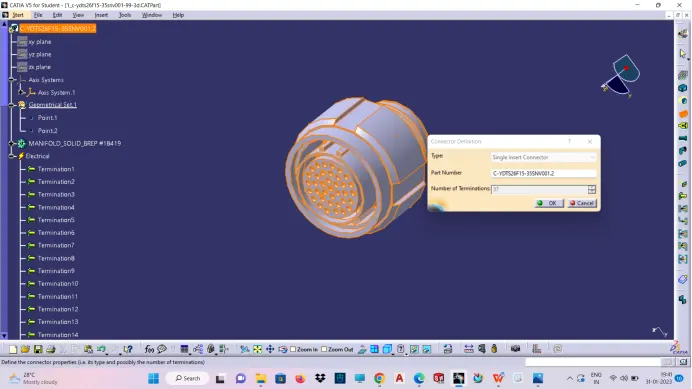
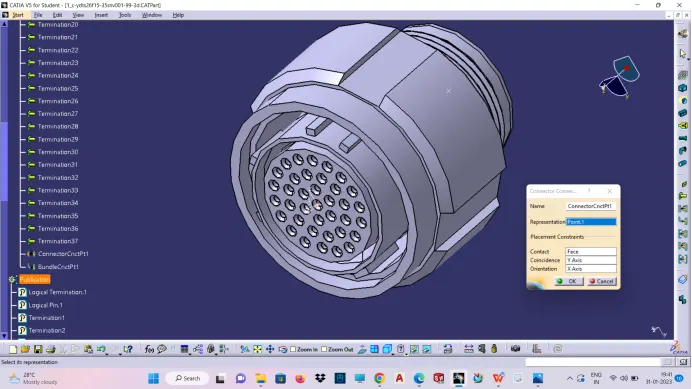
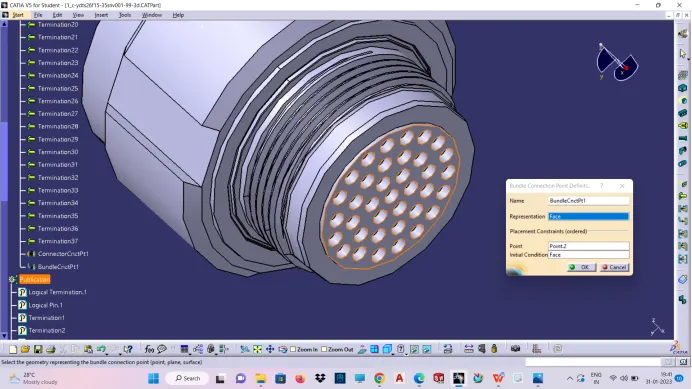
2.Create connector catalog by all the above created and electrically defined connectors.
3.Create the two product file as harness A and harness B and import the 5 part connector file in each harness file according to the question from the catalog.
4.Then electrically define each harness product file(harness A & B) by geometrical bundle option,thereby some electrical properties are added to the product file.
5.Manipulate each part file according to the given question,then create bundle route connection between the parts by the multi branch-able document.Add the branch point at the required place of the main bundle and branch bundle.
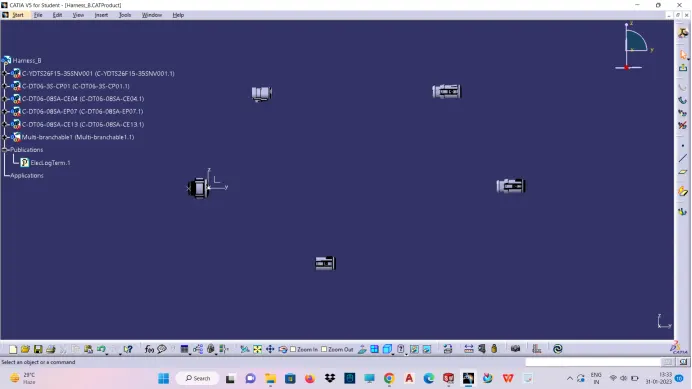
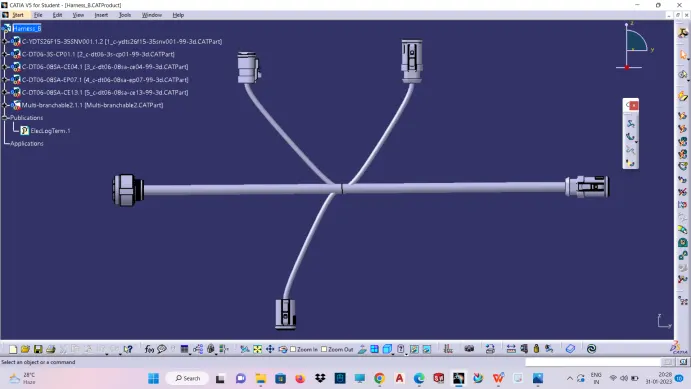
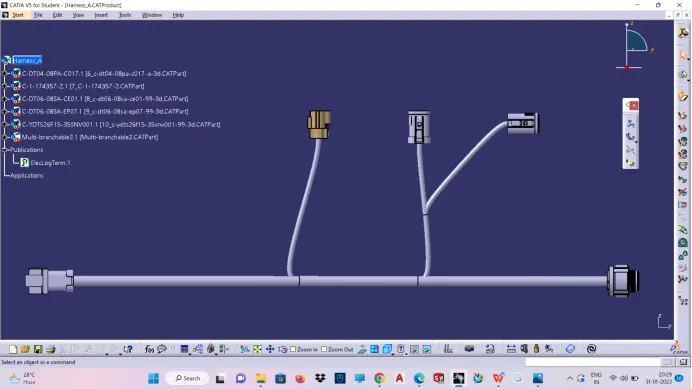
Then create another one main product file that contain two sub product file as harness A and harness B.Then make connection by joining the two products namely harness A and B by create connector command.Before creating main product file ensure the bundle continuity of two products(harness A and B)
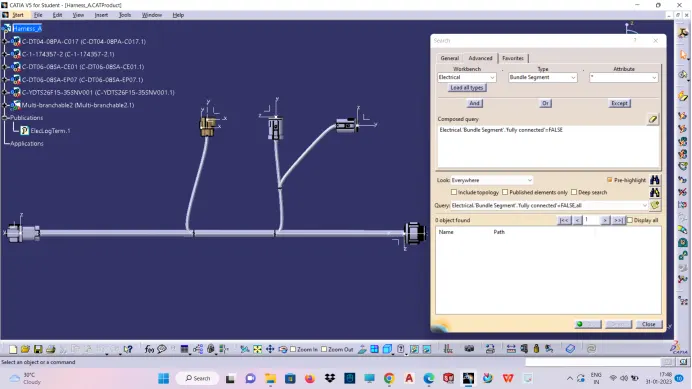
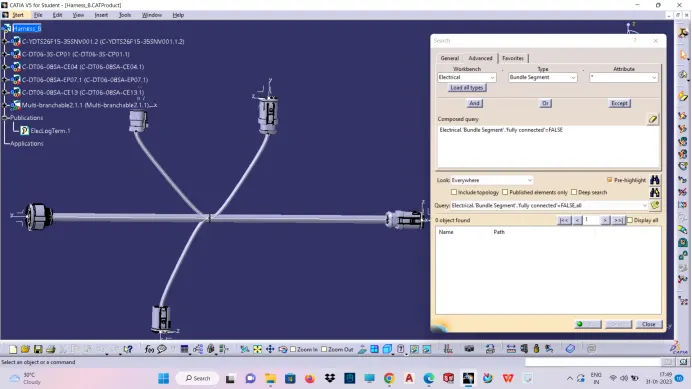
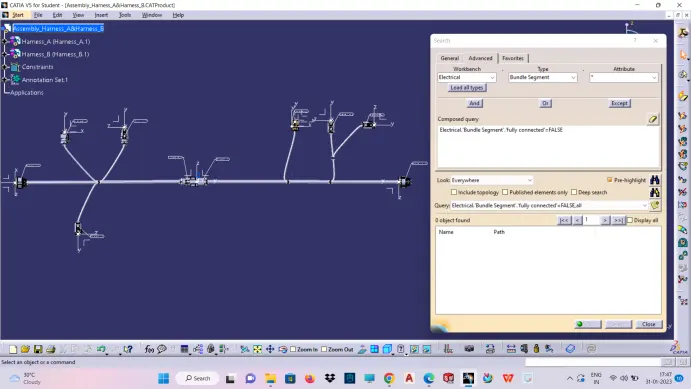
Product file converted to part file
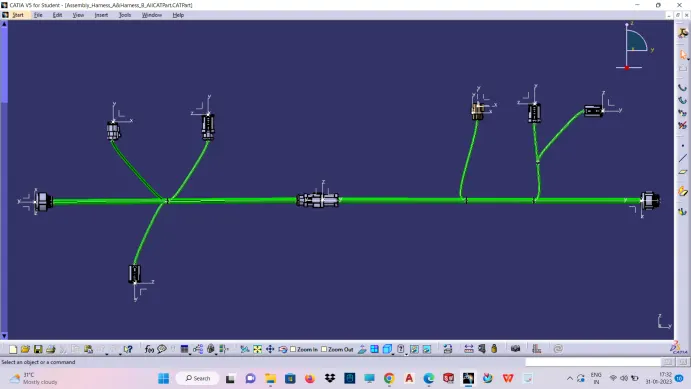
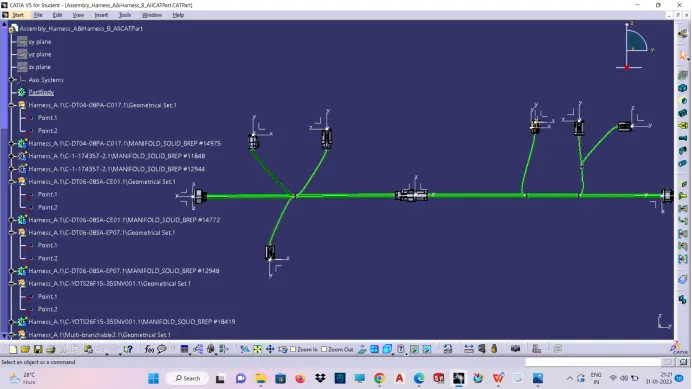
Annotation creation
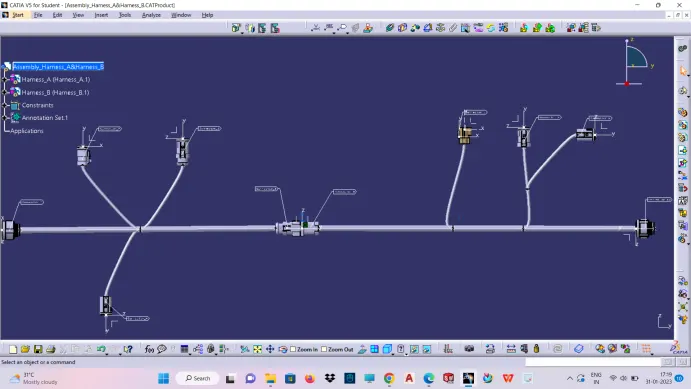
NOTE:Due to software issue,the bundle colour not turns to green.i have tried a lot,even i have created the mentoring session
twice for this problem,both of the mentor have tried and said it's a software issue,you mention in the report.