Week 9 - Project - A pillar Design with Master Section
MASTER SECTION: Master sections development takes place during feasibility check and concept validation stages of the product life cycle. These are typically the guides for design requirements and which decides the component packaging after the development of the concept design, i.e class A surfaces.
Master section helps us to decide the feasibility of the concept design, the clearances, the packaging and the fixation strategy of a component before converting the concept design into a solid 3D engineering design.
During the period of vehicle concept design the evaluation of the master section performance depends mainly on the reference vehicle data and experience of structure design engineer.
1. CREATING TOOLING AXIS -
The Tooling Direction is basically the direction that the mold pulls a part. The mold is built in two separate pieces, basically. You have a Cavity side and you have the Core side. The Core pulls apart from the Cavity and that's the Dye line or the Tooling Direction.
2. PUBLICATION
- Publication is done to the component to make it visible and navigate easily.
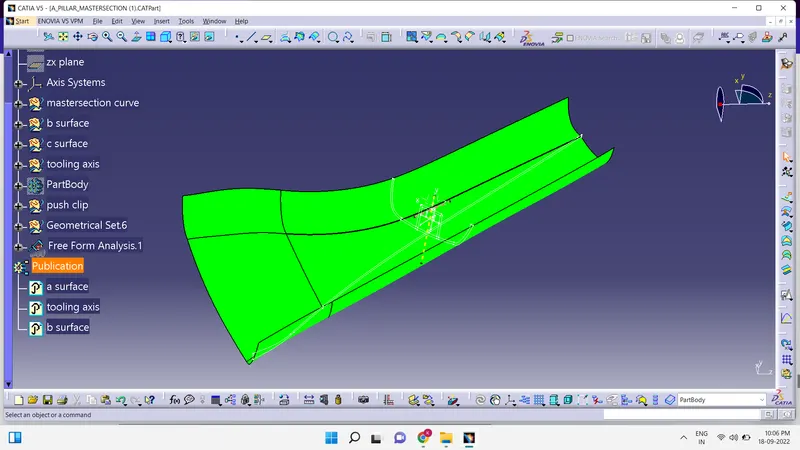
- To publish the component go to tools > publications and then select the tooling axis and the class A surface.
- A separate tree structure is formed under the main part.
3. DRAFT ANALYSIS
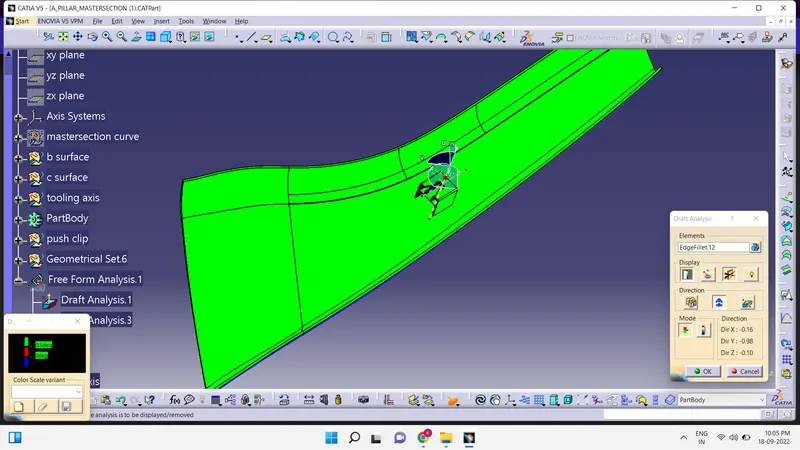
The Draft Analysis command enables you to detect if the part you drafted will be easily removed. This type of analysis is performed based on color ranges identifying zones on the analyzed element where the deviation from the draft direction at any point, corresponds to specified values.
- Before going to drat analysis go to customized view parameter >under mesh >check material and then click ok.
- Now for draft analyses go to insert » analysis » feature draft analysis.
- Use the compasss to define the draft direction.
- In the colour scale change the draft angle to 3 degree.
- The component changes to green in indication of passing draft angle.
- Use running point to check the angle on the component.
4. CREATING CLASS B SURFACE
- Extract the surfaces from the class A using multiple extract and untrim them.
- Use Extrapolate to make sure that all the untrims are properly intersected to trim and offset the surfaces to 2.5 mm to create the thickness.
- Trim the extra surfaces using trim command.
- Insert them into new geometrical set and name it with respective part names.
5. CREATING CLASS C SURFACE
- Extract the boundary from the class A surface using boundary command.
- Using disassemble tool to divide the boundary as the boundary contains domains.
- Use sweep command > choose profile type line > subtype as with draft direction
DOG HOUSE :
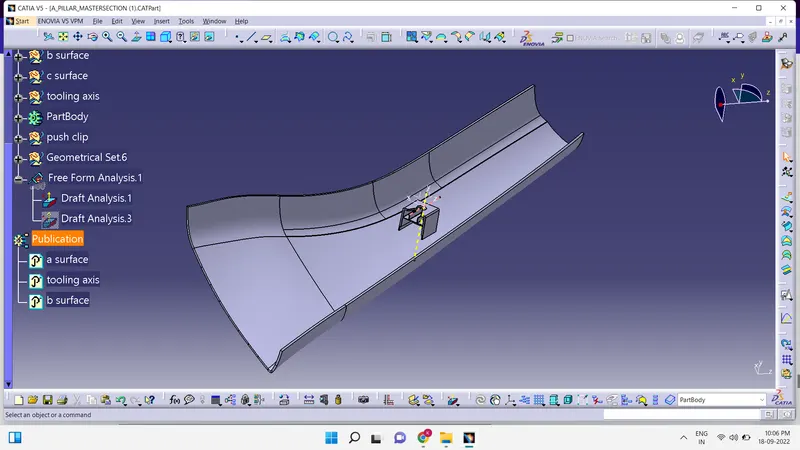
- Dog house is an engineering feature used in plastic trim design as supporting feature.
- A Draft of 1.5 degrees per side is the maximum limit.
- In case of a slide 3 degrees of Draft can be provided
- At the intersection part dog house wall thickness must me less than or equal to 40% of the wall thickness of the component.
- It's height should be between 3 and 6 mm.
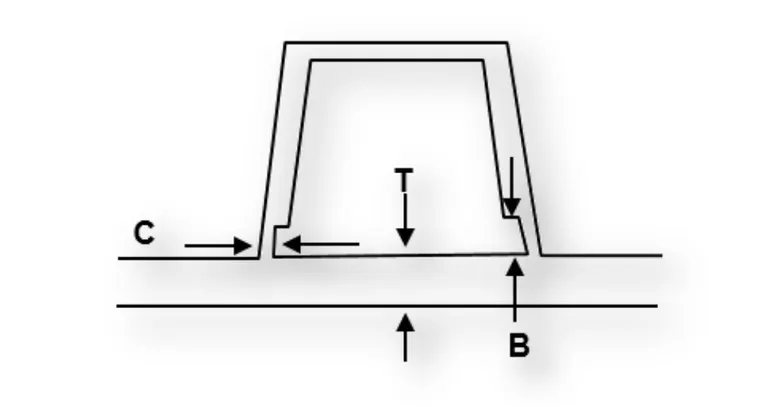
Ribs are thin wall-like structures that add support and rigidity to injection molded parts. They are thinner than primary walls and are used to support these walls, as well as bosses, by running perpendicular to these structures. Ribs are often used to replace thick wall sections to avoid sink marks, warp, and voids. By placing ribs in a load bearing direction, such as long unsupported stretches of your part, instead of making a section thicker, you can retain the support and rigidity you want and eliminate problems caused by thick walls.
DIMENSIONS:
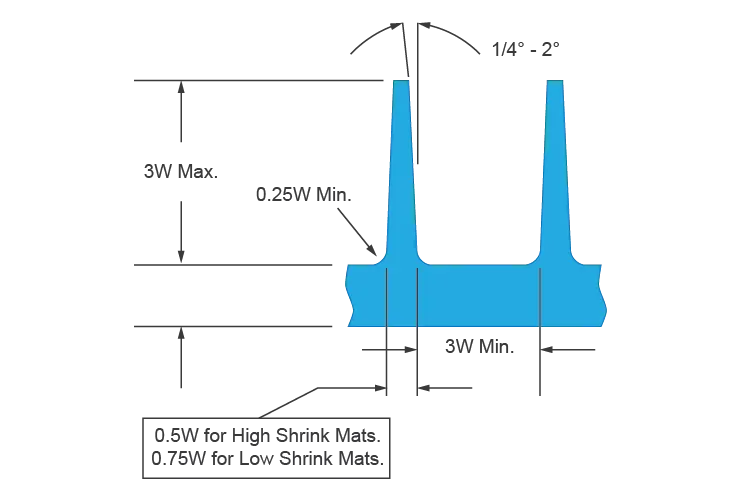
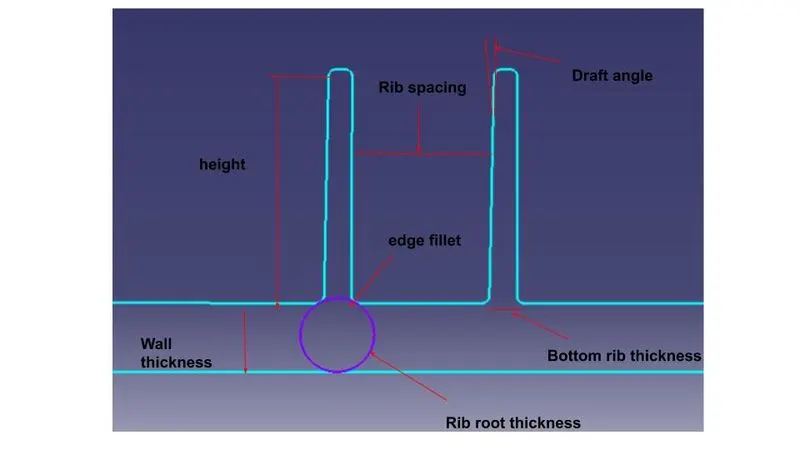
1.Rib thickness should be 50 - 75% of the wall thickness.
2.Fillet radius should be 40 - 60% of the rib thickness.
3.Rib root thickness should not be more than 25% greater than the wall thickness.
4.Rib depth should not be more than 5 times the rib thickness.
5.Taper ribs for mould release.
RIB HEIGHT:
Rib height should not exceed 3 times the thickness of the primary wall. This height cap is recommended because if your ribs are too tall, they can break during use or ejection from the mold. If damage occurs during ejection of tall ribs, it is likely due to draft angles tapering them to slivers at their tips. Ideally, you want to keep your ribs as short as possible while still being functional.
An additional problem that this combination of tall ribs and draft causes is that the plastic may not be able to reach the tip of the rib. This can cause voids if the plastic can’t flow into the very tip of the rib. Deep ribs can also be expensive to tool. To avoid these problems, you can use several short ribs in place of one tall rib.
RIB WIDTH:
Thick ribs can result in huge problems in your part. If a rib is too thick, the point where it attaches to the primary wall or boss will be thickened as well. This can easily cause sink marks, warp, and voids where there is this excess material. In particular, sinks are visible indicators of bad design, which will affect the appearance of your finished part. If severe enough, sinks and voids can reduce a part’s strength as they become concentrated centres of stress. To prevent these problems, it is recommended that your rib’s width fall between 0.5 and 0.75 times the primary wall’s thickness.
Top rib thickness should be minimum of 0.75mm.
RIB SPACING:
Increase the number of ribs rather than their height in order to increase stiffness. Ribs should be spaced a minimum of two times the nominal wall thickness apart from one another.
RIB DRAFT:
A minimum 1-degree draft will ensure that they release from the tool during molding.