Week 9 - Parametric study on Gate valve.
Parametric study on Gate valve
- Obtain the mass flow rates at the outlet for each design point.
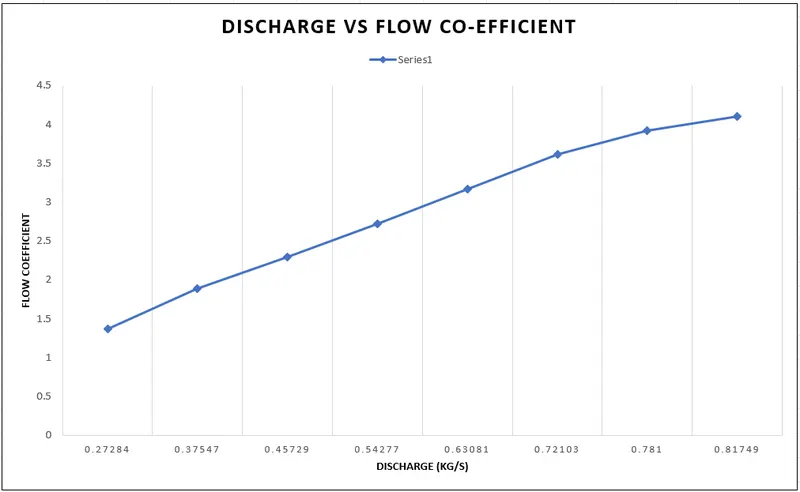
- Calculate the flow coefficient and flow factor for each opening and plot the graph.
- Discuss the results of the mass flow rate and flow coefficient.
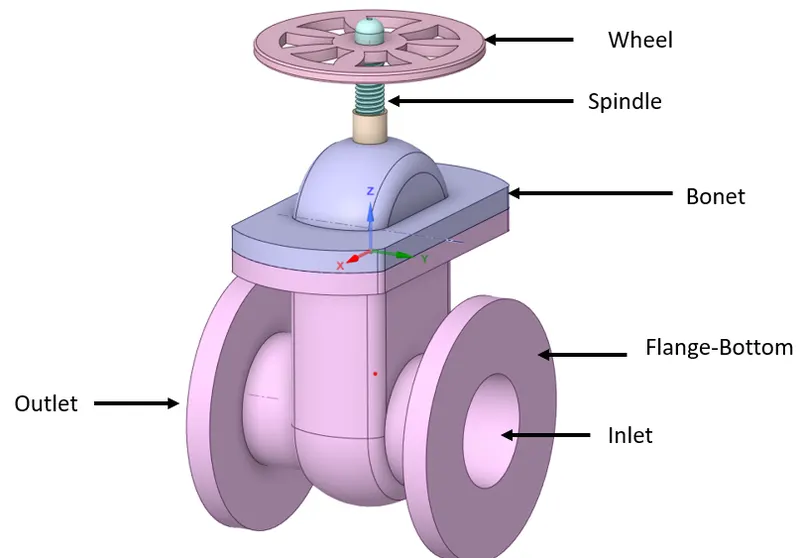
Gate-Vave Schematic
Geometry Preparation:
- Let us first start by opening the .STEP file in Spaceclaim
- After uploading the geometry, carefully observe for Inlet & Outlet as shown in above fig configuration
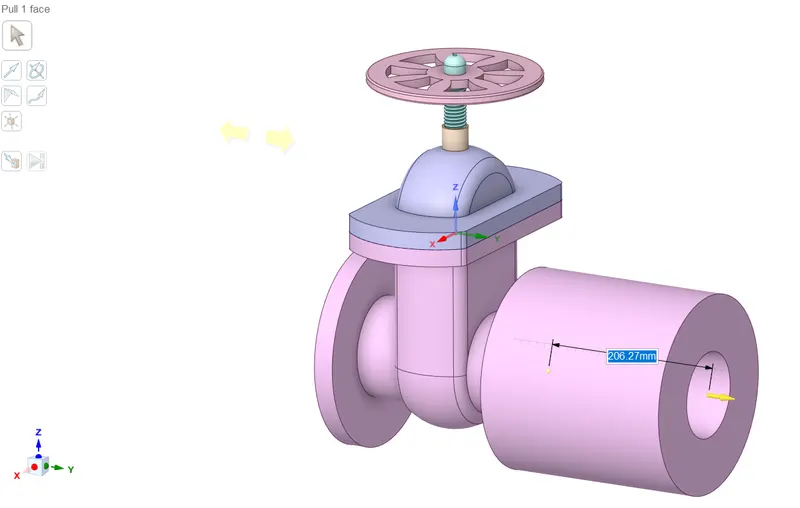
- Then carefully pull the bottom inlet & outlet flanges by selecting pull feature, pull both bottom flanges by 800mm
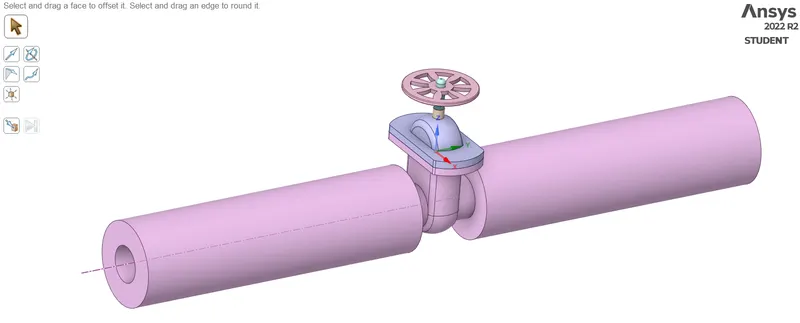
- The next step is to identify the wet volume for Volume extraction procedure
- Go to Volume Extract > Select Edge Selection > Choose the below edges (Yellow coloured highlighted edges)
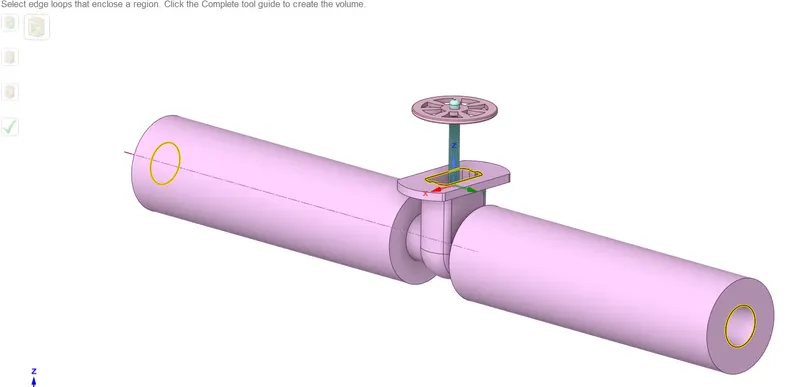
- After extraction, this must look something like the below fig
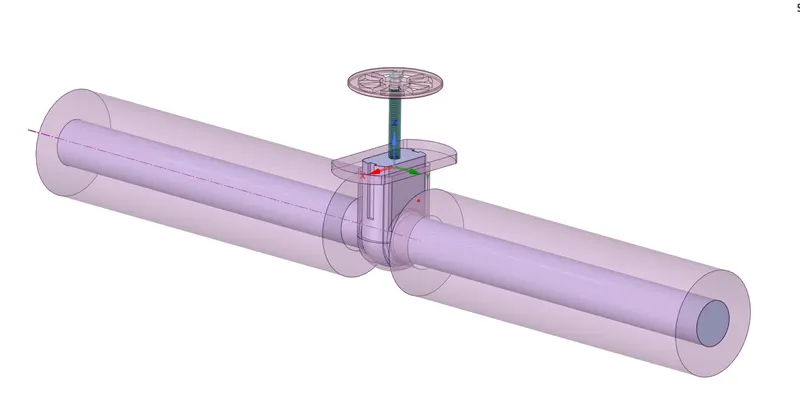
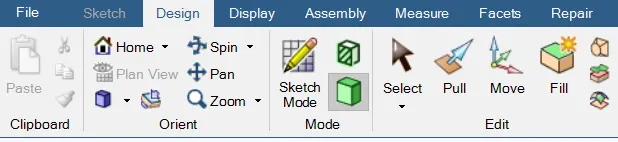
- Now choose the Y-Z Plane, and enabe sketch mode for observing the cut section plane to see the postion of Gate Disc
- Disable all componenets except Volume, Gate Disc & Spindle
- The below image clearly indicates that the Disc position is at 0 mm
- Now carefully select the Move command and select component selector & move the gate disc in Z axis by 10mm
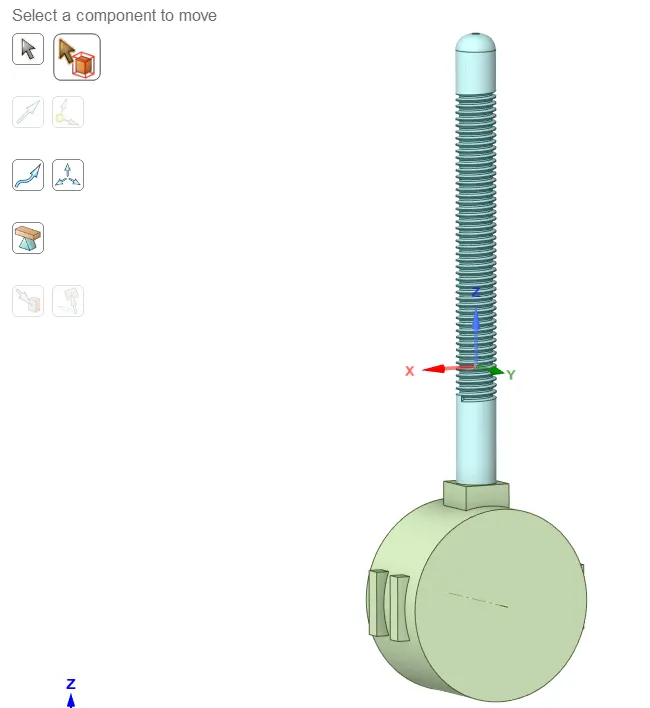
- Let us compare the lift now in C/S Mode
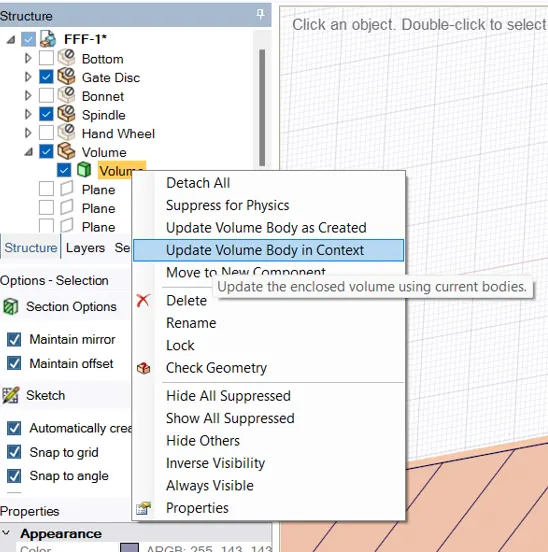
- Before that one has to update Volume by selecting Update Volume in Context for capturing total fluid volume
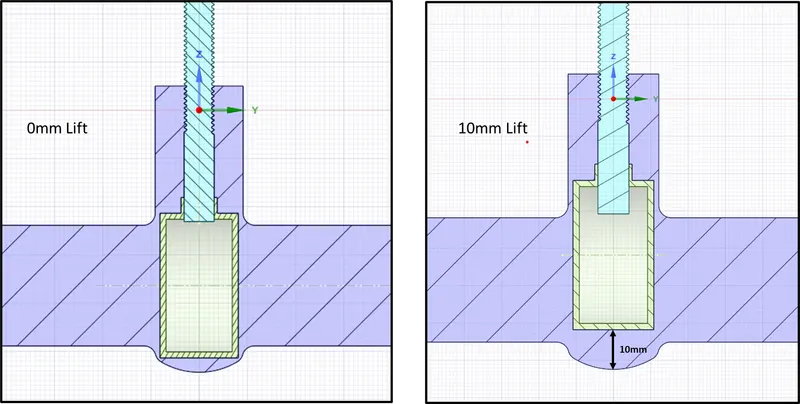
- After this, create this as a parameter by selecting Create Parameter
- Close Spaceclaim now
Meshing:
- Cartesian Body Fitted Mesh was sued for producing uniform cells throughout curvature
- Element Size = 4mm
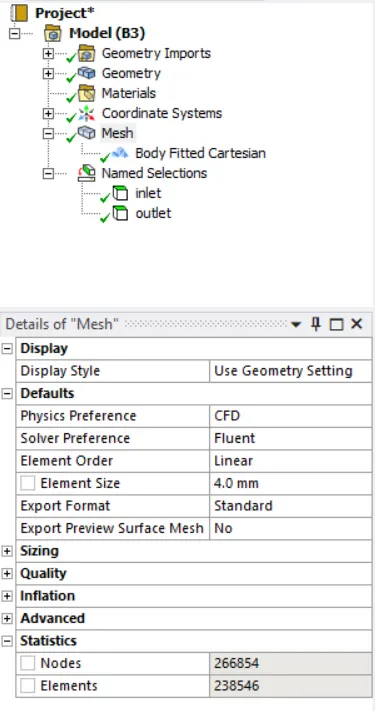
- Provide right named selections for Inlet & Outlet
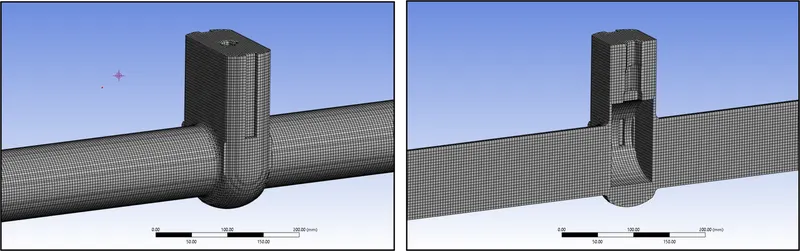
Solving :
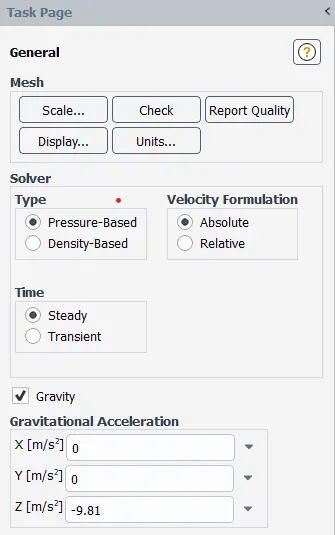
- Once you've opened Fluent, Go to Physics Tab > General Settings
- Enable Steady State Solver & Gravity in Z direction
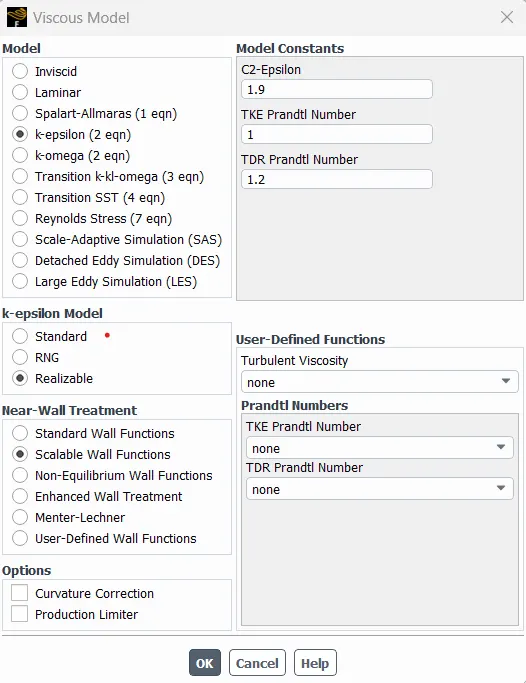
- Physics > Viscous Model > k-e + Realizable + Scalable Wall Functions
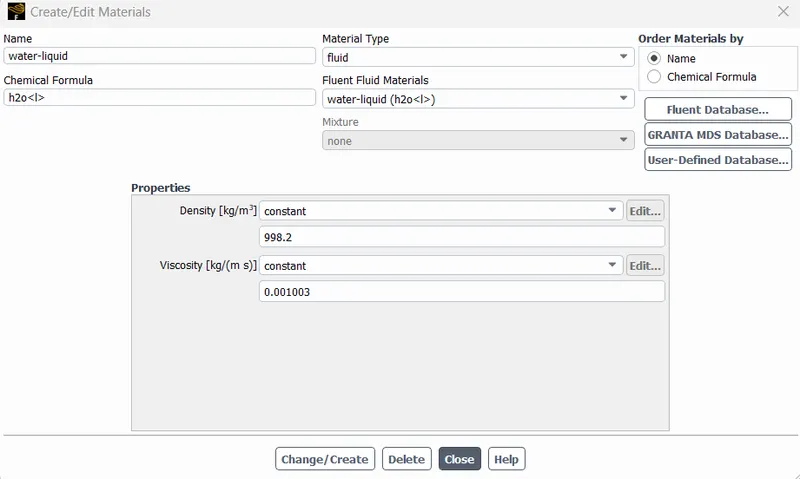
- Go to Physics > Materials > Add Water and delete Air
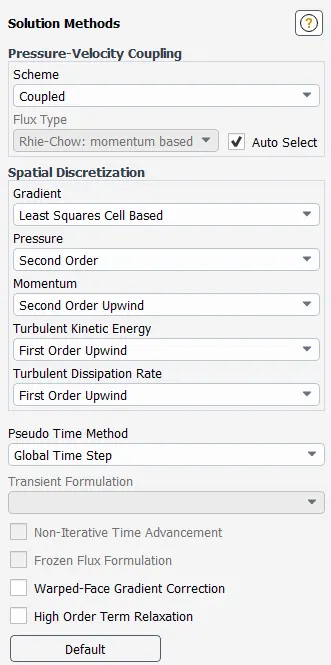
- Go to Solutions Tab > Click on Methods > Choose Solvers
Boundary Conditions :
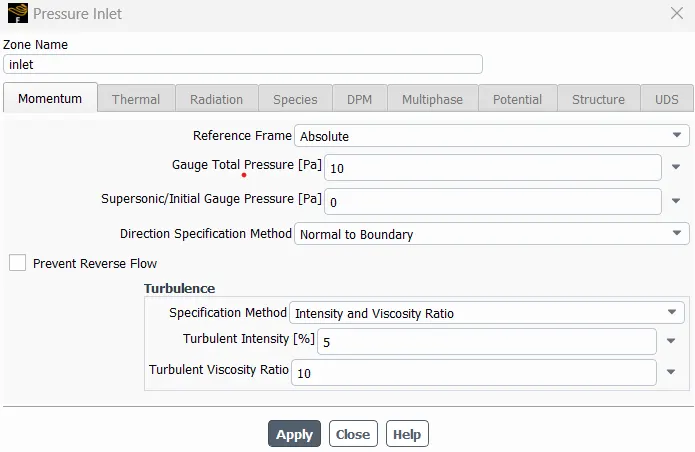
- Inlet is Pressure based Inlet of 10 Pa
- Rest all boundaries are default
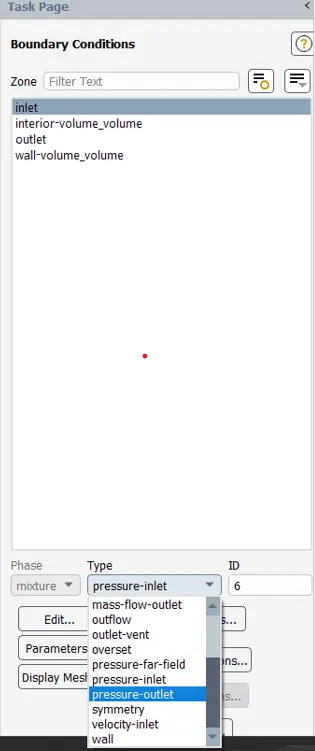
- Go to Report Definitions > Add Mass flow rate & also add pressure difference as well
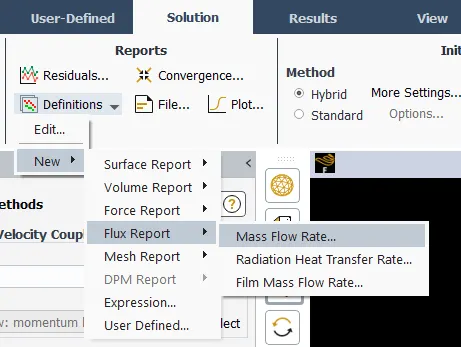
- Intialize the Solution and solve it for 250 Iterations
Solutions :
- Once the plots and solutions are arrived, go to home page. You can see the parameter set
- Click on Parameter Set and start adding lift values from 20mm to 75mm and start updating these parameter design points
- Once upated we can observe the Discharge values for all lift points respectively
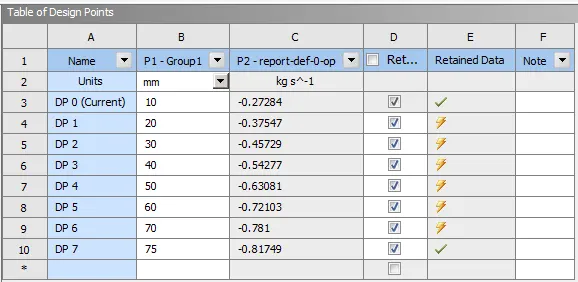
- One can collect data for each and every lift by right clicking on that particular design pouint > Set as current > Go to project > Open CFD-Post
Results :
10mm Lift - Pressure & Velocity Contours
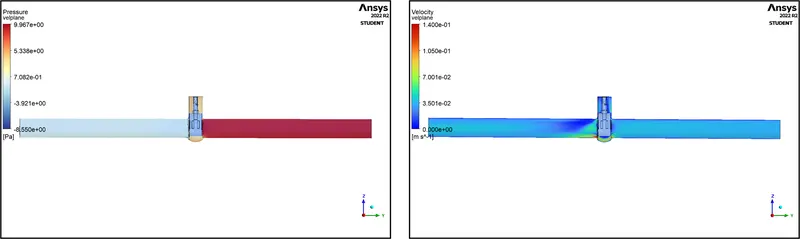
20mm Lift - Pressure & Velocity Contours
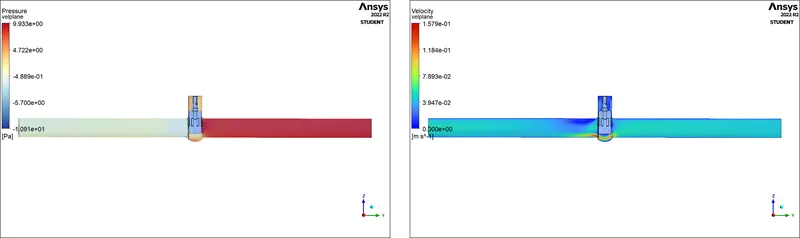
30mm Lift - Pressure & Velocity Contours
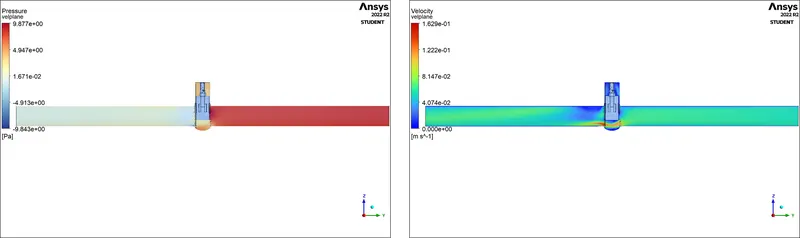
40mm Lift - Pressure & Velocity Contours
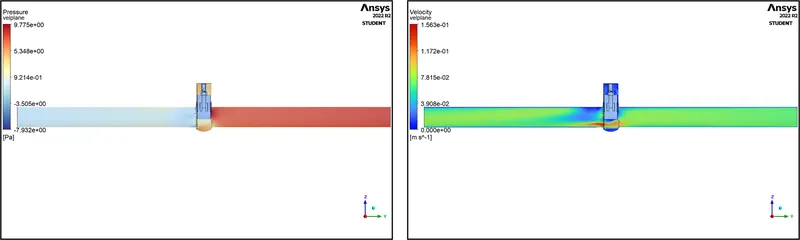
50mm Lift - Pressure & Velocity Contours
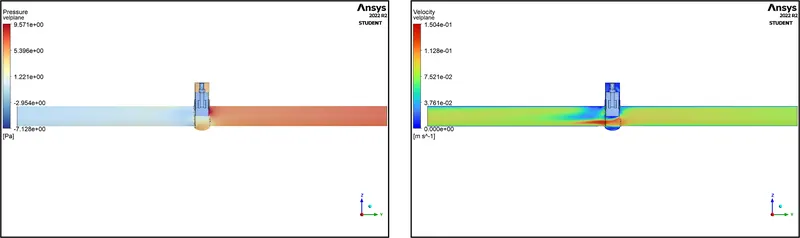
60mm Lift - Pressure & Velocity Contours
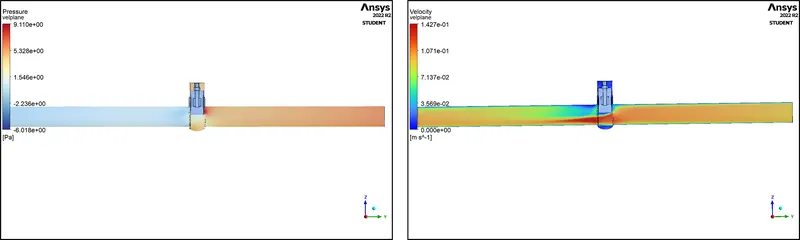
70mm Lift - Pressure & Velocity Contours
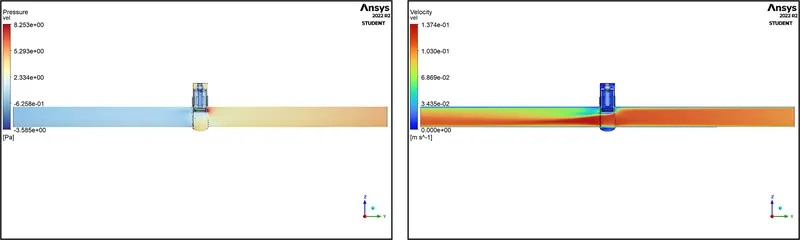
75mm Lift - Pressure & Velocity Contours
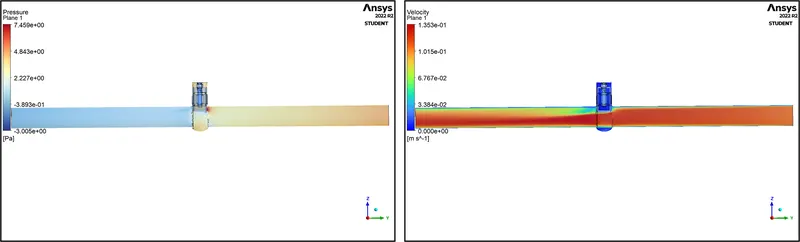
Flow Coefficient Calculation:
The flow coefficient of a device is a relative measure of its efficiency at allowing fluid flow. It describes the relationship between the pressure drop across an orificie valve or other assembly and the corresponding flow rate.
Mathematically the flow coefficient Cv (or flow-capacity rating of valve) can be expressed as :
`C_v = Q*sqrt(frac{S_g}{Deltap})`
where`S_g` = Specific Gravity of the fluid in flow
`Deltap` = Pressure drop across Inlet & Outlet expressed in psi
Q = Mass Flow Rate expressed in US gallons per minute (gpm)
Flow Factor Calculation:
The metric equivalent flow factor (Kv) is calculated using metric units :
`K_v = Q*sqrt(frac{S_g}{Deltap})`
where`S_g` = Specific Gravity of the fluid in flow
`Deltap` = Pressure drop across Inlet & Outlet expressed in bar
Q = Mass Flow Rate expressed in (`m^3/h`)
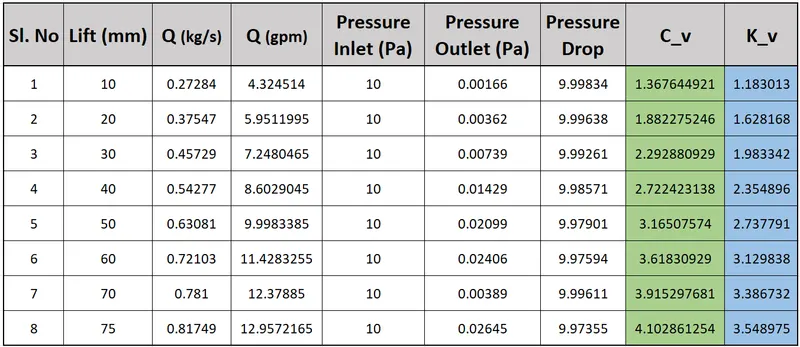
Lift vs Flow Coefficient Plot :
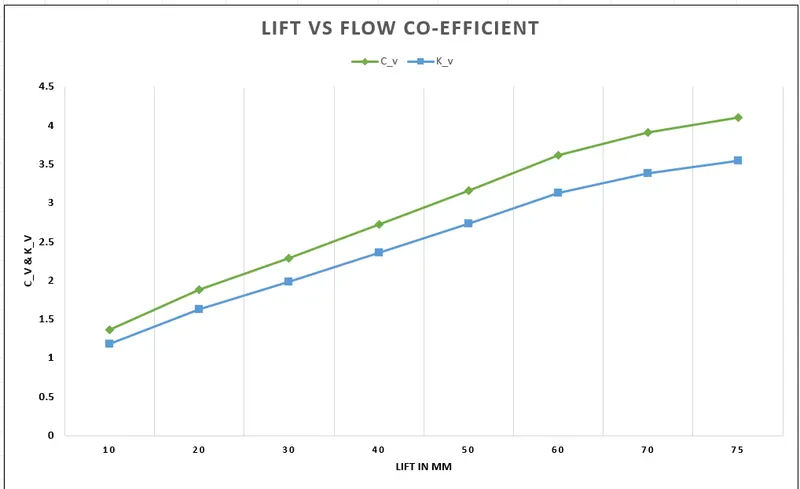
Discharge vs Flow Coefficient Plot :