Week - 9 Material Modeling from Raw Data
LS DYNA – Material_Modelling_From_RawData
By Enos Leslie
Mechanical Engineer
18th January 2022
Question:
Use the diagram of the true stress-strain curve of graphite iron casting. Two curves are there for different material structures. Students need to pick any one of them and use the data to create either a MAT_024 or MAT_018 material model and then validate it.
- Extract the data from the diagram
- Clean the data and visually confirm that it matches the original data and the elastic modulus is 20.9E+06 psi.
- Convert the data to (kg-mm-ms) unit system
- Process the data and create the material as demonstrated
- Use the material model with a dogbone specimen and validate the same.
OBJECTIVE
My objective for this project is to derive the data points of a graphite iron casting material and create a material model on the solver deck by verification method.
PROCEDURE
- Extract the data from the diagram
- Clean the data and visually confirm that it matches the original data and the elastic modulus is 20.9E+06 psi.
- Convert the data to (kg-mm-ms) unit system
- Process the data and create the material as demonstrated
- Use the material model with a dogbone specimen and validate the same.
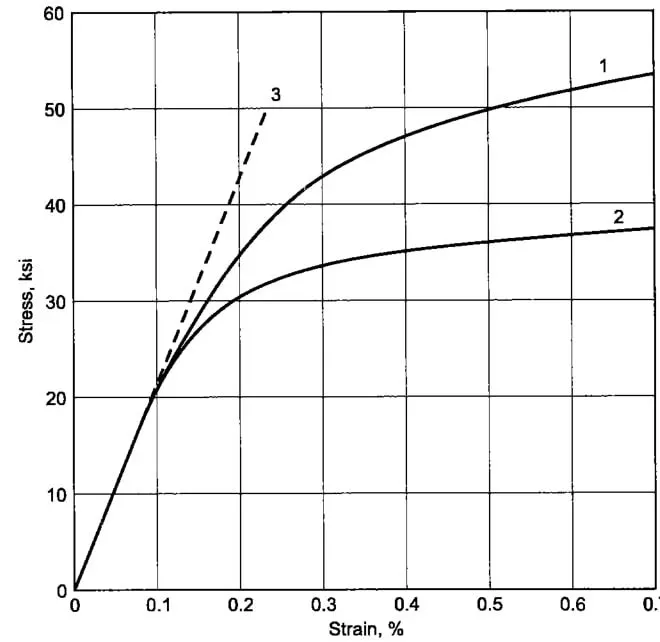
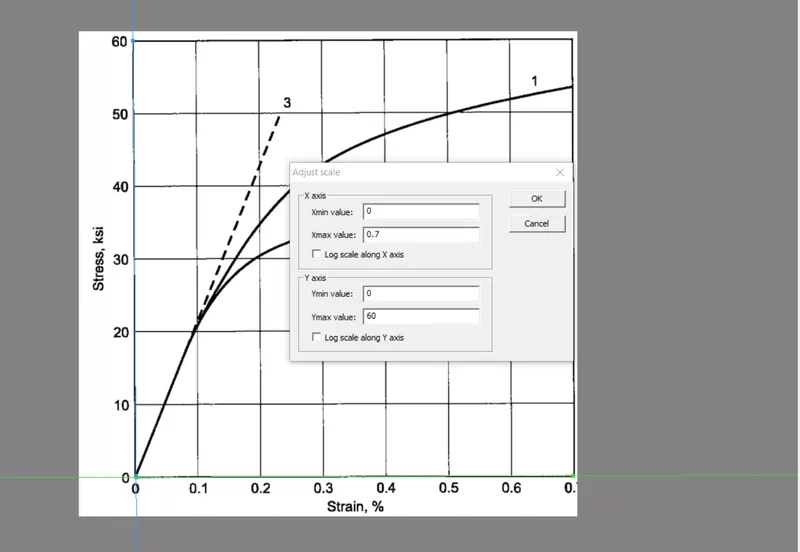
The data is extracted from the picture above using a data digitizer. The x-axis and yaxis scale is defined on the picture.
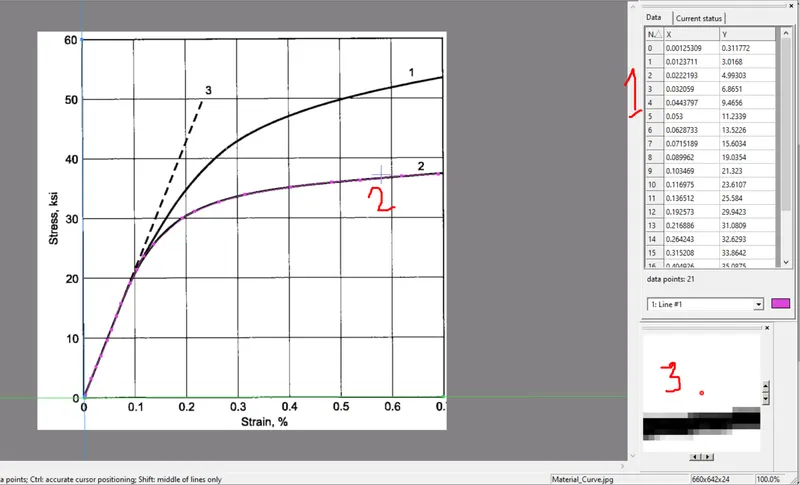
- This is followed by the tracing of the data point by picking. The resultant data points are saved and imported into excel worksheet. On the image , location 1 shows the resultant points derived, 2 shows the curve with the picking of point and the last number 3 show the magnifying panel for point selection.
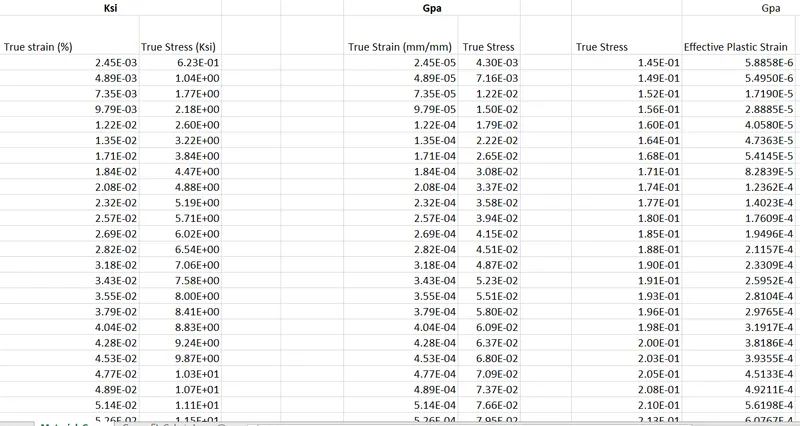
- The points are extracted in excel worksheet.
- The data is in the unit of Ksi. Choosing (gm,mm,ms), the ksi is converted to Gpa and the strain is converted from percentage to (mm/mm).
- Strain values are converted to effective strain using the formula

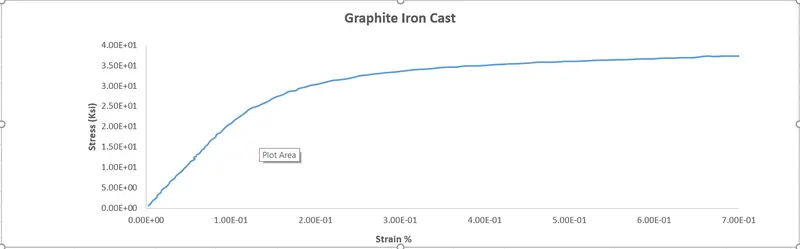
A curve is plotted with effective plastic strain vs stress. A value of 0.145 Gpa was determined using the 0.2% offset from the curve.
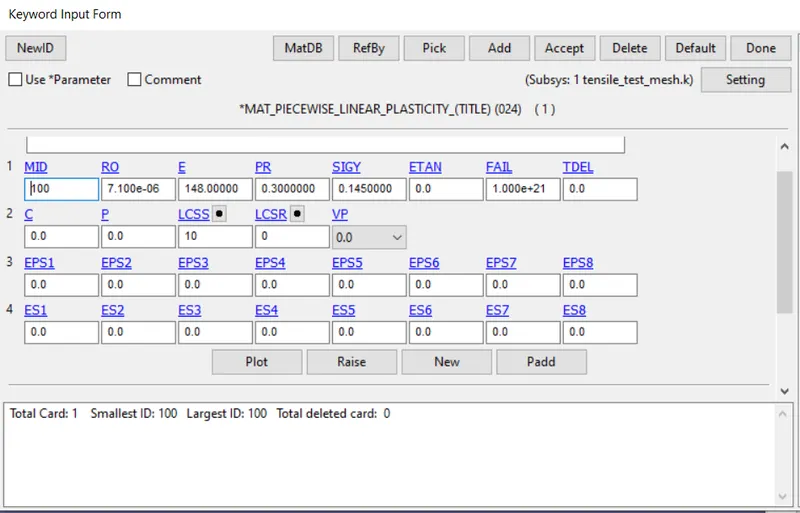
Elastic Modulus = 144.100 Gpa
Elastic Yield Stress =0.145 Gpa
The elastic part of the curve is removed because the linear part of the curve can be defined using the Young Modulus and Yield Strength.
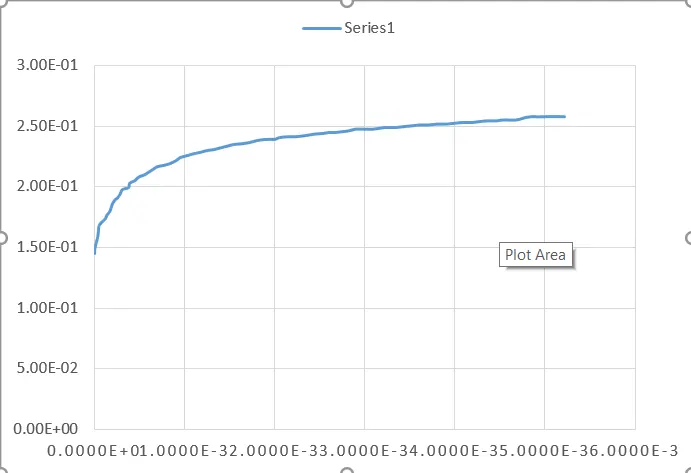
- The curve data contained are cleaned manually to create data points which are increasing to allow stability in the solver deck.
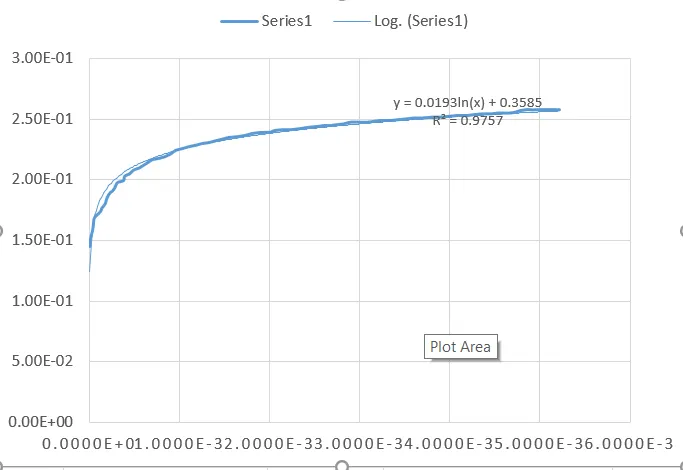
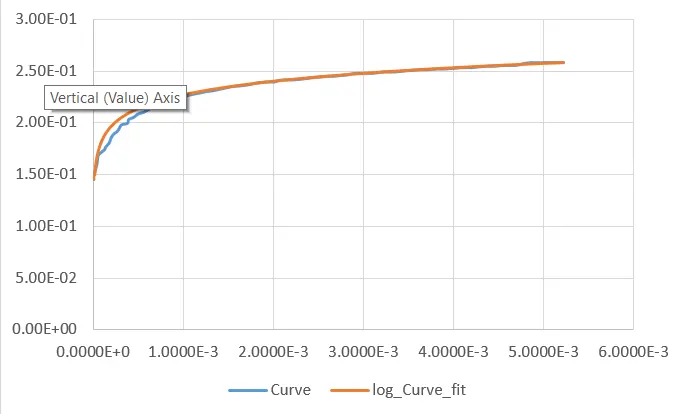
- A curve fit is used to provide a smooth transition of points for the solver deck.
- A log fit is used with an accuracy of 97% .
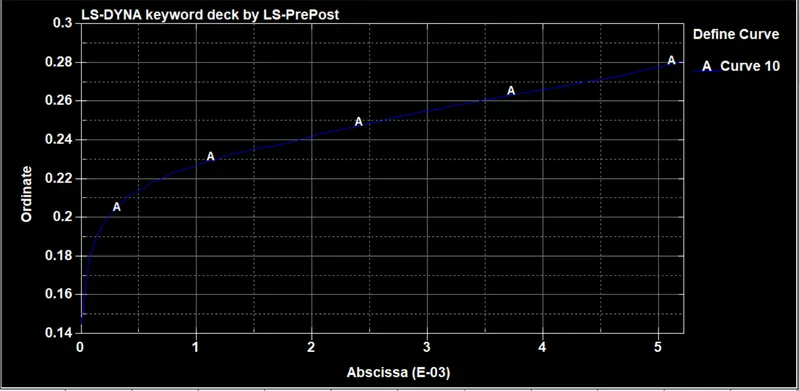
- The new curve is plotted over the originall as shown below
IMPORT
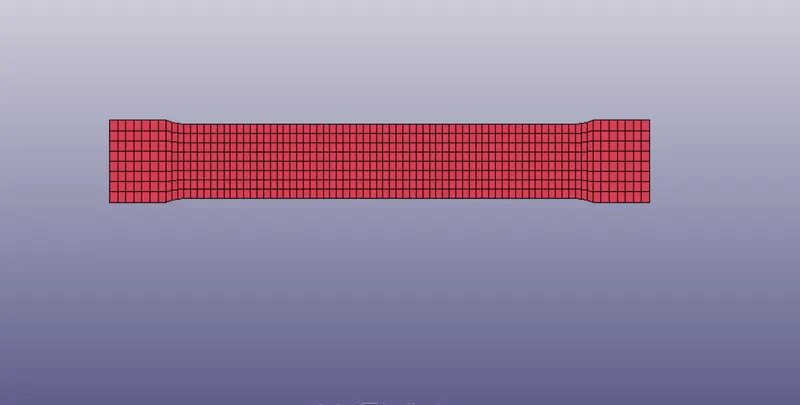
A 2d dogbone specimen is imported to be used for the simulation and creation of the material model.
MATERIAL
Firstly, a material card is created . Linear plasticity MAT 024 is used for the phone with unit system of (g/mm/ms). . The details of the material can be seen in the image below.
CURVE INPUT
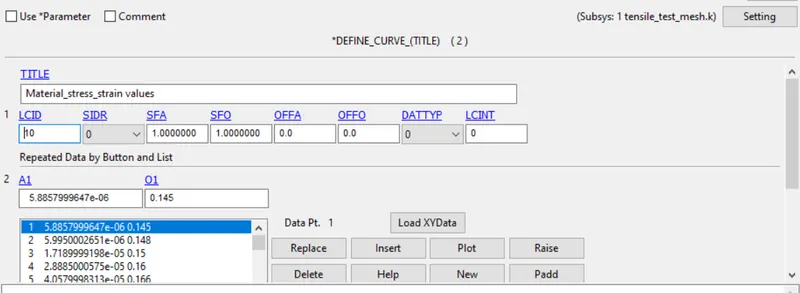
The effective strain and stress data points are incoporated into the material card by using *Define_Curve .
SECTION
- The model being a 2D material, a thickness of 1mm is specified for the dogbone specimen.
- Fully integrated shell element formulation "16" is selected.
BOUNDARY CONDITION
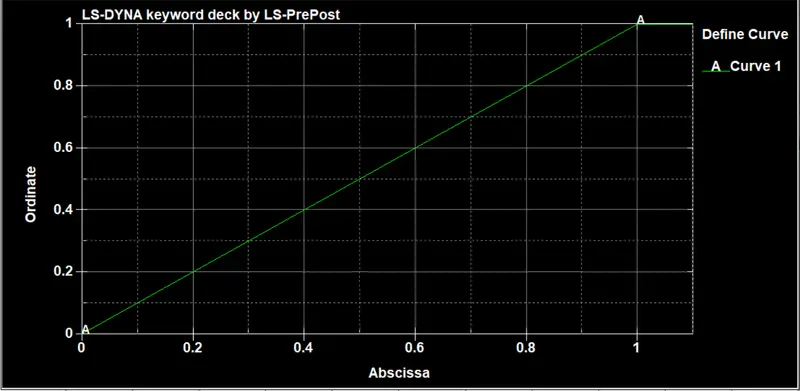
- PRESCRIBED MOTION SET is made to define the displacement boundary in the - X direction., a prescribed motion displacement of rigid body is selected. A load curve is defined below
- Right end side of the specimen nodes are selected for the application of X axis displacement
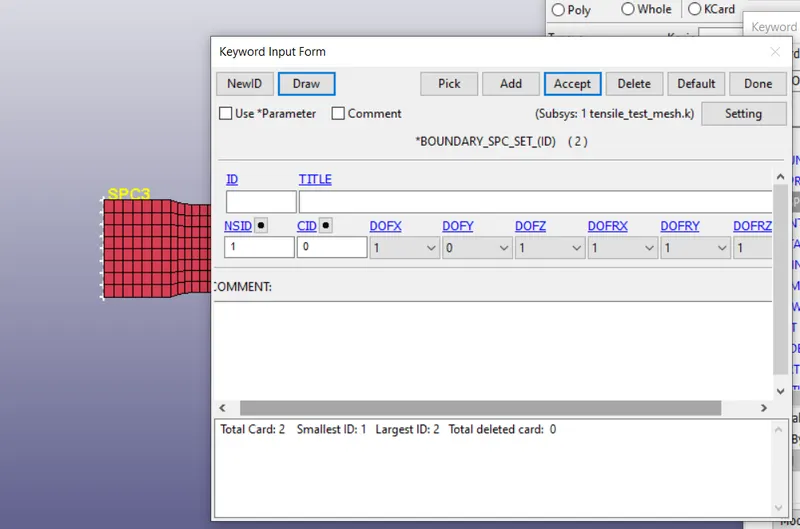
- The nodes on the far left side of the dogbone are fixed in all DOF (Degree of freedom) except for vertical Y.
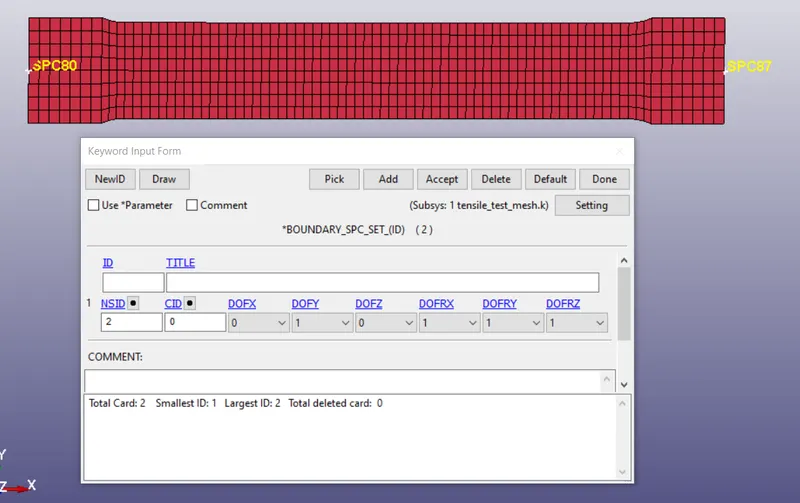
- Two midpoint nodes are selcted to constrict the specimen in a fixed position in Y axis.
CONTROL CARDS
Control_Implicit_Solution
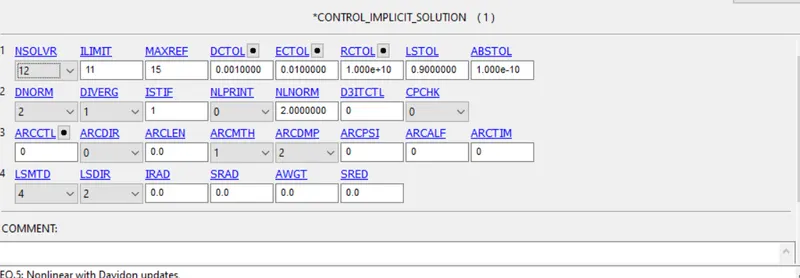
A linear solution is selcted as can be seen in the picture below
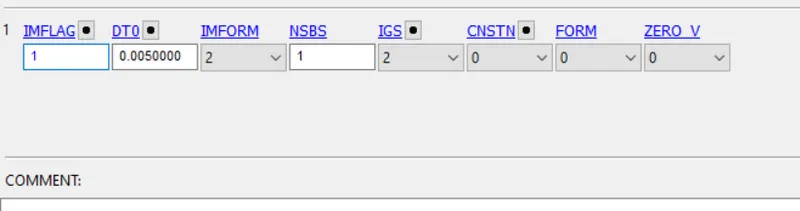
Control_Implicit_General
This card activates and controls the analysis. The parameters specified is seen below
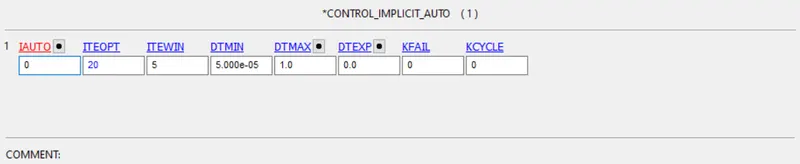
Control_Implicit_Auto
This card is used for time step adjustment.
DATABASE
- Binary D3plot is specified
- Data Extent Binary is specified in order to get an output for stress/strain by setting STRFLG=1
CONTROL TERMINATION
This keyword controls the end time of the simulation. DT is specified to 1ms.
POST-PROCESSING
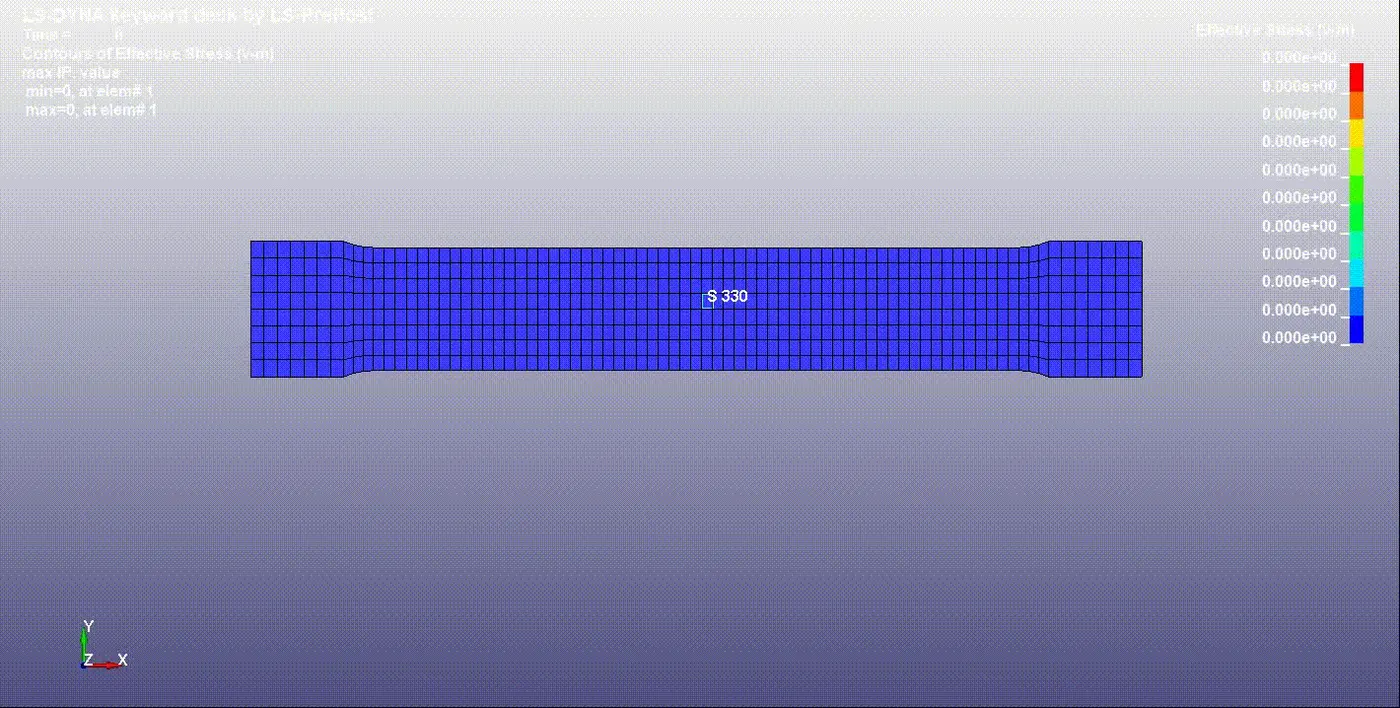
- Von-misses stress values can be seen in the animation below. The maximum stress induced after 1ms was 0.261 Gpa.
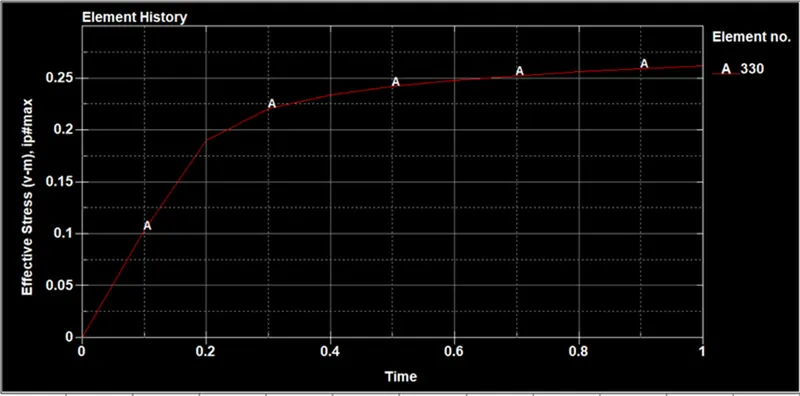
- The plot of effective stress with time is plotted and saved. The linear and nonlinear parts are all shown on the plot.
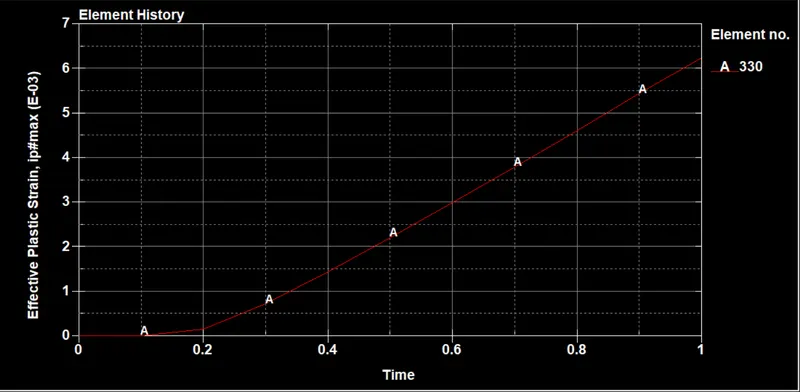
Effective Strain
The maximum strain developed from the tensile test was 6.24xE-06
A cross plot of stress and effective plastic strain is plotted as shown below and the data is extracted into excel.
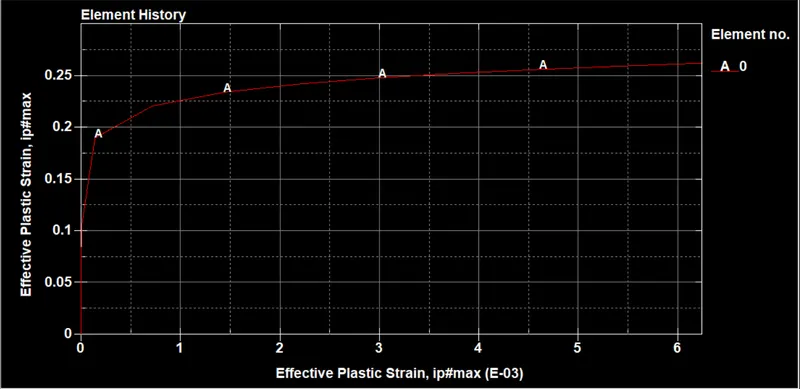
VERIFICATION
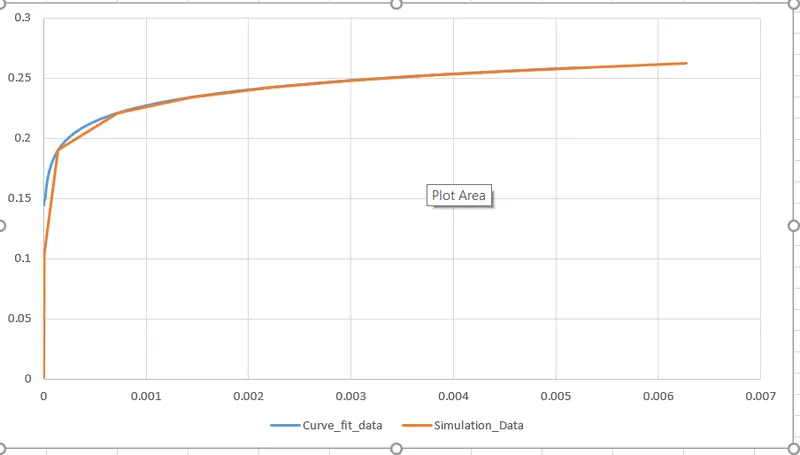
In order to verify the credibility of the simulation data with the physical tensile test material, the curve from the simulation is compared to that of the original curve to check if the resultant stress/strain plot is equal or deviates from its original. Below is the plot which shows all plot for the verification. The original plot with curve fit is seen in orange while the simulation data is grey color. The simulation data from the image is very close generally to the original data. At the yield point, there is some error in the simulation data. The curve become perfectly matched after the stress value of 0.22Gpa
CONCLUSION
This simulation objective has been achieved as a close to accurate material card (MAT_24 piecewise linear elasticity) has been verified for the graphite iron tensile test through verification of both physical and simulation results. There were some errors developed which could be due to the uncouthness of the data points and also difficulty in the determination of correct yield and modulus values in LS-DYNA.The results can be improved by creating a more matching curve fit and ensure even gradual increase of data points . Also more data points should be used.