SCREW BOSS AND DOGHOUSE ON CENTER CONSOLE COIN HOLDER
AIM : Creating Screw Boss and Doghouse on Centre Console Coin Holder.
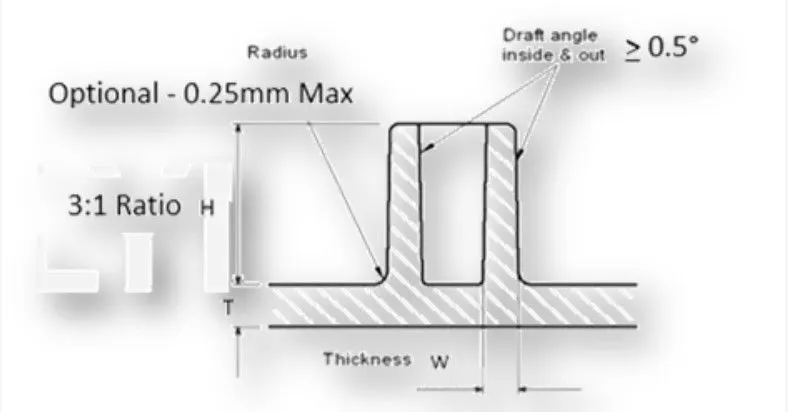
General Guidelines for Bosses:
- Draft - 0.5 degrees on walls of boss
- Thickness - Typically 40% * of the nominal wall at the base.
- Height to Diameter Ratio - 3:1
- Radii - 0.25mm maximum radii.
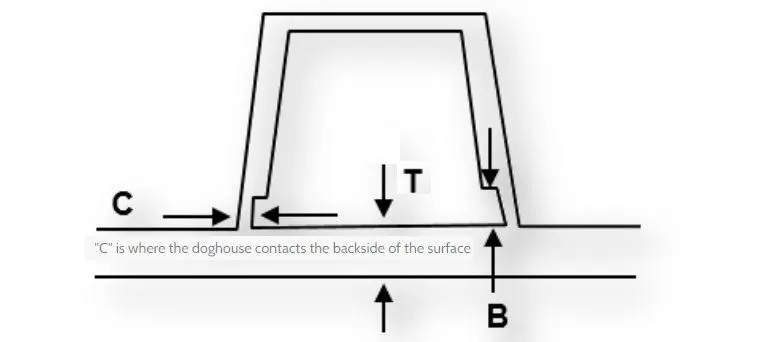
General Guidelines for Doghouse:
- Doghouse wall thickness at the intersection of the part wall ( C ) should be 40% or less than the main wall stock ( T ).
- Height of ( B ) should be between 3.0 – 6.0 mm
THEORY :
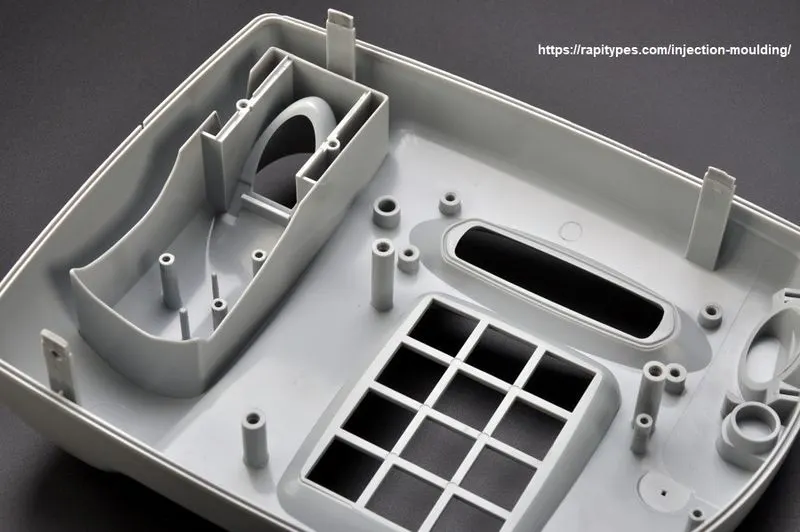
Screw Boss :In plastic parts, bosses are typically used to assist in assembly, as a receptacle for a screw or threaded insert or as the locator for a mating pin on another part. Because of its function, a boss must have sufficient strength to do its job. This dictates a minimum size for the feature.
Dog House : Dog house is an engineering feature used in plastic trim design. Dog houses are used as supporting features. Sometimes other engineering features like snaps, locators are mounted on them to increase their strength.
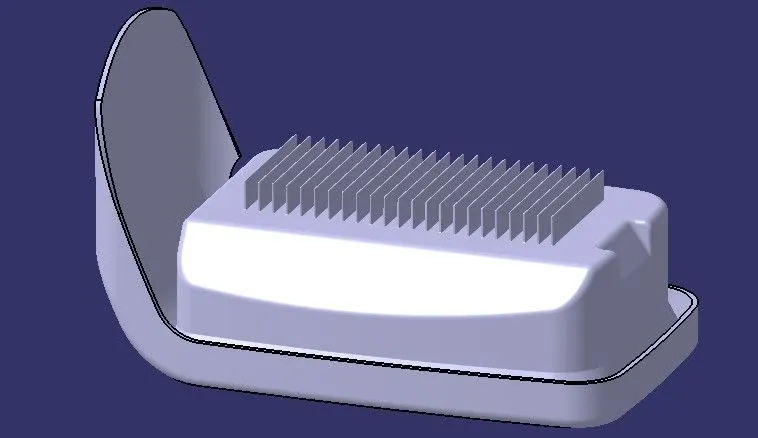
Ribs : Ribs are a feature in plastic injection molded parts. They are thin extensions that run perpendicular from a wall or plane. They are commonly used to provide additional support and strength to a part.
PROCEDURE FOR CREATING SCREW BOSSES :
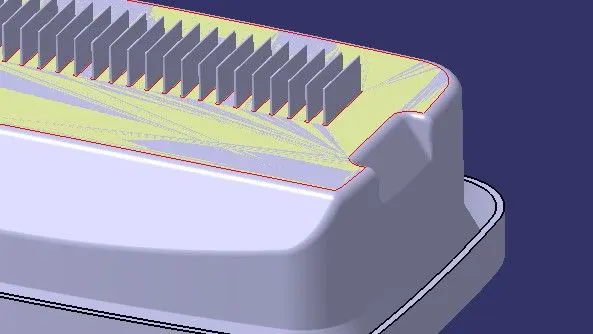
STEP 1: Extract the surface from the base of the coin holder to draw a sketch on it.
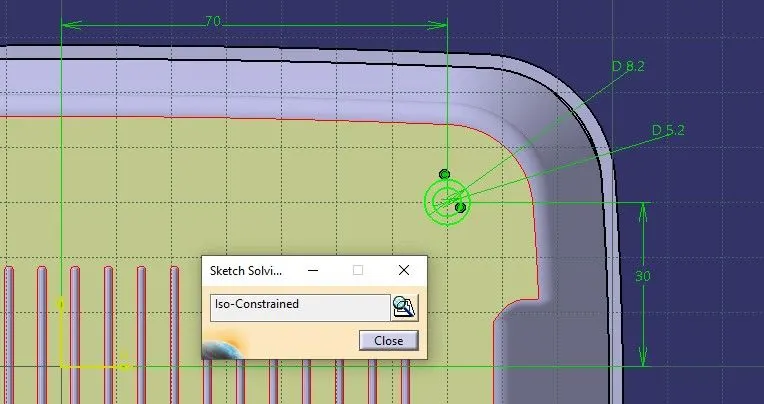
STEP 2: Sketch the Boss Circles.
Let’s take an example of designing the screw boss for M6 screw for that the inner hole dia should be 5.2mm and outer dia should be -
Outer Dia of Boss = Inner Hold Dia + [(0.6 * Thickness of Component) * per Side of Wall]
= 5.2 + [(0.6 * 2.5) * (1+1)]
= 8.2
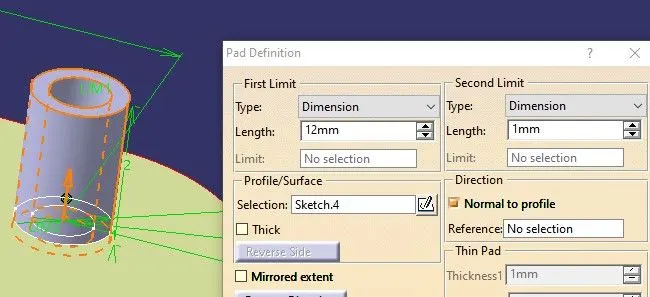
STEP 3: Pad the sketch from the part workbench, let's take the height of the boss to be 12mm and second limit 1mm so there will be no possibility of a gap between two parts.
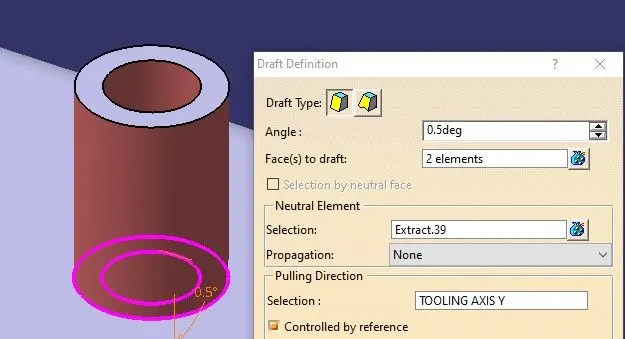
STEP 4: Draft the Pad to 0.5 degrees.
STEP 5: Sketch the Boss’s walls.
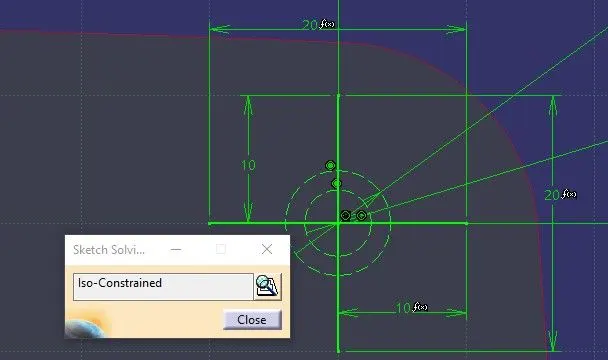
STEP 6: (Pad the sketch by switching the workbench to Part Design workbench inside Part Body)
Thickness of the walls should be 0.4*Thickness of components = 0.4 * 0.25 = 1mm.
Pad the sketch, as we know this sketch is not closed so we can use a thick feature of pad definition and keep it neutral fiber so that pad will be done from the middle of the sketch. let's take the height of the boss’s wall to be 10mm and second limit 1mm so there will be no possibility of a gap between two parts.
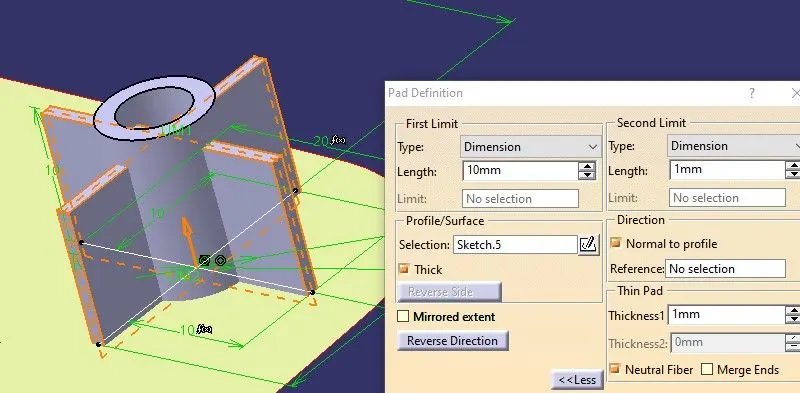
STEP 7: Draft the Boss’s Walls to 0.5 degrees.
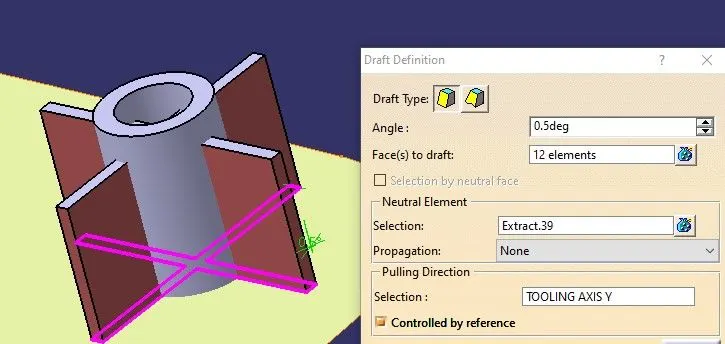
STEP 8: Assemble and Union Trim the Boss’s Walls to the Boss’s Circle body.
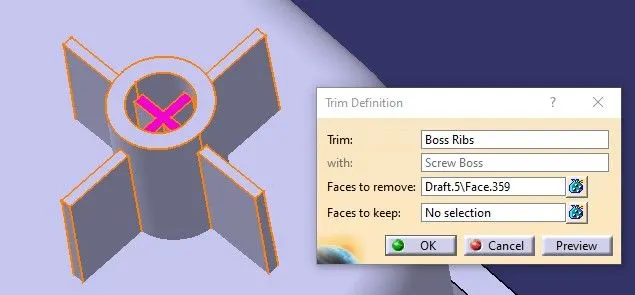
STEP 9: Assemble the complete Screw Boss to the coin holder part body.
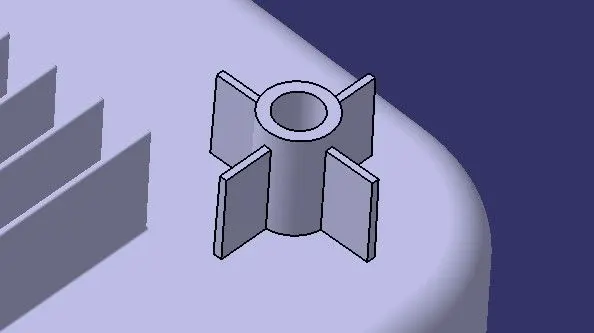
STEP 10: Give edge fillet to all the faces of screw boss with 0.25mm.
STEP 11: Duplicating and translation the Screw Boss to another Position.
- Copy the assembly of the screw boss.
- Paste it to the main tree of the Coin holder collector.
- Now translate it from the part workbench, translate it with values of X-Y-Z coordinates.
- Assemble it to the Main Part Body.
- Give edge fillets.
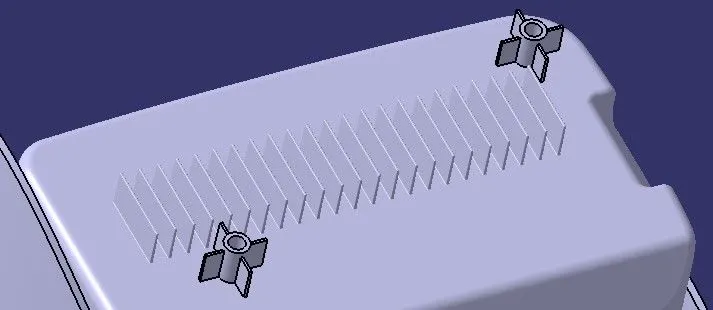
PROCEDURE FOR CREATING DOGHOUSE :
STEP 1: Sketch the Doghouse, we just required three lines with equal distance.
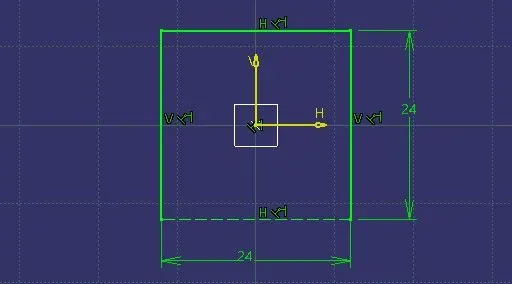
STEP 2: Sweep the sketch with the draft direction of tooling axis Y. We don’t need to pad the sketch and give separate drafts, Sweep will help us to give a draft angle as well.
- Draft for the Doghouse is 1.5 Degrees.
- Minimum Height of the doghouse should be 6mm.
- Minimum Width of the doghouse should be 12mm.
Let us take the height of the doghouse to 22mm and the second length limit to be 1mm.
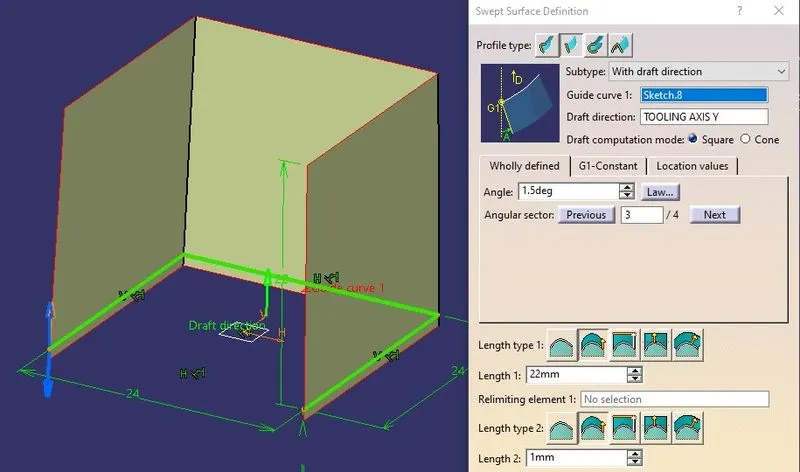
STEP 3: Take the extract of the base of the Coin Holder.
NOTE : Alway use the surface extraction from the A class surface, Taking extract from the solid part body may create a problem of deletion of some feature when we deactivate some assembly or part body.
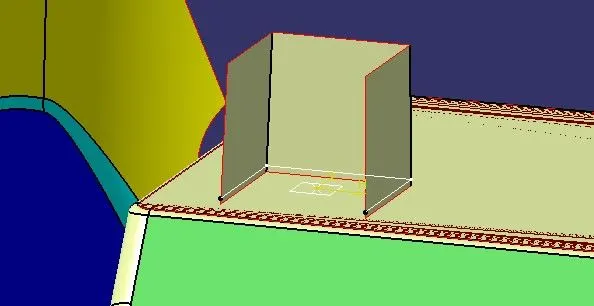
STEP 4: Offset the extracted surface to 2.5mm to meet the thickness of the component.
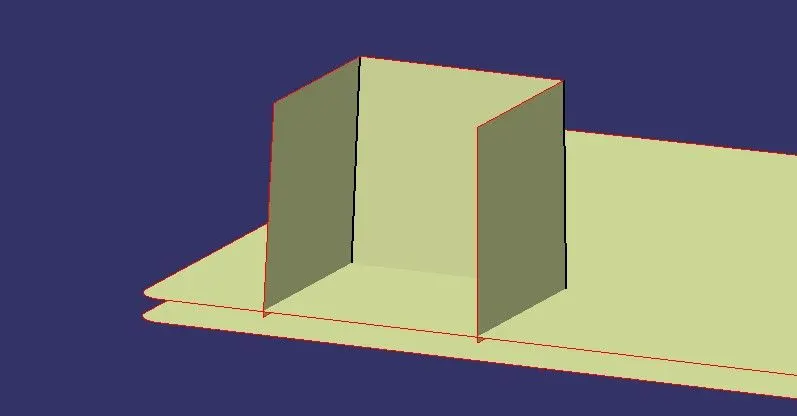
STEP 5: Again offset the last offsetted surface to 22mm to meet the height of the doghouse.
NOTE : Extrapolate the top boundary of the doghouse to get better trim of the surfaces.
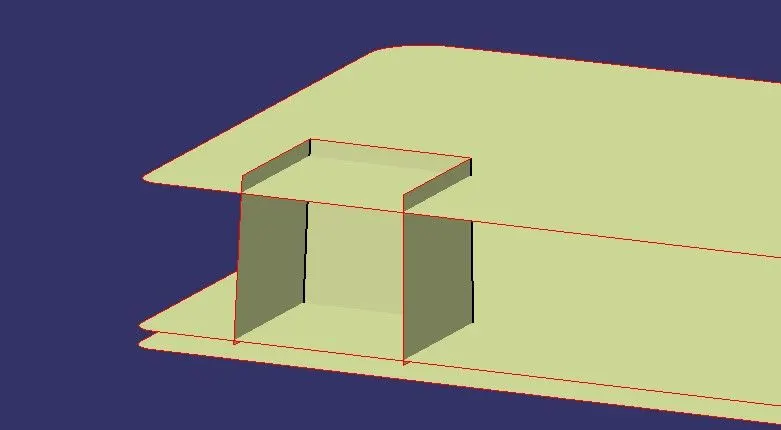
STEP 6: Trim the last offsetted surface and sweep surface to get output of doghouse surfaces.
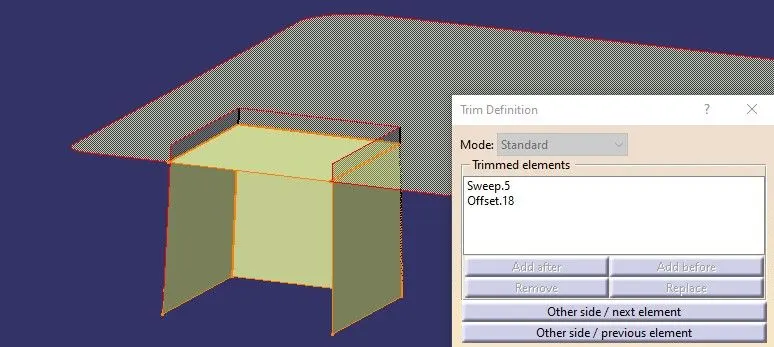
- We can see Doghouse surface as below-
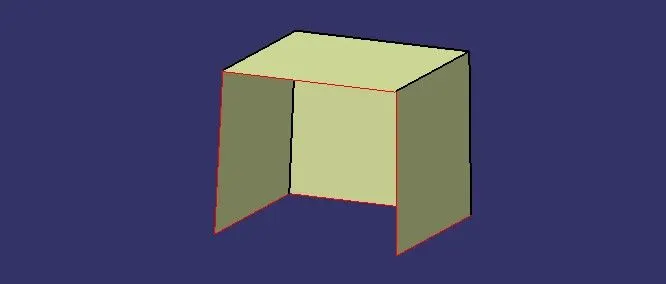
STEP 7: Switch to Part Workbench and Thicken the surfaces to 2mm.
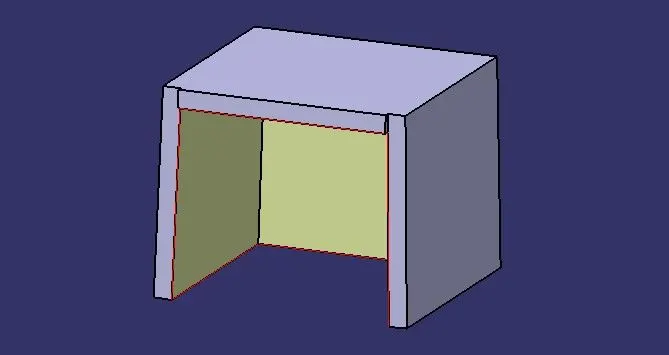
- We can see the uneven surface in front of the doghouse, we can split the solid part from the surface.
STEP 8: Extract and Extrapolate the back side of the doghouse surface.
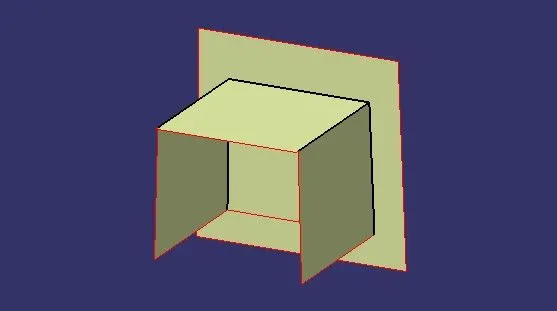
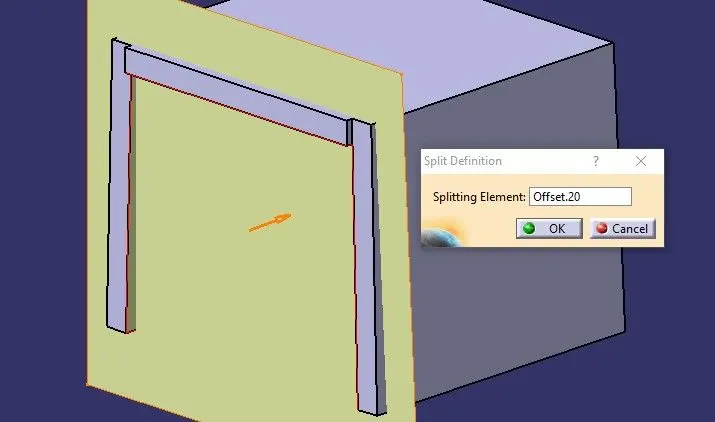
STEP 9: Offset it to 23 mm on the front side of the doghouse.
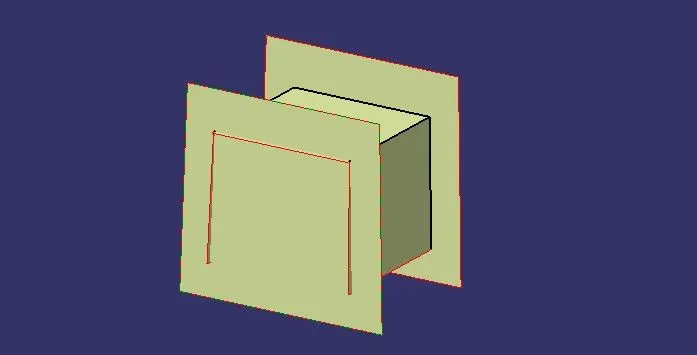
STEP 10: Use split definition in part workbench, split the offsetted surface towards the doghouse.
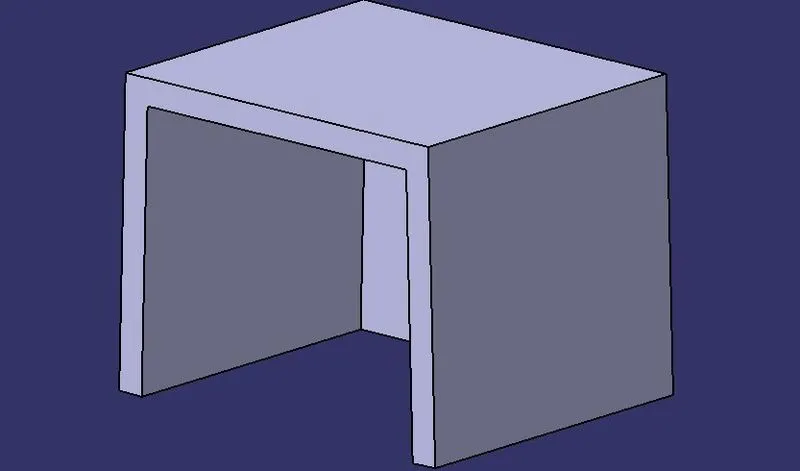
- We can see Doghouse part body as below-
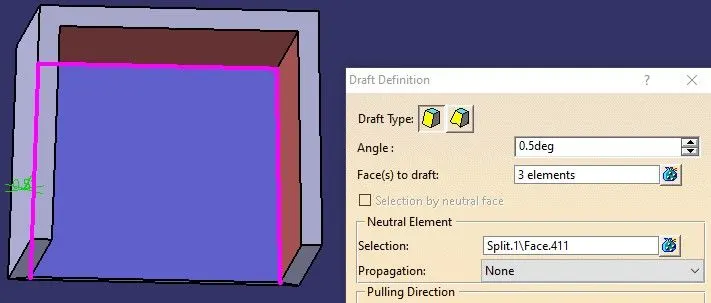
STEP 11: Draft the inside three walls of the doghouse to 0.5 degrees.
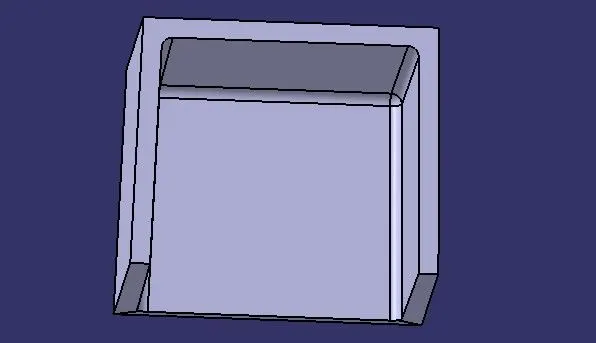
STEP 12: Give edge fillet of 1mm to the inside edges.
STEP 13: Extract all the inside surfaces of the doghouse.
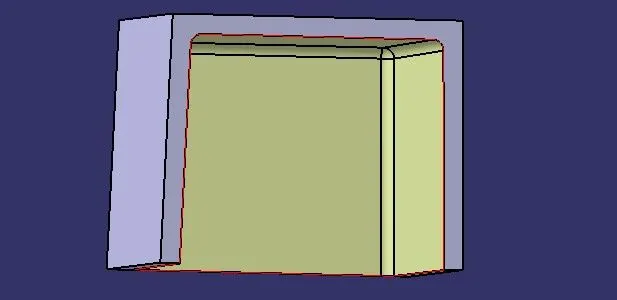
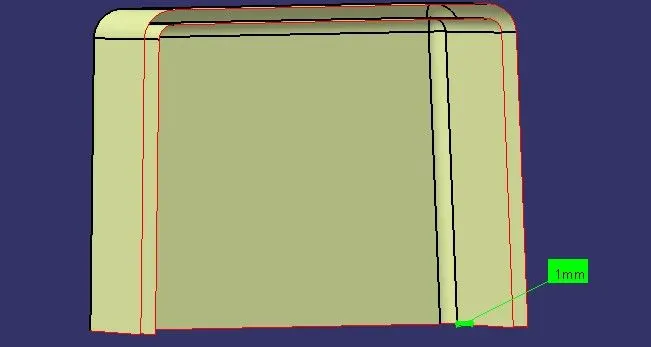
STEP 14: Offset the extracted surface to 1 mm and extrapolate all the edges.
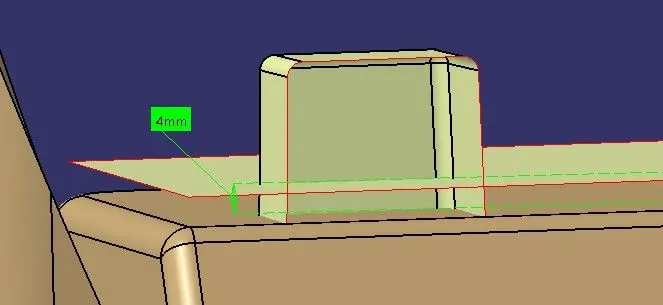
STEP 15: Extract the B class base surface to 4mm towards the doghouse and extrapolate the edges with a few mm.
STEP 16: Trim the both surfaces and extrapolate it to a few mm.
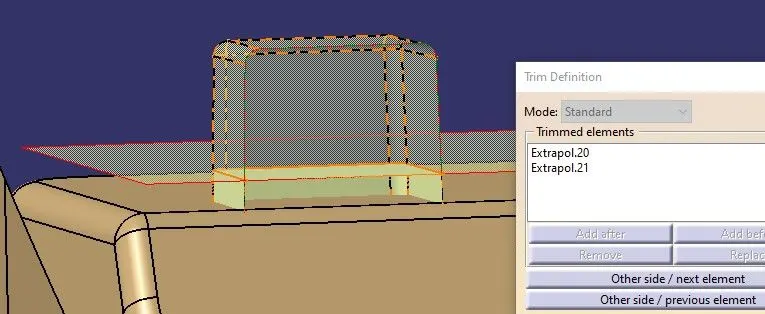
- We can see trimmed surface as below-
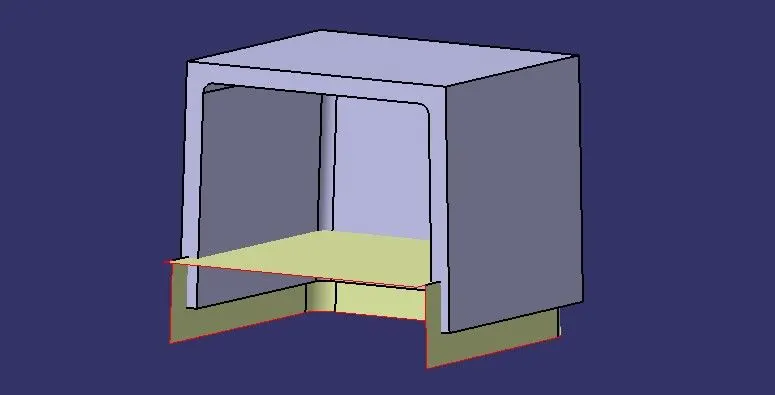
STEP 17: Use split definition in part workbench, split the trimmed surface towards the doghouse.
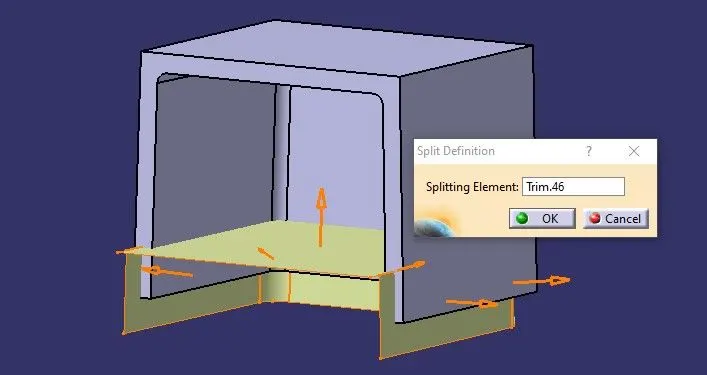
- We can see undercut portion in doghouse part body as below-
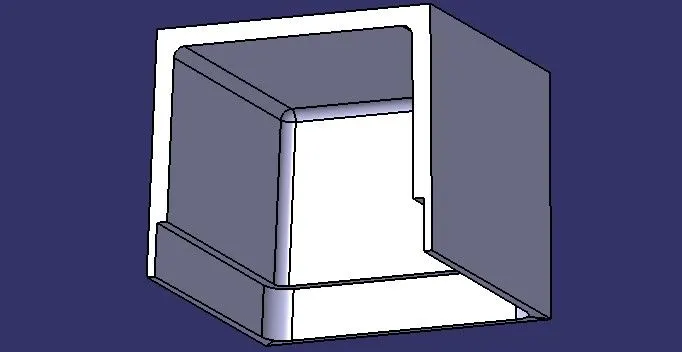
STEP 18: Draft the undercut thin wall face to 0.5 degrees.
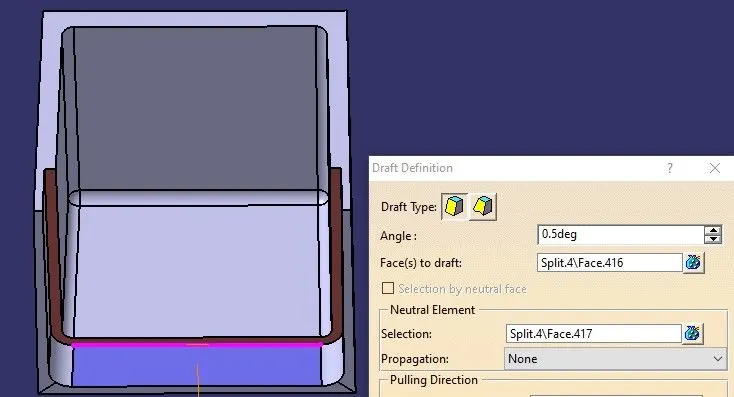
STEP 19:Give edge fillet to edge of drafted face of 0.5mm.
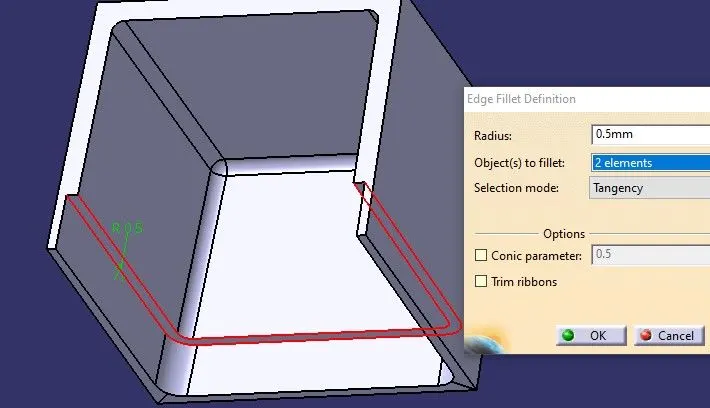
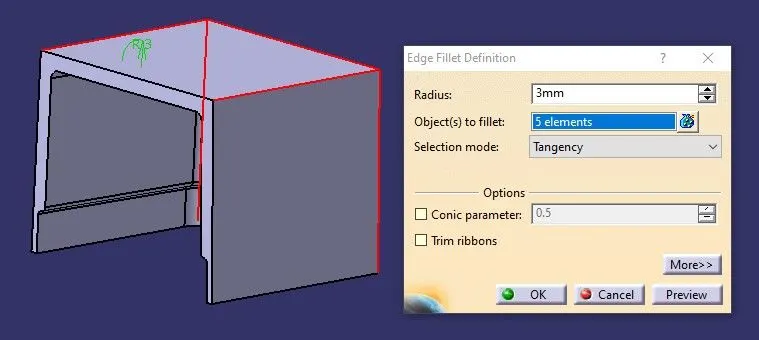
STEP 20: Give edge fillet on outside edges of doghouse.
- Inside edge of the doghouse is 1mm
- Thickness of the doghouse is 2mm.
- Outside edge = Inside edge + Thickness of doghouse = 1mm+2mm = 3mm.
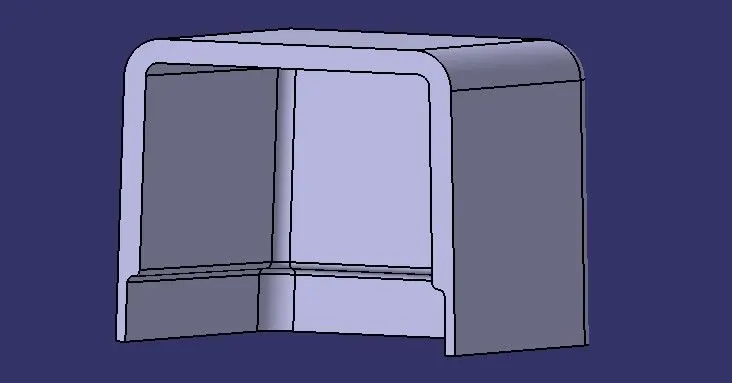
- We can see final doghouse part body as below-
STEP 21: Assemble the doghouse to the main coin holder part body.
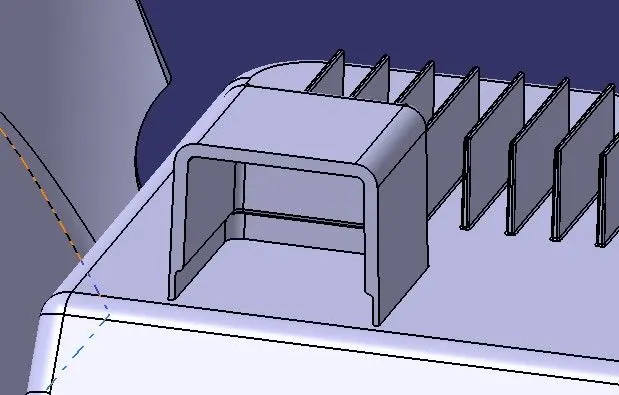
STEP 22: Translate the second boss above the doghouse and assemble it to the main coin holder part body.
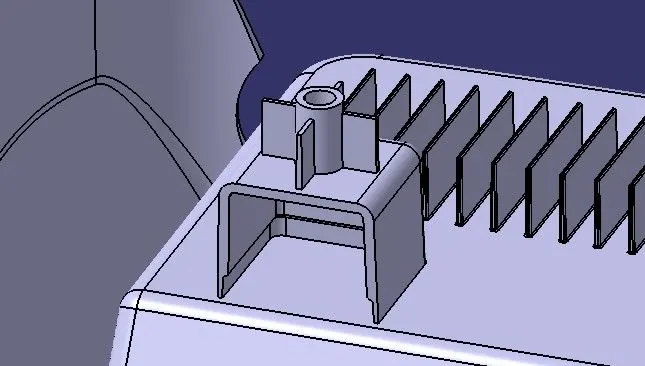
STEP 23: Duplicating (Rotating and Translating) the assembly of screw boss and doghouse to another Position.
- Copy the assembly of the screw boss and doghouse.
- Paste it to the main tree of the Coin holder collector.
- Rotate it from the part workbench, rotate the assembly to 135 degrees.
- Translate it from the part workbench, translate it with values of X-Y-Z coordinates.
- Assemble it to the Main Part Body.
- Give edge fillets.
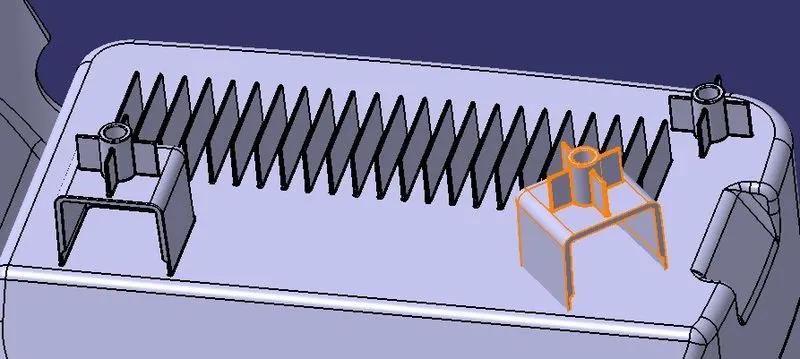
STEP 24: Give edge fillet to all the faces of all screw bosses and doghouse with 0.25mm.
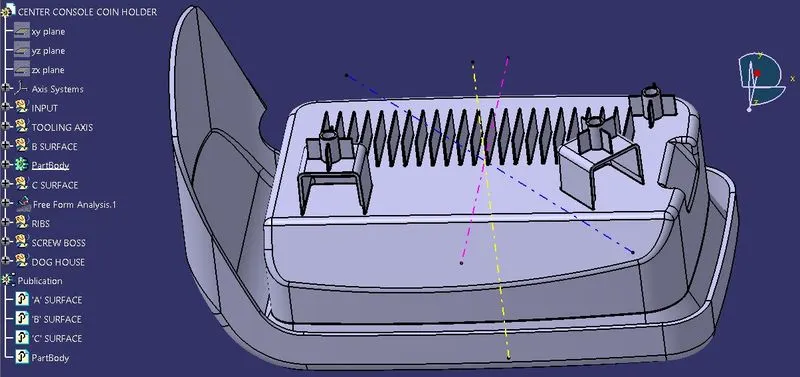
- We can see final coin holder with screw boss and doghouse part body as below-
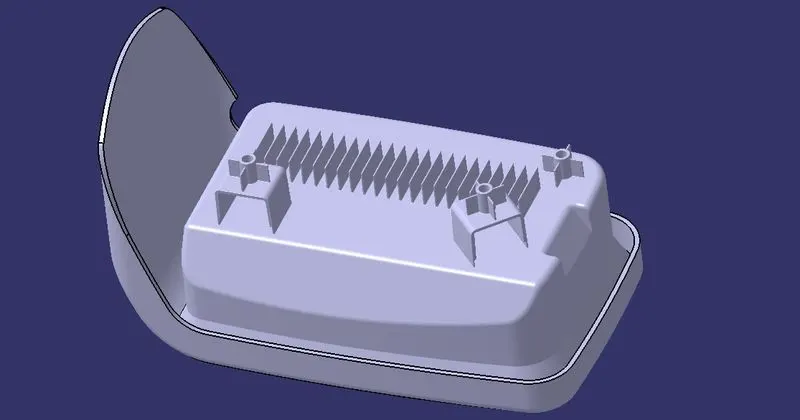
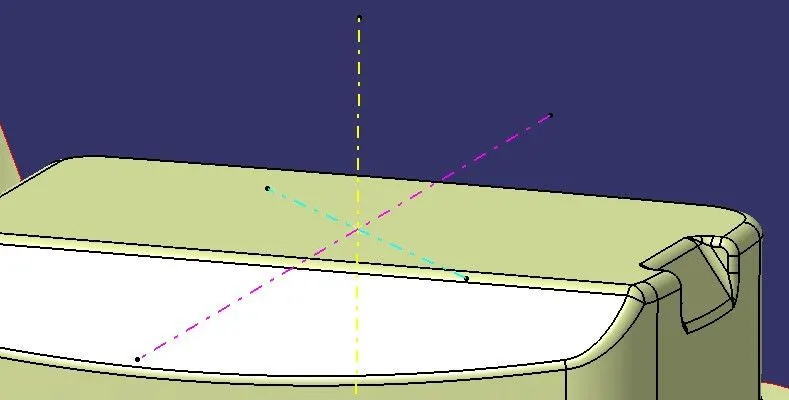
TOOLING AXIS TOWARDS Z DIRECTION :
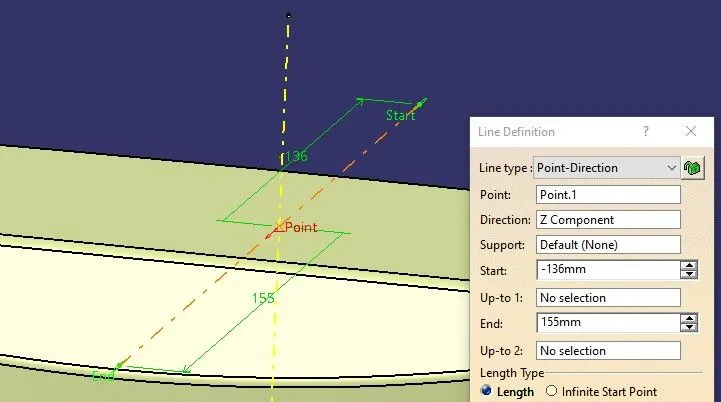
TOOLING AXIS TOWARDS SIDE CORE DIRECTION :
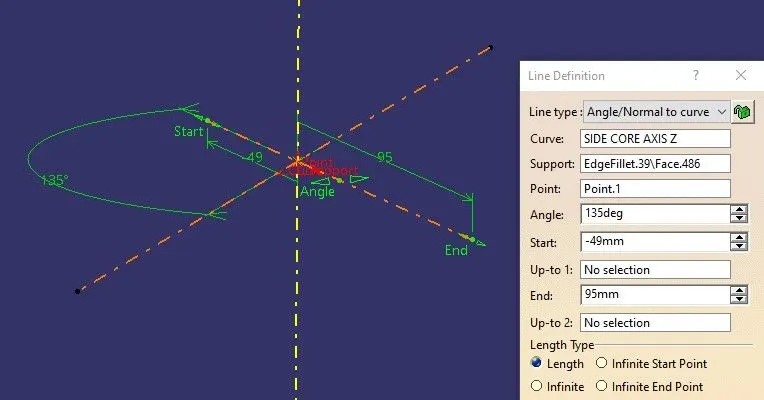
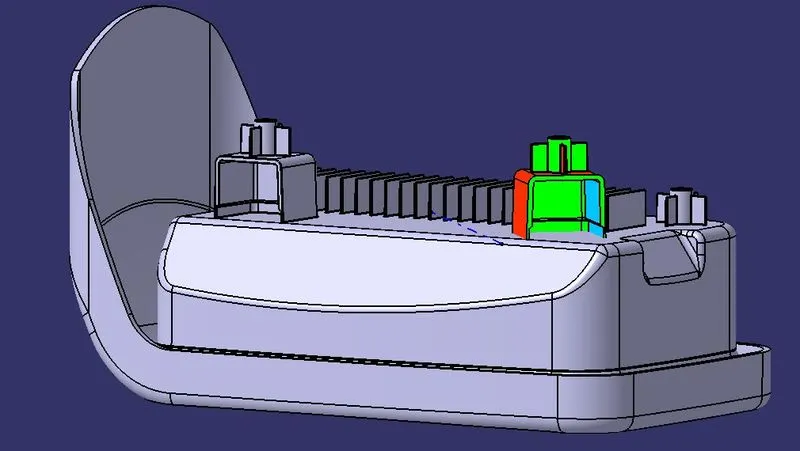
- We can see all the tooling axes of the coin holder component.
PROCEDURE TO CHECK DRAFT ANALYSIS :
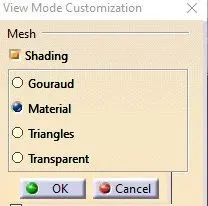
STEP 1: Changing view mode to material.
View mode>view mode customisation>tick material>ok
STEP 2: Calling Draft Analysis.
Toolbar>Insert>Analysis>Feature Draft Analysis
STEP 3:
- Drag the compass from the draft analysis box on the tooling axis and place it properly.
- Click on locks so the compass will get locked to the tooling axis.
- Click anywhere on the component.
- Click OK.
- Analysis the colour of the failing and passing surfaces.
If a component is showing in Green colour that means our component is ready for manufacture.
NOTE : If we find zero degree or negative degree failing colour, we can fix it by changing draft angle, sweep direction, modifying properly tooling axis etc.
- Feature draft analysis on coin holder component along Y axis.
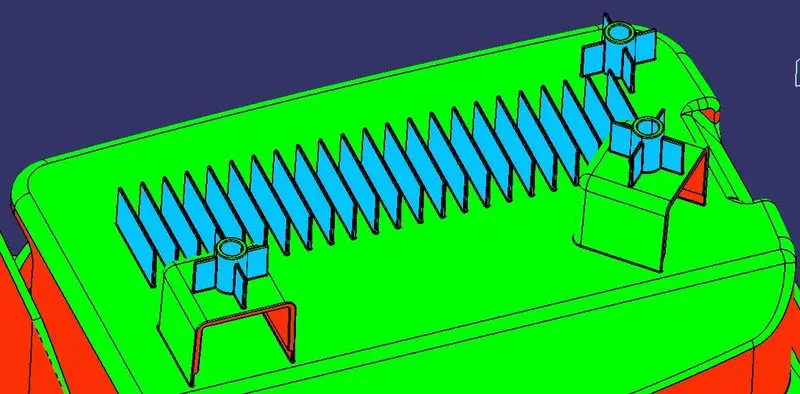
Walls of the ribs and screw bosses showing blue color because we have provided 0.5 degree of inside draft with respect to the tooling axis.
- Feature draft analysis on Doghouse towards Z axis.
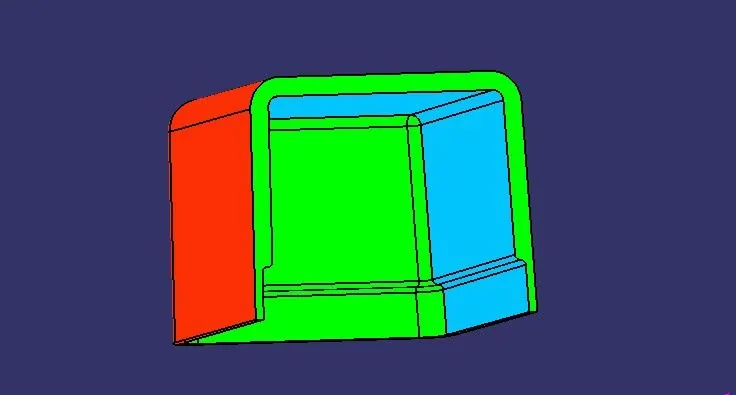
- Feature draft analysis on Doghouse towards Z axis.
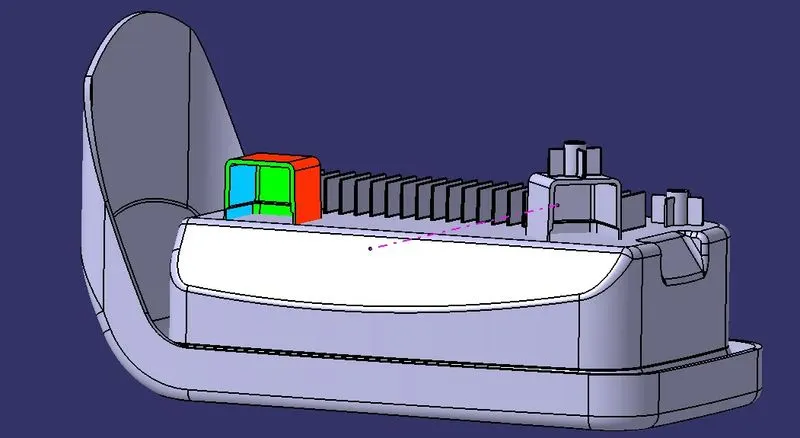
- Feature draft analysis on Doghouse towards the side core axis.
RESULT :
CONCLUSION :
Creation of the Screw boss and Doghouse on Coin Holder has been successfully done by guidance of design rules. It has been converted from surface into solid body. The tooling axis has been created according to the OEM standard.
LEARNINGS :
- Creating a Screw boss on the component.
- Creating Doghouse on the component.
- Height of Screw boss and Doghouse.
- Thickness of Screw boss and Doghouse.
- Draft angle of Screw boss and Doghouse.
- Split definition on part workbench.
- Undercut walls of the doghouse.
- Filleting Screw boss and Doghouse.
- Rotating and translating solid parts or assembly.
- Feature Draft Analysis on Screw boss and Doghouse.
REFERENCES :
- My project on Center console coin holder https://skill-lync.com/projects/week-8-challenge-4-coin-holder-design-110
- My project on Creating Ribs on center console coin holder https://skill-lync.com/projects/week-9-attachment-feature-creation-challenge-1-108
__END__