Week 7-Long Piston With Cam
Week 7-Long Piston With Cam
OBJECTIVE
To perform transient analysis on a Piston and Cam mechanism model with three different contacts as mentioned in the below cases
Case 1: Frictionless contact
Case 2: Frictional contact with 0.1 as the Friction Co-efficient
Case 3: Frictional contact with 0.2 as the Friction Co-efficient
Compare the results of Equivalent Stress, Directional Deformation and Equivalent Elastic Strain and provide conclusion
Case setup
After opening ANSYS Workbench, we are met with the Project Schematic window. Here, we can select the 'Transient Structural' analysis system on the left.Doing so creates a new project. Here, we can rename the project and also change the material if needed.
We will need to right-click 'Geometry' and select'import'. The file provided for this project should be selected.
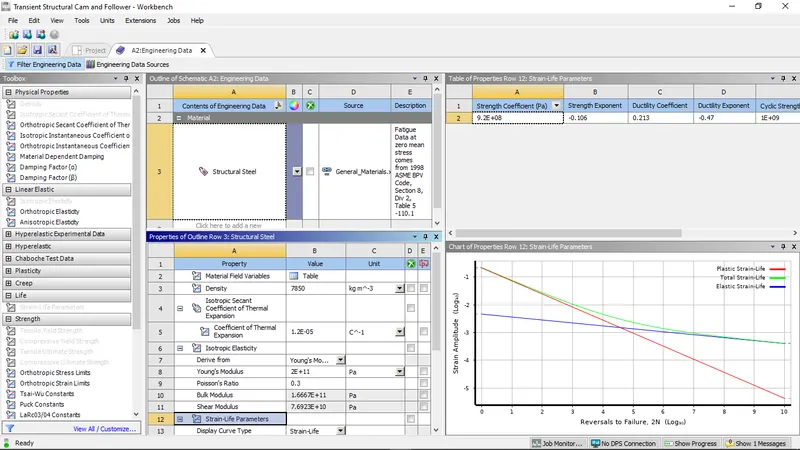
To create/edit new materias go to engineering data sources - general materials - select required materials.
For this project we used ony structural steel material for all 3 cases.
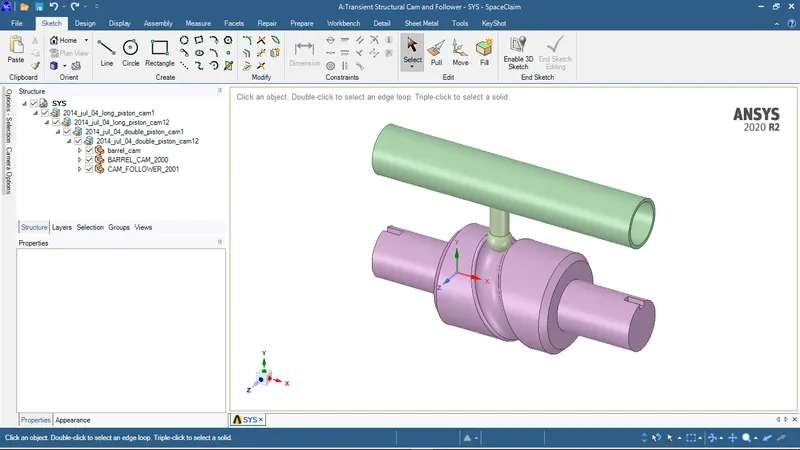
The 3D model of the setup is imported into ANSYS Space Claim. Check for any abnormalities in the Geometry.
MODEL SETUP:
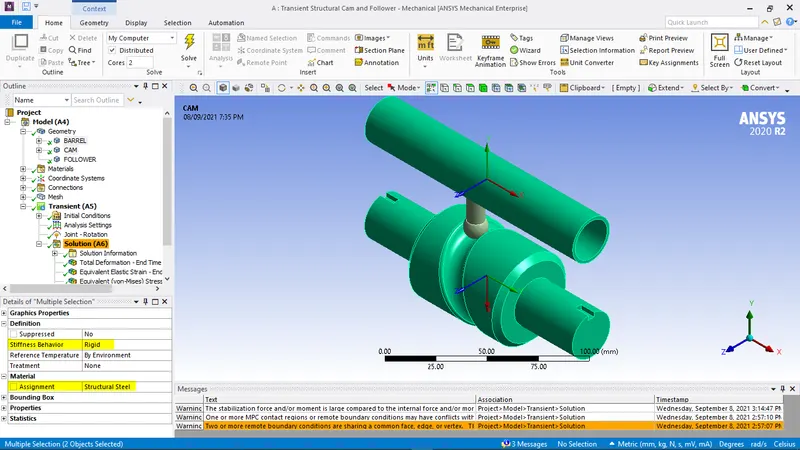
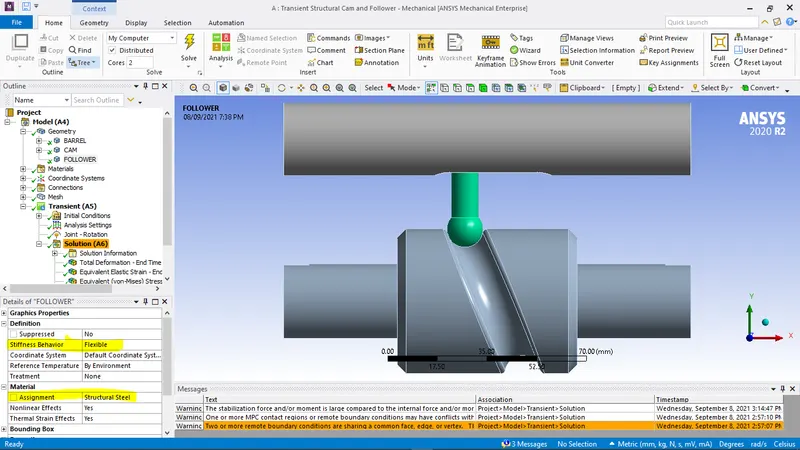
After importing the Geometry, rename the components as Barrel , cam and follower and assign structural steel as material.
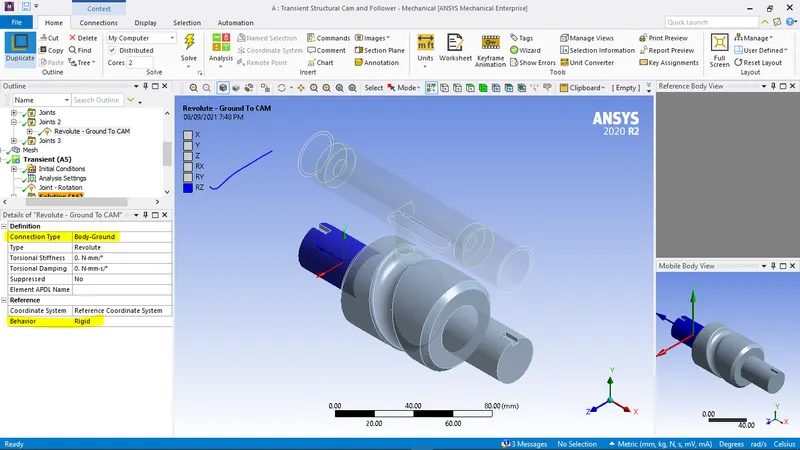
For the Barrel and the Cam, the Stiffness behaviour is assigned as Rigid.
CONTACTS DEFINITION:
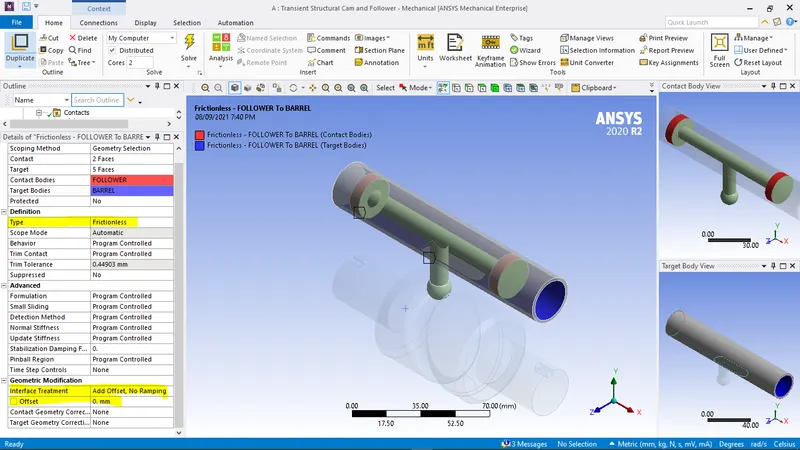
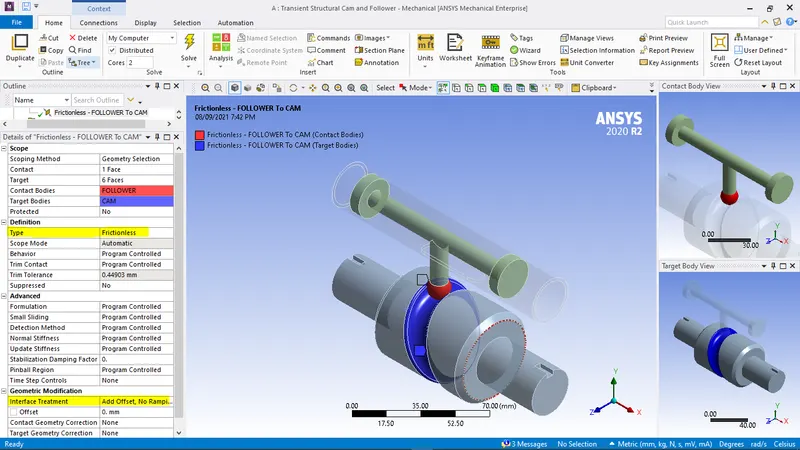
We need to define two contact regions for this model. The contact regions are selected between the barrel and the follower & between follower and Cam.
Frictionless - FOLLOWER To BARREL
Frictionless - FOLLOWER To CAM
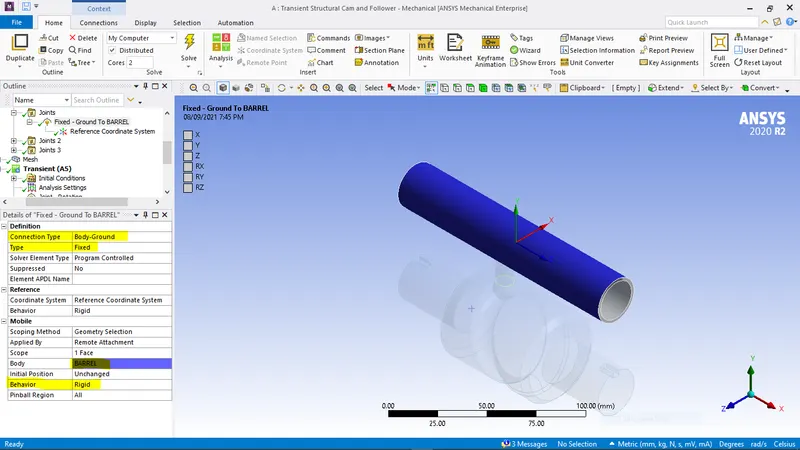
JOINT DEFINITION:
A fixed support for the barrel
A Revolute joint is assigned for the Cam, Make sure the reference co-ordinate system assigned to the joint is along the Z axis.
A Translational Body-Body joint is assigned to the follower relative to the barrel,Make sure the reference co-ordinate system assigned to the joint is alongthe X axis.
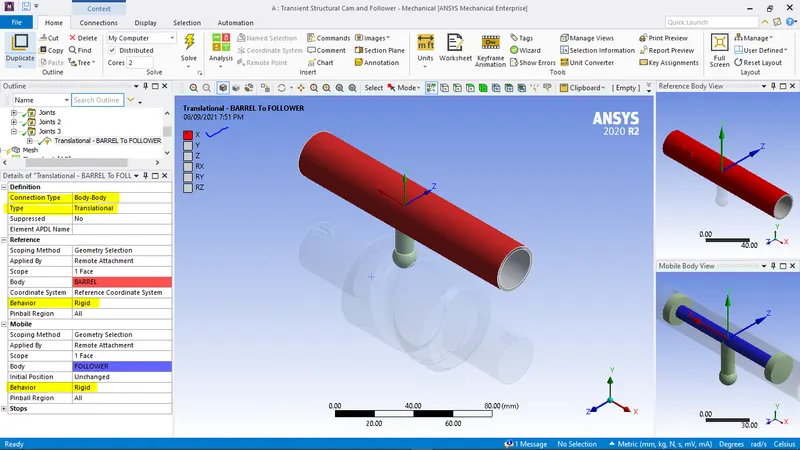
MESHING:
Generated a default mesh for total setup , we refine the mesh contact surfaces of follower and cam using face sizing option with an element size of 2mm and turn off the adaptive sizing option.
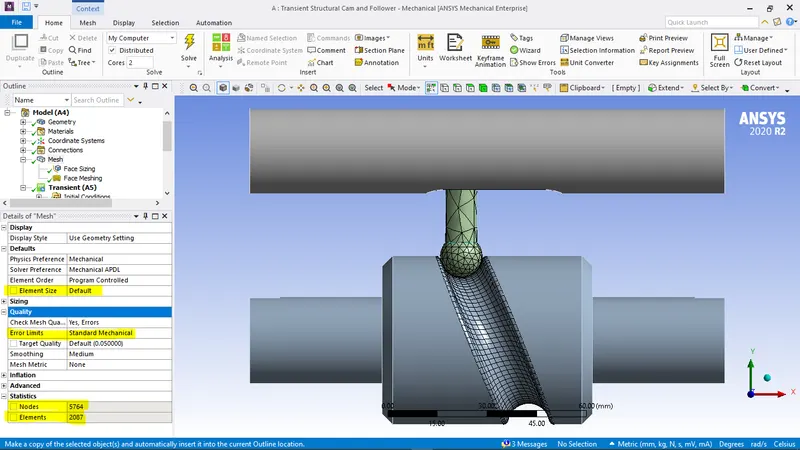
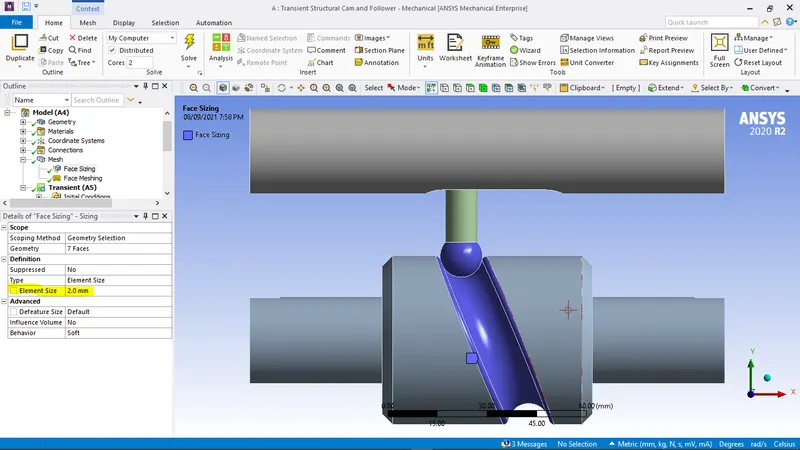
ANALYSIS SETTINGS:
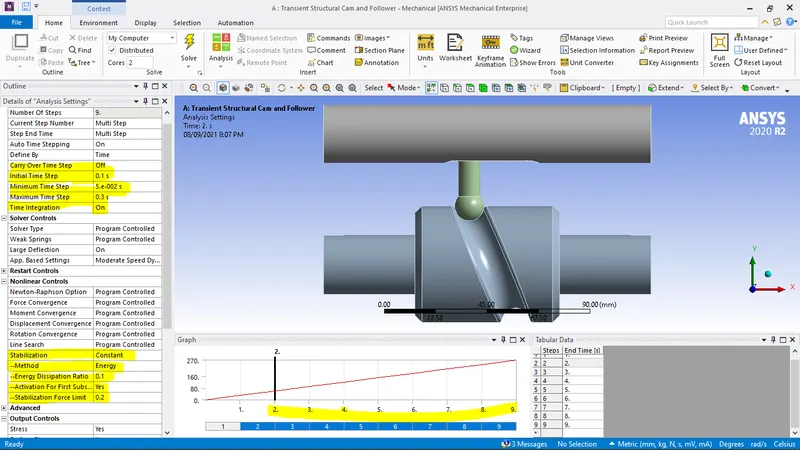
For analysis settings we use total 9 steps for the 1st step the settings are as follows
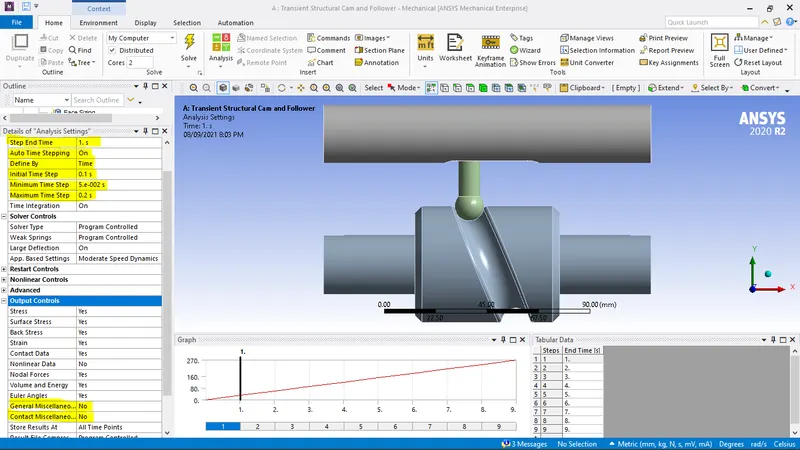
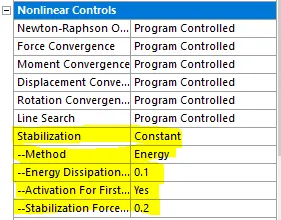
For steps 2 to 9
BOUNDARY CONDITIONS:
A Revolute Joint load is assigned to the Cam:
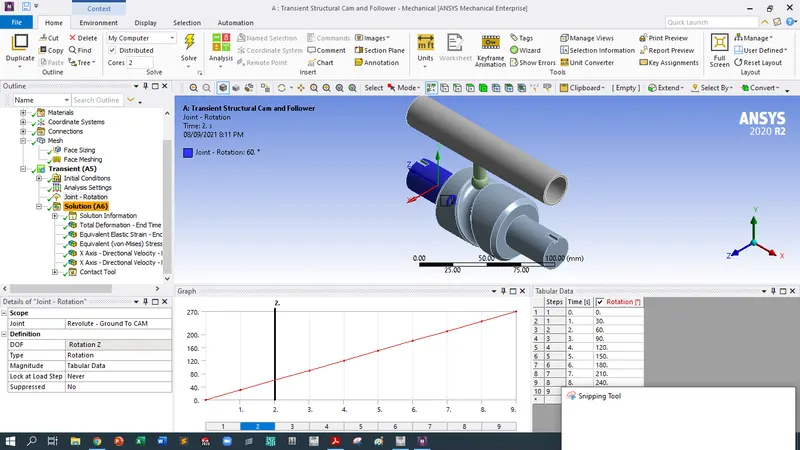
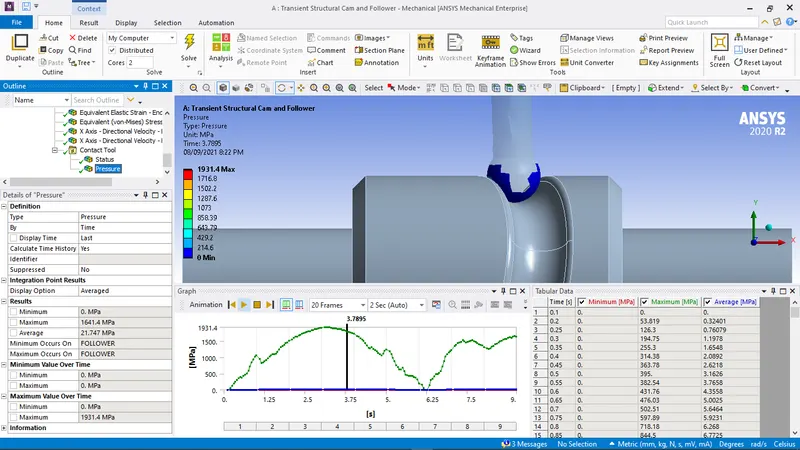
Now we can generate the outputs. To do this, Solution > Insert > Strain > Equivalent (Von-Mises) (for equivalent strain) and right-click Solution > Insert > Stress >Equivalent (Von-Mises) (for stress). right-click Solution > Insert > defrmation > directional deformation (X-axis)
RESULTS
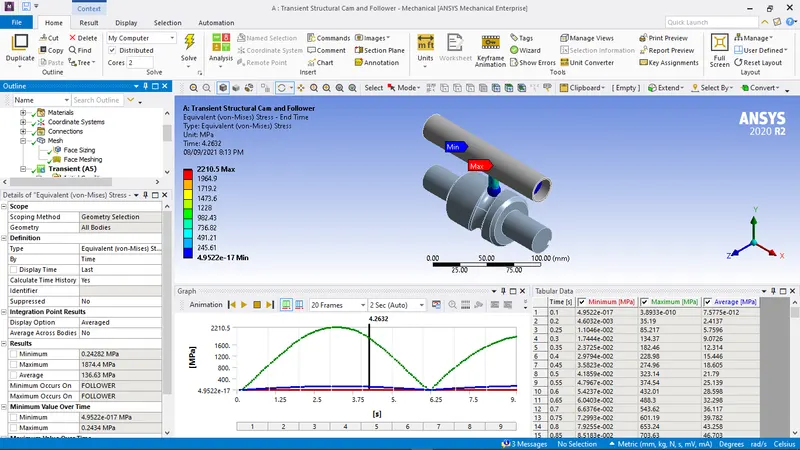
Case 1: Frictionless contact
Equivalent Stress
Directional Deformation
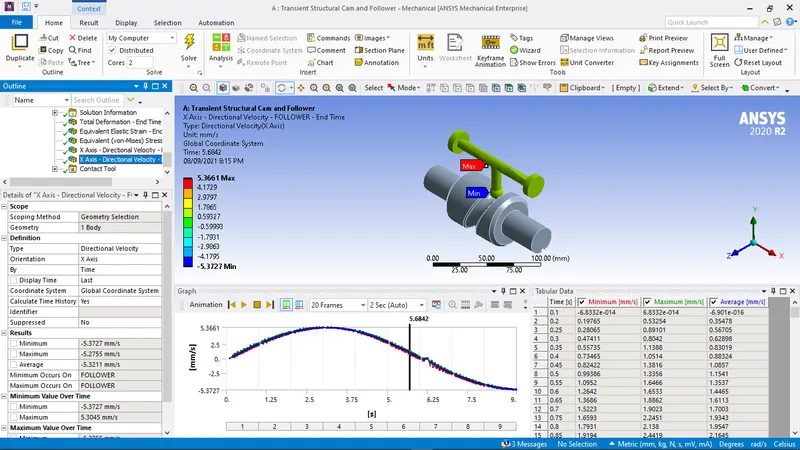
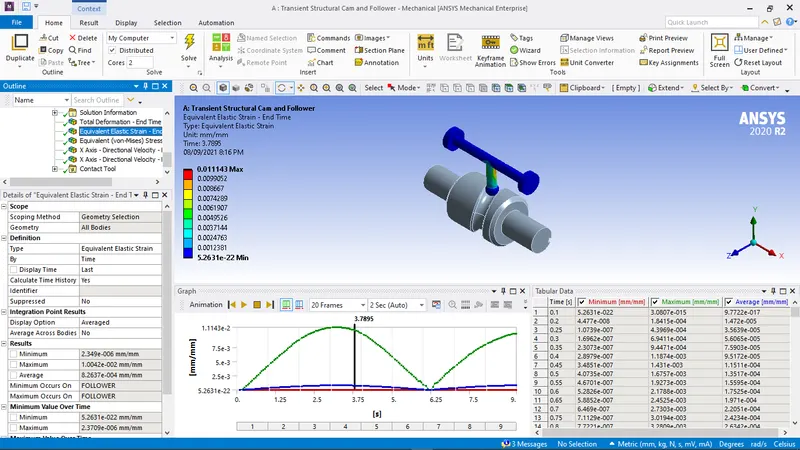
Equivalent Elastic Strain
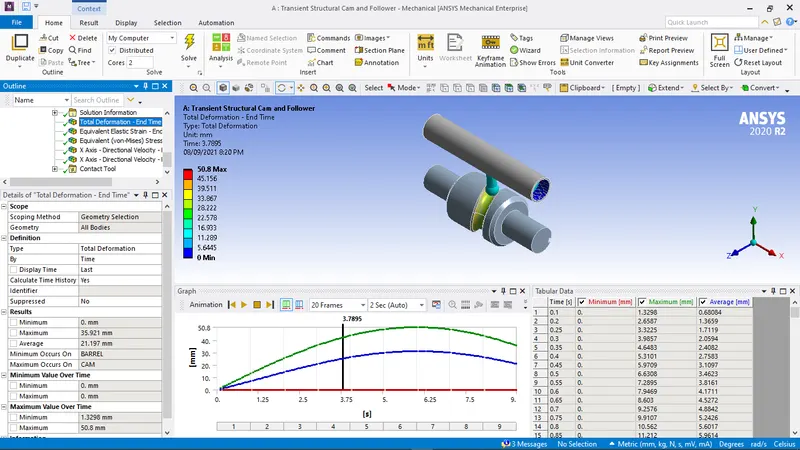
Total deformation
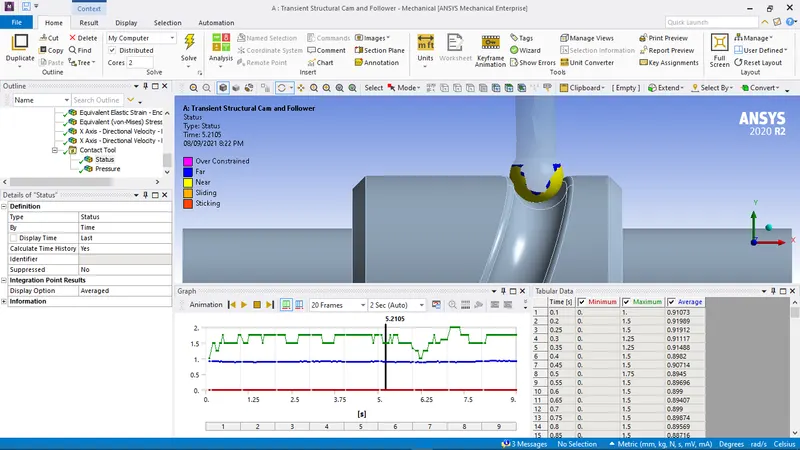
Comparision
| # | P1 - Frictional - FOLLOWER To BARREL Friction Coefficient | P2 - Frictional - FOLLOWER To CAM Friction Coefficient | P3 - Total Deformation - End Time Average [mm] | P4 - Total Deformation - End Time Maximum [mm] | P5 - Total Deformation - End Time Minimum [mm] | P6 - Equivalent Elastic Strain - End Time Minimum [mm mm^-1] | P7 - Equivalent Elastic Strain - End Time Maximum [mm mm^-1] | P8 - Equivalent Elastic Strain - End Time Average [mm mm^-1] | P9 - Equivalent (von-Mises) Stress - End Time Minimum [MPa] | P10 - Equivalent (von-Mises) Stress - End Time Maximum [MPa] | P11 - Equivalent (von-Mises) Stress - End Time Average [MPa] | P12 - X Axis - Directional Velocity - BARREL - End Time Maximum [mm s^-1] | P13 - X Axis - Directional Velocity - BARREL - End Time Minimum [mm s^-1] | P14 - X Axis - Directional Velocity - BARREL - End Time Average [mm s^-1] | P15 - X Axis - Directional Velocity - FOLLOWER - End Time Average [mm s^-1] | P16 - X Axis - Directional Velocity - FOLLOWER - End Time Maximum [mm s^-1] | P17 - X Axis - Directional Velocity - FOLLOWER - End Time Minimum [mm s^-1] | P18 - Pressure Minimum [MPa] | P19 - Pressure Maximum [MPa] | P20 - Pressure Average [MPa] |
| # | ||||||||||||||||||||
| # The following header line defines the name of the columns by reference to the parameters. | ||||||||||||||||||||
| Name | P1 | P2 | P3 | P4 | P5 | P6 | P7 | P8 | P9 | P10 | P11 | P12 | P13 | P14 | P15 | P16 | P17 | P18 | P19 | P20 |
| DP 0 | 0.1 | 0.1 | 21.21133828 | 35.92127204 | 0 | 2.34E-06 | 0.01040225 | 0.000877374 | 0.242515907 | 1932.212616 | 145.2422994 | 4.18E-28 | -8.36E-28 | -6.70E-30 | -5.337206341 | -5.270604134 | -5.413762093 | 0 | 1854.258362 | 22.64924941 |
| DP 1 | 0.2 | 0.2 | 21.22747322 | 35.92127204 | 0 | 2.34E-06 | 0.010856991 | 0.000950472 | 0.241816098 | 2006.139776 | 157.8856221 | 4.18E-28 | -8.36E-28 | -6.70E-30 | -5.326276517 | -5.253769875 | -5.408445358 | 0 | 1984.684967 | 23.59958469 |
CONCLUSION:
From the above results we can see that as the frictional co-efficient increases the equivalent stress, strain and Directional deformation increases. As there isfriction the energy required also increases hence the stress and strain also increases. Total deformation remains constant for all three cases.
More force is required to over come the friction and force is directly proportional to stress thus the stress increases. Stress is directly proportional to strain and thusstrain increases.