Solid meshing
AIM:
In this challenge, we are going to mesh the car rear mirror with the help of solid tetra meshing. we are going to assign volumetric meshing to the solid geometry.
DESCRIPTION:
|
S.No |
Quality Criteria |
Value |
|
1 |
Target/Average length |
1 |
|
2 |
Minimum Length |
0.5 |
|
3 |
Maximum Length |
2 |
|
4 |
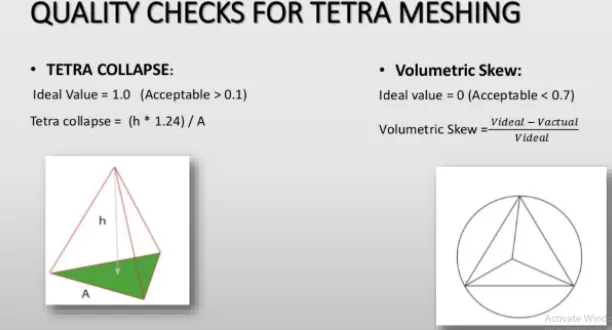
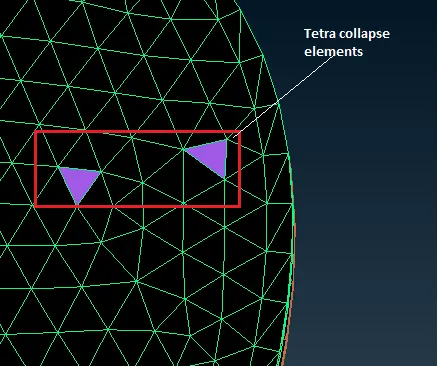
Tet collapse |
0.2 |
PROCEDURE:
Methodology:
- Import geometry
- Topological error cleanup
- Quality criterion and meshing parameter setup
- Surface meshing
- Define volume to the geometry and tetra mesh generation
- Check for the surface kinks & dents
3D-Meshing
It is also known by the term solid meshing or volume meshing. In solid meshing the all the three dimensions are comparable. (x,y,z). The element types are solid. The solid elements have 3 translational dof The elements shape in 3D meshing are 1) Tetra 2) Penta 3) Hexa 4) pyramid.
3D-Elements
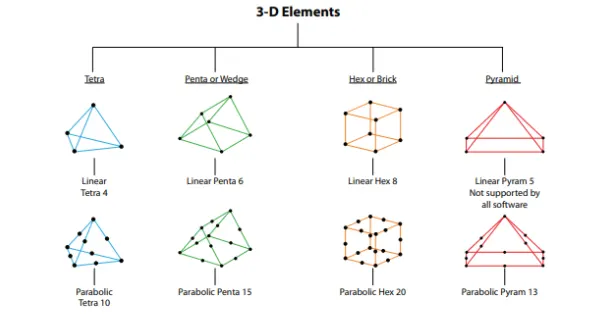
Volume Meshing
This is a method of representing a solid with the help of a 3D element inside the geometry. In this technique, we mainly use the tetra and hexa element to define the geometry volume. The propagation of the element can be either structured or unstructured depending upon the requirement of analysis. They are mainly used for the auto-generation of the element in unstructured method of meshing.
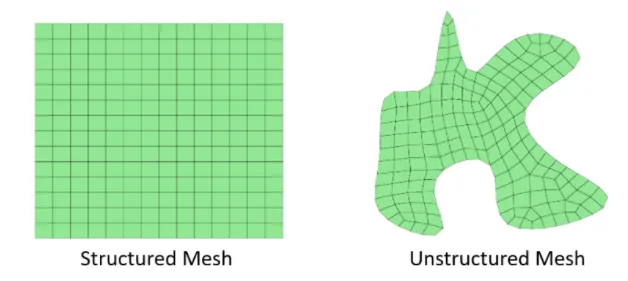
Structured Meshing
These types of mesh have implicit connectivity whose structure allows for easy identification of elements and nodes. Often these structured meshes have an orthogonal quadrilateral(2D) or hexahedral elements(3D). it also possible to access coordinate easily because the size of the element does not vary element to element.
- Memory efficient
- Fast to solve cons
- Hard to mesh for angle and curved surfaces.
Unstructured Meshing
These meshes have very general connectivity, whose structure is arbitrary and therefore the connectivity of the element must be defined and stored. The element types are non-orthogonal, such as trial element(2D) and tetra element(3D).
- Complex-geometry easy to mesh
- Slower to solve
- Greater memory requirement
Importing Geometry and topological clean up
Once you have imported the model, then go for the geometry checkup.
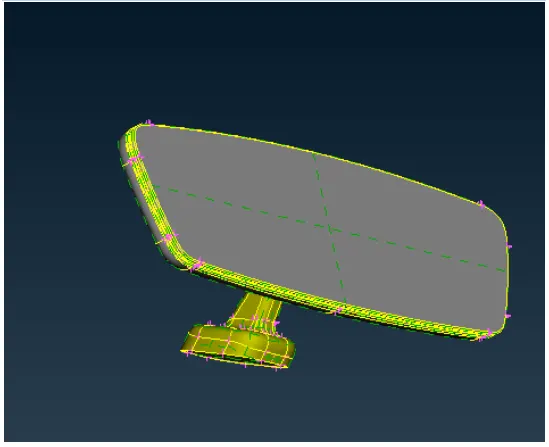
Execute the model check & fix all the errors.
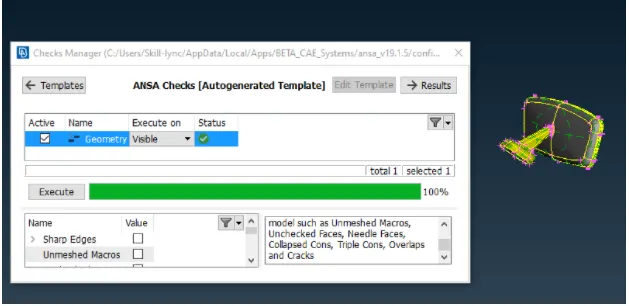
Note: For observing the geometry carefully you can alter the perimeter length by switching to mesh module and goto length tab under the perimeter section(macros as well as perimeter).
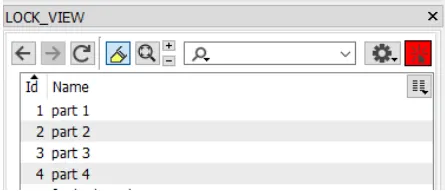
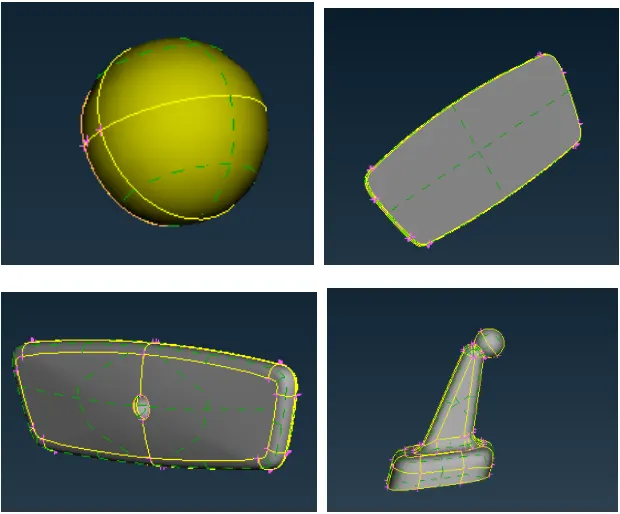
Store the different parts of the geometry under different lock views. This will help you to proceed with the meshing easily.
Quality criteria & meshing set-up
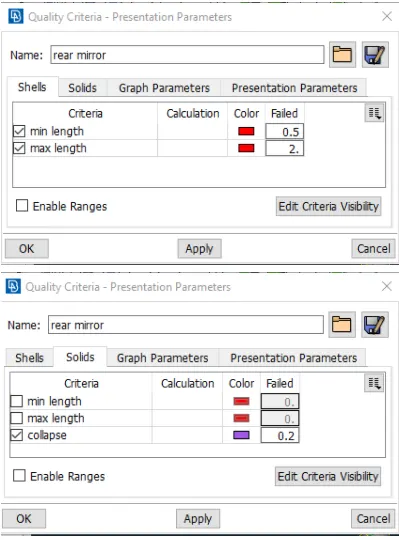
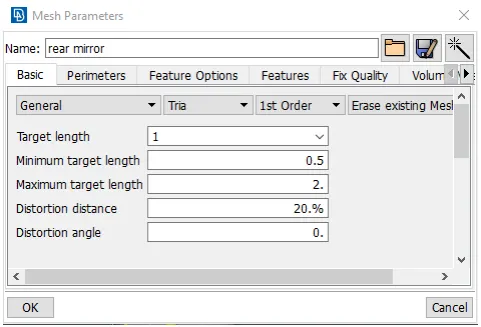
Once the parameter set-up is completed, we can process meshing
Surface Meshing
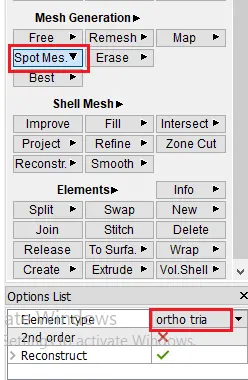
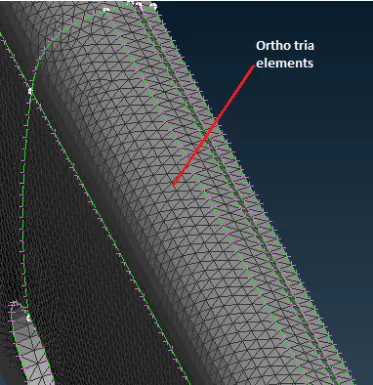
The spot mesh algorithm gives a better result than the free mesh algorithm with better-optimized tria element adjustments. Also, we will use the ortho tria element for capturing the curved surface.
Part by part we will see and try to capture all the curved area 1st with ortho tria elements and flat surfaces with the normal tria elements.
Volume meshing & Tetra Mesh Generation
Solid Map Meshing
In solid meshing, the ability to be meshed is referred to as mappability. Mappability is directional and can be likened to putting a surface mesh on one face of the solid, then
extending that mesh along a vector through the solid volume. To achieve this, though, the user had to put the shell mesh on the surface before the solid map function was performed and had to do it for each desired face. There are algorithms that can automatically generate the elements inside the volume referring to surface mesh patterns.
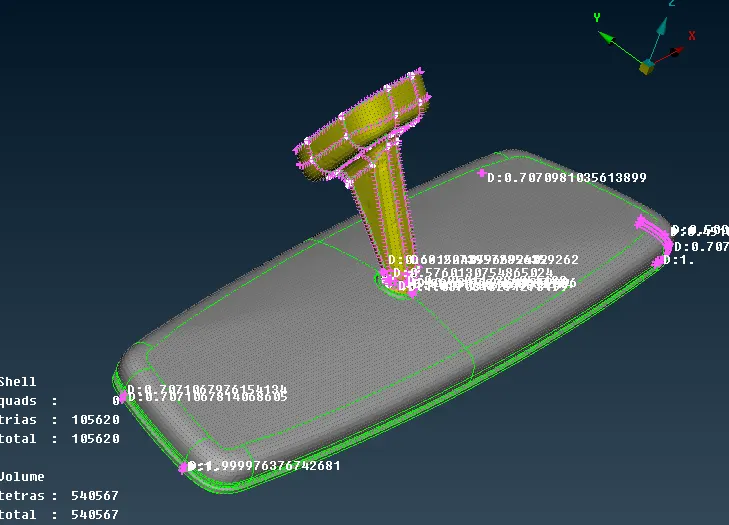
We get a smooth surface with a total of 540567 elements all tetra with no quality issues. This is acceptable and we can proceed further.
Methods of improving quality for poor elements
- Manual adjustment
- Drag node
- Auto quality improvement
There are options to move the nodes with move free tab and move nodes or otherwise auto fixing. The auto fixing may ruin your surface so make sure you check for surface kink and dip.
Conclusion:
The volume meshed achieved is better satisfying all quality aspects and surface achieved is also smooth without much kinks and dips. the usage of tho tria elements on curved elements has really made a difference in mesh smoothness, especially over fillet areas. I have chosen the rapid tetra algorithm as the number of elements formed is 1117 less which will definitely save time and space. The tetra mesh achieved is unstructured and can be seen through the section views while keeping the surface mesh as it is.
- 3D meshing on a solid object
- Fixing quality in 3D meshing
- Different algorithms awareness in volume generation
- usage of ortho tria elements on curved surfaces