Week 5 Challenge : Surface wrap on Automotive Assembly
Surface wrap on Automotive Assembly
Contents :
1. Surface Cleanup
2. Unmerging different PIDs
3. Closing all surfaces for perfect water tight wrap
4. Merging all assemblies
5. Surface Wrap
1. Surface Cleanup
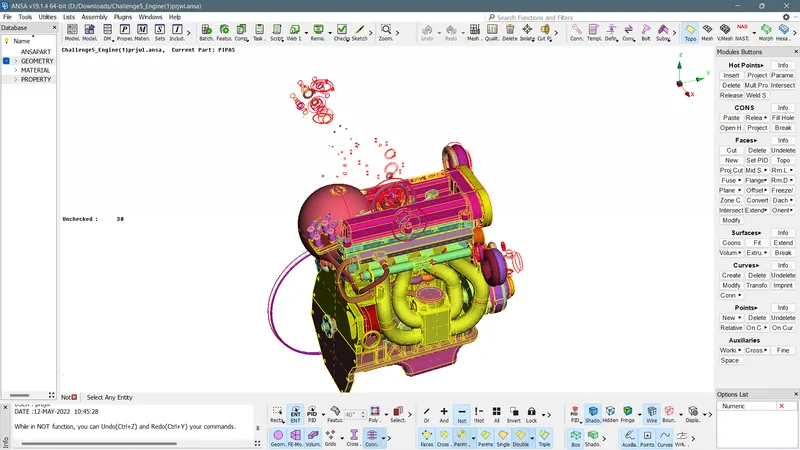
One can clearly see the extra dough-nut shaped rings used for creating curved surface regions. Our main aim is to identify these unrequired rings and delete them from the Assembly
Method I :
Delete the rings one by one by individually analysng them.
Method II :
First hide all regular PIDs by selecting NOT and do PID selecton while hiding and not entity. Then one can clearly see the left region which will be filled of unrequired Doughnut rings which were used by design engineers for profiling the curved structures.
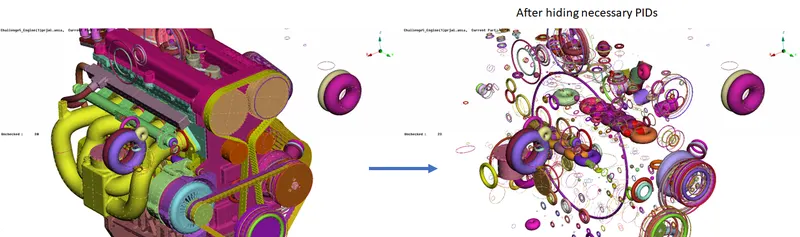
Now drag select all these PIDs delete them at once.
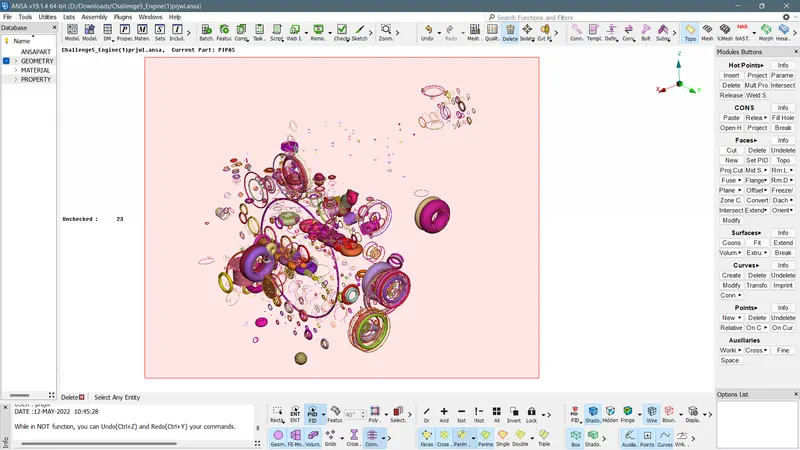
Now we re left with a clean assembly, with some merged surface PIDs, one of the major difficulty was to clear and create new surfaces for exhaust pipe inlet to Turbo ssembly.
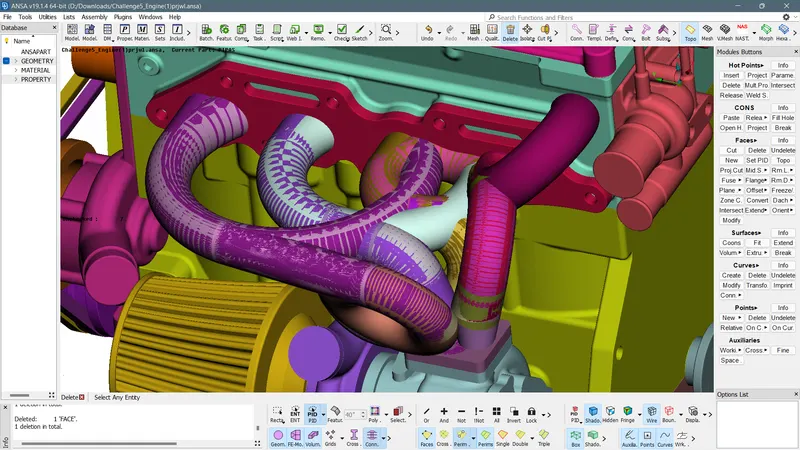
One can clearly see that, it was filled up of unnecessary Surfaces. But these surfaces were a reference to that curved pipe profile, hence careful selections were made to indentify necessary PIDs that would support the profile. Then water tight assembly was done by closing all the holes.
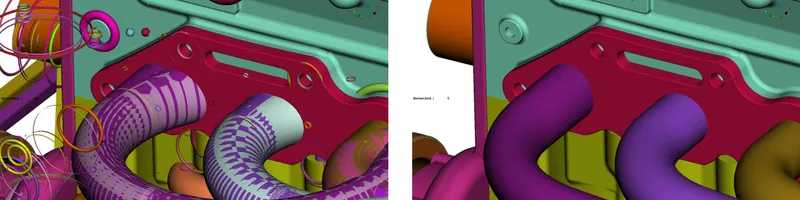
Similarly, all the componenets were double checked for leakages and merged surfaces. Our main focus is to make sure that external surface is water tight assembly, since it is only a Surface Wrap!
Hence no focus was given on internal components!
No performing similar actions on Trnasmission & Gear Box Assembly.
> Now use merge option from File to assemble all three components
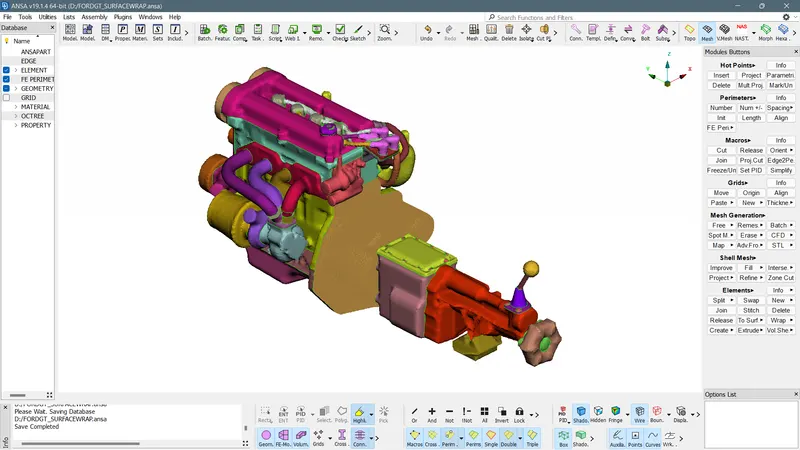
Performing Surface on the Whole assembly :
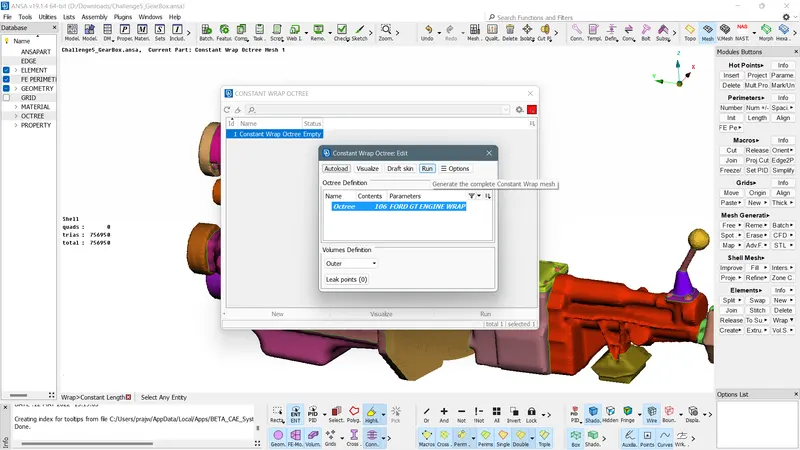
Go to Mesh > Elements > Wrap > Double click on Status > Double Click on Parameters > Name the selection for wrap
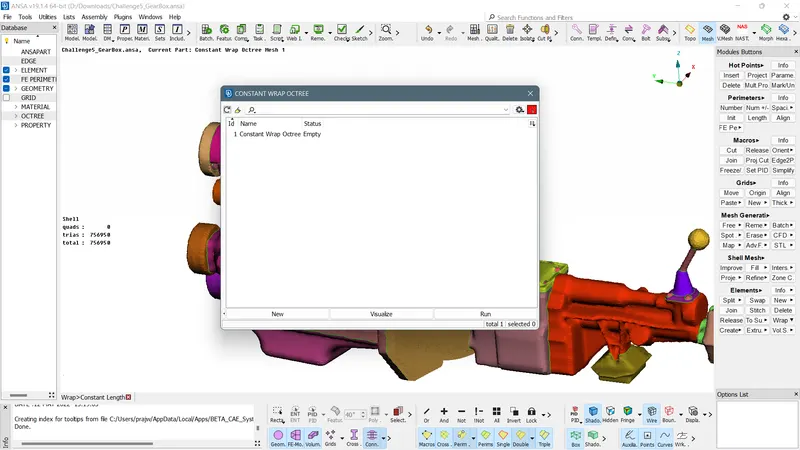
Then input the target size element for capturing : 3mm
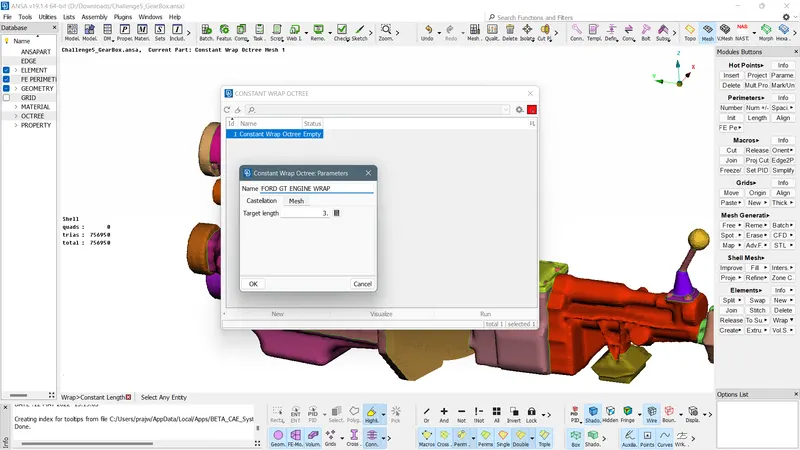
Greater the element size > Poorer the capture quality > Lesser the computational Time
Now select all PIDs and transfer that to the surface wrap section by clicking on the green arrow mark
NOTE : If uneccessary PIDs are present, one has delete these PIDS go to Utilities > Compress > OK
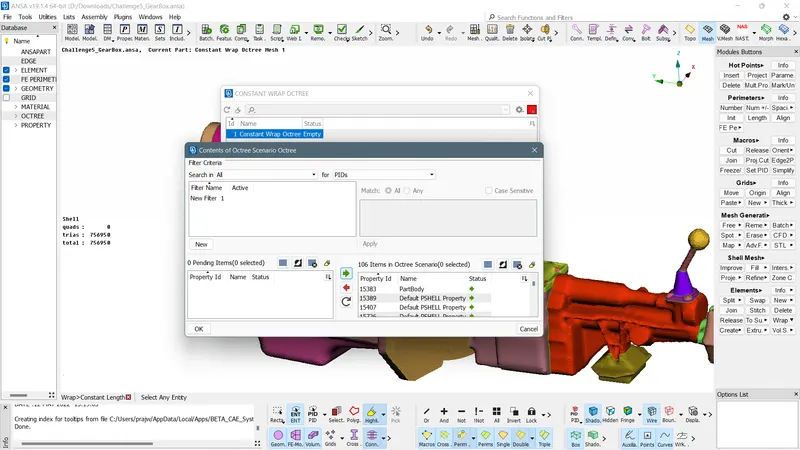
Now click OK > then RUN
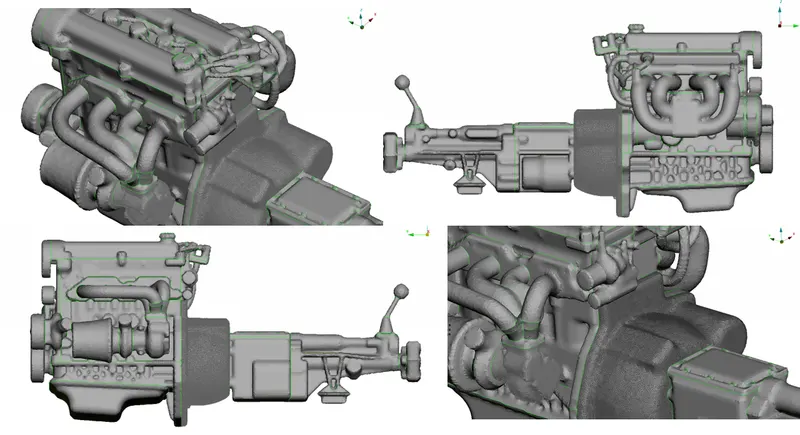
Results :
To download the surface wraped file :
https://drive.google.com/file/d/1qz7R3Z8fQRQT3rO1uMtz1cE1dOcaXM5M/view?usp=sharing