Week - 4 - crash box simulation
CRASH BOX STIMULATION
AIM
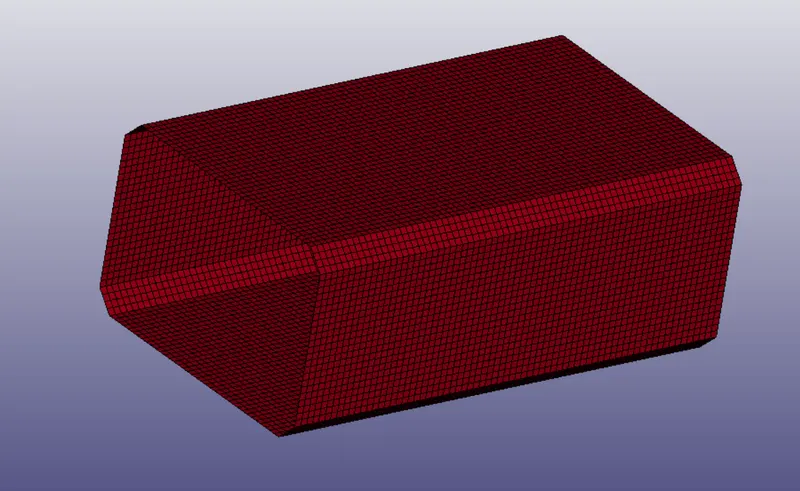
In this assignment, we have to simulate a crash test for a crash box for which mesh is given. A crash box is a highly energy absorbing structure that crashes on application of loads and reduces impact on other components nearby.
Here are the different assumptions and information required:
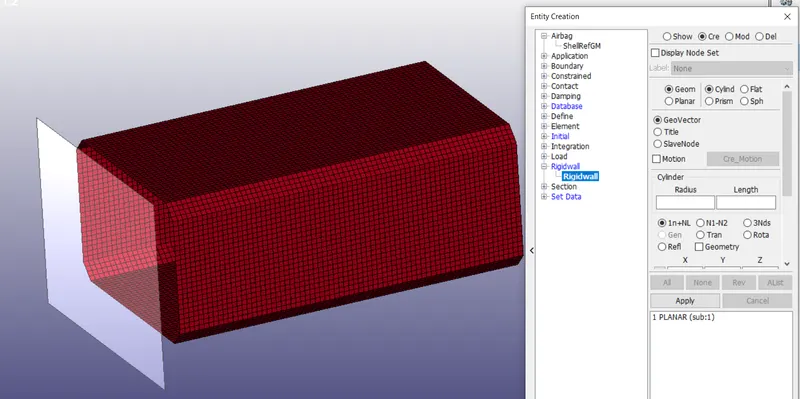
- The crashbox should crash into a rigidwall created using *RIGIDWALL_ keyword. Check the manual to understand and create a rigidwall.
- Material for the crashbox is steel. The simulation needs to be started using elastic material to verify its correctness and later a nonlinear material card data will be provided. Thickness of the crashbox is 1.2mm.
- Initial velocity for the crashbox should be around 50 kmph
- The units system to be used is gm-mm-ms
- The simulation should satisfy either of the two situations - (1) It crashes on the rigidwall and rebounces completely or (2) it buckles and folds in the axial direction so as to come in self-contact.
- Once the simulation is completed and results as asked for below is collected, run another simulation by increasing the thickness of the crashbox from 1.2 to 1.5mm.
PROCEDURE
- We consider the crash box travel 50kmph while converting we will get 13.68 mm/ms.
- First import the .k file into Ls-prepost, then change the title by model – keywords – title.
- Create rigid wall by content – rigid – planar – select the node and give the distance in required direction.
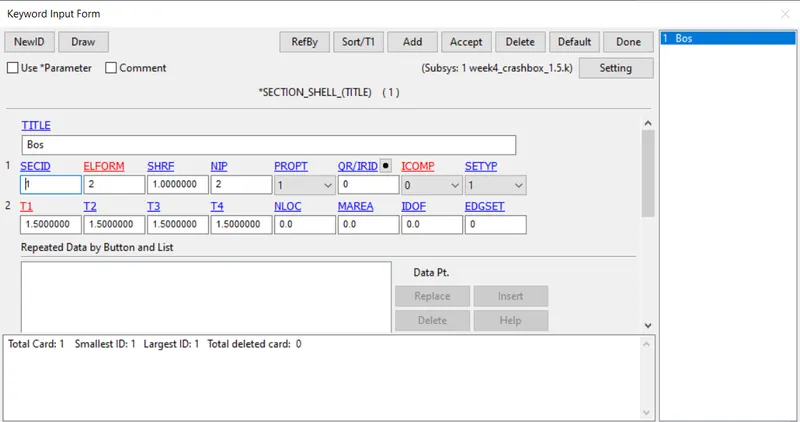
- Create section id for the solid elements by model – keyword – section – shell.
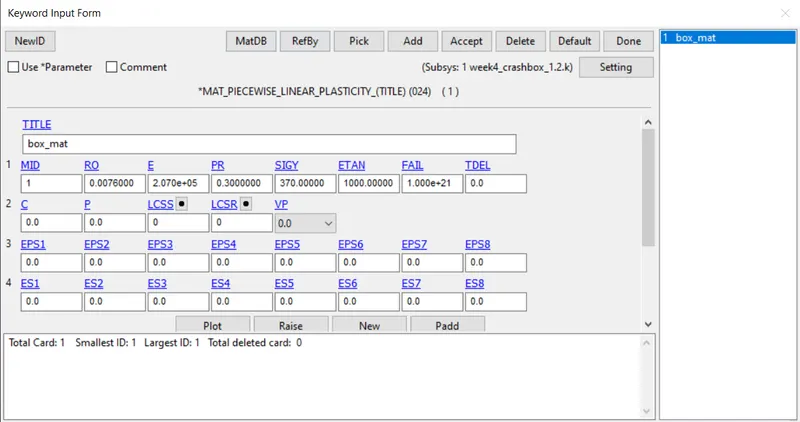
- Then create the material mat 024(piecewise linear plasticity) for the box with different id.
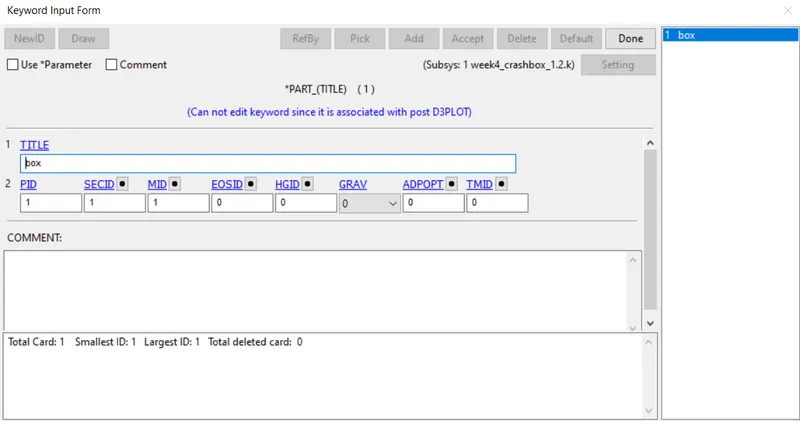
- Then assign the sec and material to the part by model – keyword – part, change the title and assign the materials.
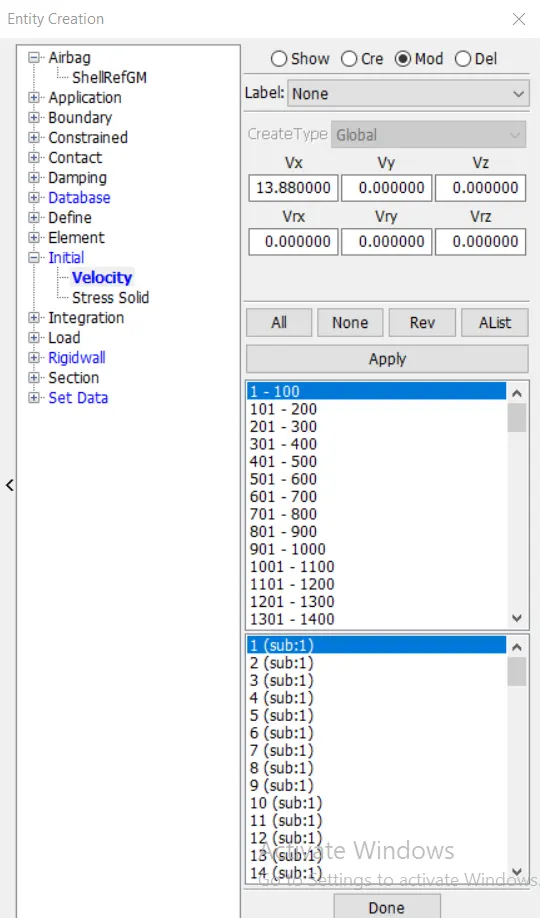
- Then create the initial velocity by model – content – initial – velocity select the hole part of the phone and give the velocity in X- direction as 13.68.
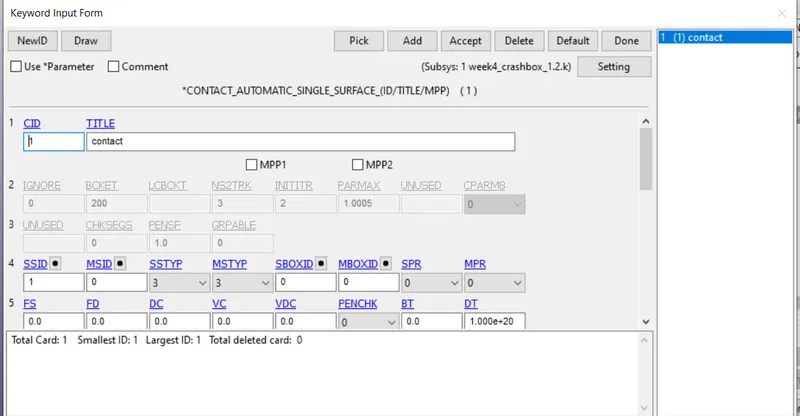
- Then create contact as automatic single surface contact, by model – keywords – contact. Assign the box elements to slave nodes.
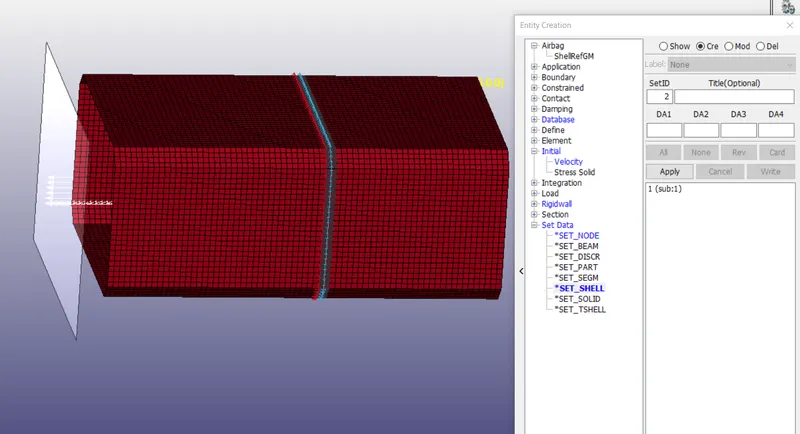
- Then create the cross-section by model – content – set create node set and shell set. ( node set should be middle of the shell set)
- Then create control energy and termination by model – keywords – control – energy, cross-sectional & termination.
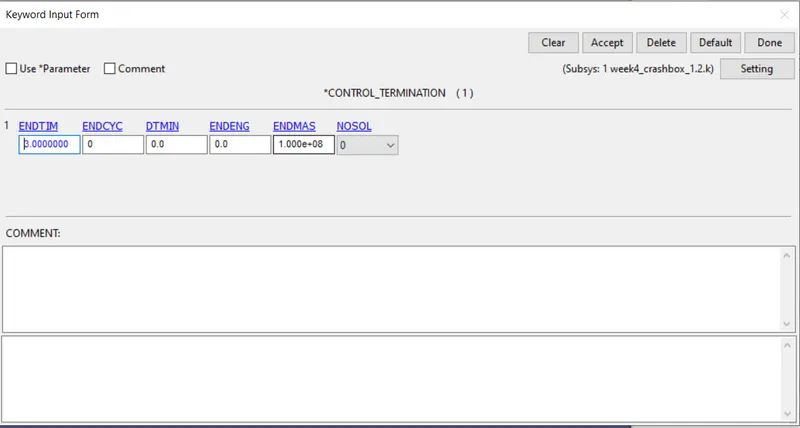
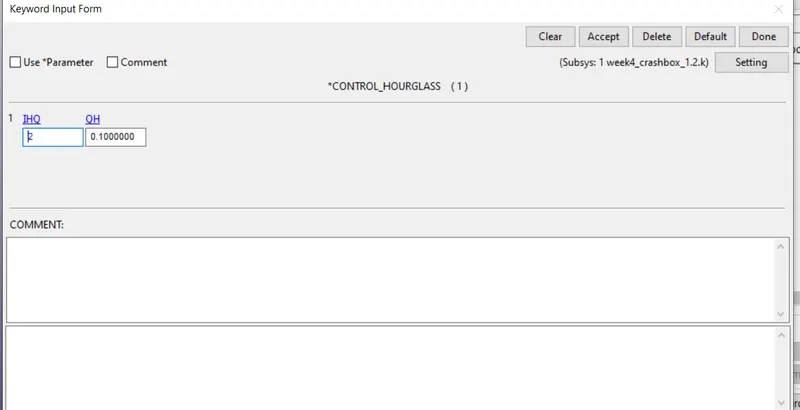
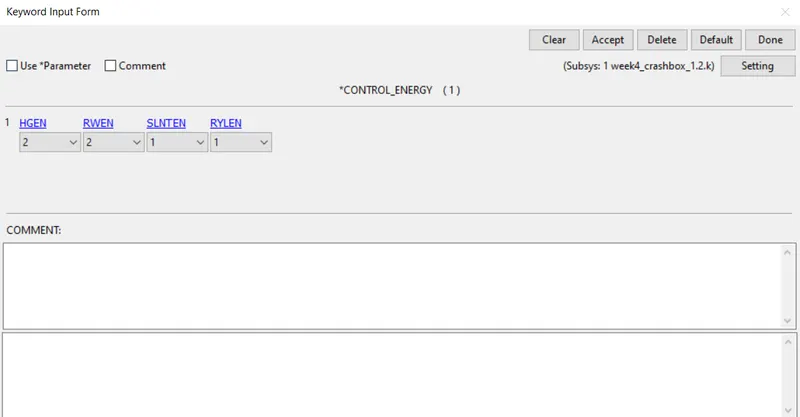
- Then for the results go to model – keywords – database – ASCII_option, cross-sectional & Binary D3 plot.
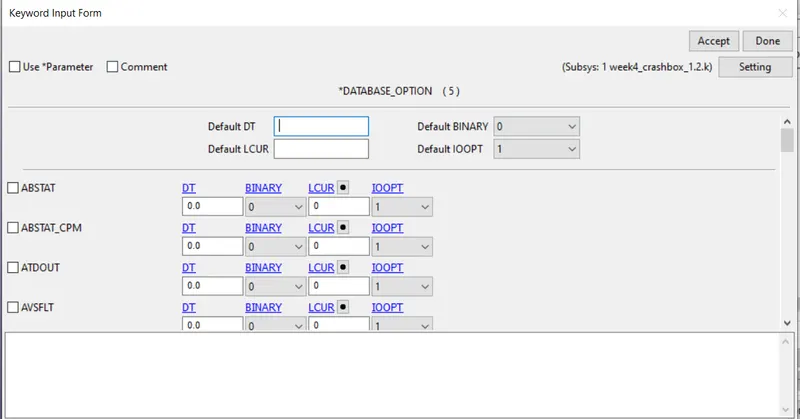
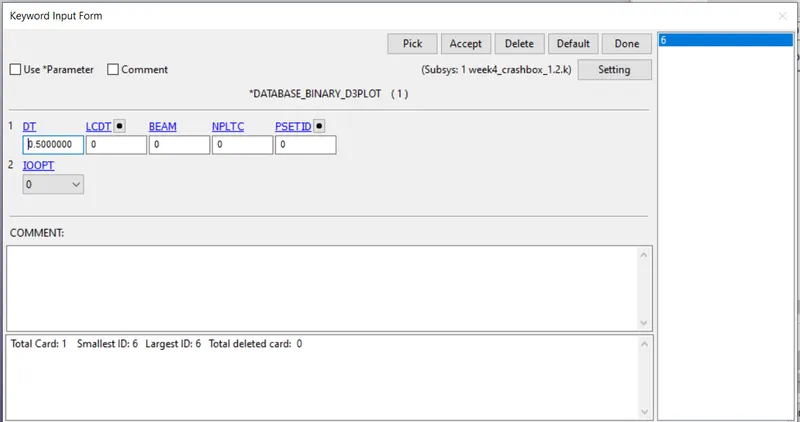
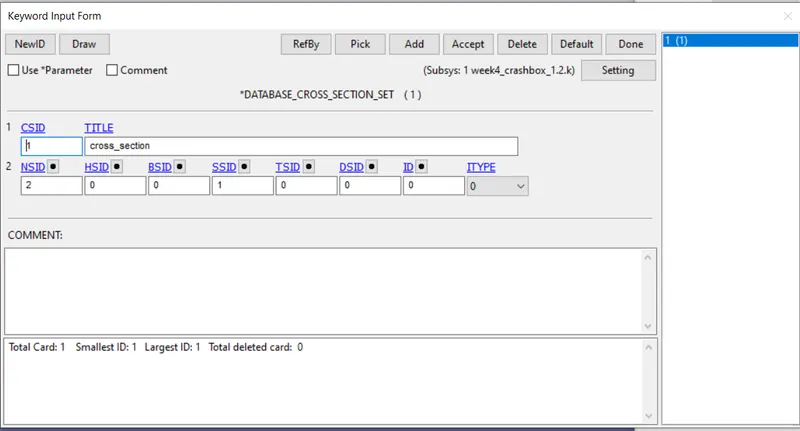
- Run another stimulation by increasing the thickness 1.2mm to 1.5mm.
RESULTS
- Then run the stimulation on Ls-Dyna solver by importing.k file into it.
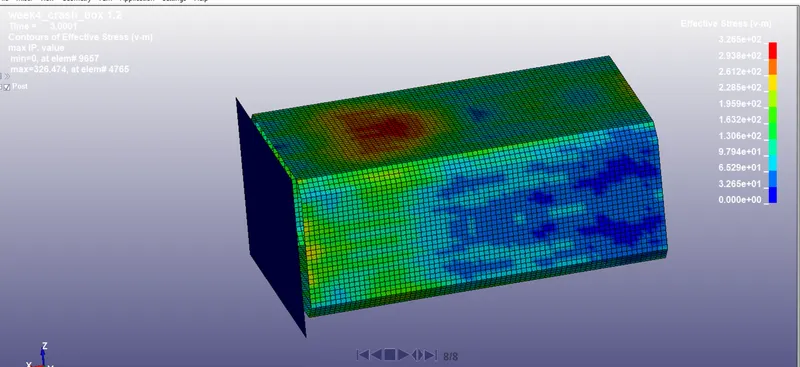
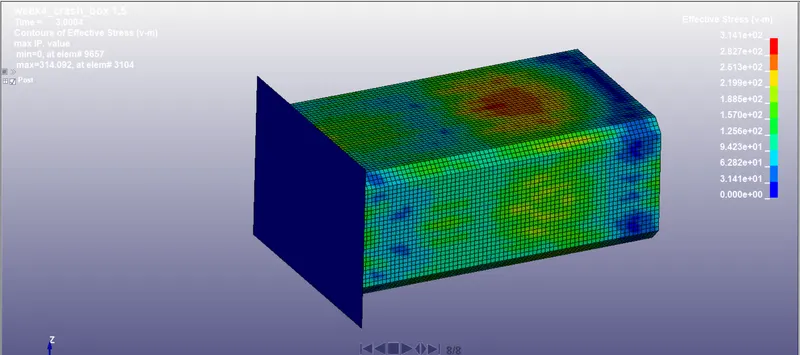
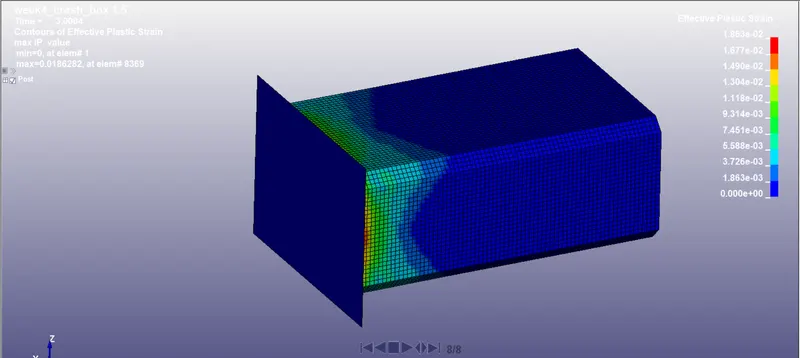
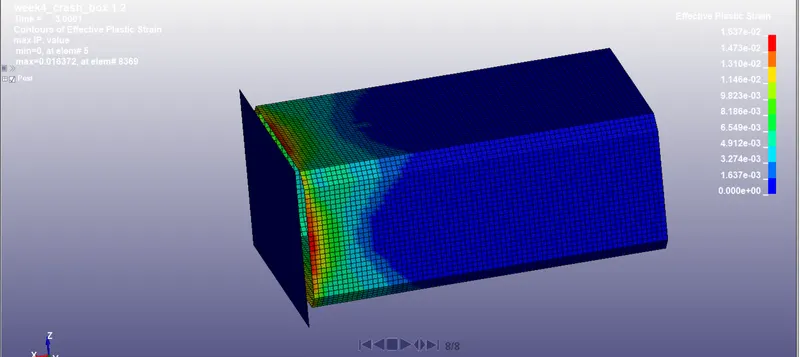
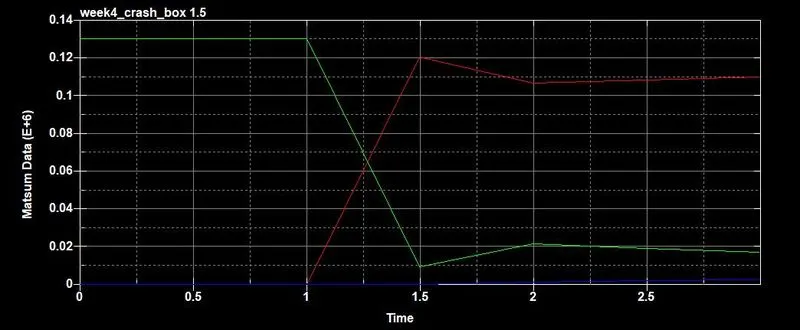
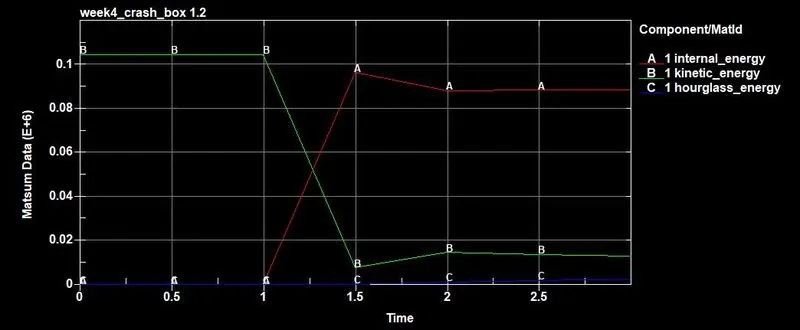
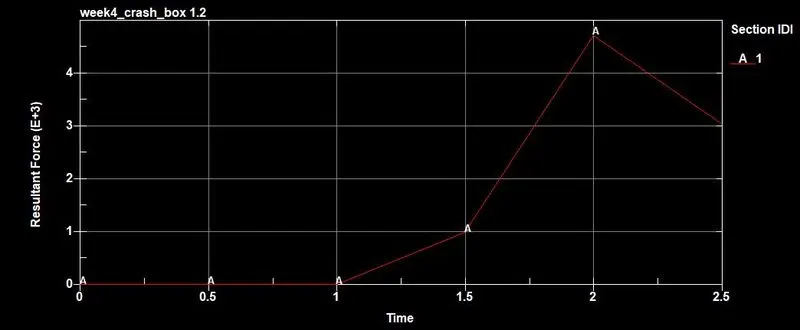
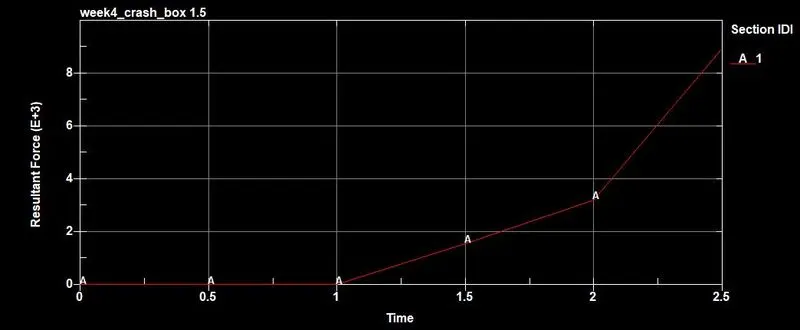
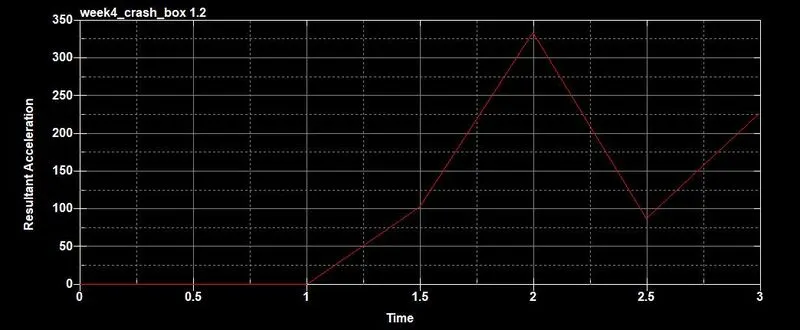
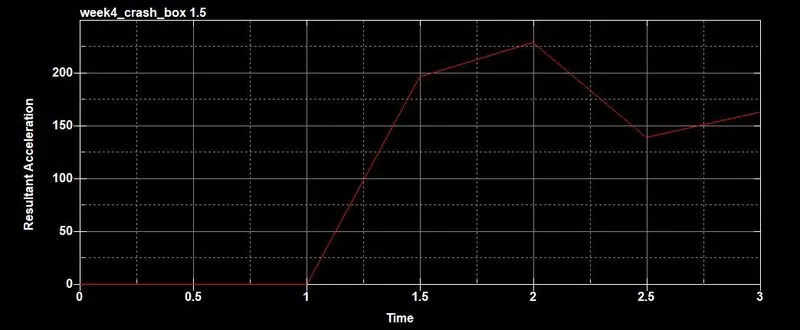
- The von-mises stress, effective plastic strain, acceleration for node id 650 and energy plot for both 1.2 and 1.5 mm are shown below.
VON-MISES
EFFECTIVE STRAIN
ENERGY
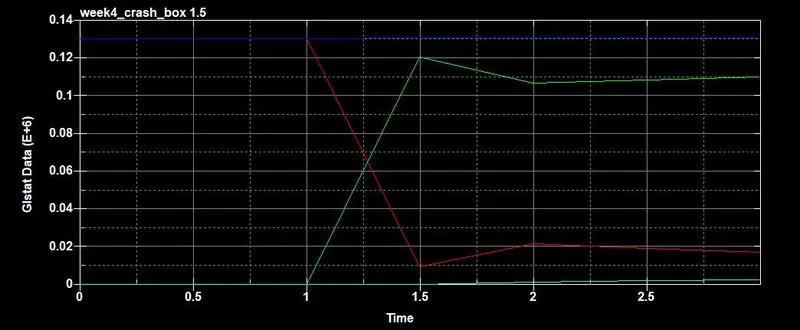
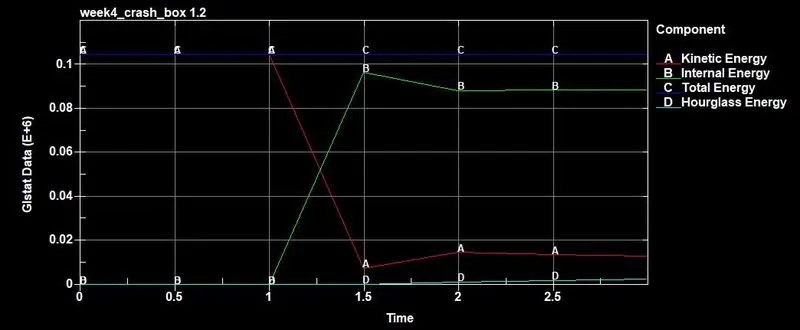
In both the cases hourglass and total energy remains constant but kinetic and internal energy drop and increases after impact.
MATERIAL ENERGY
SECTION ENERGY
ACCELERATION OF NODE ID 650
CONCLUSION
Ls-Dyna solver deck set-up for crash box is done with required database and keywords.
Analysis run successfully and post-processing of result where done using binary d3plot and ASCII files, the resukts where compared between the 1.2mm and 1.5mm thickness for the shell elements.
From the above results it is clearly concluded 1.5mm thickness elemtent absorb more energy than 1.2mm thick.
The acceleratiion of the node 650 is 335mm/ms at 2ms for 1.2mm thick element where the acceleration is 255mm/ms at 2ms in 1.5mm thick element.
Hence we concluded thickness of the element make difference even it has a same material properties and boundary conditions.