Week-3 Challenge: ADVISOR Tool
- To open the directory path of Advisor.m file in the Matlab directory path selection bar.
- After choosing the correct directory path we need to run the ADVISOR tool using command window.
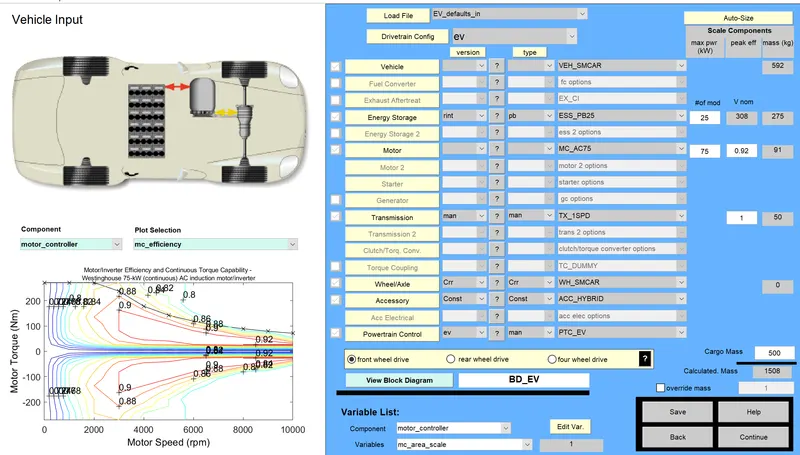
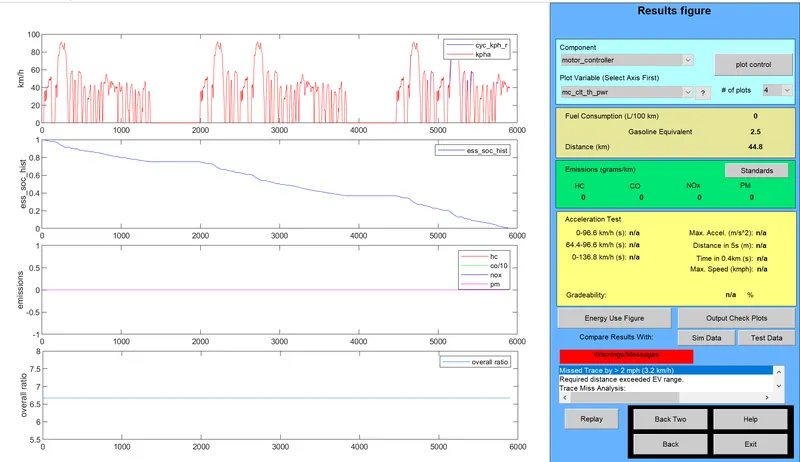
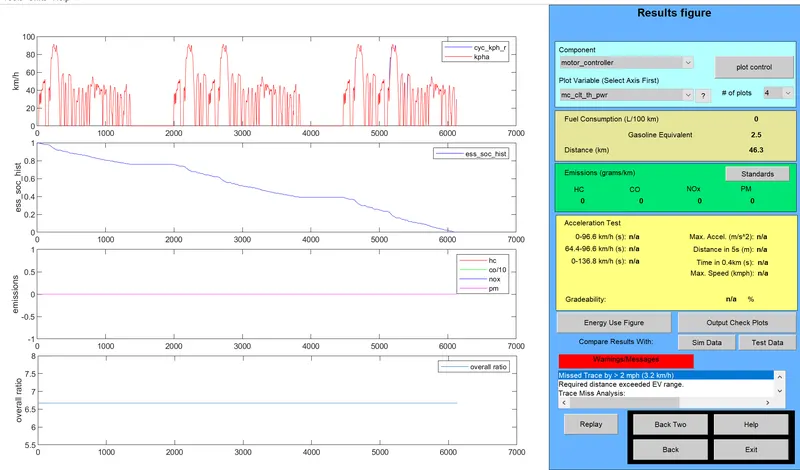
- In ADVISOR tool we need to pick the EV_defaults_in file and need to change the Cargo mass as 500 Kg.
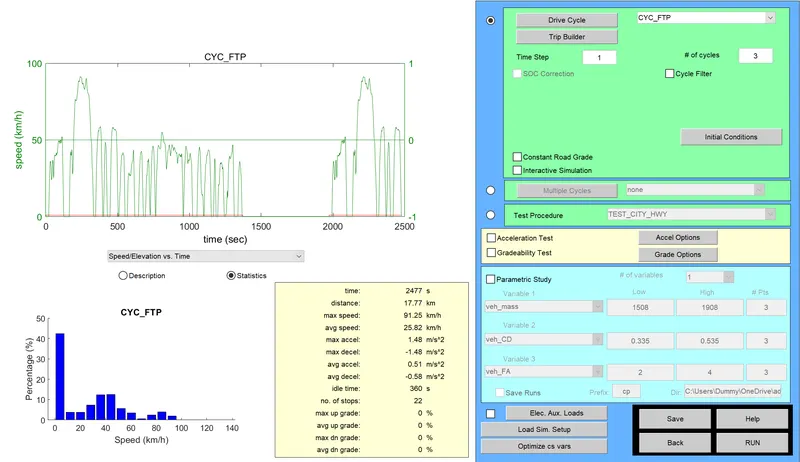
- The FTP Driving cycle is choosen and the single FTP cycle consists of distance as 17.77Km and to achieve 45Km, 3 drive cycle is selected.
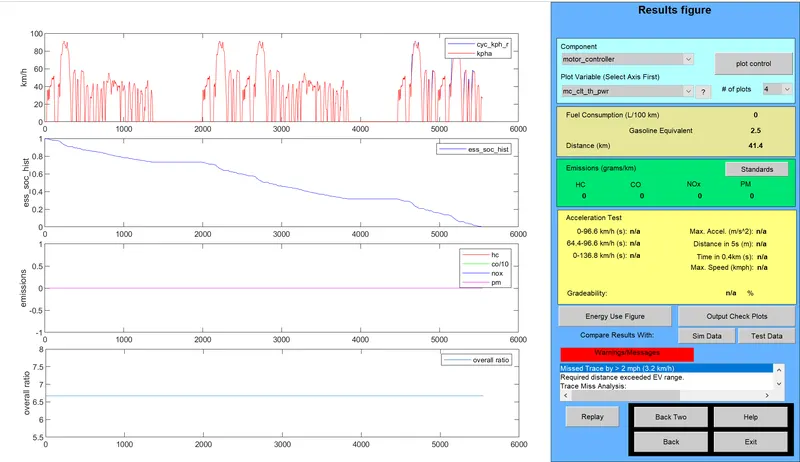
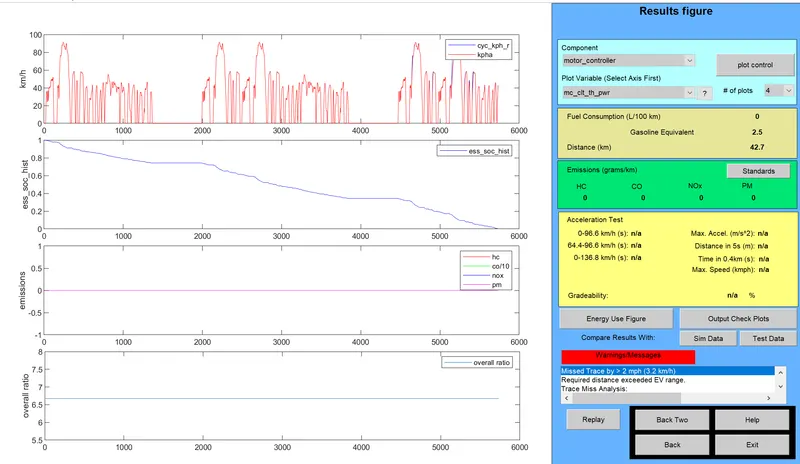
- The ADVISOR tool is made to run and results of SOC is observed through SOC vs Distance graph.
3. Perform gradeability test with PRIUS_Jpn_defaults_in file
Compare your results in table and conclude.
AIM:
To perform the gradeability test with PRIUS_Jpn model and find the different gradeability percentage for different speed of the vehicle.
PROCEDURE :
- First open the PRIUS_JPN_defaults_in model file in the ADVISOR tool.
- Choose the drive cycle in the tool and select the Gradeability test.
- In Grade option we need to choose the different speeds and observe the Gradeability percentage.
- We need to observe the Gradeability at different speed.
ADVISOR TOOL VIEW:
At a speed of 40mph:
The model is executed at speed of 40mph at a time duration of 10sec and the result is shown below:
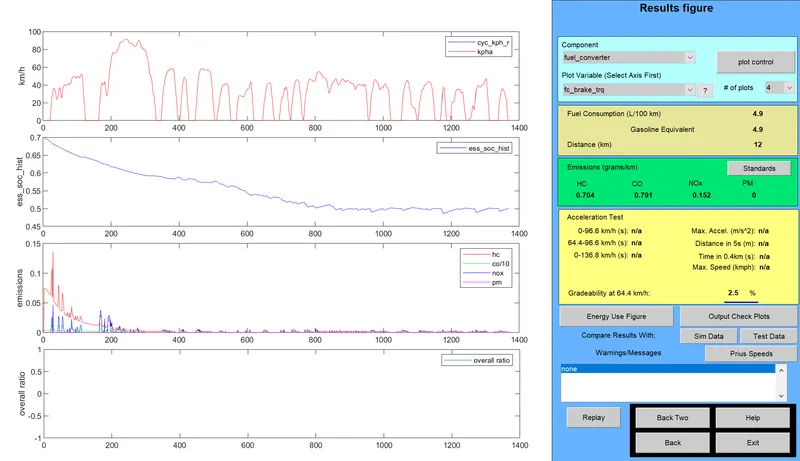
The above result shows that the gradebility percentage at 64.4 km/hr is 2.5%
At a speed of 50mph:
The model is executed at speed of 50mph at a time duration of 10sec and the result is shown below:
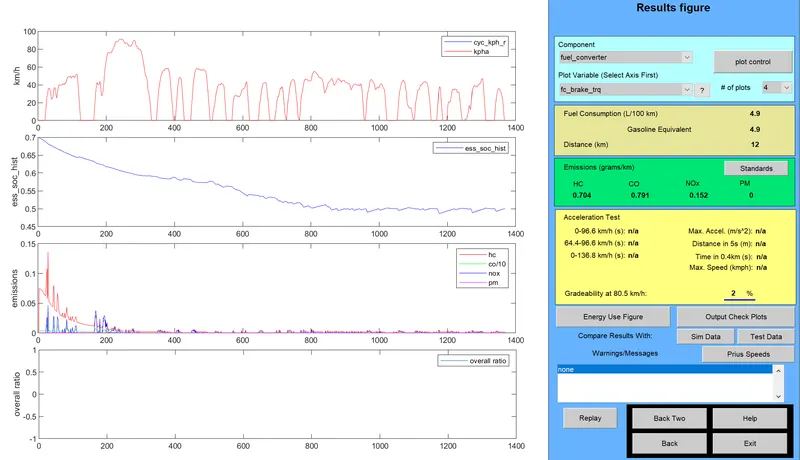
The above result shows that the gradebility percentage at 80.5 km/hr is 2%
At a speed of 60mph:
The model is executed at speed of 50mph at a time duration of 10sec and the result is shown below:
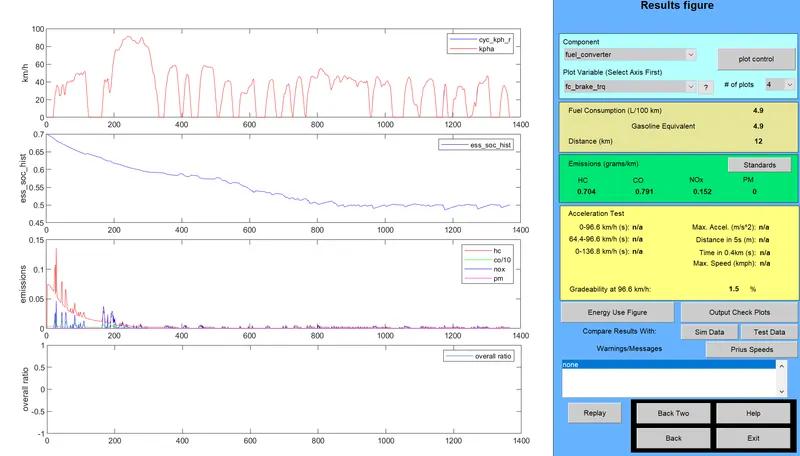
The above result shows that the gradebility percentage at 96.6 km/hr is 1.5%
TABLE:
| SPEED(mph) | TIME(Sec) | GRADEABILITY (%) |
| 40 | 10 | 2.5 |
| 50 | 10 | 2 |
| 60 | 10 | 1.5 |
CONCLUSION:
Thus the PRIUS_Jpn model is executed with gradeability test and the results are observed.