Week-3 Challenge: ADVISOR Tool
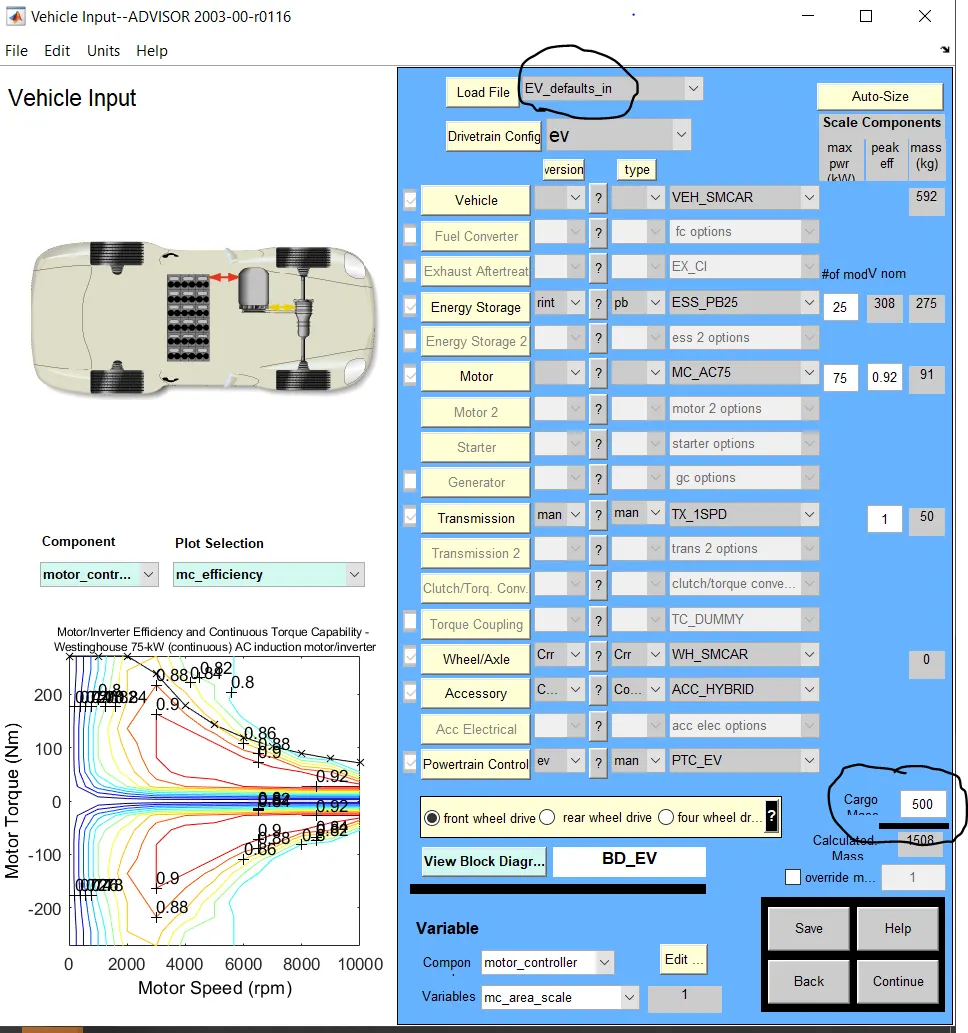
1)The aim is t carry out a simulation on ADVISOR tool on the EV_defaults_in option. The objective is to find whether the vehicle can have a range of 45 km on the default parameters with the given energy source and 500 kgs of cargo mass for FTP drive cycle.
To run the simulation, open the advisor tool and select the EV_deafults_in as shown in the below figure. The changes done are highlighted in the snapshots. CHange the cargo mass to 500 kgs and click on next.
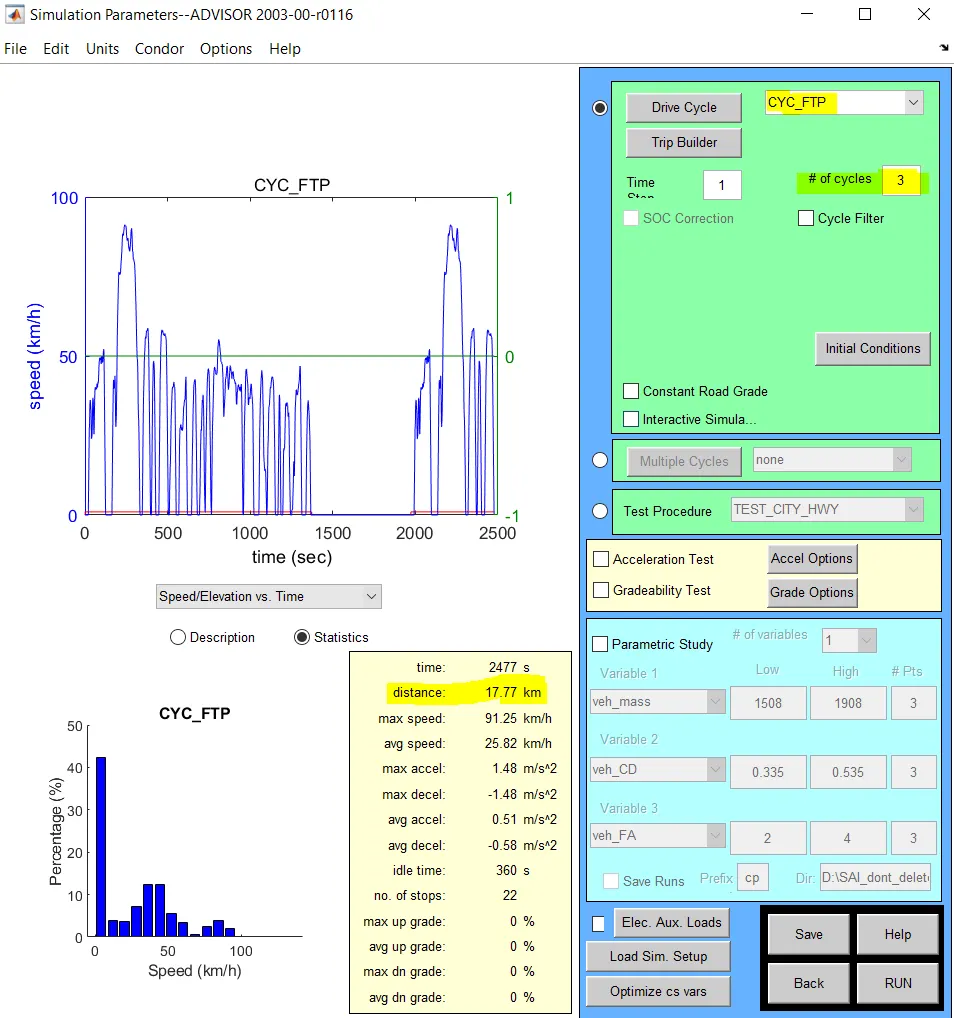
The next window opens up which prompts you to select the drive cycle for the simulation. The drivecyle under subject is the FTP drive cycle as higlighted in the image. This particular drive cycle has a total distance of 17.7 km. As we want to testdata for 45 km, we need to repeat the drive cycle until the distance covered reaches atleast 45 km. Repeating the drive cycle for 3 times does it as shown in the highlights. Click on RUN after this.
A new window pops up which shows the test data. As shown in the snashot below, the vehicle could only reach a distance of 41.4 km for the given driving style and energy source. The error message shows under which states "Required distance exceeded EV range" .
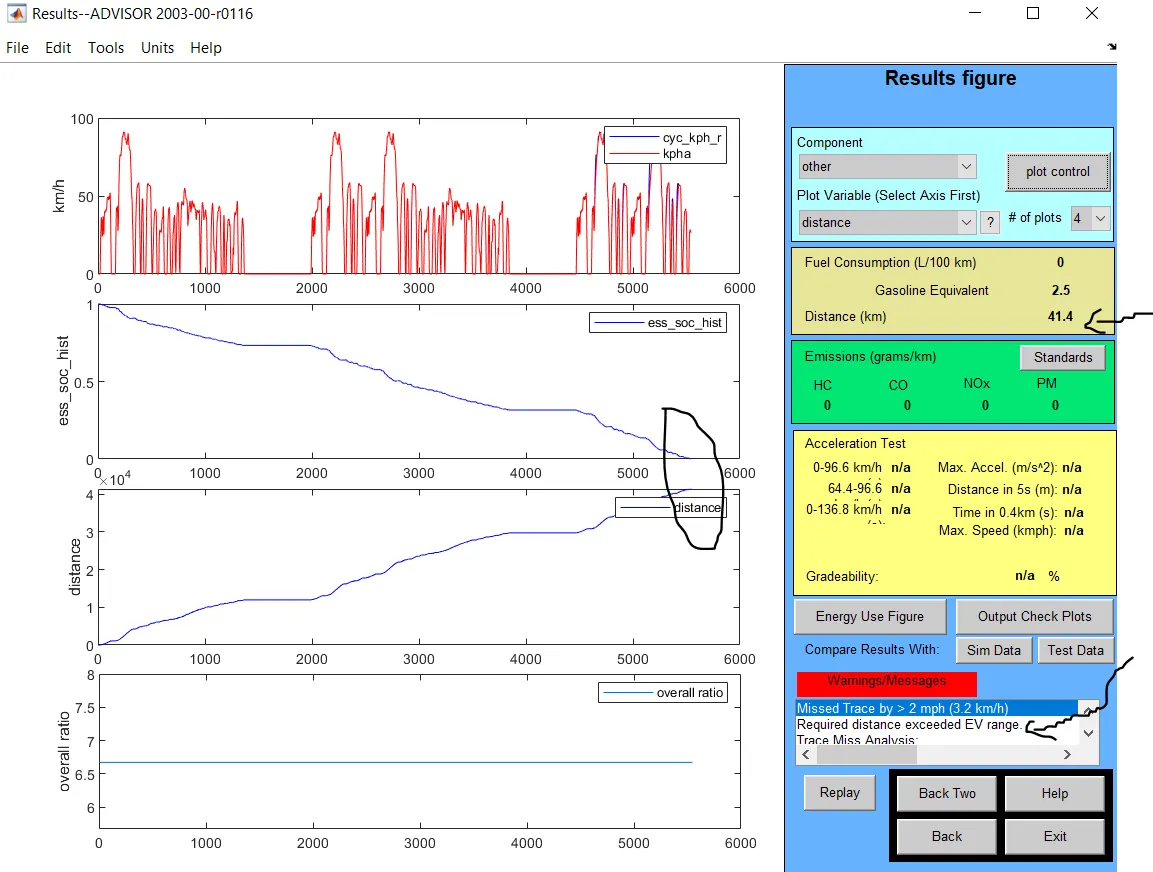
This shows, the EV doesn't have a range of 45 km.
2) From the above simulation data, we coudl infer that more energy is required for travelling a distance of 45 km on this EV. We could do this by increasing capacity or the voltage of the battery pack , both done by increasing number of modules.
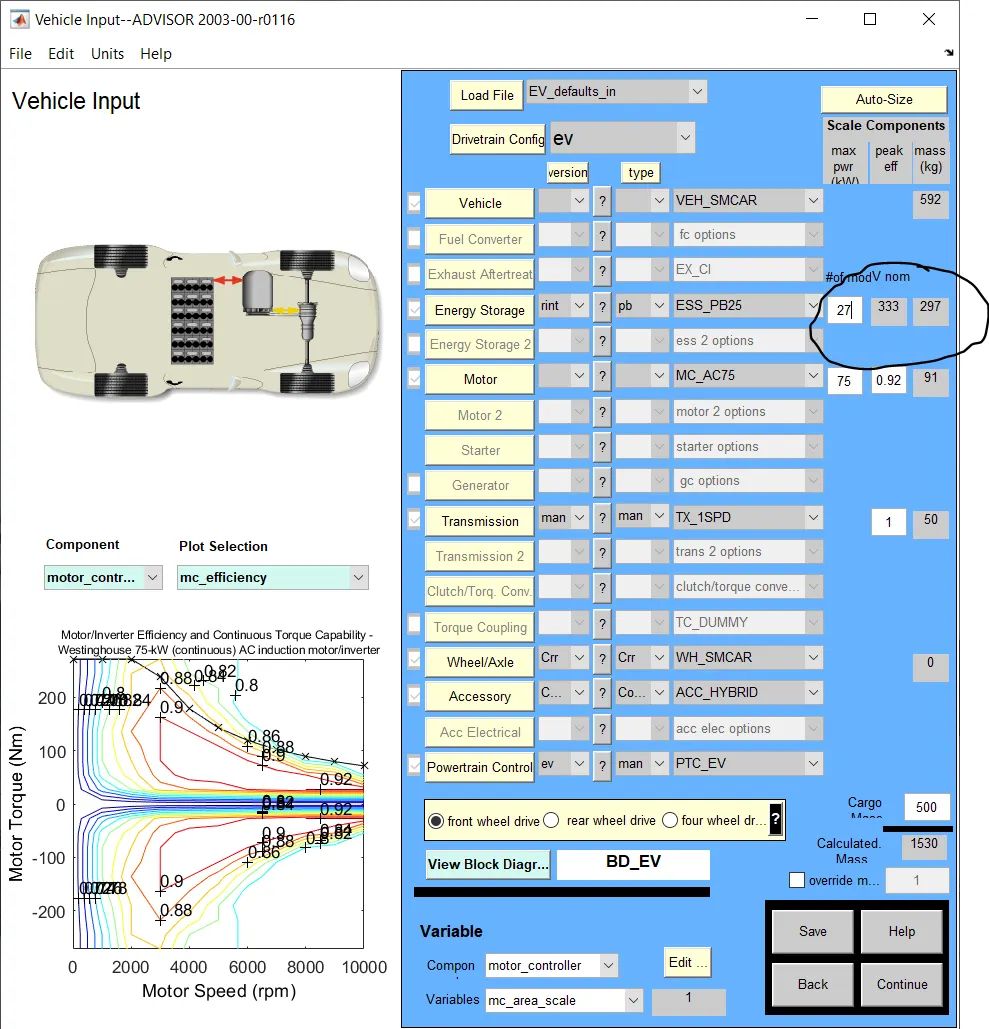
For the sake of the simulation, no. of modeues has been increased to 27 and the same simulation is run. The voltage of th battery pack is now 333 V.
The simulation results for the same drivecycle data now shows that the distance the EV could travel is 44.8 km.
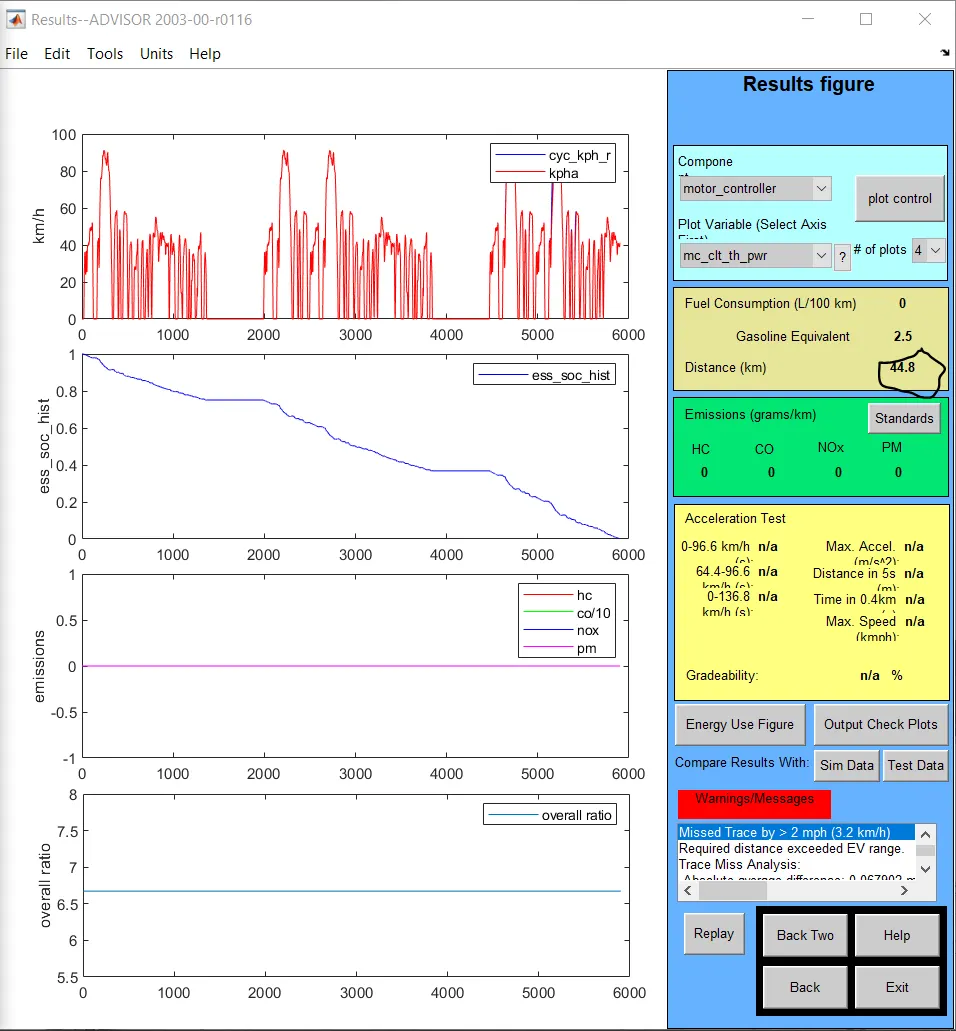
This means, more capacity is required and so the battery modules are increased to 28 with a voltage of 345 v and the simulation is run.
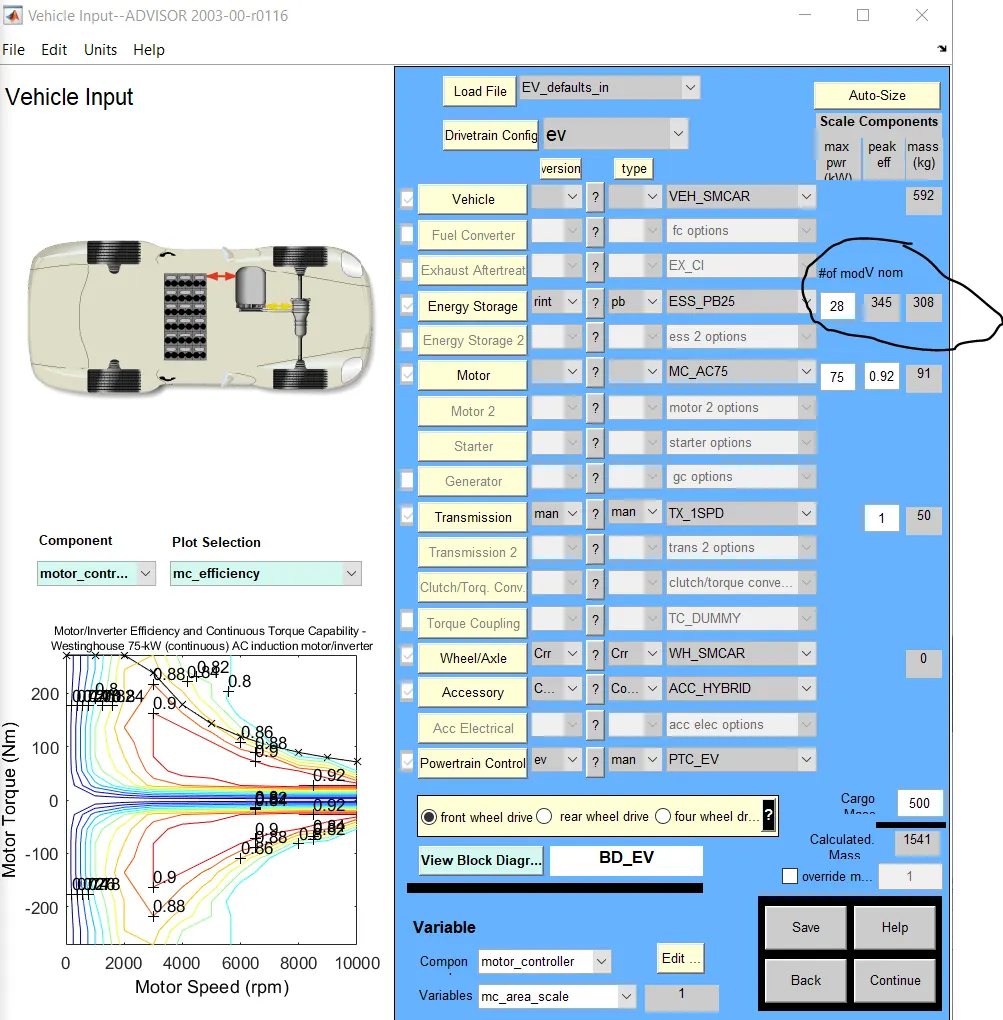
The test reults for this setup now shows that the Ev has a range of 46.3 km which is greater than 45km.
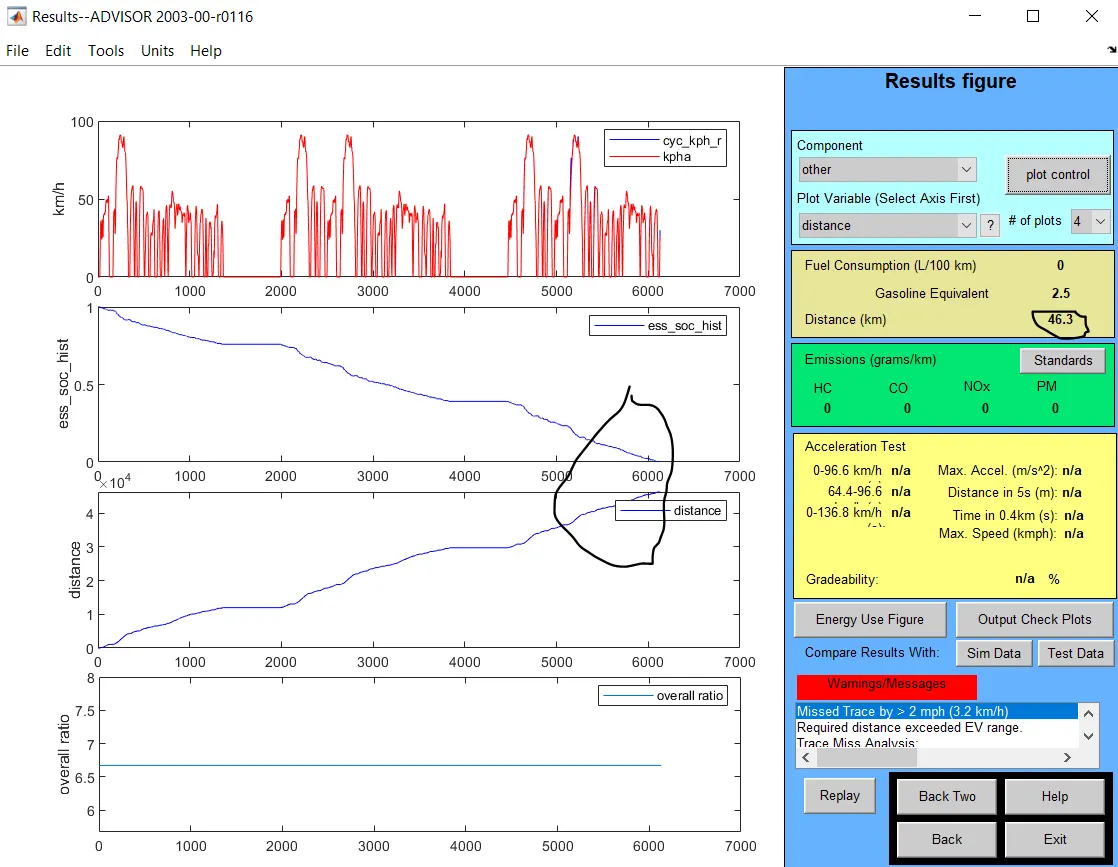
Hence the required driving range is obtained by increasing the number of battery modules.
3) The aim of this challenge is to find the maximum gradeability Prius_jpn_defaults_in can climb for a given velocity.
We perform this test by choosing Prius_JPN_defaults_in from the drop down menu as shown in the figure below.
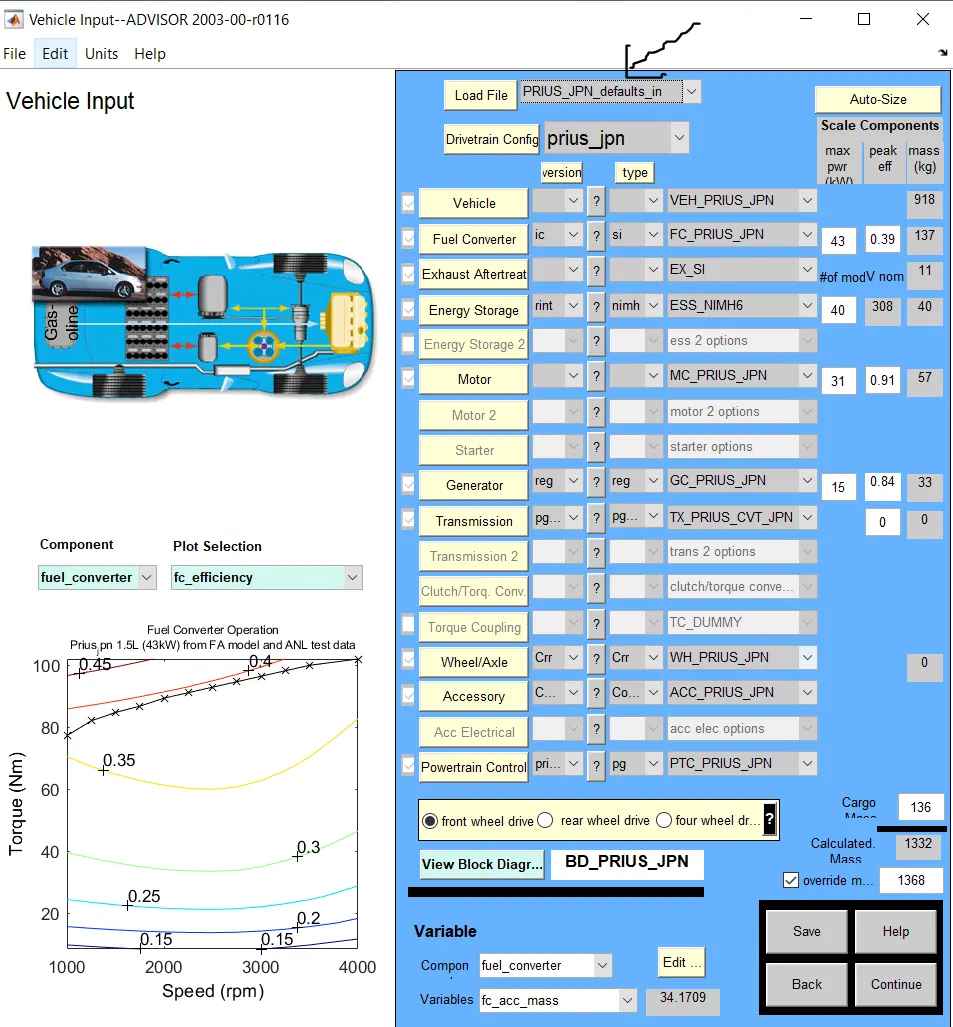
The remianing parameters are kept as is, and for this condition the gradeability test is performed. Click on continue.
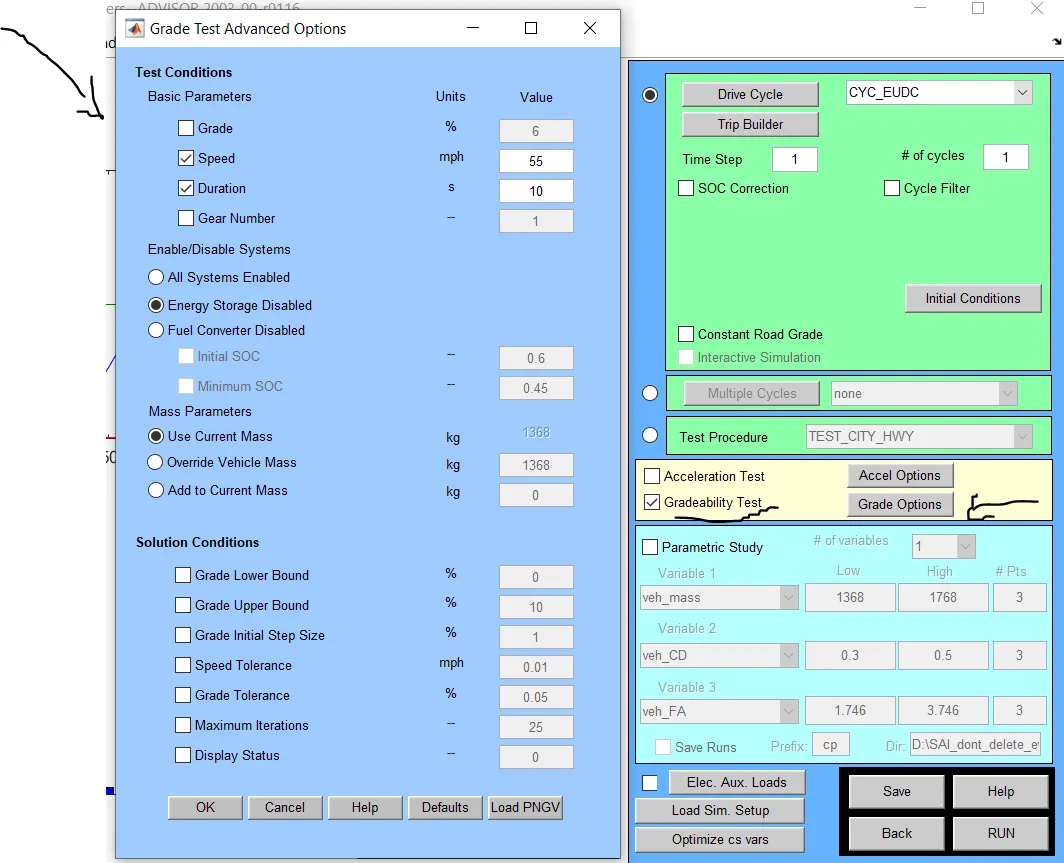
Enable the gradeability test option and clcik on grade options. The window to the left as shown in the figure opens. Options can be choosen as required. For the simulations sake, we leave the options that come by default. Click on OK and RUN the simulation. The simulation data is shown in the test results window as shown in the image below.
The data is for the speed of 55 mph. The gradeability that the vehicle can handle at this speed is 1.7 % .
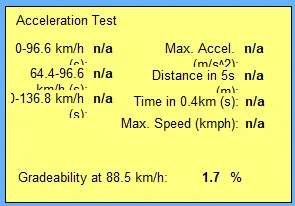
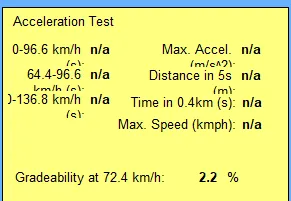
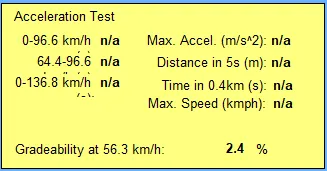
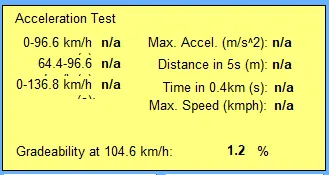
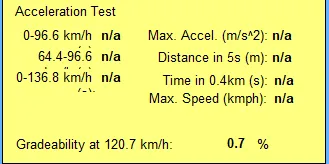
The simulation is run by changing the speed inputs, to see how gradeability changes accordingly.
| 45 mph | 35 mph | 65 mph |
 |
 |
 |
| 75 mph | 85 mph |
 |
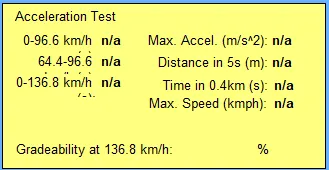 |
As shown in th above table, the gradeability test failed for the speed of 85 mph, indicating, that vehicle cannot go at that speed with any gradeability.
From the table, we coud conclude that, as the required speed increases, the gradeability that the vehicle can handle decreases.