ADVISOR Tool
AIM-
To use advisor tool for simulation.
OJBECTIVE-
1. For EV_defaults_in file, if cargo mass is 500 kg with all other default conditions, can the vehicle travel for 45 km with FTP drive cycle? Conclude your observations.
2. In the above case, try changing the battery capacity and repeat the simulation.
3. Perform gradeability test with PRIUS_Jpn_defaults_in file. Compare your results in table and conclude.
ABOUT ADVISOR TOOL-
Advisor tool was devloped in November 1994 by national renewable energy laboratory(NREL). Allows user to simulate and analyse conventional , advanced and light and heavy vehicles including hybrid electric and fuel cell vehicles .It helps in estimating fuel economy of vehicles that have not been built yet and comparing relative emissons produced on a number of cycles or optimizing the gear ratios in transmission to minimize fuel use or maximixe performance etc.
EXPLANATION-
STUDY 1-
First we have to load EV-DEFAULT-IN File from drop down menu and change the PARALLEL-DEFAULT-IN from vehicle input window, and after that we change the cargo mass to 500kg and see the total change of mass of vehicle.
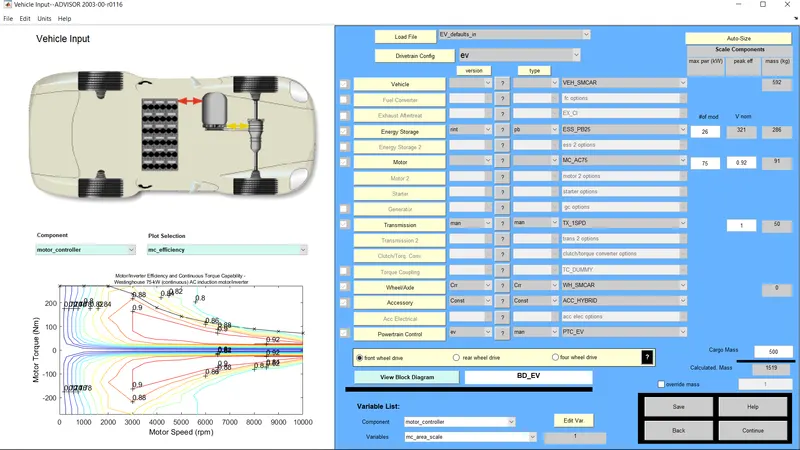 --> (Vehicle input window) where we change the file to ev default and cargo mass to 500kg
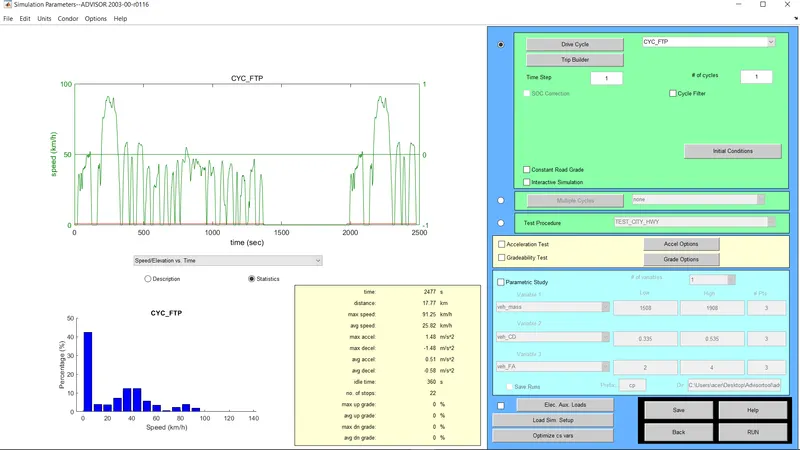 -->(simulation parameter window) where we change the drive cycle was changed to CYC-FTP
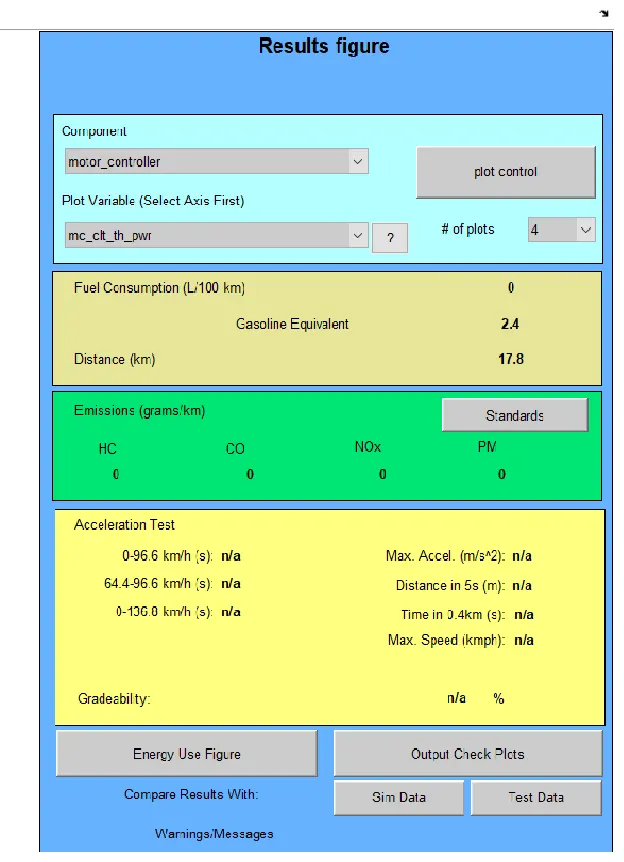
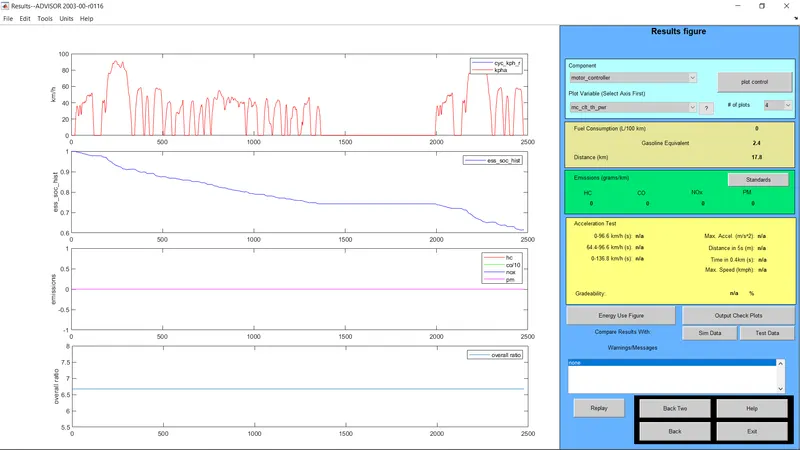 -->(Result window) where the distance travelled is 17.8km
so, the distance travelled by the car is 17.8km .Therefore, EV-default cannot travel distance of 45km.
STUDY 2-
Changing the battery capacity and repeating the simulation.
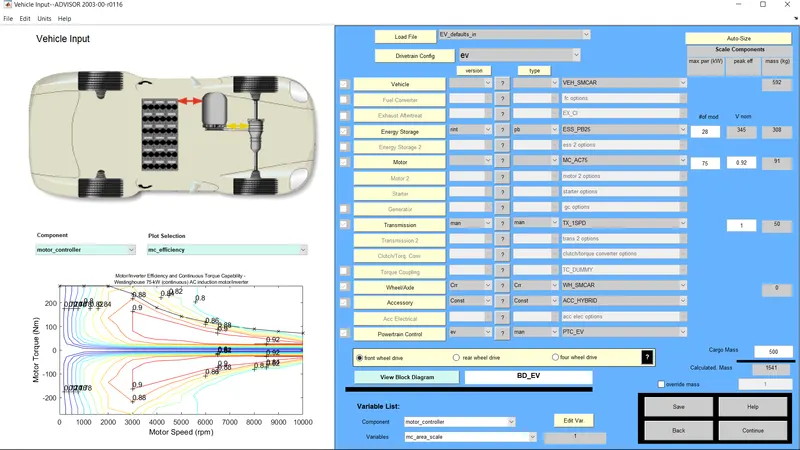
Here in the energy storage section the battery module is changed from 25 to 28 but here in the result window below we get the constant distant travelled as 17.8 km.
STUDY-3
To perform gradeability test with PRIUS-jpn-default-in model selection file.
In ADVISOR tool vehicle input window selecr prius-jpn-default-in and the simulation window will be opened
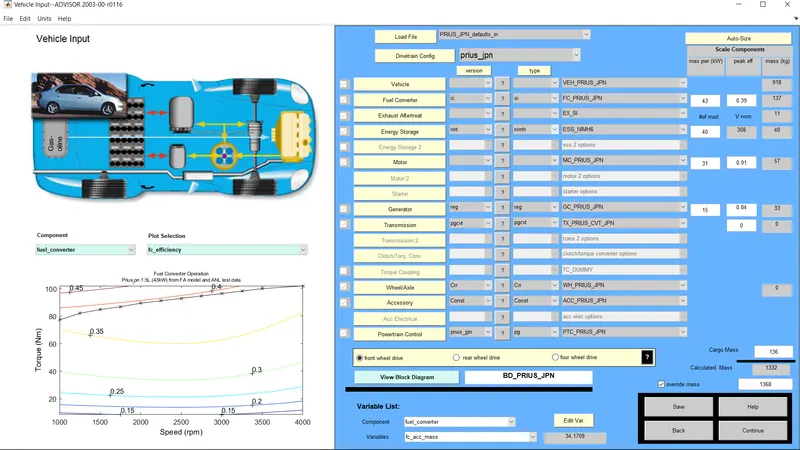
Then in the simulation window we click on gradeability test and a new box will be opened.
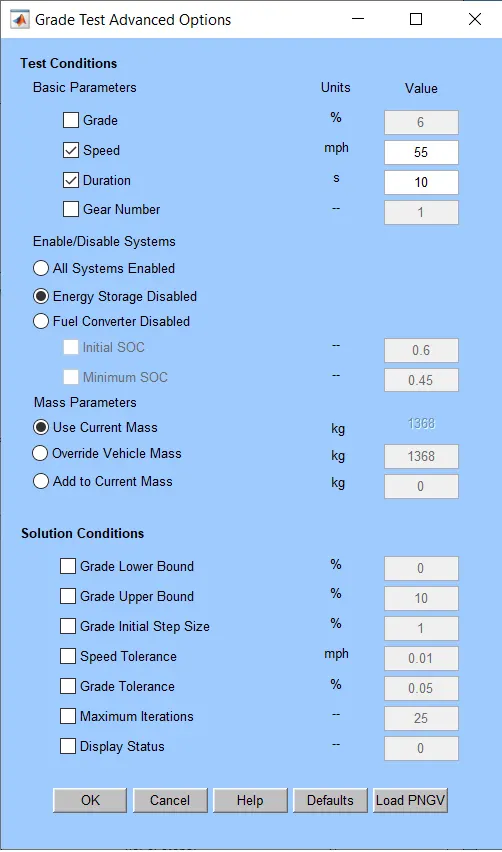
Here in the grade option box we can change the speed and duration with respect to our simulation. For this simulation we are changing the speed to 20mph and the duration is kept 10secs and the" all systems enabled" option is selected.
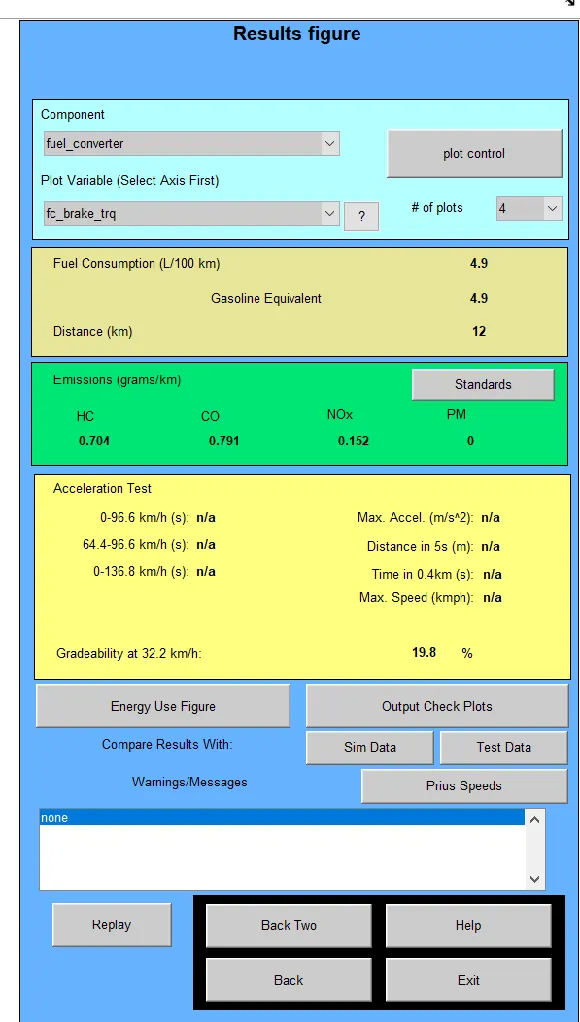 --> here when we give the speed as 20mph gradeability shows 19.8%.
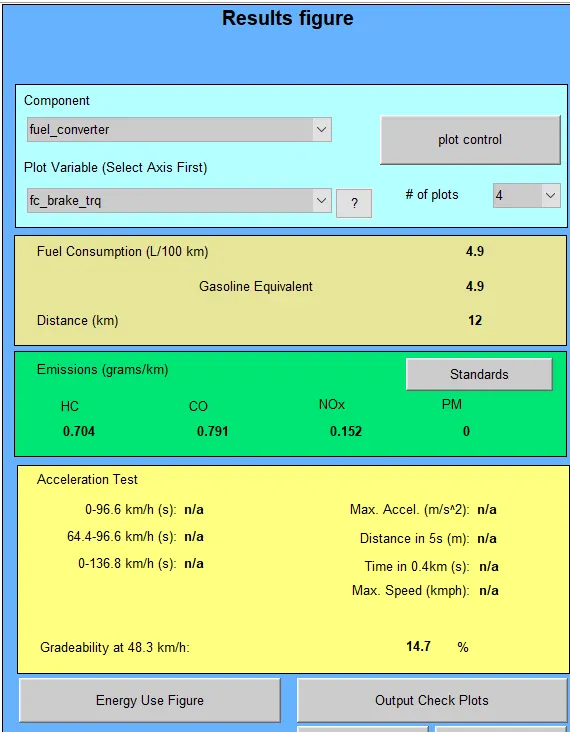 -->here when we give the speed as 30mph the gradeability shows 14.7%
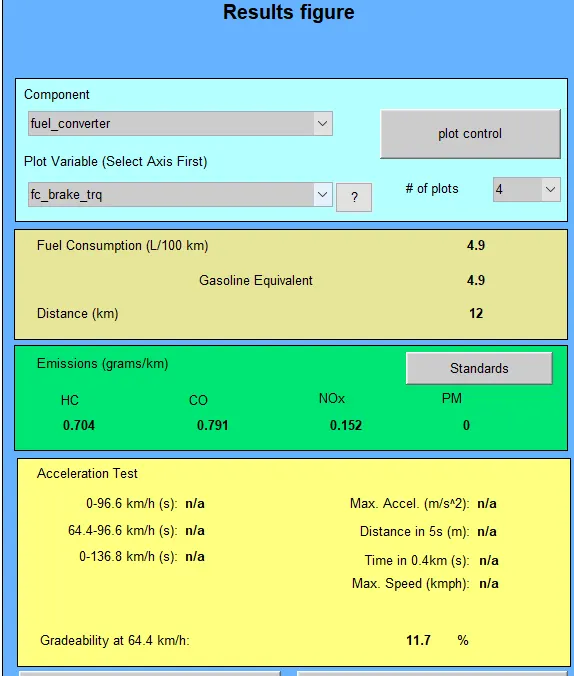 -->Here we changed the speed to 40mph and gradeability shows 11.7 percent
TABLE FOR COMPARING VEHICLE SPEED WITH RESPECT TO GRADEABILITY FOR TOYOTA PRIUS MODEL.
| SL.no | Speed(mph) | Speed(kph) | Gradeability(%) |
| 1 | 20 | 32.2kmph | 19.8% |
| 2 | 30 | 48.3kmph | 14.7% |
| 3 | 40 | 64.4kmph | 11.7% |
CONCLUSION-
In the first question the vehicle distance fails to achieve 45km
In the second question in the vehicle energy storage section the battery module is changed from 25 to 28 but here in the result window below we get the constant distant travelled as 17.8 km.
In the third question, the table is made for comapring gradeability percentage wrt given speeds.
- Mukul Masulkarcan u help me bro for this project plz.....9131820317