Week 10 - Challenge 3 - Door Trim Lower with Engineering Features
DOOR TRIM LOWER ENGINEERING FEATURE
AIM:
- To create the Door Trim Lower plastic component through the given Class-A surface.
- Create the Heat Stakes and the LOcators considering the design rules.
OBJECTIVES:
- To begin with, the tooling axis for the given Class-A surface should be created meeting the requirements of the draft angle and at the end perform the draft analysis on the model.
Take thickness of the component to be 2.5mm.
- Tooling axis
- Class A,B and C surface.
- A detailed report should be done explaining the draft analysis and the tooling axis creation.
- An explanation should be given on the way of creating the tooling axis, particularly the Bisecting method.
DESIGN METHODOLOGY:
CLASS-A SURFACE:
- The class-A surface is the art in front of the engineering. It is astyling process brought into a digital life.
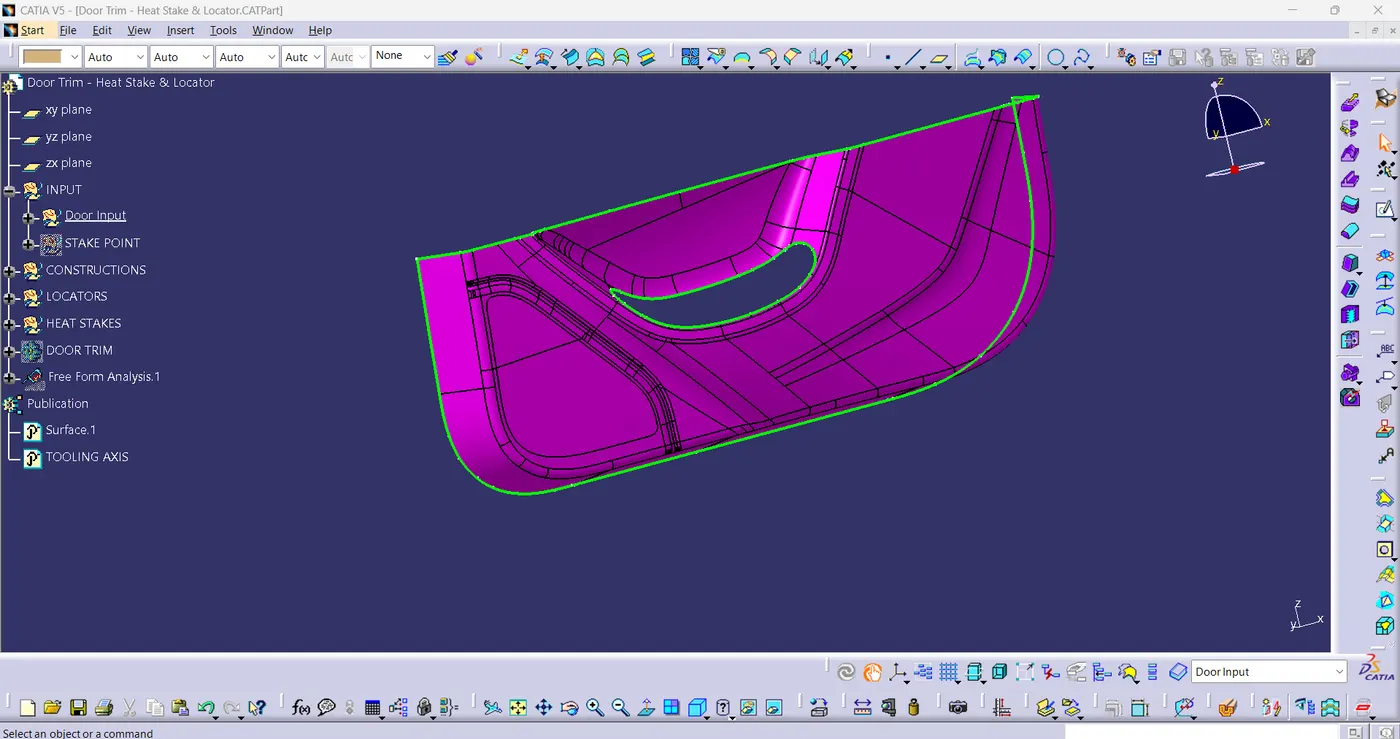
- According to given task, Class-A surface need to be thicken but before that inspection should be performed on Class-A surface as shown in below fig(1).
fig(1)
TOOLING AXIS:
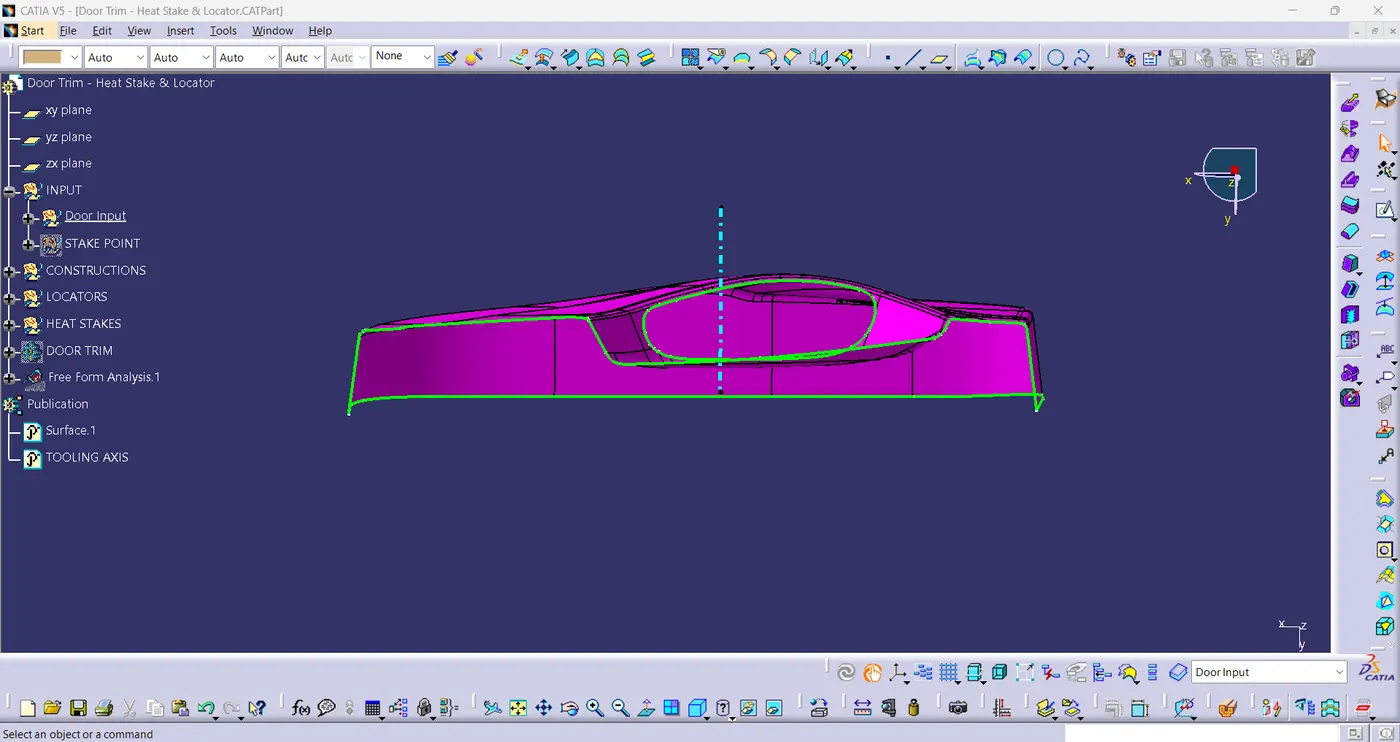
- An Angle 1 is rotated around the x-axis, and then an Angle 2 is rotated about the y-axis to create the tooling axis. Angles1 and 2 are centered on Z and X, respectively. The tool's axis is rotated by first an Angle of one about the z-axis and then an Angle of two about the x-axis.
- In Practical based on the removal metal from core & cavity we need centre of the surface which known as Tooling axis.
- Create a dummy lines on a bush or hole walls and then intersect them.[fig(2)]
fig(2)
PUBLICATONS:
- "Publishing geometrical elements is the process of making geometrical features available to different users".
- "A Publication acts as reference to a geometric or datum entity in a CATIA V5 part or product".
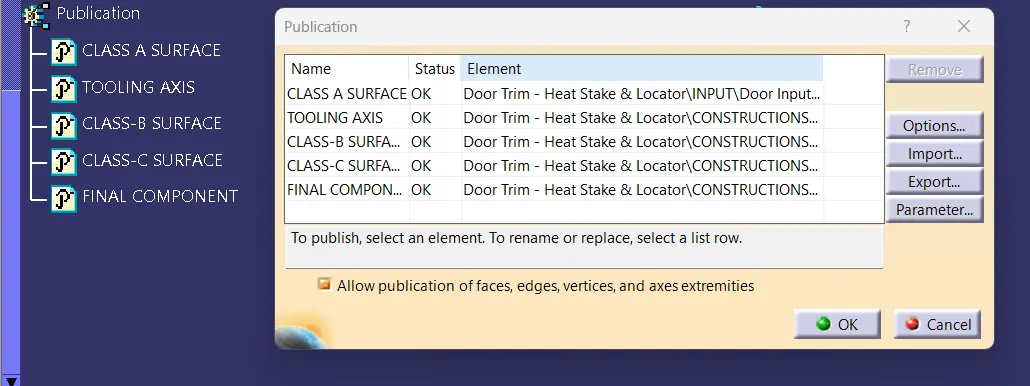
- When working on the catia we must choose the class A,B and C surfaces & Tooling axis. Then, we must go to the tools and choose the publication. This involves choosing the geometrical aspects that are easier to reveal or hide. After selecting "yes" and "ok" the publiction appeared on the Tree, as shown in fig(3).
fig(3)
CLASS B SURFACE:
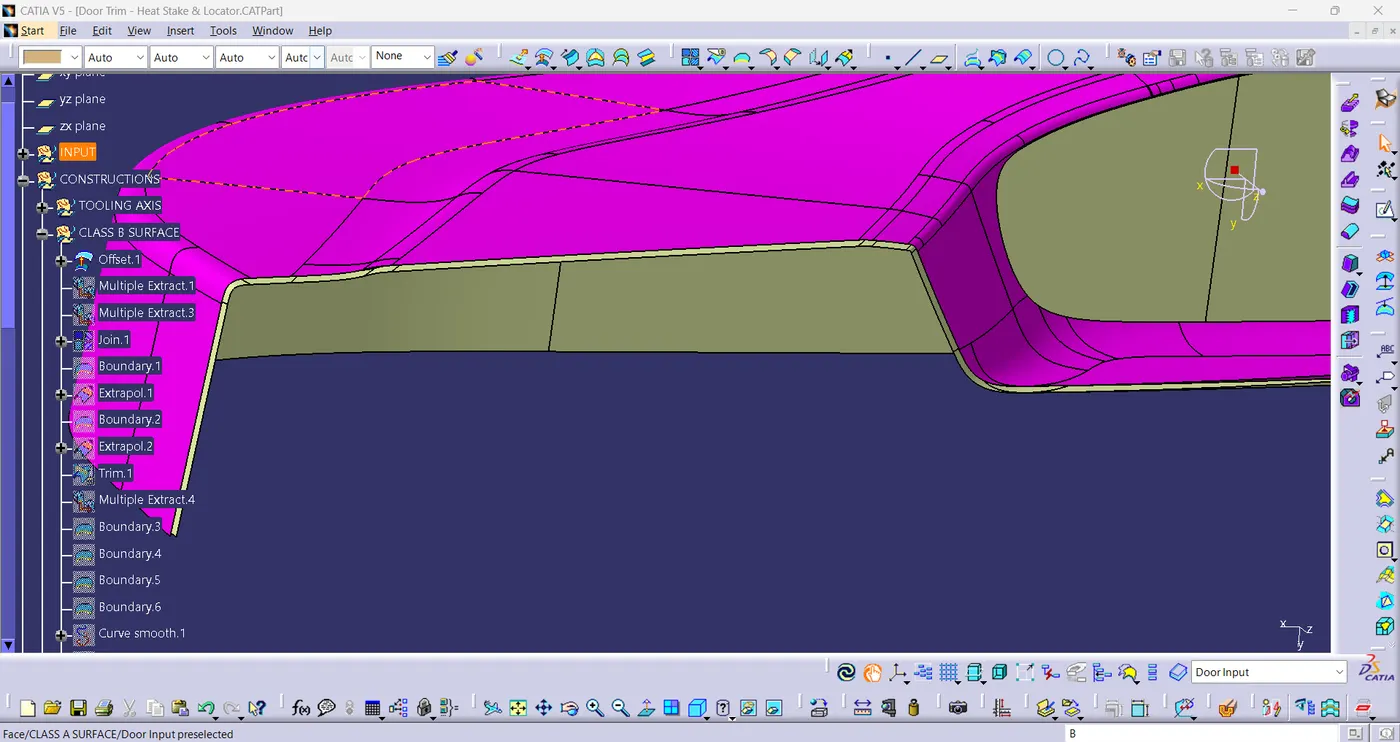
- OFFSET OF CLASS A:
fig(4)
- B-surface Final Fillets & Multi-sections:
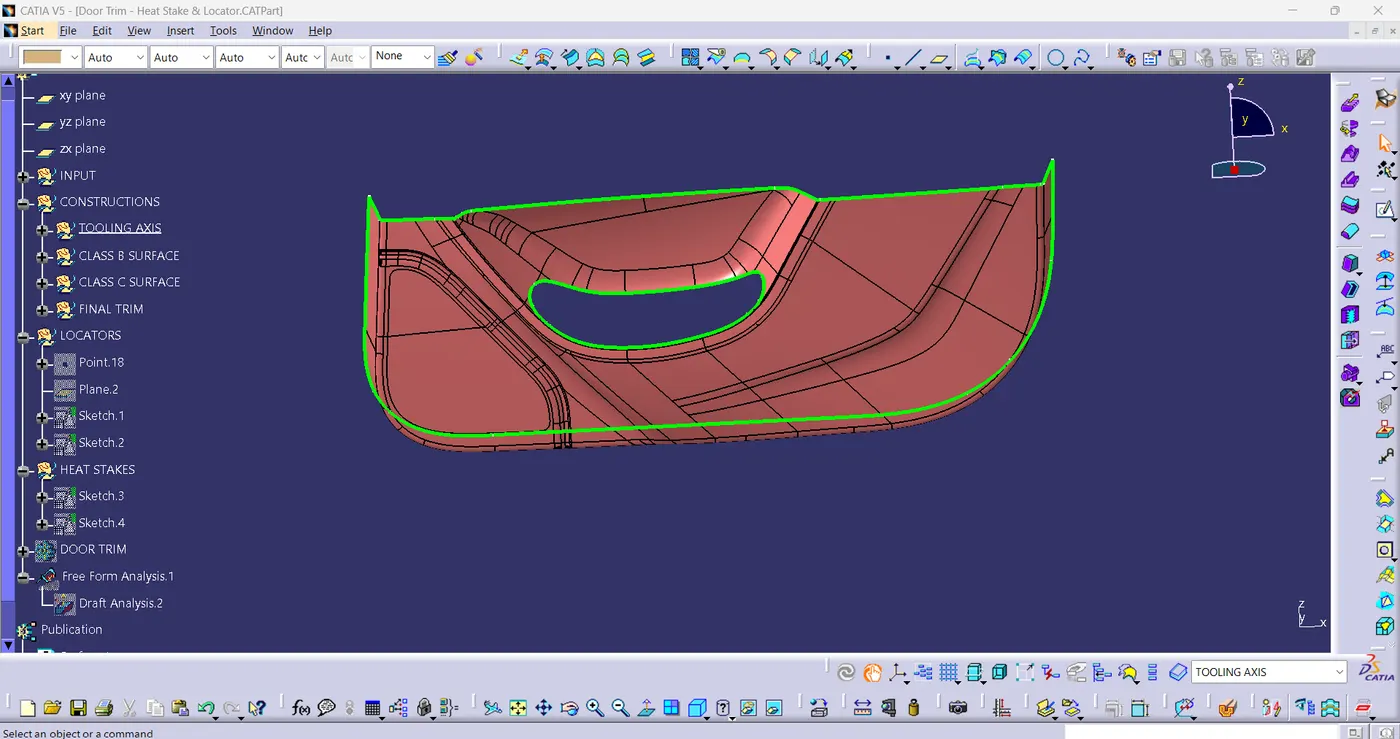
- Given edge fillet to the B Surface to Measure of Class A As shown in fig(5).
fig(5)
CLASS C SURFACE:
- The class C finish allows more imperfections than Class A or B. Class C is often specified for interior surfaces not readily visible, surfaces that will be covered by another part when assembled.
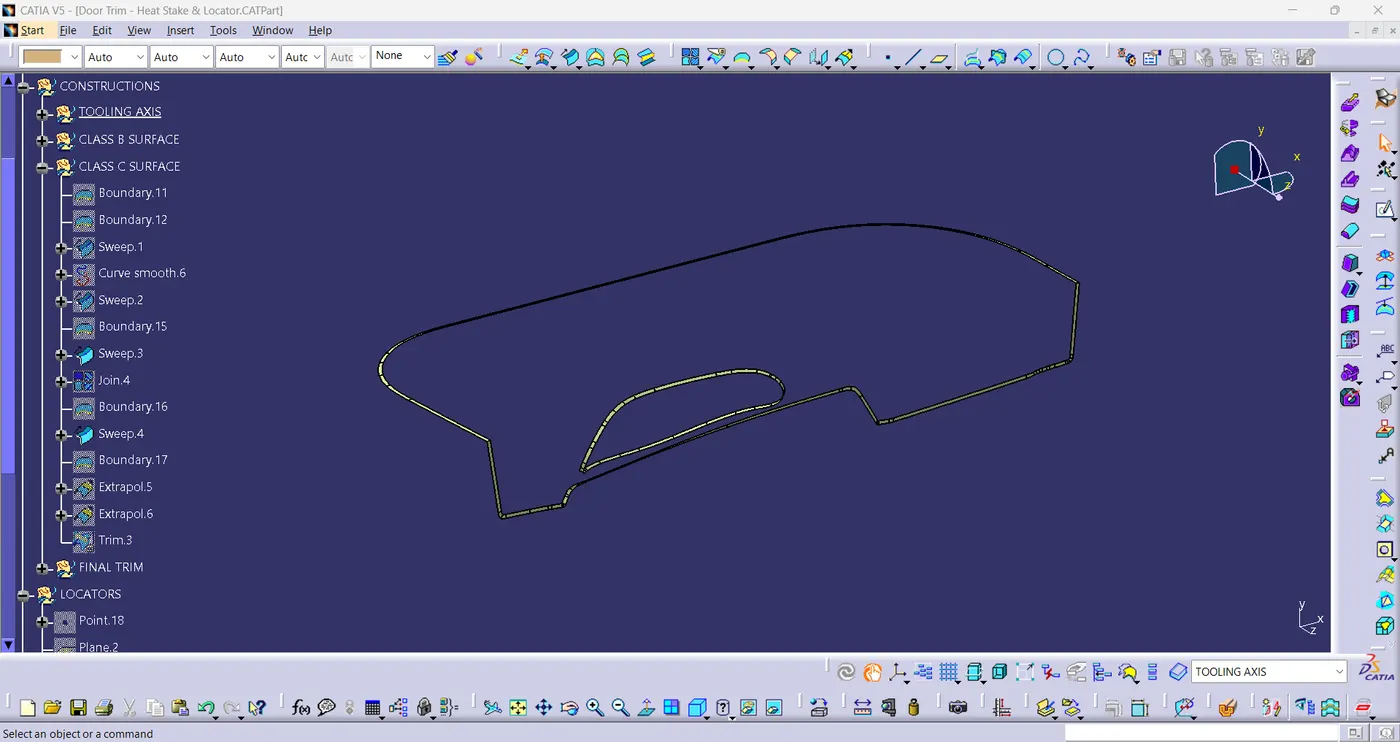
- While constructing the C surface we have to take Boundaries of Class-A surface & swept them & Join them. Afterwards, We have obtained the Class -C surface as shown in below fig(6).
fig(6)
CLOSE SURFACE SOLID BODY:
- A Closed surface contains a volume of space, enclosed from all directions.
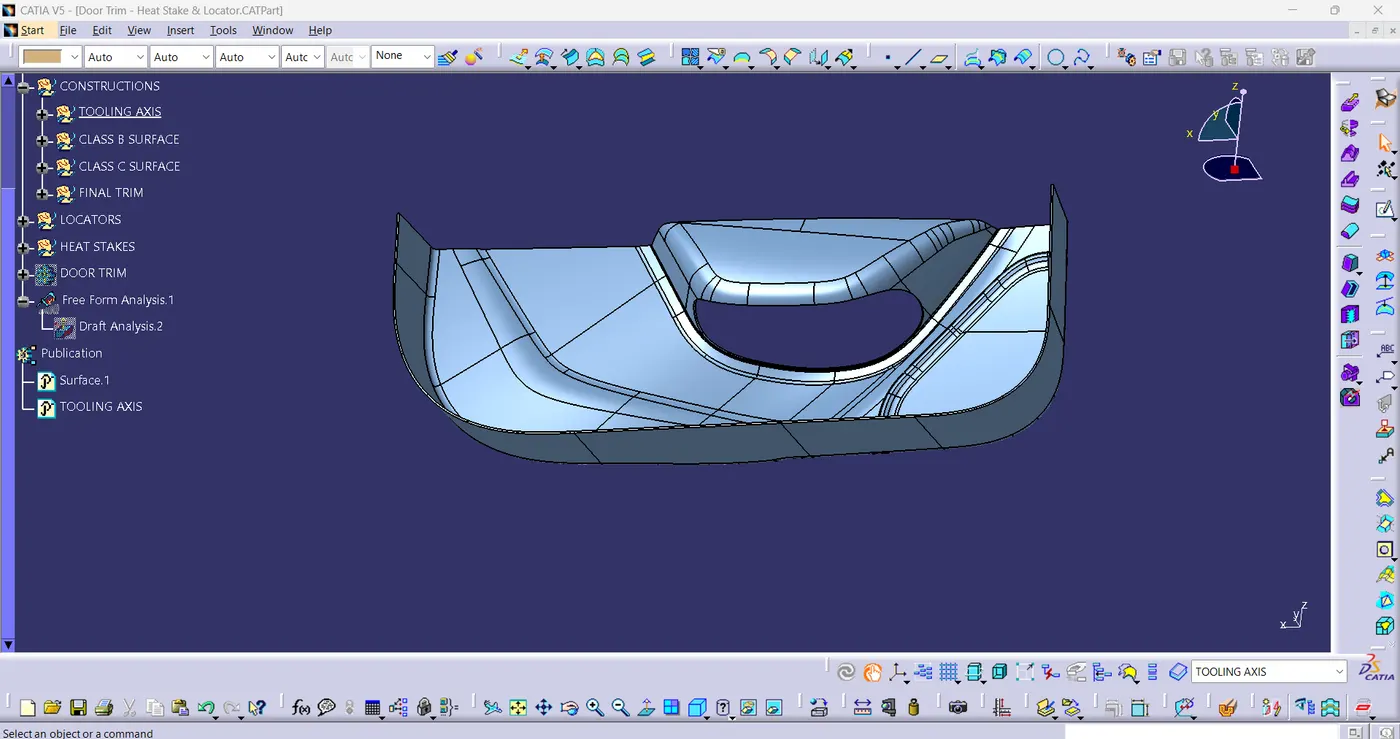
- Go to the part design workbench & Click the close surface command & click the final trim surface component then the close surface solid body formed as shoown in fig(7).
fig(7)
HEAT STAKES:
- Heat staking is also known as Thermoplastic staking is the process of joining two dissimilar materials together. In heat staking we used local heating and cooling to raise the temperature of the plastic components and allow plastic reforming to be carried out. This reforming can be used in wide variety of applications.
Sketch for Heat Stake:
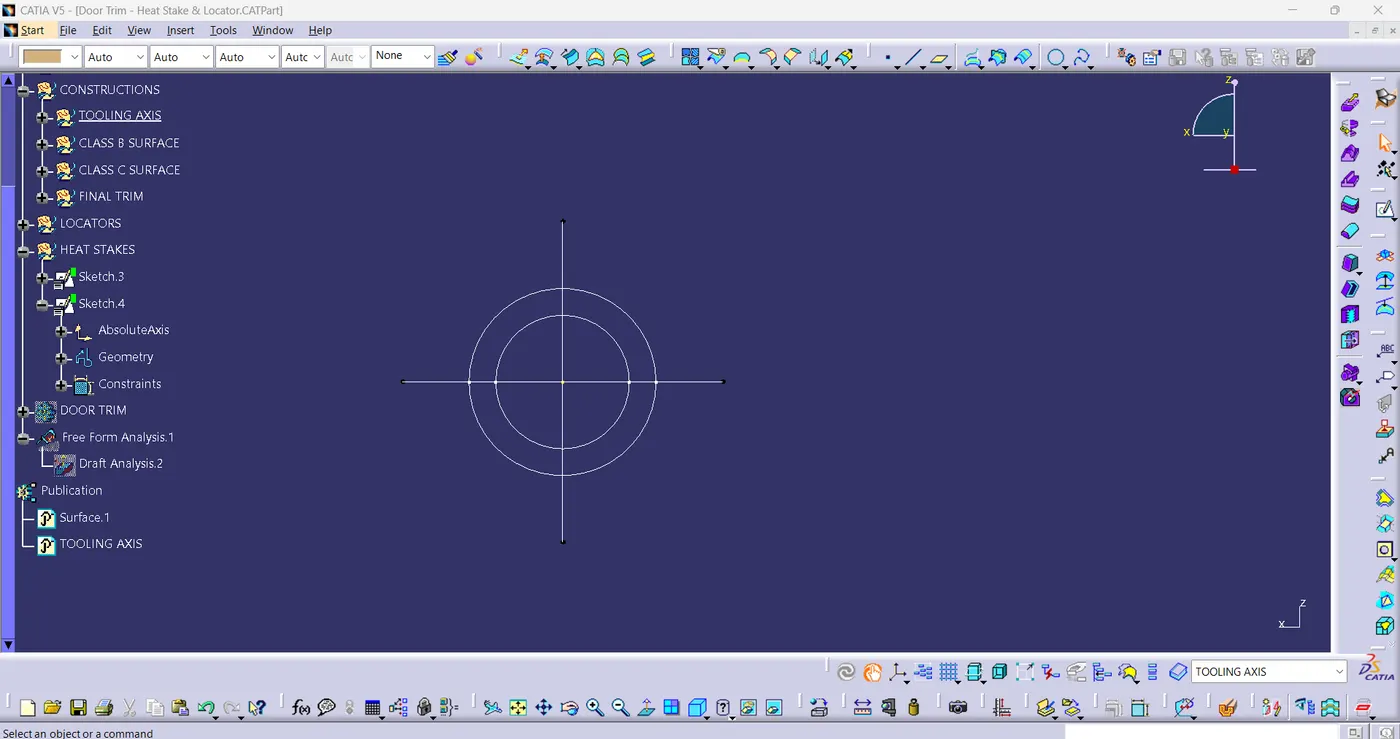
- Take 5 & 7 mm Dia circle as shown in fig(8).
fig(8)
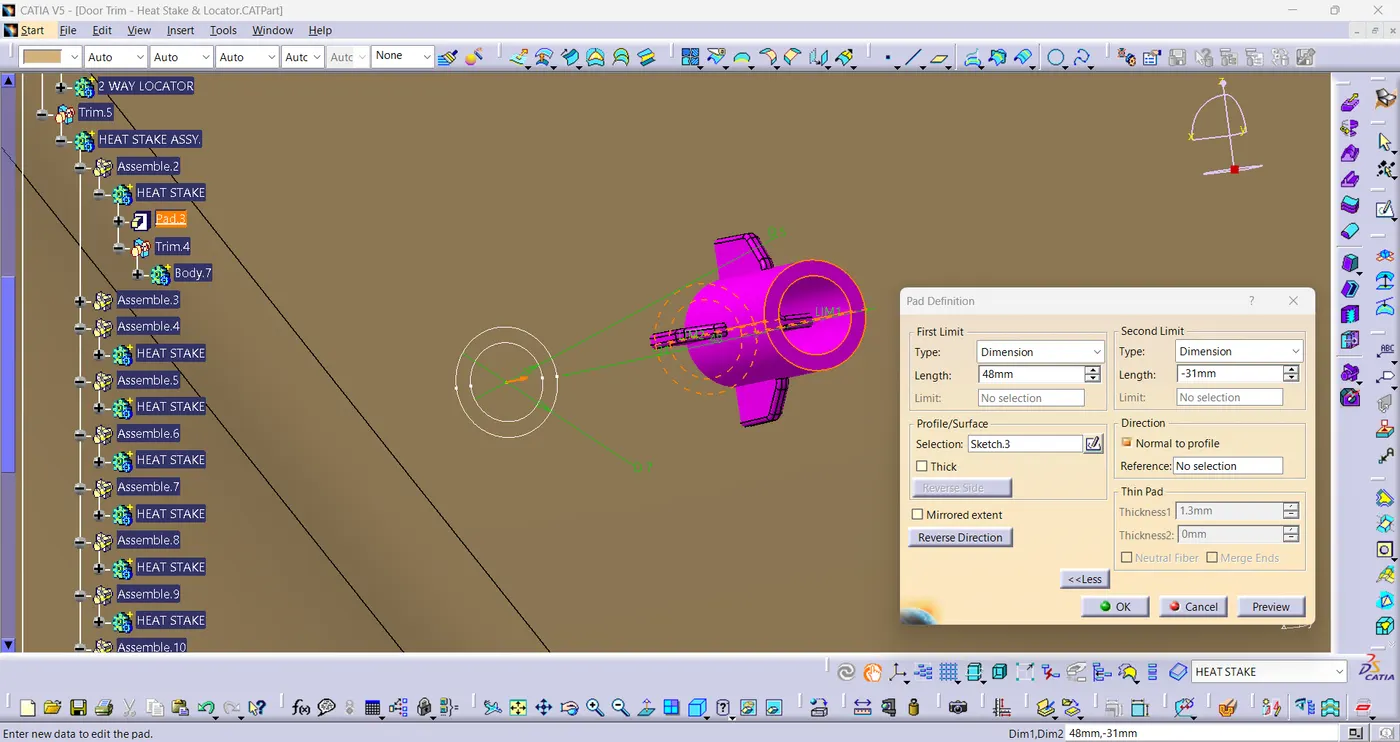
Heat Stake Pad:
- Pad (Rib Height + Added component Thickness+ 12mm) in fig(9).
fig(9)
LOCATORS:
- Locator is one that locates something like ribs.
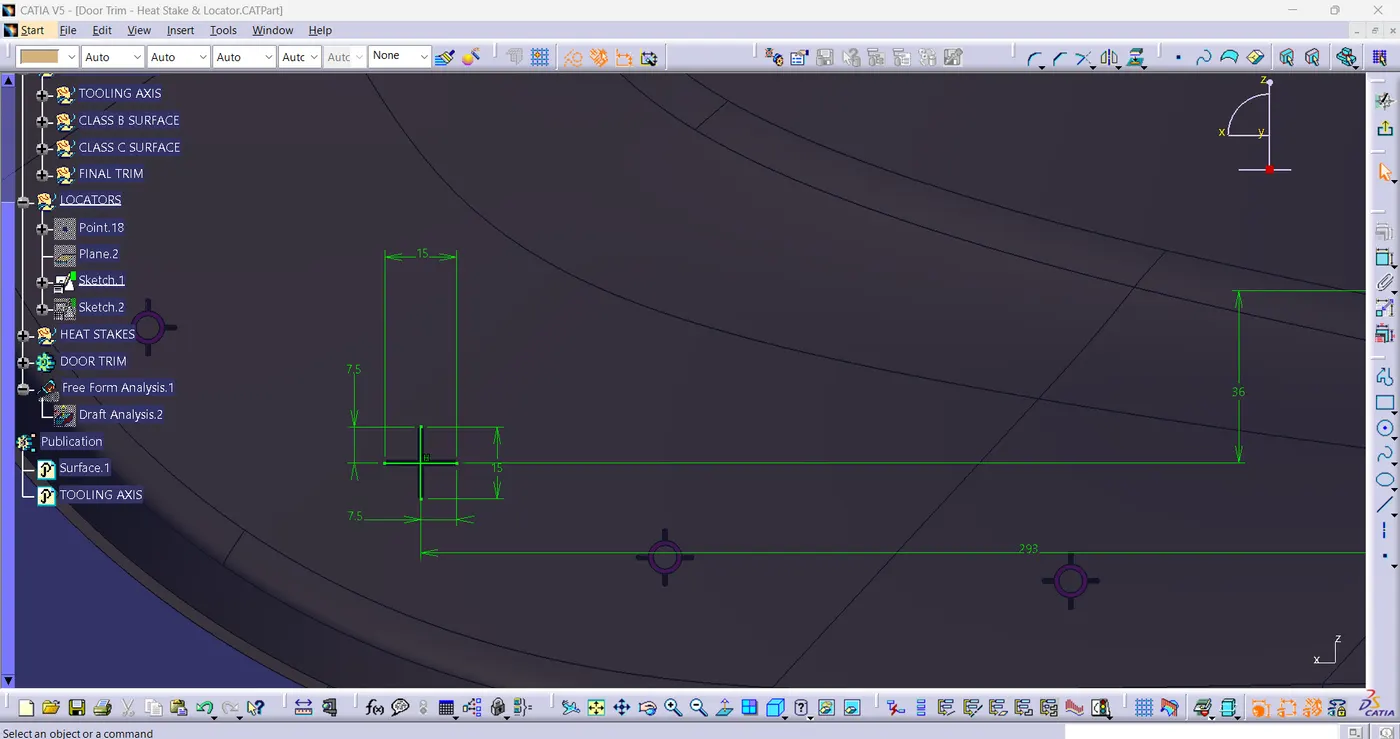
4-WAY LOCATOR Sketch:
- Take two lines as shown in fig(10).
fig(10)
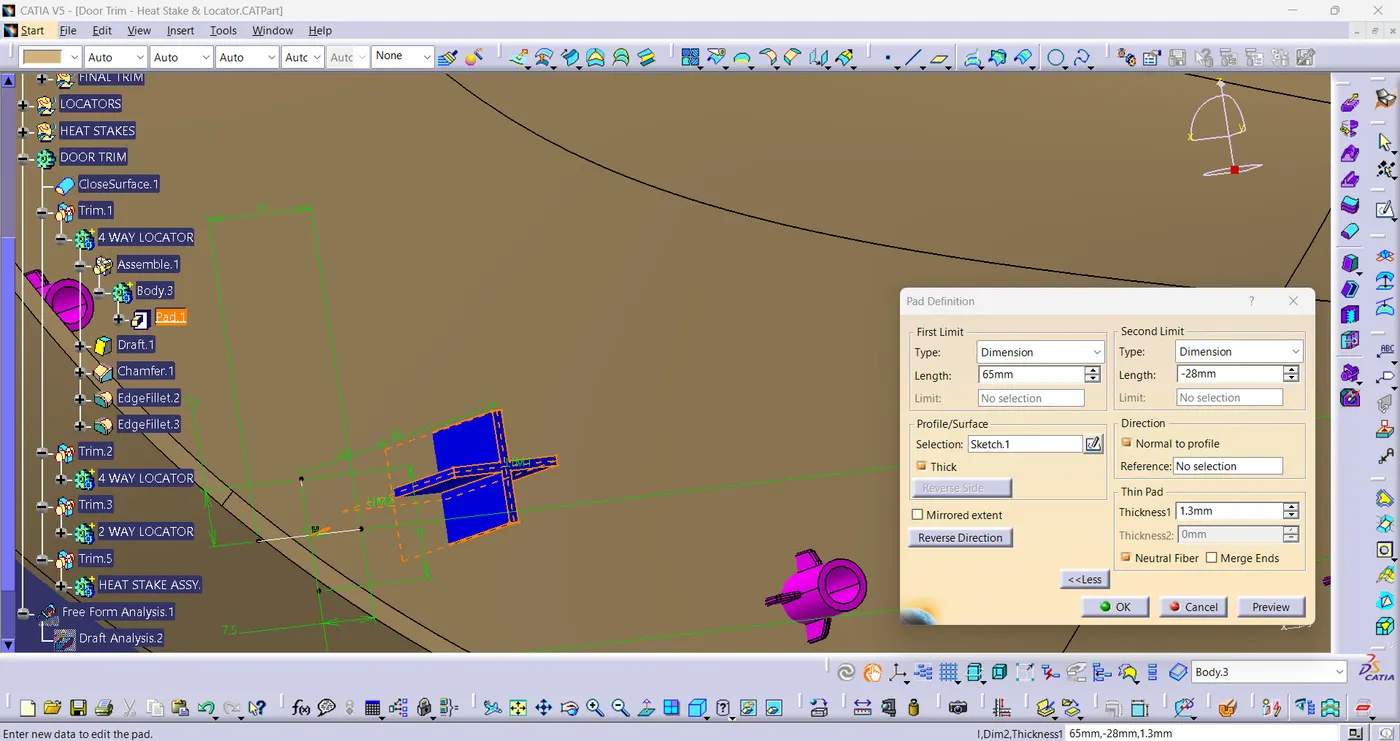
4-WAY LOCATOR Pad:
- Pad (Rib Height + Added Component Thickness + 12mm) in fig(11).
fig(11)
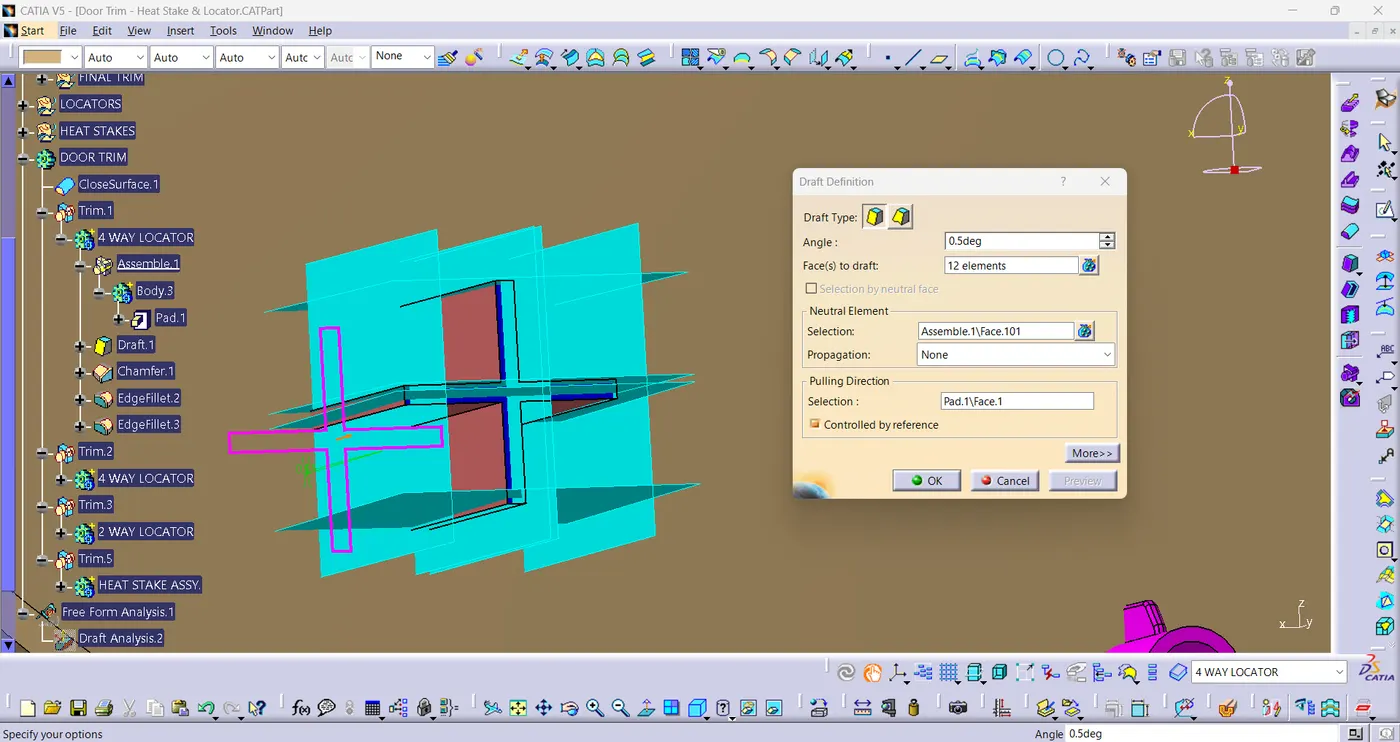
4-WAY LOCATOR Draft:
- 0.5 Deg draft is required to the faces as shown below.[fig(12)]
fig(12)
DOOR APPLIQUE:
- A car door applique is used in the door panel to provide an aesthetic look to the door panel.
- Do Union Trim for Heat Stakes & Locators with door trim as in fig(13).
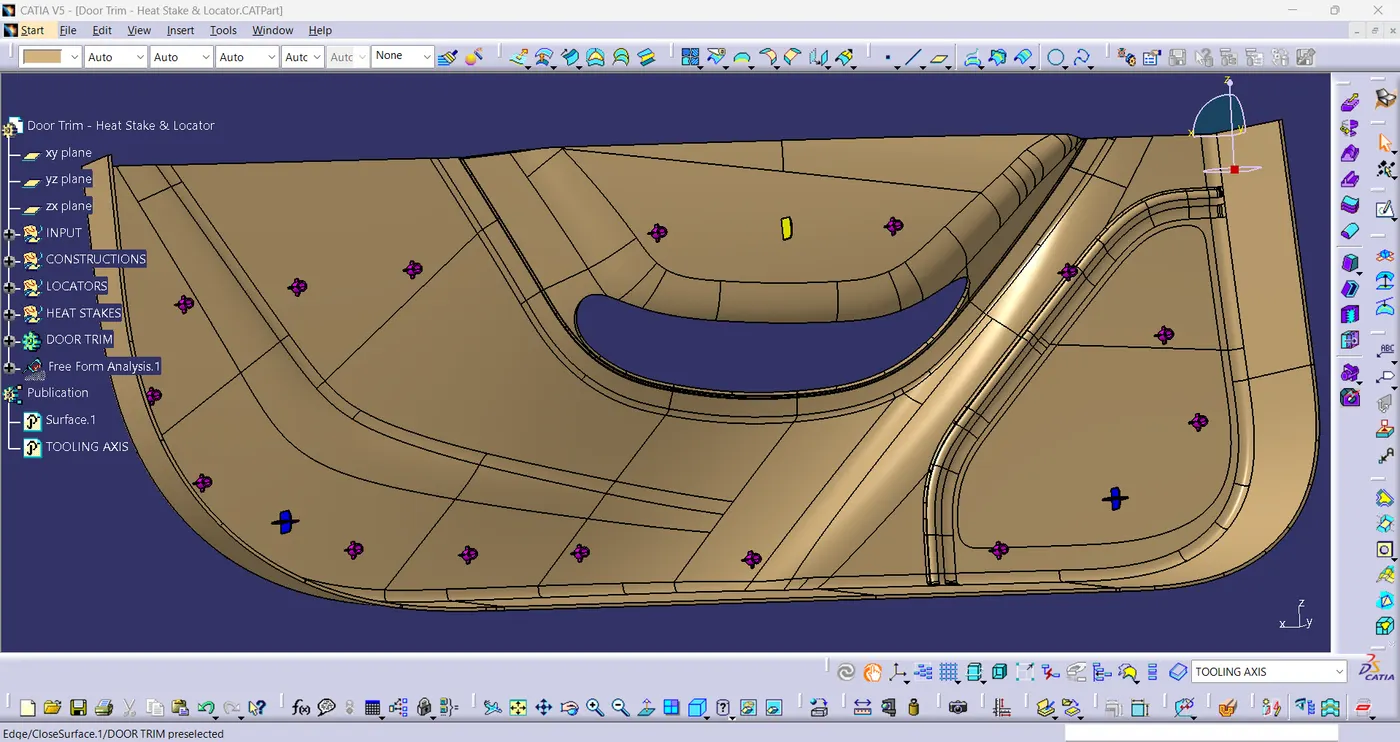
fig(13)
DRAFT ANALYSIS:
The Draft analysis allows the user to easily analyze a part for proper draft angle. A Draft Angle describes the amount of taper for molded or cast parts perpendicular to the parting line.
- Click on Insert > Feature Draft Analysis.
- Click on compass and set it along the tooling direction.
- At last, click on lock icon and click on the component
Draft Analysis on Class-A surface:
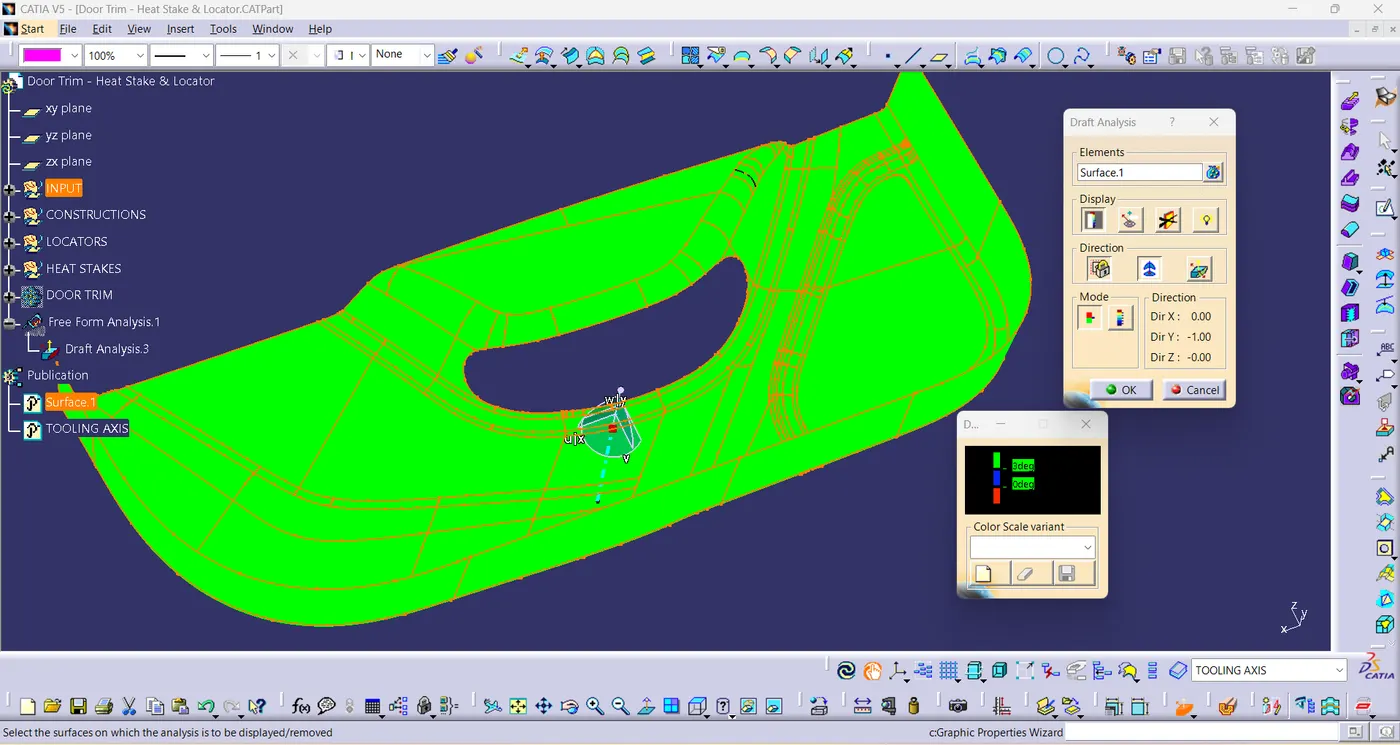
fig(14)
Draft Analysis for DOOR APPLIQUE:
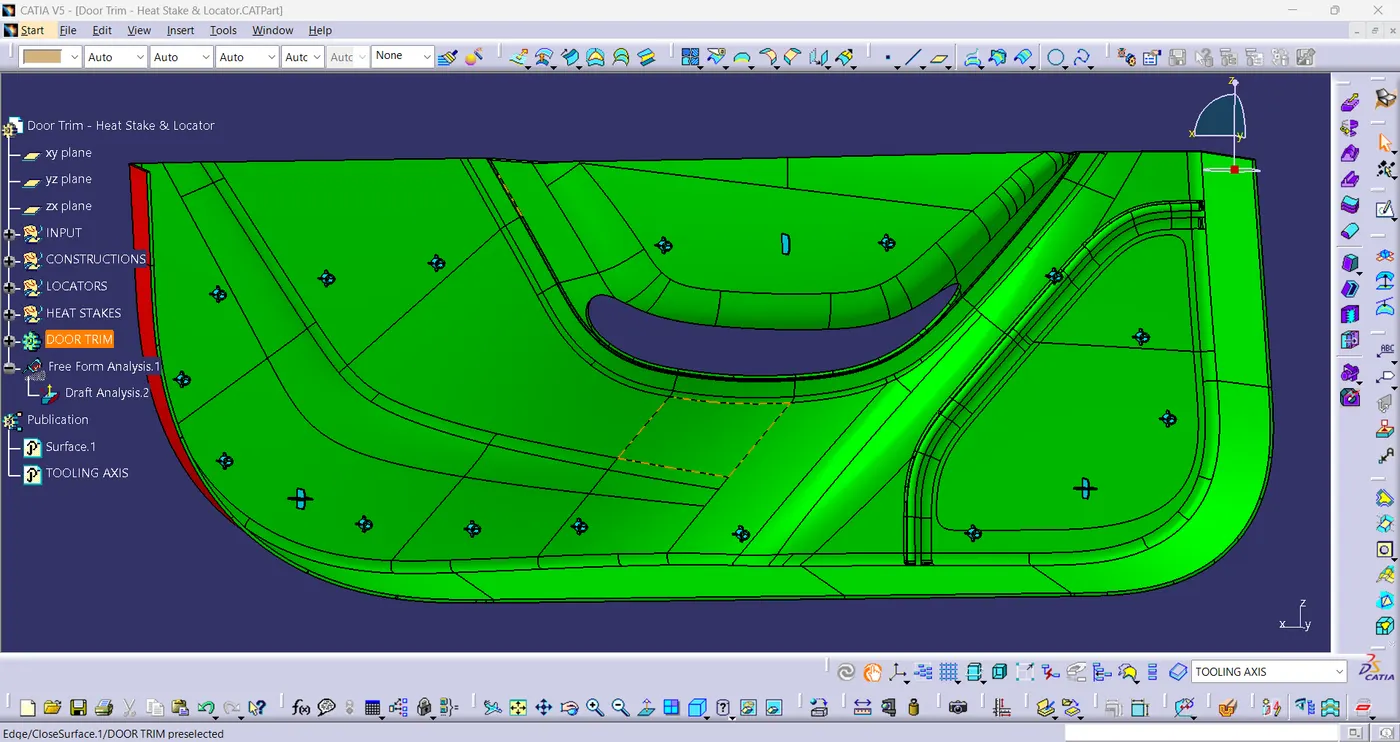
fig(15)
3-D ORIENTATIONS:
- ISOMETRIC VIEW:
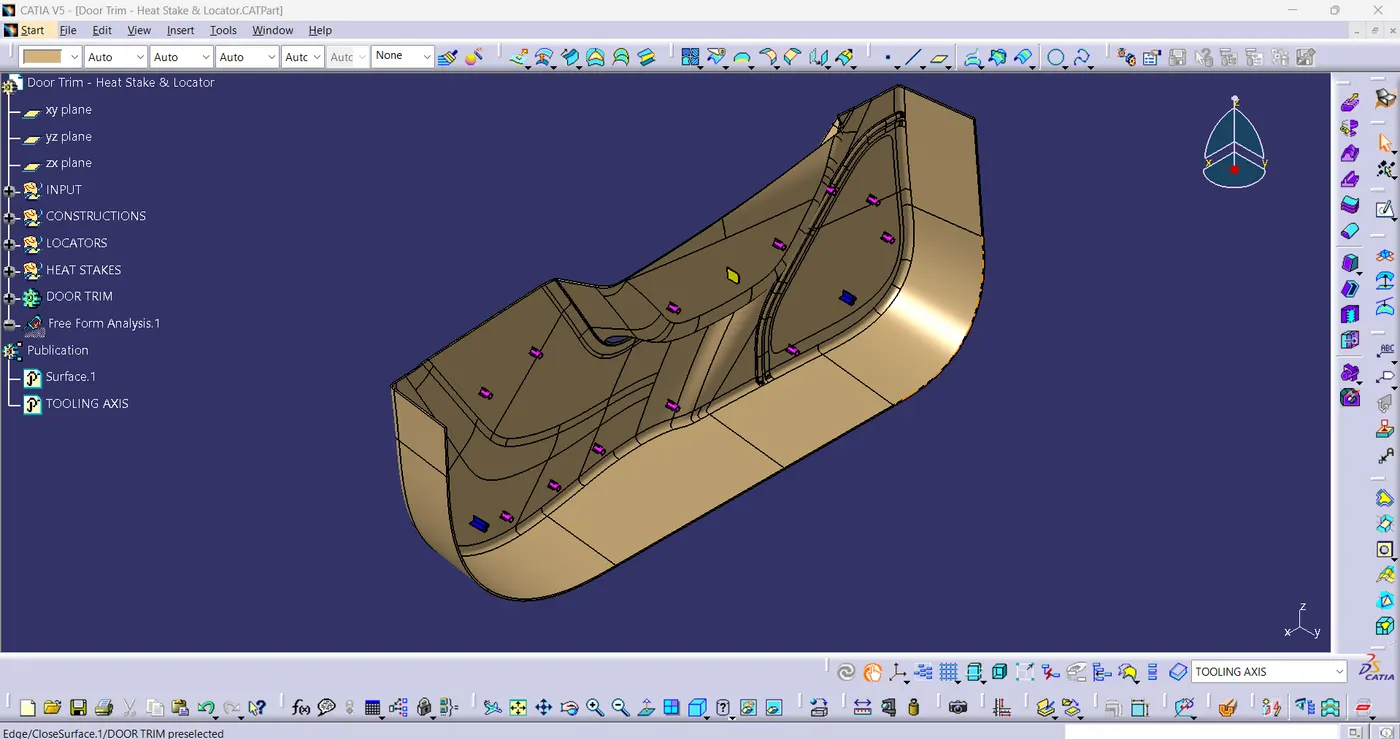
fig(16)
- FRONT VIEW:
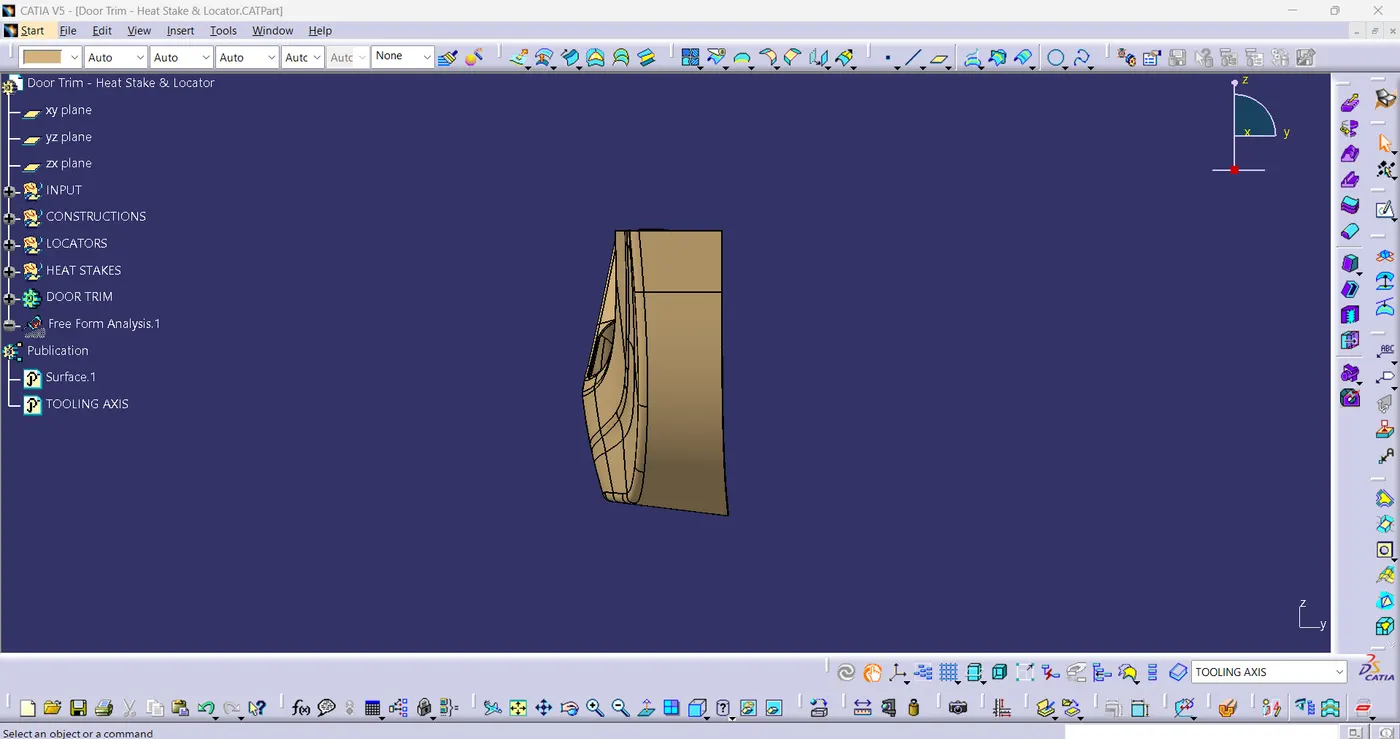
fig(17)
- SIDE VIEW:
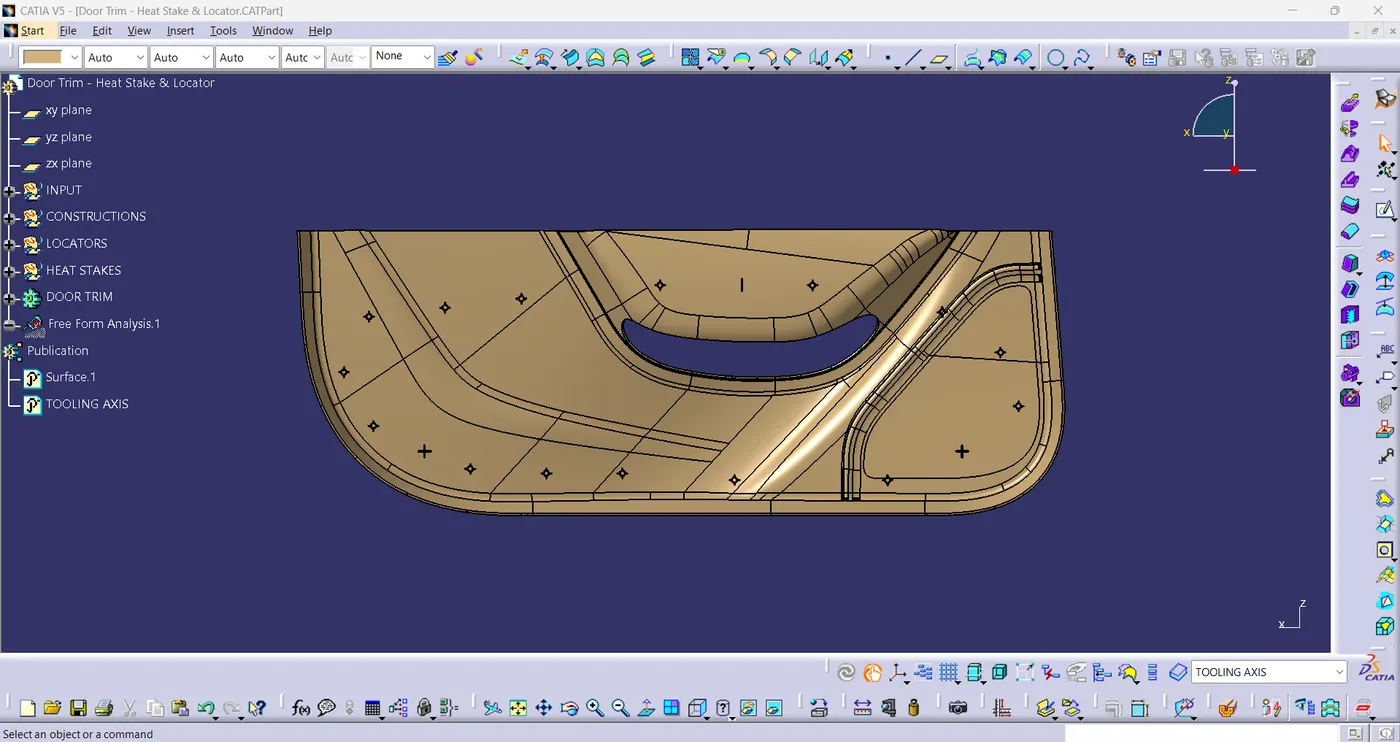
fig(18)
- TOP VIEW:
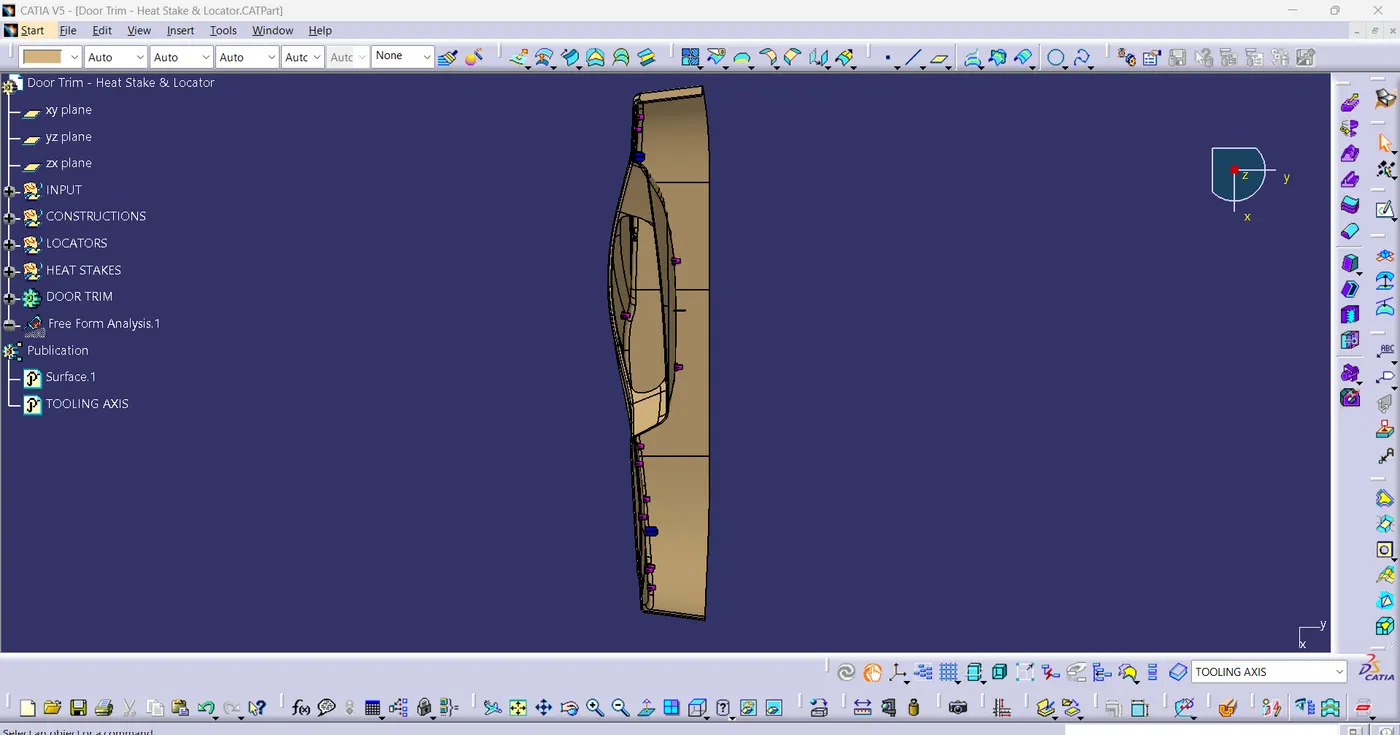
fig(19)
CONCLUSION:
Successfully created the DOOR APPLIQUE Plastic component through the given Class-A surface by providing engineering features. Heat Stakes and Locators have been created by following the design rules.