Week 10 - Challenge 1- Attachment Feature Creation (Ribs & Screw Boss)
ATTACHMENT FEATURE CREATION( RIBS & SCREW BOSS)
AIM:-
- To create the rib for the drill handle.
- To create the screw boss for the drill handle.
- To create the tooling axis.
- To perform the draft analysis on the part body.
DESIGN METHODOLOGY:-
1. TOOLING AXIS:-
In essence, the direction in which the mould pulls a part is known as tooling direction. Basically, the mould is constructed from two distinct parts. Both the cavity side and the core side are present. The tooling direction or dye line is where the core separates from the cavity.
- Open the given CAT part file.[fig(1)]
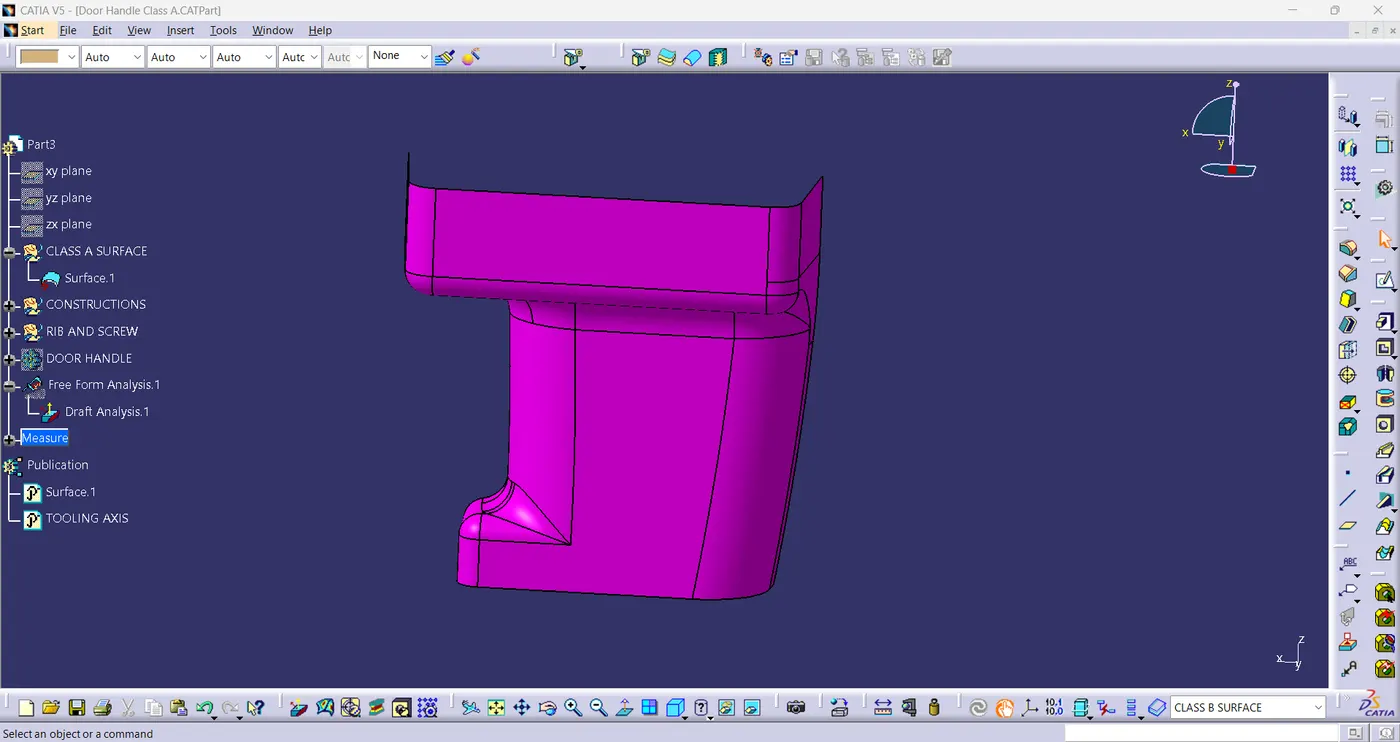
fig(1)
- After selecting "Join", check for spaces between surfaces.
- Join the surface together with a maximum tolerance of 0.003mm if there is any gaps between them.
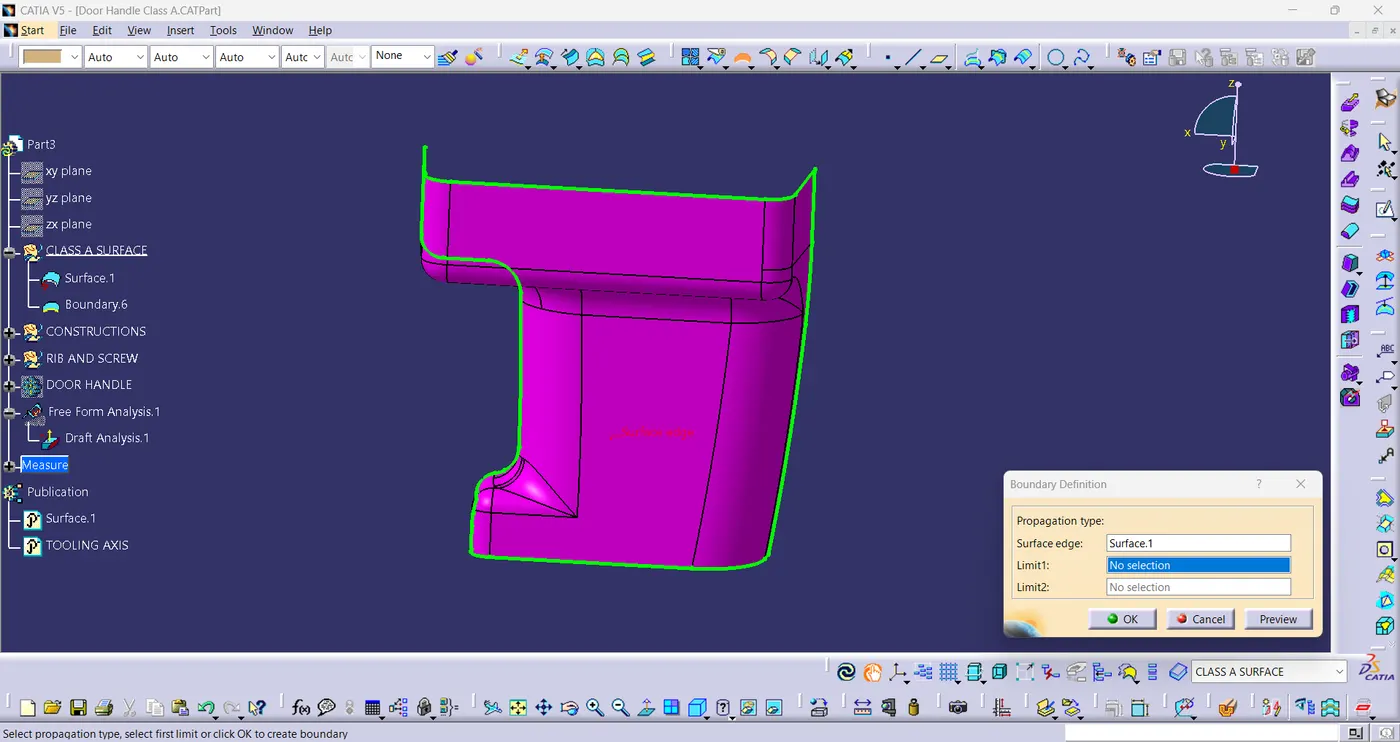
fig(2)
- Extract the boundary and disassemble the boundary.
- Choose the tooling axis that allows for the creation for all the elements while preventing material interference.
- Create the axis system at the centre of the part.
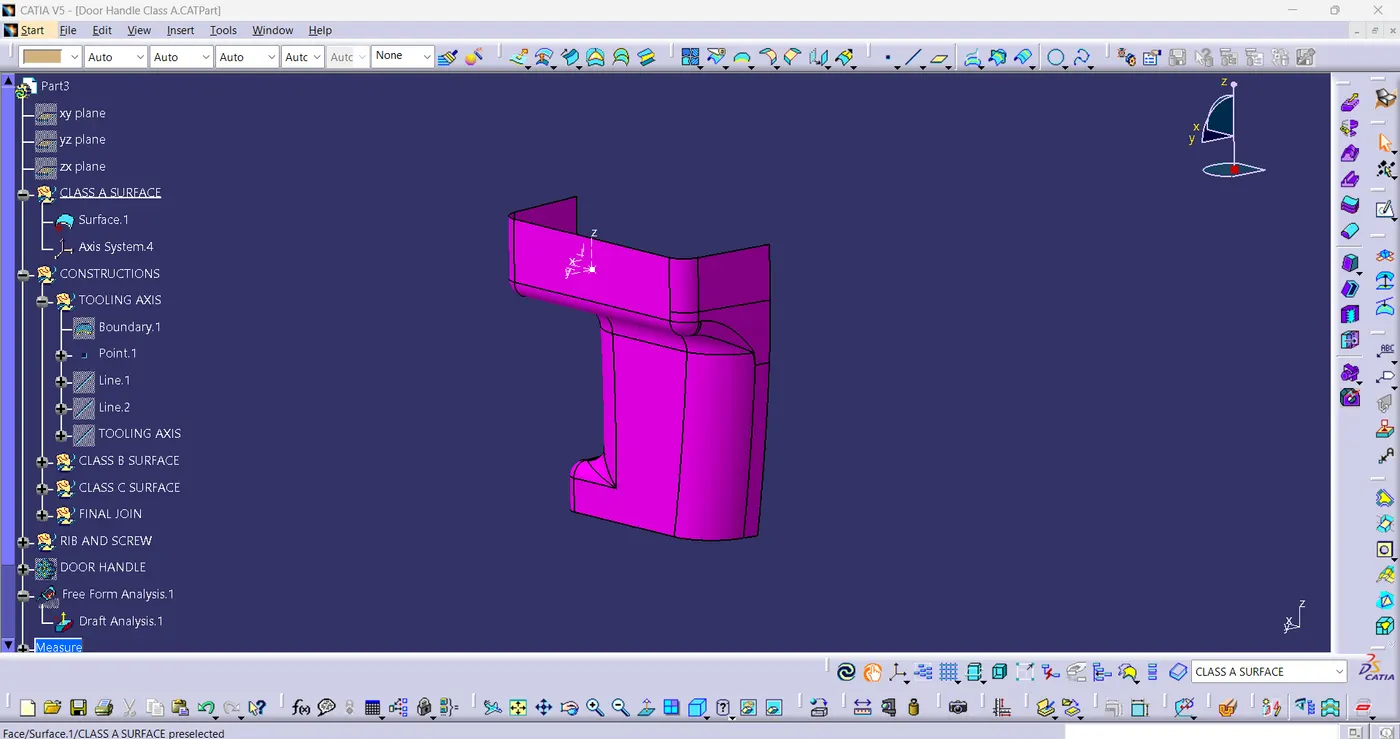
fig(3)
- Intersect the yz-plane with respect to the class-A surface.
- Hide the class-A surface and create point-to-point lines on the alleged draft.
- Create bisecting line with the two lines and point to create a tooling axis.
- To obtain the precise medium from both sides and attain the highest positive draft angle,BISECTING LINES were used.
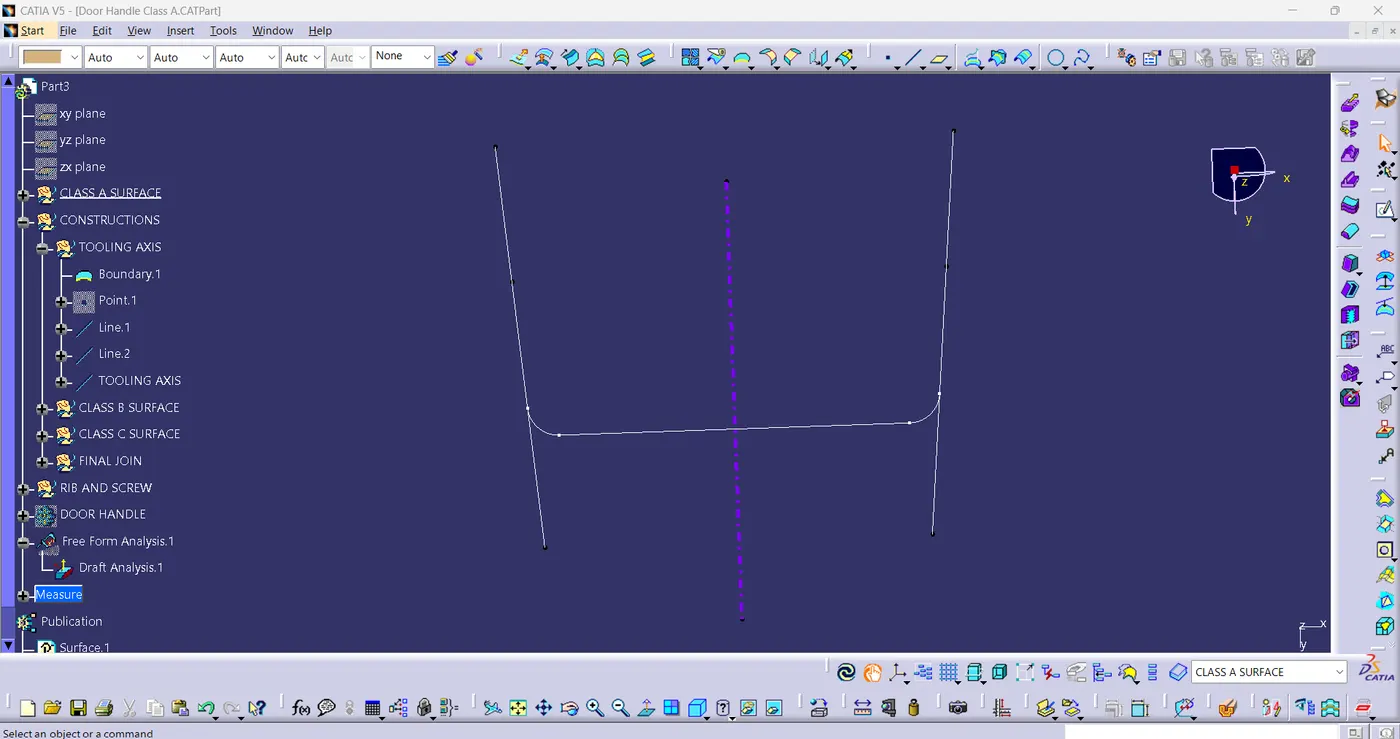
fig(4)
- The component's tooling axis is formed by bisecting two axis from x and y planes.
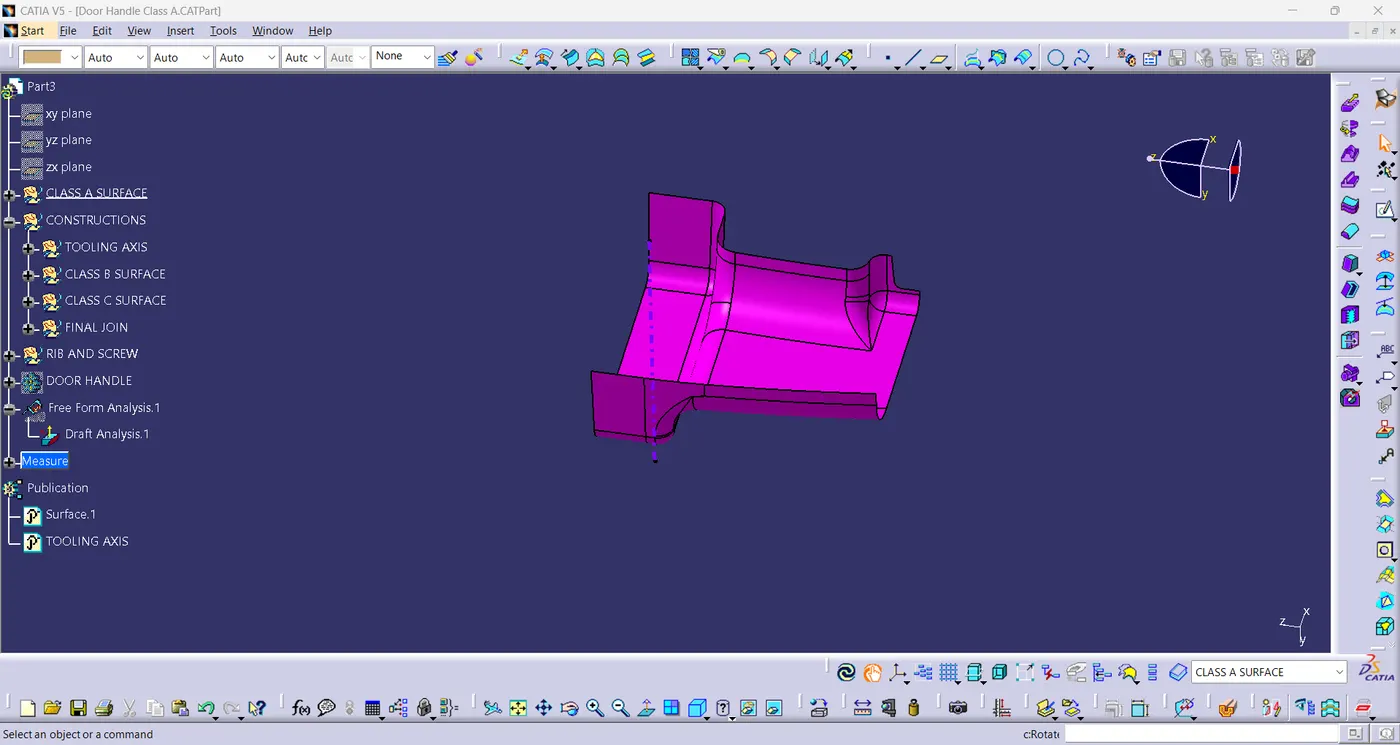
fig(5)
2. PUBLICATION:-
- The component is published so that it can be seen and used with ease.
- To publish the component go to tools > publications and then select the tooling axis and the class-A surface.
- A separate tree structure is formed under the main part.
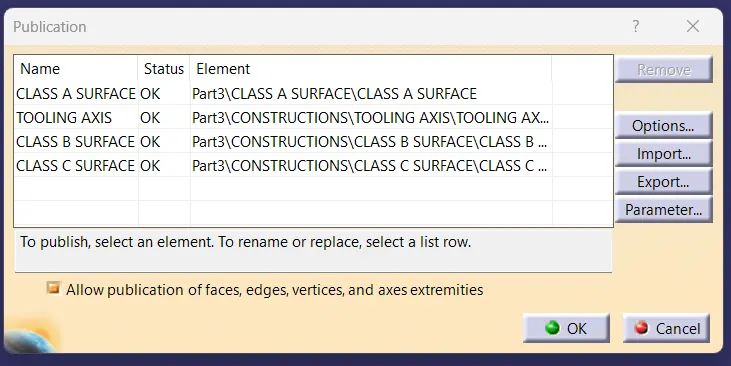
fig(6)
3. DRAFT ANALYSIS:-
Draft analysis command can determine whether the part you drafted will be simple to remove. This kind of analysis is carried out using colour ranges to show the areas on the examined element where the deviation from the draft direction at any point matches the predetermined values. Component to provide visibility and simple navigation.
- Before going to draft analysis go to customized view parameter > under mesh > check material and click ok.
- Now for draft analysis go to insert > analysis > feature draft analysis.
- Drag the compass towards the tooling axis to get the defined draft direction.
- In the colour scale change the draft angle to 3-degree.
- The component changes to green in indication of passing draft angle.
- Use running point to check the angle of component at any point.
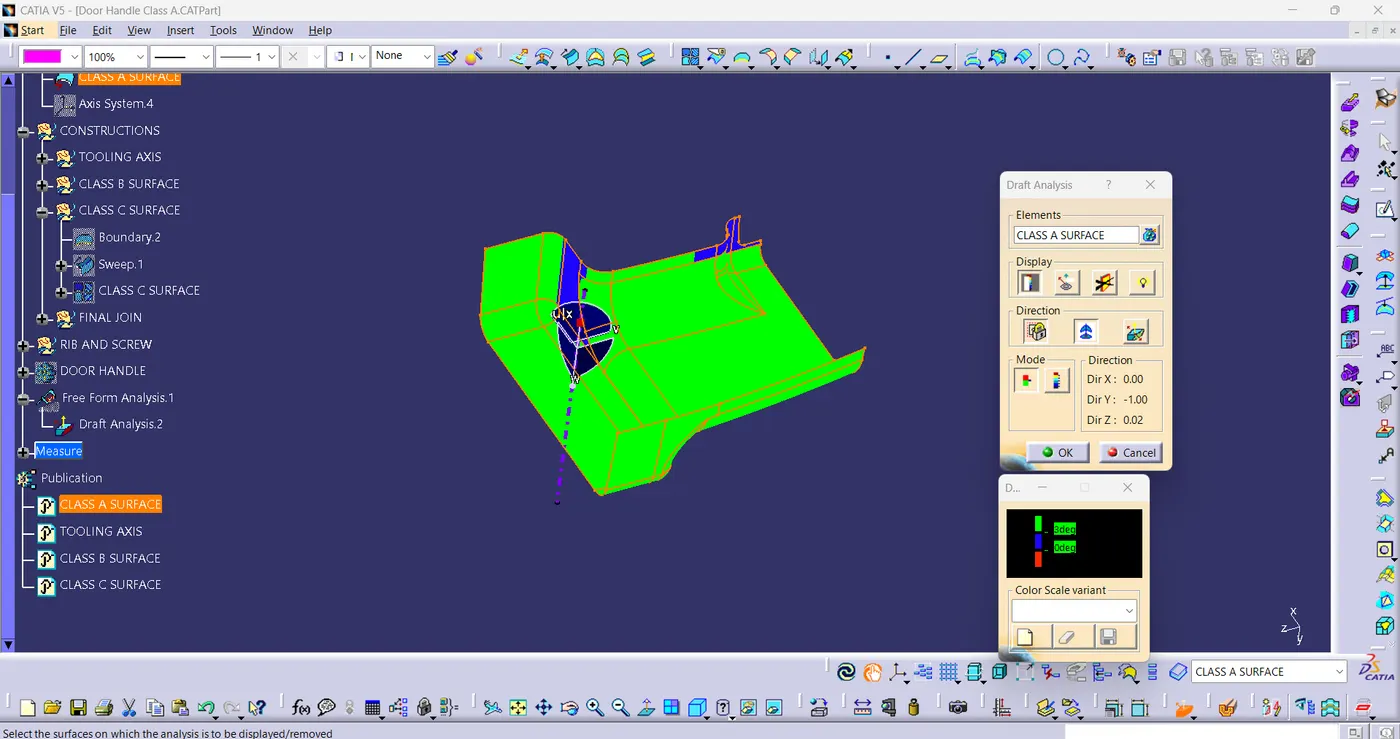
fig(7)
4. CLASS-B SURFACE:-
- Extract the surface from the given class-A surface using multiple extract and trim them.
- Use extrapolate to make sure that all the untrims intersect with each other, then use trim and offset the surface to 2.5mm to create the thickness.
- Trim the extra surfaces using trim command.
- Insert new geometrical set and name with respective of thier part.
- Apply fillets to the component after creating the surface.
- If edges are outside, the fillet value will be added to the thickness of model and if edges are inside, the fillet value will be subtracted from the thickness, for instance the thickness is 2.5mm and the fillet value is 15mm , so the outer portion will have the value of 17.5mm and for inner portion value is 12.5mm to get uniform thickness.
- Perform trims one at time so that it will be clear to understand.
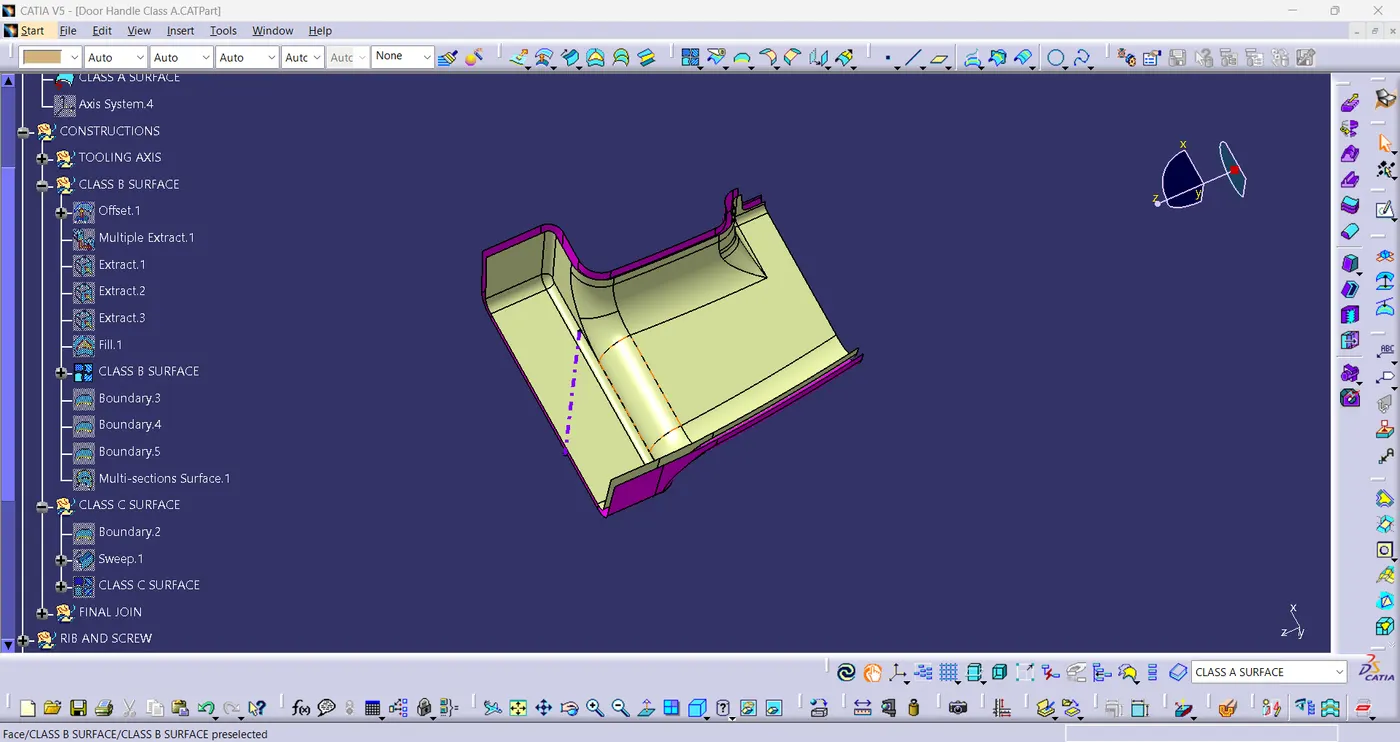
fig(8)
5. CLASS-C SURFACE:-
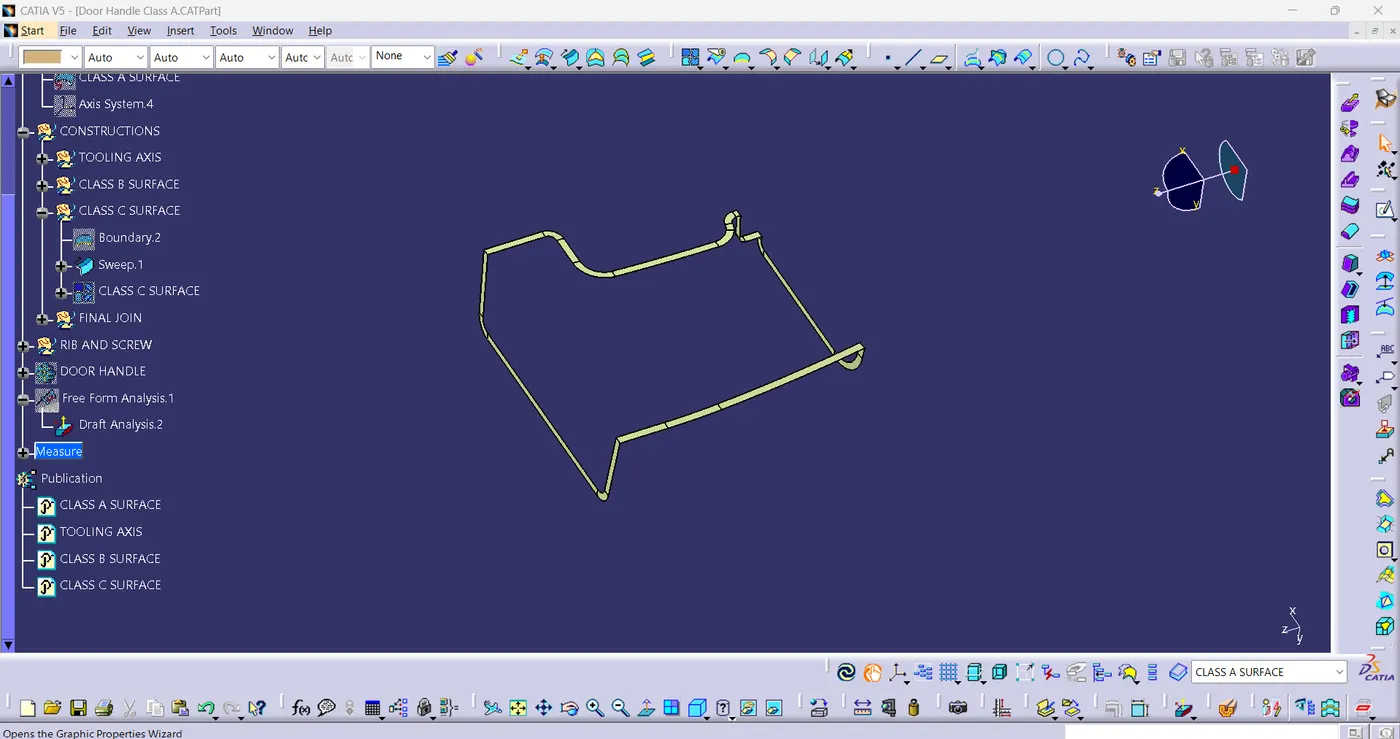
- Extract the boundary of class-A surface using boundary command.
- Use sweep command > choose profile type line > subtype as with draft direction > choose guide curve and draft direction > apply 3-degree draft angle > click ok.
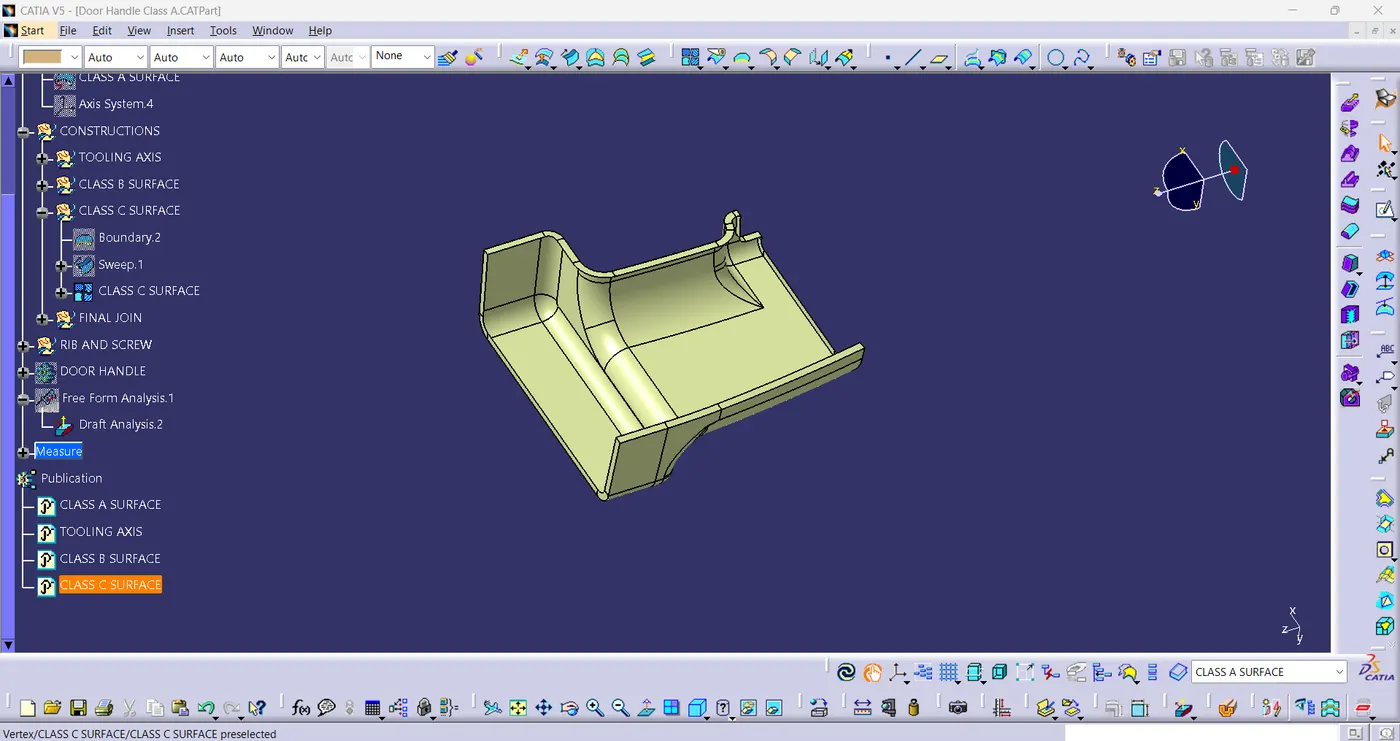
- After getting sweep then trim the output with class-B surface to get final trim.fig(10)
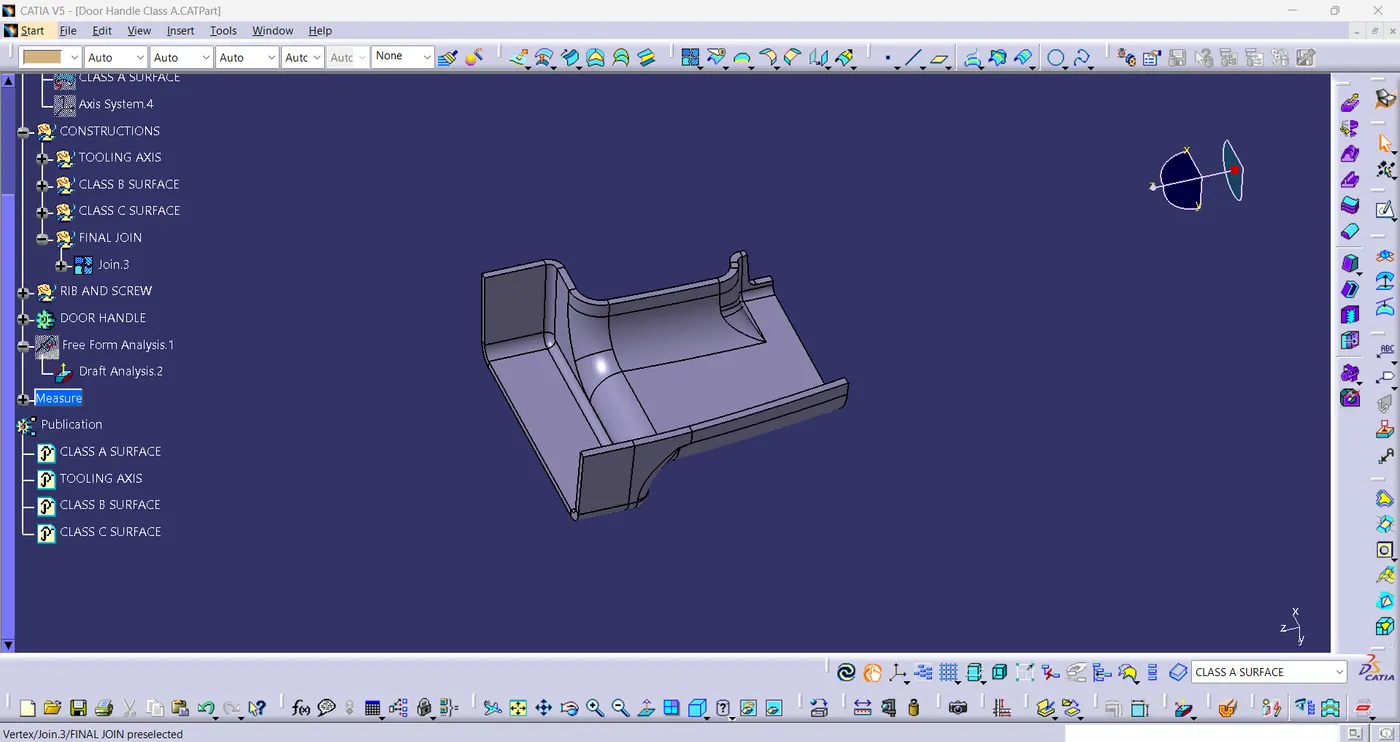
- Finally, in part workbench use the closed body command to create solid surface.fig(11)
fig(9)
fig(10)
fig(11)
6. B-SIDE FEATURE CREATION:
RIB CREATION:-
- Design Principle for Rib Creation:
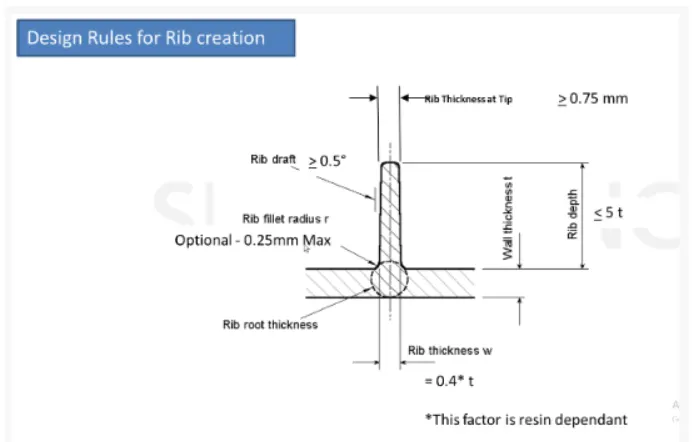
fig(12)
- Sketch for the Rib:-
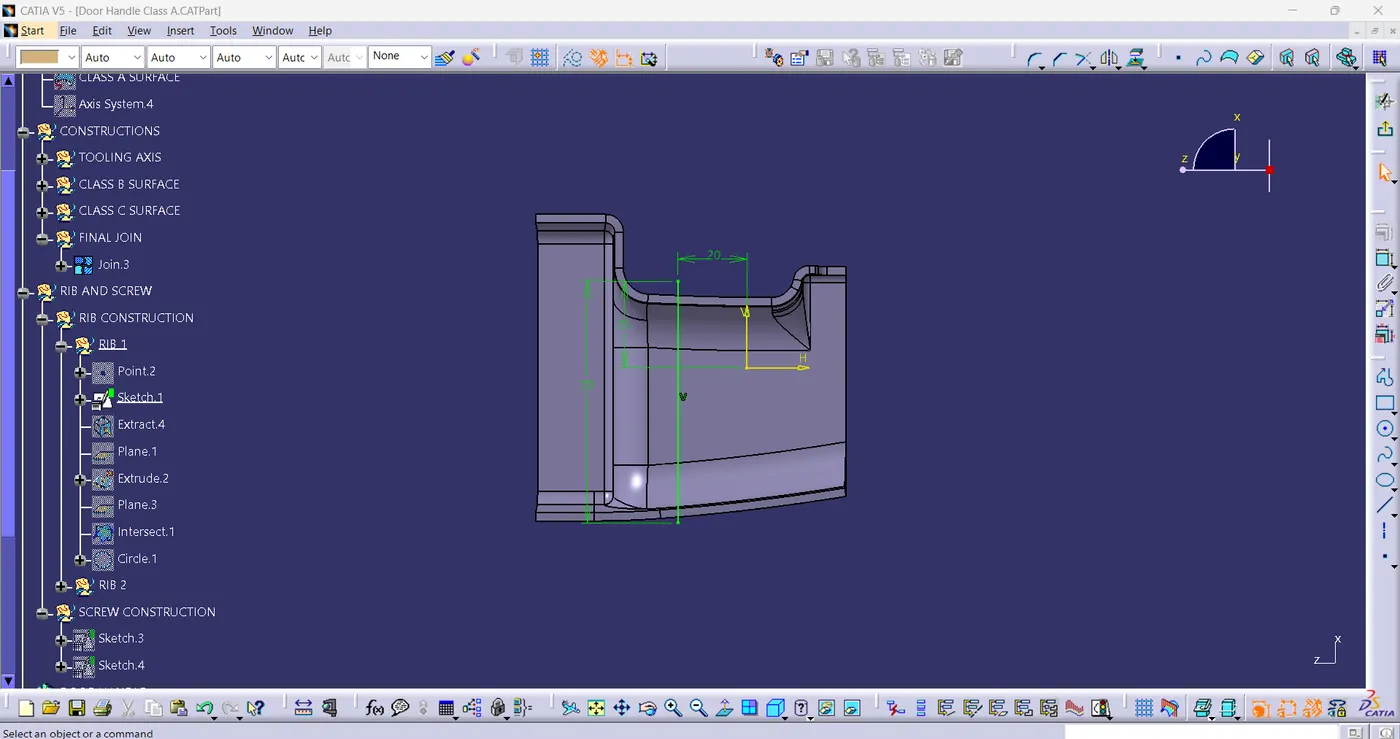
fig(13)
- RIB
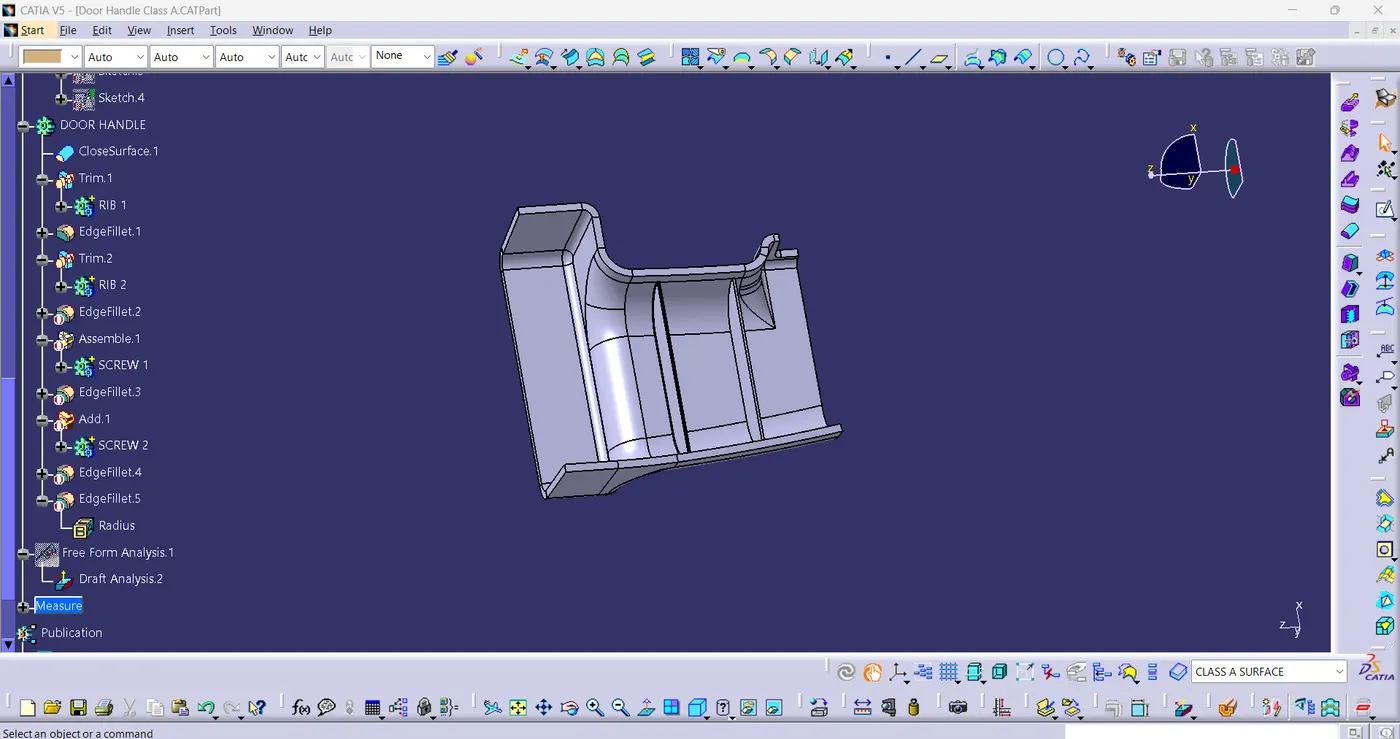
fig(14)
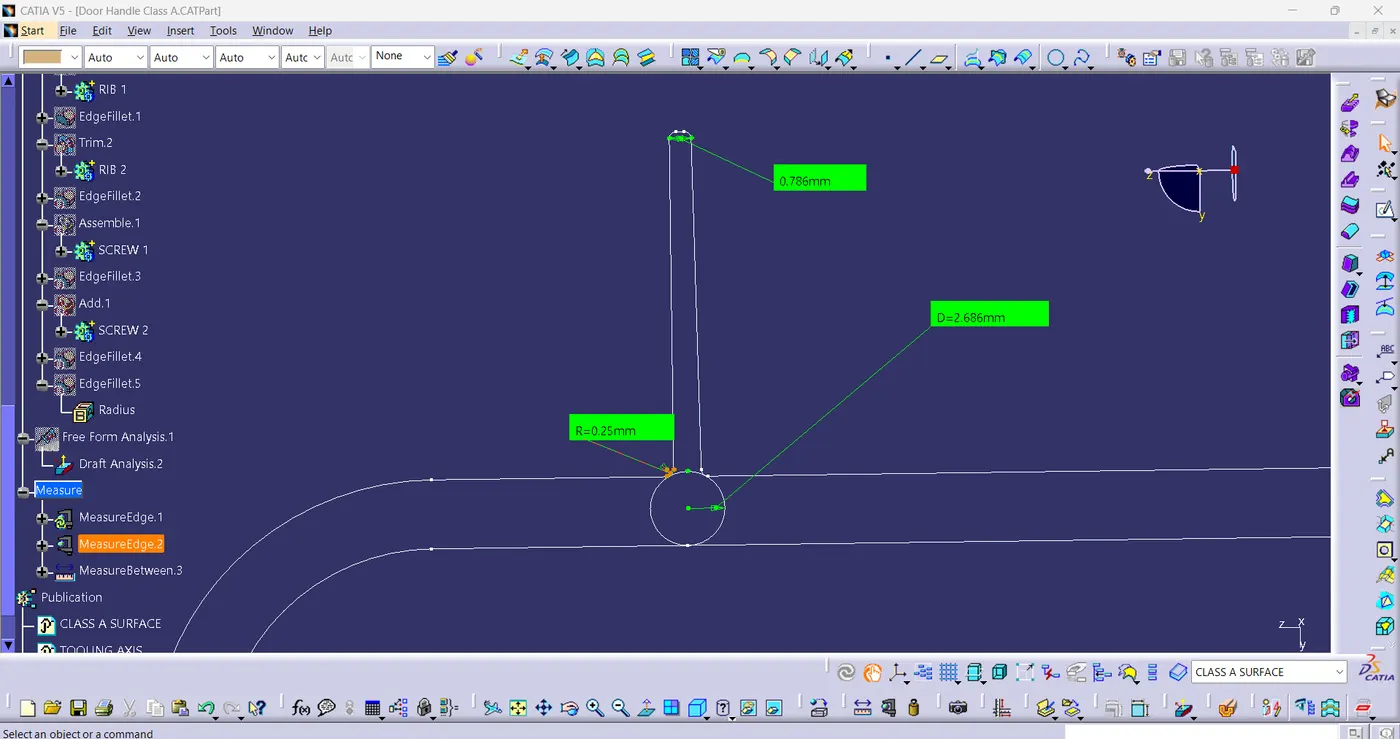
fig(15)
- As shown in fig(15), Rib is created according to the given drawing.
SCREW BOSS CREATION:-
- Design Principle for Screw Boss Creation:
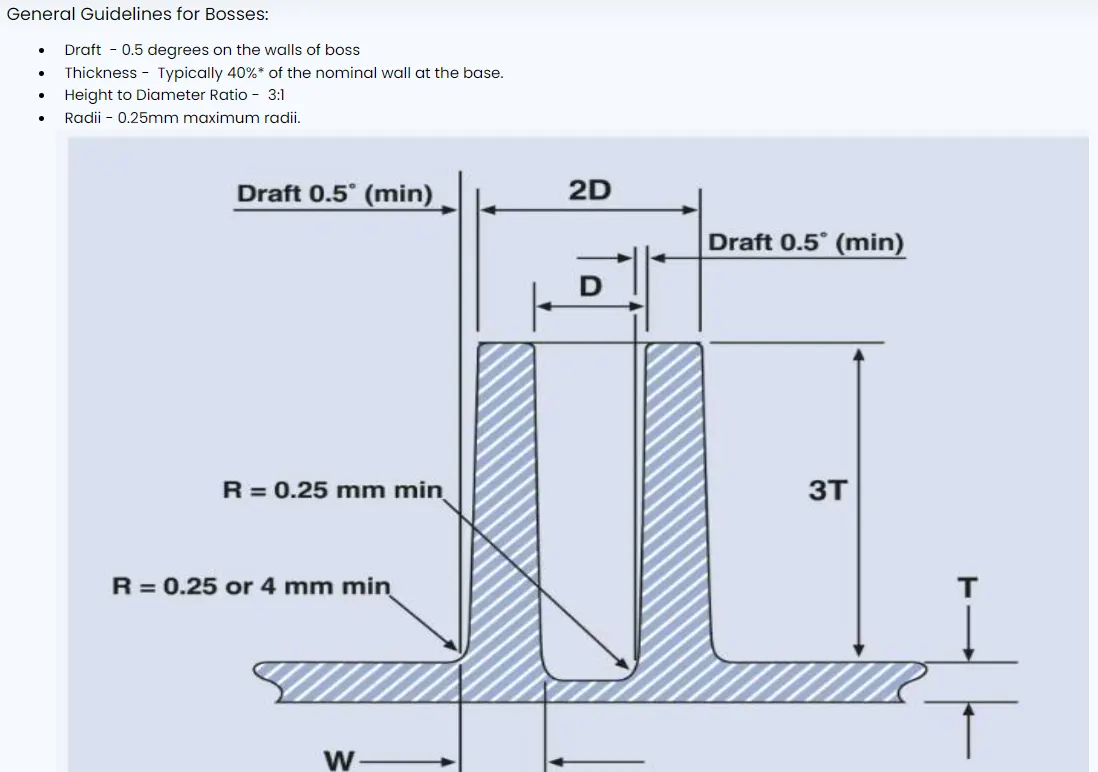
fig(16)
- Sketch for Screw Boss:
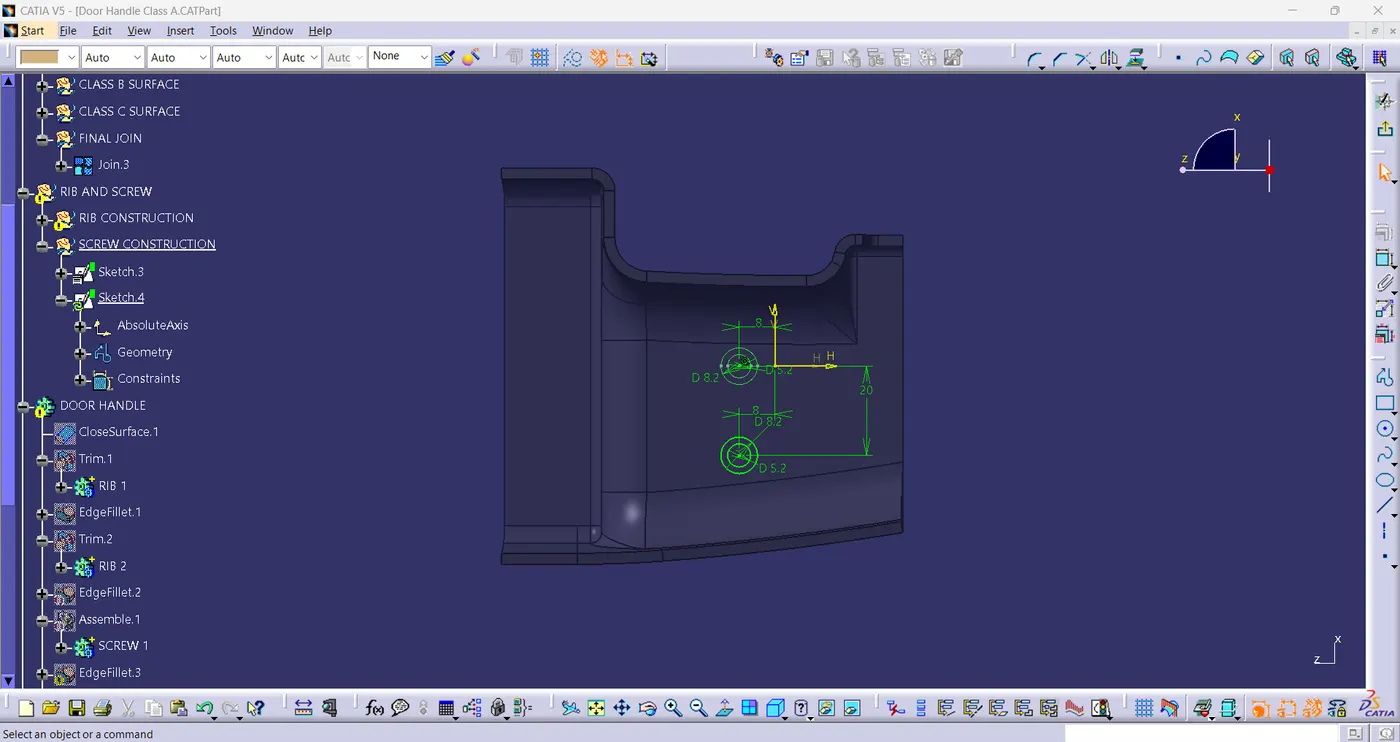
fig(17)
- SCREW BOSS
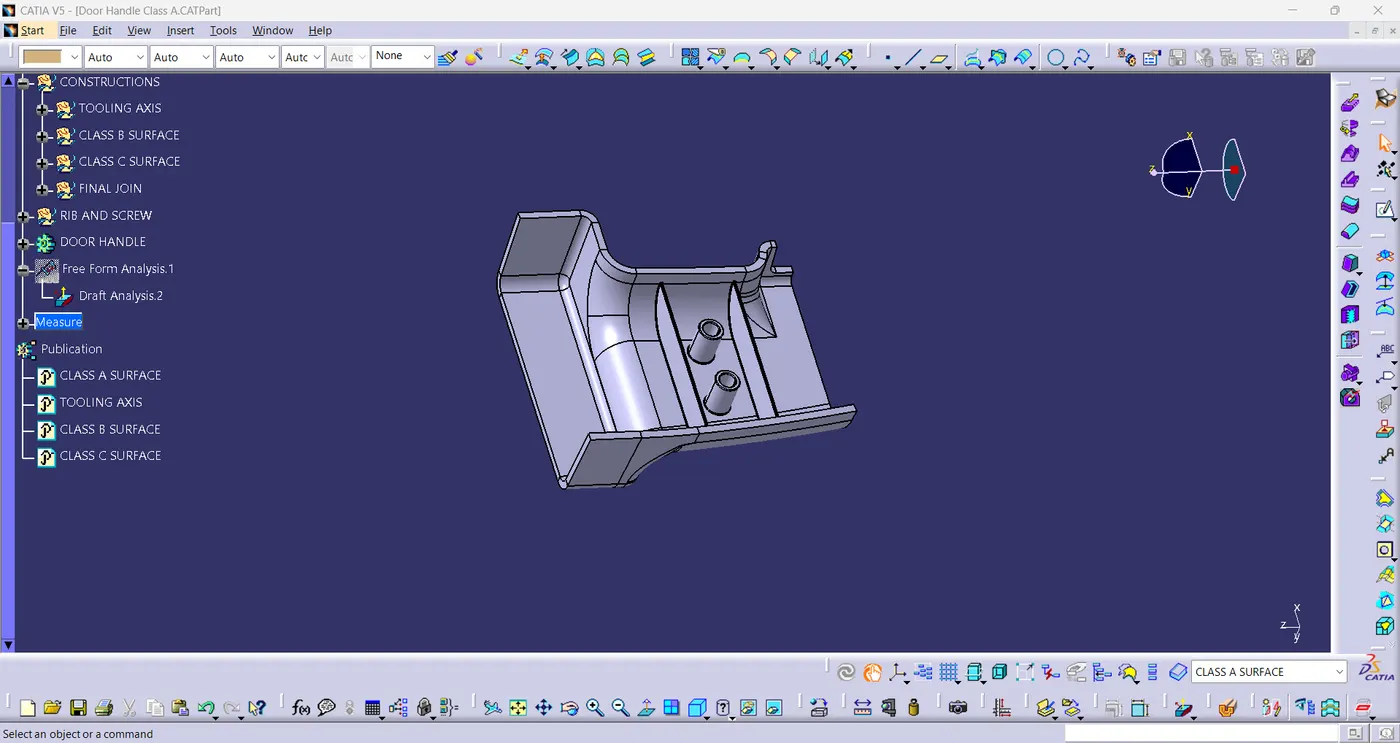
fig(18)
7. DRAFT ANALYSIS:-
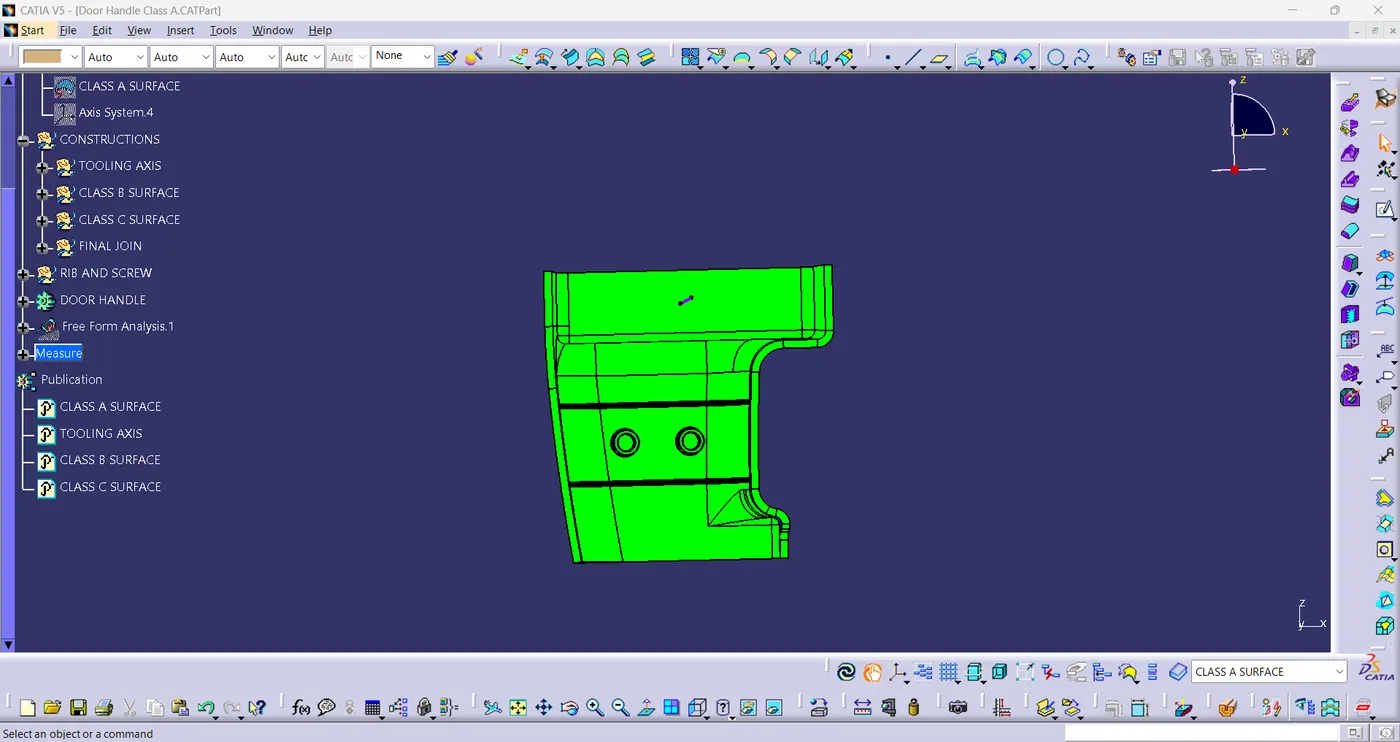
fig(19)
8. FINAL MODEL VIEWS:-
- ISOMETRIC VIEW:
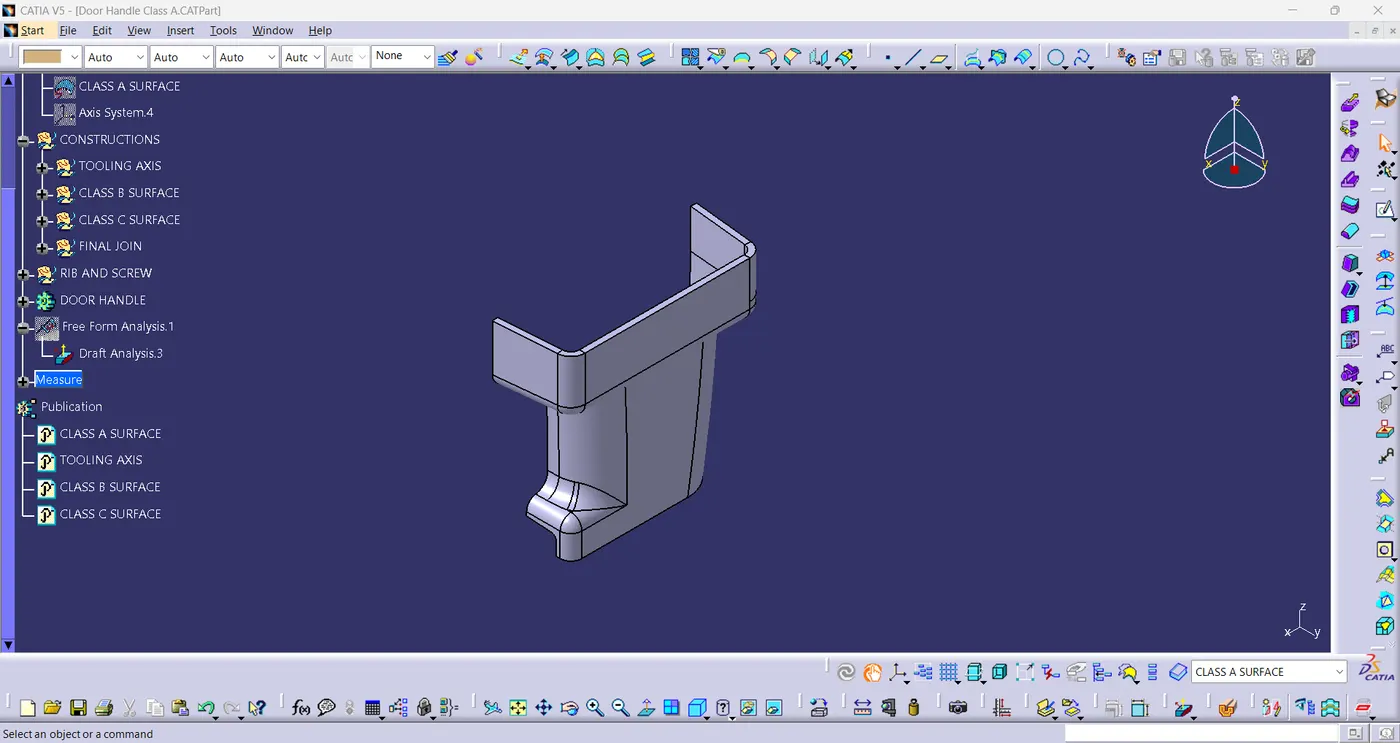
fig(20)
- FRONT VIEW:
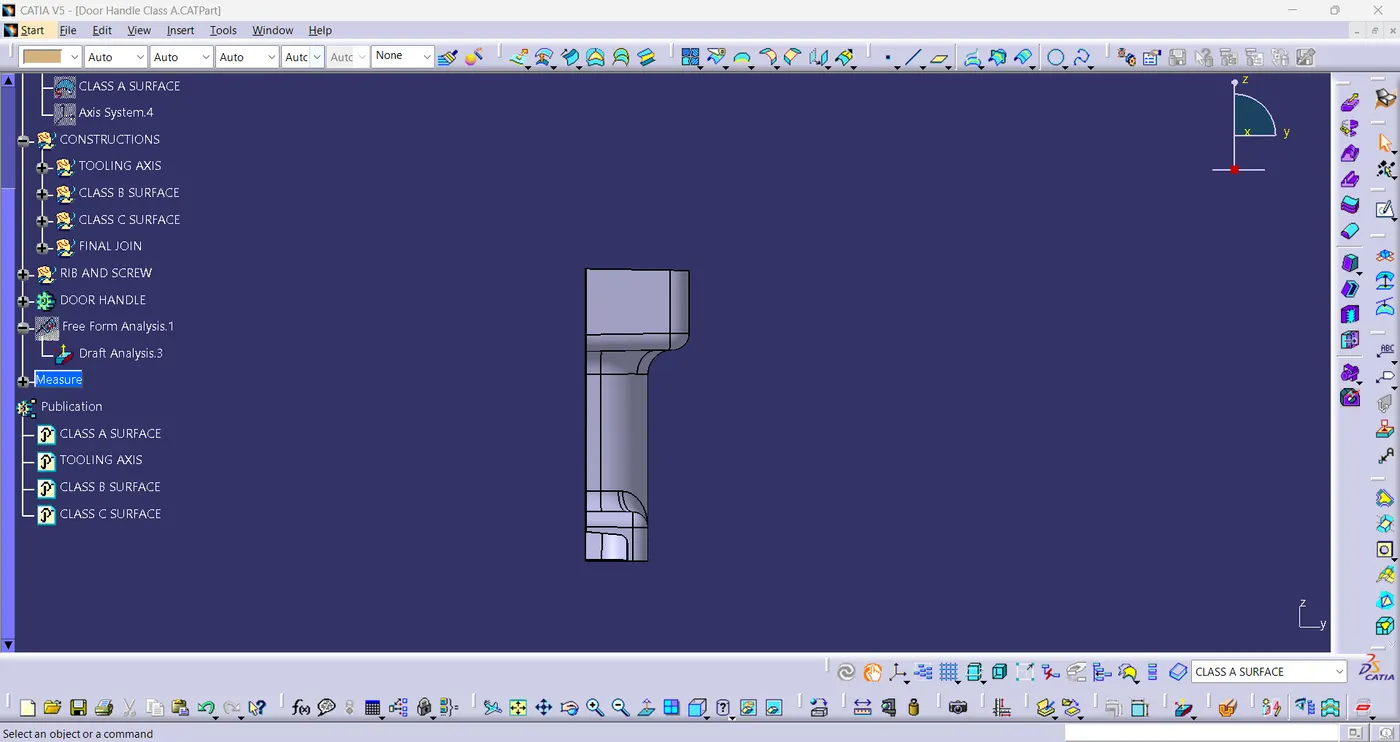
fig(21)
- SIDE VIEW:
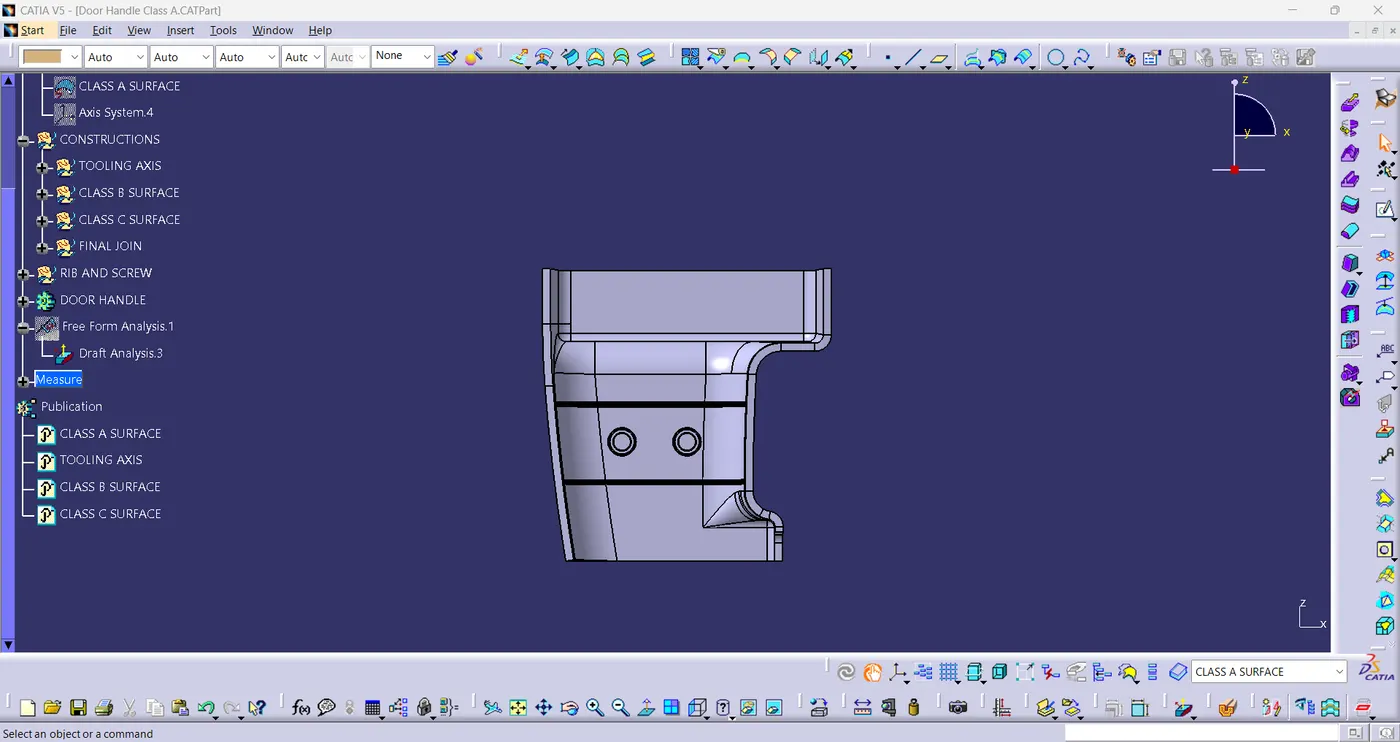
fig(22)
- TOP VIEW:
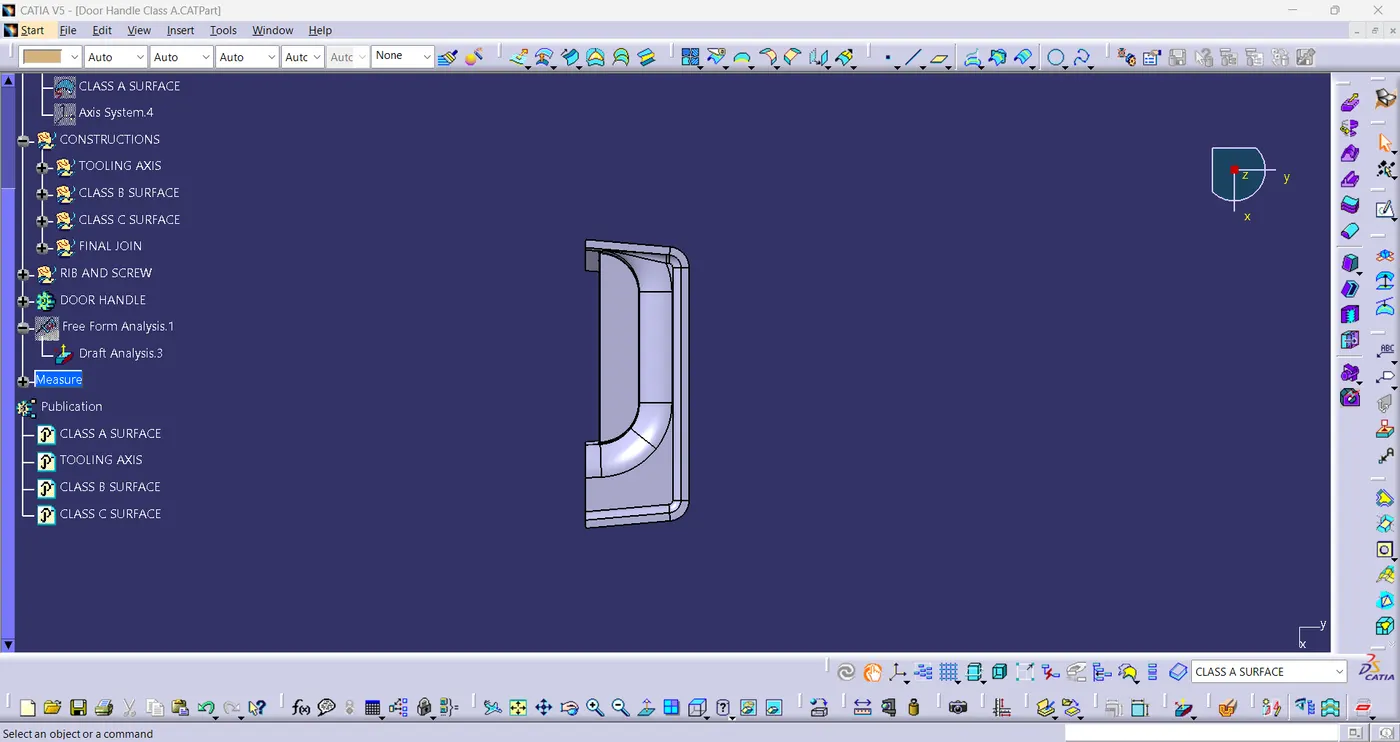
fig(23)
CONCLUSION:-
- At last, all the design method is followed according to the given drawing. Therefore, the Tooling axis and the CAT part with B-side features is created from the given Class-A surface and Draft Analysis is performed.