Week 1 Stress Concentration on a Plate with hole
Aim-
To Determine max. deformation and stress developed in a given plates by performing structural analysis in Ansys Workbench.
Objective-
- To create 3D model of plate with hole as per given dimesion as per case 1.
- To create 3D model of plate with hole as per given dimesion as per case 2.
- To Find max. deformation and stress in both models.
- To compare both models and to conclude results of designed plates as per Analysis and manufacturing standpoints.
Case-1
Plate dimensions:
Length=300mm
Height=120mm
Thickness=30mm
Circular Hole at the center:
Diameter=60mm
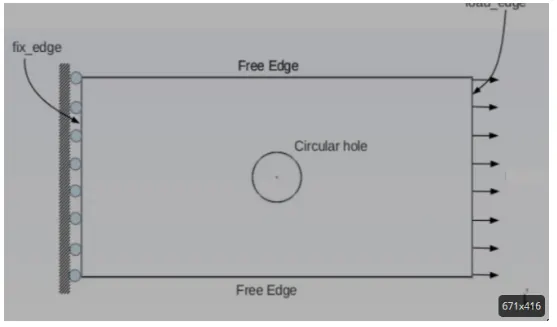
Plate fixed at left face.
Load of 500N on the right face.
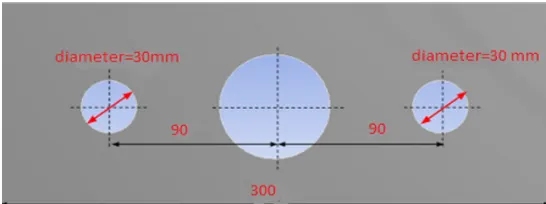
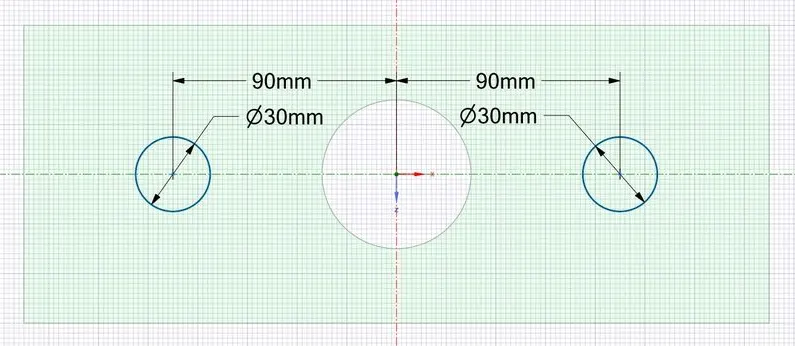
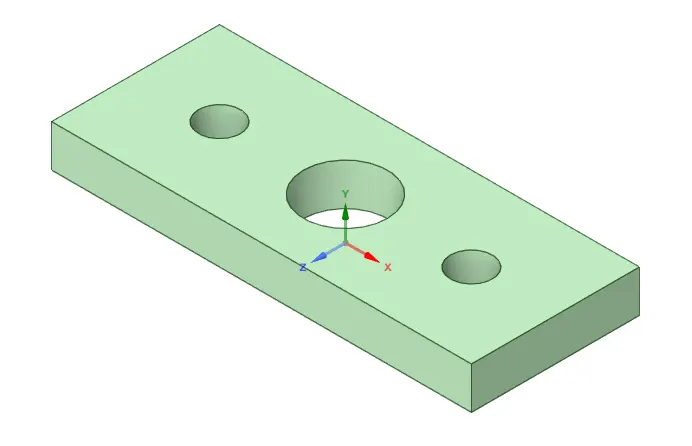
Length=300mm
Height=120mm
Thickness=30mm
smaller holes 90mm away from the center:
Diameter=30mm
Boundary Conditions:
Plate fixed at left face.
Load of 500N on the right face.
Procedure-
The stress concentrators are geometrical irregularities that cause an increase in the average effort that
should be present in regions near these discontinuities, the relationship between the maximum stress
that occurs and the average effort that should occurs is defined as stress concentration factor; which is
determined by experimental or analytical methods and presented in graphical form for ease
interpretation.
Figure 1. Stress distribution for a plate subjected to tensile load (a) away
from the hole; (b) in the section of central hole [1].
A typical example of a stress concentrator is a rectangular bar with a central hole, subjected to
tensile load, as shown in figure 1 (a). If the bar is cut in the cross section of the hole, the tensile stress
will be as shown in figure 1 (b), the stress distribution along the cut surface is substantially uniform
until reaching the vicinity of the hole, where efforts suddenly increase. The maximum value of stress
at points is found by multiplying the average effort by K a factor of stress concentration.
General Things about Stress Concentraion-
- Stress concentrations occur because of abrupt changes in geometry, such as a sharp radius or edge.
- As the radius of curvature approaches zero, the stress concentration factor approaches infinity. Increase the radius of curvature to reduce the stress concentration factor.
- The stress concentration factor is generally calculated by dividing the maximum stress by the average stress in a member, under loading.
- A fillet provides lower stress concentration than a chamfer.
- A stress concentration factor is a ratio of the maximum stress in a member to the average stress in a member.
When it comes to common methods of reducing stress, the following list includes some simple guidelines to follow:
- Make radii in a load path as large as possible.
- Limit the ratio of the large feature to the small feature.
- Add stress-reducing holes at the end of slits, sharp angles, or cracks to relieve high-stress concentrations.
- Refer to stress concentration charts to understand when you are in a region of diminishing returns concerning radius size.
Some common issues to avoid are:
- Do not use sharp corners along a load path.
- Do not make a large-size transition between loaded features. The stiffness mismatch will drive the stress concentration much higher.
- Don’t assume that the same size radius works for all features. Remember that the stress concentration is based on a ratio (r/b, where r is radius and b is width in case of circular hole), not a magnitude.
- Don’t place a stress concentration in a high load if you absolutely must use a sharp corner.
Actual Working-
- To create the 2D sketch first from start menu select static Structural then Click on the geometry>>right click>>go to edit geometry in space claim>>sktech>> selec rectangle>>add dimension as per given and then go to design and pull the sketch to a perticular direction and make it 30mm.
For Case-1
Geometry Model Sketch
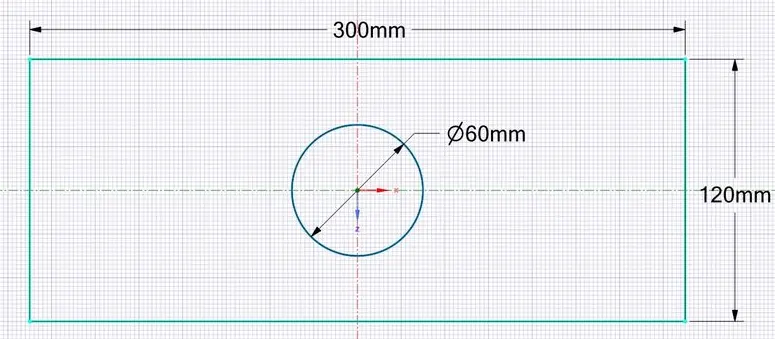
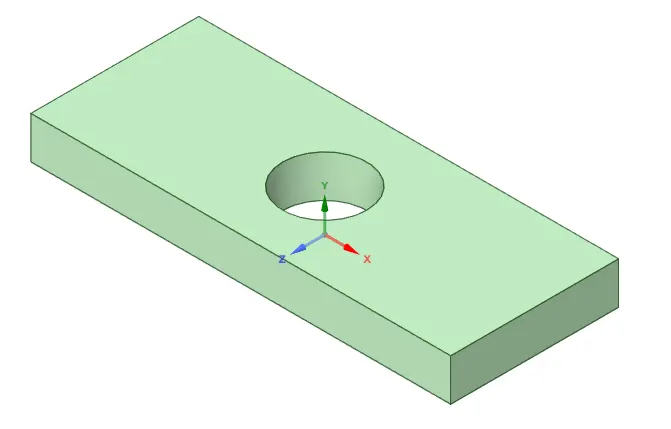
- To create the 2D sketch first from start menu select static Structural then Click on the geometry>>right click>>go to edit geometry in space claim>>sktech>> selec rectangle>>add dimension as per given and then go to design and pull the sketch to a perticular direction and make it 30mm.
For Case-2
Geometry Model Sketch
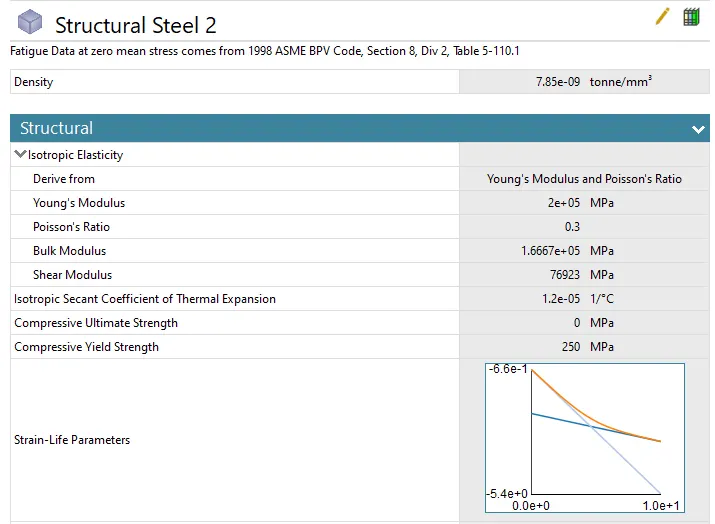
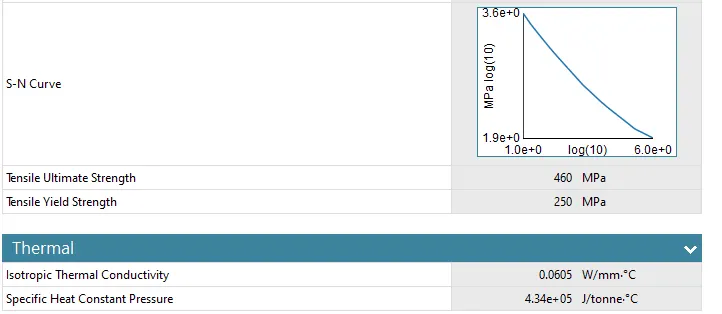
- In Ansys workbech matrial library is already present so we will choose default matrerial as structural steel for both cases.
- Now we have to update the model tab and wait until it gets updated the once it gets updated right click on model and click on edit model.
- then it will take us to model tab.
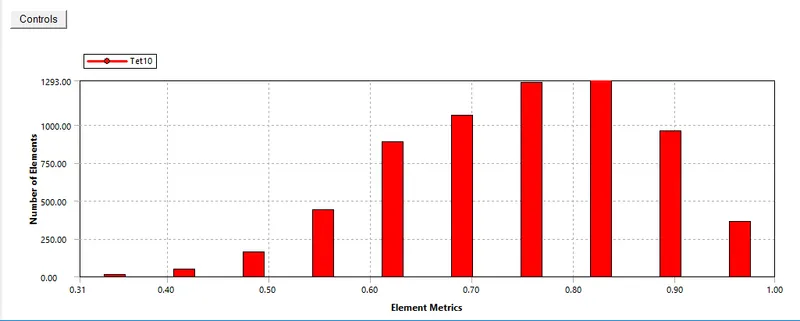
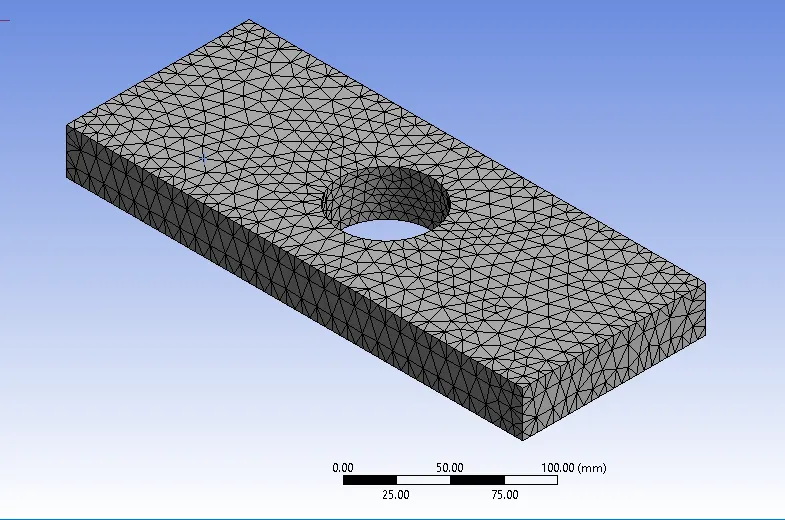
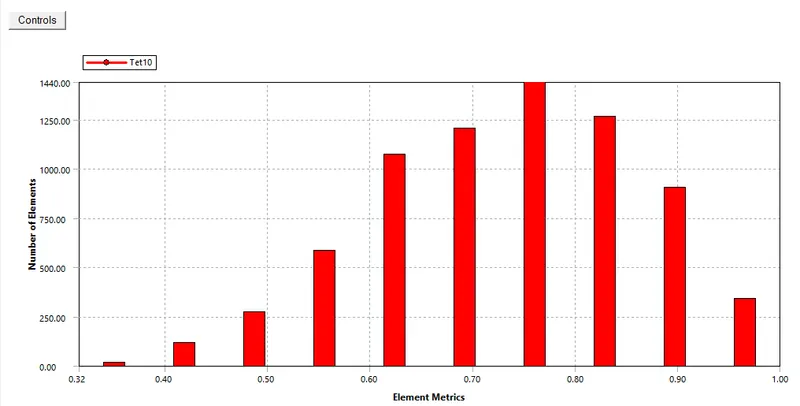
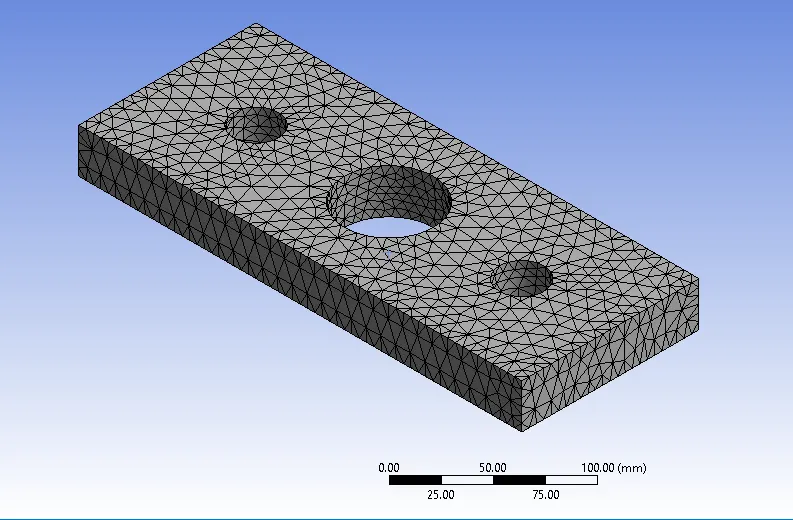
- where we see different options in one tab where we will go to mesh tab and check the type of mesh, given mesh type is hexahedron which is not required in this case so to change the mesh type right click on mesh>>insert>>method>>select model>>geometry>>apply>>then method>>tetrahedron>>right click on mesh and click update.
- to change the size of mesh click on detail view>>default>>element size and click size as 5, as we have tlimit of node qty in student version.
- we will also plot the graph for element quality.
Case-1
Case-2
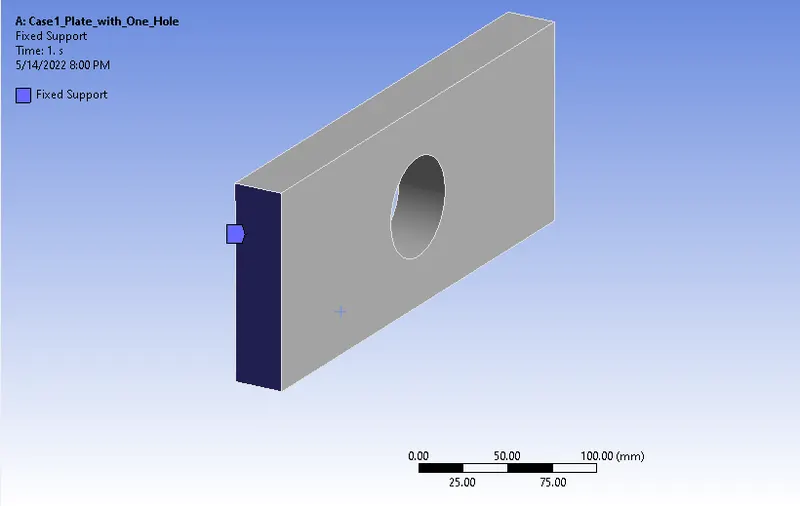
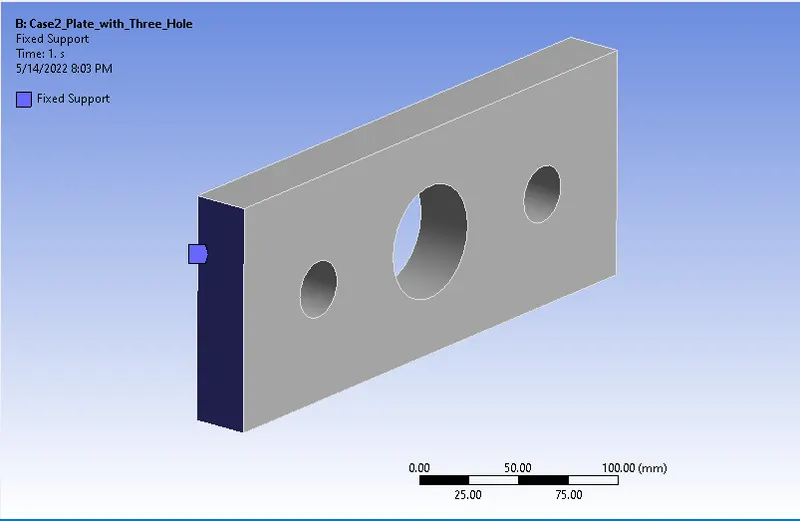
- As per question we have to apply fixed support on left side of model.
- Now we have to apply force and fixed support to model. for that right click on static structural>>insert>>fixed support>>select left side of plate as shown in snaps.
Case-1
Case-2
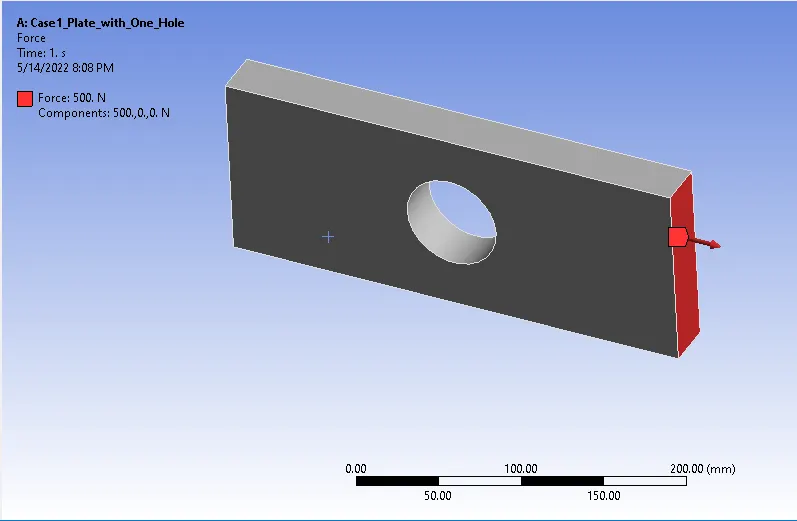
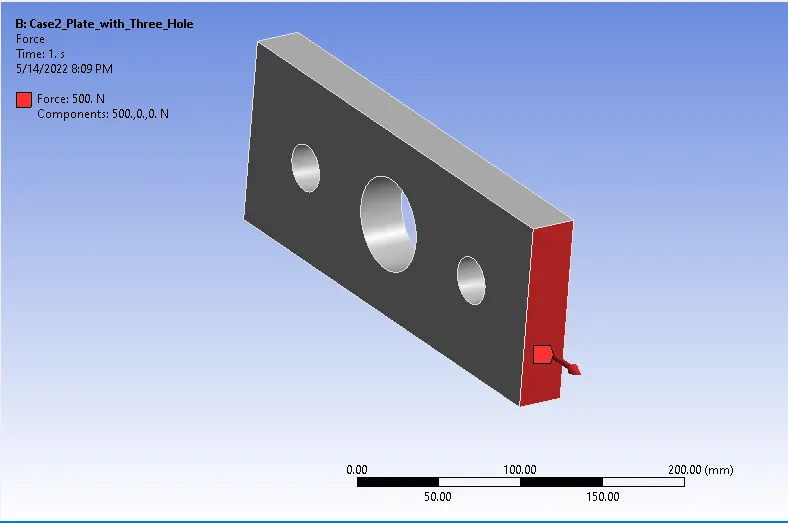
- As per question we have to apply force on right side of model in positve X direction, load is of 500N.
- Now we have to apply force and fixed support to model. for that right click on static structural>>insert>>force>>select left side of plate as shown in snaps.
Case-1
Case-2
- Now we have to generate the solution, after that we have to insert the results we wanted i.e. max. deformation, voin mess stress.
- again we have to generate the solution, now we have to see each one by one.
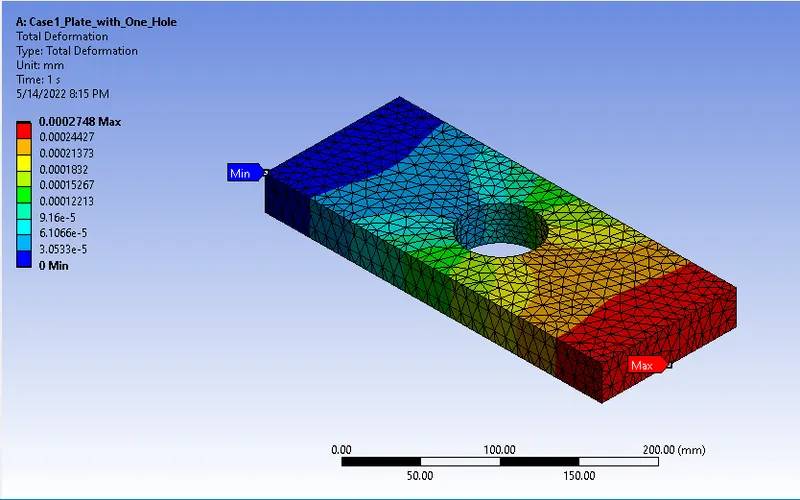
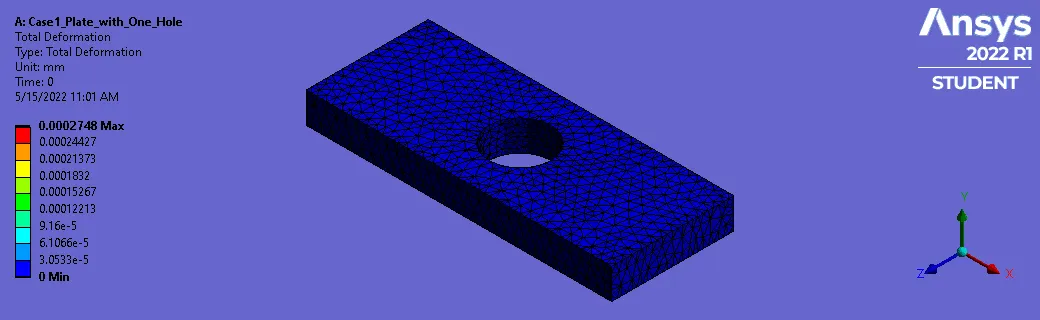
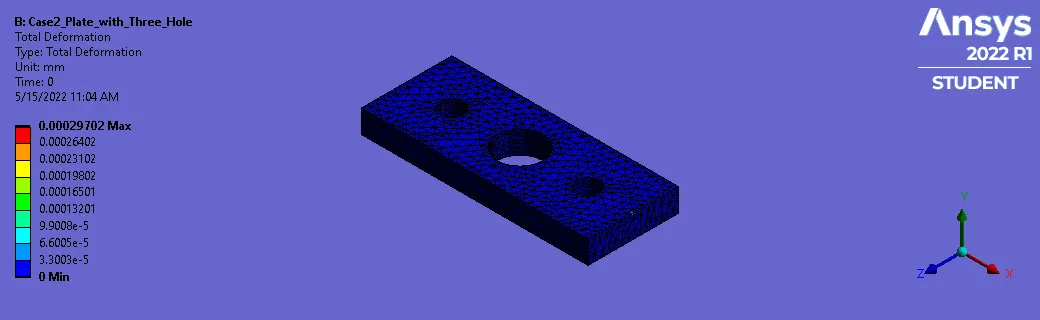
Max. Deflection/Total deformation-
Case-1
Case-2
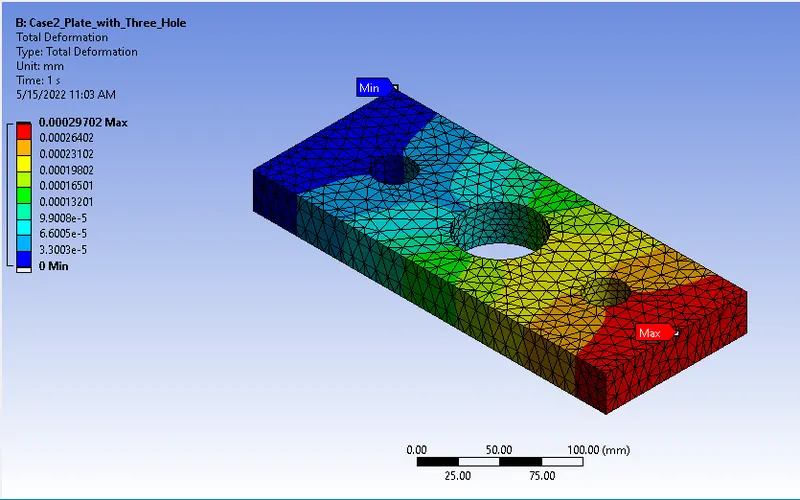
Total Deformations comparision
| Plates | Min. Value | Max. Value |
| Case-1 | 0.0002748 | 0 |
| Case-2 | 0.0002970 | 0 |
From Above results it is clear that max. deformation is in case 2 for plates with three holes which is seen on the area where load was applied.
2.Von-Mises Stress.-
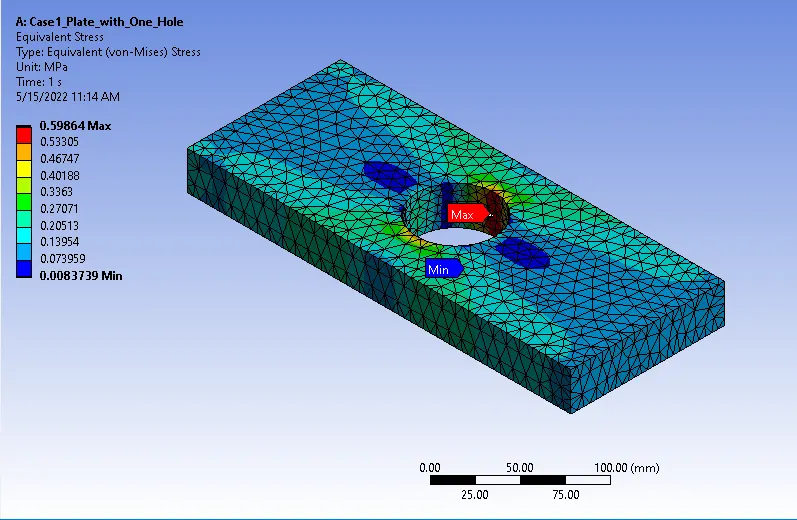
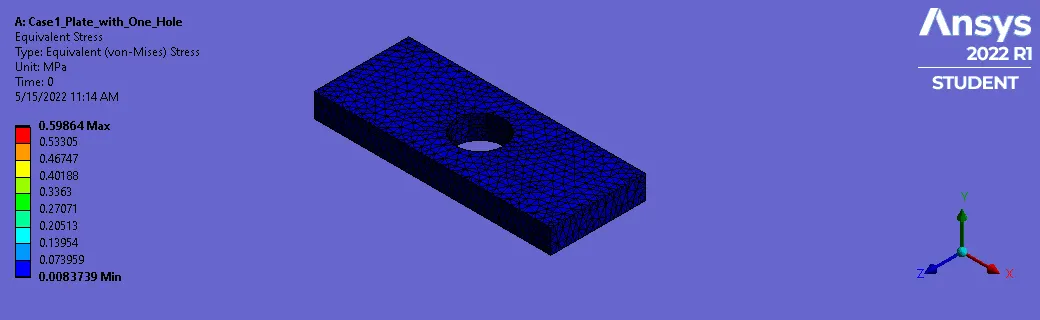
Case-1
Case-2
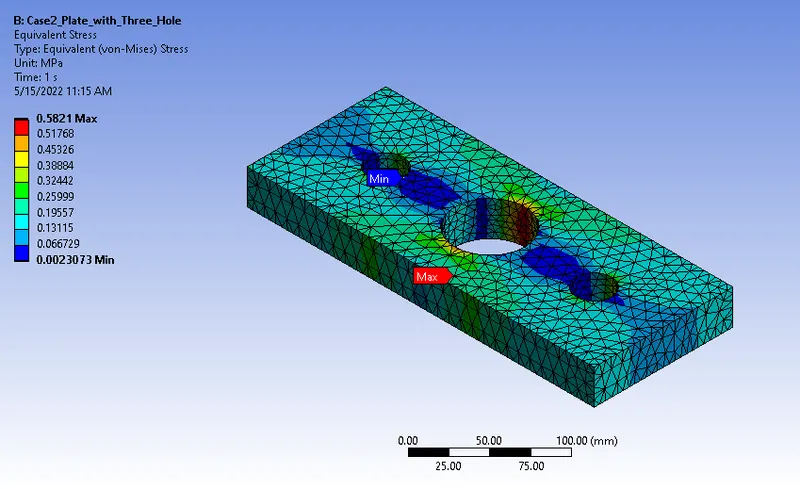
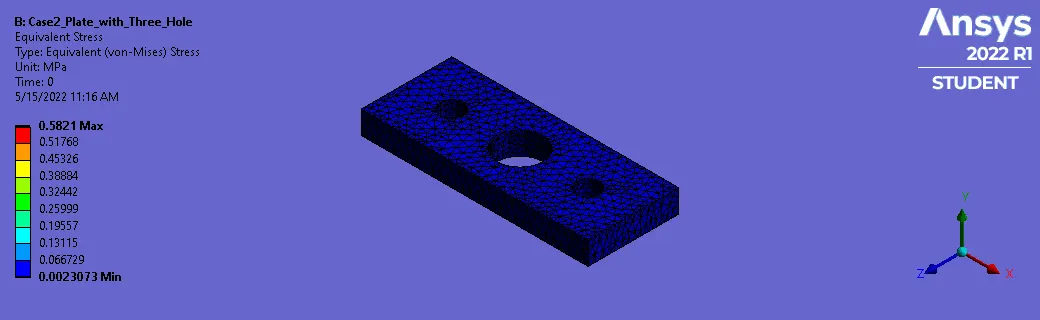
VVon-Mises Stress Comparison
| plates | Min. Value | Max. value |
| Case-1 | 0.0083739 MPa | 0.59864 MPa |
| Case-2 | 0.0023073 MPa | 0.5821 MPa |
From above result it is clear that max. stress is typically observed near the hole and can be significantly higher than the average stress across the object’s cross-section in Case-1
But for Case-2 as stress reducing holes were added the stress values has been decresed and stress concentration has also been relieved.
From an analysis standpoint-
From Analysis stand point Plate with 3 holes i.e Case-2 should be selected due to less stress values of Von-Mises stress as stress concentration is relieved due to presence of three holes and distributed evenlly in all three holes.
From a manufacturing standpoint-
From Manufacturing point we always think of cost cutting and lead time reduction so we have to select plate with one Hole i.e Case-1.
Conclusion-
- Plate with holes has been designed for 2 cases, case-1-plate with single hole & case-2 plate with 3 holes using space-claim.
- Then mesh has been generated using element type as tetrahedral with appropriate element size.
- Both the models have been solved for total deformation and stress using Von-Mises stress under a given load condition.
- Result analysis has shown that Case-1 generates more stress and less deformation, while Case-2 generates less stress and more doformation.