Week 1 Spur Gear Challenge
Aim-
To perform static structural analysis of spur gears using Ansys Workbench on below mentioned materials
1. Cast Iron
2. Cast Steel
3.Cast Bronze
To evaluate results for total deformation, Equivalent stress and stress intensity and comparing the result for all materials and to recommend best material fromdesign point of view based on evaluated result.
Theory-
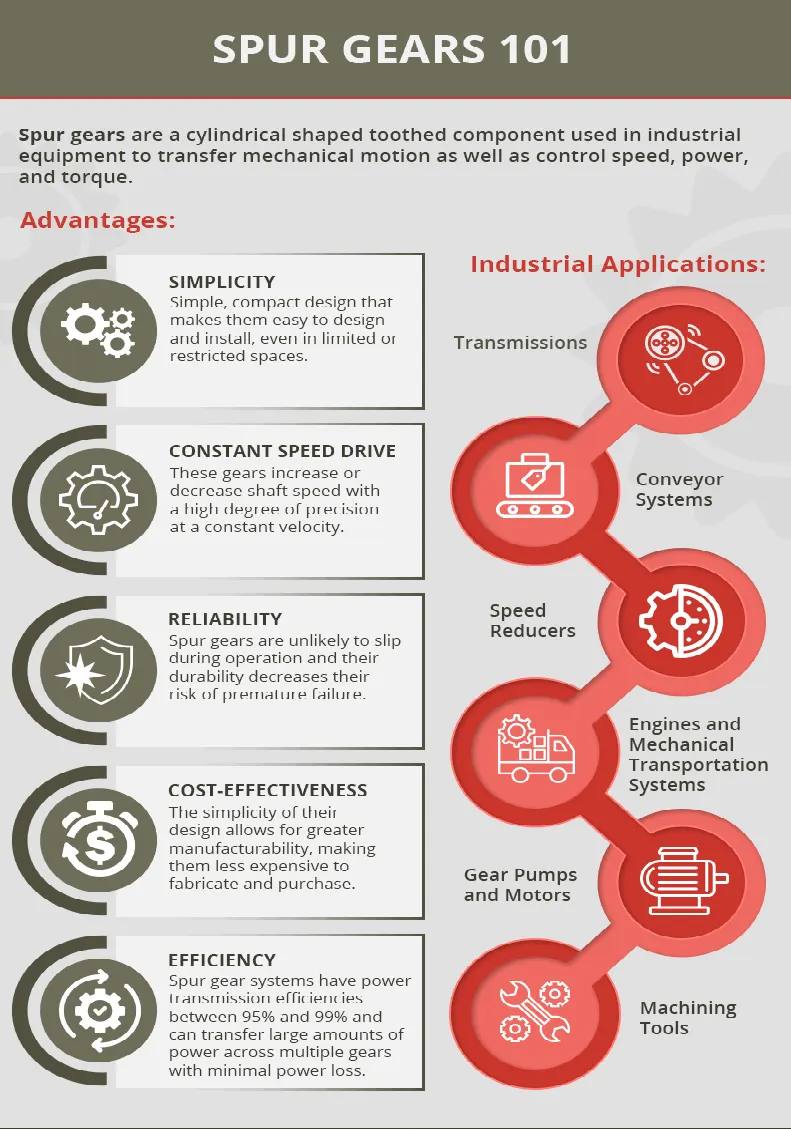
Spur gears are a cylindrical shaped toothed component used in industrial equipment to transfer mechanical motion as well as control speed, power, and torque. These simple gears are cost-effective, durable, reliable and provide a positive, constant speed drive to facilitate daily industrial operations.
At Grob, Inc., we manufacture our own tooling, allowing us the flexibility to fabricate standard or custom cold rolled spur gears designed to meet exact specifications across a wide range of industrial applications.
Stress Intensity Factor-
In fracture mechanics, the stress intensity factor (K) is used to predict the stress state ("stress intensity") near the tip of a crack or notch caused by a remote load or residual stresses.[1] It is a theoretical construct usually applied to a homogeneous, linear elastic material and is useful for providing a failure criterion for brittle materials, and is a critical technique in the discipline of damage tolerance. The concept can also be applied to materials that exhibit small-scale yielding at a crack tip.
The magnitude of K depends on:
Sample geometry
Size and location of the crack
Magnitude of load
Distribution of load
The stress intensity factor is a single-parameter characterization of the crack tip stress field.
To consider the stress analysis of cracked bodies, it is important to distinguish basic "modes" of stressing. As shown in Fig., the three basic modes are: opening (mode I), in-plane shear (mode II) and out-of-plane tearing (mode III). Mode I corresponds to normal separation of the crack faces under the action of tensile stresses, which is by far the most widely encountered in practice. The difference between Mode II and Mode III is that the shearing action in the former case is normal to the crack front in the plane of the crack whereas the shearing action in Mode III is parallel to the crack front. A cracked body in reality can be loaded in any one of these three, or a combination of these three modes.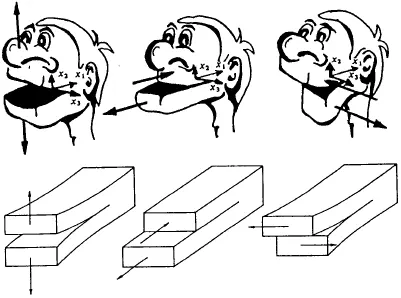
Fig. Basic modes of crack extension; (a) opening mode, (b) sliding mode, and (c) tearing mode.
K as a Failure Criterion
From previous analysis, it is clear that when stresses at the crack tip exceed yield (which always happens for engineering materials), plasticity results. However, if the redistribution of stress has a minimal effect on the crack tip elastic stress field, then the K approach to defining the stress field is still of sufficient accuracy for engineering applications. Thus, if plasticity is minimal, then a LEFM approach is justified.
Of importance to practical applications is the critical stress and strain state at the crack tip zone, which, when attained, causes the crack to propagate in a brittle, catastrophic manner. The most dangerous situation occurs when a crack is in a high-energy but constrained field that permits only slight plastic deformation at the crack tip. Expressed another way, the amount of energy absorbed in plastic deformation is reduced to a minimum extent and much more energy is thus available for fracture, i.e. crack propagation. This critical state can be described by a critical stress intensity factor Kc,
which may imply either a low stress acting on long crack or a small crack suffering a high stress.
Procedure-
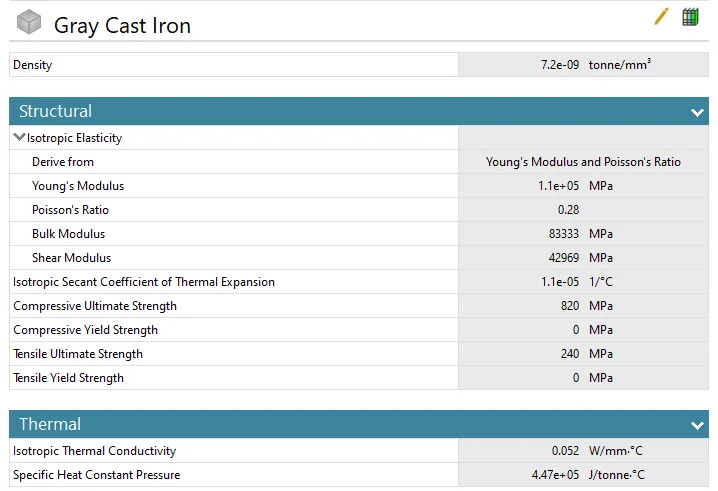
- We start with the new project and intially we will set the engineering material in which we have to select the required material i.e.grey cast iron.
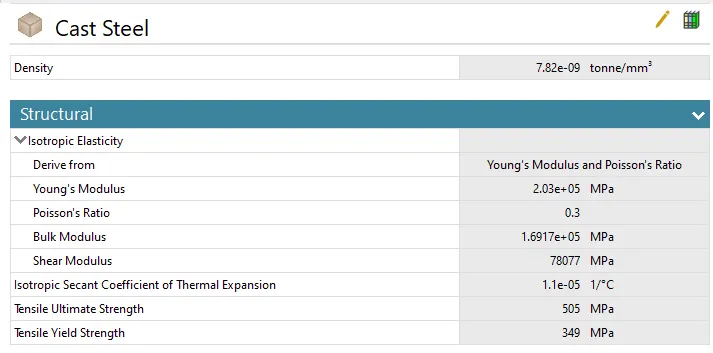
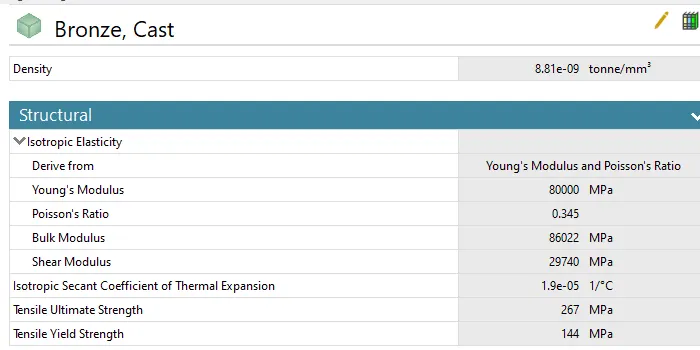
- Since rest of the two materials are not in the library we have to create them and put the value as per mentioned in the challenge.
- below snap shows the material chart.
- Now right click on geometry>>import geometry>>go to proper path>>select stp file and hit open.
- Now go to model>>right click and hit edit.
- No from tree go to geometry>>rename the gears and assign the proper material to them.
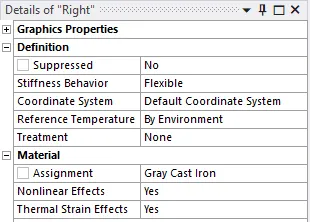
- Do the same for left gear and for rest two materials.
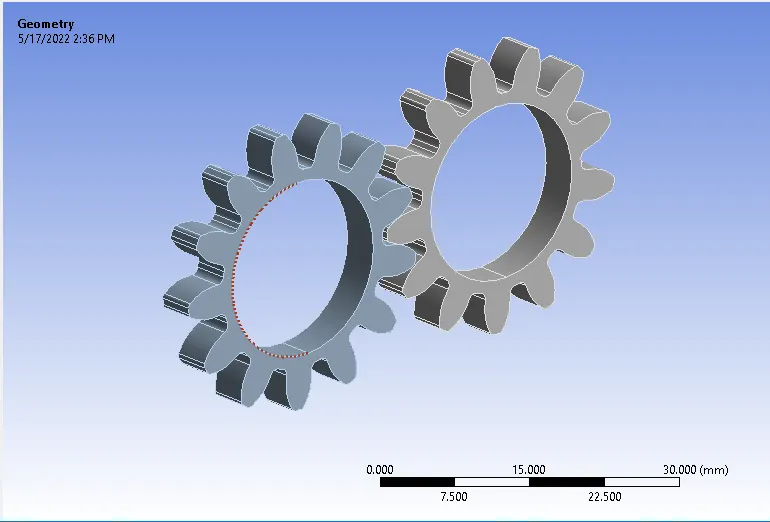
- Now imported model is gear with 13 teeth.
Connection details-
- For all the cases the connection result is going to be same.
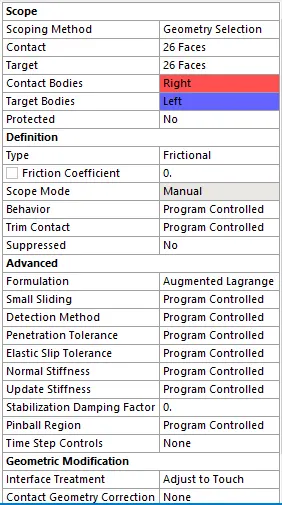
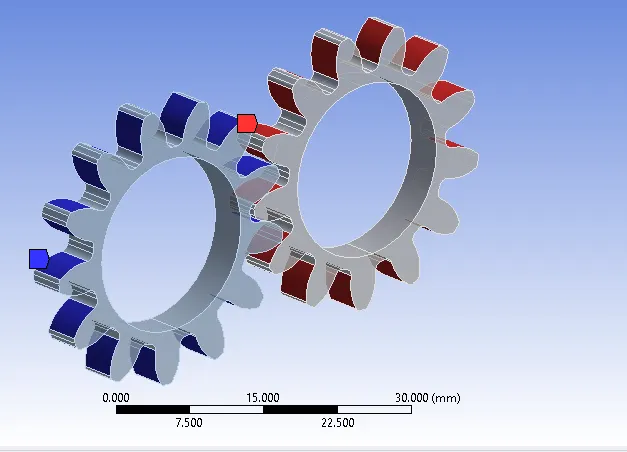
- Since gears has 13 teeth so contact and target face will same 26.
- Consider Contact bodies (drive gear) as right side gear and target bodies (driven gear) as left side gear.
- Type of contact used is Frictional & formulation as augumented lagrange to avoid interference errors.
Joint Details-
- To create joint loads right click on static structural in tree>>insert>>joint load.
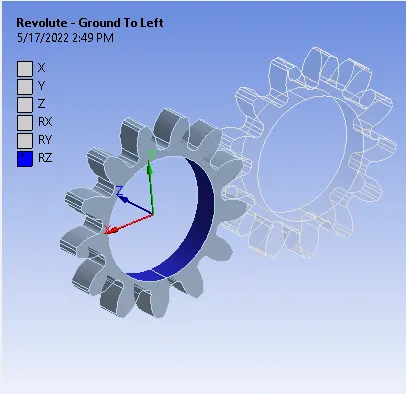
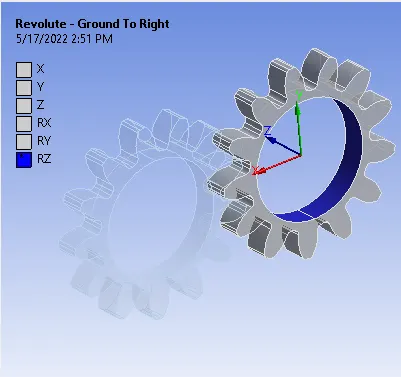
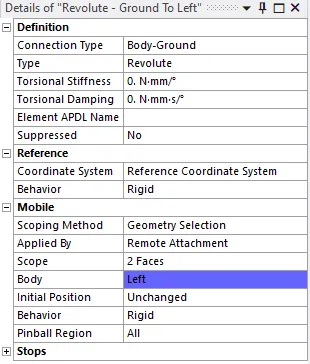
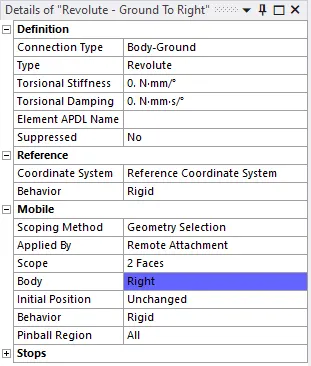
- Both the gears has been specified with revolute joint, connection type body to ground and rotation about Z-axis.
Meshing-
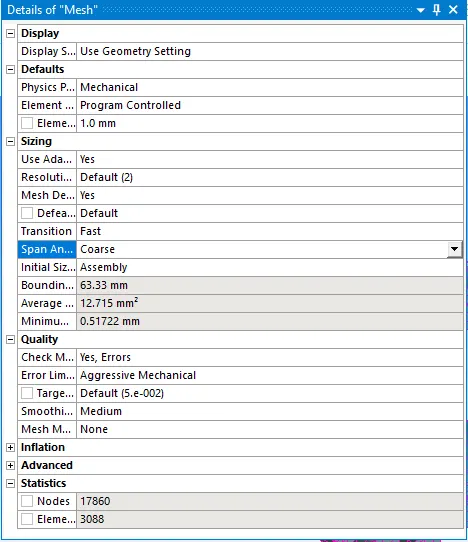
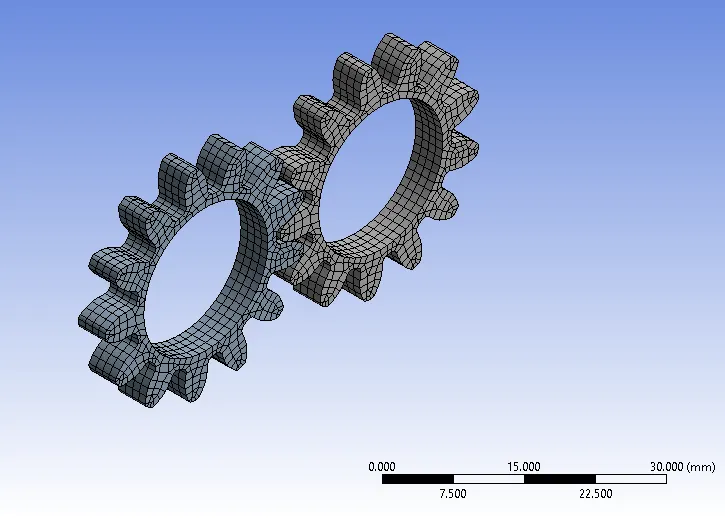
Boundary Conditions-
Analysis Setting-
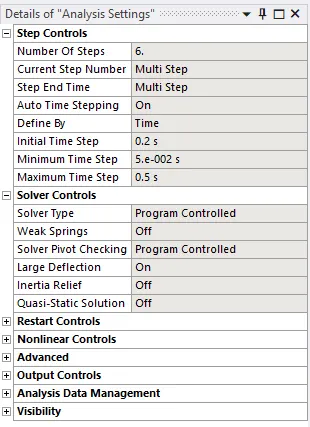
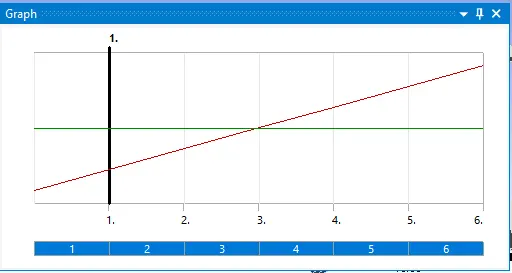
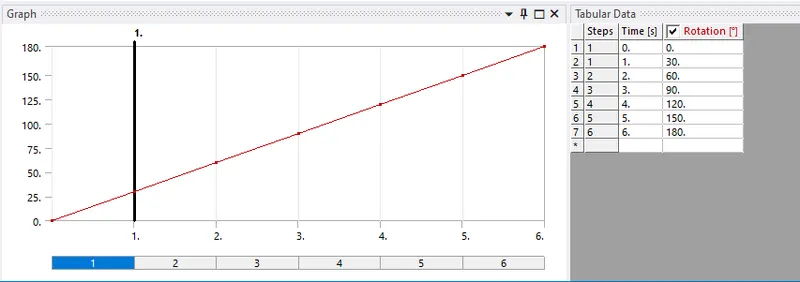
- Total numbe of time step is considered as 6 and auto time stepping as On.
Joint Load Details,
1. Rotational Joint.
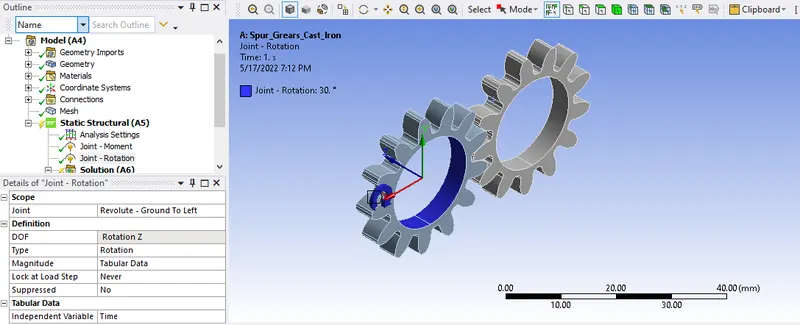
- Since the left hand side gear has been considered as the driven gear so we are applying rotational joint load to it.
- Joint selected will rotate in clockwise direction with 180 Deg. with six intervals of 30 deg. each.
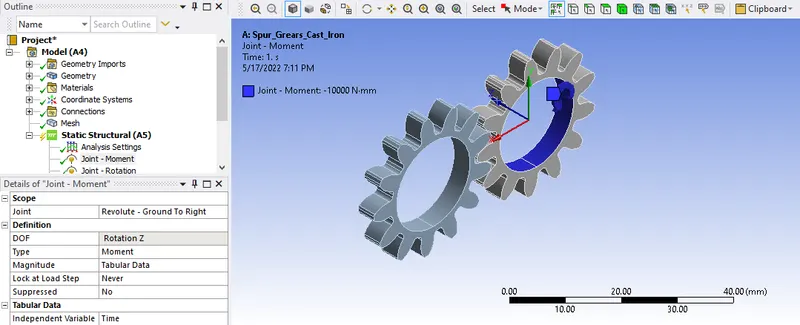
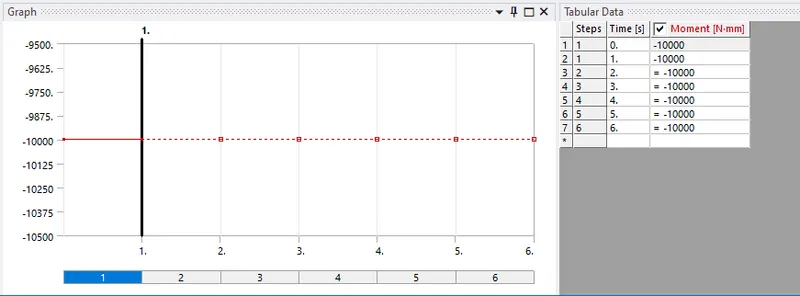
- Since the right hand side gear has been considered as the drive gear so we are applying moment joint load to it.
- For right hand gear joint load it will rotate anticlockwise with monent of -10000N-mm.
Analysis Result-
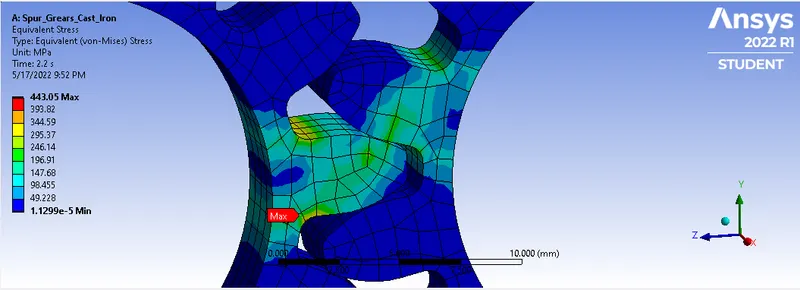
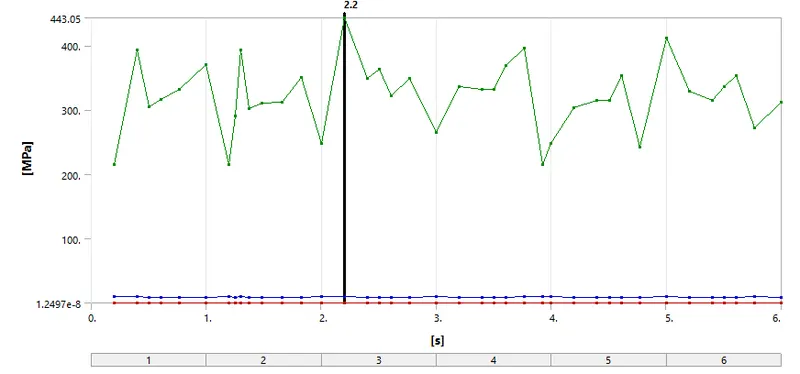
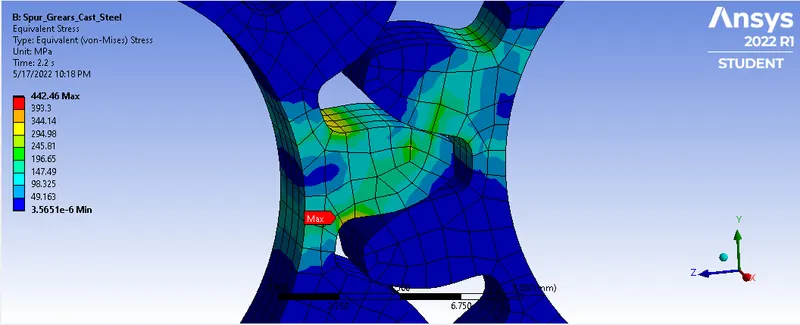
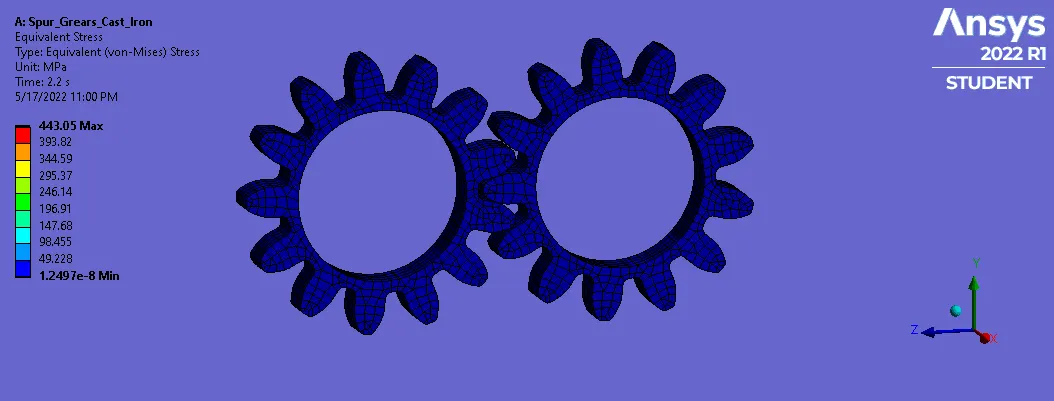
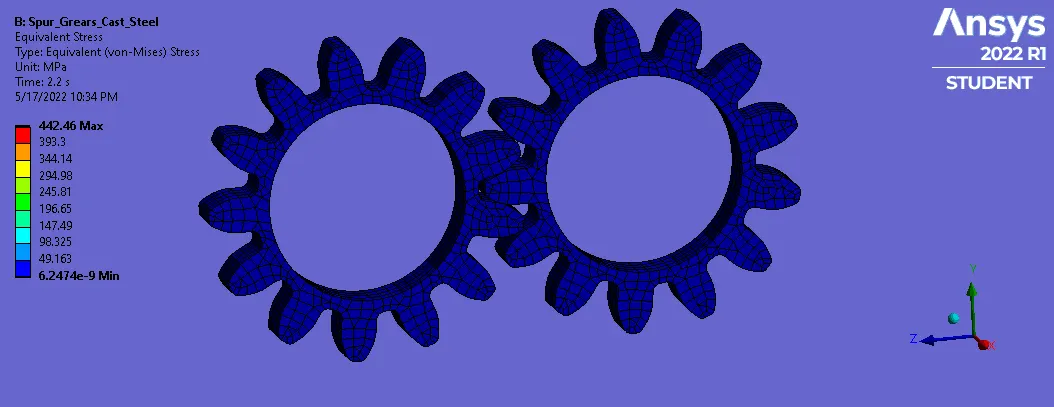
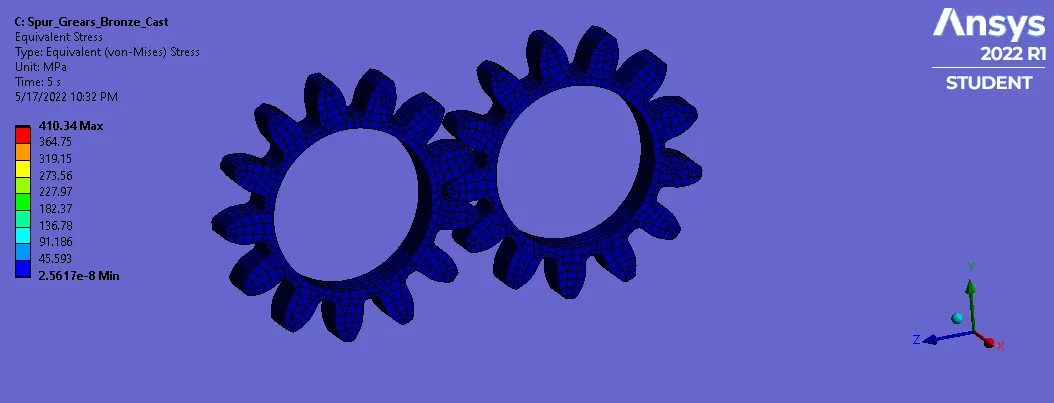
1. Equivalent Stress (Von-Mises)-
a) Cast Iron-
b) Cast Steel-
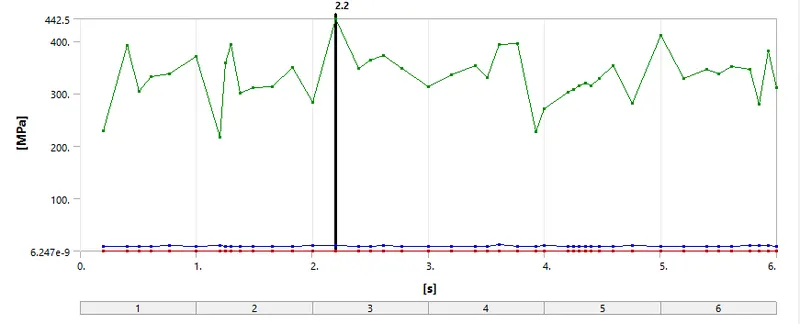
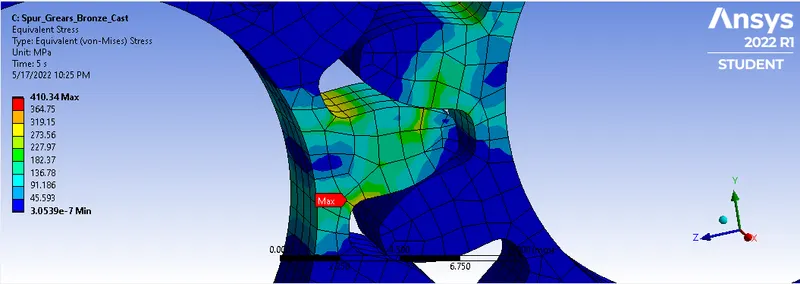
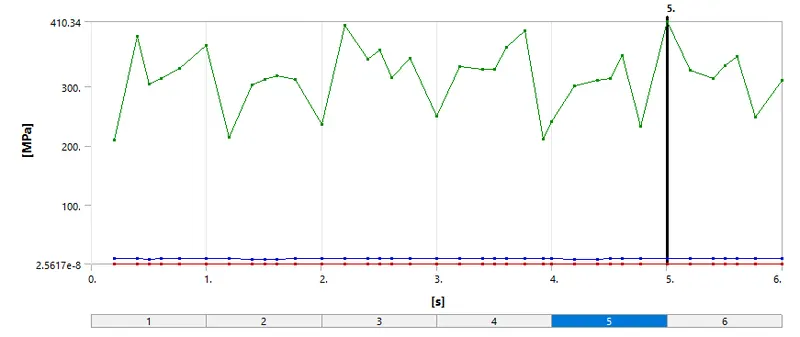
c) Bronze Cast-
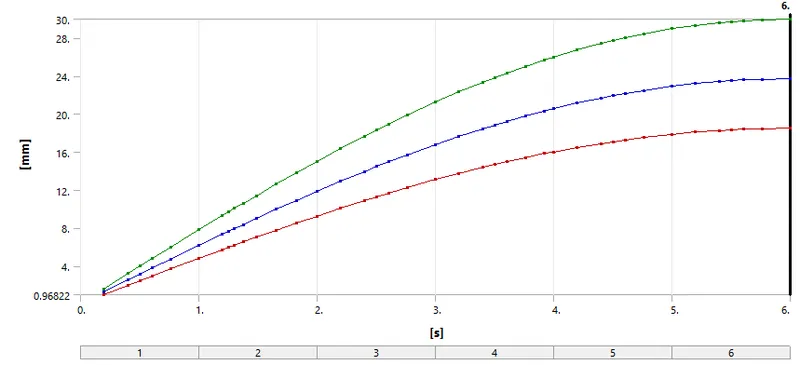
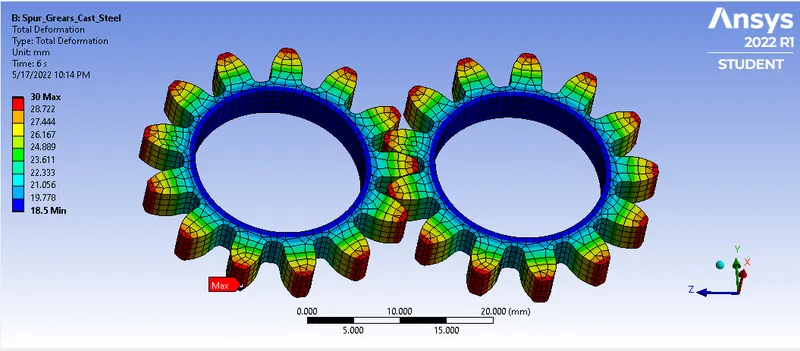
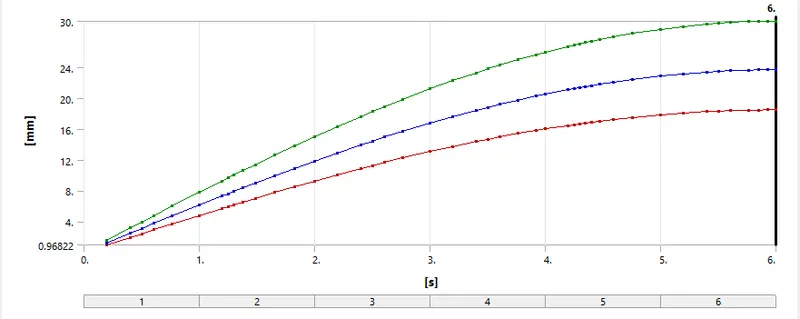
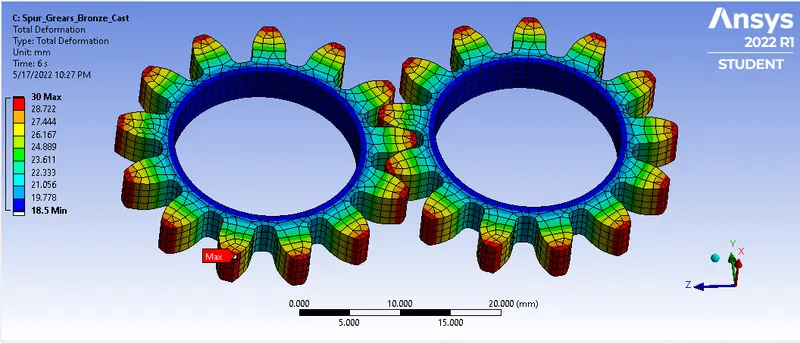
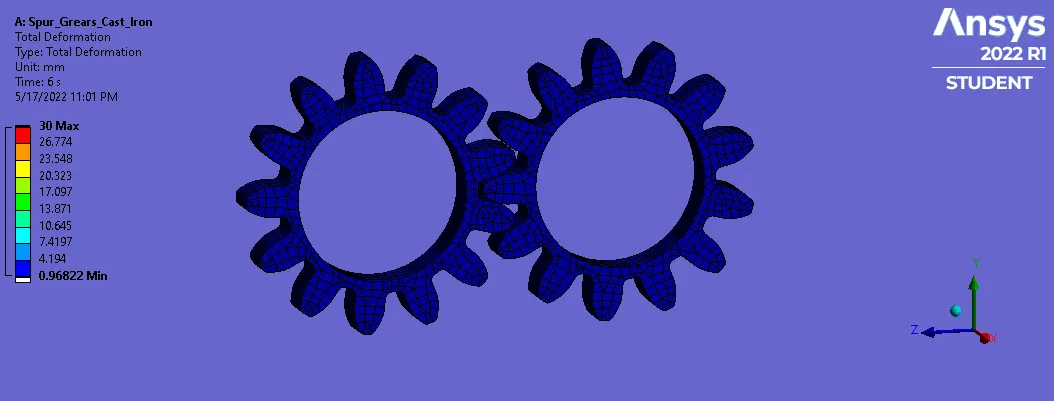
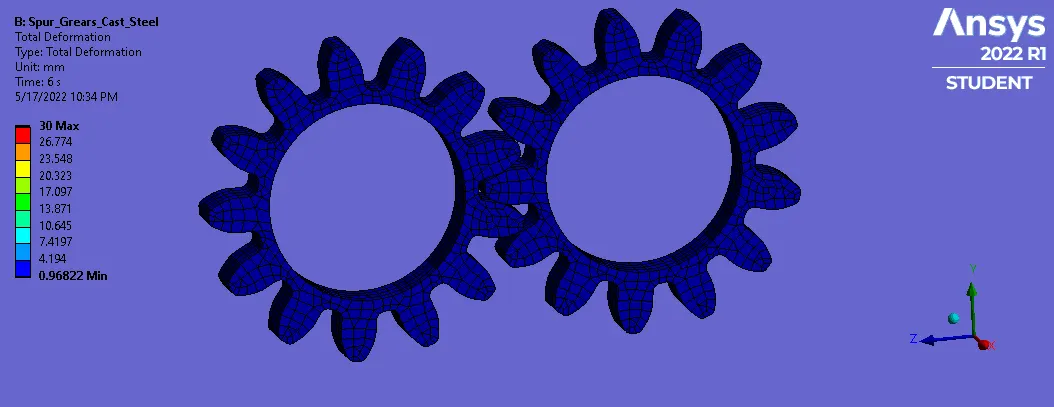
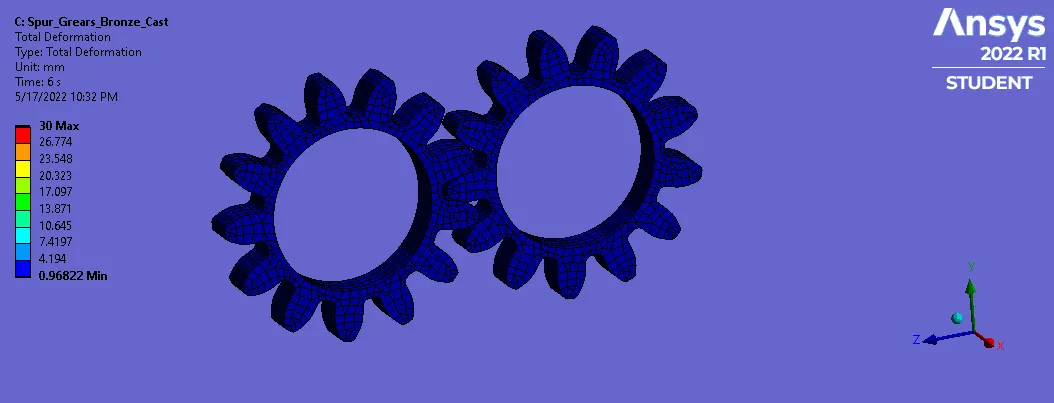
2. Total Deformation-
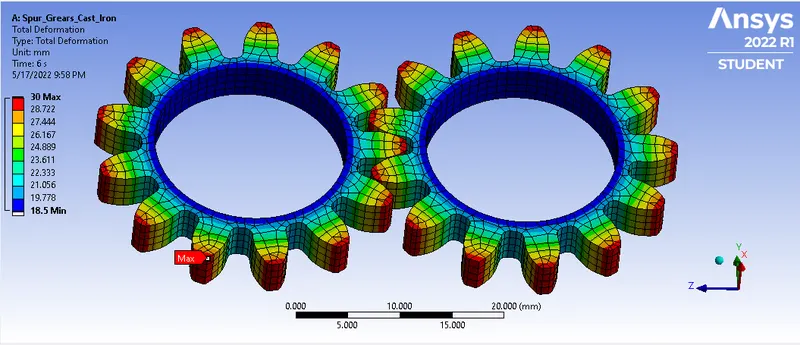
a) Cast Iron-
b) Cast Steel-
c) Bronze Cast-
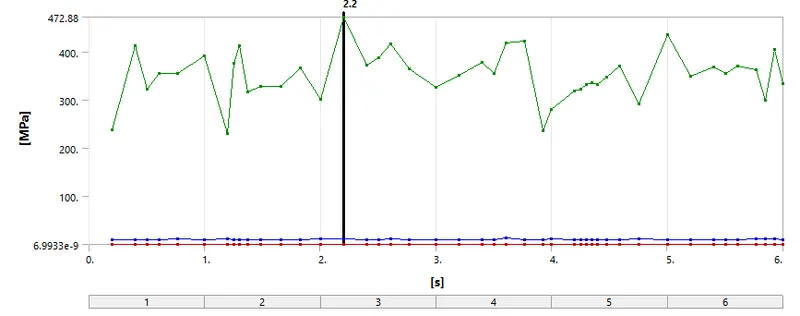
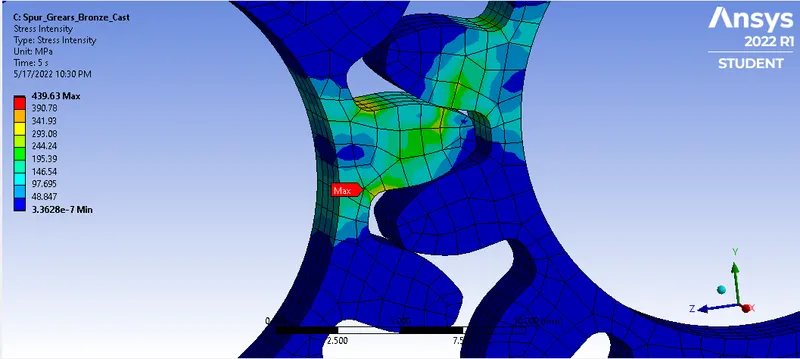
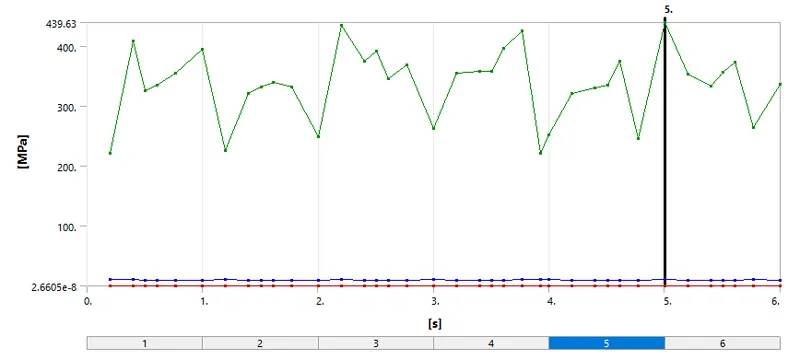
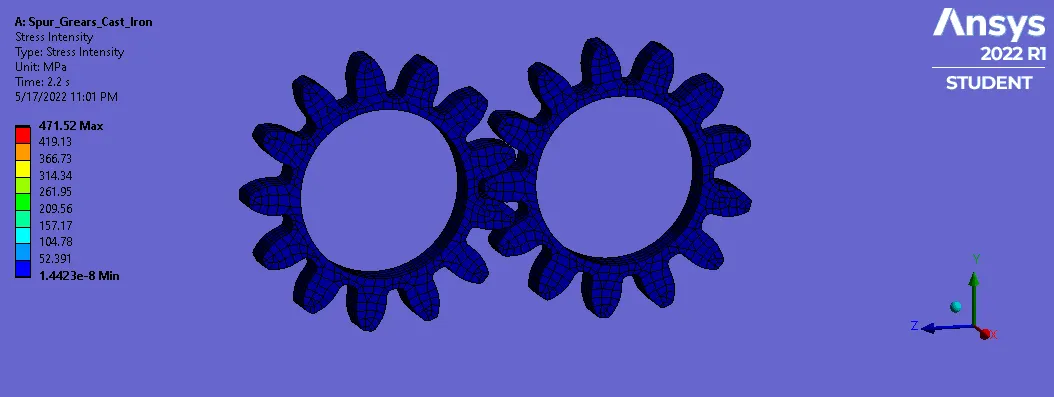
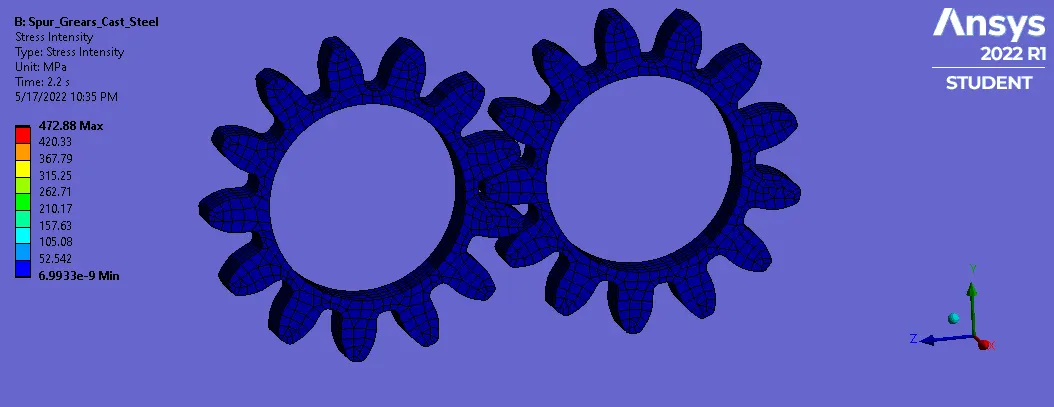
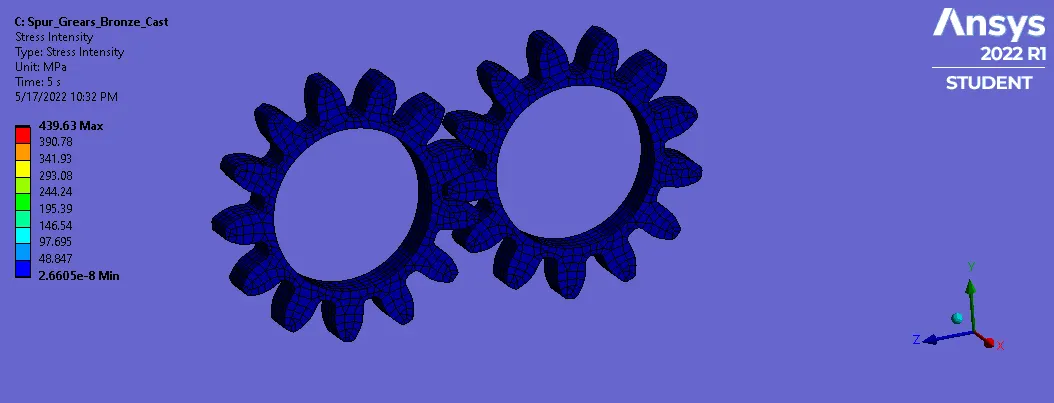
3. Stress Intensity-
a) Cast Iron-
b) Cast Steel-
c) Bronze Cast-
Result Animations-
1. Equivalent Stress (Von-Mises)-
a) Cast Iron-
b) Cast Steel-
c) Bronze Cast-
2. Total Deformation-
a) Cast Iron-
b) Cast Steel-
c) Bronze Cast-
3. Stress Intensity-
a) Cast Iron-
b) Cast Steel-
c) Bronze Cast-
Conclusion-
- Comparison of Solution-
| Case | Material | Equivalent Stress | Total Deformation | Stress Intensity | |||
| Max. | Min. | Max. | Min. | Max. | Min. | ||
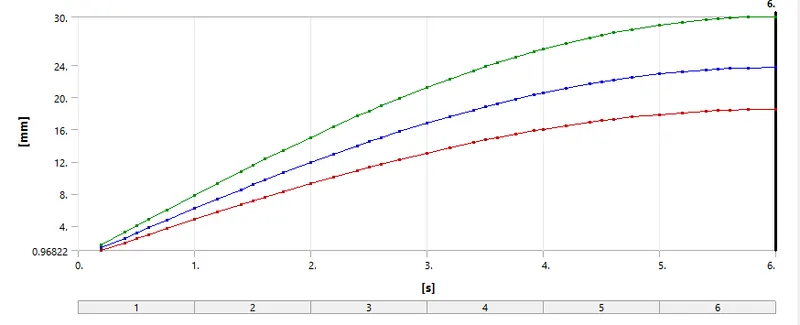
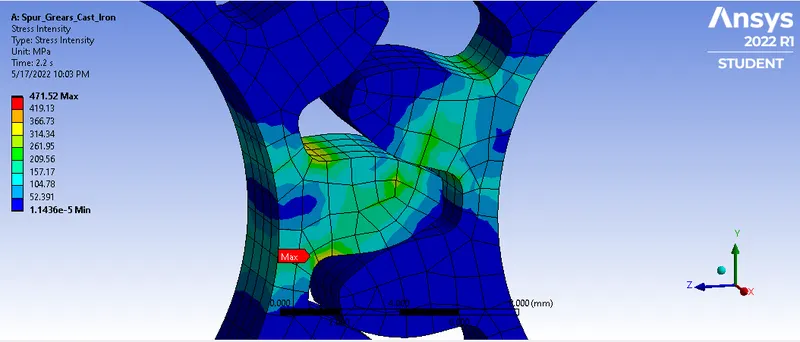
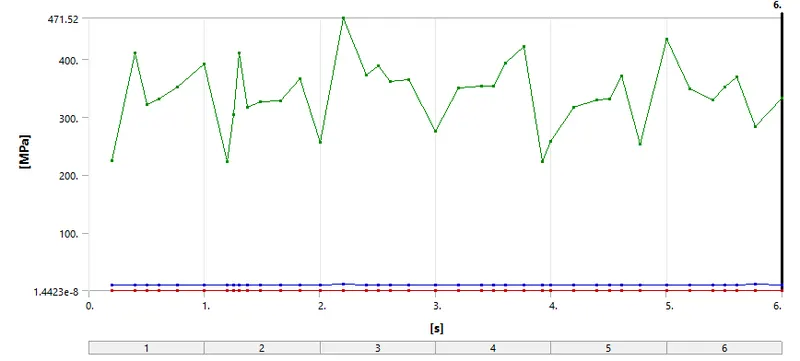
| Case-1 | Cast Iron | 443.1 | 1.25E-08 | 30 | 18.5 | 471.5 | 1.44E-08 |
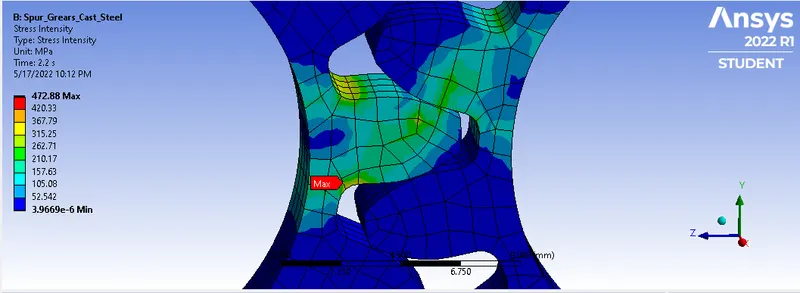
| Case-2 | Cast Steel | 442.7 | 6.25E-09 | 30 | 18.5 | 472.9 | 6.99E-09 |
| Case-3 | Bronze Cast | 410.3 | 2.56E-08 | 30 | 18.5 | 439.6 | 2.66E-08 |
- Since Max. value for equivalent stress developed is 443.1 MPa which is for cast iron & 410.3 MPa for Cast bronze, so from design point of view for equivalent stress we will select cast bronze for gear material.
- Total deformation is though same for all materials.
- Max. stress intensity value is highest for cast steel i.e 472.9 MPa & Least for Cast Bronze i.e 439.6 MPa, so from design point of view based on stress intensity we will select cast steel for gear material.
- Cast iron is a common gear material due to its good wearing properties, machinability, and the ease of producing complicated shapes via metal casting. Worm gears tend to use phosphor bronze because of the material’s wear resistance ability.
- So, For manufacturing point of view and being cost effective we select Cast Iron.