Radar Mast & Final Assembly of Yacht
DESIGN ASSEMBLY AND RENDERING OF SUNSEEKER PREDATOR YATCH
OBJECTIVE
- Design individual parts
- Apply proper appearance
- Assemble individual parts to create a product
- Render the assembled product to create a photo realistic image
INTRODUCTION
In this project first the individual parts of the predator yatch like the radar, propeller, hull, super structure, garage door, radar master are designed separately and pro[per appearance of all the parts has also been given and finally all the parts has been assembled to create the final product i.e. the predator yatch and after that the yatch has been rendered using visualize to make it a photo realistic image during the designing process various features in solid works has been caried out and a separate summary on each feature has been provided in this report and separate image of each parts has also been attached and the designing of each part features has also been included
DESIGN APPROACH
There are two type of design approach
- Top down
- Bottom up
The design approach used here is bottom up
Features of solid works
The various solid works feature used in this project are as follows
3d feature 2d feature
- Extrude Constraining and relation
- Extrude cut Fully defined
- Shell Blocks
- Split Convert entities
- Combine
- Mirror
- Sweep
- Swept cut
- Reference planes
- Loft surface
- Boundary surface
- Projected curves
- Composite curves
- Patterns
- Dome
SURFACE FEATURES
- Extrude surface swept surface
- Surface loft
- Ruled surface
- Boundary surface
- Fill surface
- Knit surface
- Cut by surface
- Trim surface
- Surface extend
- Delete face
- Offset surface
The explanation for each feature has been given below
2d feature
Constraining and relation
The important feature of constrain is that in define the 2d sketch dimensions angle and all the dimensions so that the sketch can be interpreted and make it defined
Relation is featuring whereby the different sketches cab define by relations rather that giving dimension and this feature minimizes the need for dimensions and it cannot be used in every aspect but can substantially reduce the dimensioning need
Fully defined
Fully defined sketches are those whose location in the particular plane is completely fixed in relation to the origin and it need not be everything from the origin but can indirectly be
Blocks
This feature is used when a 2d drawing is to inserted into other file where by 2d drawing is assembled in the similar way as the 3d assembly
Convert entities
This feature is used to convert the 3d geometry as 2d into a plane when viewed in normal and these entities can be useful in creating reference 2d geometry into a plane as a reference for further sketching
3d features
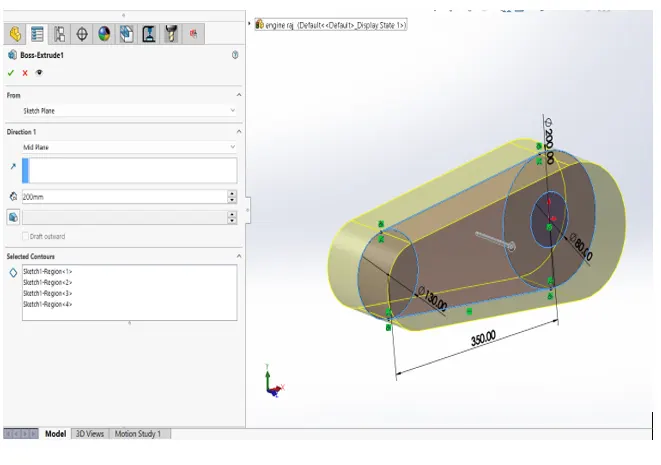
Extrude
This feature is used for orthogonal projection of a 2d drawing from a plane and the distance of projection or the direction of projection can be specified
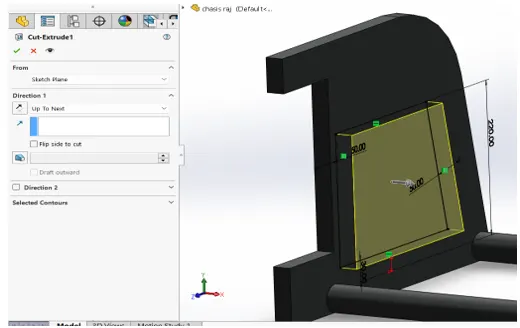
Extrude cut
This feature is used to take out material from the part and here the material is taken out orthogonally from the sketch plane into the parts and the direction size and path here can also be customized
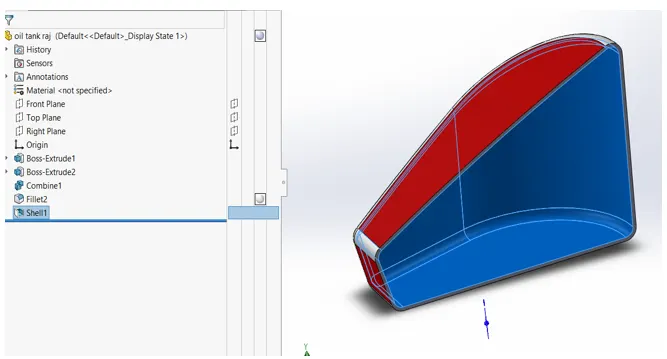
Shell
This feature is used to make a solid object into a thin object with the given thickness it is simplify taking out material from complex geometry where 2d projection of the required geometry is not possible
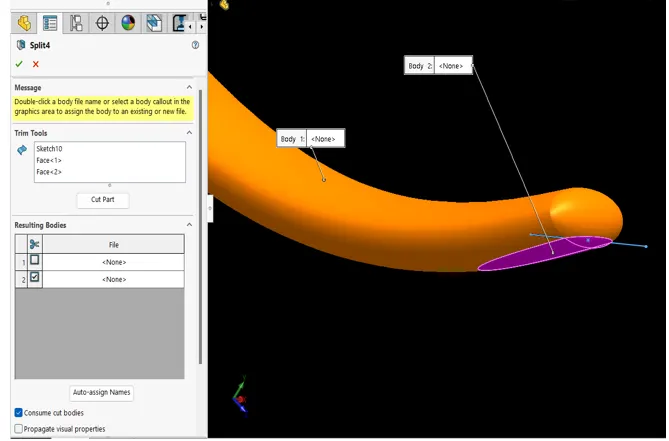
Split
This feature is used to slit surfaces from the parts it can be used to consume the intersection bodies from a part and even used for flatten rounded objects
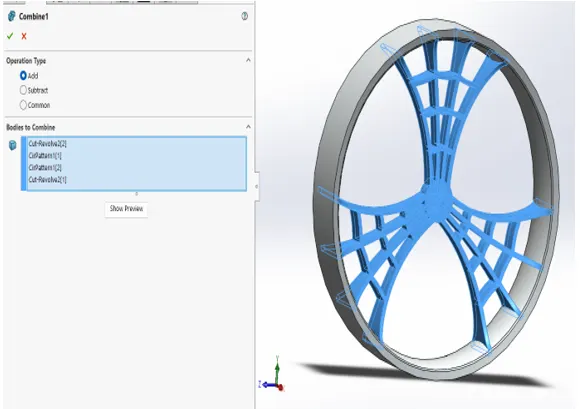
Combine
This feature is used to combine different solid bodies into a single solid body and this can also be used to combine common bodies using add and common feature
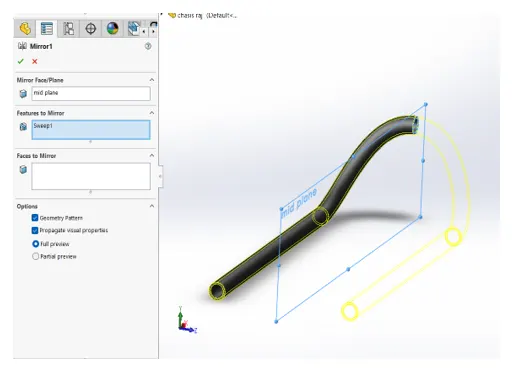
Mirror
This feature is used to mirror the selected part and to do so a reference plane or line or face is to be selected and this feature is very useful in creating symmetric geometry
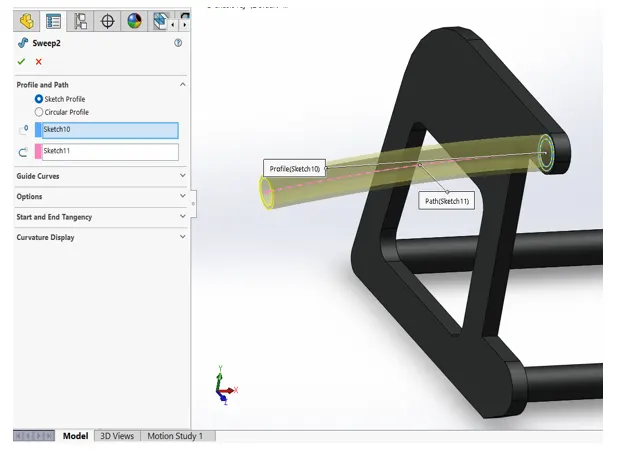
Sweep
This feature is used to do a 3d part of the selected sketch(profile) and the profile is extruded along the selected path and in simple terms it is the extrude feature with an extra option of defining the path
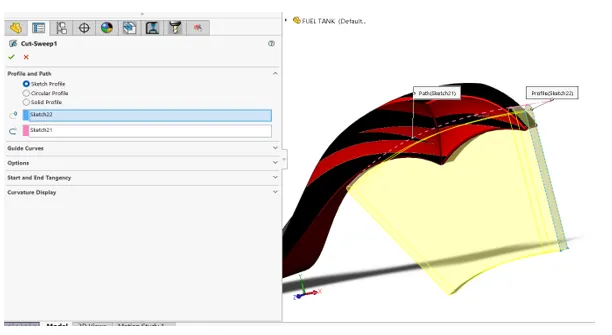
Sweep cut
This feature is same as extrude cut where extra option of specifying the path according to our needs this feature is used to do complex extrude cut surfaces
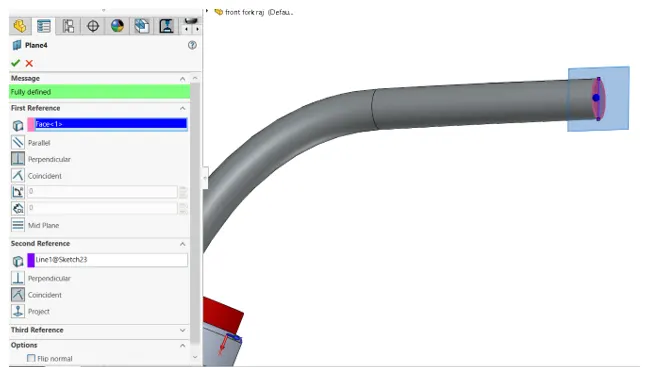
Reference planes
This feature is used to create planes in the selected surface or point and is very useful to create 2d sketching on the 3d surfaces and this is even used to create reference mirror planes and for creating planed plane and reference line or point is to be selected
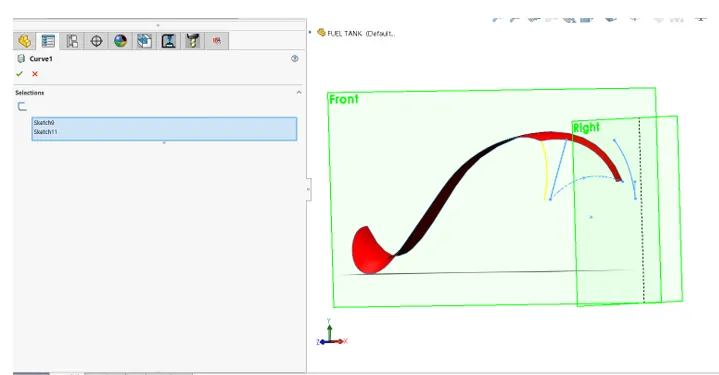
Projected curves
This feature is 3d curve from two 2d curves and the condition for the feature is that the 2d curves to be in different planes and the stating and the ending point of the 2d curves be coincident in their location
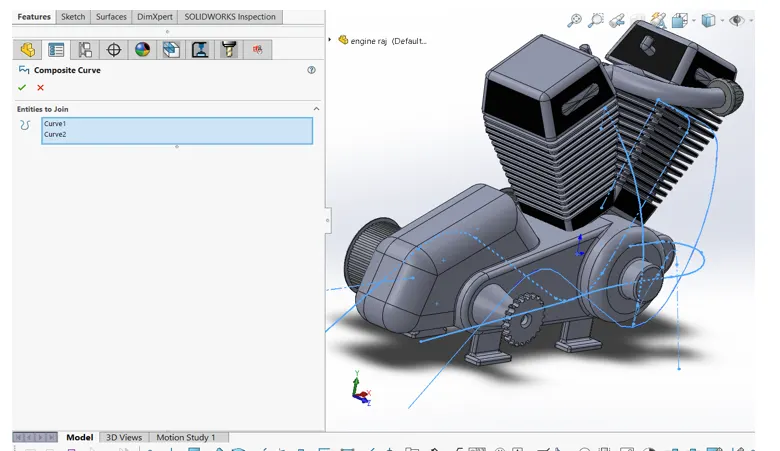
Composite curves
This feature is used when there are two projected curves and this is used to join the two projected curves into a single curve
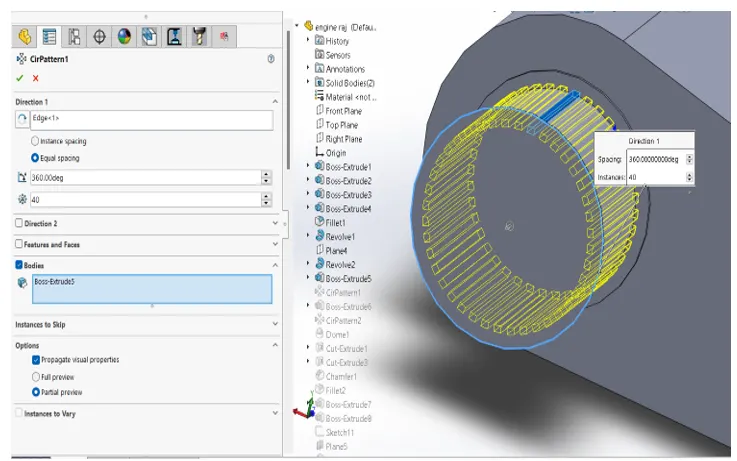
Patterns
This feature is used to create circular and linear patterns and is used both as a 3d and 2d feature and it minimizes the designing and in linear feature it creates the sketch or feature in a horizontal path and in circular in a circular patch
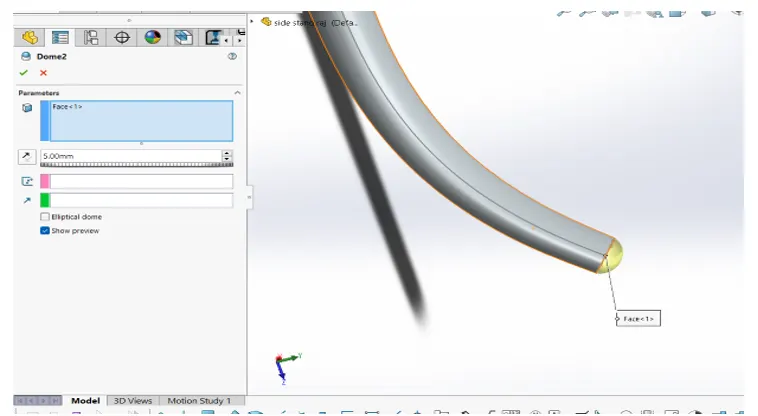
Dome
This feature Is used to create an enclosed surface on the edge of the rounded objects
Surface features
What is surface
Surface is an infinitely thin shell and it is used to create complete 3d structures
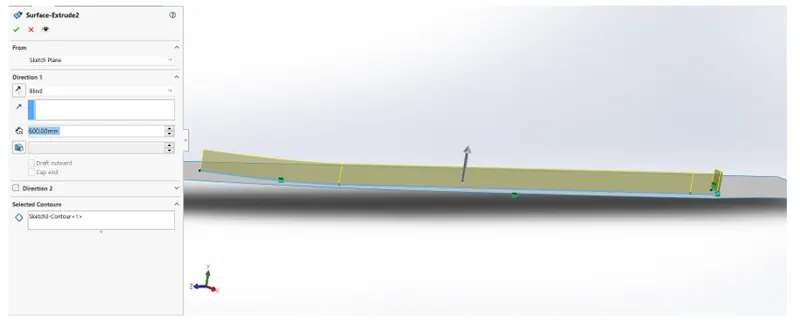
Extrude surface
This feature is used to extrude the 2d sketch into an extruded surface
Surface trim
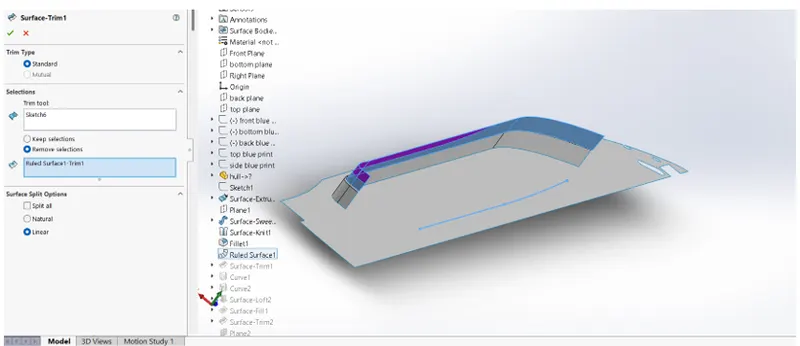
This feature is used to cut the surface when two surfaces are intersecting and faces to be trimmed can also be selected
Surface loft
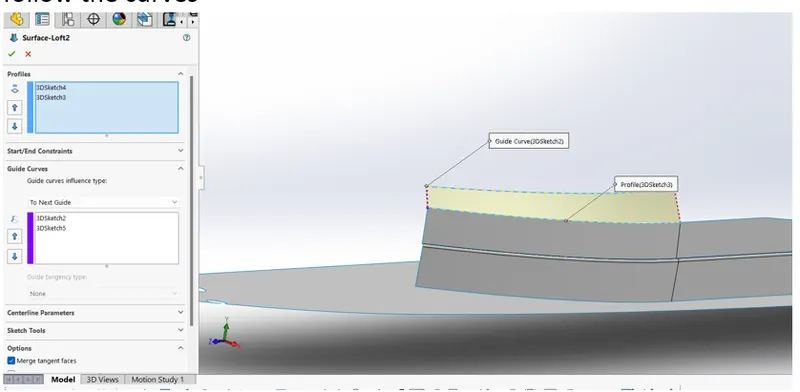
This feature is used to create a loft using the sketch and it is simply a closed surface and guided curves is used to make the loft follow the curves
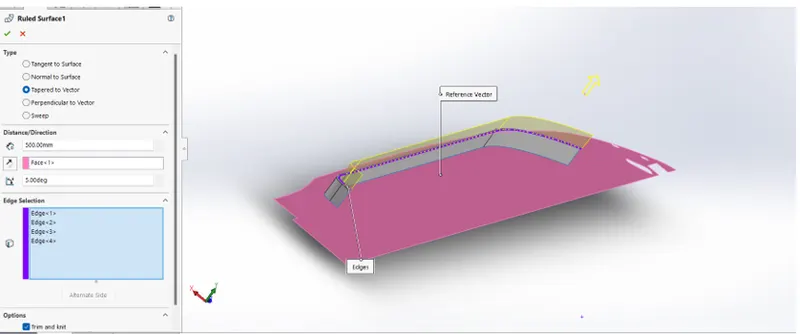
Ruled surface
This feature is used to extend the edge of the surface and the type of extension like tangent, normal, tapered, sweep can be done
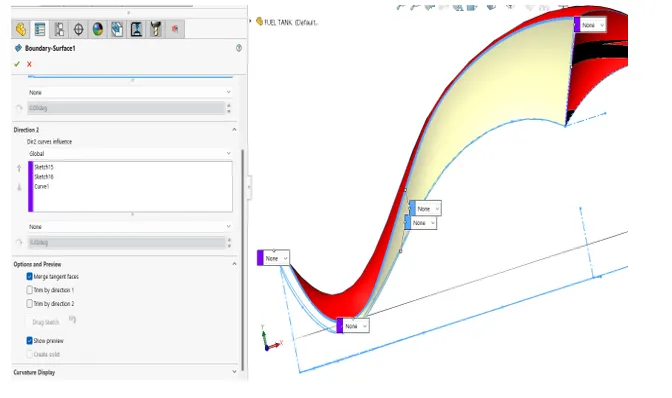
Boundary surface
This feature is used to create a lofted surface and in boundary additional direction feature and by using it limit of the surface can be given
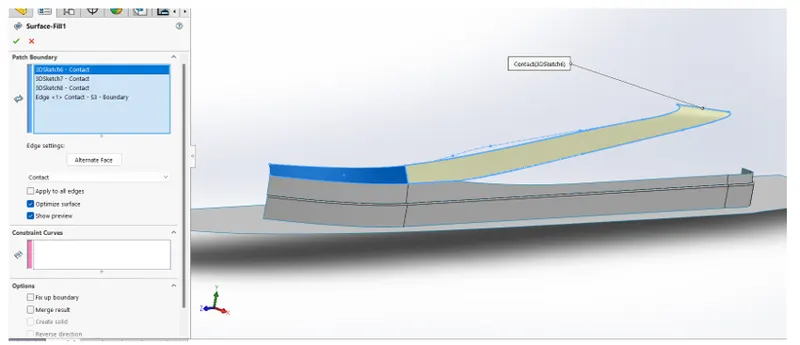
Fill surface
This feature is used to created closed surface on open edges and it can also be used to knit surface and try to form a solid
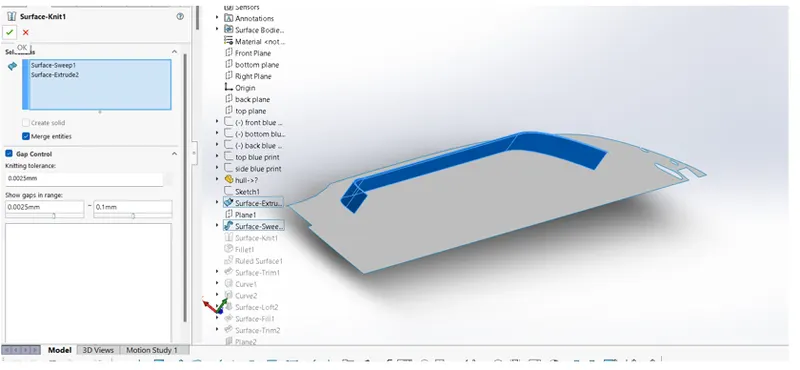
Kit surface
This feature is like sewing the edges together and gap control can enable to fill the gaps and the conditions for it are a proper curves or proper edges and it also has additional features of merge surfaces and try to form a solid
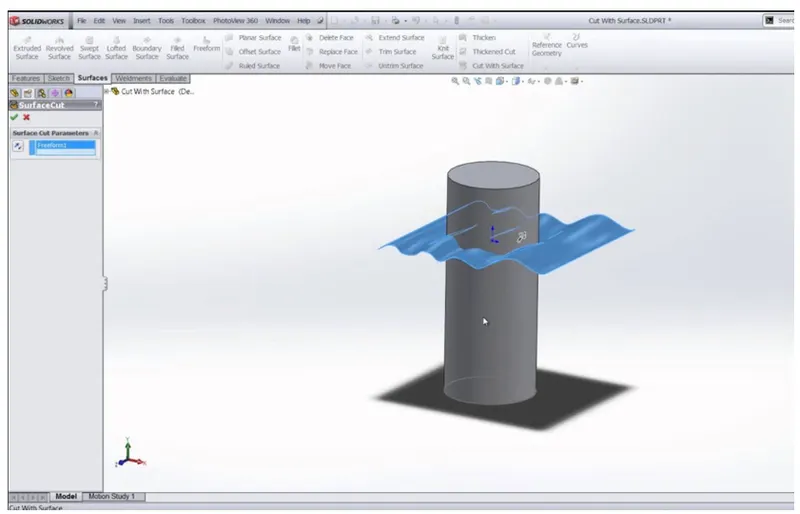
Cut by surface
This feature is like trimming by surface and by using it the intersecting features can be cut
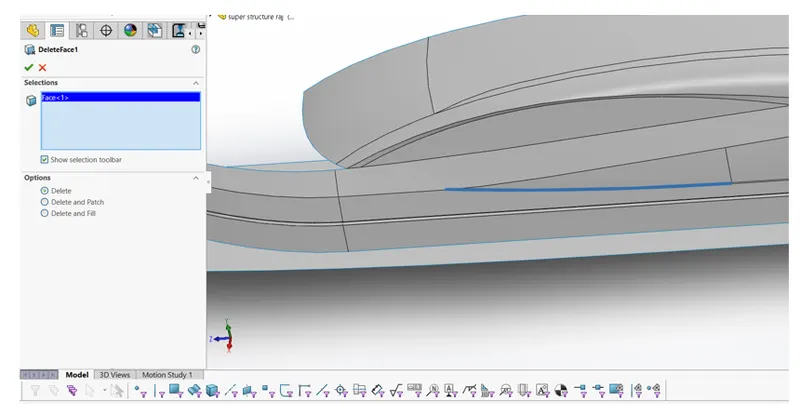
Delete face
This feature is used to delete the selected face
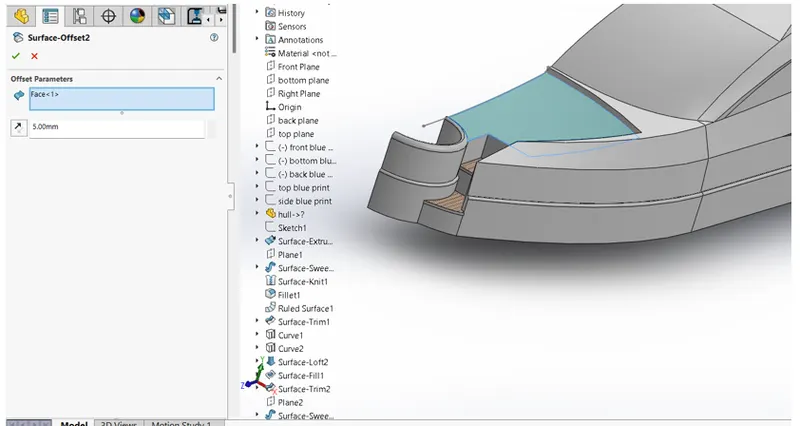
Offset surface
This feature is used to create an offset of the surface and the offset can be used as reference for other part designing
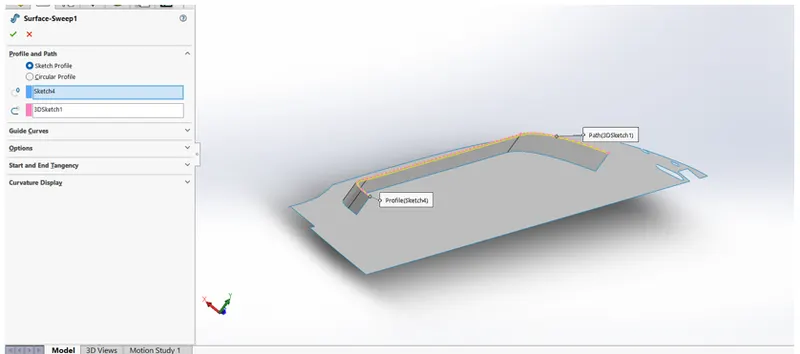
Swept surface
This feature is used to create a swept surface using the profile and guide curves
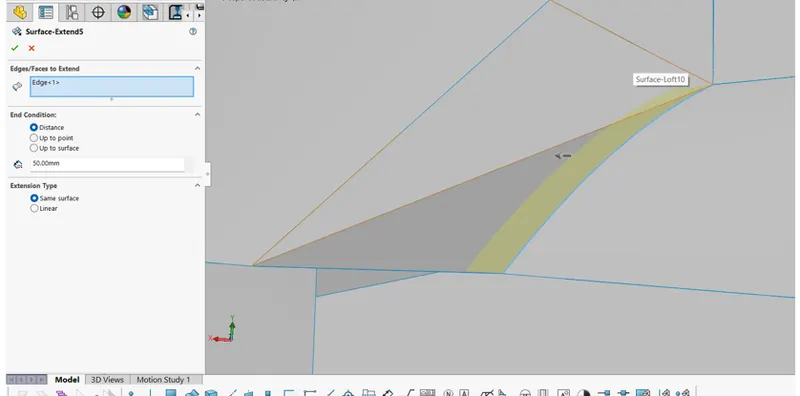
Extend surface
This feature is used to create an extension of old surface and as such a surface extrude of the edge as a reference sketch
Design of individual parts of yatch is explained below
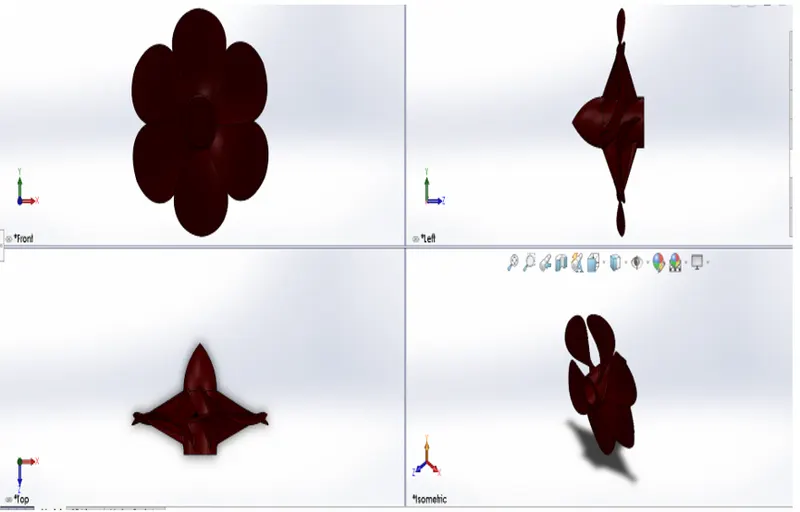
- Propeller
In this part first the base profile is created using revolve and after that two rectangle in different planes are created and are swept to create a twisted feature and a dome is added in the edge of sweep after that the swept feature is made circular pattern and finally edges are filleted and proper appearance are given and part is saved
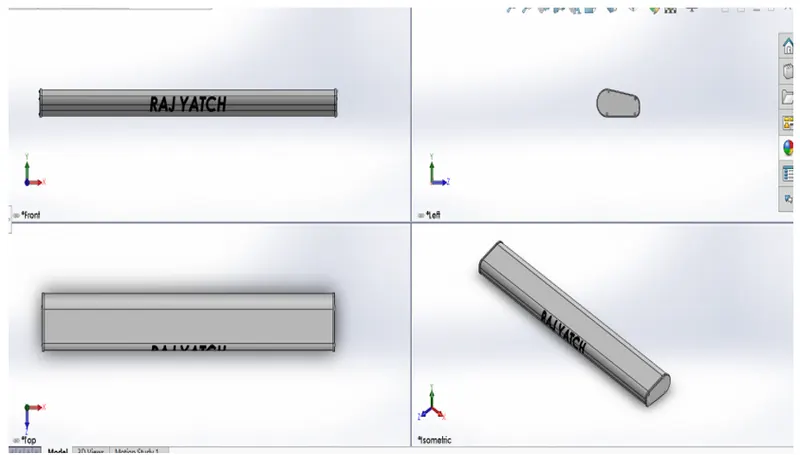
- Radar
In this part the first 2d sketch is extruded and edges filleted and circular cur extrude in the middle is created and appearance are given and text has been added in the top surface and the part is saved
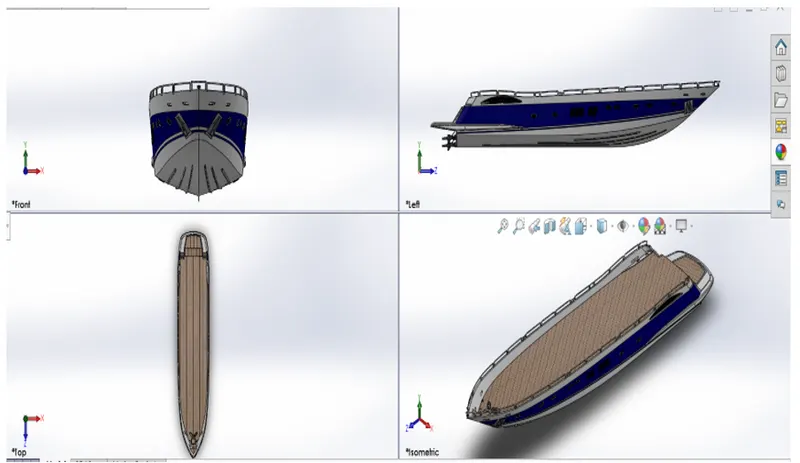
- Hull
In this part first the lofted surface of the hull is first created and after that surface extrude is made on the back edge and the after that cut by surface is used to the unwanted surface and extrude surface is created and trim surface option is used to cut the unwanted surface and knit surface option is used to fill the small gaps and after that filled surface is created and try to form solid is selected to form a single solid body and after thar shell on a phase is created and after that solid extrude is created and projected curve is created and sweep option is used to sweep the side handles and extrude cut is created at desired place and after that cut extrude thin is used to create a separate garage body and it is saved to create the garage door and after that the external badge design is created using extrude and a plane is created on the badge and the design is created to extrude and mirrored and after that the body is mirrored to create a complete part
- Garage door
Here the saved garage body from hull is first imported and after that its shell is done on a face and extrude circle profile is created on the body for hinge and after that the body is mirrored and text is created on the phase and extrude cut is made using the text into the body
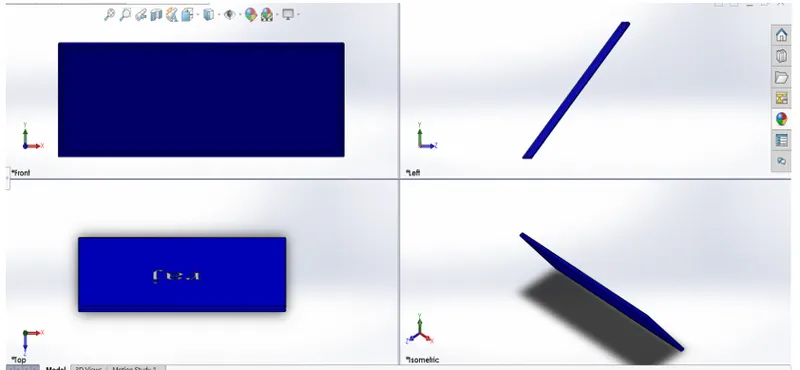
- Front seat
Here first the surface offset from hull is imported and after that the lofted feature is created to create a base and the surfaces are knitted to create a solid and after that a sketch is made on the face and it is revolved and after that seat are extrude cut and all the bodies are mirrored and after that dome is created on the faces and edges are filleted
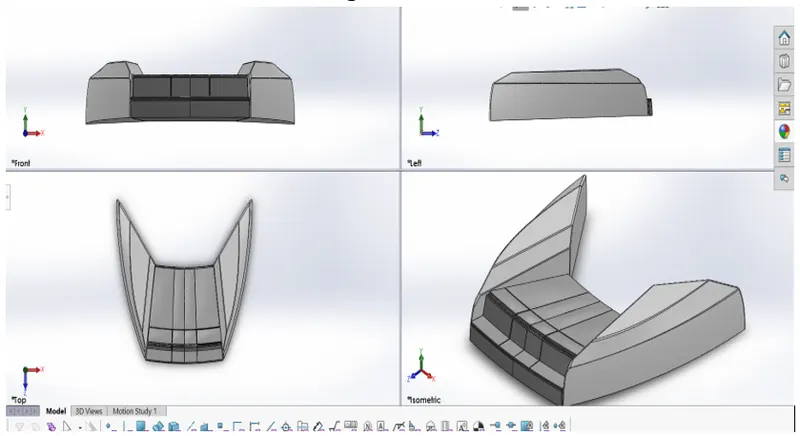
- Middle seat
Here first the surface offset from hull is imported and after that only the solid features are used and first the base structure is created and after that the seats are extruded and after that the bodies and seats are mirrored and after that the middle table is extruded and the appearance are applied to the bodies
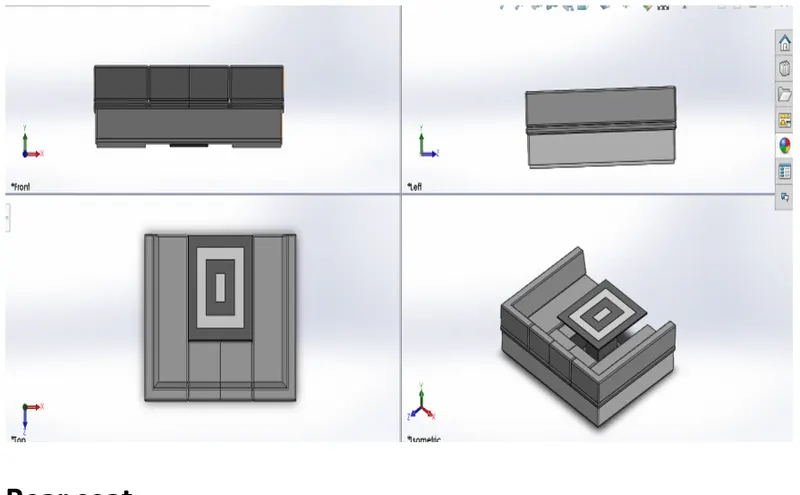
- Rear seat
Here first the surface offset from hull is imported and after that base surface is lofted and a surface offset is created and surface extrude is created and trimmed to create a closed surface and after thar surface knit is used to create a solid and after that seat are created and extruded to create a separate body and after that the bodies are filleted and after that the bodies are mirrored and the flag pole is swept and a flag structure is created by using a 3d sketch and it is loftedand proper appearance to the structures are applied and the part is saved
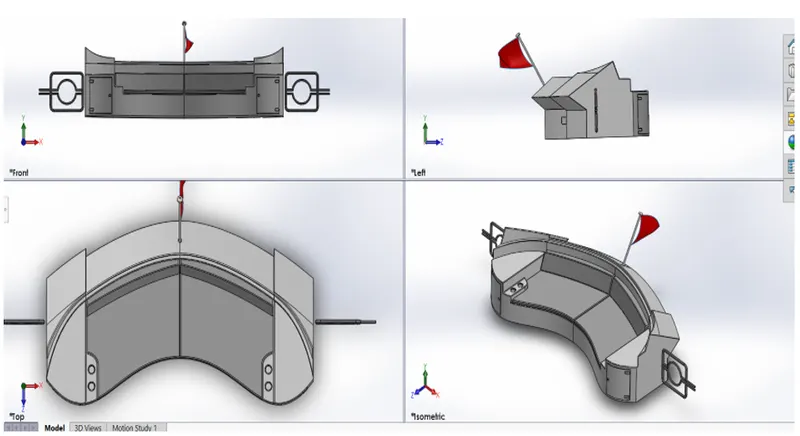
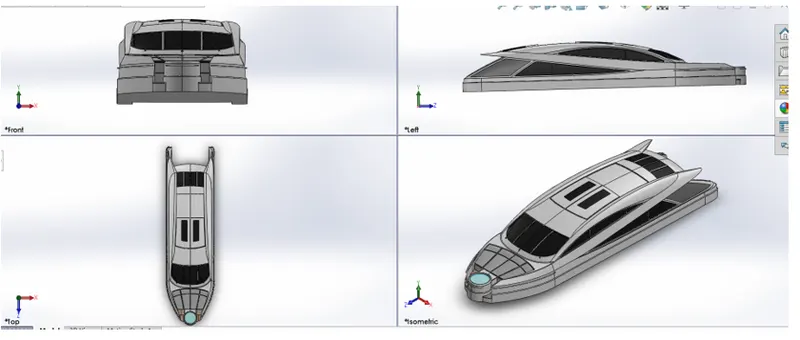
- Super structure
Here first the surface offset from hull is imported and after that the projected curves option is used to create the sketch for the loft and the ruled surface is created in edges and trim surfaces option is used to cut the unwanted surfaces and extrude surface is used to create the profile for trimming and after that another projected curves are used to create the upper roof and after thar the front steps are created using extrude surface and the surface is closed and after that the circular surface is swept and the intersecting faces are trimmed and finally the structures are knitted and a solid body is formed and the bodies are mirrored and the edges are filleted and the circular body is shelled and after that a plane surface is created and small surface from the hood is made offset to make it a reference for designing another part and after that the proper appearance are applied and the part is saved
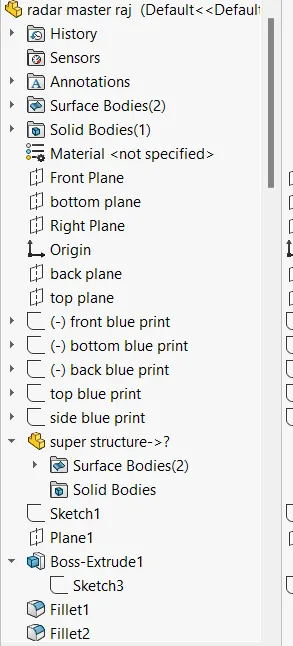
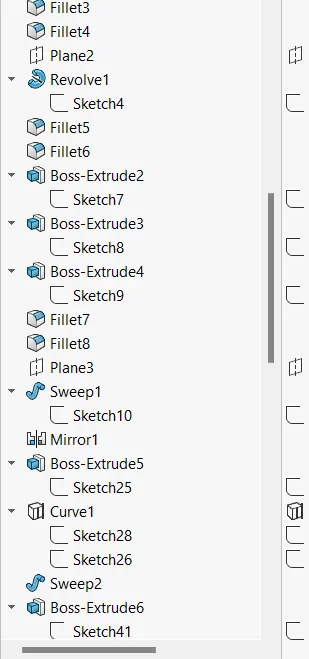
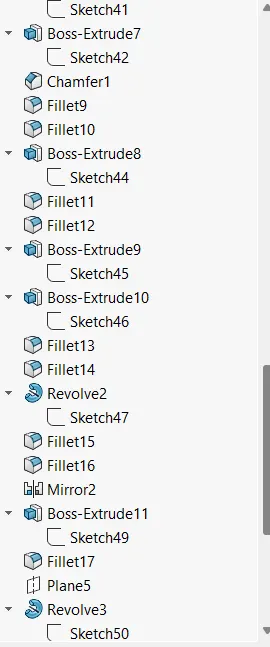
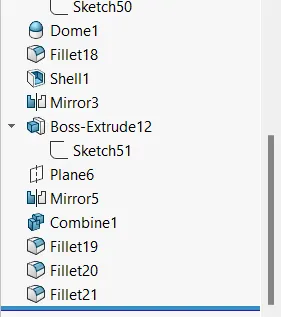
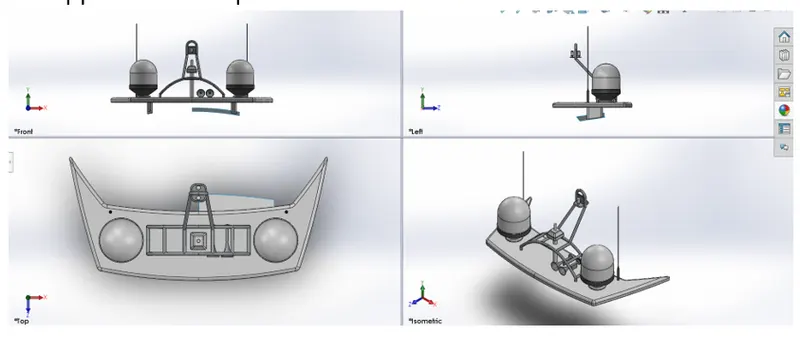
- Radar master
Here first the offset surface from the super structure is first Imported and after thar a plane is offset and a sketch is drawn and it is extruded and after that the circular structure is revolved and a ladder like structure is drawn and is swept and a projected curve is made on it and it is also swept and after that that a horn is revolved on the plane and it is connected with the main plate and finally, they are mirrored and appearance are applied and the part is saved
Assembly
Mates
This is a phenomenon of joining different parts in to single component of and mates are the conditions that we specify in joining the different parts and there is different type of mate they are
Coincident - intersect specified entities
Concentric - make circle fixed inside another
Tangent - make the selected entities tangent
Parallel - make the selected entities parallel
Perpendicular - make the selected entities perpendicular
Angle - specify angle between entities
Distance - specify distance between entities
Width - this is advanced mate used to specify the width Reference and selected surfaces to mate to the width of the reference
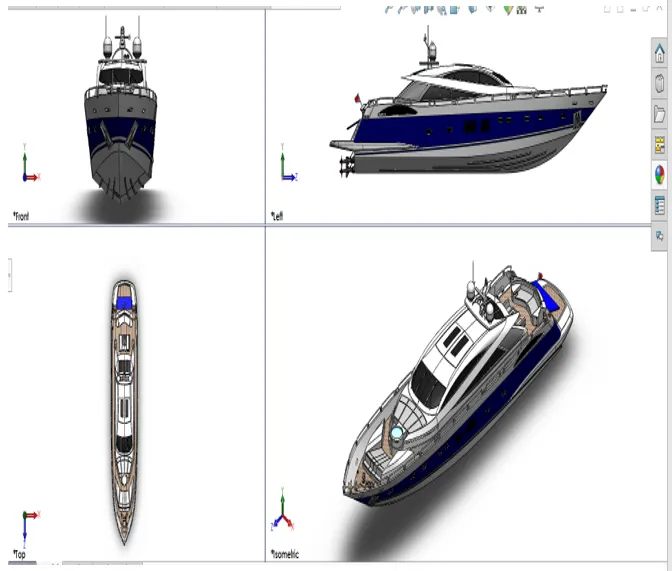
Yatch assembly
The assembly type is opened in solid works and first the hull is imported and without applying mate it is placed such that the planes of the hull are coincident with that of the assembly and after that the super structure is imported and in the similar way it is also place and the hull surface in the superstructure is hided and the front middle and rear sear are also imported and placed in the similar way and the reference hull surface in them are hidden and after that the radar master is imported and the it is also placed in the same way and the reference superstructure in it is hidden and after that the garage door in imported and first its midplane is made coincident with the midplane of the assembly and after that the hinge is made concentric with that of the hull support and an angle mate is given to the edge of the door and the hull floor. Then the radar is imported and the midplane of it is made coincident with the assembly and is made concentric with that of the radar master and a distance mate is given between the edges of radar and concentric structure and after that the propeller is imported and first the propeller is made concentric with the back structure and the edge is made a distance mate of 0 and finally the assembly id complete and the file is saved
Appearances
After assembly the parts are given colour or material to give it a realistic look and in solid woks we can do even more
Adding camera- this is used to change the view orientation
According to the camera
Lights - we can even add lights in solid works to make
The assembly looks vibrant
Environment - we have an option to change the environment
Background of the assembly to make it look
Realistic
Decals - decals are art drawings which can be imported
Into the file and appropriate location can be
Defined and even their appearance can also
Be changed
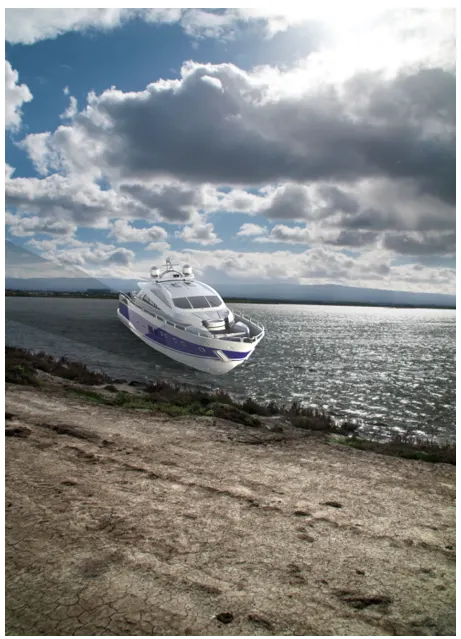
Rendering
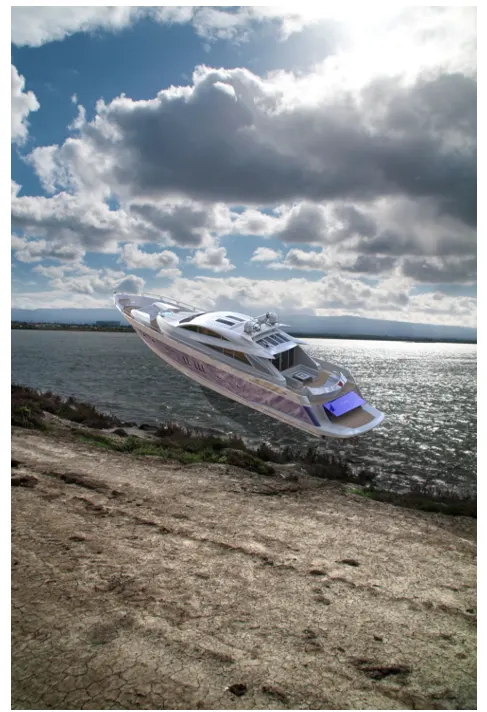
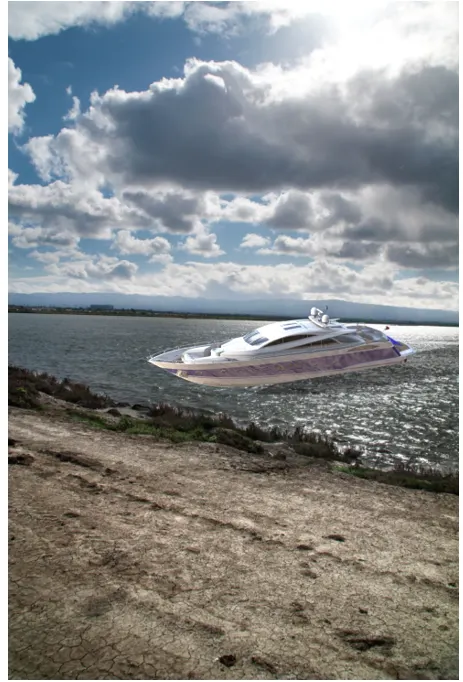
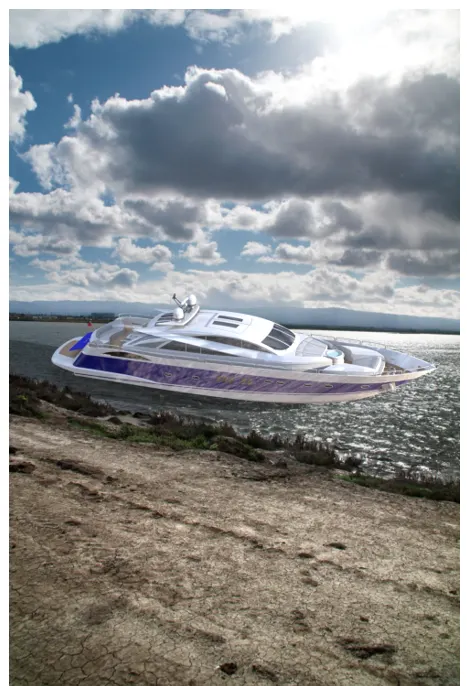
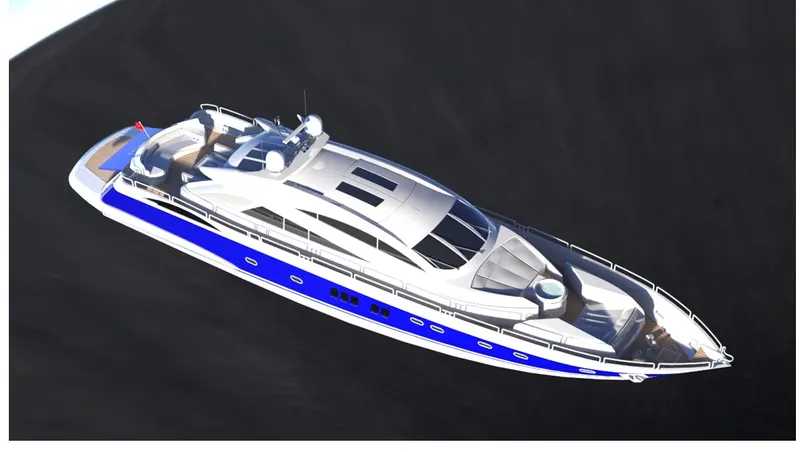
This means making a detailed image file from the cad model to present the realistic appearance and in solid works it is done using the photo view 360 and also visualize a add ins in solid works specific for the rendering and here the assembly model is imported and here also the appearance background lights and decals can be changed and the final image is rendered to give a photo realistic model and in visuals the in depth detail of the render can be enhanced by using passes and the final images are given below
ASSEMBLY TREE
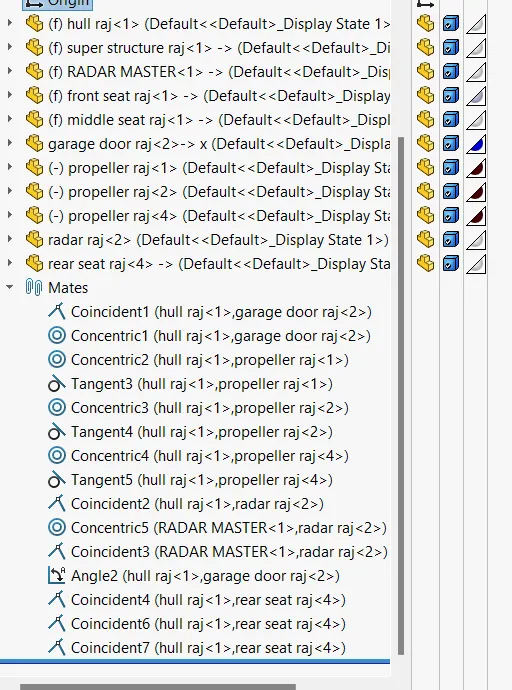
RADAR MASTER TREE