Week 8 - Challenge 1 - Draft Analysis on a Fan Cover
CREATION OF TOOLING AXIS AND DRAFT ANALYSIS OF FAN COVER
TOOLING AXIS :
Tooling axis is the axis along which the core and cavity of plastic mold machine closes and the creation of tooling axis in such a way to ensure the process in the simpleset way without need for additional features in the core and cavity design and also to make sure the part is easily cleared and is ejected
DRAFT:
The draft is first created for the smooth ejection of the part out of the cacity/core and draft is simply the change of the straight line of sides of the plastic part to have a inclination with respect to the tooling axis such that the lines are inclined at minimum of 3 deg to the tooling axis and this ensure smooth operation and longevity of mold and quality of products
DRAFT ANALYSIS:
Draft analysis is the option available in the catia to check for the draft properties of the given surface and the value of 3 deg minimum is ensured to get the manufacturable output
THE PROCESS OF DRAFT ANALYSIS IS AS FOLLOWS
PRE REQUISITES STEPS
- First the class A surface from the styling designer is imported into catia
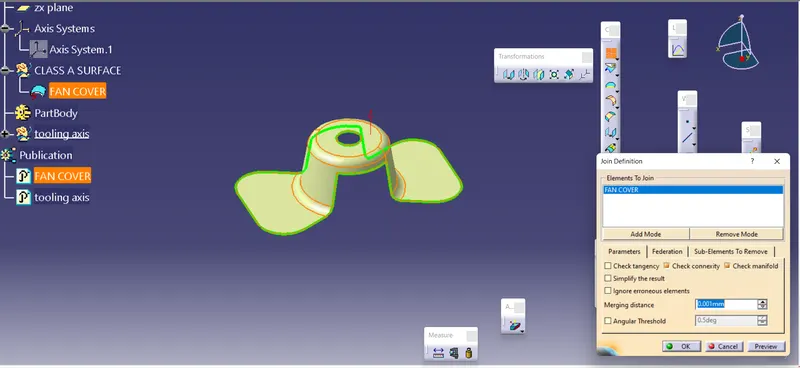
- Then the check is done for closed profile of the class a and it is done by two methods
1. joining
2. boundry
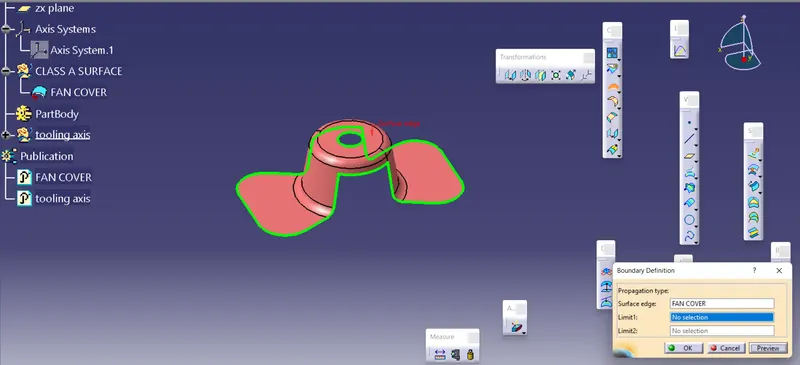
after the boundry is created the boundry is slit into or is diassembled into differe domains
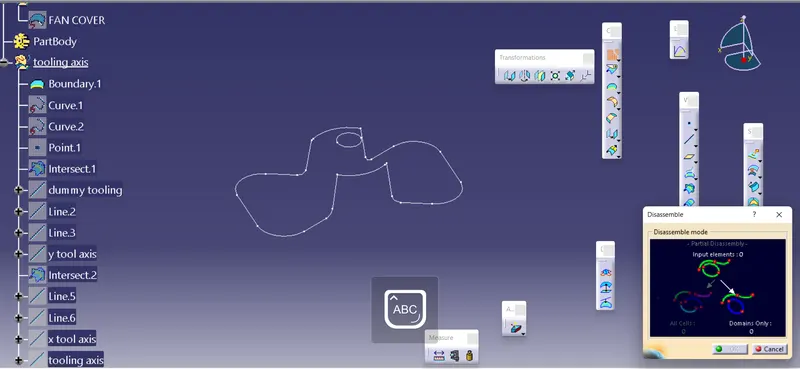
1. STEPS FOR CREATION OF TOOLING AXIS:
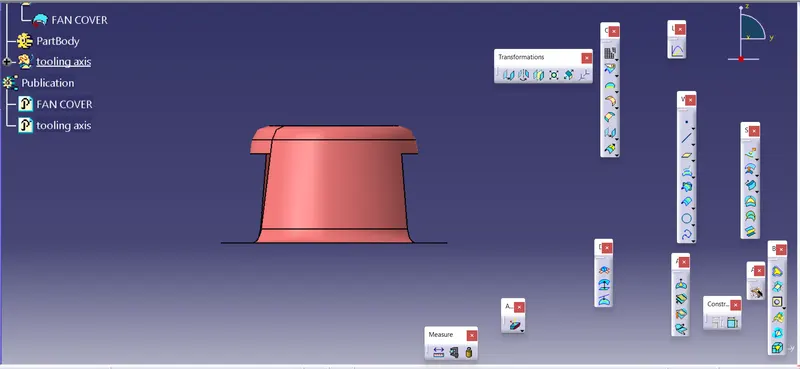
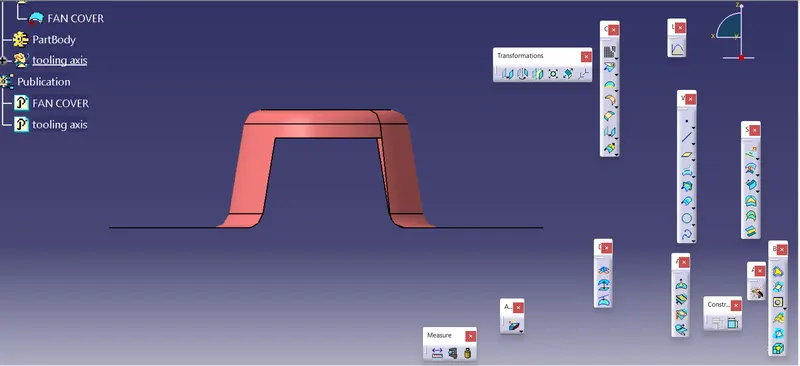
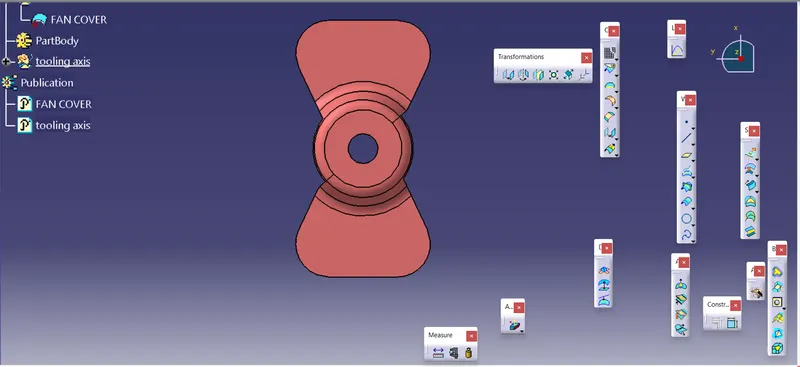
- First the axis direction for the tooling axis is considered
x axis
y axis
z axis
 t
t
from the above three axis z axis direction we can see that the core and cavity can form the part without any need for the sidecore
without side core in the sense the part can be easily ejected without being fixed into the core or the cavity
- A dummy tooling axis is created along the z axis taking the center as the center of the hole and it is created to get to know the perpendicular and parallel surfaces and the perpendicular faces clear and it is only the prallel surfaces are checked
- then the tooling along the x and y axis is created to get the final tooling axis
TOOLING AXIS ALONG THE X AXIS:
At first the 2d sketch of the intersection of the fan cover along the yz axis is created
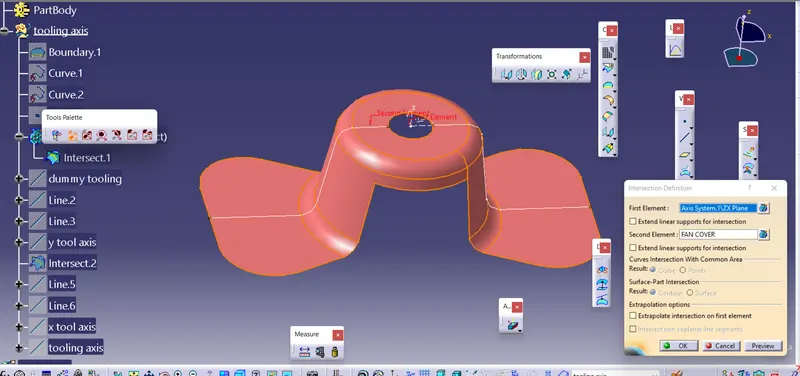
- then on the sketch the parallel segments are made into lines by connecting the points
- then the created parallel lines to the dummyu tooling axis are taken as inputs to create the y toolin axis by bisecting them
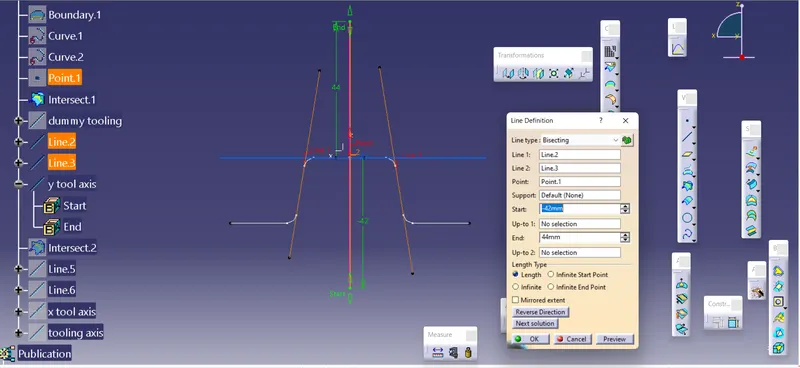
TOOLING AXIS ALONG THE Y AXIS:
First the 2d intersection sketch of the fan cover is created along the xz plane
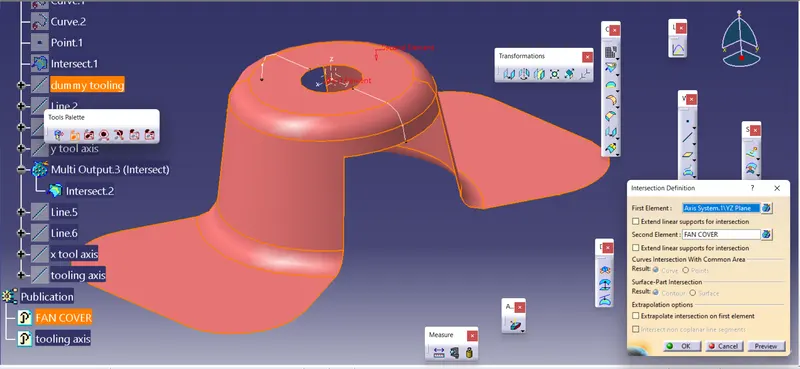
- then the same steps are followed and the x tooling axis is created using the parallel lines and bisecting them
MAIN TOOLING AXIS:
- After the x and y tooling axis are done finally the both tooling axis taken as inputs the final tooling axis is made by bisectin them
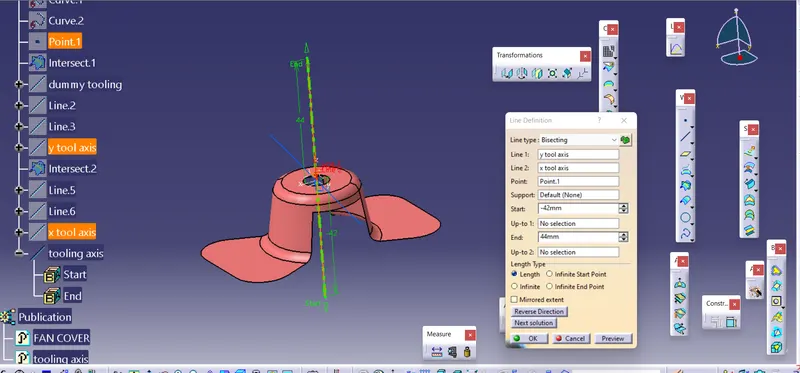
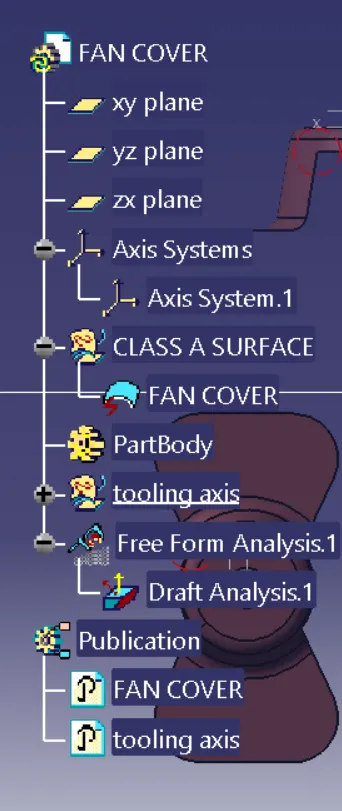
- then the main tooling and the class a surface is made punlished such that they are kept outside for easy accesment
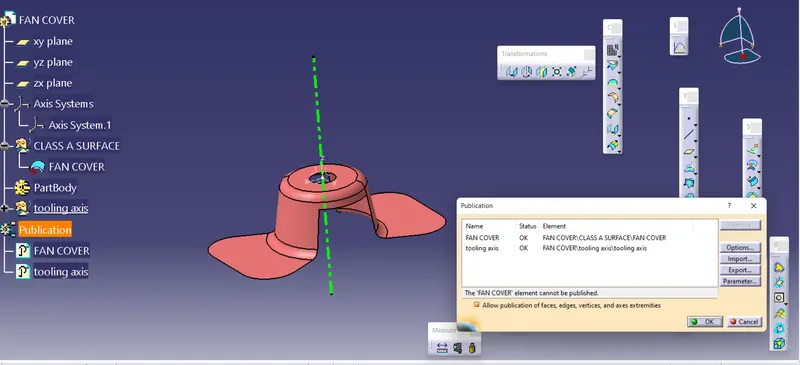
2. THE DRAFT ANALYSIS
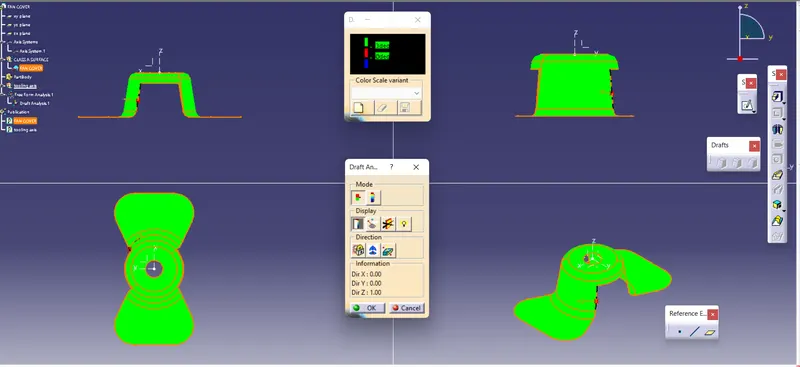
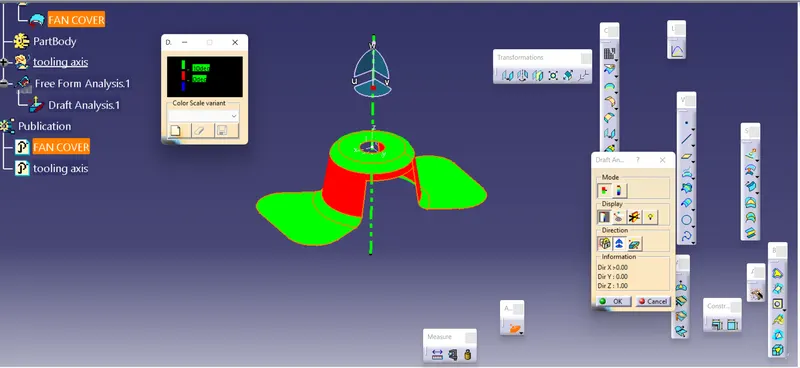
- first the drafty dialog box is opened
- then first the compass from the dialog is selected and is made to coincide with the main tool axis and the location of the compass is locked
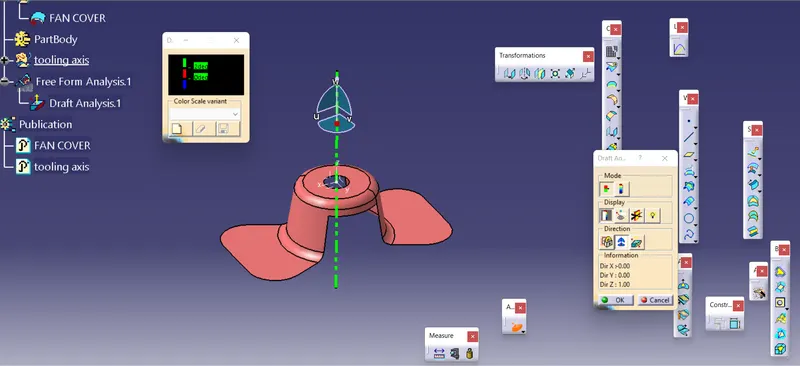
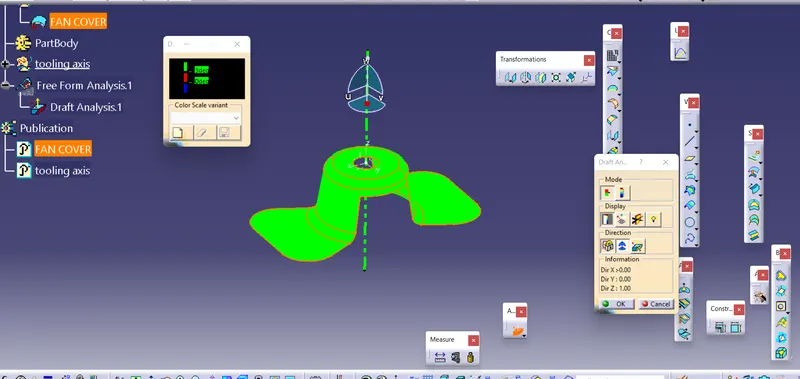
- then the analysis value of 3 deg is fixed and the fan cover surface is selected and it gives the color green of the edges with in the limit and red color for edges below the limit
- there is another option of detailed analysis by considering varous inputs and assigning differengt color to the limits
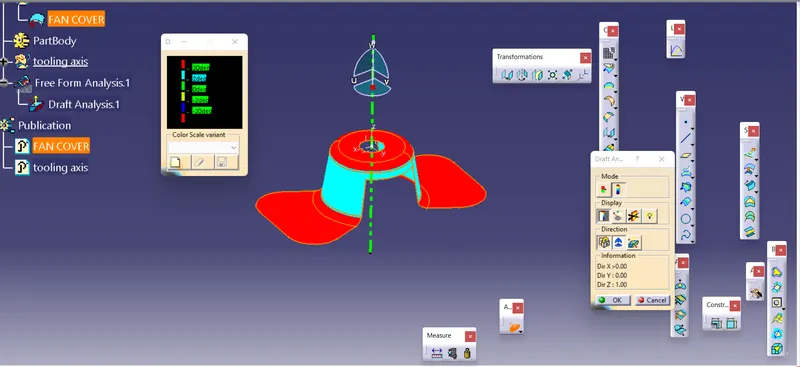
- when the limits are given differen it shows value according to the desired input according to the design
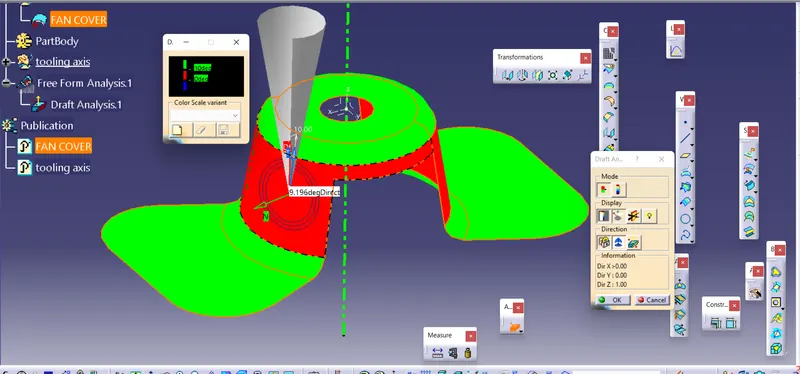
- analysis under running point can also be done to know draft angle at a spectific point
CONCLUSION:
Thus from the above report we came to understand about the creation of tooling axis and also about the draft analysis