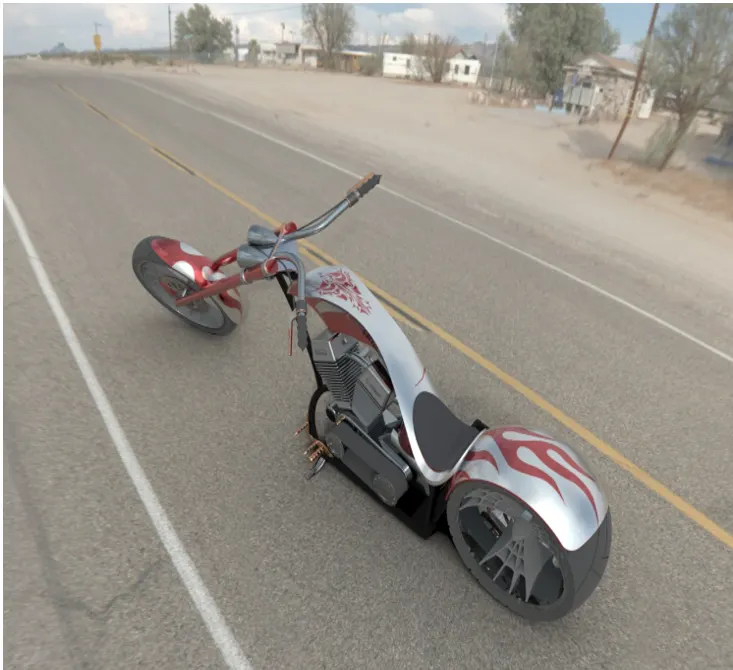
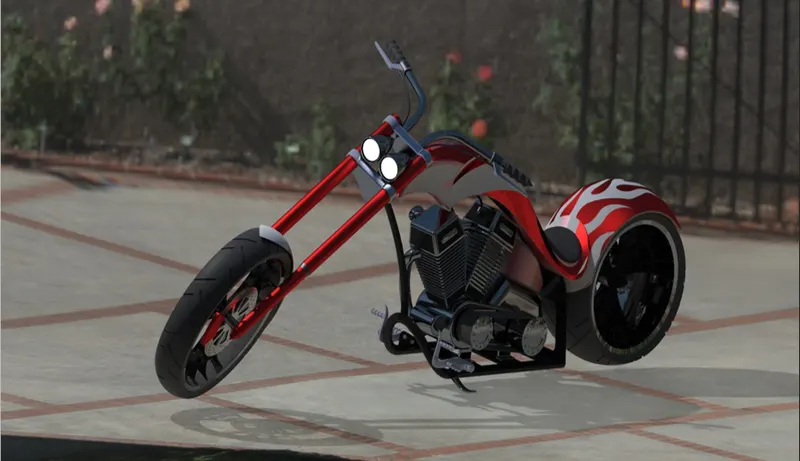
Photo Realistic Rendering
DESIGN ASSEMBLY AND RENDERING OF AN AMERICAN CHOPPER IN SOLIDWORKS
OBJECTIVE
- Design individual parts in solid works
- Apply proper appearance to those parts
- Assemble the parts in solid works
- Make rendering of the assembled part to get a photorealistic image
INTRODUCTION
Here I have designed a American chopper using solid works cad software whereby all individual parts of the bike has been designed separately and everything has been modelled appropriately with proper dimensions and has been assembled in their position to make a complete American chopper and the final vehicle has also been render to make it a photo realistic image and during the designing process various features in solid works has been caried out and a separate summary on each feature has been provided in this report and separate image of each parts has also been attached and the designing of each part features has also been included
Design approach
There are two basic types of approaches in design they are
- Top-down approach
- Bottom-up approach
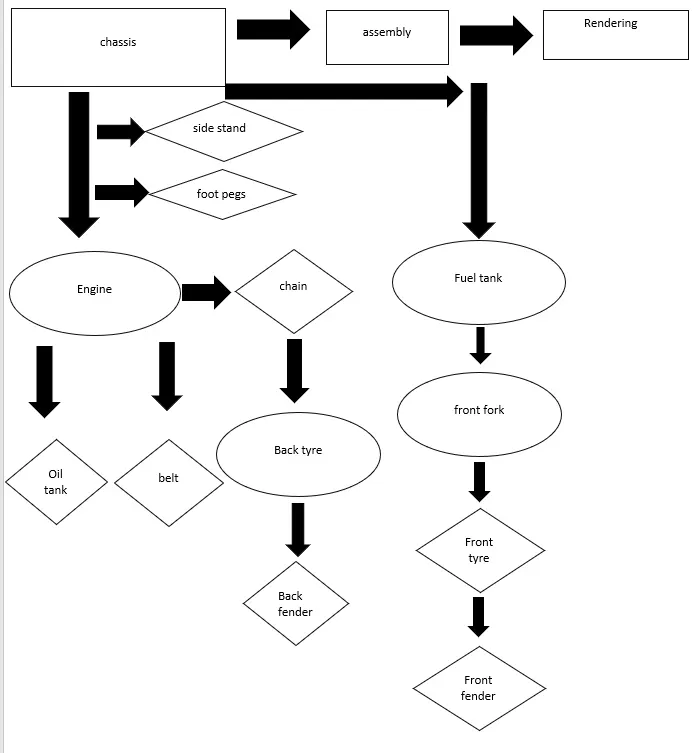
The design approach here used is the second one
The flow chart of the design is as follows
Features of solid works
The various solid works feature used in this project are as follows
3d feature 2d feature
- Extrude Constraining and relation
- Extrude cut Fully defined
- Shell Blocks
- Split Convert entities
- Combine
- Mirror
- Sweep
- Swept cut
- Reference planes
- Loft surface
- Boundary surface
- Projected curves
- Composite curves
- Patterns
- Dome
The explanation for each feature has been given below
2d feature
Constraining and relation
The important feature of constrain is that in define the 2d sketch dimensions angle and all the dimensions so that the sketch can be interpreted and make it defined
Relation is featuring whereby the different sketches cab define by relations rather that giving dimension and this feature minimizes the need for dimensions and it cannot be used in every aspect but can substantially reduce the dimensioning need
Fully defined
Fully defined sketches are those whose location in the particular plane is completely fixed in relation to the origin and it need not be everything from the origin but can indirectly be
Blocks
This feature is used when a 2d drawing is to inserted into other file where by 2d drawing is assembled in the similar way as the 3d assembly
Convert entities
This feature is used to convert the 3d geometry as 2d into a plane when viewed in normal and these entities can be useful in creating reference 2d geometry into a plane as a reference for further sketching
3d features
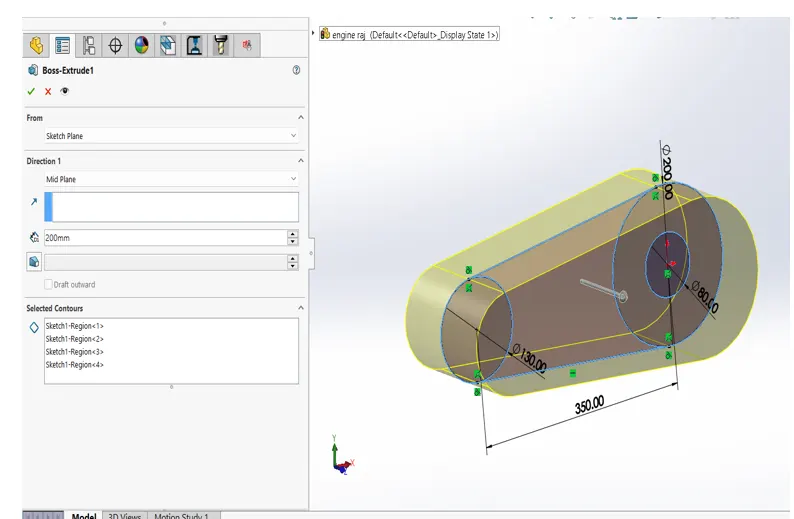
Extrude
This feature is used for orthogonal projection of a 2d drawing from a plane and the distance of projection or the direction of projection can be specified
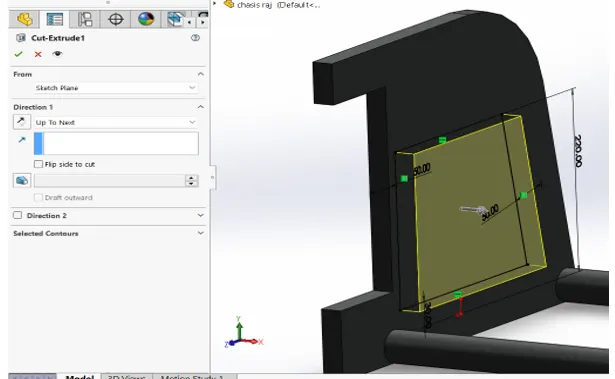
Extrude cut
This feature is used to take out material from the part and here the material is taken out orthogonally from the sketch plane into the parts and the direction size and path here can also be customized
Shell
This feature is used to make a solid object into a thin object with the given thickness it is simplify taking out material from complex geometry where 2d projection of the required geometry is not possible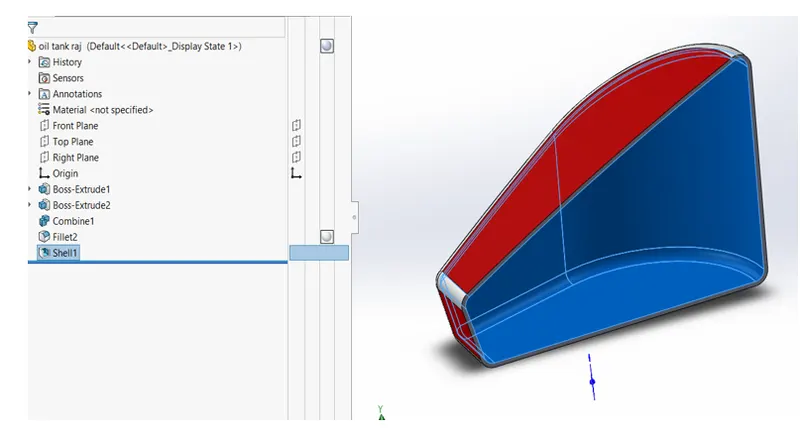
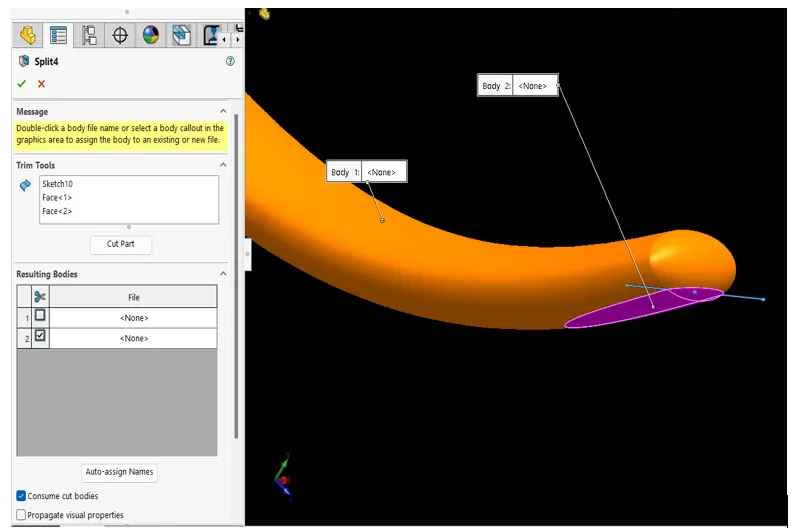
Split
This feature is used to slit surfaces from the parts it can be used to consume the intersection bodies from a part and even used for flatten rounded objects
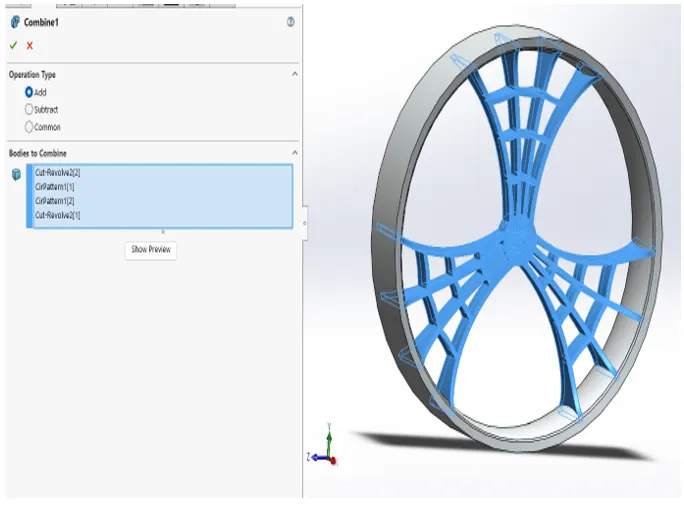
Combine
This feature is used to combine different solid bodies into a single solid body and this can also be used to combine common bodies using add and common feature
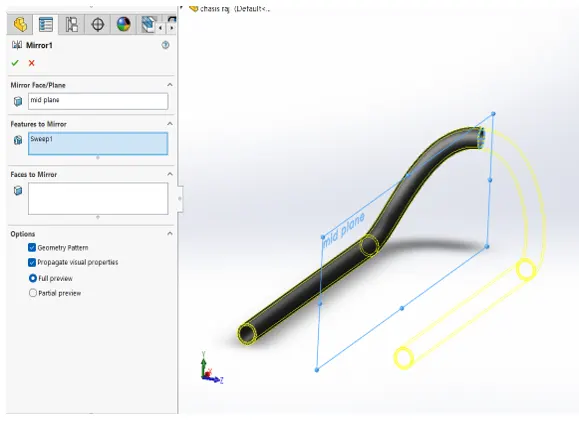
Mirror
This feature is used to mirror the selected part and to do so a reference plane or line or face is to be selected and this feature is very useful in creating symmetric geometry
 \
\
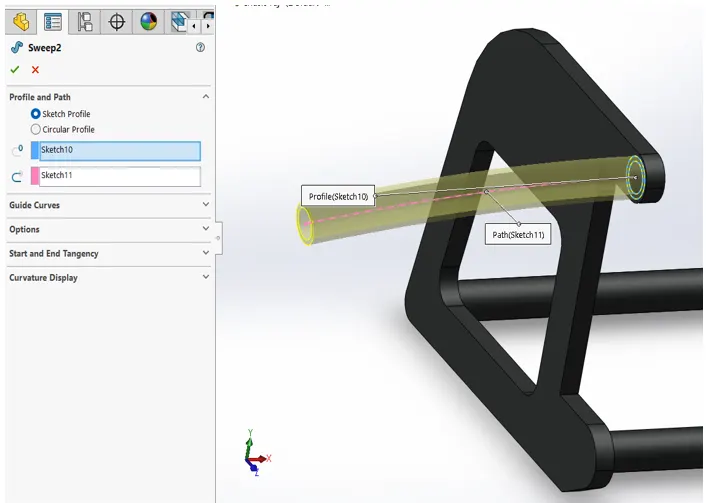
Sweep
This feature is used to do a 3d part of the selected sketch(profile) and the profile is extruded along the selected path and in simple terms it is the extrude feature with an extra option of defining the path
Sweep cut
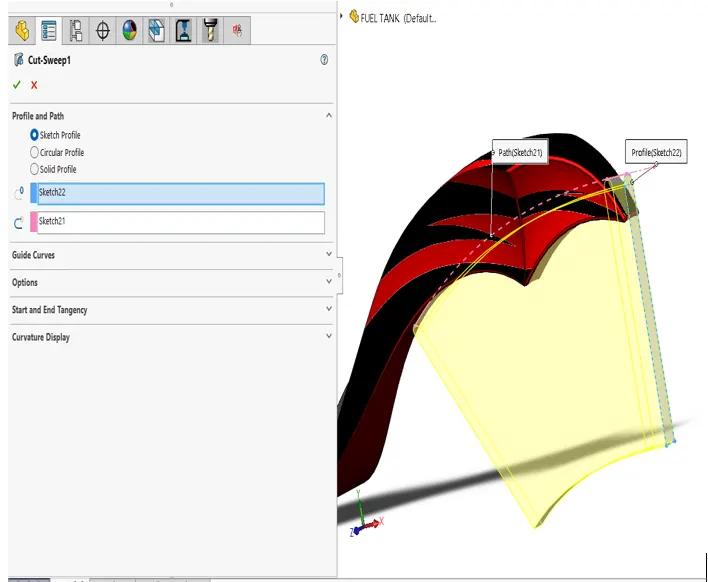
This feature is same as extrude cut where extra option of specifying the path according to our needs this feature is used to do complex extrude cut surfaces
Reference planes
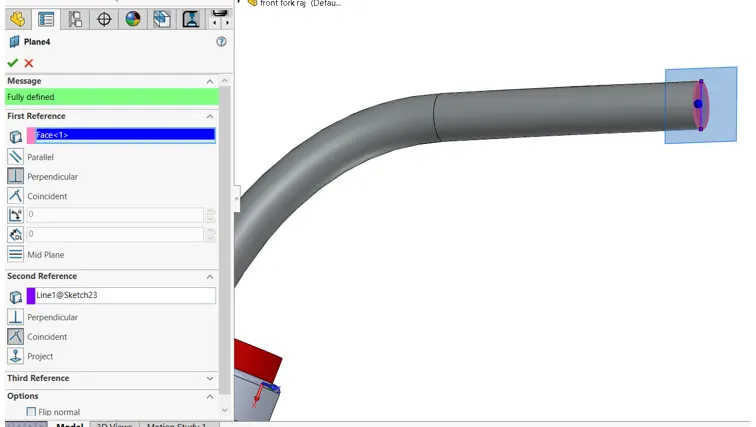
This feature is used to create planes in the selected surface or point and is very useful to create 2d sketching on the 3d surfaces and this is even used to create reference mirror planes and for creating planed plane and reference line or point is to be selected
lofted surface
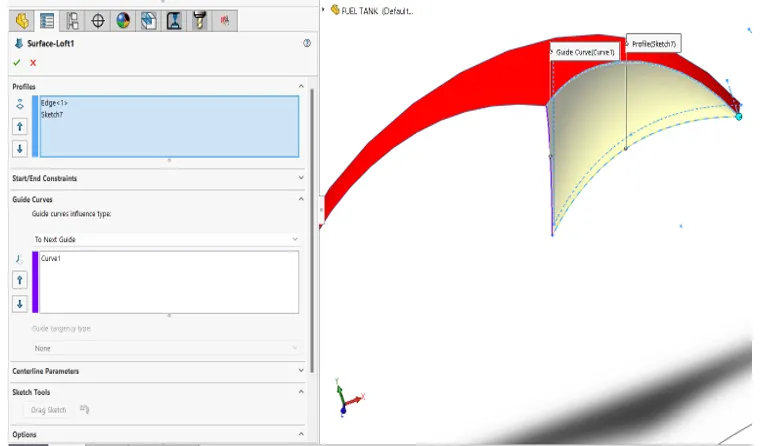
This is used to create a surface from the sketch and the conditions for the lofted surfaces is closed surfaces and loft lines or edges should be opposite
Boundary surface
This feature is same as the loft surface except that the surface limits can be changed by trimming
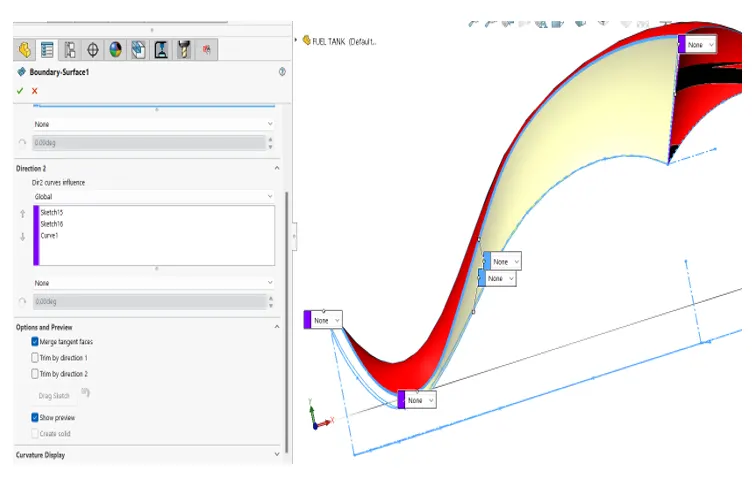
Projected curves
This feature is 3d curve from two 2d curves and the condition for the feature is that the 2d curves to be in different planes and the stating and the ending point of the 2d curves be coincident in their location
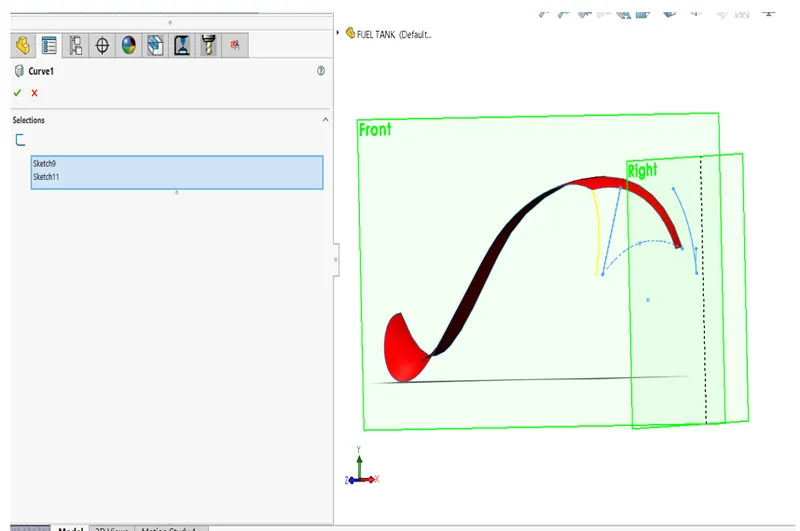
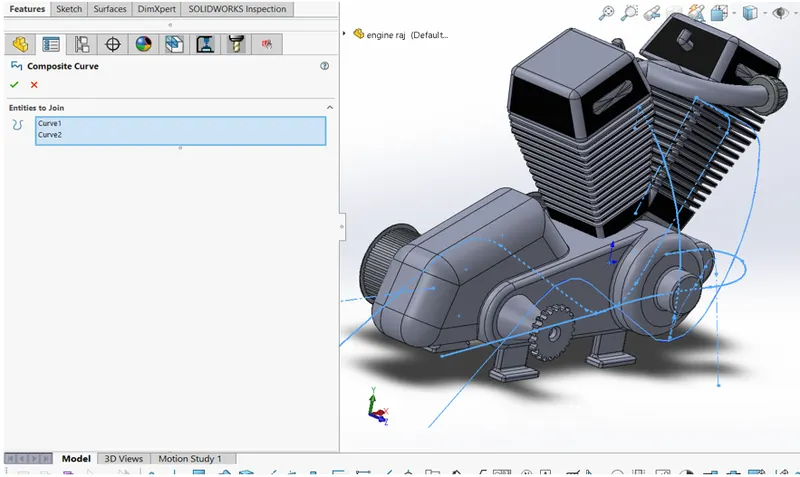
Composite curves
This feature is used when there are two projected curves and this is used to join the two projected curves into a single curve
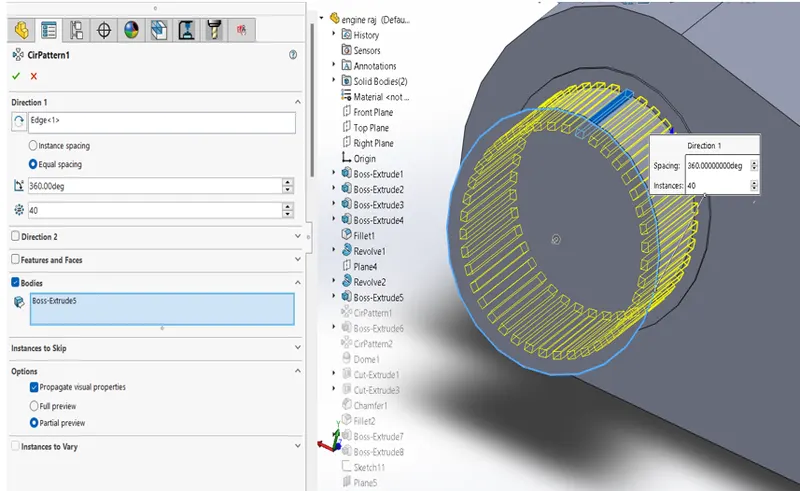
Patterns
This feature is used to create circular and linear patterns and is used both as a 3d and 2d feature and it minimizes the designing and in linear feature it creates the sketch or feature in a horizontal path and in circular in a circular patch
Knit surfaces
This feature is used to combine the different surfaces into a single surface and it can also be used to create a solid part using the combined surfaces
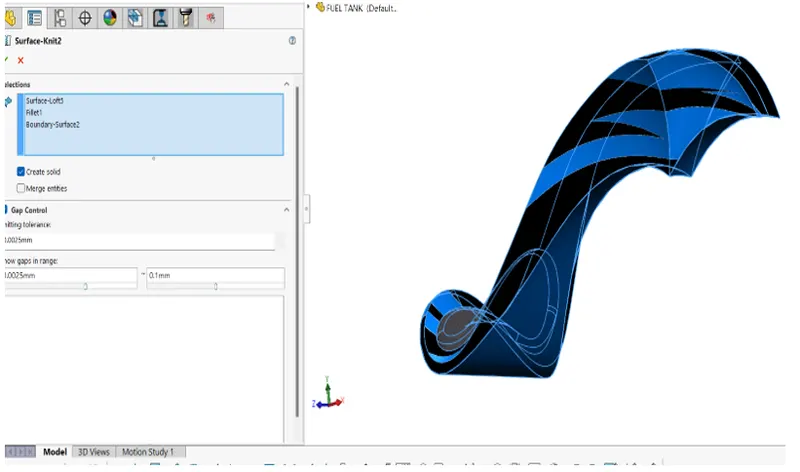
Dome
This feature Is used to create an enclosed surface on the edge of the rounded objects
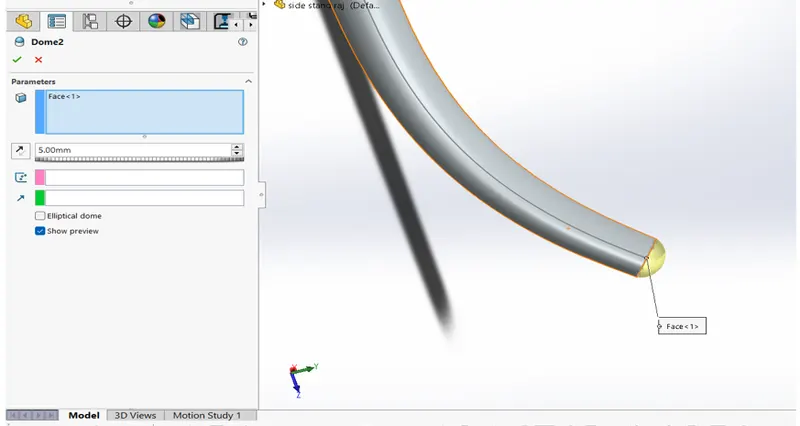
Designing of different parts of chopper is explained individually as below
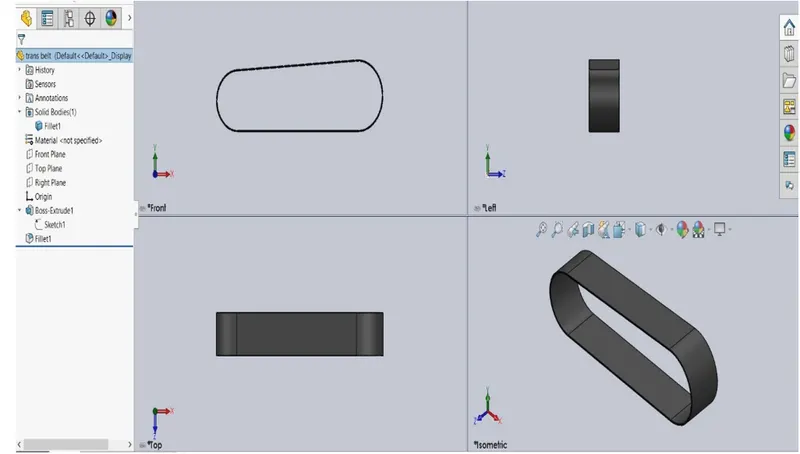
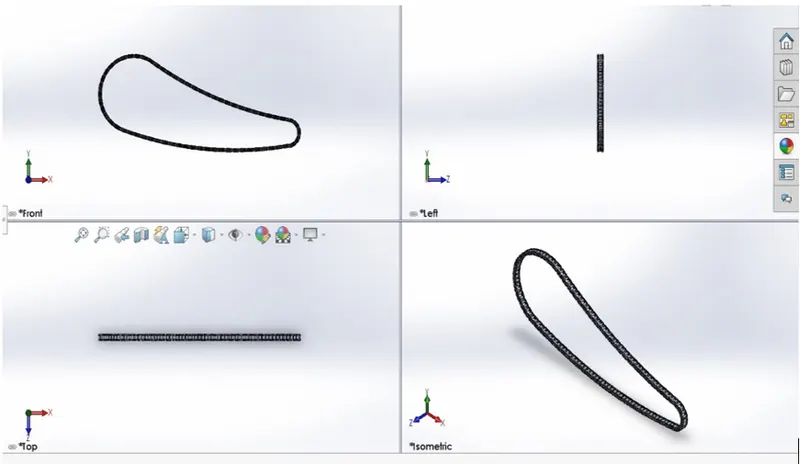
1. Transmission belt
In this part first the 2d drawing has been created and is completely defined and after that the sketch is offset and after that the sketch is extruded and edges are filleted and it can be done either during sketching or after that
Features used
Extrude
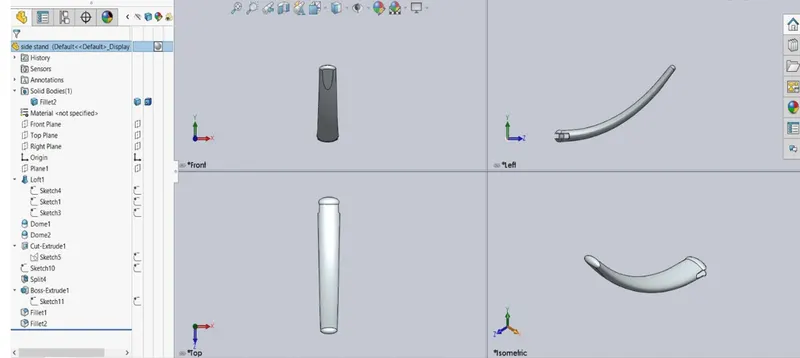
2. Side stand
In this part first the profile is created and after that in another plane the path sketch is created and then the sketch is seeped and dome is used at the edge and at last split tool is used to consume bodies to give a flat surface at the bottom
Features used
Sweep
Dome
Split
3. Foot pegs
In this part first the complete sketch Is created and after that the sketch is extruded in multiple steps by selecting different contours during each operation and after those edges are filleted and linear pattern is given in the outward extension and it is chamfered at the edge
Feature used
Extrude
Linear pattern
Chamfer
Fillet
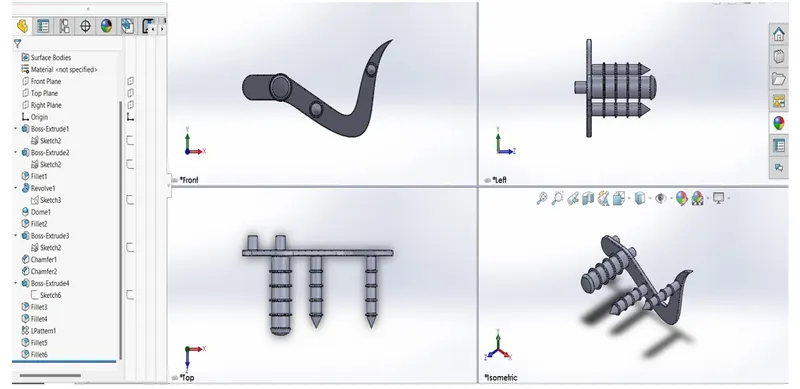
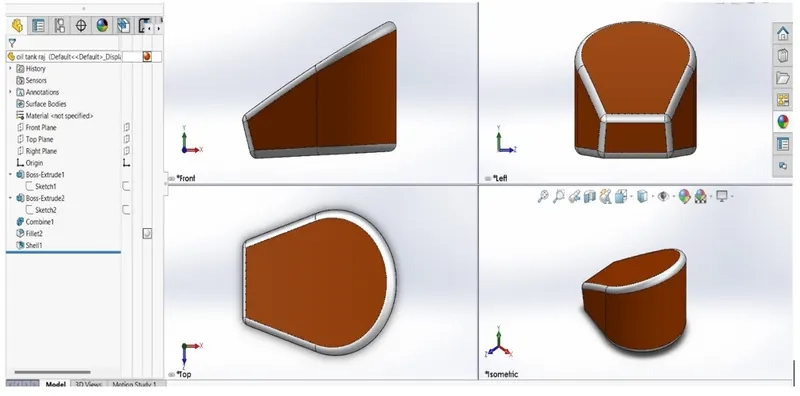
4. Oil tank
Here first and top view is sketched and extruded and after that in the front plane the side view is sketched and extruded and at last the combine option is used to combine only the common parts and at last the part is made shell where the solid part is turned into the thicken part
Features used
Extrude
Combine
Fillet
Shell
5. Chain
Here first the chain faces are created into blocks and after that a path sketch is created and the blocks are assembled into the path and the path is divided into three parts and the sketch are extruded and patterned according to the path and at last the complete solid faces are mirrored to make it a complete component
Features used
Blocks
Extrude
Pattern
Fillet
Mirror
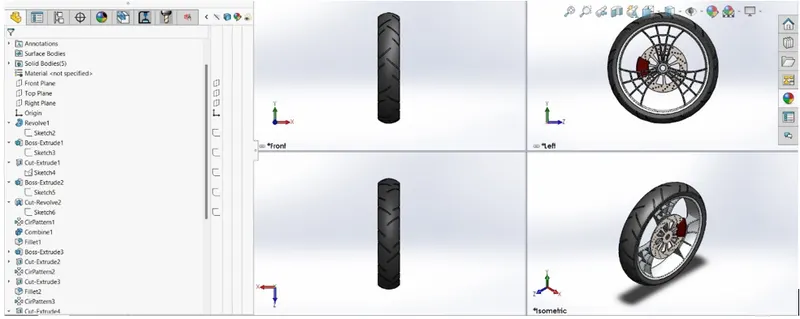
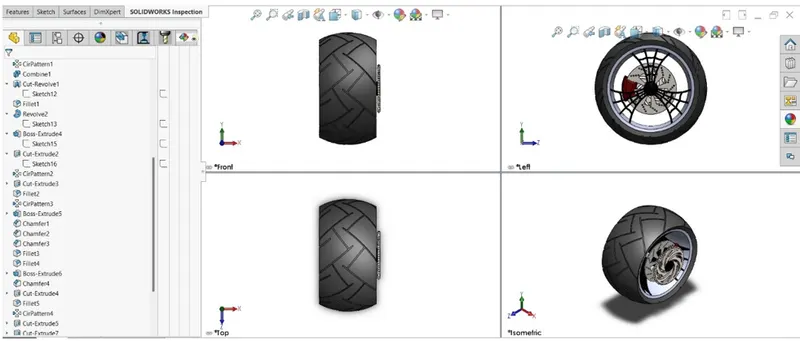
6. Font tyre
First the rim and the centre axle are sketched and revolved and after that the alloy spokes are designed and the spokes are patterned and the edges are filleted and after that the tyre is sketched and revolved and pattern are made on the tyre and they are made cut surface and after that the pattern are made circular pattern across the tyre then rotor is extruded and holes are patterned onto the rotor
Features used
Revolve
Extrude
Fillet
Combine
Extrude cut
Pattern
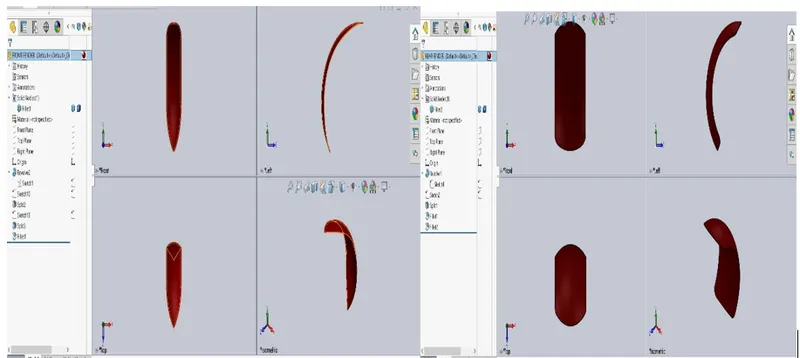
7. Front and back fender
Both are designed the same way as revolve and the edges of front tyre is split according to the design and the edges of the back tyre is filleted
Features used
Revolve
Split
Fillet
8. Back tyre
Here the same procedure as the front tyre and an extra component here is the sprocket and it is made by creating a cut section and the cut section is patterned across the sprocket
Features used
Revolve
Extrude
Combine
Fillet
Extrude cut
Pattern
9. Front fork
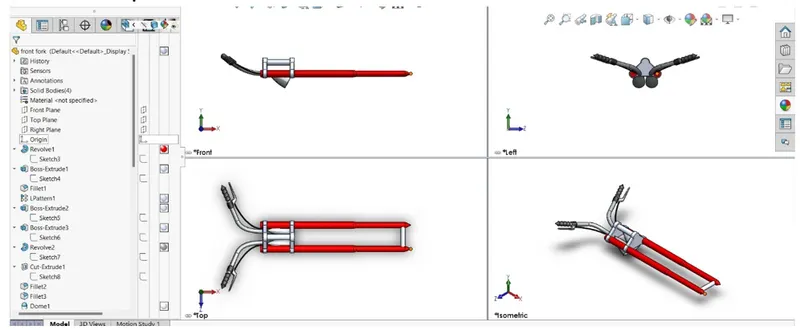
First the fort is designed in half section and mirrored and in the half section first the fort revolves and fork clamp is extruded and patterned and after that the handle bar is created using sweep and revolve accelerator and brake wire is swept and then the head light is first created using the revolve and front portion dome option is used and the head light is moved or adjusted into its position and the reference plane is created for the mirror
Features used
Revolve
Extrude
Move
Sweep
Dome
Fillet
Mirror
Reference planes
10. Engine
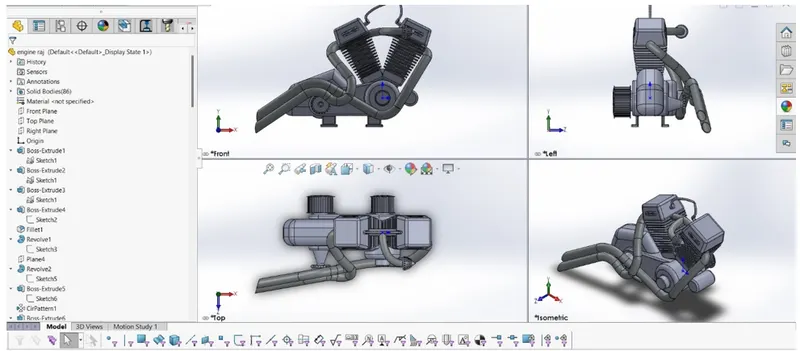
In this part first base portion is extruded and after that the first engine is created using the extrude and enabling draft option in it option and the fins are created by using the extrude cut and after thar the feature is patterned and the edges are filleted and the engine is mirrored across and after thar the exhaust is created using the sweep and its path required a 3d sketch and so the sketch is created by using the projected curves and the exhaust for the another engine is also created the same way and finally the spark plug is created using extrude and the wire is created using the sweep After that the pulley are created using revolve extrude and the pattern option , dome is created on the front side of pulley in another side the chain mounter is created using the chamfer and the sprocket using extrude cut and pattern option and the air intake using revolve and sweep and extrude cut and pattern
Feature used
extrude
Sweep
Extrude cut
Pattern
Projected curve
Combine curve
Revolve
Fillet
Chamfer
11. Chassis
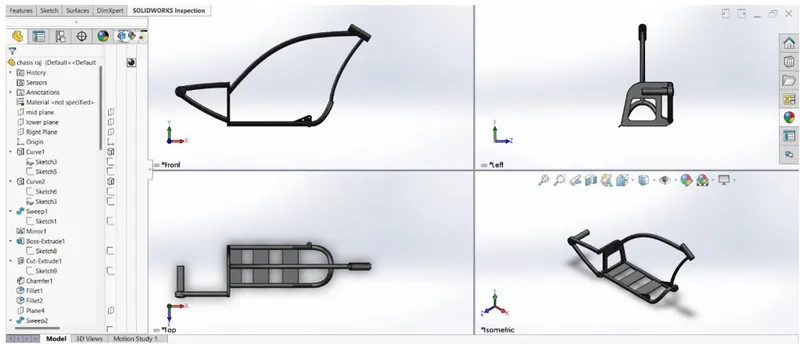
Here first the twin tube section is crested and where only a half is designed and another half is mirrored and the half section is created using the projected curve option and after that the engine mounting section is created using the extrude option and then tube created from the twin section towards the front fork and then the back plate Is created using extrude and the two support to the back tyre is created from it and this twin support is connected to the shaft of the back tyre and the shaft is extruded and a fuel tank mounting tube is swept from the back plate towards the front fork and at last the front fork tube is created using the sweep option and split is used to consume cut bodies at the intersection and at last the edges are filleted
Feature used
Sweep
Projected curves
Mirror
Fillet
Split
Extrude
12. Fuel tank
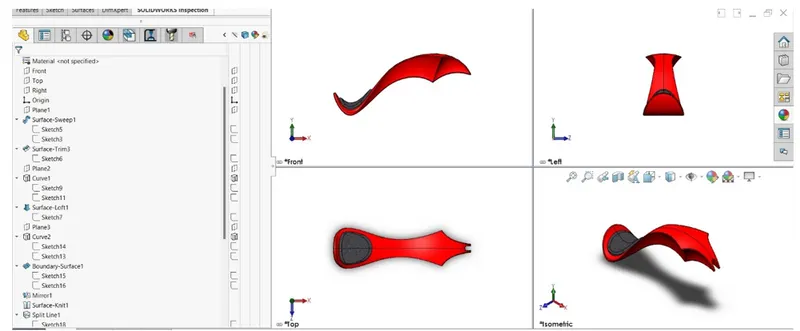
In this part fist the a surface is sweep using the surface sweep and after that In another plane sketch to trim the sweep is created and after that the trim surface option is used to trim the sweep then the projected curve option is used to create a curve and remaining curves are sketched using the projected curve and the loft surface option is used to create lofted surface and after that the geometry is mirrored and the open edges are also lofted and then the seat is created on the base plane and split line option is used to make the sketch on the profile and then the extrude surface option is used to create the seat on the fuel tank and at last knit surface option is used to knit and create a solid body and after that the shell option used to make the fuel tank hollow
Features used
Sweep surface
Trim surface
Loft surface
Boundary surface
Knit surface
Projected curves
Extrude surface
Split line
Shell
Assembly
Mates
This is a phenomenon of joking different parts in to single component of and mates are the conditions that we specify in joining the different parts and there is different type of mate they are
Coincident - intersect specified entities
Concentric - make circle fixed inside another
Tangent - make the selected entities tangent
Parallel - make the selected entities parallel
Perpendicular - make the selected entities perpendicular
Angle - specify angle between entities
Distance - specify distance between entities
Width - this is advanced mate used to specify the width Reference and selected surfaces to mate to the width of the reference
Assembly of chopper
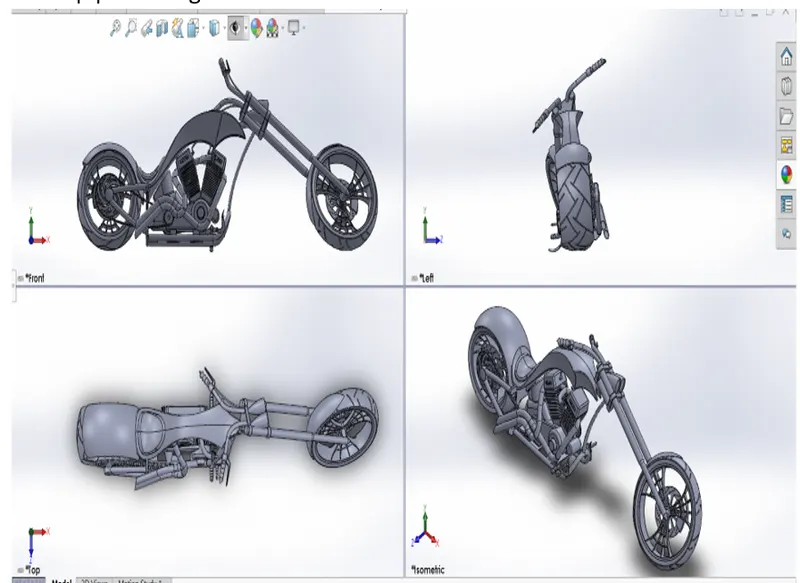
First the chassis is inserted and without specifying the location to math it with the planes of the assembly and after that the foot pegs are inserted and mirrored across the mid plane of chassis and one by one all the parts are inserted and required mates are given to join it with the chassis and after that the front tyre back tyre and the side stand are made tangent with the top plane to give a realistic look
Appearances
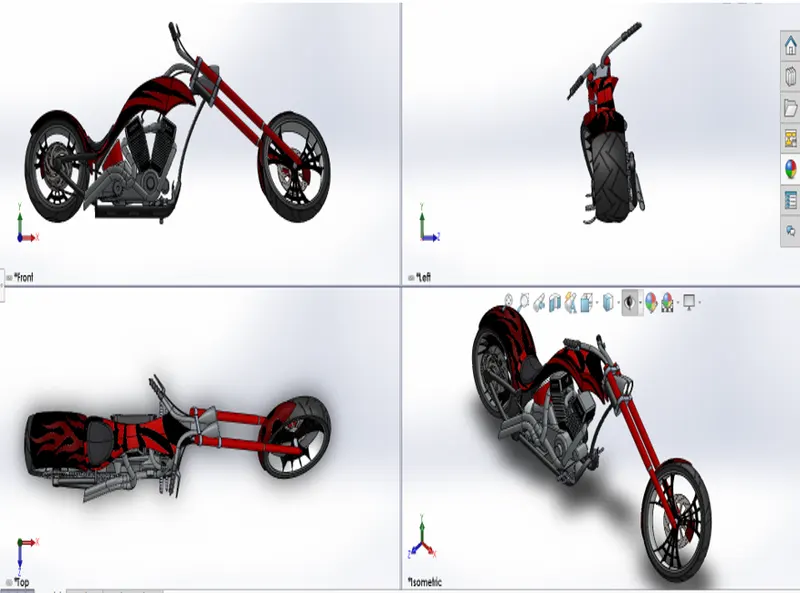
After assembly the parts are given colour or material to give it a realistic look and in solid woks we can do even more
Adding camera- this is used to change the view orientation
According to the camera
Lights - we can even add lights in solid works to make
The assembly looks vibrant
Environment - we have an option to change the environment
Background of the assembly to make it look
Realistic
Decals - decals are art drawings which can be imported
Into the file and appropriate location can be
Defined and even their appearance can also
Be changed
Camera view
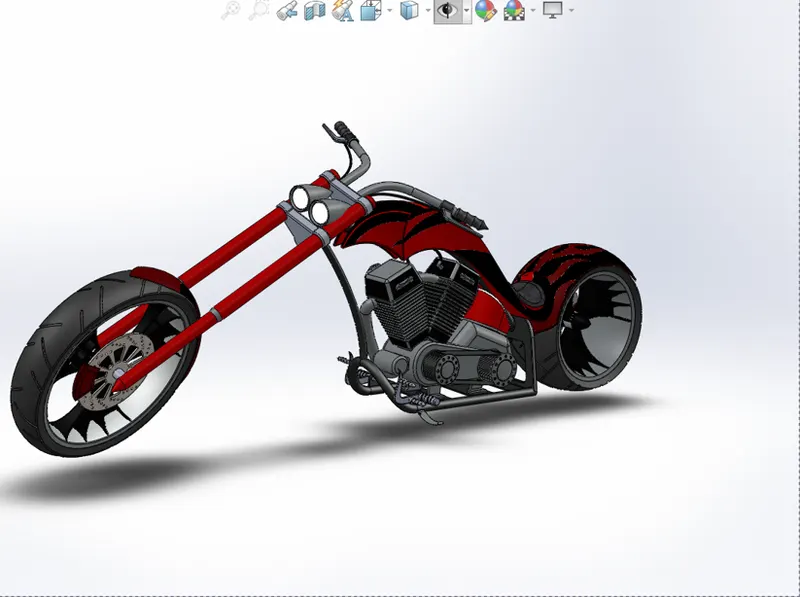
Rendering
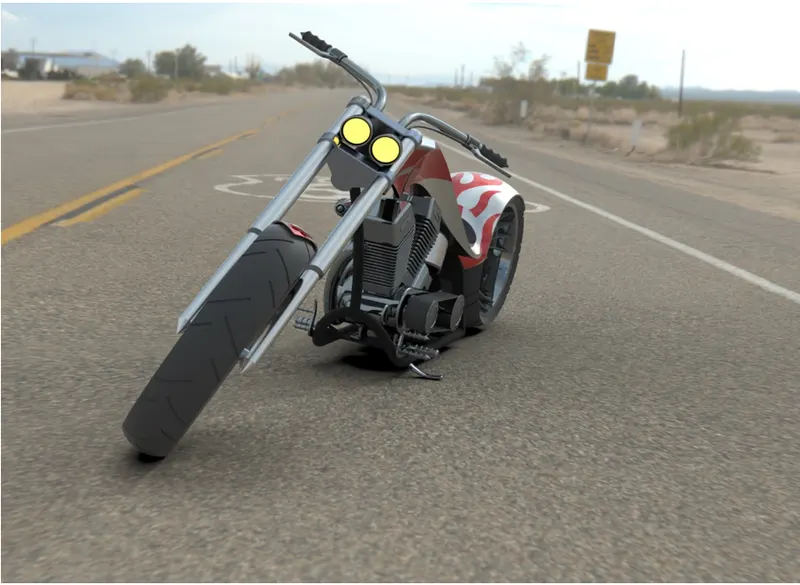
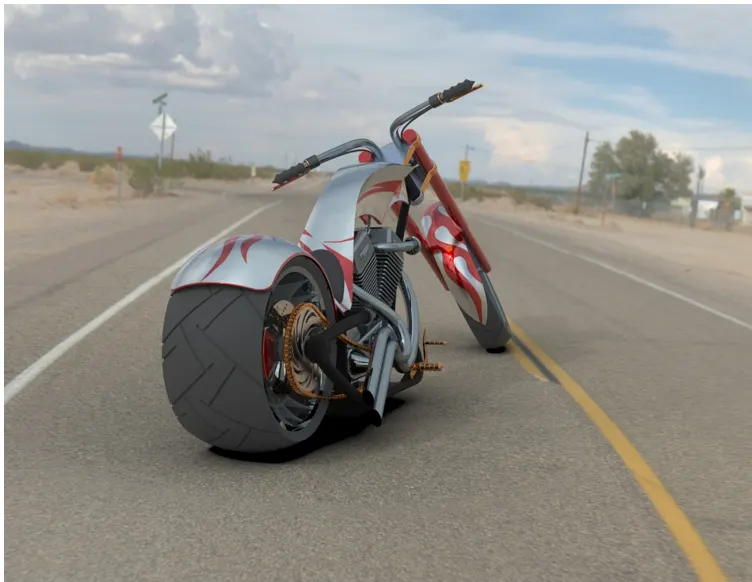
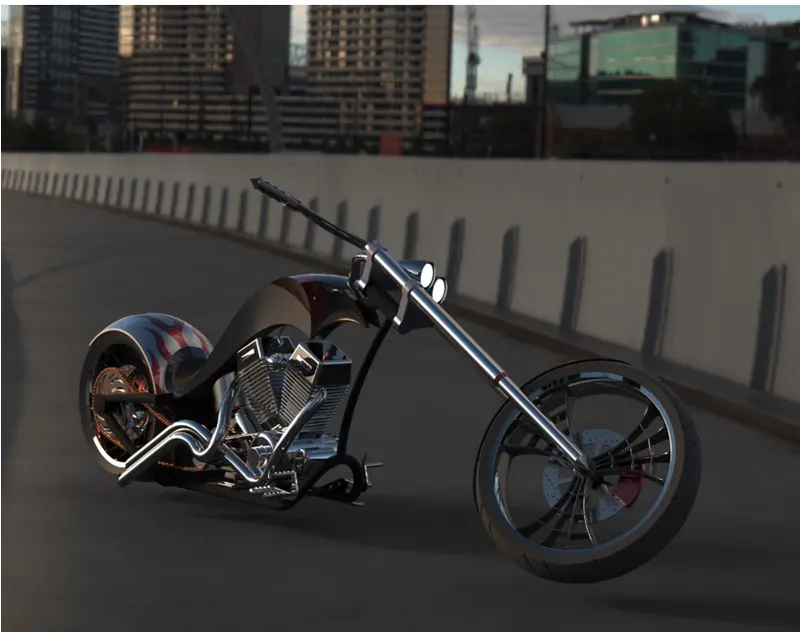
This means making a detailed image file from the cad model to present the realistic appearance and in solid works it is done using the photo view 360 and also visualize a add ins in solid works specific for the rendering and here the assembly model is imported and here also the appearance background lights and decals can be changed and the final image is rendered to give a photo realistic model and in visuals the in depth detail of the render can be enhanced by using passes and the final images are given below
Front view
Back view
Left side view
Right side view
Top view