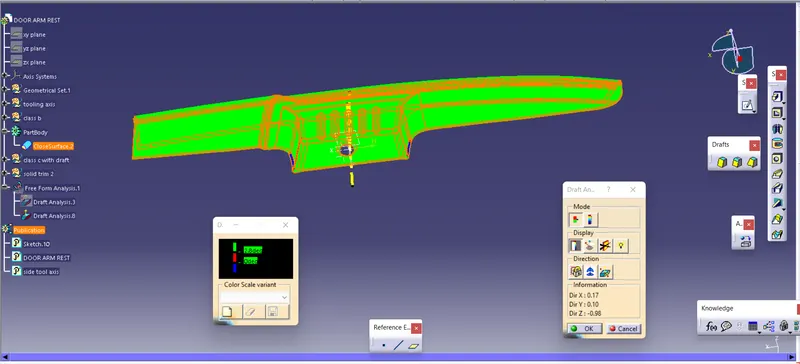
Door Arm Rest Week 8 Challenge
CREATION OF TOOLING AXIS , CLASS B AND C CREATION AND CREATION OF SOLID AND DRAFT ANALYSIS OF THE DOOR ARM REST
TOOLING AXIS
Y AXIS
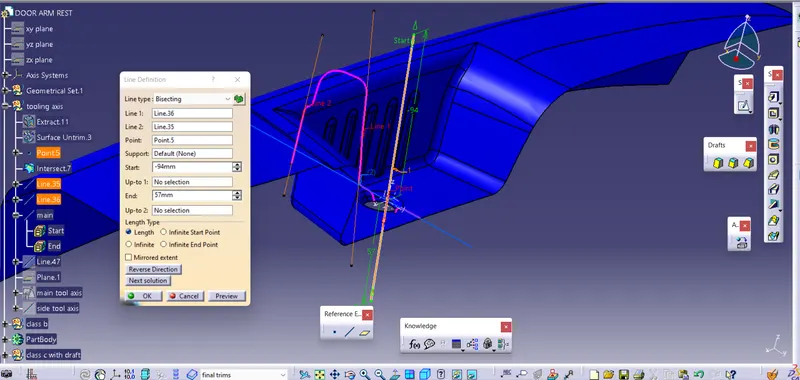
- first the base is extracted and mid point is created
- then a axis system is created using the point and create a dummy tool axis along z
- then intersection of the class a with the axis along y axis
- here there are two parallel faces and two lines are drawn respectively and they are bisected to create a tooling along y
X AXIS
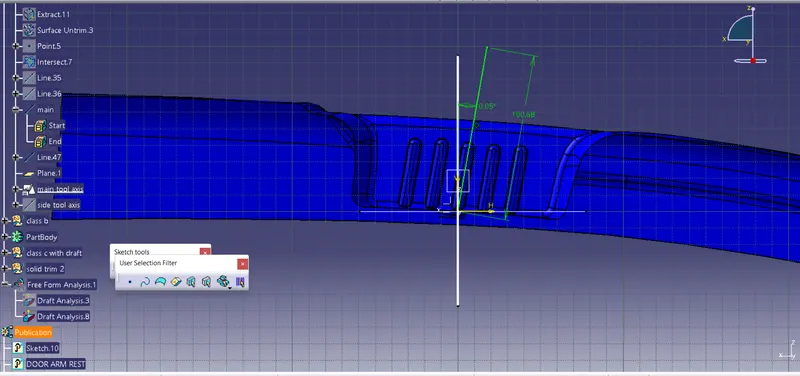
- the x axis first a plane is created and sketch is created in the plane
- angle is assigned to the sketch line and draft analysis is done simultaneously and the angle is adjusted untill arrived at disired draft
- the x axis tool axis is made the main tool axis
SIDE CORE
- because of the parallel faces to the main tooling axis side core is required and is created using the midpoint and along y axis
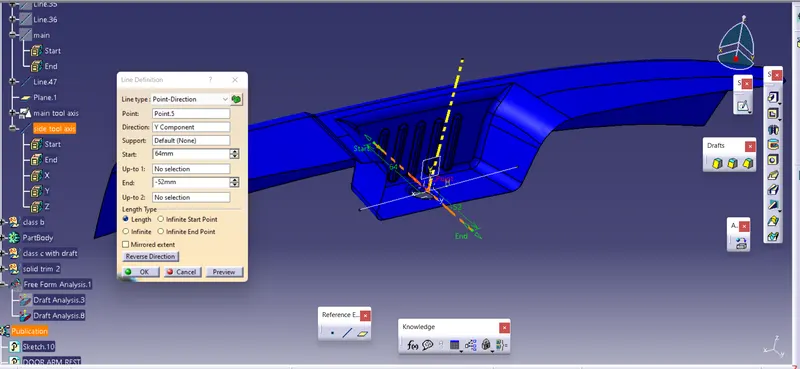
DRAFT ANALYSIS OF CLASS A
- the class a is draft analysed using the main tooling axis and it was not clearing on some areas and it is needed to rework on the class a
CLASS B
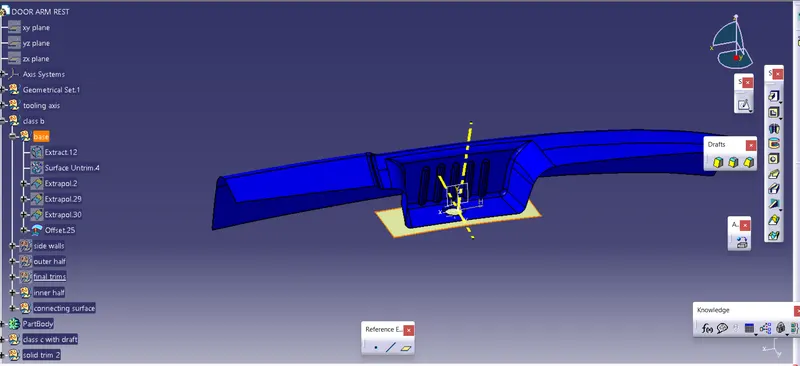
BASE
- first the base is extracted and is untrimmed and is offseted to 2.5mm
SIDE WALL
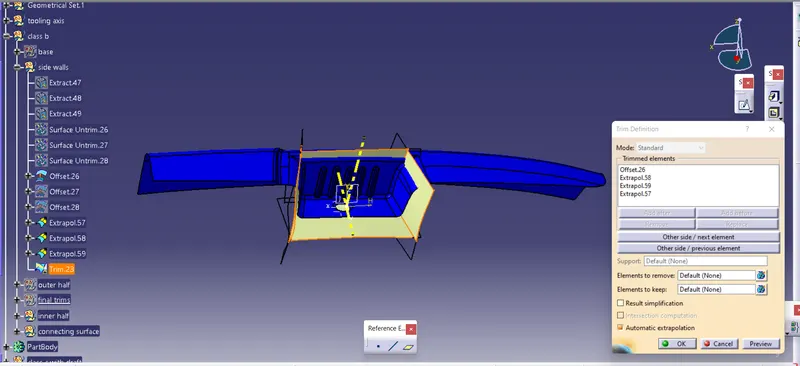
- then the side walls of the inner cavity is extracted and untimmed
- then they are extrapolated
- then offseted to 2.5mm
- finally they are trimmed with the base
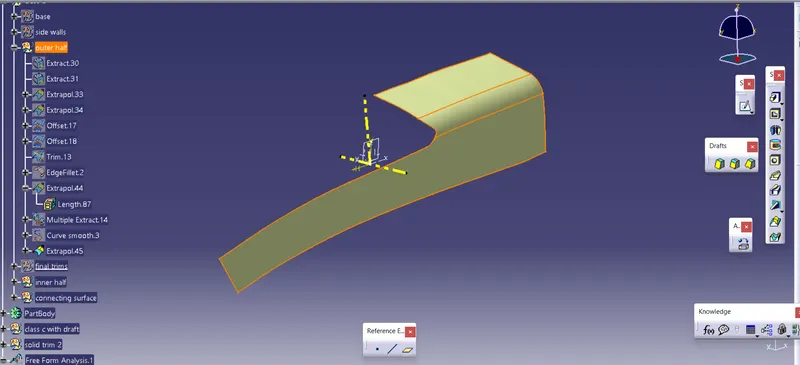
OUTER HALF
- first the outer top face and the side face are extracted and is untrimmed
- then they are extrapolated and trimmed
- their outer boundries are also extrapolated using the boundry and smooth curve
INNER HALF
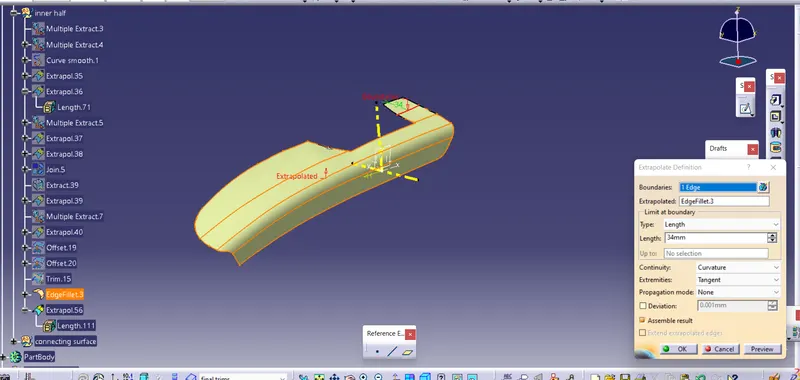
- it has two faces upper and side
- first the upper side is extracted and the edges are created using the multiple extracting the boundries and made into smooth curves and are extrapolarted and are joined and offseted
- in similar way the side face is also extrapolated and offseted
- finally both the extrapolated faces are trimmed
- finally trim is then filleted
CONNECTING SURFACE
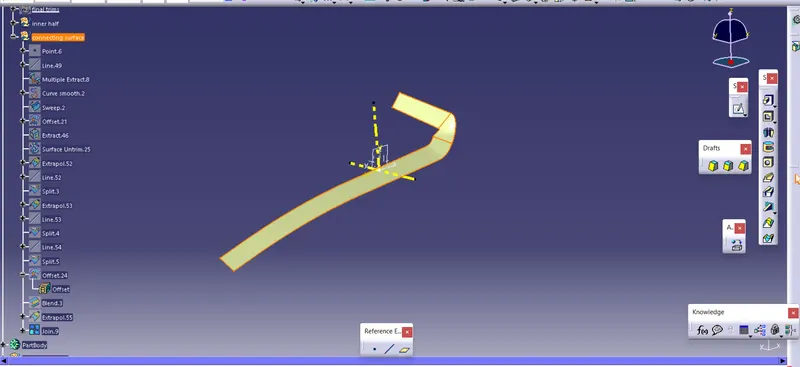
- here the connecting is first extracted using the filleted line using point and a line through the point and then fillet line is extracted and is sweeped and offseted
- then another small patch on the top side is extracted and and split using the lines to get proper surface and is offseted
- then the blend option is used to create blend connecting the top and side face
FINAL TRIMS
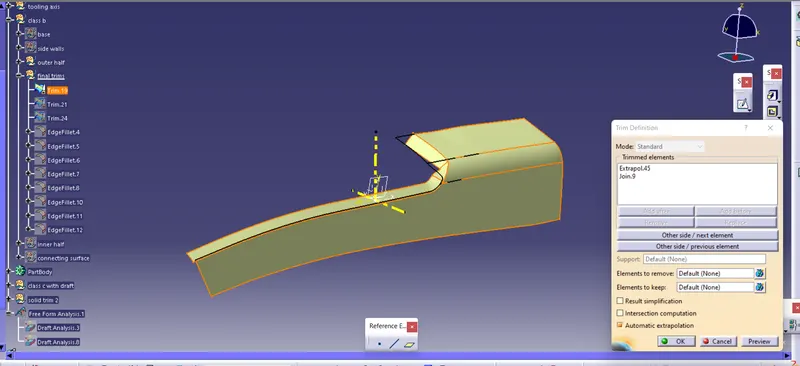
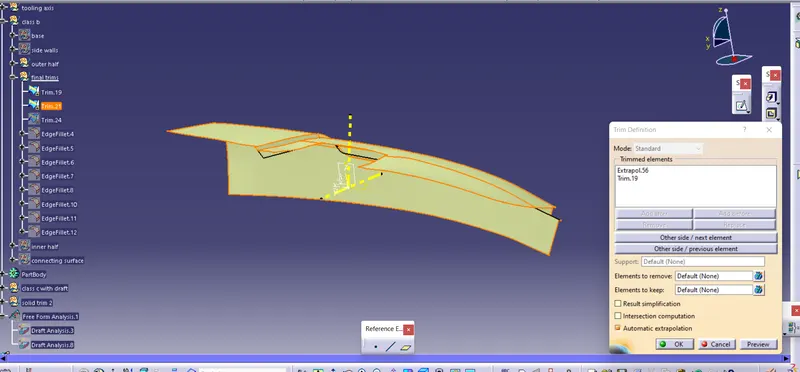
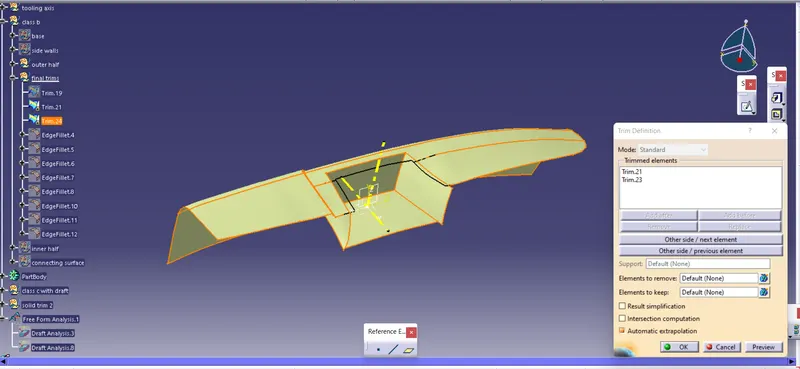
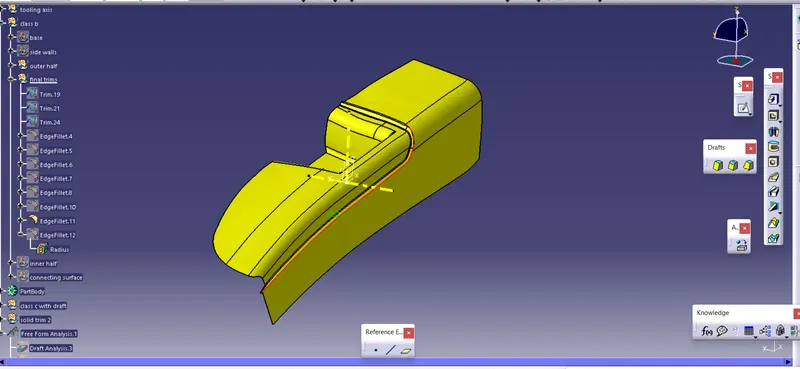
- then the outer and inner surface are trimmed with the connecting surface
- then the trim is again trimmed with the sidewall trim
- then the required fillet are given to get the required class b
CLASS C
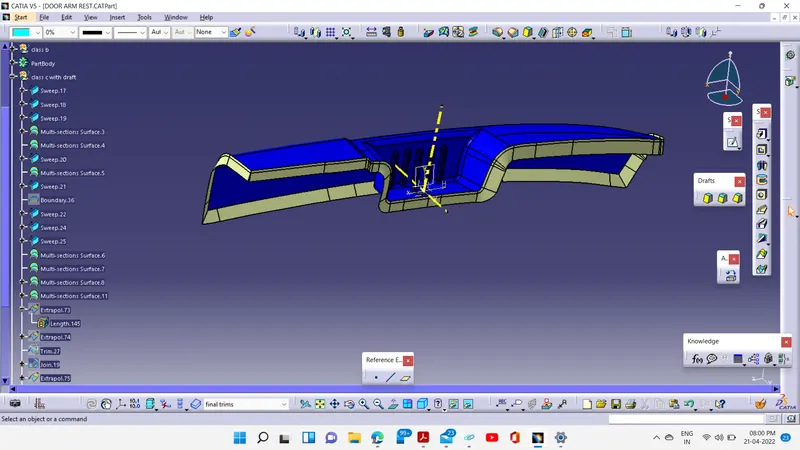
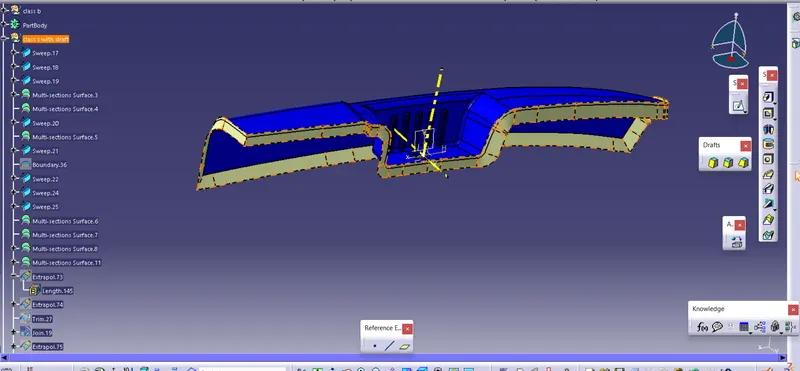
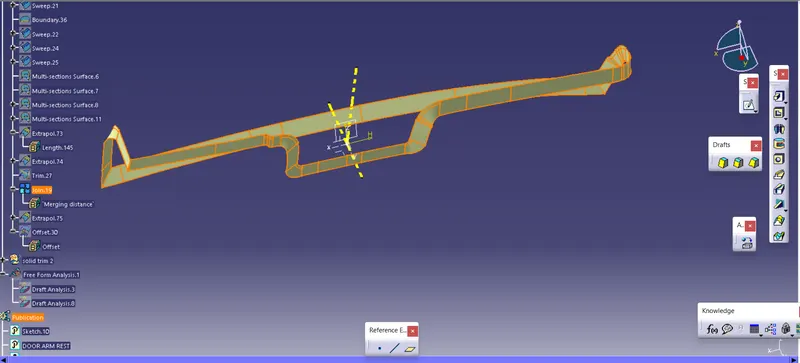
- the faces wich lie perpendicular to the tooling axis are created using the sweep with draft and minimum of 3 deg draft is given
- the other faces which are parallel to the tooling axis are sweep with respect to the surfaces
- then other faces are connected using multi section surface
- and sharp corneres are extrapolated and are trimmed
- finall c is joined and also extended little above as a is not intersecting at the sharp corners
- finally the class c and class a are trimmed together
SOLID TRIM
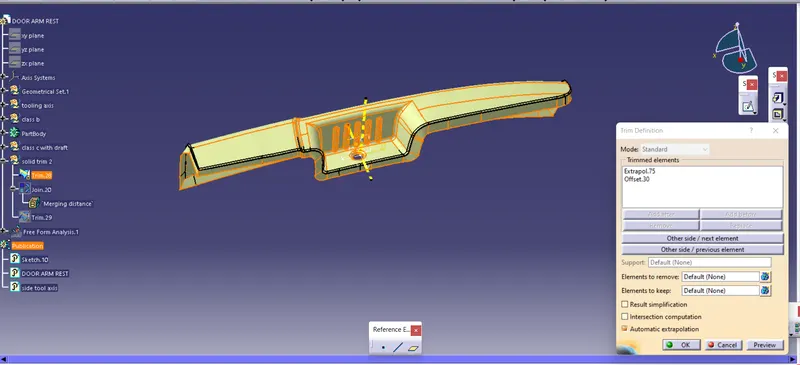
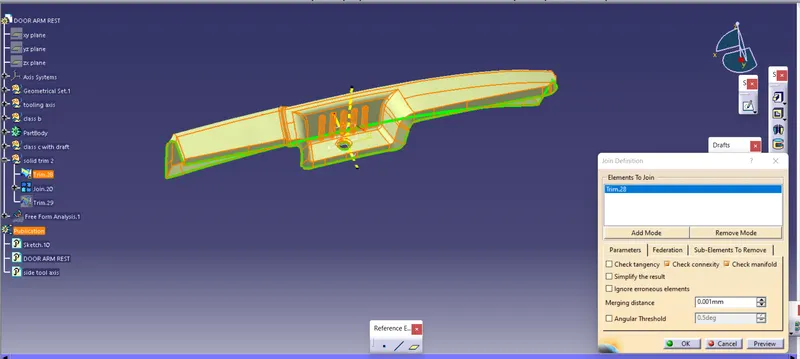
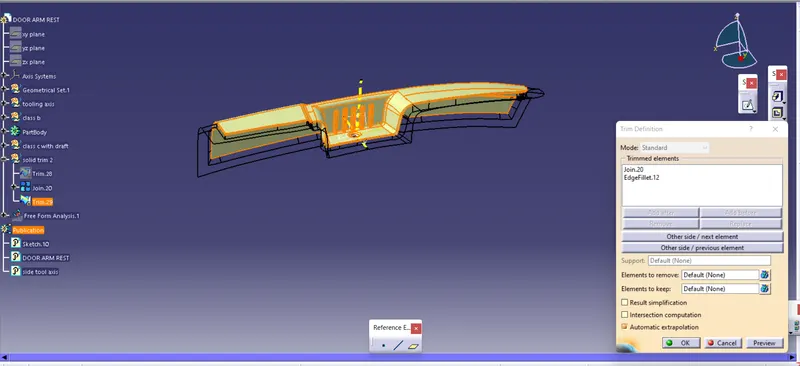
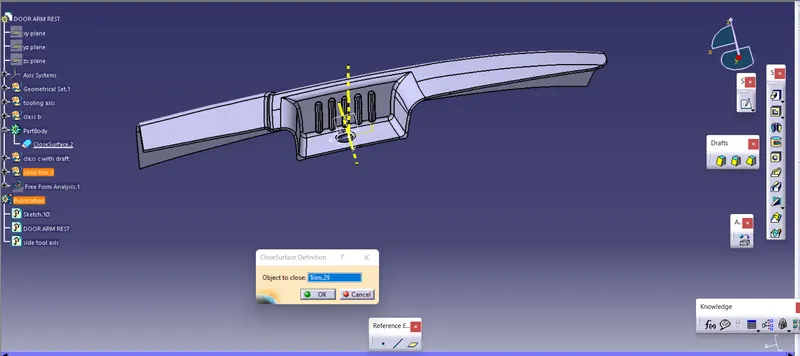
- then finally the trimmed class c and the class b is finally trimmed to create closed surface
- then the creatred surface is converted into solid by using the closed body option
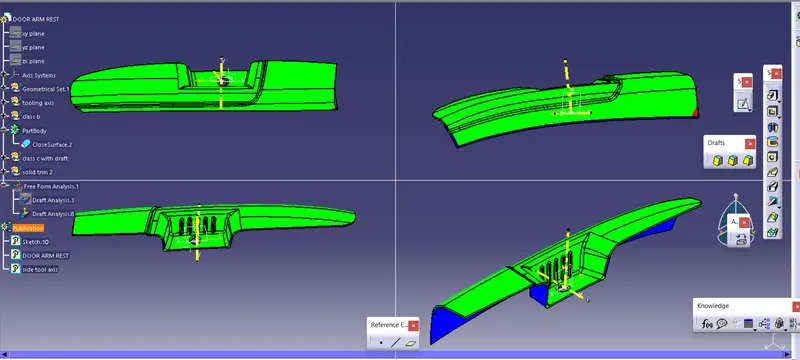
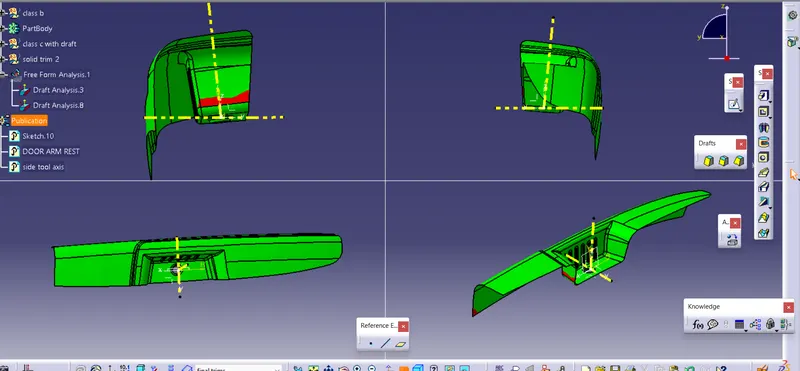
FINAL DRAFT
- then the final draft is created for the solid using the main tool axis
- then green colour signifies the faces getting cleared in the tooling axis
- there are certain red and blue zone in the c surface which indicate rework on the class a surface