Project 1 (Mini Project on Vehicle Direction Detection
What is ADAS?
Almost all vehicle accidents are caused by human error, which can be avoided with Advanced Driver Assistance Systems (ADAS). The role of ADAS is to prevent deaths and injuries by reducing the number of car accidents and the serious impact of those that cannot be avoided.
Essential safety-critical ADAS applications include:
- Pedestrian detection/avoidance
- Lane departure warning/correction
- Traffic sign recognition
- Automatic emergency braking
- Blind spot detection
These lifesaving systems are key to ensuring the success of ADAS applications, incorporating the latest interface standards and running multiple vision-based algorithms to support real-time multimedia, vision co-processing, and sensor fusion subsystems.
How does ADAS work?
Automobiles are the foundation of the next generation of mobile-connected devices, with rapid advances being made in autonomous vehicles. Autonomous application solutions are partitioned into various chips, called System on chip. These chips connect sensors to actuators through interfaces and high-performance ECUs (electronic controller units).
Self-driving cars use a variety of these applications and technologies to gain 360-degree vision, both near (in the vehicle’s immediate vicinity) and far. That means hardware designs are using more advanced process nodes to meet ever-higher performance targets while simultaneously reducing demands on power and footprint.
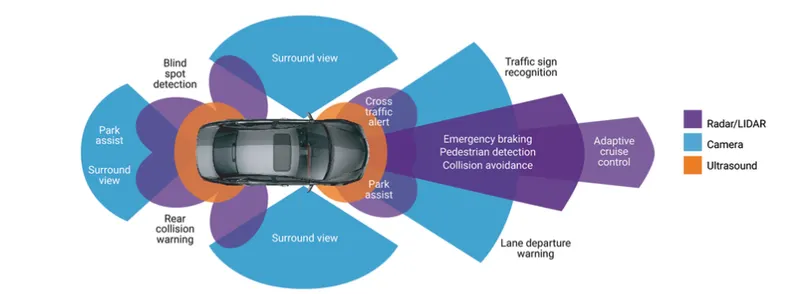
Some of the most common ADAS applications are:
1. Adaptive Cruise Control
Adaptive cruise control (ACC) is particularly helpful on the highway, where drivers can find it difficult to monitor their speed and other cars over a long period of time. Advanced cruise control can automatically accelerate, slow down, and at times stop the vehicle, depending on the actions other objects in the immediate area.
2. Glare-Free High Beam and Pixel Light
Glare-free high beam and pixel light uses sensors to adjust to darkness and the vehicle’s surroundings without disturbing oncoming traffic. This new headlight application detects the lights of other vehicles and redirects the vehicle’s lights away to prevent other road users from being temporarily blinded.
3. Adaptive Light Control
Adaptive light control adapts the vehicle’s headlights to external lighting conditions. It changes the strength, direction, and rotation of the headlights depending on the vehicle’s environment and darkness.
4. Automatic Parking
Automatic parking helps inform drivers of blind spots so they know when to turn the steering wheel and stop. Vehicles equipped with rearview cameras have a better view of their surroundings than traditional side mirrors. Some systems can even complete parking automatically without the driver’s help by combining the input of multiple sensors.
5. Autonomous Valet Parking
Autonomous valet parking is a new technology that works via vehicle sensor meshing, 5G network communication, with cloud services that manage autonomous vehicles in parking areas. The vehicles sensors provide the vehicle with information about where it is, where it needs to go, and how to get there safely. All this information is methodically evaluated and used to perform drive acceleration, braking, and steering until the vehicle is safely parked.
6. Navigation System
Car navigation systems provide on-screen instructions and voice prompts to help drivers follow a route while concentrating on the road. Some navigation systems can display exact traffic data and, if necessary, plan a new route to avoid traffic jams. Advanced systems may even offer Heads Up Displays (HuD) to reduce driver distraction.
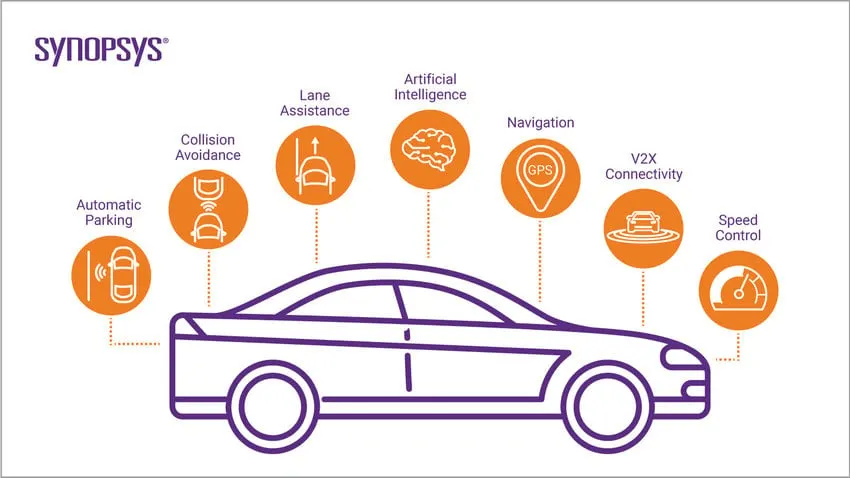
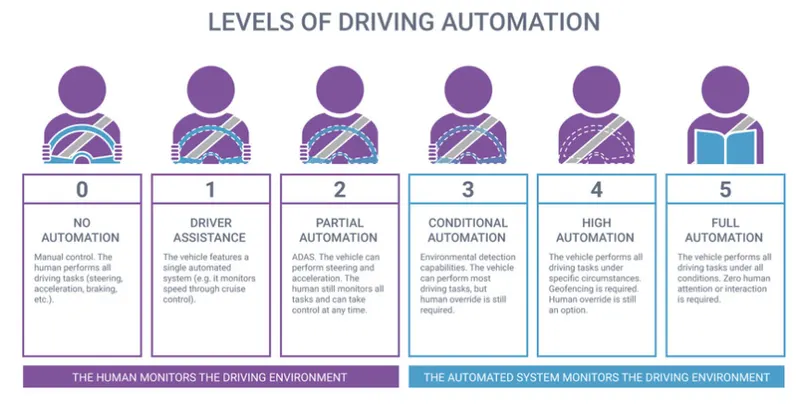 Vehicle Direction Detection can be done alongside the GPS system in order to optimize the range direction.
Requirement – 2:
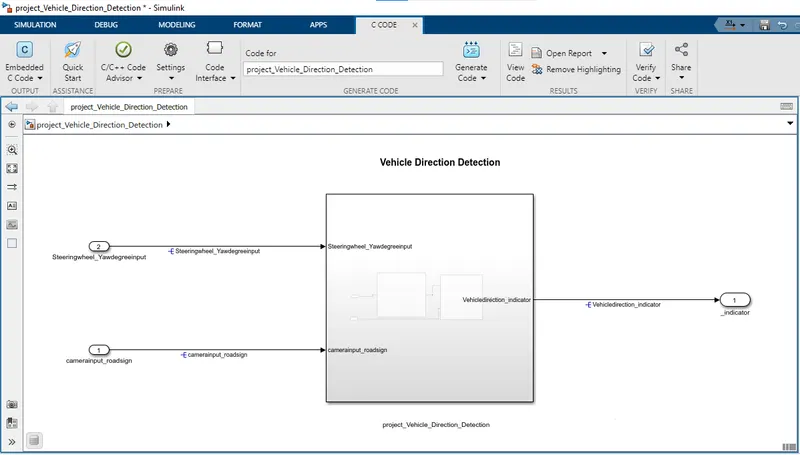
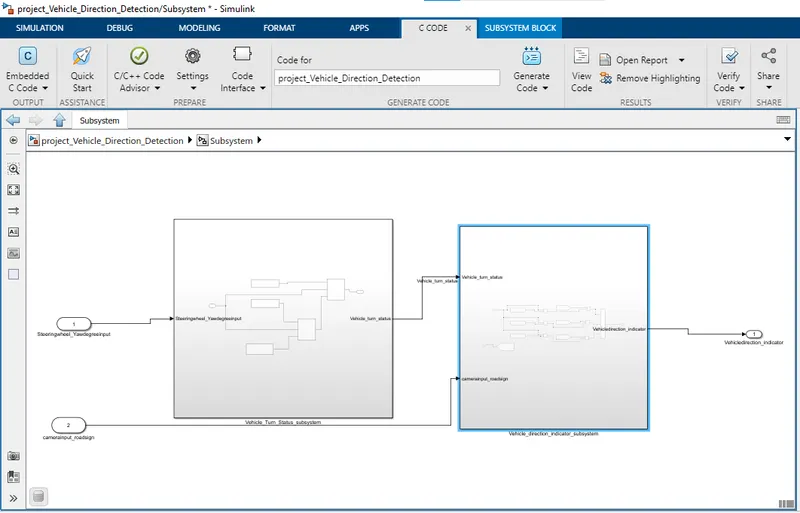
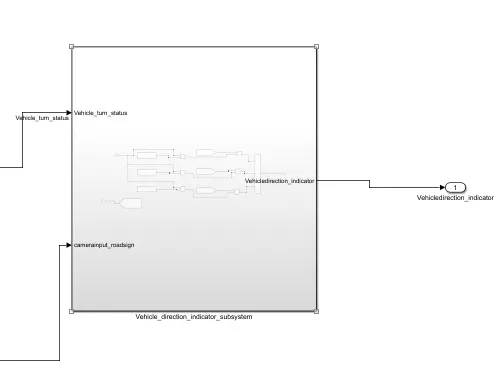
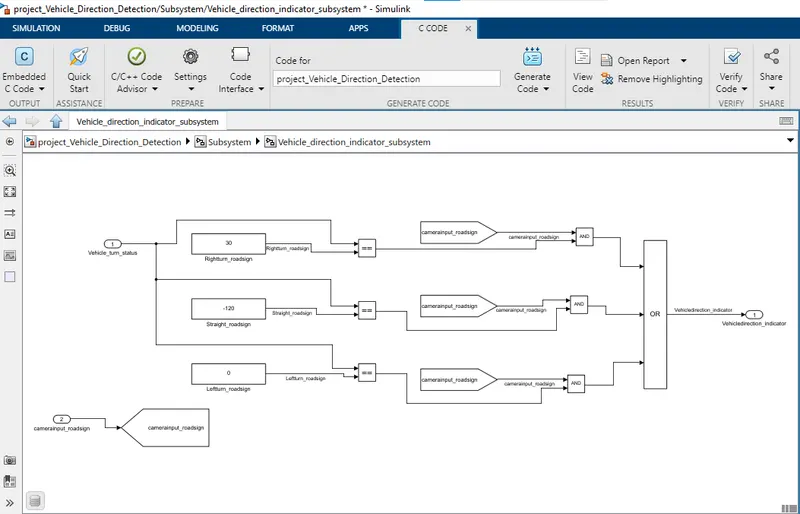
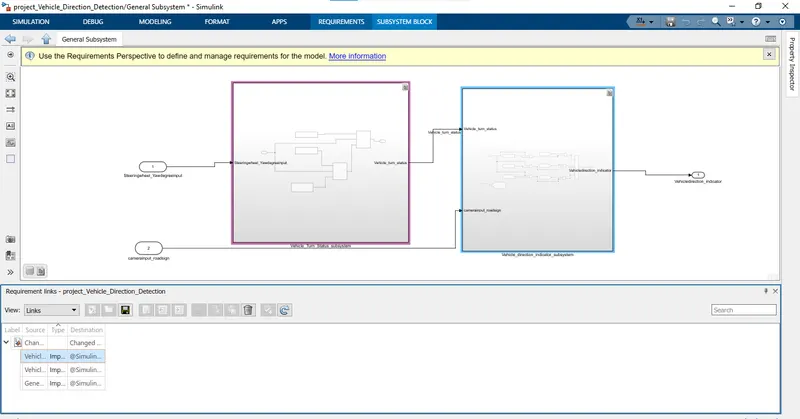
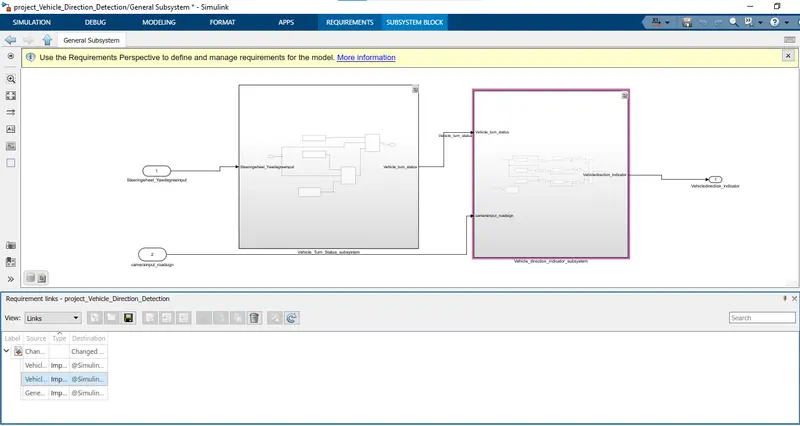
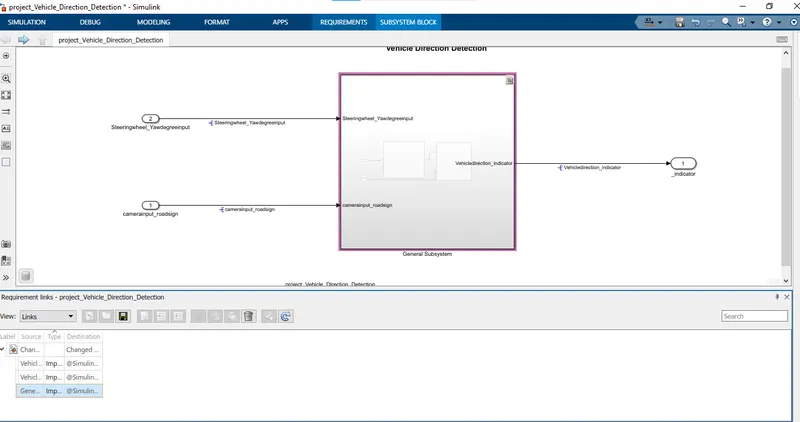
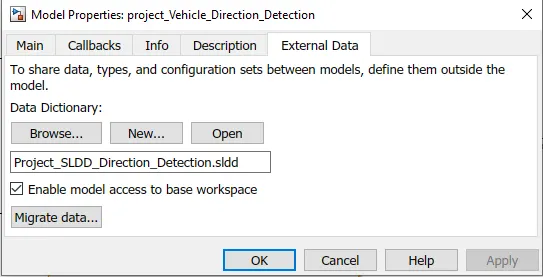
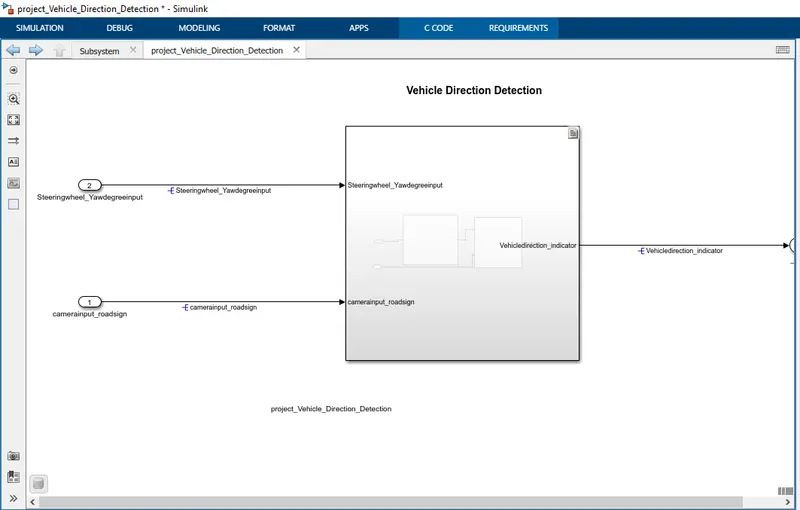
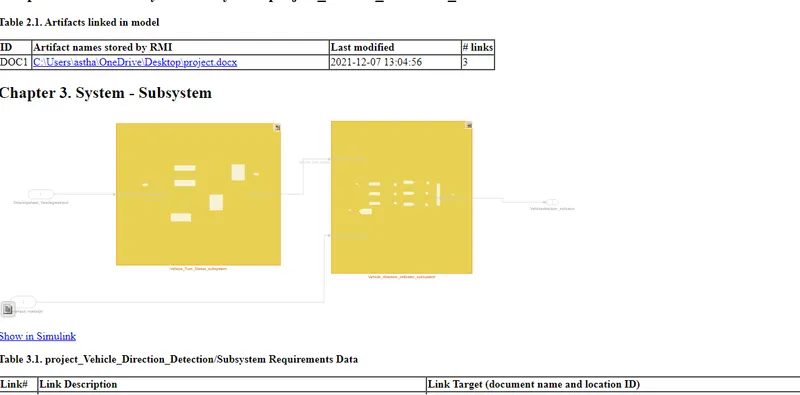
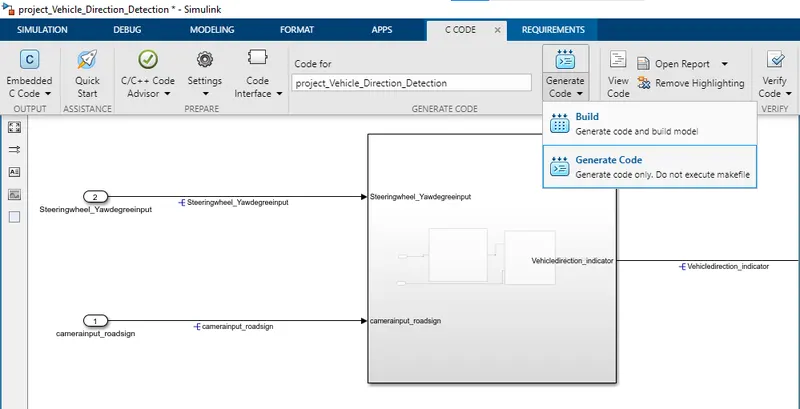
- Keep this requirement as a separate subsystem. Inputs to this requirement are local signal from requirement 1 (Signal Name: Vehicle_Turn_Status) & an input signal from camera (Signal Name: CameraInput_RoadSign), which confirms the occurrence of a road sign.
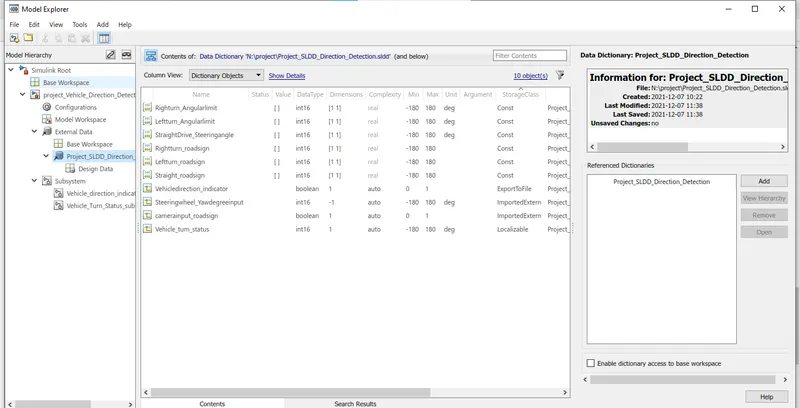
- Signal Vehicle_Turn_Status is compared against calibration values (Calibration Values: RightTurn_RoadSign, LeftTurn_RoadSign, Straight_RoadSign), if each of them is found equal, then each of the three corresponding output is compared against the camera input signal,
- Using a logical operator block, only one among them is finally given as output signal (Signal Name: Vehicle_Direction_Indicator).
Signals & Calibration Data List:
|
Signal / Calibration Name |
Signal Type |
Data Type |
Dimension |
Min |
Max |
Initial Value |
Units |
|
SteeringWheel_YawDegreeInput |
Input |
Int16 |
1 |
-180 |
180 |
- |
Deg |
|
CameraInput_RoadSign |
Input |
Boolean |
1 |
0 |
1 |
- |
- |
|
Vehicle_Turn_Status |
Local |
Int16 |
1 |
-180 |
180 |
- |
Deg |
|
Right_Turn_AngularLimit |
Calibration |
Int16 |
[1 1] |
-180 |
180 |
30 |
Deg |
|
Left_Turn_AngularLimit |
Calibration |
Int16 |
[1 1] |
-180 |
180 |
-120 |
Deg |
|
Straight_Drive_Steering_Angle |
Calibration |
Int16 |
[1 1] |
-180 |
180 |
0 |
Deg |
|
RightTurn_RoadSign |
Calibration |
Int16 |
[1 1] |
-180 |
180 |
30 |
|
|
LeftTurn_RoadSign |
Calibration |
Int16 |
[1 1] |
-180 |
180 |
-120 |
|
|
Straight_RoadSign |
Calibration |
Int16 |
[1 1] |
-180 |
180 |
0 |
|
|
Vehicle_Direction_Indicator |
Output |
Boolean |
1 |
0 |
1 |
- |
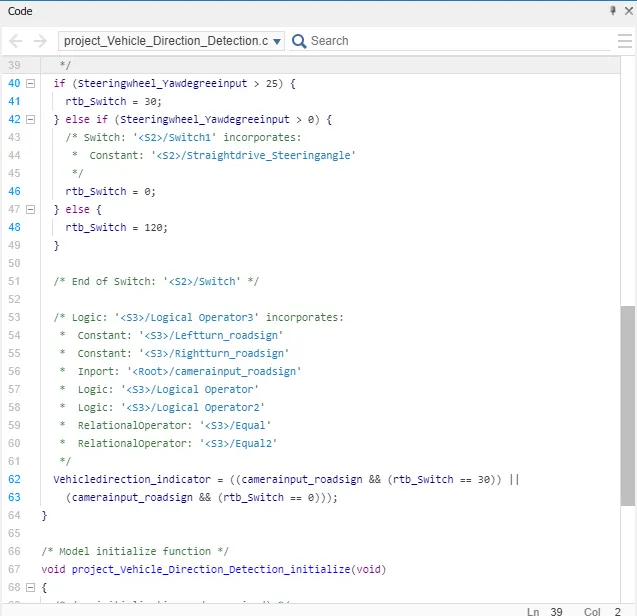
/*
 * File: project_Vehicle_Direction_Detection.c
 *
 * Code generated for Simulink model 'project_Vehicle_Direction_Detection'.
 *
 * Model version                  : 1.2
 * Simulink Coder version         : 9.5 (R2021a) 14-Nov-2020
 * C/C++ source code generated on : Tue Dec  7 11:59:39 2021
 *
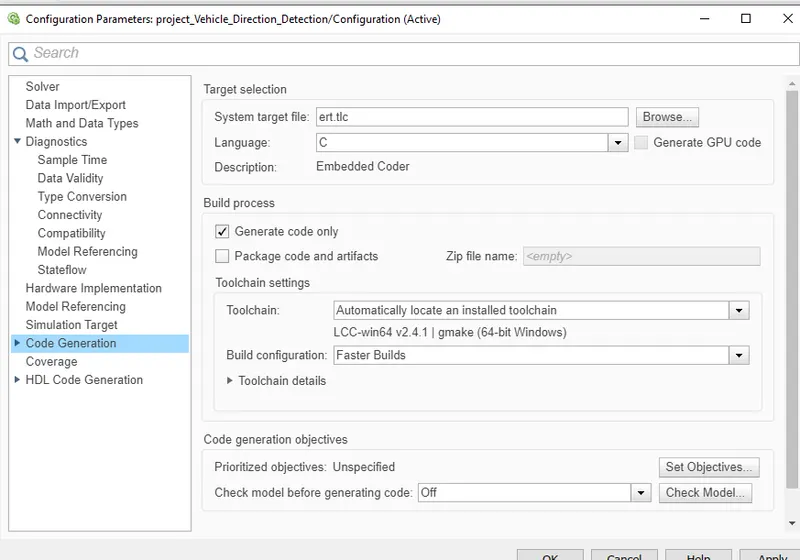
 * Target selection: ert.tlc
 * Embedded hardware selection: Intel->x86-64 (Windows64)
 * Code generation objectives: Unspecified
 * Validation result: Not run
 */

#include "project_Vehicle_Direction_Detection.h"
#include "project_Vehicle_Direction_Detection_private.h"

/* Exported data definition */

/* Definition for custom storage class: ExportToFile */
boolean_T Vehicledirection_indicator;  /* '/Logical Operator3' */

/* Real-time model */
static RT_MODEL_project_Vehicle_Dire_T project_Vehicle_Direction_De_M_;
RT_MODEL_project_Vehicle_Dire_T *const project_Vehicle_Direction_De_M =
  &project_Vehicle_Direction_De_M_;

/* Model step function */
void project_Vehicle_Direction_Detection_step(void)
{
  int16_T rtb_Switch;

  /* Switch: '/Switch' incorporates:
   *  Constant: '/Leftturn_Angularlimit'
   *  Constant: '/Rightturn_Angularlimit'
   *  Inport: '/Steeringwheel_Yawdegreeinput'
   *  Switch: '/Switch1'
   */
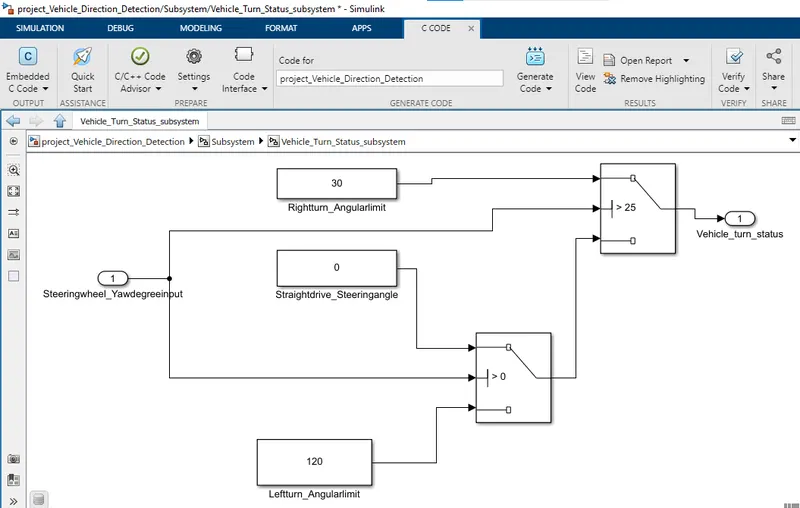
  if (Steeringwheel_Yawdegreeinput > 25) {
    rtb_Switch = 30;
  } else if (Steeringwheel_Yawdegreeinput > 0) {
    /* Switch: '/Switch1' incorporates:
     *  Constant: '/Straightdrive_Steeringangle'
     */
    rtb_Switch = 0;
  } else {
    rtb_Switch = 120;
  }

  /* End of Switch: '/Switch' */

  /* Logic: '/Logical Operator3' incorporates:
   *  Constant: '/Leftturn_roadsign'
   *  Constant: '/Rightturn_roadsign'
   *  Inport: '/camerainput_roadsign'
   *  Logic: '/Logical Operator'
   *  Logic: '/Logical Operator2'
   *  RelationalOperator: '/Equal'
   *  RelationalOperator: '/Equal2'
   */
  Vehicledirection_indicator = ((camerainput_roadsign && (rtb_Switch == 30)) ||
    (camerainput_roadsign && (rtb_Switch == 0)));
}

/* Model initialize function */
void project_Vehicle_Direction_Detection_initialize(void)
{
  /* (no initialization code required) */
}

/* Model terminate function */
void project_Vehicle_Direction_Detection_terminate(void)
{
  /* (no terminate code required) */
}

/*
 * File trailer for generated code.
 *
 * [EOF]
 */