Project 1 - 2D meshing on the instrumental Panel using ANSA
AIM: For the given component, check for the geometrical errors and mesh with the given element Quality criteria. After meshing the component the thickness has to be assigned.
|
S.No |
Quality Criteria |
Value |
|
1 |
Target/Average length |
4 |
|
2 |
Minimum Length |
2 |
|
3 |
Maximum Length |
6 |
|
4 |
Aspect |
3 |
|
5 |
Warpage |
15 |
|
6 |
Skewness |
45 |
|
7 |
Jacobian |
0.7 |
|
8 |
Minimum Quad Angle |
45 |
|
9 |
Maximum Quad Angle |
135 |
|
10 |
Minimum Tria Angle |
30 |
|
11 |
Maximum Tria Angle |
120 |
|
10 |
Tria Percentage |
15 |
METHODOLOGY:
- IMPORT THE GIVEN GEOMETRY
- CLEANUP THE GEOMETRICAL ISSUES
- GENERETE THE MIDSURFACE FOR THE GEOMETRY
- MESH USING MANUAL MESH
- CLEANUP THE FAILING ELEMENTS
INTRODUCTION:
A dashboard (also called dash, instrument panel (IP), or fascia) is a control panel set within the central console of a vehicle or small aircraft. Usually located directly ahead of the driver (or pilot), it displays instrumentation and controls for the vehicle's operation.
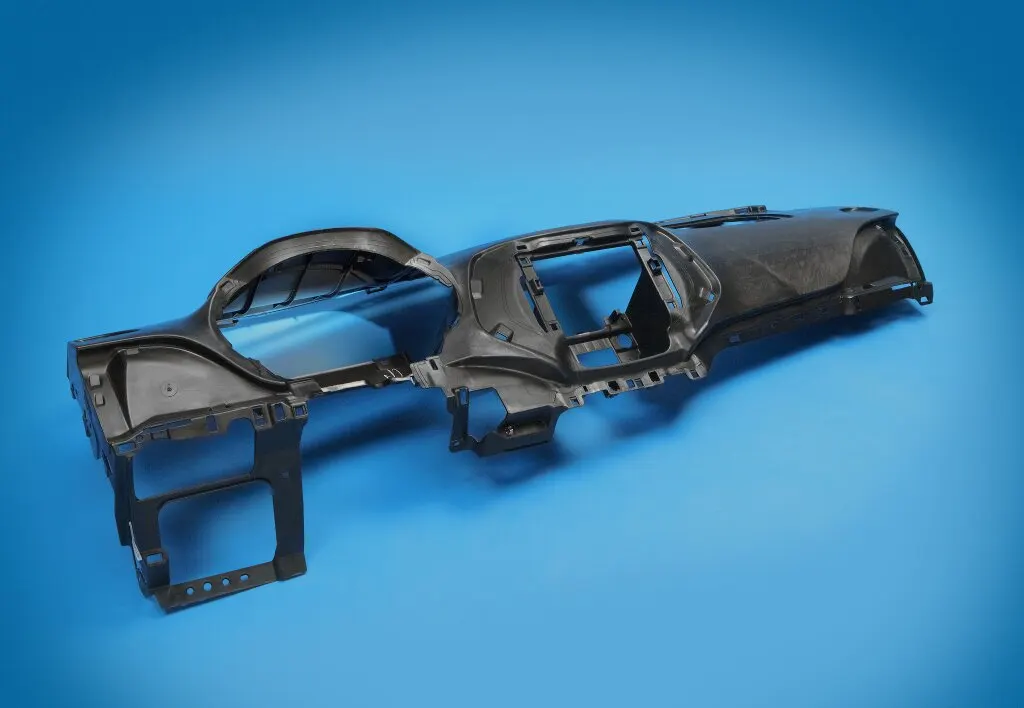
FEATURES:
Where the dashboard originally included an array of simple controls (e.g., STEERING WHEEL) and instrumentation to show speed, fuel level and oil pressure, the modern dashboard may accommodate a broad array of gauges, and controls as well as information, climate control and entertainment systems.
Contemporary dashboards may include the speedometer, tachometer, odometer, engine coolant temperature gauge, and fuel gauge, turn indicators, gearshift position indicator, seat belt warning light, parking-brake warning light, and engine-malfunction lights. Other features may include a gauge for alternator voltage, indicators for low fuel, low oil pressure, low tire pressure and faults in the airbag (SRS) systems, glove compartment, ashtray and a cigarette lighter or power outlet – as well as heating and ventilation systems, lighting controls, safety systems, entertainment equipment and information systems, e.g., navigation systems
PROCEDURE:
STEP 1: IMPORT THE GIVEN GEOMETRY
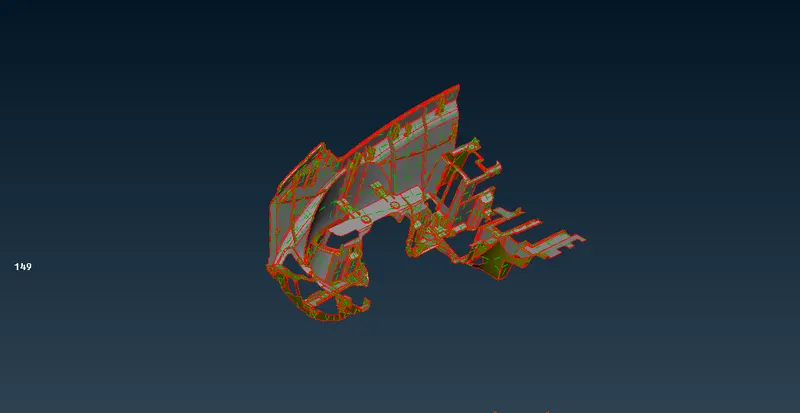
FIG.1 IMPORTED IMAGE
The above image shows that the imported geometry with geometrical issues.
so, we need to cleanup the issues using geometry check COMMAND: CHECKS-GEOMETRY-EXECUTE
STEP 2:CLEANUP THE GEOMETRICAL ISSUES:
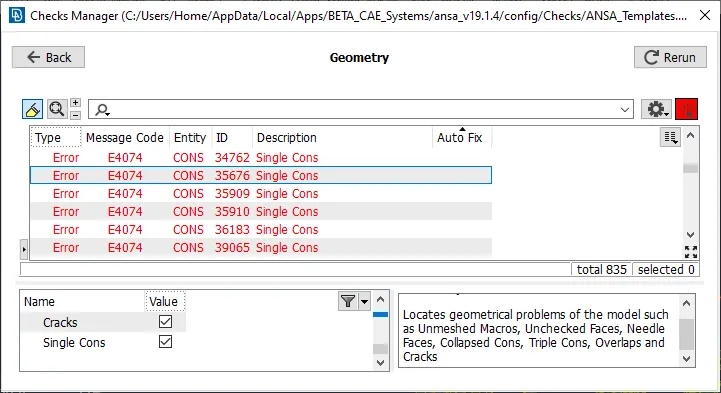
FIG.2 CHECKS MANAGER
we should cleanup the geometry using auto fix method some would be in manual method.
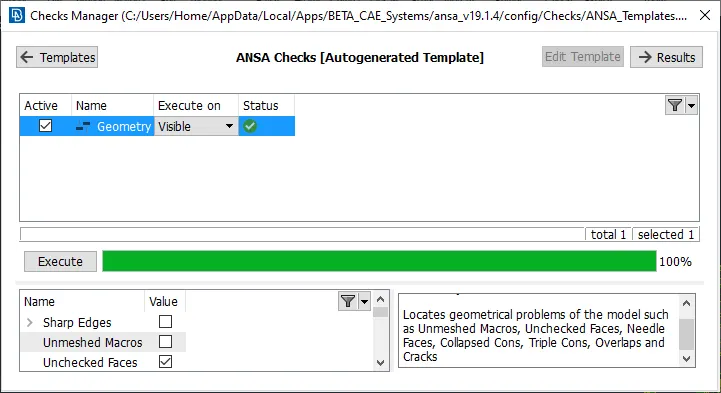
FIG.3 AFTER GEOMETRY CLEANUP CHECKS MANAGER
after cleanup the geometry we can do midsurface using manual/auto as per our need.
STEP3: GENERETE THE MIDSURFACE FOR THE GEOMETRY:
Before taking the midsurface we should mesure the dimensions for all areas that will be easy for us to setup the PID's
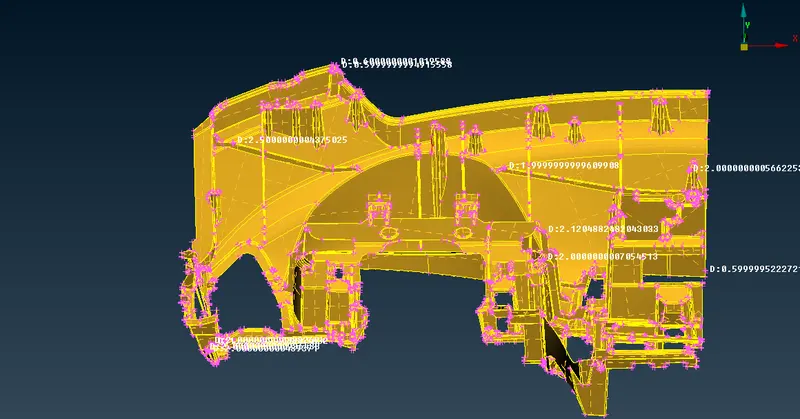
we can take mid for outerbody in single shot by using manual offset method and set PID
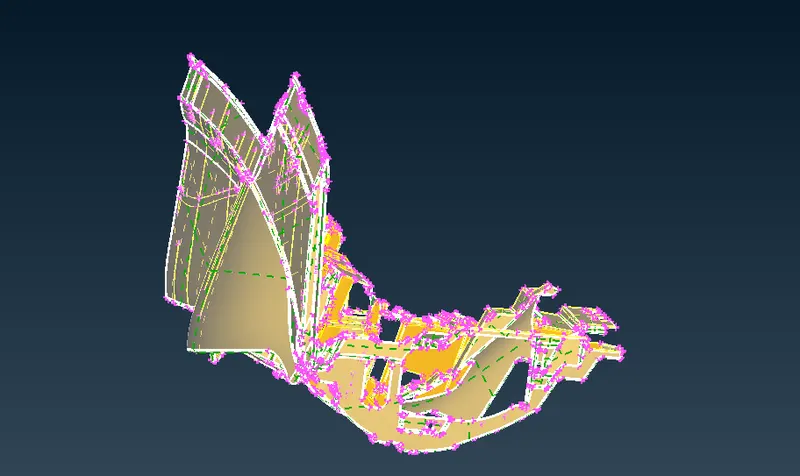
FIG.4 MID TAKING FOR OUTER BODY
take mid for ribs using middle options and set PID
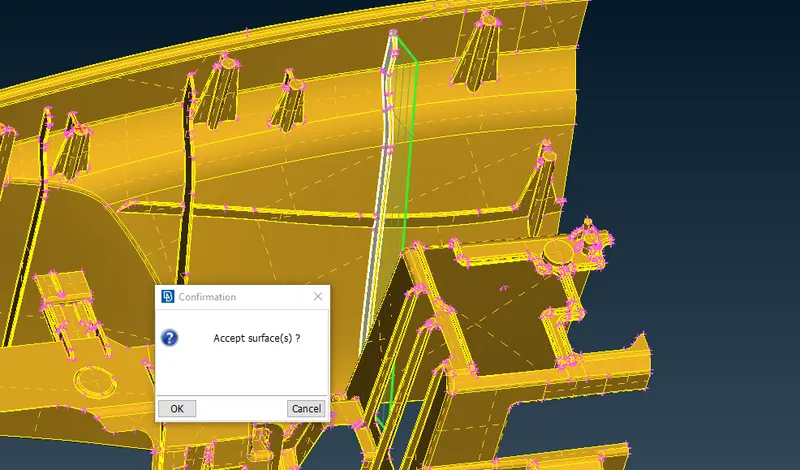
FIG.5 MID TAKING FOR RIBS
similarly do take mid for all ribs.
Dog houses in the model should be captured as cross pattern because of the hollow surface.
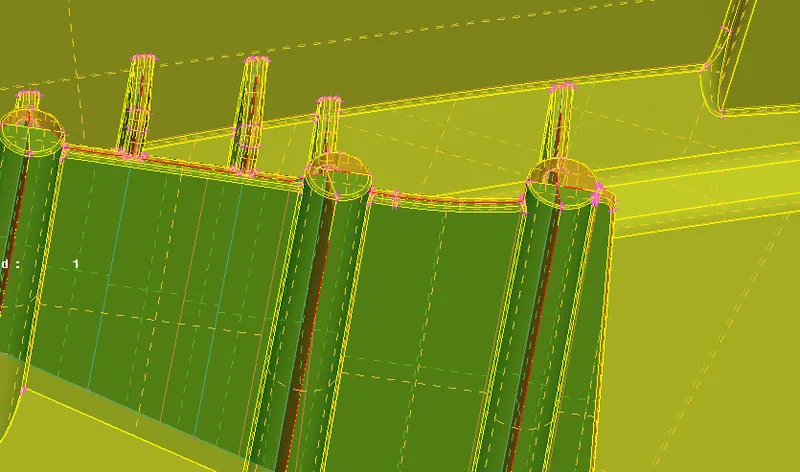
FIG.6 MID FOR DIG HOUSE
similarly take midsurface for all DOG houses.
MIDSURFACE USING CASTING:
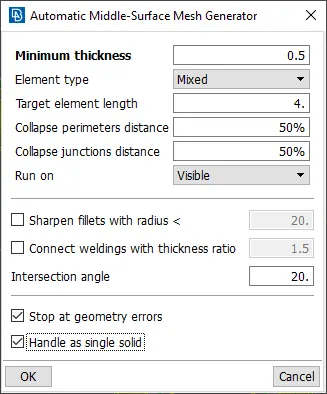
FIG.7 MIDSURFACE CASTING
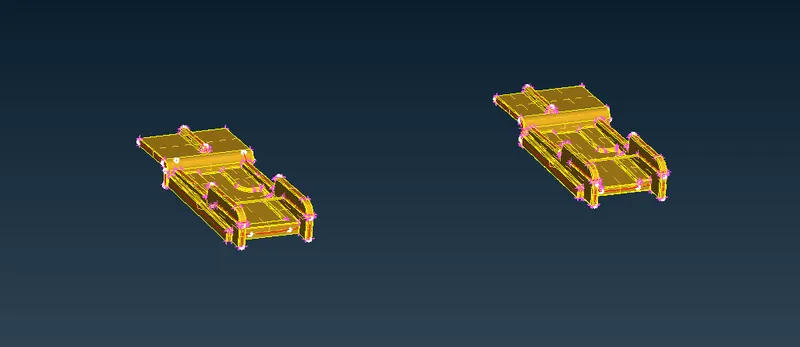
FIG.8 AFTER TALING MIDSURFACE
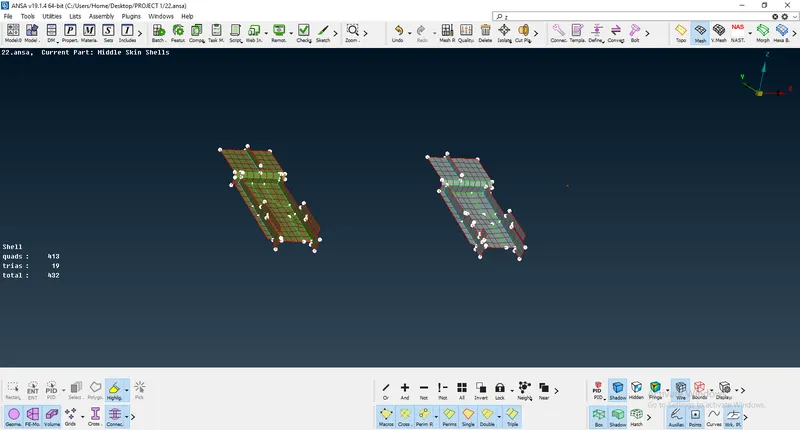
FIG.9 CASTING MESH
STEP4: MESHING USING MANUAL MESH:
Mesh part by part with feature capturing and do reconstruct and smooth for good mesh flow
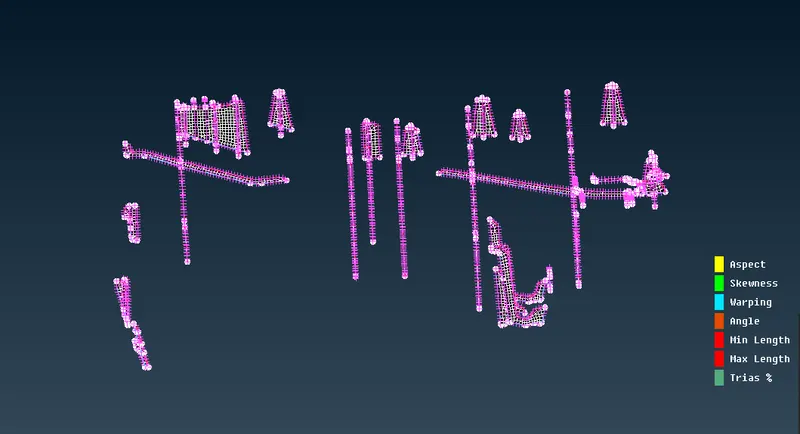
FIG.10 MESH MANUAL FOR BIBS
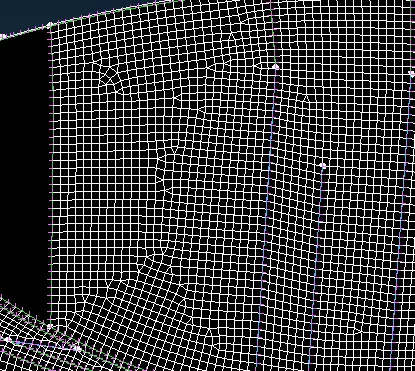
FIG.11 MESH ON FIRST SPOT
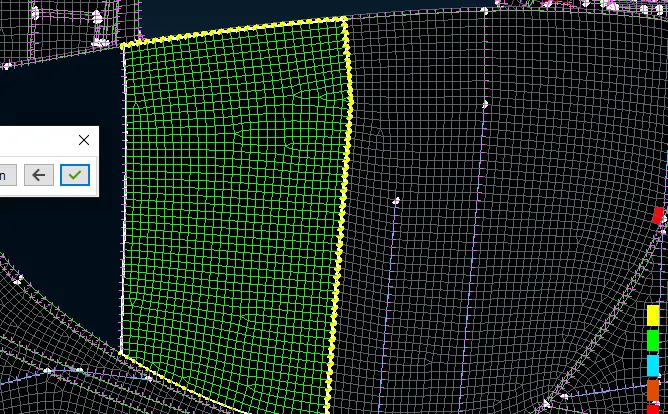
FIG.12 MESH AFTER RECONSTRUTION
similarly do mesh and reconstruct sor all areas,
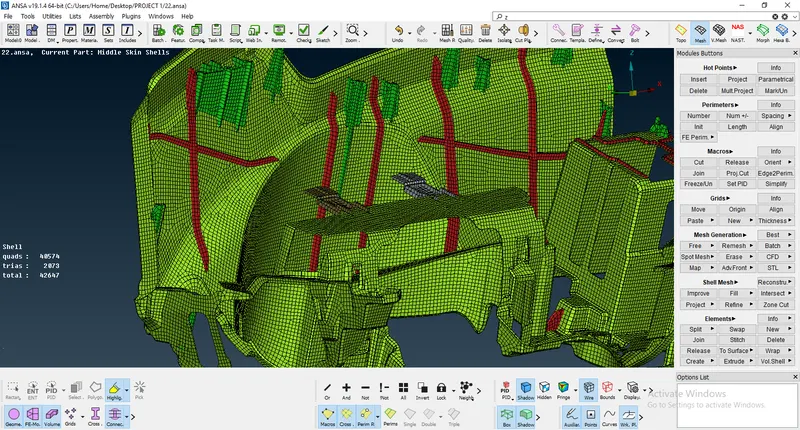
FIG.13 MODEL WITH ACTIVATE DRAW SHELL AS SOLIDS
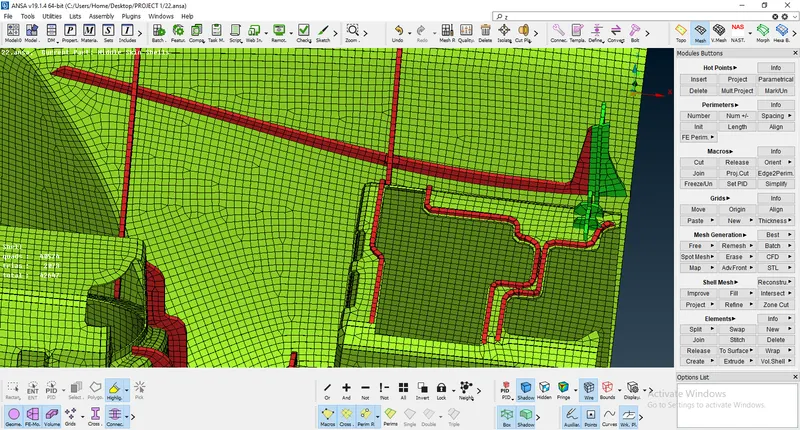
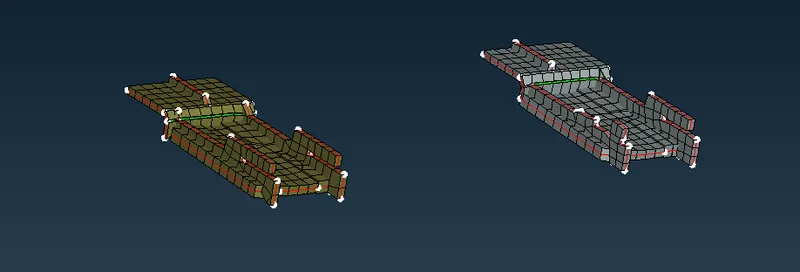
FIG.14 DRAW SHELL AS SOLIDS
LEARNING OUTCOMES:
- LEARNED TO CLEANUP THE TOPOLOGY ERRORS
- ASSIGNED PID'S FOR DIFFERENT SURFACES
- ABLE TO DO MIDSURFACE IN DIFFERENT METHODS
- LEARNED TO DO MESH WITH FEATURE CAPTURING
- LEARNED TO CLEANUP THE FAILING ELEMENTS
CONCLUSION:
In this project, I have generated midsurface using different options available in ANSA. able to do defeature and do line adjustments in some areas, Did topological clenaup, understood about transparency mode and all concepts related in midsurface for different features, Able to acheive better mesh flow smooth, reconstruct, swap, paste,move options. Eliminated failing elements.
DRIVE LINK: