Project 1
Aim: To route the wiring harness on the given engine and prepare a flatten view drawing in CATIA V5.
Objective:
- To download the 3D CAD data for connectors from TE Connectivity website.
- Define the connector data as Electrical Part in CATIA V5.
- Prepare a catalogue for all the components of harness assembly.
- Place the safety channel at appropriate location to protect the wire harness from heat.
- To route the wiring harness as per requirement.
- Apply protective coverings to the wire harness.
- To flatten the wiring harness.
- To prepare the drawing of the flattened harness assembly.
Theory: The given engine model needs wiring harness to monitor and control its functioning. The wiring is basically required to enable easy functioning of the engine electronics. The given engine is a V-16 type of engine, with 16 cylinders, 8 placed on each side to form a V-shaped arrangement. These cylinders need to be monitored individually and hence every cylinder will have its own sensor to record the data. The connectors would be placed on top of every cylinder.
The engine is shown below:
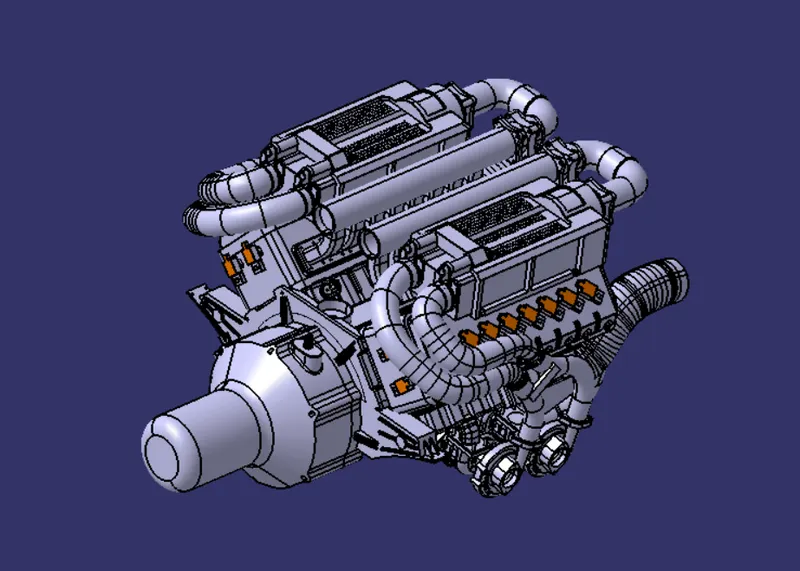
Fig. 1: Isometric view of the V-16 engine.
Following would be the arrangement of connectors on the engine.
- C-1563689-1: Placed on the cylinder head
- 12-Pole Connector: The start point of the wiring harness placed near the Transmission casing.
- Connector 2: To be placed on the transmission casing.
- P-Clamp: To be placed appropriately and smoothen wiring harness routing.
- L-Plate: Attached on the engine block and 12-pole connector is placed on this plate.
- Safety Channel: The wire harness needs to be routed smoothly and kept away from the heat of the engine. This safety channel helps to keep the harness in position and safe from heat.
Creating a Catalogue file:
- Open new ‘CatalogDocument’ in CATIA V5.
- Use ‘Add Family’ command to add ‘Connectors’, ‘Support Parts’ and ‘COT Tubes’ as families in the catalogue.
- Save as ‘Engine Harness Catalogue’
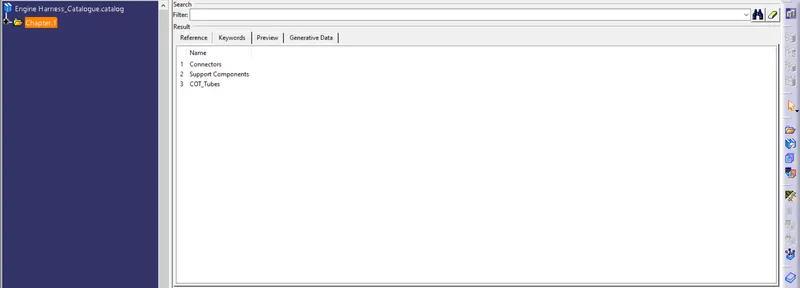
Fig. 2: Creating the Catalogue.
Electrical Definition of Connectors:
- Open the connector in ‘Electrical Part Design’ Workbench.
- Insert points in the center of the faces.
- Define it as ‘Define Connector’
- Define the bundle connection point.
- Use ‘Store Device’ command to add in the catalogue in the ‘Connectors’ family.
- Save the part.
- Follow the above steps for all the connectors.
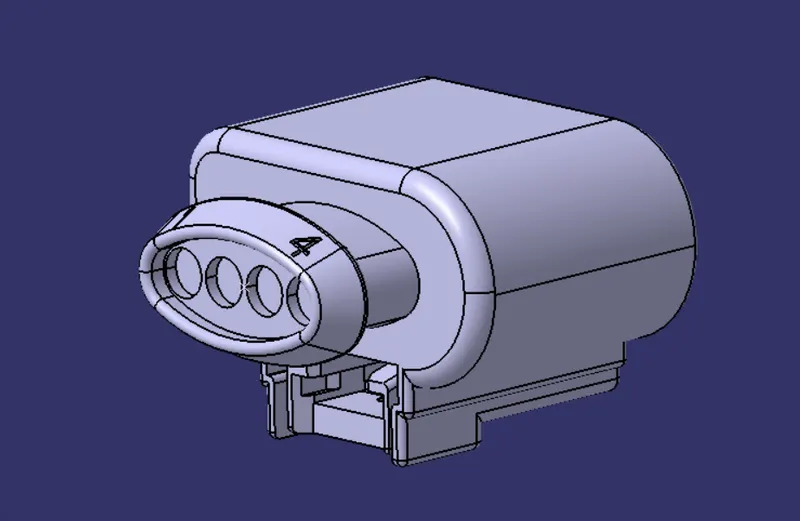
Fig. 3: Isometric view of C-1563689-1 Connector
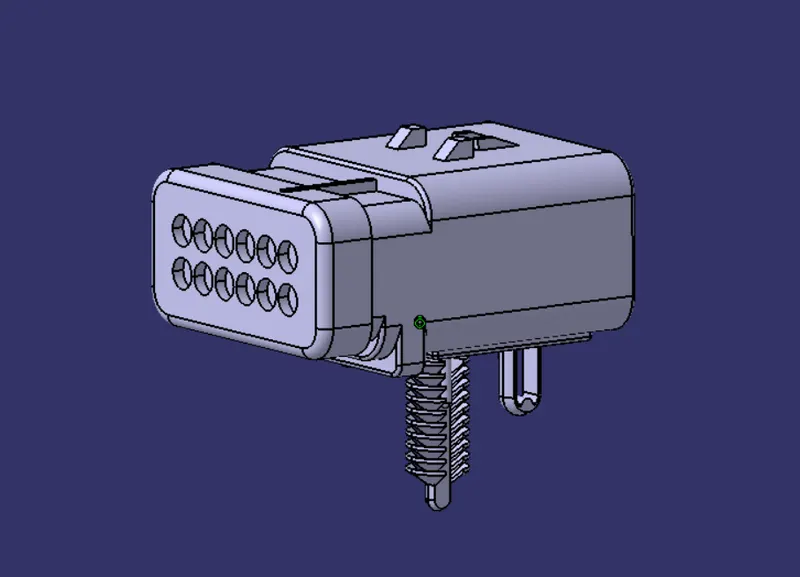
Fig. 4: Isometric view of 12-Pole Connector Assembly.
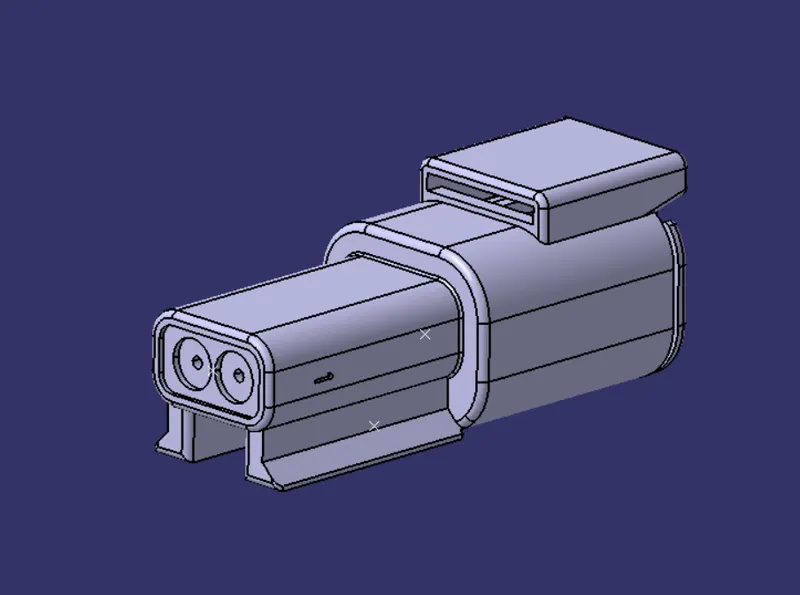
Fig. 5: Isometric view of Connector 2.
Definition of Support Parts:
- Open the part in ‘Electrical Part Design’ Workbench.
- Insert point and plane on the entry and exit side of the support part.
- Insert a base plane on the support part.
- Use ‘Define Equipment’ command.
- Add to the ‘Support Parts’ family in the catalogue.
- In case of Safety Channel make a curve as shown in the figure below. Also, define each point as bundle entry point to enable easy routing of wiring harness.
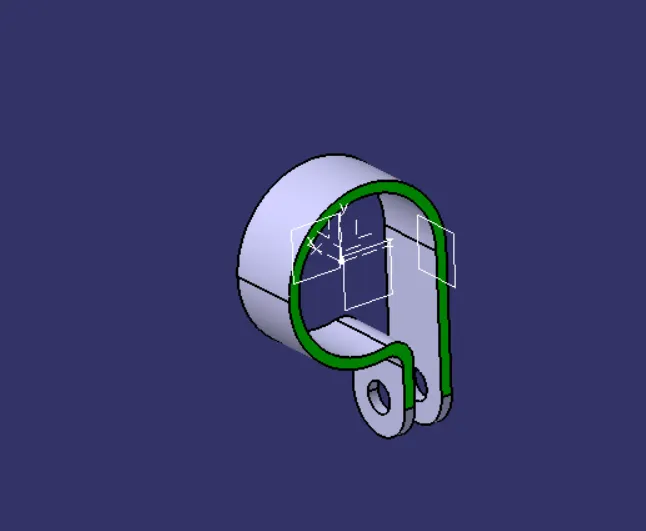
Fig. 6: P-Clamp as support equipment.
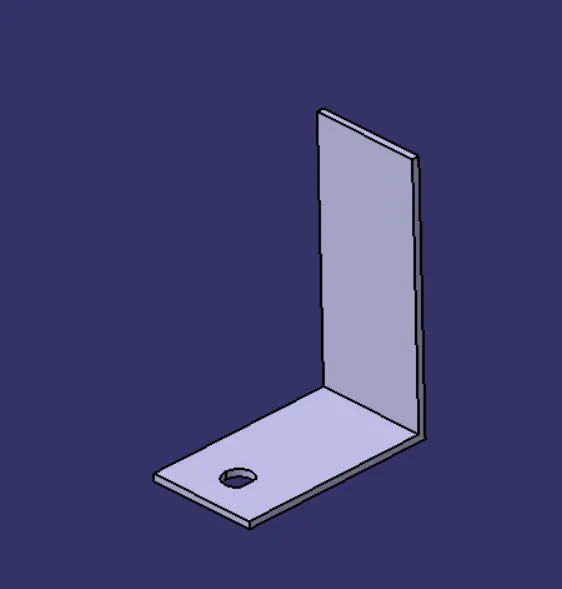
Fig. 7: L-plate as support part.
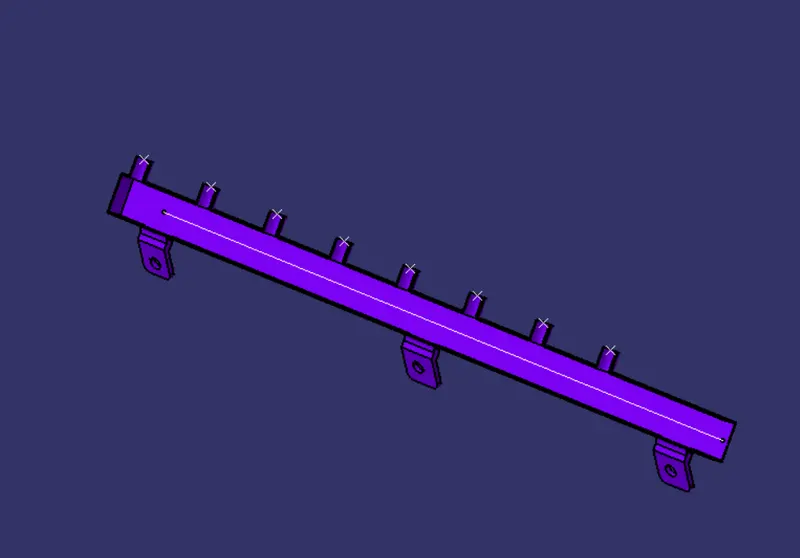
Fig. 8: Defining the safety channel lower part as support part.
Creating the Protection Part:
- Open a new ‘Electrical Part Design’ workbench.
- Use ‘Define Protection Part’ command to create a corrugated tube of outer diameter 10mm
- Add to the ‘COT Tube’ family in the catalogue.
- Save it.
- Similarly, create COT Tubes with outer diameter 15mm and 20mm and add to the catalogue.
Placing the connectors in place:
- Open a new ‘CATProduct’ file and import the engine into this product.
- Create a new product in the main product for wiring harness assembly. All the connectors and the wiring harness would be placed in this assembly so that it can be defined as an electrical assembly and use for flattening.
- Import the C-15636899-1 connector and place it above one of the cylinder head.
- Repeat the above step to place the connector on all the cylinder heads.
- Import the L-Plate and place it on the transmission casing.
- Import the P- Clamps and place them at appropriate places.
- Import the safety channel components and place on the left side of the engine.
- Use ‘Symmetry’ command to create the safety channel for the right side of the engine.
- After all the components are placed in position, define the assembly as ‘Electrical Bundle’ to enable harness design.
- Start form the 12-Pole connector assembly and route through the P-Clamps towards left side of the engine. The Harness diameter is 15mm in this region.
- Create branch points on this harness to extract a wire harness of 10mm diameter towards the safety channel.
- Route the harness through the safety channel.
- Add branch points and design the harness of 5mm diameter to connect to the connectors.
- Similarly on the right hand side, follow above steps and route the wiring harness.
- Insert COT Tubes from the catalogue at appropriate places.
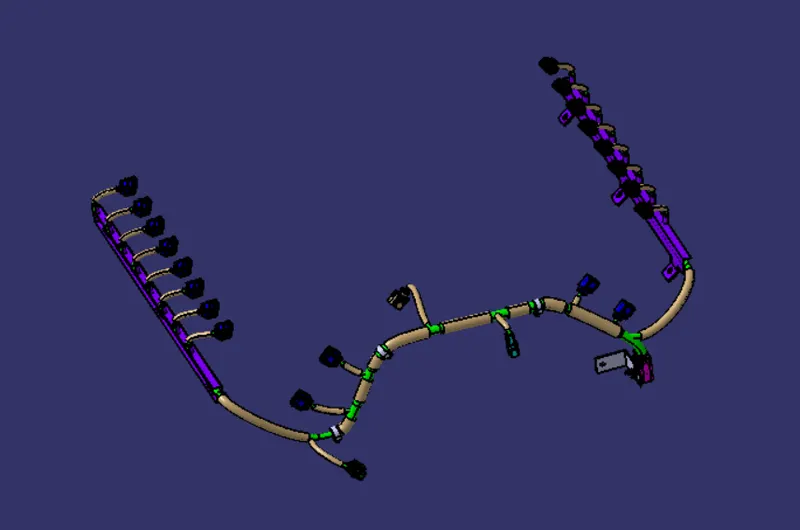
Fig. 9: Isometric view of wiring harness.
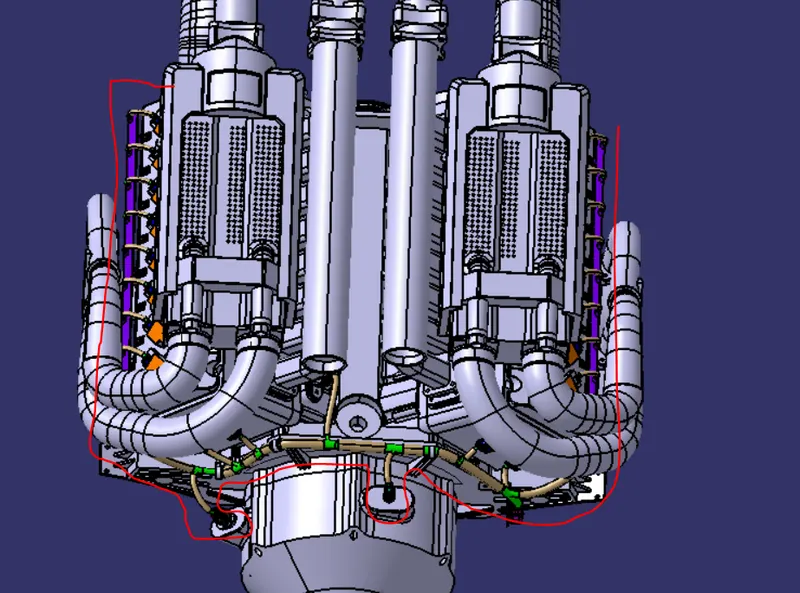
Fig. 10: Wiring harness routed around the Engine.
Creating the flattened wiring harness and drawing of the harness:
- Open a new product in ‘Electrical Harness Flattening’ workbench.
- Setup the Flattening Parameters.
- Use ‘Extract’ command and click on the harness bundle to import in the harness flattening workbench.
- Flatten the wiring harness.
- Use commands to set up flattened harness as shown below.
- Update the assembly and save it.
- Open a new drawing in the ‘Drafting’ workbench with an A0 paper sheet.
- Insert the Front view of the flattened harness.
- Insert a BOM in the drawing sheet.
- Dimension the wiring harness and the protective coverings.
- Use ‘Balloon’ to name the connectors.
- Insert a text box to write a note, if any.
- Use ‘Sheet Background’ command to set up the ‘Title Block’ and other details.
- Save it as drawing and a pdf file.
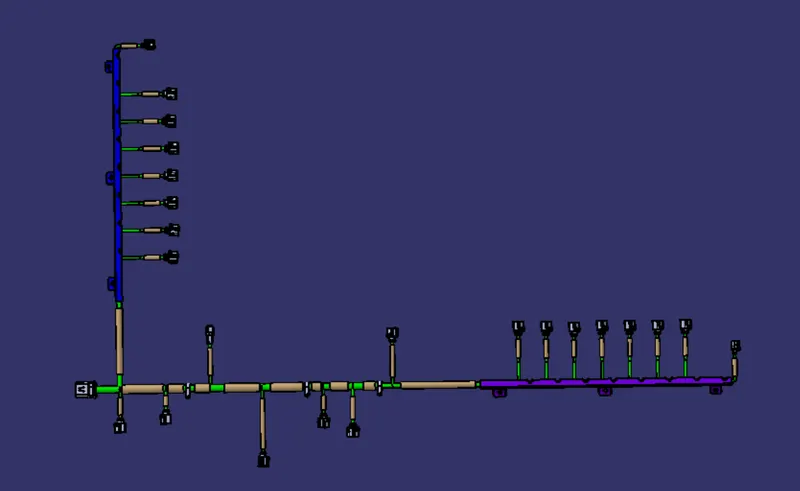
Fig. 11: Top View of the flattened wire harness.
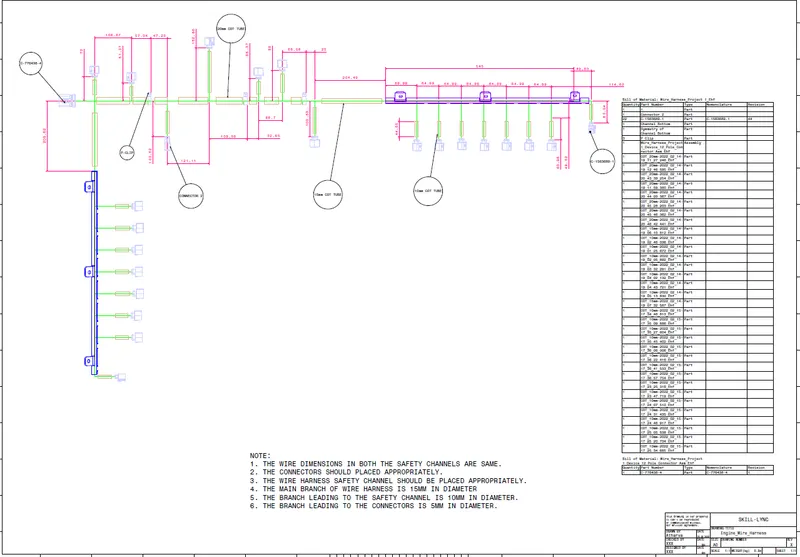
Fig. 12: Drawing sheet of the Flattened wiring harness.
Conclusion: The routing of the wiring harness on the given engine and preparing a flatten view drawing in CATIA V5 is completed successfully.